# Gapless 5
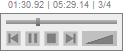
A gapless JavaScript audio player using HTML5 and WebAudio.
* 1. [Demos](#1-demos)
* 2. [Features](#2-features)
* 2.1. [Browser Support](#21-browser-support)
* 3. [Installation](#3-installation)
* 3.1. [Using npm](#31-using-npm)
* 3.2. [Using direct HTML](#32-using-direct-html)
* 4. [Usage](#4-usage)
* 4.1. [Options](#41-options)
* 4.2. [Functions](#42-functions)
* 4.2.1. [Parameterized Functions](#421-parameterized-functions)
* 4.2.2. [Accessors](#422-accessors)
* 4.2.3. [Actions](#423-actions)
* 4.3. [Callbacks](#43-callbacks)
* 4.4. [GUI Customization](#44-gui-customization)
* 5. [License](#5-license)
**PROBLEM**: There are 2 modern APIs for playing audio through the web, and both of them have problems:
- **HTML5 Audio**: the last chunk of audio gets cut off, making gapless transitions impossible
- **WebAudio**: can't play a file until it's fully loaded
**SOLUTION**: Use both!
- If WebAudio hasn't fully loaded yet, it begins playback with HTML5 Audio, then seamlessly switches to WebAudio once loaded.
## 1. Demos
The following sites utilize Gapless 5. If you'd like to be featured here, please contact the repo owner or start a new issue!
- [Gapless 5 Demonstration Page](https://ccrma.stanford.edu/~regosen/gapless5): Utilizes key mappings for cueing and other features.
- [THE402](https://the402.wertstahl.de/player): An electronic music looping experience.
- [Woodhelm](https://solemensis.github.io/Woodhelm/): A live ambience mixing website.
- [Bernardo.fm](https://beta.bernardo.fm/#!page=music): Featuring electronic and hip-hop artists.
- [This is Nerdpop](http://www.zenfingerpainting.com): Interactive listening page for Zen Finger Painting's indie pop album.
## 2. Features
- Players can have multiple tracks
- Pages can have multiple players
- Memory management (see `loadLimit` under [Options](#Options))
- Seamless transitions between tracks
- Pre-loading of subsequent tracks
- Files don't need to be fully loaded to start playback
- Once fully loaded, the audio can be analyzed in real-time using [webaudio api and AnalyserNode object](https://developer.mozilla.org/en-US/docs/Web/API/AnalyserNode)
- Cross-fade support
- Track shuffling during playback
- Optional built-in UI
### 2.1. Browser Support
- Safari (including iOS)
- Chrome (including Android)
- Firefox
- Other browers (UI untested, but they probably work as well)
*NOTE for Boostrap users: Bootstrap's CSS will mess up the optional built-in UI. If you don't need Bootstrap in its entirety, try using Twitter customize to get just the subset of rules you need.*
## 3. Installation
### 3.1. Using npm
1. Install the [npm package](https://www.npmjs.com/package/@regosen/gapless-5):
```shell
$ npm install @regosen/gapless-5
```
2. Import `Gapless5` from the module:
```js
const { Gapless5 } = require('@regosen/gapless-5');
```
### 3.2. Using direct HTML
A. If not using built-in UI, just add and reference `Gapless5.js` from your HTML head.
```html
```
B. If using the built-in UI, add and reference `Gapless5.js` and `Gapless5.css`. Also, create a `
` or `` element where you want the player to appear. Give it a particular id.
```html
```
## 4. Usage
1. Create a `Gapless5` object with an optional parameter object
- If you want the built-in UI, pass in the element ID as `guiId` under options.
2. Add tracks via options in constructor or `addTrack()`
3. Optional stuff:
- Add a cross-fade between tracks using `crossfade` under options.
- TIP: try setting this between 25 and 50 ms if you still hear gaps between your tracks. Gap sizes depend on the audio format, browser, etc.
- Manipulate tracklist with `insertTrack()`, `removeTrack()`, and more.
- Register your own callbacks.
- Connect key presses to actions using `mapKeys()` or options in constructor.
```js
const player = new Gapless5({ guiId: 'gapless5-player-id' });
// You can add tracks by relative or absolute URL:
player.addTrack('audio/song1.mp3');
player.addTrack('https://my-audio-site.org/song2.m4a');
// You can also let the user upload tracks from a file loader like this:
const files = document.getElementById('my-file-input').files;
files.forEach(file => {
player.addTrack(URL.createObjectURL(file)); // this creates a 'blob://' URL
});
player.play();
```
_If you want the user to upload tracks from a file loader, here's an example of that:_
```html
```
### 4.1. Options
These can be passed into a `Gapless5` constructor, or (with the exception of `tracks` and `guiId`) set later on the object.
- **guiId**
- id of existing element (i.e. `div` or `span`) where you want the player to appear.
- if empty or not provided, Gapless5 won't use built-in UI.
- **tracks**
- path to audio file(s) or blob URL(s), see examples above
- can be a single track as a string, an array, or a JSON object containing an array of JSON objects
- **loop**
- default = false
- loops after end of list/track
- **singleMode**
- default = false
- plays/loops single track only
- **exclusive**
- default = false
- stops other Gapless5 players when this one is playing
- **startingTrack**
- default: 0
- either an array index into the tracks array, or the string `random` for a random index
- **shuffleButton**
- default = true
- adds shuffle button to the player UI
- **shuffle**
- default = false
- enables shuffle mode immediately after playlist load
- **useHTML5Audio**
- default = true
- if you don't care about immediate playback, set useHTML5Audio to false for lower memory usage
- **useWebAudio**
- default = true
- if you don't care about gapless playback, set useWebAudio to false for better performance
- see NOTE below
- **loadLimit**
- default = no limit
- limits how many tracks can be loaded at once. If you have a large playlist, set to a low number (like 2-5) to save on memory
- caveat: you will hear gaps/loading delays if you skip tracks quickly enough or jump to arbitrary tracks
- see NOTE below
- **volume**
- default = 1.0 (0 = silent, 1.0 = loudest)
- **crossfade**
- crossfade duration in milliseconds
- note: crossfades happen only when transitioning between tracks, not when you start playback
- **crossfadeShape**
- `CrossfadeShape.None` (default, overlaps both tracks at full volume)
- `CrossfadeShape.Linear`
- `CrossfadeShape.EqualPower` (curved, louder than linear)
- **playbackRate**
- default = 1.0
- multiplier for the playback speed, higher = plays faster, lower = plays slower
- **mapKeys**
- pressing specified key (case-insensitive) will trigger any Action function listed above.
- **logLevel**
- minimum logging level (default = `LogLevel.Info`)
- set this to `LogLevel.Debug` for more verbose logging
- **analyserPrecision**
- default = 256
- only work with webaudio enabled.
- sets precision for real-time frequency and time-domain analysis of the song playing.
Example:
```js
const player = new Gapless5({
tracks: ['loop1.mp3', 'loop2.mp3'],
loop: true,
loadLimit: 2,
mapKeys: {prev: 'a', playpause: 's', stop: 'd', next: 'f'},
});
```
_NOTE 1: if you need audio to keep playing on iOS with Safari in the background, set `useWebAudio` to `false`._
_NOTE 2: if you use `loadLimit` with `useWebAudio` set to `false`, Safari on iOS may fail to play subsequent tracks. This is due to user interaction requirements, and JS console will show a warning if this happens._
### 4.2. Functions
You can call these functions on `Gapless5` objects.
#### 4.2.1. Parameterized Functions
- **addTrack(audioPath)**
- adds track to end of playlist
- `audioPath`: path to audio file(s) or blob URL(s), see examples above
- **insertTrack(index, audioPath)**
- inserts track at location `index`
- `audioPath`: same as in addTrack
- **replaceTrack(index, audioPath)**
- replaces track at location `index`
- `audioPath`: same as in addTrack
- **gotoTrack(indexOrPath)**
- jumps to specified track
- `indexOrPath` can be the numerical index, or audio path
- **queueTrack(indexOrPath)**
- similar to `gotoPath`, but waits for current track to finish first
- **removeTrack(indexOrPath)**
- removes specified track from playlist
- `indexOrPath` can be the numerical index, or audio path
- **setPosition(position)**
- updates the current position (in milliseconds)
- **setVolume(volume)**
- updates the volume in real time (between 0 and 1)
- **setCrossfade(duration)**
- sets the crossfade duration in milliseconds
- **setCrossfadeShape(shape)**
- sets the crossfade curve shape
- **setPlaybackRate(playbackRate)**
- updates the playback speed in real time (see `playbackRate` option)
- **mapKeys(jsonMapping)**
- pressing specified key (case-insensitive) will trigger any Action function listed below.
- `jsonMapping` maps an action to a key, see example code below
#### 4.2.2. Accessors
- **isShuffled()**
- returns true if shuffled
- **getTracks()**
- returns list of audioPaths in play order
- if shuffled, the shuffled order will be reflected here
- **getTrack()**
- returns current track's audioPath ('' if unavailable)
- **getIndex()**
- returns current index in the playlist (-1 if unavailable)
- **getPosition()**
- returns current play position in milliseconds
- **getSeekablePercent()**
- returns percent of current track that's seekable (0-1)
- **findTrack(audioPath)**
- returns index of track in playlist
#### 4.2.3. Actions
All actions can be mapped to keys via `mapKeys`.
*These correspond to built-in UI buttons*
- **prev()**: matches behavior of "prev" button (scrubs to start if you've progressed into a track)
- **playpause()**: matches behavior of "play/pause" button
- **stop()**: matches behavior of "stop" button
- **toggleShuffle()**: switches between shuffled and un-shuffled
- subsequent shuffles will be different each time
- **next()**: matches behavior of "next" button
*These do not correspond to built-in UI buttons*
- **prevtrack()**: unlike "prev" button, this will always jump to the previous track
- **cue()**: play from start
- **play()**: non-togglable "play"
- **pause()**: non-togglable "pause"
- **shuffle(preserveCurrent = true)**: non-togglable shuffle, re-shuffles if previously shuffled
- if **preserveCurrent** is false, it will shuffle all tracks (without preserving current track)
- **removeAllTracks()**: clears entire playlist
Examples:
```js
player.mapKeys({cue: '7', stop: '8', next: '9'});
player.play();
player.pause();
// indexes start at 0
player.replaceTrack(0, 'audio/song1_alt.flac');
player.insertTrack(1, 'audio/transition.wav');
player.gotoTrack(1);
player.gotoTrack('audio/song1_alt.flac'); // can also goto track by path
player.removeTrack(2);
player.removeTrack('audio/transition.wav'); // can also remove track by path
player.removeAllTracks();
```
### 4.3. Callbacks
You can set these on a `Gapless5` object. All callbacks include the affected track's audio path except where indicated.
```ts
// audio position has changed
ontimeupdate = (current_track_time: number, current_track_index: number) => void
// play requested by user
onplayrequest = (track_path: string) => void
// play actually starts
onplay = (track_path: string, analyser_node: object) => void
// play is paused
onpause = (track_path: string) => void
// play is stopped
onstop = (track_path: string) => void
// prev track, where:
// from_track = track that we're switching from
// to_track = track that we're switching to
onprev = (from_track: string, to_track: string) => void
// next track, where:
// from_track = track that we're switching from
// to_track = track that we're switching to
onnext = (from_track: string, to_track: string) => void
// loading started
onloadstart = (track_path: string) => void
// loading completed
// fully_loaded = true for WebAudio data, false for HTML5 Audio data
// NOTE: this triggers twice per track when both WebAudio and HTML5 are enabled
onload = (track_path: string, fully_loaded: boolean) => void
// track unloaded (to save memory)
onunload = (track_path: string) => void
// track failed to load or play
onerror = (track_path: string, error?: Error | string) => void
// track finished playing
onfinishedtrack = (track_path: string) => void
// entire playlist finished playing
onfinishedall = () => void
// engine switched from html5 to webaudio API during songplay
onswitchtowebaudio = () => (analyser_node: object)
```
Example:
```js
function nextCallback(from_track, to_track) {
console.log(`User skipped to next track (from ${from_track} to ${to_track})`);
}
const player = new Gapless5({guiId: 'gapless5-player-id', tracks: ['track1.mp3', 'track2.mp3']});
player.onnext = nextCallback;
player.onplay = function (track_path) { console.log(`Now playing ${track_path}`); };
```
### 4.4. GUI Customization
While Gapless provides its own GUI, you can also customize it in CSS, or even create your own spans of text controlled by Gapless5.
- `.g5positionbar` by class will affect the entire text above all Gapless5 players on your page
- `#g5positionbar-[ID]` by id (where `[ID]` of the guiId you provided) will also customize the entire text for the current player
- a span with `#g5position-[ID]` will be set to the current position (e.g. "04:04.95")
- a span with `#g5duration-[ID]` will be set to the track's duration
- a span with `#g5index-[ID]` will be set to the track's index in the playlist
- a span with `#g5numtracks-[ID]` will be set to the number of tracks in the playlist
- a span with `#g5trackname-[ID]` will be set to the current track name (filename without extension)
Example:
in CSS, hide the built-in gapless5 text:
```
#g5positionbar-MyID {
display: none;
}
```
and then create your own elements to be controlled by Gapless5:
```
Now Playing:
()
```
See an example of customized player text [here](http://www.zenfingerpainting.com).
## 5. License
Licensed under the MIT License.
 A gapless JavaScript audio player using HTML5 and WebAudio.
* 1. [Demos](#1-demos)
* 2. [Features](#2-features)
* 2.1. [Browser Support](#21-browser-support)
* 3. [Installation](#3-installation)
* 3.1. [Using npm](#31-using-npm)
* 3.2. [Using direct HTML](#32-using-direct-html)
* 4. [Usage](#4-usage)
* 4.1. [Options](#41-options)
* 4.2. [Functions](#42-functions)
* 4.2.1. [Parameterized Functions](#421-parameterized-functions)
* 4.2.2. [Accessors](#422-accessors)
* 4.2.3. [Actions](#423-actions)
* 4.3. [Callbacks](#43-callbacks)
* 4.4. [GUI Customization](#44-gui-customization)
* 5. [License](#5-license)
**PROBLEM**: There are 2 modern APIs for playing audio through the web, and both of them have problems:
- **HTML5 Audio**: the last chunk of audio gets cut off, making gapless transitions impossible
- **WebAudio**: can't play a file until it's fully loaded
**SOLUTION**: Use both!
- If WebAudio hasn't fully loaded yet, it begins playback with HTML5 Audio, then seamlessly switches to WebAudio once loaded.
## 1. Demos
The following sites utilize Gapless 5. If you'd like to be featured here, please contact the repo owner or start a new issue!
- [Gapless 5 Demonstration Page](https://ccrma.stanford.edu/~regosen/gapless5): Utilizes key mappings for cueing and other features.
- [THE402](https://the402.wertstahl.de/player): An electronic music looping experience.
- [Woodhelm](https://solemensis.github.io/Woodhelm/): A live ambience mixing website.
- [Bernardo.fm](https://beta.bernardo.fm/#!page=music): Featuring electronic and hip-hop artists.
- [This is Nerdpop](http://www.zenfingerpainting.com): Interactive listening page for Zen Finger Painting's indie pop album.
## 2. Features
- Players can have multiple tracks
- Pages can have multiple players
- Memory management (see `loadLimit` under [Options](#Options))
- Seamless transitions between tracks
- Pre-loading of subsequent tracks
- Files don't need to be fully loaded to start playback
- Once fully loaded, the audio can be analyzed in real-time using [webaudio api and AnalyserNode object](https://developer.mozilla.org/en-US/docs/Web/API/AnalyserNode)
- Cross-fade support
- Track shuffling during playback
- Optional built-in UI
### 2.1. Browser Support
- Safari (including iOS)
- Chrome (including Android)
- Firefox
- Other browers (UI untested, but they probably work as well)
*NOTE for Boostrap users: Bootstrap's CSS will mess up the optional built-in UI. If you don't need Bootstrap in its entirety, try using Twitter customize to get just the subset of rules you need.*
## 3. Installation
### 3.1. Using npm
1. Install the [npm package](https://www.npmjs.com/package/@regosen/gapless-5):
```shell
$ npm install @regosen/gapless-5
```
2. Import `Gapless5` from the module:
```js
const { Gapless5 } = require('@regosen/gapless-5');
```
### 3.2. Using direct HTML
A. If not using built-in UI, just add and reference `Gapless5.js` from your HTML head.
```html
```
B. If using the built-in UI, add and reference `Gapless5.js` and `Gapless5.css`. Also, create a `
A gapless JavaScript audio player using HTML5 and WebAudio.
* 1. [Demos](#1-demos)
* 2. [Features](#2-features)
* 2.1. [Browser Support](#21-browser-support)
* 3. [Installation](#3-installation)
* 3.1. [Using npm](#31-using-npm)
* 3.2. [Using direct HTML](#32-using-direct-html)
* 4. [Usage](#4-usage)
* 4.1. [Options](#41-options)
* 4.2. [Functions](#42-functions)
* 4.2.1. [Parameterized Functions](#421-parameterized-functions)
* 4.2.2. [Accessors](#422-accessors)
* 4.2.3. [Actions](#423-actions)
* 4.3. [Callbacks](#43-callbacks)
* 4.4. [GUI Customization](#44-gui-customization)
* 5. [License](#5-license)
**PROBLEM**: There are 2 modern APIs for playing audio through the web, and both of them have problems:
- **HTML5 Audio**: the last chunk of audio gets cut off, making gapless transitions impossible
- **WebAudio**: can't play a file until it's fully loaded
**SOLUTION**: Use both!
- If WebAudio hasn't fully loaded yet, it begins playback with HTML5 Audio, then seamlessly switches to WebAudio once loaded.
## 1. Demos
The following sites utilize Gapless 5. If you'd like to be featured here, please contact the repo owner or start a new issue!
- [Gapless 5 Demonstration Page](https://ccrma.stanford.edu/~regosen/gapless5): Utilizes key mappings for cueing and other features.
- [THE402](https://the402.wertstahl.de/player): An electronic music looping experience.
- [Woodhelm](https://solemensis.github.io/Woodhelm/): A live ambience mixing website.
- [Bernardo.fm](https://beta.bernardo.fm/#!page=music): Featuring electronic and hip-hop artists.
- [This is Nerdpop](http://www.zenfingerpainting.com): Interactive listening page for Zen Finger Painting's indie pop album.
## 2. Features
- Players can have multiple tracks
- Pages can have multiple players
- Memory management (see `loadLimit` under [Options](#Options))
- Seamless transitions between tracks
- Pre-loading of subsequent tracks
- Files don't need to be fully loaded to start playback
- Once fully loaded, the audio can be analyzed in real-time using [webaudio api and AnalyserNode object](https://developer.mozilla.org/en-US/docs/Web/API/AnalyserNode)
- Cross-fade support
- Track shuffling during playback
- Optional built-in UI
### 2.1. Browser Support
- Safari (including iOS)
- Chrome (including Android)
- Firefox
- Other browers (UI untested, but they probably work as well)
*NOTE for Boostrap users: Bootstrap's CSS will mess up the optional built-in UI. If you don't need Bootstrap in its entirety, try using Twitter customize to get just the subset of rules you need.*
## 3. Installation
### 3.1. Using npm
1. Install the [npm package](https://www.npmjs.com/package/@regosen/gapless-5):
```shell
$ npm install @regosen/gapless-5
```
2. Import `Gapless5` from the module:
```js
const { Gapless5 } = require('@regosen/gapless-5');
```
### 3.2. Using direct HTML
A. If not using built-in UI, just add and reference `Gapless5.js` from your HTML head.
```html
```
B. If using the built-in UI, add and reference `Gapless5.js` and `Gapless5.css`. Also, create a `