# widget-form
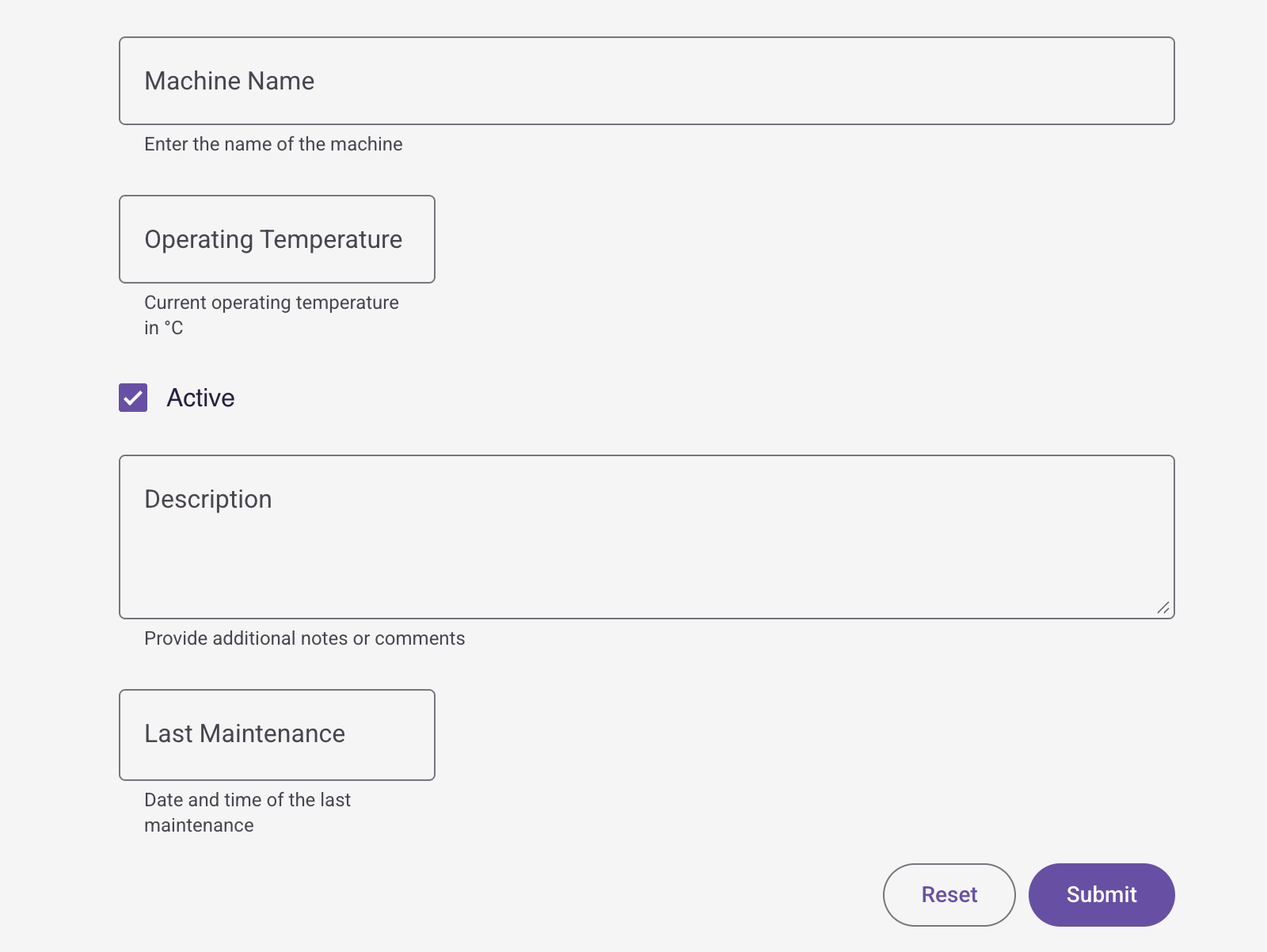
A Lit 3.x web component for creating dynamic forms with configurable fields. Part of the IronFlock widget ecosystem.
## Installation
```bash
npm i @record-evolution/widget-form
```
## Usage
```html
```
> **Note:** The version number is part of the custom element tag name.
## Properties
| Property | Type | Description |
| ----------- | ----------- | ----------------------------- |
| `inputData` | `InputData` | Form configuration and fields |
| `theme` | `Theme` | Theme object for styling |
## Events
| Event | Detail | Description |
| ------------- | ----------------------------- | -------------------------------- |
| `data-submit` | Array of field/value mappings | Fired when the form is submitted |
## Configuration
The form is configured via the `inputData` property:
```ts
interface InputData {
title?: string
subTitle?: string
formButton?: boolean // Show button to open form dialog
formFields?: FormField[]
}
```
### Field Types
Each form field supports the following types:
| Type | Description |
| ------------- | ------------------------------ |
| `textfield` | Single-line text input |
| `numberfield` | Numeric input with min/max |
| `checkbox` | Boolean checkbox |
| `textarea` | Multi-line text input |
| `dropdown` | Select from predefined options |
| `datetime` | Date/time picker |
### Field Configuration
```ts
interface FormField {
label: string
type: 'dropdown' | 'textfield' | 'numberfield' | 'checkbox' | 'textarea' | 'datetime'
hiddenField?: boolean // Hide field but still submit value
required?: boolean // Field must be filled
description?: string // Hint text shown below field
targetColumn?: TargetColumn // Database column mapping
defaultValue?: string
min?: number // For numberfield
max?: number // For numberfield
validation?: string // Regex for textfield
values?: DropdownValue[] // For dropdown type
}
```
## Development
```bash
# Start dev server
npm run start
# Build for production
npm run build
# Generate types from schema
npm run types
# Build, bump version, and publish
npm run release
```
## License
MIT