A JavaScript library for text annotation. Use it to add annotation functionality to a web page, or as a toolbox
for building your own, completely custom annotation apps. Try the [online demo](https://recogito.github.io/recogito-js/)
or see the [API reference](https://github.com/recogito/recogito-js/wiki/API-Reference).
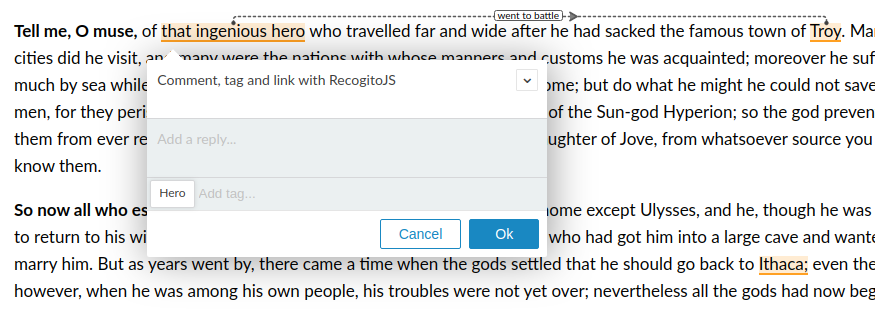
## Installing
If you use npm, `npm install @recogito/recogito-js` and
```javascript
import { Recogito } from '@recogito/recogito-js';
import '@recogito/recogito-js/dist/recogito.min.css';
const r = new Recogito({ content: 'my-content' });
```
Otherwise download the [latest release](https://github.com/recogito/recogito-js/releases/latest) and
include it in your web page.
```html
```
## Using
```html
My text to annotate.
```
Full documentation is [on the Wiki](https://github.com/recogito/recogito-js/wiki). Questions? Feedack? Feature requests? Join the
[RecogitoJS chat on Gitter](https://gitter.im/recogito/recogito-js).
[](https://gitter.im/recogito/recogito-js?utm_source=badge&utm_medium=badge&utm_campaign=pr-badge&utm_content=badge)
## License
[BSD 3-Clause](LICENSE) (= feel free to use this code in whatever way
you wish. But keep the attribution/license file, and if this code
breaks something, don't complain to us :-)