# Recogito Geotagging Widget
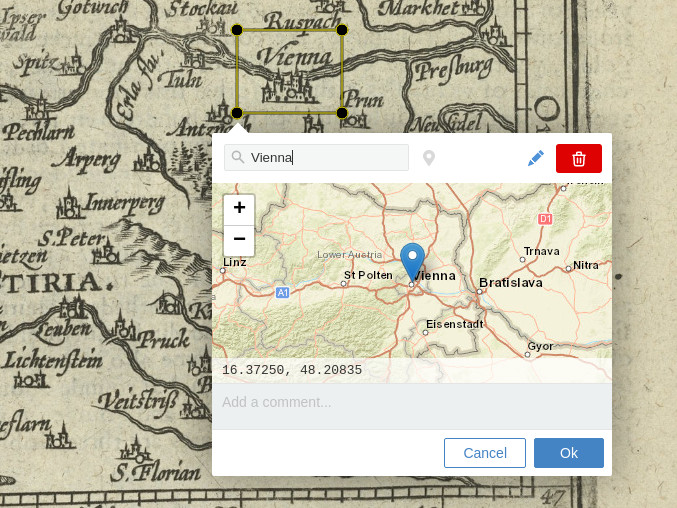
A geo-tagging editor widget for [Annotorious](https://annotorious.com) and
[RecogitoJS](https://github.com/recogito/recogito-js).
Try the live demos here:
- [Image annotation demo with Annotorious](https://recogito.github.io/geotagging-widget/)
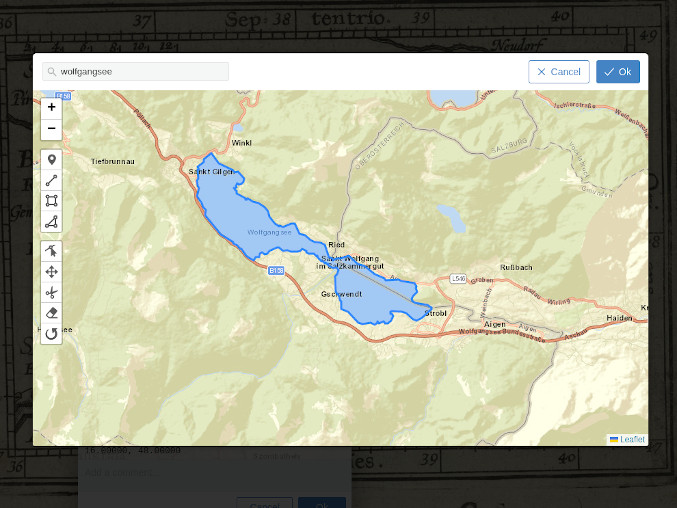
- [Text annotation demo with RecogitoJS](https://recogito.github.io/geotagging-widget/recogito-js.html)
## Install
Download the [latest release](https://github.com/recogito/geotagging-widget/releases) and include the JS script file. You can also get the script files directly from the CDN:
```html
```
If you use npm: `npm install @recogito/geotagging-widget` and
```js
import GeotaggingWidget from '@recogito/geotagging-widget';
const config = {
defaultOrigin: [ 48, 16 ]
};
const anno = new Annotorious({
image: imageEl,
widgets: [
{ widget: GeotaggingWidget(config) },
]
});
```
The plugin is also compatible with [RecogitoJS](https://github.com/recogito/recogito-js). Initialization works the same way.
## Using Custom Gazetteers
To enable place search, the plugin includes connectors to two public gazetteer databases: OpenStreetMap, through the public [Nominatim](https://nominatim.org/) API; and the API of the [World Historical Gazetteer](https://whgazetteer.org/).
Please note that both of these services are free - but may impose their own rate and usage limits - which means you will have to use them at your own discretion and risk. You can also connect other (or your own) gazetteer search endpoints, by supplying a custom search function in the configuration. See [this Wiki page](https://github.com/recogito/geotagging-widget/wiki/Using-Custom-Gazetteer-APIs) for details.
## License
[BSD 3-Clause](https://github.com/recogito/geotagging-widget/blob/main/LICENSE)
## Acknowledgements
This plugin was made possible thanks to the support [Huygens ING](https://www.huygens.knaw.nl/) and the [Golden Agents project](https://www.goldenagents.org/).
Sample images:
- Epitome theatri Ortelianii, Abraham Ortelius, 1601. [Source: Wikimedia Commons, CC-BY-SA 4.0](https://commons.wikimedia.org/wiki/File:Epitome_theatri_Ortelianii,_Abraham_Ortelio.jpg)
- Austria (1603). [Source: NYPL, Wikimedia Commons, Public Domain](https://commons.wikimedia.org/wiki/File:Austria_(NYPL_b15404146-1632179).jpg)

 Try the live demos here:
- [Image annotation demo with Annotorious](https://recogito.github.io/geotagging-widget/)
- [Text annotation demo with RecogitoJS](https://recogito.github.io/geotagging-widget/recogito-js.html)
## Install
Download the [latest release](https://github.com/recogito/geotagging-widget/releases) and include the JS script file. You can also get the script files directly from the CDN:
```html
Try the live demos here:
- [Image annotation demo with Annotorious](https://recogito.github.io/geotagging-widget/)
- [Text annotation demo with RecogitoJS](https://recogito.github.io/geotagging-widget/recogito-js.html)
## Install
Download the [latest release](https://github.com/recogito/geotagging-widget/releases) and include the JS script file. You can also get the script files directly from the CDN:
```html