` element into the Handsontable constructor and fill the instance with sample data:
```javascript
var data = [
["", "Tesla", "Volvo", "Toyota", "Honda"],
["2017", 10, 11, 12, 13],
["2018", 20, 11, 14, 13],
["2019", 30, 15, 12, 13]
];
var container = document.getElementById('example');
var hot = new Handsontable(container, {
data: data,
rowHeaders: true,
colHeaders: true,
filters: true,
dropdownMenu: true
});
```
### Examples
- [See a live demo](//handsontable.com/examples.html?manual-resize&manual-move&conditional-formatting&context-menu&filters&dropdown-menu&headers)
### Features
**It includes all of the Handsontable Community Edition (CE) features, plus:**
- Filtering
- Export to file
- Dropdown menu
- Nested headers
- Collapsing columns
- Hiding rows
- Hiding columns
- Trimming rows
- Column summary
- Header tooltips
- Binding rows with headers
- Formulas (alpha)
- Nested rows (alpha)
- Gantt Chart (beta)
[See a comparison table](//docs.handsontable.com/pro/tutorial-features.html)
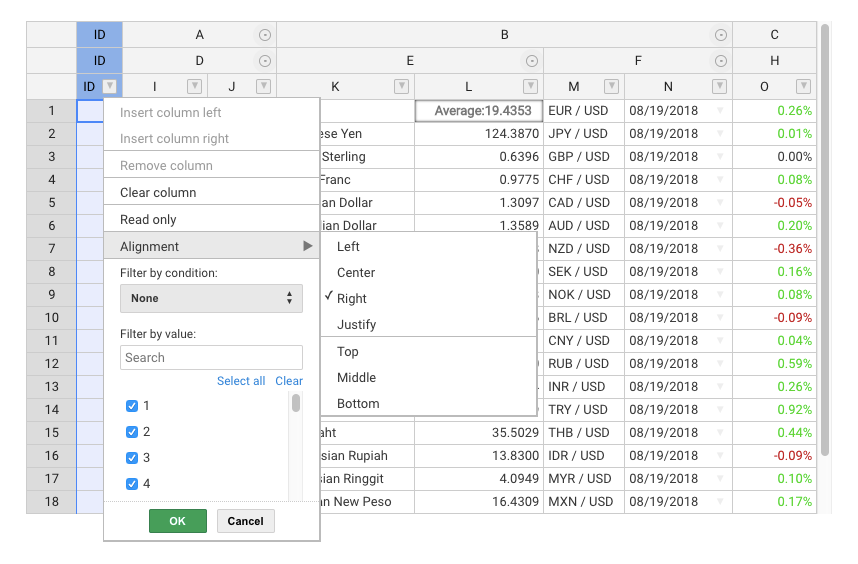
### Screenshot
### Resources
- [API Reference](//docs.handsontable.com/pro/Core.html)
- [Compatibility](//docs.handsontable.com/pro/tutorial-compatibility.html)
- [Change log](//docs.handsontable.com/pro/tutorial-release-notes.html)
- [Roadmap](//trello.com/b/PztR4hpj)
- [Newsroom](//twitter.com/handsontable)
### Wrappers
Handsontable Pro comes with wrappers and directives for most popular frameworks:
- [Angular](//github.com/handsontable/angular-handsontable)
- [Angular 1](//github.com/handsontable/ngHandsontable)
- [React](//github.com/handsontable/react-handsontable)
- [Vue](//github.com/handsontable/vue-handsontable-official)
- [Polymer](//github.com/handsontable/hot-table)
- [Typescript file](//github.com/handsontable/handsontable-pro/blob/master/handsontable.d.ts)
### Support
Handsontable Pro is supported on a commercial basis. All the suggestions and issues should be sent to support@handsontable.com.
### Pricing
The [pricing page](//handsontable.com/pricing.html) lists all pricing info, and contains links to purchase a new license, or to renew a maintenance plan.
### License key
Handsontable Pro requires passing a valid license key in the configuration section.
You can find your purchased license key in your account at [my.handsontable.com](//my.handsontable.com/sign-in.html).
An example of what the configuration object should look like:
```javascript
hot = new Handsontable(container,{
data: data,
rowHeaders: true,
colHeaders: true,
licenseKey: '00000-00000-00000-00000-00000'
});
```
**Note that the license key is passed as a string so you need to wrap it in quotes ('').**
### License
Handsontable Pro is released under a commercial license. [Learn more](//docs.handsontable.com/pro/tutorial-licensing.html)
Copyright belong to Handsoncode sp. z o.o.