# `` 滚轮
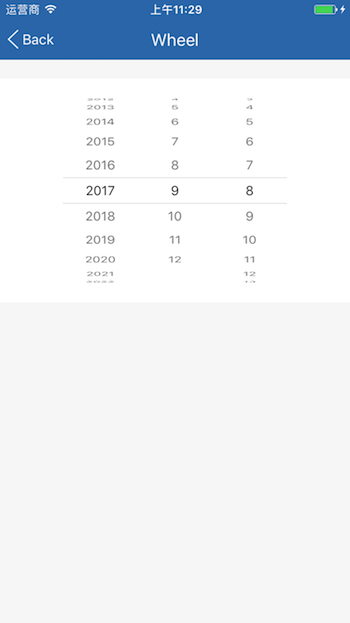
Wheel 组件定义一个滚轮, 可用于滚轮式选择器,同时支持 Android 和 iOS。
## Props
| Prop | Type | Default | Note |
|---|---|---|---|
| [View props...](https://facebook.github.io/react-native/docs/view.html) | | | Wheel 组件继承 View 组件的全部属性。
| items | array | | 可选项列表,数组元素可以是字符串、数字或 React Native 组件。
| itemStyle | 同Text.style | | 选项样式,当 items 数组元素是 React Native 组件时无效。
| holeStyle | 同View.style | | 当前项窗口样式,需指定 height 属性。
| maskStyle | 同View.style | | 当前项上下蒙版样式。
| holeLine | string
number
element | | 当前项窗口分隔线,可以是数字或 React Native 组件。
| index | number | | 当前项索引值,设置此属性需要监听 onChange 事件并自行维护状态。
| defaultIndex | number | | 默认当前项索引值,仅在组件创建时使用一次,如不想设置 index 并维护状态,可在此属性传入初始项索引值。
## Events
| Event Name | Returns | Notes |
|---|---|---|
| [View events...](https://facebook.github.io/react-native/docs/view.html) | | Wheel 组件继承 View 组件的全部事件。
| onChange | index | 改变当前项完成后调用, index 为改变后当前项索引值。
## Example
简单用法
```
```
## Screenshots