import { ForwardRefExoticComponent } from 'react';
import { FunctionComponent } from 'react';
import { JSX } from 'react/jsx-runtime';
import { PathLike } from 'fs';
import { ReactElement } from 'react';
import { ReactNode } from 'react';
import { RefAttributes } from 'react';
/**
* A context-specific action that can be performed by the user.
*
* @remarks
* Assign keyboard shortcuts to items to make it easier for users to perform frequently used actions.
*
* @example
* ```typescript
* import { ActionPanel, Action, List } from "@raycast/api";
*
* export default function Command() {
* return (
*
*
*
*
* console.log("Close PR #1")} />
*
* }
* />
*
* );
* }
* ```
*/
export declare const Action: FunctionComponent & ConvenienceActions & {
Style: typeof ActionStyle;
};
export declare namespace Action {
export type Props = ActionProps;
export type Style = ActionStyle;
export namespace CopyToClipboard {
/**
* Props of the {@link Action.CopyToClipboard} React component.
*/
export type Props = CopyToClipboardProps;
}
export namespace CreateQuicklink {
/**
* Props of the {@link Action.CreateQuicklink} React component.
*/
export type Props = CreateQuicklinkProps;
}
export namespace CreateSnippet {
/**
* Props of the {@link Action.CreateSnippet} React component.
*/
export type Props = CreateSnippetProps;
}
export namespace InstallMCPServer {
/**
* Props of the {@link Action.InstallMCPServer} React component.
*/
export type Props = InstallMCPServerProps;
}
export namespace Open {
/**
* Props of the {@link Action.Open} React component.
*/
export type Props = OpenProps;
}
export namespace OpenInBrowser {
/**
* Props of the {@link Action.OpenInBrowser} React component.
*/
export type Props = OpenInBrowserProps;
}
export namespace OpenWith {
/**
* Props of the {@link Action.OpenWith} React component.
*/
export type Props = OpenWithProps;
}
export namespace Paste {
/**
* Props of the {@link Action.Paste} React component.
*/
export type Props = PasteProps;
}
export namespace Push {
/**
* Props of the {@link Action.Push} React component.
*/
export type Props = PushProps;
}
export namespace ShowInFinder {
/**
* Props of the {@link Action.ShowInFinder} React component.
*/
export type Props = ShowInFinderProps;
}
export namespace SubmitForm {
/**
* Props of the {@link Action.SubmitForm} React component.
*/
export type Props = SubmitFormProps;
}
export namespace Trash {
/**
* Props of the {@link Action.Trash} React component.
*/
export type Props = TrashProps;
}
export namespace ToggleQuickLook {
/**
* Props of the {@link Action.ToggleQuickLook} React component.
*/
export type Props = ToggleQuickLookProps;
}
export namespace PickDate {
/**
* Props of the {@link Action.PickDate} React component.
*/
export type Props = PickDateProps;
/**
* The types of date components the user can pick
* * `Date` - only year, month, and day can be picked
* * `DateTime` - hour and second can be picked in addition to year, month and day
*/
export type Type = DatePickerType_2;
}
}
/**
* Exposes a list of actions that can be performed by the user.
*
* @remarks
* Often items are context-aware, e.g. based on the selected list item. Actions can be grouped into semantic
* sections and can have keyboard shortcuts assigned.
*
* The first and second action become the primary and secondary action. They automatically get the default keyboard shortcuts assigned.
* In {@link List}, {@link Grid}, and {@link Detail}, this is `↵` for the primary and `⌘` `↵` for the secondary action. In {@link Form} it's `⌘` `↵` for the primary and
* `⌘` `⇧` `↵` for the secondary.
* Keep in mind that while you can specify an alternative shortcut for the primary and secondary actions, it won't be displayed in the Action Panel.
*
* @example
* ```typescript
* import { ActionPanel, Action, List } from "@raycast/api";
*
* export default function Command() {
* return (
*
*
*
*
*
* }
* />
*
* );
* }
* ```
*/
export declare const ActionPanel: FunctionComponent & DeprecatedActionPanelMembers & ActionPanelMembers;
export declare namespace ActionPanel {
/**
* Props of the {@link ActionPanel} React component.
*/
export type Props = ActionPanelProps_2;
/**
* Supported children for the {@link ActionPanel} components.
*/
export type Children = ActionPanelChildren_2;
export namespace Section {
/**
* Props of the {@link ActionPanel.Section} React component.
*/
export type Props = SectionProps;
/**
* Supported children for the {@link ActionPanel.Section} component.
*/
export type Children = SectionChildren;
}
export namespace Submenu {
/**
* Props of the {@link ActionPanel.Submenu} React component.
*/
export type Props = SubmenuProps;
/**
* Supported children for the {@link ActionPanel.Submenu} components.
*/
export type Children = SubmenuChildren;
}
}
/**
* @deprecated Use {@link ActionPanel.Children} instead.
*/
export declare type ActionPanelChildren = ActionPanel.Children;
declare type ActionPanelChildren_2 = ReactElement | ReactElement[] | ActionPanel.Section.Children | null;
/**
* @deprecated Use {@link Action} instead.
*/
export declare const ActionPanelItem: FunctionComponent & ConvenienceActions & {
Style: ActionStyle;
};
/**
* @deprecated Use {@link Action.Props} instead.
*/
export declare interface ActionPanelItemProps extends Action.Props {
}
declare interface ActionPanelMembers {
/**
* A group of visually separated items.
*
* @remarks
* Use sections when the {@link ActionPanel} contains a lot of actions to help guide the user to related actions.
* For example, create a section for all copy actions.
*
* @example
* ```typescript
* import { ActionPanel, Action, List } from "@raycast/api";
*
* export default function Command() {
* return (
*
*
*
*
*
*
*
*
* console.log("Close PR #1")} />
*
*
* }
* />
*
* );
* }
* ```
*/
Section: typeof Section;
/**
* An action that replaces the current ActionPanel with its children when selected.
*
* @remarks
* This is handy when an action needs to select from a range of options. For example, to add a label to a GitHub pull request
* or an assignee to a todo.
*
* @example
* ```typescript
* import { ActionPanel, Color, Icon, List, Action } from "@raycast/api";
*
* export default function Command() {
* return (
*
*
*
* console.log("Add bug label")}
* />
* console.log("Add enhancement label")}
* />
* console.log("Add help wanted label")}
* />
*
*
* }
* />
*
* );
* }
* ```
*/
Submenu: typeof Submenu;
}
/**
* @deprecated Use {@link ActionPanel.Props} instead.
*/
export declare interface ActionPanelProps extends ActionPanel.Props {
}
declare interface ActionPanelProps_2 {
/**
* Sections or Actions. If {@link Action} elements are specified, a default section is automatically created.
*/
children?: ReactNode;
/**
* The title displayed at the top of the panel
*/
title?: string;
}
/**
* @deprecated Use {@link ActionPanel.Section} instead.
*/
export declare const ActionPanelSection: typeof ActionPanel.Section;
/**
* @deprecated Use {@link ActionPanel.Section.Children} instead.
*/
export declare type ActionPanelSectionChildren = ActionPanel.Section.Children;
/**
* @deprecated Use {@link ActionPanel.Section.Props} instead.
*/
export declare interface ActionPanelSectionProps extends ActionPanel.Section.Props {
}
/**
* @deprecated No alternative :(
*/
export declare interface ActionPanelState {
/**
* @deprecated No alternative :(
*/
update: (actionPanel: ReactNode) => void;
}
/**
* @deprecated Use {@link ActionPanel.Submenu} instead.
*/
export declare const ActionPanelSubmenu: typeof ActionPanel.Submenu;
/**
* @deprecated Use {@link ActionPanel.Submenu.Props} instead.
*/
export declare interface ActionPanelSubmenuProps extends ActionPanel.Submenu.Props {
}
/**
* Props of the {@link Action} React component.
*/
declare interface ActionProps {
/**
* ID of the item.
* @deprecated - This is an internal prop which should not have been exposed. You can safely remove it.
*/
id?: string;
/**
* The title displayed for the Action.
*/
title: string;
/**
* The icon displayed for the Action.
*/
icon?: Image.ImageLike | undefined | null;
/**
* Defines the visual style of the Action.
*
* @remarks
* Use {@link Action.Style.Regular} for displaying a regular actions.
* Use {@link Action.Style.Destructive} when your action has something that user should be careful about.
* Use the confirmation {@link Alert} if the action is doing something that user cannot revert.
* @defaultValue {@link Action.Style.Regular}
*/
style?: ActionStyle;
/**
* The keyboard shortcut for the Action.
*
* @remarks
* The first and second action in an {@link ActionPanel} become the primary and secondary action. They automatically get the default keyboard shortcuts assigned.
* In {@link List}, {@link Grid} ,and {@link Detail}, this is `↵` for the primary and `⌘` `↵` for the secondary action. In {@link Form} it's `⌘` `↵` for the primary and `⌘` `⇧` `↵` for the secondary.
* Keep in mind that while you can specify an alternative shortcut for the primary and secondary actions, it won't be displayed in the Action Panel.
*/
shortcut?: Keyboard.Shortcut | undefined | null;
/**
* Callback that is triggered when the Action is selected.
*/
onAction?: () => void;
/**
* Indicates whether the Action should be focused automatically when the parent ActionPanel (or Actionpanel.Submenu) opens.
*/
autoFocus?: boolean;
}
/**
* Components that support an Action Panel.
*/
declare interface ActionsInterface {
/**
* A reference to an {@link ActionPanel}.
*/
actions?: ReactNode;
}
/**
* Defines the visual style of the Action.
*
* @remarks
* Use {@link Action.Style.Regular} for displaying a regular actions.
* Use {@link Action.Style.Destructive} when your action has something that user should be careful about.
* Use the confirmation {@link Alert} if the action is doing something that user cannot revert.
*/
declare enum ActionStyle {
Regular = "regular",
Destructive = "destructive"
}
export declare namespace AI {
/**
* Returns a prompt completion.
*
* @param prompt - The prompt to ask the AI.
* @param options - Options to control which and how the AI model should behave.
*
* @example
* ```typescript
* import { Detail, AI, LaunchProps } from "@raycast/api";
* import { usePromise } from "@raycast/utils";
* import { useState } from "react";
*
* export default function Command(props: LaunchProps<{ arguments: { prompt: string } }>) {
* const [data, setData] = useState("");
* const { isLoading } = usePromise(
* async (prompt) => {
* const stream = AI.ask(prompt);
* stream.on("data", (data) => {
* setData((x) => x + data);
* });
* await stream;
* },
* [props.arguments.prompt]
* );
*
* return ;
* }
* ```
*/
export function ask(prompt: string, options?: AskOptions): Promise & {
on(event: "data", listener: (chunk: string) => void): void;
};
export type AskOptions = {
/**
* Concrete tasks, such as fixing grammar, require less creativity while open-ended questions, such as generating ideas, require more.
* If a number is passed, it needs to be in the range 0-2. For larger values, 2 will be used. For lower values, 0 will be used.
*/
creativity?: Creativity;
/**
* The AI model to use to answer to the prompt.
*/
model?: Model;
/**
* Abort signal to cancel the request.
*/
signal?: AbortSignal;
};
/**
* Concrete tasks, such as fixing grammar, require less creativity while open-ended questions, such as generating ideas, require more.
* If a number is passed, it needs to be in the range 0-2. For larger values, 2 will be used. For lower values, 0 will be used.
*/
export type Creativity = "none" | "low" | "medium" | "high" | "maximum" | number;
/**
* The AI model to use to answer to the prompt.
* @defaultValue `AI.Model["OpenAI_GPT-4o_mini"]`
*/
export enum Model {
"OpenAI_GPT-5_mini" = "openai-gpt-5-mini",
"OpenAI_GPT-5_nano" = "openai-gpt-5-nano",
"OpenAI_GPT-4.1" = "openai-gpt-4.1",
"OpenAI_GPT-4.1_mini" = "openai-gpt-4.1-mini",
"OpenAI_GPT-4.1_nano" = "openai-gpt-4.1-nano",
"OpenAI_GPT-4" = "openai-gpt-4",
"OpenAI_GPT-4_Turbo" = "openai-gpt-4-turbo",
"OpenAI_GPT-4o" = "openai-gpt-4o",
"OpenAI_GPT-4o_mini" = "openai-gpt-4o-mini",
"OpenAI_GPT-5" = "openai_o1-gpt-5",
"OpenAI_GPT-5.1" = "openai-gpt-5.1",
"OpenAI_GPT-5.1_Codex" = "openai-gpt-5.1-codex",
"OpenAI_GPT-5.1_Instant" = "openai-gpt-5.1-instant",
"OpenAI_GPT-5.2" = "openai-gpt-5.2",
"OpenAI_GPT-5.2_Instant" = "openai-gpt-5.2-instant",
"OpenAI_GPT-5.3_Instant" = "openai-gpt-5.3-instant",
"OpenAI_GPT-5.3_Codex" = "openai-gpt-5.3-codex",
"OpenAI_GPT-5.4" = "openai-gpt-5.4",
"OpenAI_o3" = "openai_o1-o3",
"OpenAI_o4-mini" = "openai_o1-o4-mini",
"OpenAI_o1" = "openai_o1-o1",
"OpenAI_o3-mini" = "openai_o1-o3-mini",
"Groq_GPT-OSS_20b" = "groq-openai/gpt-oss-20b",
"Groq_GPT-OSS_120b" = "groq-openai/gpt-oss-120b",
"Anthropic_Claude_4.5_Haiku" = "anthropic-claude-4-5-haiku",
"Anthropic_Claude_4_Sonnet" = "anthropic-claude-sonnet-4",
"Anthropic_Claude_4.5_Sonnet" = "anthropic-claude-sonnet-4-5",
"Anthropic_Claude_4.6_Sonnet" = "anthropic-claude-sonnet-4-6",
"Anthropic_Claude_4.5_Opus" = "anthropic-claude-opus-4-5",
"Anthropic_Claude_4.6_Opus" = "anthropic-claude-opus-4-6",
"Perplexity_Sonar" = "perplexity-sonar",
"Perplexity_Sonar_Pro" = "perplexity-sonar-pro",
"Groq_Llama_4_Scout" = "groq-meta-llama/llama-4-scout-17b-16e-instruct",
"Groq_Llama_3.3_70B" = "groq-llama-3.3-70b-versatile",
"Groq_Llama_3.1_8B" = "groq-llama-3.1-8b-instant",
"Mistral_Nemo" = "mistral-open-mistral-nemo",
"Mistral_Large" = "mistral-mistral-large-latest",
"Mistral_Medium" = "mistral-mistral-medium-latest",
"Mistral_Small_3" = "mistral-mistral-small-latest",
"Mistral_Codestral" = "mistral-codestral-latest",
"Groq_Kimi_K2_Instruct" = "groq-moonshotai/kimi-k2-instruct",
"Groq_Qwen3-32B" = "groq-qwen/qwen3-32b",
"Google_Gemini_3.1_Flash_Lite" = "google-gemini-3.1-flash-lite",
"Google_Gemini_3_Flash" = "google-gemini-3-flash",
"Google_Gemini_3.1_Pro" = "google-gemini-3.1-pro",
"Google_Gemini_2.5_Pro" = "google-gemini-2.5-pro",
"Google_Gemini_2.5_Flash" = "google-gemini-2.5-flash",
"Google_Gemini_2.5_Flash_Lite" = "google-gemini-2.5-flash-lite",
"Together_AI_Qwen3-235B-A22B-Instruct-2507-tput" = "together-Qwen/Qwen3-235B-A22B-Instruct-2507-tput",
"Together_AI_DeepSeek-R1" = "together-deepseek-ai/DeepSeek-R1",
"Together_AI_DeepSeek-V3" = "together-deepseek-ai/DeepSeek-V3",
"Together_AI_Kimi_K2.5" = "together-moonshotai/Kimi-K2.5",
"xAI_Grok-4.1_Fast" = "xai-grok-4-1-fast",
"xAI_Grok-4" = "xai-grok-4",
"xAI_Grok-4_Fast" = "xai-grok-4-fast",
"xAI_Grok_Code_Fast_1" = "xai-grok-code-fast",
"xAI_Grok-3_Beta" = "xai-grok-3",
"xAI_Grok-3_Mini_Beta" = "xai-grok-3-mini",
/** @deprecated Use `AI.Model["Google_Gemini_3.1_Pro"]` instead */
"Google_Gemini_3_Pro" = "google-gemini-3-pro",
/** @deprecated Use `AI.Model["OpenAI_GPT-5.3_Codex"]` instead */
"OpenAI_GPT-5_Codex" = "openai-gpt-5-codex",
/** @deprecated Use `AI.Model["Anthropic_Claude_4.5_Haiku"]` instead */
"Anthropic_Claude_3.5_Haiku" = "anthropic-claude-4-5-haiku",
/** @deprecated Use `AI.Model["Anthropic_Claude_4.5_Sonnet"]` instead */
"Anthropic_Claude_3.7_Sonnet" = "anthropic-claude-sonnet-4-5",
/** @deprecated Use `AI.Model["Anthropic_Claude_4.6_Opus"]` instead */
"Anthropic_Claude_4_Opus" = "anthropic-claude-opus-4",
/** @deprecated Use `AI.Model["Anthropic_Claude_4.6_Opus"]` instead */
"Anthropic_Claude_4.1_Opus" = "anthropic-claude-opus-4-1",
/** @deprecated Use `AI.Model["Together_AI_DeepSeek-V3"]` instead */
"Together_AI_Llama_3.1_405B" = "together-meta-llama/Meta-Llama-3.1-405B-Instruct-Turbo",
/** @deprecated Use `AI.Model["Google_Gemini_3_Flash"]` instead */
"Google_Gemini_2.0_Flash" = "google-gemini-2.0-flash",
/** @deprecated Use `AI.Model["Google_Gemini_3_Flash"]` instead */
"Google_Gemini_2.0_Flash_Lite" = "google-gemini-2.0-flash-lite",
/** @deprecated Use `AI.Model["xAI_Grok-4.1_Fast"]` instead */
"xAI_Grok-2" = "xai-grok-2-latest",
/** @deprecated Use `AI.Model["OpenAI_GPT-4o_mini"]` instead */
"OpenAI_GPT3.5-turbo-instruct" = "openai-gpt-4o-mini",
/** @deprecated Use `AI.Model["Anthropic_Claude_4.6_Opus"]` instead */
"Anthropic_Claude_Opus" = "anthropic-claude-opus-4-1",
/** @deprecated Use `AI.Model["Google_Gemini_2.5_Flash"]` instead */
"Google_Gemini_2.0_Flash_Thinking" = "google-gemini-2.5-flash",
/** @deprecated Use `AI.Model["Groq_Llama_3.3_70B"]` instead */
"Llama2_70B" = "groq-llama-3.3-70b-versatile",
/** @deprecated Use `AI.Model["Perplexity_Sonar"]` instead */
"Perplexity_Sonar_Medium_Online" = "perplexity-sonar",
/** @deprecated Use `AI.Model["Perplexity_Sonar"]` instead */
"Perplexity_Sonar_Small_Online" = "perplexity-sonar",
/** @deprecated Use `AI.Model["Groq_Llama_3.3_70B"]` instead */
"Codellama_70B_instruct" = "groq-llama-3.3-70b-versatile",
/** @deprecated Use `AI.Model["Perplexity_Sonar"]` instead */
"Perplexity_Llama3_Sonar_Large" = "perplexity-sonar",
/** @deprecated Use `AI.Model["Perplexity_Sonar"]` instead */
"Perplexity_Llama3_Sonar_Small" = "perplexity-sonar",
/** @deprecated Use `AI.Model["OpenAI_GPT-4o_mini"]` instead */
"OpenAI_GPT3.5-turbo" = "openai-gpt-4o-mini",
/** @deprecated Use `AI.Model["Groq_Llama_3.3_70B"]` instead */
"Llama3.1_70B" = "groq-llama-3.3-70b-versatile",
/** @deprecated Use `AI.Model["Perplexity_Sonar_Pro"]` instead */
"Perplexity_Llama3.1_Sonar_Huge" = "perplexity-sonar-pro",
/** @deprecated Use `AI.Model["Perplexity_Sonar"]` instead */
"Perplexity_Llama3.1_Sonar_Large" = "perplexity-sonar",
/** @deprecated Use `AI.Model["Perplexity_Sonar"]` instead */
"Perplexity_Llama3.1_Sonar_Small" = "perplexity-sonar",
/** @deprecated Use `AI.Model["Mistral_Large"]` instead */
"Mistral_Large2" = "mistral-mistral-large-latest",
/** @deprecated Use `AI.Model["Together_AI_DeepSeek-R1"]` instead */
"Groq_DeepSeek_R1_Distill_Llama_3.3_70B" = "together-deepseek-ai/DeepSeek-R1",
/** @deprecated Use `AI.Model["Together_AI_DeepSeek-R1"]` instead */
"Together_DeepSeek_R1" = "together-deepseek-ai/DeepSeek-R1",
/** @deprecated Use `AI.Model["Mistral_Nemo"]` instead */
"MixtraL_8x7B" = "mistral-open-mistral-nemo",
/** @deprecated Use `AI.Model["Google_Gemini_2.5_Flash"]` instead */
"Google_Gemini_1.5_Flash" = "google-gemini-2.5-flash",
/** @deprecated Use `AI.Model["Google_Gemini_2.5_Flash"]` instead */
"Google_Gemini_1.5_Pro" = "google-gemini-2.5-flash",
/** @deprecated Use `AI.Model["Mistral_Nemo"]` instead */
"Mixtral_8x7B" = "mistral-open-mistral-nemo",
/** @deprecated Use `AI.Model["OpenAI_GPT-4o_mini"]` instead */
"Qwen_2.5_32B" = "openai-gpt-4o-mini",
/** @deprecated Use `AI.Model["OpenAI_o1"]` instead */
"OpenAI_o1-preview" = "openai_o1-o1",
/** @deprecated Use `AI.Model["OpenAI_o4-mini"]` instead */
"OpenAI_o1-mini" = "openai_o1-o4-mini",
/** @deprecated Use `AI.Model["Groq_Llama_3.3_70B"]` instead */
"Llama3_70B" = "groq-llama-3.3-70b-versatile",
/** @deprecated Use `AI.Model["Anthropic_Claude_4.5_Sonnet"]` instead */
"Anthropic_Claude_Sonnet_3.7" = "anthropic-claude-sonnet-4-5",
/** @deprecated Use `AI.Model["Anthropic_Claude_4.5_Sonnet"]` instead */
"Anthropic_Claude_Sonnet" = "anthropic-claude-sonnet-4-5",
/** @deprecated Use `AI.Model["Perplexity_Sonar_Pro"]` instead */
"Perplexity_Sonar_Reasoning" = "perplexity-sonar-pro",
/** @deprecated Use `AI.Model["Groq_GPT-OSS_20b"]` instead */
"OpenAI_GPT_OSS_20b" = "groq-openai/gpt-oss-20b",
/** @deprecated Use `AI.Model["Groq_GPT-OSS_120b"]` instead */
"OpenAI_GPT_OSS_120b" = "groq-openai/gpt-oss-120b",
/** @deprecated Use `AI.Model["OpenAI_GPT-5"]` instead */
"OpenAI_GPT5" = "openai_o1-gpt-5",
/** @deprecated Use `AI.Model["OpenAI_GPT-5_mini"]` instead */
"OpenAI_GPT5-mini" = "openai-gpt-5-mini",
/** @deprecated Use `AI.Model["OpenAI_GPT-5_nano"]` instead */
"OpenAI_GPT5-nano" = "openai-gpt-5-nano",
/** @deprecated Use `AI.Model["OpenAI_GPT-4"]` instead */
"OpenAI_GPT4" = "openai-gpt-4",
/** @deprecated Use `AI.Model["OpenAI_GPT-4_Turbo"]` instead */
"OpenAI_GPT4-turbo" = "openai-gpt-4-turbo",
/** @deprecated Use `AI.Model["OpenAI_GPT-4.1"]` instead */
"OpenAI_GPT4.1" = "openai-gpt-4.1",
/** @deprecated Use `AI.Model["OpenAI_GPT-4.1_nano"]` instead */
"OpenAI_GPT4.1-nano" = "openai-gpt-4.1-nano",
/** @deprecated Use `AI.Model["OpenAI_GPT-4.1_mini"]` instead */
"OpenAI_GPT4.1-mini" = "openai-gpt-4.1-mini",
/** @deprecated Use `AI.Model["OpenAI_GPT-4o"]` instead */
"OpenAI_GPT4o" = "openai-gpt-4o",
/** @deprecated Use `AI.Model["OpenAI_GPT-4o_mini"]` instead */
"OpenAI_GPT4o-mini" = "openai-gpt-4o-mini",
/** @deprecated Use `AI.Model["Anthropic_Claude_4.5_Haiku"]` instead */
"Anthropic_Claude_Haiku" = "anthropic-claude-4-5-haiku",
/** @deprecated Use `AI.Model["Mistral_Small_3"]` instead */
"Mistral_Small" = "mistral-mistral-small-latest",
/** @deprecated Use `AI.Model["Groq_Llama_3.3_70B"]` instead */
"Llama3.3_70B" = "groq-llama-3.3-70b-versatile",
/** @deprecated Use `AI.Model["Groq_Llama_3.1_8B"]` instead */
"Llama3.1_8B" = "groq-llama-3.1-8b-instant",
/** @deprecated Use `AI.Model["Together_AI_DeepSeek-V3"]` instead */
"Llama3.1_405B" = "together-meta-llama/Meta-Llama-3.1-405B-Instruct-Turbo",
/** @deprecated Use `AI.Model["Groq_Llama_4_Scout"]` instead */
"Llama4_Scout" = "groq-meta-llama/llama-4-scout-17b-16e-instruct",
/** @deprecated Use `AI.Model["Together_AI_DeepSeek-R1"]` instead */
"DeepSeek_R1" = "together-deepseek-ai/DeepSeek-R1",
/** @deprecated Use `AI.Model["Together_AI_DeepSeek-V3"]` instead */
"DeepSeek_V3" = "together-deepseek-ai/DeepSeek-V3",
/** @deprecated Use `AI.Model["xAI_Grok-4"]` instead */
"xAI_Grok_2" = "xai-grok-4",
/** @deprecated Use `AI.Model["xAI_Grok-3_Beta"]` instead */
"xAI_Grok_3" = "xai-grok-3",
/** @deprecated Use `AI.Model["xAI_Grok-4"]` instead */
"xAI_Grok_4" = "xai-grok-4",
/** @deprecated Use `AI.Model["xAI_Grok-3_Mini_Beta"]` instead */
"xAI_Grok_3_Mini" = "xai-grok-3-mini",
/** @deprecated Use `AI.Model["Groq_Qwen3-32B"]` instead */
"Groq_Qwen3_32B" = "groq-qwen/qwen3-32b",
/** @deprecated Use `AI.Model["Together_AI_Qwen3-235B-A22B-Instruct-2507-tput"]` instead */
"Groq_Qwen3_235B_A22B_Instruct_2507_tput" = "together-Qwen/Qwen3-235B-A22B-Instruct-2507-tput"
}
}
export declare namespace Alert {
/**
* The options to create an {@link Alert}.
*
* @example
* ```typescript
* import { confirmAlert, Alert } from "@raycast/api";
*
* export default async () => {
* const options: Alert.Options = {
* title: "Finished cooking",
* message: "Delicious pasta for lunch",
* primaryAction: {
* title: 'Do something',
* onAction: () => {
* // while you can register a handler for an action, it's more elegant
* // to use the `if (await confirmAlert(...)) { ... }` pattern
* console.log("The alert action has been triggered")
* }
* }
* };
* await confirmAlert(options);
* };
* ```
*/
export interface Options {
/**
* The icon of an alert to illustrate the action. Displayed on the top.
*/
icon?: Image.ImageLike;
/**
* The title of an alert. Displayed below the icon.
*/
title: string;
/**
* An additional message for an Alert. Useful to show more information, e.g. a confirmation message for a destructive action.
*/
message?: string;
/**
* The primary Action the user can take.
*/
primaryAction?: ActionOptions;
/**
* The Action to dismiss the alert. There usually shouldn't be any side effects when the user takes this action.
*/
dismissAction?: ActionOptions;
/**
* If set to true, the Alert will also display a `Do not show this message again` checkbox. When checked, the answer
* is persisted and directly returned to the extension the next time the alert should be shown, without the user
* actually seeing the alert.
*
* @remarks
* Once an alert is dismissed, a `Reset Confirmation Dialogs` button will appear in the command's settings pane,
* in case users want to reconsider their answers.
*/
rememberUserChoice?: boolean;
}
/**
* The options to create an {@link Alert} Action.
*/
export interface ActionOptions {
/**
* The title of the action.
*/
title: string;
/**
* The style of the action.
*/
style?: ActionStyle;
/**
* A callback called when the action is triggered.
*/
onAction?: () => void;
}
/**
* Defines the visual style of an Action of the Alert.
*
* @remarks
* Use {@link Alert.ActionStyle.Default} for confirmations of a positive action.
* Use {@link Alert.ActionStyle.Destructive} for confirmations of a destructive action (eg. deleting a file).
*/
export enum ActionStyle {
Default = "default",
Cancel = "cancel",
Destructive = "destructive"
}
}
/**
* @deprecated Use {@link Alert.ActionOptions} instead
*/
export declare interface AlertActionOptions extends Alert.ActionOptions {
}
/**
* @deprecated Use {@link Alert.ActionStyle} instead
*/
export declare const AlertActionStyle: typeof Alert.ActionStyle;
/**
* @deprecated Use {@link Alert.Options} instead
*/
export declare interface AlertOptions extends Alert.Options {
}
/**
* @deprecated Use {@link LocalStorage.allItems} instead
*/
export declare const allLocalStorageItems: typeof LocalStorage.allItems;
/**
* An object that represents a locally installed application on the system.
*
* @remarks
* It can be used to open files or folders in a specific application. Use {@link getApplications} or
* {@link getDefaultApplication} to get applications that can open a specific file or folder.
*/
export declare interface Application {
/**
* The display name of the application.
*/
name: string;
/**
* The localized name of the application.
*/
localizedName?: string;
/**
* The absolute path to the application bundle, e.g. `/Applications/Raycast.app`,
*/
path: string;
/**
* The macOS bundle identifier of the application, e.g. `com.raycast.macos`.
*/
bundleId?: string;
/**
* The Windows App ID of the application.
*/
windowsAppId?: string;
}
/**
* A record type holding the arguments (entered in Raycast Root Search Bar) that have been passed to the command.
*/
declare interface Arguments {
/**
* The representation of arguments given that key here is the `name` defined in manifest file and value is the user's input
*/
[item: string]: any;
}
/** @deprecated Use {@link LaunchProps} directly */
export declare interface ArgumentsLaunchProps {
arguments?: Arguments;
}
export declare namespace BrowserExtension {
/**
* Get the content of an opened tab.
* @param options - Options to control which content to get.
* @returns A Promise that resolves with the content of the tab.
*
* @example
* ```typescript
* import { BrowserExtension } from "@raycast/api";
*
* export default async () => {
* const html = await BrowserExtension.getContent({ format: "html" });
* console.log(html);
* };
* ```
*/
export function getContent(options?: {
/**
* The format of the content.
*
* - `html`: `document.documentElement.outerHTML`
* - `text`: `document.body.innerText`
* - `markdown`: A heuristic to get the "content" of the document and convert it to markdown. Think of it as the "reader mode" of a browser.
*
* @defaultValue `html`
*/
format?: "html" | "text" | "markdown";
/**
* Only returns the content of the element that matches the [CSS selector](https://developer.mozilla.org/en-US/docs/Web/CSS/CSS_selectors).
*
* If the selector matches multiple elements, only the first one is returned.
* If the selector doesn't match any element, an empty string is returned.
*
* When using a CSS selector, the `format` option can not be `markdown`.
*/
cssSelector?: string;
/**
* The ID of the tab to get the content from. If not specified, the content of the active tab of the focused window is returned.
*/
tabId?: number;
}): Promise;
export interface Tab {
/**
* The ID of the tab. Tab IDs are unique within a browser session.
*/
id: number;
/**
* The URL the tab is displaying.
*/
url: string;
/**
* The title of the tab. It may also be `undefined` if the tab is loading.
*/
title?: string;
/**
* The URL of the tab's [favicon](https://developer.mozilla.org/en-US/docs/Glossary/Favicon). It may also be `undefined` if the tab is loading.
*/
favicon?: string;
/**
* Whether the tab is active in its window.
* There can only be one active tab per window but if there are multiple browser windows, there can be multiple active tabs.
*/
active: boolean;
}
/**
* Get the list of browser tabs.
* @returns A Promise that resolves with the list of tabs.
*
* @example
* ```typescript
* import { BrowserExtension } from "@raycast/api";
*
* export default async () => {
* const tabs = await BrowserExtension.getTabs();
* console.log(tabs);
* };
* ```
*/
export function getTabs(): Promise;
}
/**
* Caching abstraction that stores data on disk and supports LRU (least recently used) access.
* Since extensions can only consume up to a max. heap memory size, the cache only maintains a lightweight index in memory
* and stores the actual data in separate files on disk in the extension's support directory.
*
* The Cache class provides CRUD-style methods (get, set, remove) to update and retrieve data synchronously based on a key.
* The data must be a string and it is up to the client to decide which serialization format to use.
* A typical use case would be to use `JSON.stringify` and `JSON.parse`.
*
* @remarks By default, the cache is shared between the entry points of an extension. Use {@link Cache.Options} to configure
* a `namespace` per command if needed (for example, set it to `environment.commandName`).
*
* @example
* ```typescript
* import { Cache } from "@raycast/api";
*
* const cache = new Cache();
* cache.set("items", JSON.stringify([{ id: "1", title: "Item 1" }]));
* console.log(JSON.parse(cache.get("items")));
* ```
*/
export declare class Cache {
static get STORAGE_DIRECTORY_NAME(): string;
static get DEFAULT_CAPACITY(): number;
private directory;
private namespace?;
private capacity;
private journal;
private storage;
private subscribers;
constructor(options?: Cache.Options);
/**
* @returns the full path to the directory where the data is stored on disk.
*/
get storageDirectory(): string;
/**
* @returns the data for the given key. If there is no data for the key, `undefined` is returned.
* @remarks If you want to just check for the existence of a key, use {@link has}.
*/
get(key: string): string | undefined;
/**
* @returns `true` if data for the key exists, `false` otherwise.
* @remarks You can use this method to check for entries without affecting the LRU access.
*/
has(key: string): boolean;
/**
* @returns `true` if the cache is empty, `false` otherwise.
*/
get isEmpty(): boolean;
/**
* Sets the data for the given key.
* If the data exceeds the configured `capacity`, the least recently used entries are removed.
* This also notifies registered subscribers (see {@link subscribe}).
*/
set(key: string, data: string): void;
/**
* Removes the data for the given key.
* This also notifies registered subscribers (see {@link subscribe}).
* @returns `true` if data for the key was removed, `false` otherwise.
*/
remove(key: string): boolean;
/**
* Clears all stored data.
* This also notifies registered subscribers (see {@link subscribe}) unless the `notifySubscribers` option is set to `false`.
*/
clear(options?: {
notifySubscribers: boolean;
}): void;
/**
* Registers a new subscriber that gets notified when cache data is set or removed.
* @returns a function that can be called to remove the subscriber.
*/
subscribe(subscriber: Cache.Subscriber): Cache.Subscription;
private maintainCapacity;
private notifySubscribers;
}
export declare namespace Cache {
/**
* The options for creating a new {@link Cache}.
*/
export interface Options {
/**
* If set, the Cache will be namespaced via a subdirectory.
* This can be useful to separate the caches for individual commands of an extension.
* By default, the cache is shared between the commands of an extension.
*/
namespace?: string;
/**
* The parent directory for the cache data.
* @deprecated this parameter will be removed in the future – use the default directory.
*/
directory?: string;
/**
* The capacity in bytes. If the stored data exceeds the capacity, the least recently used data is removed.
* The default capacity is 10 MB.
*/
capacity?: number;
}
export type Subscriber = (key: string | undefined, data: string | undefined) => void;
export type Subscription = () => void;
}
/**
* Report the provided exception to the Developer Hub.
* This helps in handling failures gracefully while staying informed about the occurrence of the failure.
*
* @param exception - The exception you want to report.
*/
export declare function captureException(exception: unknown): void;
/**
* See {@link Form.Checkbox}
*/
declare const Checkbox: ForwardRefExoticComponent>;
/**
* See {@link Form.Checkbox.Props}
*/
declare interface CheckboxProps extends FormItemProps_2 {
/**
* The label displayed on the right side of the checkbox.
*/
label: string;
}
/**
* Form.Checkbox Ref type.
*/
declare type CheckboxRef = FormItemRef;
/**
* @deprecated Use {@link Clipboard.clear} instead
*/
export declare const clearClipboard: typeof Clipboard.clear;
/**
* @deprecated Use {@link LocalStorage.clear} instead
*/
export declare const clearLocalStorage: typeof LocalStorage.clear;
/**
* Clear the text in the search bar.
*
* @param options - Can be used to control the behaviour after the search bar is cleared.
* @returns A Promise that resolves when the search bar is cleared.
*/
export declare function clearSearchBar(options?: {
/**
* Can be used to force scrolling to the top. Defaults to scrolling to the top after the
* the search bar was cleared.
*/
forceScrollToTop?: boolean;
}): Promise;
export declare namespace Clipboard {
/**
* Copies content to the clipboard.
*
* @param content - The content to copy to the clipboard.
* @param options - Options for the copy operation.
* @returns A Promise that resolves when the content is copied to the clipboard.
*
* @example
* ```typescript
* import { Clipboard } from "@raycast/api";
*
* export default async () => {
* await Clipboard.copy("https://raycast.com");
*
* const textContent: Clipboard.Content = {
* text: "https://raycast.com",
* }
*
* await Clipboard.copy(textContent);
*
* const fileContent: Clipboard.Content = {
* file: "/path/to/file.pdf",
* }
*
* await Clipboard.copy(fileContent);
*
* await Clipboard.copy("SecretPassword", { concealed: true });
* };
* ```
*/
export function copy(content: string | number | Content, options?: CopyOptions): Promise;
/**
* Clears the current clipboard contents.
*
* @returns A Promise that resolves when the clipboard is cleared.
*
* @example
* ```typescript
* import { Clipboard } from "@raycast/api";
*
* export default async () => {
* await Clipboard.clear();
* };
* ```
*/
export function clear(): Promise;
/**
* Pastes content to the current selection of the frontmost application.
*
* @param content - The content to insert at the cursor.
* @returns A Promise that resolves when the content is pasted.
*
* @example
* ```typescript
* import { Clipboard } from "@raycast/api";
*
* export default async () => {
* await Clipboard.paste("I really like Raycast's API");
* };
* ```
*/
export function paste(content: string | number | Content): Promise;
/**
* Reads the clipboard content as plain text, file name, or HTML.
*
* @param options - Options for the read operation.
* @returns A Promise that resolves when the clipboard content was read.
*
* @example
* ```typescript
* import { Clipboard } from "@raycast/api";
*
* export default async () => {
* const { text, file, html } = await Clipboard.read();
* console.log(text);
* console.log(file);
* console.log(html);
* };
* ```
*/
export function read(options?: {
/**
* Specify an offset to access the Clipboard History. Minimum value is 0, maximum value is 5.
*
* @defaultValue `0`
*/
offset?: number;
}): Promise;
/**
* Reads the clipboard as plain text.
*
* @param options - Options for the readText operation.
* @returns A promise that resolves when the clipboard content was read as plain text.
*
* @example
* ```typescript
* import { Clipboard } from "@raycast/api";
*
* export default async () => {
* const text = await Clipboard.readText();
* console.log(text);
* };
* ```
*/
export function readText(options?: {
/**
* Specify an offset to access the Clipboard History. Minimum value is 0, maximum value is 5.
*
* @defaultValue `0`
*/
offset?: number;
}): Promise;
/**
* Type of the content read from the {@link Clipboard}.
*
* @example
* ```typescript
* import { Clipboard } from "@raycast/api";
*
* const content: Clipboard.ReadContent = {
* text: "filename.pdf",
* file: "/path/to/filename.pdf",
* html: "filename.pdf",
* }
* ```
*/
export type ReadContent = {
text: string;
file?: string;
html?: string;
};
/**
* Type of the content copied and pasted to and from the {@link Clipboard}.
*
* @example
* ```typescript
* import { Clipboard } from "@raycast/api";
*
* const textContent: Clipboard.Content = {
* text: "text to copy",
* }
*
* const fileContent: Clipboard.Content = {
* file: "/path/to/file.pdf",
* }
* ```
*/
export type Content = {
/**
* The text representation of the content.
*/
text: string;
} | {
/**
* The file representation of the content.
*/
file: PathLike;
} | {
/**
* The HTML representation of the content.
*/
html: string;
/**
* The alternative text representation of the content.
*/
text?: string;
};
export type CopyOptions = {
/**
* @deprecated Use `concealed` instead.
*/
transient?: boolean;
/**
* Indicates whether the content be treated as confidential. If `true`, it will not be recorded in the Clipboard History.
*/
concealed?: boolean;
};
}
/**
* Closes the main Raycast window.
*
* @param options - Can be used to control the behaviour after closing the main window.
* @returns A Promise that resolves when the main window is closed.
*
* @example
* ```typescript
* import { closeMainWindow } from "@raycast/api";
* import { setTimeout } from "timers/promises";
*
* export default async () => {
* await setTimeout(1000);
* await closeMainWindow({ clearRootSearch: true });
* };
* ```
*/
export declare function closeMainWindow(options?: {
/**
* Clears the text in the root search bar and scrolls to the top
*
* @defaultValue `false`
*/
clearRootSearch?: boolean;
/**
* Defines the pop to root behavior ({@link PopToRootType}); the default is to to respect the user's "Pop to Root Search" preference in Raycast
*/
popToRootType?: PopToRootType;
}): Promise;
/**
* The standard colors. Use those colors for consistency.
*
* @remarks
* The colors automatically adapt to the Raycast theme (light or dark).
*
* @example
* ```typescript
* import { Color, Icon, List } from "@raycast/api";
*
* export default function Command() {
* return (
*
*
*
*
*
*
*
*
*
*
*
* );
* };
* ```
*/
export declare enum Color {
Blue = "raycast-blue",
Green = "raycast-green",
Magenta = "raycast-magenta",
Orange = "raycast-orange",
Purple = "raycast-purple",
Red = "raycast-red",
Yellow = "raycast-yellow",
PrimaryText = "raycast-primary-text",
SecondaryText = "raycast-secondary-text"
}
export declare namespace Color {
/**
* Union type for the supported color types.
*
* {@link Color.Raw} will be dynamically adjusted to achieve high contrast with the Raycast user interface.
*
* @example
* ```typescript
* import { Color, Icon, List } from "@raycast/api";
*
* export default function Command() {
* return (
*
*
*
*
*
*
*
*
*
* );
* };
* ```
*/
export type ColorLike = Color | Color.Dynamic | Color.Raw;
/**
* A dynamic color applies different colors depending on the active Raycast theme.
*
* @example
* ```typescript
* import { Color, Icon, List } from "@raycast/api";
*
* export default function Command() {
* return (
*
*
*
*
* );
* };
* ```
*/
export interface Dynamic {
/**
* The color which is used in light theme.
*/
light: Color.Raw;
/**
* The color which is used in dark theme.
*/
dark: Color.Raw;
/**
* Enables dynamic contrast adjustment for light and dark theme color.
*
* @remarks
* Colors different to the built-in {@link Color} can be dynamically adjusted to achieve high contrast with the
* Raycast user interface. This makes it easy to guarantee a good look and feel when you aren't in control of the
* color, e.g. get it via a network request.
*
* @defaultValue `true`
*/
adjustContrast?: boolean | undefined | null;
}
/**
* You can use any of the following color formats:
* - HEX, e.g `#FF0000`
* - Short HEX, e.g. `#F00`
* - RGBA, e.g. `rgb(255, 0, 0)`
* - RGBA Percentage, e.g. `rgb(255, 0, 0, 1.0)`
* - HSL, e.g. `hsla(200, 20%, 33%, 0.2)`
* - Keywords, e.g. `red`
*/
export type Raw = string;
/**
* @deprecated `Color.Brown` isn't part of the custom themes and might look off
* for some users. Use another color instead.
*/
const Brown: Color.Dynamic;
}
/**
* @deprecated Use {@link Color.ColorLike} instead
*/
export declare type ColorLike = Color.ColorLike;
/**
* Creates and shows a confirmation Alert with the given options.
*
* @param options - The options used to create the Alert.
* @returns A Promise that resolves to a boolean when the user triggers one of the actions.
* It will be `true` for the primary Action, `false` for the dismiss Action.
*
* @example
* ```typescript
* import { confirmAlert } from "@raycast/api";
*
* export default async () => {
* if (await confirmAlert({ title: "Are you sure?" })) {
* // do something
* }
* };
* ```
*/
export declare function confirmAlert(options: Alert.Options): Promise;
declare interface ConvenienceActions {
/**
* Action that copies the content to the clipboard.
*
* @remarks
* The main window is closed, and a HUD is shown after the content was copied to the clipboard.
*
* @example
* ```typescript
* import { ActionPanel, Action, Detail } from "@raycast/api";
*
* export default function Command() {
* return (
*
*
*
* }
* />
* );
* }
* ```
*/
CopyToClipboard: typeof CopyToClipboard;
/**
* An action to open a file or folder with a specific application, just as if you had double-clicked the
* file's icon.
*
* @remarks
* The main window is closed after the file is opened.
*
* @example
* ```typescript
* import { ActionPanel, Detail, Action } from "@raycast/api";
*
* export default function Command() {
* return (
*
*
*
* }
* />
* );
* }
* ```
*/
Open: typeof Open;
/**
* Action that opens a URL in the default browser.
*
* @remarks
* The main window is closed after the URL is opened in the browser.
*
* @example
* ```typescript
* import { ActionPanel, Detail, Action } from "@raycast/api";
*
* export default function Command() {
* return (
*
*
*
* }
* />
* );
* }
* ```
*/
OpenInBrowser: typeof OpenInBrowser;
/**
* Action that opens a file or folder with a specific application.
*
* @remarks
* The action opens a sub-menu with all applications that can open the file or folder.
* The main window is closed after the file is opened in the specified application.
*
* @example
* ```typescript
* import { ActionPanel, Detail, Action } from "@raycast/api";
* import { homedir } from "os";
*
* const DESKTOP_DIR = `${homedir()}/Desktop`;
*
* export default function Command() {
* return (
*
*
*
* }
* />
* );
* }
* ```
*/
OpenWith: typeof OpenWith;
/**
* Action that pastes the content to the front-most applications.
*
* @remarks
* The main window is closed after the content is pasted to the front-most application.
*
* @example
* ```typescript
* import { ActionPanel, Detail, Action } from "@raycast/api";
*
* export default function Command() {
* return (
*
*
*
* }
* />
* );
* }
* ```
*/
Paste: typeof Paste;
/**
* Action that pushes a new view to the navigation stack.
*
* @example
* ```typescript
* import { ActionPanel, Detail, Action } from "@raycast/api";
*
* function Ping() {
* return (
*
* } />
*
* }
* />
* );
* }
*
* function Pong() {
* return ;
* }
*
* export default function Command() {
* return ;
* }
* ```
*/
Push: typeof Push;
/**
* Action that shows a file or folder in the Finder.
*
* @remarks
* The main window is closed after the file or folder is revealed in the Finder.
*
* @example
* ```typescript
* import { ActionPanel, Detail, Action } from "@raycast/api";
* import { homedir } from "os";
*
* const DOWNLOADS_DIR = `${homedir()}/Downloads`;
*
* export default function Command() {
* return (
*
*
*
* }
* />
* );
* }
* ```
*/
ShowInFinder: typeof ShowInFinder;
/**
* Action that adds a submit handler for capturing form values.
*
* @example
* ```typescript
* import { ActionPanel, Form, Action } from "@raycast/api";
* import { useState } from "react";
*
* export default function Command() {
* const [name, setName] = useState("");
*
* return (
*
* );
* }
* ```
*/
SubmitForm: typeof SubmitForm;
/**
* Action that moves a file or folder to the Trash.
*
* @example
* ```typescript
* import { ActionPanel, Detail, Action } from "@raycast/api";
* import { homedir } from "os";
*
* const FILE = `${homedir()}/Downloads/get-rid-of-me.txt`;
*
* export default function Command() {
* return (
*
*
*
* }
* />
* );
* }
* ```
*/
Trash: typeof Trash;
/**
* Action that navigates to the the Create Snippet command with some or all of the fields prefilled.
*
* @example
* ```typescript
* import { ActionPanel, Detail, Action } from "@raycast/api";
*
* export default function Command() {
* return (
*
*
*
* }
* />
* );
* }
* ```
*/
CreateSnippet: typeof CreateSnippet;
/**
* Action that navigates to the the Create Quicklink command with some or all of the fields prefilled.
*
* @example
* ```typescript
* import { ActionPanel, Detail, Action } from "@raycast/api";
*
* export default function Command() {
* return (
*
*
*
* }
* />
* );
* }
* ```
*/
CreateQuicklink: typeof CreateQuicklink;
/**
* Action that navigates to the the Intall MCP Server command with some or all of the fields prefilled.
*
* @example
* ```typescript
* import { ActionPanel, Detail, Action } from "@raycast/api";
*
* export default function Command() {
* return (
*
*
*
* }
* />
* );
* }
* ```
*/
InstallMCPServer: typeof InstallMCPServer;
/**
* Action that toggles the Quick Look to preview a file.
*
* @example
* ```typescript
* import { ActionPanel, List, Action } from "@raycast/api";
*
* export default function Command() {
* return (
*
*
*
*
* }
* />
*
* );
* }
* ```
*/
ToggleQuickLook: typeof ToggleQuickLook;
/**
* Action to pick a date.
*
* @example
* ```typescript
* import { ActionPanel, List, Action } from "@raycast/api";
*
* export default function Command() {
* return (
*
*
*
*
* }
* />
*
* );
* }
* ```
*/
PickDate: typeof PickDate;
}
/**
* @deprecated Use {@link Clipboard.copy} instead
*/
export declare const copyTextToClipboard: typeof Clipboard.copy;
/**
* See {@link Action.CopyToClipboard}
*/
declare const CopyToClipboard: FunctionComponent;
/**
* @deprecated Use {@link Action.CopyToClipboard} instead.
*/
export declare const CopyToClipboardAction: FunctionComponent;
/**
* @deprecated Use {@link Action.CopyToClipboard.Props} instead.
*/
export declare interface CopyToClipboardActionProps extends Action.CopyToClipboard.Props {
}
/**
* See {@link Action.CopyToClipboard.Props}
*/
declare interface CopyToClipboardProps {
/**
* The contents that will be copied to the clipboard.
*/
content: string | number | Clipboard.Content;
/**
* An optional title for the Action.
* @defaultValue `"Copy to Clipboard"`
*/
title?: string;
/**
* A optional icon displayed for the Action.
* @defaultValue {@link Icon.Clipboard}
*/
icon?: Image.ImageLike;
/**
* @deprecated Use `concealed` instead.
*/
transient?: boolean;
/**
* Indicates whether the content be treated as confidential. If `true`, it will not be recorded in the Clipboard History.
* @defaultValue `false`
*/
concealed?: boolean;
/**
* The keyboard shortcut for the Action.
*/
shortcut?: Keyboard.Shortcut;
/**
* Callback when the content was copied to clipboard.
*
* @remarks
* This is handy when you want to act on the copied content, e.g. up-rank recently copied content.
*/
onCopy?: (content: string | number | Clipboard.Content) => void;
}
/**
* See {@link Action.CreateQuicklink}
*/
declare const CreateQuicklink: FunctionComponent;
declare interface CreateQuicklinkProps {
/**
* The {@link Quicklink} to create.
*/
quicklink: Quicklink;
/**
* An optional title for the Action.
*/
title?: string;
/**
* A optional icon displayed for the Action. See {@link Image.ImageLike} for the supported formats and types.
*/
icon?: Image.ImageLike;
/**
* The keyboard shortcut for the Action.
*/
shortcut?: Keyboard.Shortcut;
}
/**
* See {@link Action.CreateSnippet}
*/
declare const CreateSnippet: FunctionComponent;
declare interface CreateSnippetProps {
snippet: Snippet;
/**
* An optional title for the Action.
*/
title?: string;
/**
* A optional icon displayed for the Action. See {@link Image.ImageLike} for the supported formats and types.
*/
icon?: Image.ImageLike;
/**
* The keyboard shortcut for the Action.
*/
shortcut?: Keyboard.Shortcut;
}
/**
* See {@link Form.DatePicker}
*/
declare const DatePicker: ForwardRefExoticComponent> & DatePickerMembers;
declare interface DatePickerMembers {
/**
* The types of date components the user can pick
* * `Date` - only year, month, and day can be picked
* * `DateTime` - hour and second can be picked in addition to year, month and day
*/
Type: typeof DatePickerType;
/**
* Determines if the given date represents a full day or a specific time.
*/
isFullDay(date?: Date | null): boolean;
}
declare interface DatePickerMembers_2 {
/**
* The types of date components the user can pick
* * `Date` - only year, month, and day can be picked
* * `DateTime` - hour and second can be picked in addition to year, month and day
*/
Type: typeof DatePickerType_2;
/**
* Determines if the given date represents a full day or a specific time.
*/
isFullDay(date?: Date | null): boolean;
}
declare interface DatePickerProps extends FormItemProps_2 {
/**
* Indicates what types of date components can be picked
*
* Defaults to {@link Form.DatePicker.Type.DateTime}
*/
type?: DatePickerType;
/**
* The minimum date (inclusive) allowed for selection.
*
* - If the PickDate type is `Type.Date`, only the full day date will be considered for comparison, ignoring the time components of the Date object.
* - If the PickDate type is `Type.DateTime`, both date and time components will be considered for comparison.
*
* The date should be a JavaScript Date object.
*/
min?: Date | undefined;
/**
* The maximum date (inclusive) allowed for selection.
*
* - If the PickDate type is `Type.Date`, only the full day date will be considered for comparison, ignoring the time components of the Date object.
* - If the PickDate type is `Type.DateTime`, both date and time components will be considered for comparison.
*
* The date should be a JavaScript Date object.
*/
max?: Date | undefined;
}
/**
* Form.DatePicker Ref type.
*/
declare type DatePickerRef = FormItemRef;
/**
* See {@link Form.DatePicker.Type}
*/
declare enum DatePickerType {
/**
* Only year, month, and day can be picked
*/
Date = "date",
/**
* hour and second can be picked in addition to year, month and day
*/
DateTime = "date_time"
}
/**
* See {@link Action.PickDate.Type}
*/
declare enum DatePickerType_2 {
/**
* Only year, month, and day can be picked
*/
Date = "date",
/**
* hour and second can be picked in addition to year, month and day
*/
DateTime = "date_time"
}
declare interface DeprecatedActionPanelMembers {
/**
* @deprecated Use {@link Action} instead.
*/
Item: typeof Action;
}
declare interface DeprecatedFormMembers {
/**
* @deprecated Use {@link Form.Dropdown.Section} instead.
*/
DropdownSection: typeof DropdownSection;
/**
* @deprecated Use {@link Form.Dropdown.Item} instead.
*/
DropdownItem: typeof DropdownItem;
/**
* @deprecated Use {@link Form.TagPicker.Item} instead.
*/
TagPickerItem: typeof TagPickerItem;
}
/**
* A form item with a simple text label.
*
* _Do **not** use this component to show validation messages for other form fields._
*
* @example
* Label
*
* ```typescript
* import { ActionPanel, Form, Action } from "@raycast/api";
*
* export default function Command() {
* return (
*
* );
* }
* ```
*/
declare const Description: FunctionComponent;
/**
* Props of the {@link Form.Description} React component.
*/
declare interface DescriptionProps {
/**
* The display title of the left side from the description item.
*/
title?: string;
/**
* Text that will be displayed in the middle.
*/
text: string;
}
/**
* Renders a markdown (CommonMark) string.
*
* @remarks
* Typically used as a standalone view or when navigating from a {@link List}.
*
* @example
* ```typescript
* import { Detail } from "@raycast/api";
*
* export default function Command() {
* return ;
* }
* ```
*/
export declare const Detail: FunctionComponent & DetailMembers;
export declare namespace Detail {
/**
* Props of the {@link Detail} React component.
*/
export type Props = DetailProps_2;
export namespace Metadata {
/**
* Props of the {@link Detail.Metadata} React component.
*/
export type Props = MetadataProps;
export namespace Label {
/**
* Props of the {@link Detail.Metadata.Label} React component.
*/
export type Props = LabelProps;
}
export namespace Separator {
/**
* Props of the {@link Detail.Metadata.Separator} React component.
*/
export type Props = SeparatorProps_2;
}
export namespace Link {
/**
* Props of the {@link Detail.Metadata.Link} React component.
*/
export type Props = LinkProps;
}
export namespace TagList {
/**
* Props of the {@link Detail.Metadata.TagList} React component.
*/
export type Props = TagListProps;
export namespace Item {
/**
* Props of the {@link Detail.Metadata.TagList.Item} React component.
*/
export type Props = TagListItemProps;
}
}
}
}
/**
* See {@link List.Item.Detail}
*/
declare const Detail_2: FunctionComponent & DetailMembers_2;
declare interface DetailMembers {
/**
* A Metadata view that will be shown in the right-hand-side of the `Detail`.
*
* Use it to display additional structured data about the main content shown in the `Detail` view.
*/
Metadata: typeof Metadata;
}
declare interface DetailMembers_2 {
/**
* A Metadata view that will be shown in the bottom side of the `List.Item.Detail`.
*
* Use it to display additional structured data about the content of the `List.Item`.
*
* @example
* ```typescript
* import { List } from "@raycast/api";
*
* export default function Metadata() {
* const markdown = `
* 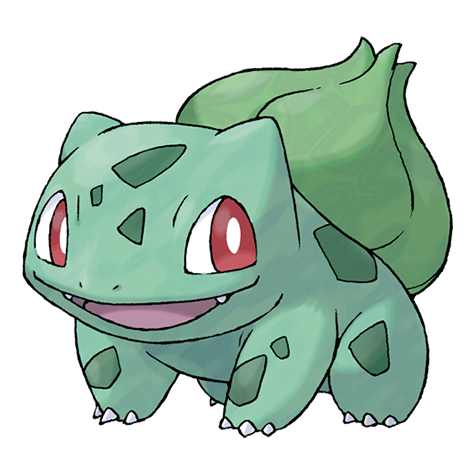
* There is a plant seed on its back right from the day this Pokémon is born. The seed slowly grows larger.
* `;
* return (
*
*
*
*
*
*
*
*
*
*
*
*
*
*
*
*
*
*
* }
* />
* }
* />
*
* );
* }
* ```
*
* @example
* ```typescript
* import { List } from "@raycast/api";
*
* export default function Metadata() {
* return (
*
*
*
*
*
*
*
*
*
*
*
*
*
*
*
*
*
*
* }
* />
* }
* />
*
* );
* }
* ```
*/
Metadata: typeof Metadata;
}
/**
* @deprecated Use {@link Detail.Props} instead.
*/
export declare interface DetailProps extends Detail.Props {
}
declare interface DetailProps_2 extends ActionsInterface, NavigationChildInterface {
/**
* The CommonMark string to be rendered.
*/
markdown?: string | null;
/**
* The `Detail.Metadata` to be rendered in the right side area
*/
metadata?: ReactNode;
}
declare interface DetailProps_3 {
/**
* Indicates whether a loading bar should be shown or hidden above the detail
*
* @defaultValue `false`
*/
isLoading?: boolean;
/**
* The CommonMark string to be rendered in the right side area when the parent List is showing details and the item is selected.
*/
markdown?: string | null;
/**
* The `List.Item.Detail.Metadata` to be rendered in the bottom side of the `List.Item.Detail`
*/
metadata?: ReactNode;
}
/**
* See {@link Form.Dropdown}
*/
declare const Dropdown: ForwardRefExoticComponent> & DropdownMembers;
/**
* See {@link Grid.Dropdown}
*/
declare const Dropdown_2: FunctionComponent & DropdownMembers_2;
/**
* See {@link Form.Dropdown.Item}
*/
declare const DropdownItem: FunctionComponent;
/**
* See {@link Grid.Dropdown.Item}
*/
declare const DropdownItem_2: FunctionComponent;
/**
* See {@link Form.Dropdown.Item.Props}
*/
declare interface DropdownItemProps {
/**
* Value of the dropdown item.
* Make sure to assign each unique value for each item.
*/
value: string;
/**
* The title displayed for the item.
*/
title: string;
/**
* A optional icon displayed for the item.
*/
icon?: Image.ImageLike;
/**
* An optional property used for providing additional indexable strings for search.
* When filtering the items in Raycast, the keywords will be searched in addition to the title.
*
* @defaultValue The title of its section if any
*/
keywords?: string[];
}
declare interface DropdownItemProps_2 {
/**
* Value of the dropdown item.
* Make sure to assign each unique value for each item.
*/
value: string;
/**
* The title displayed for the item.
*/
title: string;
/**
* An optional icon displayed for the item.
*/
icon?: Image.ImageLike | undefined | null;
/**
* An optional property used for providing additional indexable strings for search.
* When filtering the items in Raycast, the keywords will be searched in addition to the title.
*
* @defaultValue The title of its section if any
*/
keywords?: string[];
}
declare interface DropdownMembers {
/**
* Visually separated group of dropdown items.
*
* @remarks
* Use sections to group related menu items together.
*
* @example
* ```typescript
* import { ActionPanel, Form, Action } from "@raycast/api";
*
* export default function Command() {
* return (
*
* );
* }
* ```
*/
Section: typeof DropdownSection;
/**
* A dropdown item in a {@link DropdownRef}
*
* @example
* ```typescript
* import { ActionPanel, Form, Action } from "@raycast/api";
*
* export default function Command() {
* return (
*
* );
* }
* ```
*/
Item: typeof DropdownItem;
}
declare interface DropdownMembers_2 {
/**
* Visually separated group of dropdown items in a Dropdown.
*
* @remarks
* Use sections to group related dropdown items together.
*
* @example
* ```typescript
* import { Grid } from "@raycast/api";
*
* export default function Command() {
* return (
*
*
*
*
*
*
*
*
* }>
*
*
* );
* }
* ```
*/
Section: typeof DropdownSection_2;
/**
* A dropdown item in a Dropdown
*
* @example
* ```typescript
* import { Grid } from "@raycast/api";
*
* export default function Command() {
* return (
*
*
*
*
*
* }>
*
*
* );
* }
* ```
*/
Item: typeof DropdownItem_2;
}
/**
* See {@link Form.Dropdown.Props}
*/
declare interface DropdownProps extends FormItemProps_2, SearchBarInterface {
/**
* Placeholder text that will be shown in the dropdown search field.
*
* @defaultValue `"Search…"`
*/
placeholder?: string;
/**
* Sections or items. If {@link Form.Dropdown.Item} elements are specified, a default section is automatically created.
*/
children?: ReactNode;
}
declare interface DropdownProps_2 extends SearchBarInterface {
/**
* ID of the dropdown.
*/
id?: string;
/**
* Tooltip displayed when hovering the dropdown.
*/
tooltip: string;
/**
* Placeholder text that will be shown in the dropdown search field.
*
* @defaultValue `"Search…"`
*/
placeholder?: string;
/**
* Indicates whether the value of the dropdown should be persisted after selection, and restored next time the dropdown is rendered.
*/
storeValue?: boolean | undefined;
/**
* The currently value of the dropdown.
*/
value?: string;
/**
* The default value of the dropdown.
* Keep in mind that `defaultValue` will be configured once per component lifecycle. This means that if a user changes the value, `defaultValue` won't be configured on re-rendering.
*
* **If you're using `storeValue` and configured it as `true` _and_ a Dropdown.Item with the same value exists, then it will be selected.**
*
* **If you configure `value` at the same time as `defaultValue`, the `value` will have precedence over `defaultValue`.**
*/
defaultValue?: string;
/**
* Dropdown sections or items. If Dropdown.Item elements are specified, a default section is automatically created.
*/
children?: ReactNode;
/**
* Callback triggered when the dropdown selection changes.
*/
onChange?: (newValue: string) => void;
}
/**
* Form.Dropdown Ref type.
*/
declare type DropdownRef = FormItemRef;
/**
* See {@link Form.Dropdown.Section}
*/
declare const DropdownSection: FunctionComponent;
/**
* See {@link Grid.Dropdown.Section}
*/
declare const DropdownSection_2: FunctionComponent;
/**
* See {@link Form.Dropdown.Section.Props}
*/
declare interface DropdownSectionProps {
/**
* The item elements of the section.
*/
children?: ReactNode;
/**
* Title displayed above the section
*/
title?: string;
}
declare interface DropdownSectionProps_2 {
/**
* The item elements of the section.
*/
children?: ReactNode;
/**
* Title displayed above the section
*/
title?: string;
}
/**
* @deprecated Use {@link Color.Dynamic} instead
*/
export declare type DynamicColor = Color.Dynamic;
declare const EmptyView: FunctionComponent;
declare interface EmptyViewProps extends ActionsInterface {
/**
* An icon displayed in the center of the EmptyView.
*
* @remarks
* If an SVG is used, its longest side will be 128 pixels. Other images will be up/downscaled proportionally so that the longest side is between 64 and 256 pixels.
* If not specified, Raycast's default `EmptyView` icon will be used.
*/
icon?: Image.ImageLike | undefined | null;
/**
* The main title displayed for the Empty View.
*/
title?: string;
/**
* An optional description for why the empty view is shown.
*/
description?: string;
}
/**
* Holds data about the environment the command is running in. Use the global {@link environment} object to retrieve values.
*/
export declare interface Environment {
/**
* The version of the main Raycast app
*/
raycastVersion: string;
/**
* The name of the extension owner (if any) or author, as specified in package.json
*/
ownerOrAuthorName: string;
/**
* The name of the extension, as specified in package.json
*/
extensionName: string;
/**
* The name of the launched command, as specified in package.json
*/
commandName: string;
/**
* The mode of the launched command, as specified in package.json
*/
commandMode: "no-view" | "view" | "menu-bar";
/**
* The absolute path to the assets directory of the extension.
*
* @remarks
* This directory is used internally to load icons, images, and other bundled assets.
*/
assetsPath: string;
/**
* The absolute path for the support directory of an extension. Use it to read and write files related to your extension or command.
*/
supportPath: string;
/**
* Indicates whether the command is a development command (vs. an installed command from the Store).
*/
isDevelopment: boolean;
/**
* The appearance used by the Raycast application.
*/
appearance: "light" | "dark";
/**
* The text size used by the Raycast application.
*/
textSize: "medium" | "large";
/**
* The type of launch for the command (user initiated or background).
*/
launchType: LaunchType;
/**
* Returns whether the user has access to the given API.
*
* @example
* ```typescript
* import { unstableAI, environment } from "@raycast/api";
*
* export default function Command() {
* if (environment.canAccess(unstableAI)) {
* // use unstableAI
* }
* }
* ```
*/
canAccess(api: unknown): boolean;
/**
* @deprecated Use `environment.appearance` instead
*/
theme: "light" | "dark";
/**
* @deprecated Use the top-level prop `launchContext` instead.
*/
launchContext?: LaunchContext;
}
/**
* Contains environment values such as the Raycast version, extension info, and paths.
*
* @example
* ```typescript
* import { environment } from "@raycast/api";
*
* console.log(`Raycast version: ${environment.raycastVersion}`);
* console.log(`Extension name: ${environment.extensionName}`);
* console.log(`Command name: ${environment.commandName}`);
* console.log(`Command mode: ${environment.commandMode}`);
* console.log(`Assets path: ${environment.assetsPath}`);
* console.log(`Support path: ${environment.supportPath}`);
* console.log(`Is development mode: ${environment.isDevelopment}`);
* console.log(`Raycast appearance: ${environment.appearance}`);
* console.log(`Raycast launchType: ${environment.launchType}`);
* ```
*/
export declare const environment: Environment;
/**
* An icon as it's used in the Finder.
*
* @example
* ```typescript
* import { List } from "@raycast/api";
*
* export default function Command() {
* return (
*
*
*
* );
* };
* ```
*/
export declare interface FileIcon {
/**
* The path to a file or folder to get its icon from.
*/
fileIcon: string;
}
/**
* See {@link Form.FilePicker}
*/
declare const FilePicker: ForwardRefExoticComponent>;
/**
* See {@link Form.FilePicker.Props}
*/
declare interface FilePickerProps extends FormItemProps_2 {
/**
* Indicates whether it's possible to choose a file.
* @defaultValue `true`
*/
canChooseFiles?: boolean;
/**
* Indicates whether it's possible to choose a directory.
* Note: On Windows, this property is ignored if `canChooseFiles` is set to `true`.
* @defaultValue `false`
*/
canChooseDirectories?: boolean;
/**
* Indicates whether the file picker displays files that are normally hidden from the user.
* @defaultValue `false`
*/
showHiddenFiles?: boolean;
/**
* Indicates whether the user can select multiple items or only one.
* @defaultValue `true`
*/
allowMultipleSelection?: boolean;
}
declare type FilePickerRef = FormItemRef;
/**
* Holds data about a File System item. Use the {@link getSelectedFinderItems} method to retrieve values.
*/
export declare interface FileSystemItem {
/**
* The path to the item
*/
path: string;
}
/**
* Shows a list of form items such as {@link Form.TextField}, {@link Form.Checkbox} or {@link Form.Dropdown}.
*/
export declare const Form: FunctionComponent & FormMembers & DeprecatedFormMembers;
export declare namespace Form {
export type ItemProps = FormItemProps_2;
export type Value = FormValue_2;
export type Values = FormValues_2;
export type Props = FormProps_2;
export type ItemReference = FormItemRef;
/**
* An interface describing event in callbacks {@link Form.Item.Props.onFocus} and {@link Form.Item.Props.onBlur}
*/
export type Event = FormEvent;
export namespace Event {
/**
* Types of Form event {@link Form.Event}
* * `focus` - the type will be returned for the event of {@link Form.Item.Props.onFocus} callback
* * `blur` - the type will be returned for the event of {@link Form.Item.Props.onBlur} callback
*/
export type Type = FormEventType;
}
/**
* A Ref Type for the {@link Form.TextField}.
* Use refs to control your Form by calling `Form.TextField.focus()` or `Form.TextField.reset()` functions.
*
* @example
* Using Ref to focus {@link Form.TextField}.
*
* ```typescript
* import { Form, ActionPanel, Action } from "@raycast/api";
* import { useRef } from "react";
*
* export default function Command() {
* const textFieldRef = useRef(null);
*
* return (
*
* );
* }
* ```
*
* @example
* Using Ref to reset {@link Form.TextField}.
*
* ```typescript
* import { Form, ActionPanel, Action } from "@raycast/api";
* import { useRef } from "react";
*
* export default function Command() {
* const textFieldRef = useRef(null);
*
* return (
*
* );
* }
* ```
*/
export type TextField = TextFieldRef;
export namespace TextField {
/**
* Props of the {@link Form.TextField} React component.
*/
export type Props = TextFieldProps;
}
export namespace LinkAccessory {
/**
* Props of the {@link Form.LinkAccessory} React component.
*/
export type Props = LinkAccessoryProps;
}
/**
* A Ref Type for the {@link Form.PasswordField}.
* Use refs to control your Form by calling `Form.PasswordField.focus()` or `Form.PasswordField.reset()` functions.
*
* @example
* Using Ref to focus {@link Form.PasswordField}.
*
* ```typescript
* import { Form, ActionPanel, Action } from "@raycast/api";
* import { useRef } from "react";
*
* export default function Command() {
* const passwordFieldRef = useRef(null);
*
* return (
*
* );
* }
* ```
*
* @example
* Using Ref to reset {@link Form.PasswordField}.
*
* ```typescript
* import { Form, ActionPanel, Action } from "@raycast/api";
* import { useRef } from "react";
*
* export default function Command() {
* const passwordFieldRef = useRef(null);
*
* return (
*
* );
* }
* ```
*/
export type PasswordField = PasswordFieldRef;
export namespace PasswordField {
/**
* Props of the {@link Form.PasswordField} React component.
*/
export type Props = PasswordFieldProps;
}
/**
* A Ref Type for the {@link Form.TextArea}.
* Use refs to control your Form by calling `Form.TextArea.focus()` or `Form.TextArea.reset()` functions.
*
* @example
* Using Ref to focus {@link Form.TextArea}.
*
* ```typescript
* import { Form, ActionPanel, Action } from "@raycast/api";
* import { useRef } from "react";
*
* export default function Command() {
* const textAreaRef = useRef(null);
*
* return (
*
* );
* }
* ```
*
* @example
* Using Ref to reset {@link Form.TextArea}.
*
* ```typescript
* import { Form, ActionPanel, Action } from "@raycast/api";
* import { useRef } from "react";
*
* export default function Command() {
* const textAreaRef = useRef(null);
*
* return (
*
* );
* }
* ```
*/
export type TextArea = TextAreaRef;
export namespace TextArea {
/**
* Props of the {@link Form.TextArea} React component.
*/
export type Props = TextAreaProps;
}
export namespace Description {
/**
* Props of the {@link Form.Description} React component.
*/
export type Props = DescriptionProps;
}
export namespace Separator {
/**
* Props of the {@link Form.Separator} React component.
*/
export type Props = SeparatorProps;
}
/**
* A Ref Type for the {@link Form.Checkbox}.
* Use refs to control your Form by calling `Form.Checkbox.focus()` or `Form.Checkbox.reset()` functions.
*
* @example
* Using Ref to focus {@link Form.Checkbox}.
*
* ```typescript
* import { Form, ActionPanel, Action } from "@raycast/api";
* import { useRef } from "react";
*
* export default function Command() {
* const checkBoxRef = useRef(null);
*
* return (
*
* );
* }
* ```
*
* @example
* Using Ref to reset {@link Form.Checkbox}.
*
* ```typescript
* import { Form, ActionPanel, Action } from "@raycast/api";
* import { useRef } from "react";
*
* export default function Command() {
* const checkBoxRef = useRef(null);
*
* return (
*
* );
* }
* ```
*/
export type Checkbox = CheckboxRef;
export namespace Checkbox {
/**
* Props of the {@link Form.Checkbox} React component.
*/
export type Props = CheckboxProps;
}
/**
* A Ref Type for the {@link Form.DatePicker}.
* Use refs to control your Form by calling `Form.DatePicker.focus()` or `Form.DatePicker.reset()` functions.
*
* @example
* Using Ref to focus {@link Form.DatePicker}.
*
* ```typescript
* import { Form, ActionPanel, Action } from "@raycast/api";
* import { useRef } from "react";
*
* export default function Command() {
* const datePickerRef = useRef(null);
*
* return (
*
* );
* }
* ```
*
* @example
* Using Ref to reset {@link Form.DatePicker}.
*
* ```typescript
* import { Form, ActionPanel, Action } from "@raycast/api";
* import { useRef } from "react";
*
* export default function Command() {
* const datePickerRef = useRef(null);
*
* return (
*
* );
* }
* ```
*/
export type DatePicker = DatePickerRef;
export namespace DatePicker {
/**
* Props of the {@link Form.DatePicker} React component.
*/
export type Props = DatePickerProps;
/**
* The types of date components the user can pick
* * `Date` - only year, month, and day can be picked
* * `DateTime` - hour and second can be picked in addition to year, month and day
*/
export type Type = DatePickerType;
}
/**
* A Ref Type for the {@link Form.Dropdown}.
* Use refs to control your Form by calling `Form.Dropdown.focus()` or `Form.Dropdown.reset()` functions.
*
* @example
* Using Ref to focus {@link Form.Dropdown}.
*
* ```typescript
* import { Form, ActionPanel, Action } from "@raycast/api";
* import { useRef } from "react";
*
* export default function Command() {
* const dropdownRef = useRef(null);
*
* return (
*
* );
* }
* ```
*
* @example
* Using Ref to reset {@link Form.Dropdown}.
*
* ```typescript
* import { Form, ActionPanel, Action } from "@raycast/api";
* import { useRef } from "react";
*
* export default function Command() {
* const dropdownRef = useRef(null);
*
* return (
*
* );
* }
* ```
*/
export type Dropdown = DropdownRef;
export namespace Dropdown {
/**
* Props of the {@link Form.Dropdown} React component.
*/
export type Props = DropdownProps;
export namespace Section {
/**
* Props of the {@link Form.Dropdown.Section} React component.
*/
export type Props = DropdownSectionProps;
}
export namespace Item {
/**
* Props of the {@link Form.Dropdown.Item} React component.
*/
export type Props = DropdownItemProps;
}
}
/**
* A Ref Type for the {@link Form.TagPicker}.
* Use refs to control your Form by calling `Form.TagPicker.focus()` or `Form.TagPicker.reset()` functions.
*
* @example
* Using Ref to focus {@link Form.TagPicker}.
*
* ```typescript
* import { Form, ActionPanel, Action } from "@raycast/api";
* import { useRef } from "react";
*
* export default function Command() {
* const tagPickerRef = useRef(null);
*
* return (
*
* );
* }
* ```
*
* @example
* Using Ref to reset {@link Form.TagPicker}.
*
* ```typescript
* import { Form, ActionPanel, Action } from "@raycast/api";
* import { useRef } from "react";
*
* export default function Command() {
* const tagPickerRef = useRef(null);
*
* return (
*
* );
* }
* ```
*/
export type TagPicker = TagPickerRef;
export namespace TagPicker {
/**
* Props of the {@link Form.TagPicker} React component.
*/
export type Props = TagPickerProps;
export namespace Item {
/**
* Props of the {@link Form.TagPicker.Item} React component.
*/
export type Props = TagPickerItemProps;
}
}
/**
* A Ref Type for the {@link Form.FilePicker}.
* Use refs to control your Form by calling `Form.FilePicker.focus()` or `Form.FilePicker.reset()` functions.
*
* @example
* Using Ref to focus {@link Form.FilePicker}.
*
* ```typescript
* import { Form, ActionPanel, Action } from "@raycast/api";
* import { useRef } from "react";
*
* export default function Command() {
* const filePickerRef = useRef(null);
*
* return (
*
* );
* }
* ```
*
* @example
* Using Ref to reset {@link Form.FilePicker}.
*
* ```typescript
* import { Form, ActionPanel, Action } from "@raycast/api";
* import { useRef } from "react";
*
* export default function Command() {
* const filePickerRef = useRef(null);
*
* return (
*
* );
* }
* ```
*/
export type FilePicker = FilePickerRef;
export namespace FilePicker {
/**
* Props of the {@link Form.TextField} React component.
*/
export type Props = FilePickerProps;
}
}
/**
* @deprecated Use {@link Form.Checkbox} instead.
*/
export declare const FormCheckbox: typeof Form.Checkbox;
/**
* @deprecated Use {@link Form.Checkbox.Props} instead.
*/
export declare interface FormCheckboxProps extends Form.Checkbox.Props {
}
/**
* @deprecated Use {@link Form.DatePicker} instead.
*/
export declare const FormDatePicker: typeof Form.DatePicker;
/**
* @deprecated Use {@link Form.DatePicker.Props} instead.
*/
export declare interface FormDatePickerProps extends Form.DatePicker.Props {
}
/**
* @deprecated Use {@link Form.Dropdown} instead.
*/
export declare const FormDropdown: typeof Form.Dropdown;
/**
* @deprecated Use {@link Form.Dropdown.Item} instead.
*/
export declare const FormDropdownItem: typeof Form.Dropdown.Item;
/**
* @deprecated Use {@link Form.Dropdown.Item.Props} instead.
*/
export declare interface FormDropdownItemProps extends Form.Dropdown.Item.Props {
}
/**
* @deprecated Use {@link Form.Dropdown.Props} instead.
*/
export declare interface FormDropdownProps extends Form.Dropdown.Props {
}
/**
* @deprecated Use {@link Form.Dropdown.Section} instead.
*/
export declare const FormDropdownSection: typeof Form.Dropdown.Section;
/**
* @deprecated Use {@link Form.Dropdown.Section.Props} instead.
*/
export declare interface FormDropdownSectionProps extends Form.Dropdown.Section.Props {
}
/**
* An interface describing Form events in callbacks
*
* @example
* ```typescript
*import { Form } from "@raycast/api";
*
*export default function Main() {
* return (
*
* );
*}
*
*function logEvent(event: Form.Event) {
* console.log(`Event '${event.type}' has happened for '${event.target.id}'. Current 'value': '${event.target.value}'`);
*}
*
* ```
*/
declare type FormEvent = {
/**
* An interface containing target data related to the event
*/
target: {
/**
* The {@link FormItemProps.id} of Form item where the event has happened
*/
id: string;
/**
* The current {@link FormItemProps.value} of Form item where the event has happened
*/
value?: T;
};
/**
* A type of event
*/
type: FormEventType;
};
/**
* Types of Form event ({@link Form.Event}).
* * `focus` will be returned for the event of {@link Form.Item.Props.onFocus} callback
* * `blur` will be returned for the event of {@link Form.Item.Props.onBlur} callback
*/
declare type FormEventType = "focus" | "blur";
/**
* @deprecated Use {@link Form.ItemProps} instead.
*/
export declare interface FormItemProps extends Form.ItemProps {
}
/**
* Props of the Form.Item React component.
*/
declare interface FormItemProps_2 {
/**
* ID of the form item.
* Make sure to assign each form item a unique id.
*/
id: string;
/**
* The title displayed on the left side of the item.
*/
title?: string;
/**
* An optional info message to describe the form item. It appears on the right side of the item with an info icon. When the icon is hovered, the info message is shown.
*/
info?: string;
/**
* An optional error message to show the form item validation issues.
* If the `error` is present, the Form Item will be highlighted with red border and will show an error message on the right.
*/
error?: string;
/**
* Indicates whether the value of the item should be persisted after submitting, and restored next time the form is rendered.
*/
storeValue?: boolean;
/**
* Indicates whether the item should be focused automatically once the form is rendered.
*/
autoFocus?: boolean;
/**
* The current value of the item.
*/
value?: T;
/**
* The default value of the item.
* Keep in mind that `defaultValue` will be configured once per component lifecycle. This means that if a user changes the value, `defaultValue` won't be configured on re-rendering.
*
* If you're using `storeValue` and configured it as `true` then the stored value will be set.
*
* If you configure `value` at the same time with `defaultValue`, the `value` will be set instead of `defaultValue`.
*/
defaultValue?: T;
/**
* The callback which will be triggered when the `value` of the item changes.
*/
onChange?: (newValue: T) => void;
/**
* The callback that will be triggered when the item loses its focus.
*/
onBlur?: (event: FormEvent) => void;
/**
* The callback which will be triggered should be called when the item is focused.
*/
onFocus?: (event: FormEvent) => void;
}
/**
* Interface describing common functions and props that Form.Item Refs has.
*/
declare interface FormItemRef {
/**
* Focuses the item.
*
* @example
* ```typescript
* import { Form, ActionPanel, Action } from "@raycast/api";
* import { useRef } from "react";
*
* export default function Command() {
* const textFieldRef = useRef(null);
*
* return (
*
* );
* }
* ```
*/
focus: () => void;
/**
* Resets value of the item
*
* @remarks
* If `defaultValue` is defined, calling the `.reset()` function will set `value` to the `defaultValue`.
*
* @example
* ```typescript
* import { Form, ActionPanel, Action } from "@raycast/api";
* import { useRef } from "react";
*
* export default function Command() {
* const textFieldRef = useRef(null);
*
* return (
*
* );
* }
* ```
*/
reset: () => void;
}
/** @deprecated Use {@link LaunchProps} directly */
export declare interface FormLaunchProps {
draftValues?: Form.Values;
}
declare interface FormMembers {
/**
* A form item with a checkbox.
*
* @example
* Uncontrolled checkbox
*
* ```typescript
* import { ActionPanel, Form, Action } from "@raycast/api";
*
* export default function Command() {
* return (
*
* );
* }
* ```
*
* @example
* Controlled checkbox
*
* ```typescript
* import { ActionPanel, Form, Action } from "@raycast/api";
* import { useState } from "react";
*
* export default function Command() {
* const [checked, setChecked] = useState(true);
*
* return (
*
* );
* }
* ```
*/
Checkbox: typeof Checkbox;
/**
* A form item with a date picker.
*
* @example
* Uncontrolled date picker
*
* ```typescript
* import { ActionPanel, Form, Action } from "@raycast/api";
*
* export default function Command() {
* return (
*
* );
* }
* ```
*
* @example
* Controlled date picker
*
* ```typescript
* import { ActionPanel, Form, Action } from "@raycast/api";
* import { useState } from "react";
*
* export default function Command() {
* const [date, setDate] = useState(null);
*
* return (
*
* );
* }
* ```
*/
DatePicker: typeof DatePicker;
/**
* A form item with a simple text label.
*
* _Do **not** use this component to show validation messages for other form fields._
*
* @example
* Label
*
* ```typescript
* import { ActionPanel, Form, Action } from "@raycast/api";
*
* export default function Command() {
* return (
*
* );
* }
* ```
*/
Description: typeof Description;
/**
* A form item with a dropdown menu.
*
* @example
* Uncontrolled dropdown
*
* ```typescript
* import { ActionPanel, Form, Action } from "@raycast/api";
*
* export default function Command() {
* return (
*
* );
* }
* ```
*
* @example
* Controlled dropdown
*
* ```typescript
* import { ActionPanel, Form, Action } from "@raycast/api";
* import { useState } from "react";
*
* export default function Command() {
* const [programmingLanguage, setProgrammingLanguage] = useState("typescript");
*
* return (
*
* );
* }
* ```
*/
Dropdown: typeof Dropdown;
/**
* A form item with a secure text field for password-entry in which the entered characters must be kept secret.
*
* @example
* Uncontrolled password field
*
* ```typescript
* import { ActionPanel, Form, Action } from "@raycast/api";
*
* export default function Command() {
* return (
*
* );
* }
* ```
*
* @example
* Controlled password field
*
* ```typescript
* import { ActionPanel, Form, Action } from "@raycast/api";
* import { useState } from "react";
*
* export default function Command() {
* const [password, setPassword] = useState("");
*
* return (
*
* );
* }
* ```
*/
PasswordField: typeof PasswordField;
/**
* A form item that shows a separator line.
* Use for grouping and visually separating form items.
*
* @example
* ```typescript
* import { ActionPanel, Form, Action } from "@raycast/api";
*
* export default function Command() {
* return (
*
* );
* }
* ```
*/
Separator: typeof Separator;
/**
* A form item with a tag picker that allows the user to select multiple items.
*
* @example
* Uncontrolled tag picker
*
* ```typescript
* import { ActionPanel, Form, Action } from "@raycast/api";
*
* export default function Command() {
* return (
*
* );
* }
* ```
*
* @example
* Controlled tag picker
*
* ```typescript
* import { ActionPanel, Form, Action } from "@raycast/api";
* import { useState } from "react";
*
* export default function Command() {
* const [countries, setCountries] = useState(["ger", "ned", "pol"]);
*
* return (
*
* );
* }
* ```
*/
TagPicker: typeof TagPicker;
/**
* A form item with a text area for input.
* The item supports multiline text entry.
*
* @example
* Uncontrolled text area
*
* ```typescript
* import { ActionPanel, Form, Action } from "@raycast/api";
*
* const DESCRIPTION =
* "We spend too much time staring at loading indicators. The Raycast team is dedicated to make everybody interact faster with their computers.";
*
* export default function Command() {
* return (
*
* );
* }
* ```
*
* @example
* Controlled text area
*
* ```typescript
* import { ActionPanel, Form, Action } from "@raycast/api";
* import { useState } from "react";
*
* export default function Command() {
* const [description, setDescription] = useState("");
*
* return (
*
* );
* }
* ```
*/
TextArea: typeof TextArea;
/**
* A form item with a text field for input.
*
* @example
* Uncontrolled text field
*
* ```typescript
* import { ActionPanel, Form, Action } from "@raycast/api";
*
* export default function Command() {
* return (
*
* );
* }
* ```
*
* @example
* Controlled text field
*
* ```typescript
* import { ActionPanel, Form, Action } from "@raycast/api";
* import { useState } from "react";
*
* export default function Command() {
* const [name, setName] = useState("");
*
* return (
*
* );
* }
* ```
*/
TextField: typeof TextField;
/**
* A form item with a button to open a dialog to pick some files and/or some directories (depending on its props).
*
* _While the user picked some items that existed, it might be possible for them to be deleted or changed when the `onSubmit` callback is called. Hence you should always make sure that the items exist before acting on them!_
*
* @example
* Uncontrolled file picker
*
* ```typescript
* import { ActionPanel, Form, Action } from "@raycast/api";
* import fs from "fs";
*
* export default function Command() {
* return (
*
* );
* }
* ```
*
* @example
* Single selection file picker
*
* ```typescript
* import { ActionPanel, Form, Action } from "@raycast/api";
* import fs from "fs";
*
* export default function Command() {
* return (
*
* );
* }
* ```
*
* @example
* Directory picker
*
* ```typescript
* import { ActionPanel, Form, Action } from "@raycast/api";
* import fs from "fs";
*
* export default function Command() {
* return (
*
* );
* }
* ```
*
* @example
* Controlled file picker
*
* ```typescript
* import { ActionPanel, Form, Action } from "@raycast/api";
* import { useState } from "react";
*
* export default function Command() {
* const [files, setFiles] = useState([]);
*
* return (
*
* );
* }
* ```
*/
FilePicker: typeof FilePicker;
/**
* A link that will be shown in the right-hand-side of the navigation bar.
*
* @example
* ```typescript
* import { ActionPanel, Form, Action } from "@raycast/api";
* import { useState } from "react";
*
* export default function Command() {
* const [name, setName] = useState("");
*
* return (
*
* }
* actions={
*
* console.log(values)} />
*
* }
* >
*
*
* );
* }
* ```
*/
LinkAccessory: typeof LinkAccessory;
}
/**
* @deprecated Use {@link Form.Props} instead.
*/
export declare interface FormProps extends Form.Props {
}
/**
* Props of the {@link Form} React component.
*/
declare interface FormProps_2 extends ActionsInterface, NavigationChildInterface {
/**
* Defines whether the Form.Items values will be preserved when user exits the screen.
* @remarks Keep in mind that drafts for forms nested in navigation is not supported yet. In the case you will see a warning about it.
* @defaultValue `false`
*/
enableDrafts?: boolean;
/**
* {@link Form.LinkAccessory} that will be shown in the right-hand-side of the search bar.
*/
searchBarAccessory?: ReactElement | undefined | null;
/**
* The Form.Item elements of the form.
*/
children?: ReactNode;
}
/**
* @deprecated Use {@link Form.Separator} instead.
*/
export declare const FormSeparator: typeof Form.Separator;
/**
* @deprecated Use {@link Form.Separator.Props} instead.
*/
export declare interface FormSeparatorProps extends Form.Separator.Props {
}
/**
* @deprecated Use {@link Form.TagPicker} instead.
*/
export declare const FormTagPicker: typeof Form.TagPicker;
/**
* @deprecated Use {@link Form.TagPicker.Item} instead.
*/
export declare const FormTagPickerItem: typeof Form.TagPicker.Item;
/**
* @deprecated Use {@link Form.TagPicker.Item.Props} instead.
*/
export declare interface FormTagPickerItemProps extends Form.TagPicker.Item.Props {
}
/**
* @deprecated Use {@link Form.TagPicker.Props} instead.
*/
export declare interface FormTagPickerProps extends Form.TagPicker.Props {
}
/**
* @deprecated Use {@link Form.TextArea} instead.
*/
export declare const FormTextArea: typeof Form.TextArea;
/**
* @deprecated Use {@link Form.TextArea.Props} instead.
*/
export declare interface FormTextAreaProps extends Form.TextArea.Props {
}
/**
* @deprecated Use {@link Form.TextField} instead.
*/
export declare const FormTextField: typeof Form.TextField;
/**
* @deprecated Use {@link Form.TextField.Props} instead.
*/
export declare interface FormTextFieldProps extends Form.TextField.Props {
}
/**
* @deprecated Use {@link Form.Value} instead.
*/
export declare type FormValue = Form.Value;
/**
* A possible form item value that will be used as an input for the submit callback of a form.
*/
declare type FormValue_2 = string | number | boolean | string[] | number[] | Date | null;
/**
* @deprecated Use {@link Form.Values} instead.
*/
export declare interface FormValues extends Form.Values {
}
/**
* Values of items in the form.
*
* @remarks
* For type-safe form values, you can define your own interface. Use the ID's of the form items
* as the property names. See the example for more details.
*
* @example
* ```typescript
* import { Form, Action, ActionPanel } from "@raycast/api";
*
* interface Values {
* todo: string;
* due?: Date;
* }
*
* export default function Command() {
* function handleSubmit(values: Values) {
* console.log(values);
* }
*
* return (
*
* );
* };
* ```
*/
declare interface FormValues_2 {
/**
* The form value of a given item.
*/
[item: string]: any;
}
/**
* Returns all applications that can open the file.
*
* @param path - The path of the file or folder to get the applications for. If no path is specified, all installed applications are returned.
* @returns An array of {@link Application}.
*
* @example
* ```typescript
* import { getApplications } from "@raycast/api";
*
* export default async () => {
* const installedApplications = await getApplications();
* console.log("The following applications are installed on your Mac:");
* console.log(installedApplications.map((a) => a.name).join(", "));
* };
* ```
*/
export declare function getApplications(path?: PathLike): Promise;
/**
* Returns the default application that the file would be opened with.
*
* @param path - The path of the file or folder to get the default application for.
* @returns A Promise that resolves with the default {@link Application} that would open the file. If no application was found, the promise will be rejected.
*
* @example
* ```typescript
* import { getDefaultApplication } from "@raycast/api";
*
* export default async () => {
* const defaultApplication = await getDefaultApplication(__filename);
* console.log(`Default application for JavaScript is: ${defaultApplication.name}`);
* };
* ```
*/
export declare function getDefaultApplication(path: PathLike): Promise;
/**
* Returns the frontmost application.
*
* @returns A Promise that resolves with the frontmost {@link Application}. If no application was found, the promise will be rejected.
*
* @example
* ```typescript
* import { getFrontmostApplication } from "@raycast/api";
*
* export default async () => {
* const frontmostApplication = await getFrontmostApplication();
* console.log(`The frontmost application is: ${frontmostApplication.name}`);
* };
* ```
*/
export declare function getFrontmostApplication(): Promise;
/**
* @deprecated Use {@link LocalStorage.getItem} instead
*/
export declare const getLocalStorageItem: typeof LocalStorage.getItem;
/**
* A function to access the preference values that have been passed to the command.
*
* @returns An object with the preference names as property key and the typed value as property value.
*
* @remarks
* Each preference name is mapped to its value and the defined default values are used as fallback values.
*
* @example
* ```typescript
* import { getPreferenceValues } from "@raycast/api";
*
* interface Preferences {
* name: string;
* bodyWeight?: string;
* bodyHeight?: string;
* }
*
* export default async () => {
* const preferences = getPreferenceValues();
* console.log(preferences);
* };
* ```
*/
export declare function getPreferenceValues(): Values;
/**
* Gets the selected items from Finder.
*
* @returns A Promise that resolves with the selected file system items. If Finder is not the frontmost application, the promise will be rejected.
*
* @example
* ```typescript
* import { getSelectedFinderItems, Clipboard, showToast, Toast } from "@raycast/api";
*
* export default async () => {
* try {
* const selectedItems = await getSelectedFinderItems();
* if (selectedItems.length) {
* await Clipboard.paste(selectedItems[0].path);
* }
* } catch (error) {
* await showToast({
* style: Toast.Style.Failure,
* title: "Cannot copy file path",
* message: String(error)
* });
* }
* };
* ```
*/
export declare function getSelectedFinderItems(): Promise;
/**
* Gets the selected text of the frontmost application.
*
* @returns A Promise that resolves with the selected text. If no text is selected in the frontmost application, the promise will be rejected.
*
* @example
* ```typescript
* import { getSelectedText, Clipboard, showToast, Toast } from "@raycast/api";
*
* export default async () => {
* try {
* const selectedText = await getSelectedText();
* const transformedText = selectedText.toUpperCase();
* await Clipboard.paste(transformedText);
* } catch (error) {
* await showToast({
* style: Toast.Style.Failure,
* title: "Cannot transform text",
* message: String(error)
* });
* }
* };
* ```
*/
export declare function getSelectedText(): Promise;
/**
* Displays {@link Grid.Section} or {@link Grid.Item}, optionally {@link Grid.Dropdown}.
*
* @remarks
* The grid uses built-in filtering by indexing the title of grid items and additionally keywords.
*
* @example
* ```typescript
* import { Grid } from "@raycast/api";
*
* function DrinkDropdown(props: DrinkDropdownProps) {
* const { isLoading = false, drinkTypes, onDrinkTypeChange } = props;
* return (
* {
* onDrinkTypeChange(newValue);
* }}
* >
*
* {drinkTypes.map((drinkType) => (
*
* ))}
*
*
* );
* }
*
* export default function Command() {
* const drinkTypes = [
* { id: 1, name: 'Beer', definition: "an alcoholic drink made from yeast-fermented malt flavoured with hops" },
* { id: 2, name: 'Wine', definition: "an alcoholic drink made from fermented grape juice" }];
* const onDrinkTypeChange = (newValue) => {
* console.log(newValue);
* }
* return (
* }
* >
*
*
*
*
*
* );
* }
* ```
*/
export declare const Grid: FunctionComponent & GridMembers;
export declare namespace Grid {
/**
* Props of the {@link Grid} React component.
*/
export type Props = GridProps;
/**
* Allowed `aspectRatio` values.
*/
export type AspectRatio = `${GridAspectRatio}`;
/**
* Enum representing the amount of space there should be between a {@link Grid.Item}'s content and its borders.
*/
export type Inset = GridInset;
/**
* Enum representing the a {@link Grid.Items}'s fit.
*/
export type Fit = GridFit;
/**
* Enum representing the number of items that should be displayed on a single row.
*/
export type ItemSize = GridItemSize;
export namespace EmptyView {
export type Props = EmptyViewProps;
}
export namespace Dropdown {
/**
* Props of the {@link Grid.Dropdown} React component.
*/
export type Props = DropdownProps_2;
export namespace Item {
/**
* Props of the {@link Grid.Dropdown.Item} React component.
*/
export type Props = DropdownItemProps_2;
}
export namespace Section {
/**
* Props of the {@link Grid.Dropdown.Section} React component.
*/
export type Props = DropdownSectionProps_2;
}
}
export namespace Item {
/**
* An interface describing an accessory item in a {@link Grid.Item}
*
* @example
* ```typescript
* import { Grid } from "@raycast/api";
*
* export default function Command() {
* return (
*
*
*
* );
* }
* ```
*/
export type Accessory = ItemAccessory_2;
/**
* Props of the {@link Grid.Item} React component.
*/
export type Props = ItemProps_2;
}
export namespace Section {
/**
* Props of the {@link Grid.Section} React component.
*/
export type Props = SectionProps_3;
}
}
declare enum GridAspectRatio {
One = "1",
ThreeToTwo = "3/2",
TwoToThree = "2/3",
FourToThree = "4/3",
ThreeToFour = "3/4",
SixteenToNine = "16/9",
NineToSixteen = "9/16"
}
declare enum GridFit {
Contain = "contain",
Fill = "fill"
}
declare enum GridInset {
Zero = "zero",
Small = "sm",
Medium = "md",
Large = "lg"
}
declare enum GridItemSize {
Small = "small",
Medium = "medium",
Large = "large"
}
declare interface GridMembers {
/**
* Enum representing the amount of space there should be between a {@link Grid.Item}'s content and its borders.
*/
Inset: typeof GridInset;
/**
* Enum representing the size of the Grid's child {@link Grid.Item}s.
*
* @deprecated Use the `columns` number prop instead.
*/
ItemSize: typeof GridItemSize;
/**
* Enum representing the a {@link Grid.Items}'s fit.
*/
Fit: typeof GridFit;
/**
* A view to display when there aren't any items available. Use to greet users with a friendly message if the
* extension requires user input before it can show any grid items e.g. when searching for a package, an article etc.
*
* @remarks
* Raycast provides a default `EmptyView` that will be displayed if the {@link Grid} component either has no children,
* or if it has children, but none of them match the query in the search bar. This too can be overridden by passing
* an empty view alongside the other `Grid.Item`s.
*
* @example
* ```typescript
* import { useState } from "react";
* import { Grid } from "@raycast/api";
*
* export default function CommandWithCustomEmptyState() {
* const [state, setState] = useState({ searchText: "", items: [] });
*
* useEffect(() => {
* // perform an API call that eventually populates `items`.
* }, [state.searchText])
*
* return (
*
* setState((previous) => ({ ...previous, searchText: newValue }))
* }
* >
* {state.searchText === "" && state.items.length === 0 ? (
*
* ) : (
* state.items.map((item) => )
* )}
*
* );
* }
* ```
*/
EmptyView: typeof EmptyView;
/**
* A item in the {@link Grid}.
*
* @remarks
* This is one of the foundational UI components of Raycast. A grid item represents a single entity. It can be a
* GitHub pull request, a file, or anything else. You most likely want to perform actions on this item, so make it clear
* to the user what this grid item is about.
*
* @example
* ```typescript
* import { Icon, Grid } from "@raycast/api";
*
* export default function Command() {
* return (
*
*
*
* );
* }
* ```
*/
Item: typeof Item_2;
/**
* A group of related {@link Grid.Item}.
*
* @remarks
* Sections are a great way to structure your grid. For example, group GitHub issues with the same status and order them by priority.
* This way, users can quickly access what is most relevant.
*
* @example
* ```typescript
* import { Grid } from "@raycast/api";
*
* export default function Command() {
* return (
*
*
*
*
*
*
*
*
* );
* }
* ```
*/
Section: typeof Section_3;
/**
* A dropdown menu that will be shown in the right-hand-side of the search bar.
*
* @example
* ```typescript
* import { Grid } from "@raycast/api";
*
* function DrinkDropdown(props: DrinkDropdownProps) {
* const { drinkTypes, onDrinkTypeChange } = props;
* return (
* {
* onDrinkTypeChange(newValue);
* }}
* >
*
* {drinkTypes.map((drinkType) => (
*
* ))}
*
*
* );
* }
*
* export default function Command() {
* const drinkTypes = [{ id: 1, name: 'Beer' }, { id: 2, name: 'Wine' }];
* const onDrinkTypeChange = (newValue) => {
* console.log(newValue);
* }
* return (
* }
* >
*
*
*
*
*
* );
* }
* ```
*/
Dropdown: typeof Dropdown_2;
}
declare interface GridProps extends ActionsInterface, NavigationChildInterface, SearchBarInterface, PaginationInterface {
/**
* A reference to an {@link ActionPanel}. It will only be shown when there aren't any children.
*/
actions?: ReactNode;
/**
* Grid sections or items. If {@link Grid.Item} elements are specified, a default section is automatically created.
*/
children?: ReactNode;
/**
* Column count for the grid's sections. Minimum value is 1, maximum value is 8.
*
* @defaultValue `5`
*/
columns?: number;
/**
* The number of items that should be displayed on a single row.
*
* @deprecated use `columns` instead.
*/
itemSize?: Grid.ItemSize;
/**
* Aspect ratio for the {@link Grid.Item} elements. Defaults to 1.
*/
aspectRatio?: Grid.AspectRatio;
/**
* Fit for the {@link Grid.Item} element content. Defaults to "contain"
*/
fit?: Grid.Fit;
/**
* Indicates how much space there should be between a {@link Grid.Item}s' content and its borders.
* The absolute value depends on the value of the `itemSize` prop.
*/
inset?: Grid.Inset;
/**
* Callback triggered when the item selection in the grid changes.
*
* When the received id is `null`, it means that all items have been filtered out
* and that there are no item selected
*/
onSelectionChange?: (id: string | null) => void;
/**
* {@link Grid.Dropdown} that will be shown in the right-hand-side of the search bar.
*/
searchBarAccessory?: ReactElement | undefined | null;
/**
* The text that will be displayed in the search bar.
*/
searchText?: string;
/**
* @deprecated Use {@link Grid.filtering} instead.
* Toggles Raycast filtering. When `true`, Raycast will use the query in the search bar to filter the
* items. When `false`, the extension needs to take care of the filtering.
*
* @remarks
* Having this enabled when filtering items in the extension is unspecified behaviour.
*
* @defaultValue `false` when `onSearchTextChange` is specified, `true` otherwise.
*/
enableFiltering?: boolean;
/**
* Placeholder text that will be shown in the search bar.
*
* @defaultValue `"Search…"`
*/
searchBarPlaceholder?: string;
/**
* Selects the item with the specified id.
*/
selectedItemId?: string;
}
/**
* List of built-in icons that can be used for actions or list items.
*
* @example
* ```typescript
* import { Icon, List } from "@raycast/api";
*
* export default function Command() {
* return (
*
*
*
* );
* };
* ```
*/
export declare enum Icon {
AddPerson = "add-person-16",
Airplane = "airplane-16",
AirplaneFilled = "airplane-filled-16",
AirplaneLanding = "airplane-landing-16",
AirplaneTakeoff = "airplane-takeoff-16",
Airpods = "airpods-16",
Alarm = "alarm-16",
AlarmRinging = "alarm-ringing-16",
AlignCentre = "align-centre-16",
AlignLeft = "align-left-16",
AlignRight = "align-right-16",
AmericanFootball = "american-football-16",
Anchor = "anchor-16",
AppWindow = "app-window-16",
AppWindowGrid2x2 = "app-window-grid-2x2-16",
AppWindowGrid3x3 = "app-window-grid-3x3-16",
AppWindowList = "app-window-list-16",
AppWindowSidebarLeft = "app-window-sidebar-left-16",
AppWindowSidebarRight = "app-window-sidebar-right-16",
ArrowClockwise = "arrow-clockwise-16",
ArrowCounterClockwise = "arrow-counter-clockwise-16",
ArrowDown = "arrow-down-16",
ArrowDownCircle = "arrow-down-circle-16",
ArrowDownCircleFilled = "arrow-down-circle-filled-16",
ArrowLeft = "arrow-left-16",
ArrowLeftCircle = "arrow-left-circle-16",
ArrowLeftCircleFilled = "arrow-left-circle-filled-16",
ArrowNe = "arrow-ne-16",
ArrowRight = "arrow-right-16",
ArrowRightCircle = "arrow-right-circle-16",
ArrowRightCircleFilled = "arrow-right-circle-filled-16",
ArrowUp = "arrow-up-16",
ArrowUpCircle = "arrow-up-circle-16",
ArrowUpCircleFilled = "arrow-up-circle-filled-16",
ArrowsContract = "arrows-contract-16",
ArrowsExpand = "arrows-expand-16",
AtSymbol = "at-symbol-16",
BandAid = "band-aid-16",
BankNote = "bank-note-16",
BarChart = "bar-chart-16",
BarCode = "bar-code-16",
BathTub = "bath-tub-16",
Battery = "battery-16",
BatteryCharging = "battery-charging-16",
BatteryDisabled = "battery-disabled-16",
Bell = "bell-16",
BellDisabled = "bell-disabled-16",
Bike = "bike-16",
Binoculars = "binoculars-16",
Bird = "bird-16",
BlankDocument = "blank-document-16",
Bluetooth = "bluetooth-16",
Boat = "boat-16",
Bold = "bold-16",
Bolt = "bolt-16",
BoltDisabled = "bolt-disabled-16",
Book = "book-16",
Bookmark = "bookmark-16",
Box = "box-16",
Brush = "brush-16",
Bubble = "speech-bubble-16",
Bug = "bug-16",
Building = "building-16",
BulletPoints = "bullet-points-16",
BullsEye = "bulls-eye-16",
BullsEyeMissed = "bulls-eye-missed-16",
Buoy = "buoy-16",
Calculator = "calculator-16",
Calendar = "calendar-16",
Camera = "camera-16",
Car = "car-16",
Cart = "cart-16",
Cd = "cd-16",
Center = "center-16",
Check = "check-16",
CheckCircle = "check-circle-16",
CheckList = "check-list-16",
CheckRosette = "check-rosette-16",
Checkmark = "checkmark-16",
ChessPiece = "chess-piece-16",
ChevronDown = "chevron-down-16",
ChevronDownSmall = "chevron-down-small-16",
ChevronLeft = "chevron-left-16",
ChevronLeftSmall = "chevron-left-small-16",
ChevronRight = "chevron-right-16",
ChevronRightSmall = "chevron-right-small-16",
ChevronUp = "chevron-up-16",
ChevronUpDown = "chevron-up-down-16",
ChevronUpSmall = "chevron-up-small-16",
Circle = "circle-16",
CircleDisabled = "circle-disabled-16",
CircleEllipsis = "circle-ellipsis-16",
CircleFilled = "circle-filled-16",
CircleProgress = "circle-progress-16",
CircleProgress100 = "circle-progress-100-16",
CircleProgress25 = "circle-progress-25-16",
CircleProgress50 = "circle-progress-50-16",
CircleProgress75 = "circle-progress-75-16",
ClearFormatting = "clear-formatting-16",
Clipboard = "copy-clipboard-16",
Clock = "clock-16",
Cloud = "cloud-16",
CloudLightning = "cloud-lightning-16",
CloudRain = "cloud-rain-16",
CloudSnow = "cloud-snow-16",
CloudSun = "cloud-sun-16",
Code = "code-16",
CodeBlock = "code-block-16",
Cog = "cog-16",
Coin = "coin-16",
Coins = "coins-16",
CommandSymbol = "command-symbol-16",
Compass = "compass-16",
ComputerChip = "computer-chip-16",
Contrast = "contrast-16",
CopyClipboard = "copy-clipboard-16",
CreditCard = "credit-card-16",
CricketBall = "cricket-ball-16",
Crop = "crop-16",
Crown = "crown-16",
Crypto = "crypto-16",
DeleteDocument = "delete-document-16",
Desktop = "desktop-16",
Devices = "devices-16",
Dna = "dna-16",
Document = "blank-document-16",
Dot = "dot-16",
Download = "download-16",
Droplets = "droplets-16",
Duplicate = "duplicate-16",
EditShape = "edit-shape-16",
Eject = "eject-16",
Ellipsis = "ellipsis-16",
EllipsisVertical = "ellipsis-vertical-16",
Emoji = "emoji-16",
EmojiSad = "emoji-sad-16",
Envelope = "envelope-16",
Eraser = "eraser-16",
ExclamationMark = "important-01-16",
Exclamationmark = "exclamationmark-16",
Exclamationmark2 = "exclamationmark-2-16",
Exclamationmark3 = "exclamationmark-3-16",
Eye = "eye-16",
EyeDisabled = "eye-disabled-16",
EyeDropper = "eye-dropper-16",
Female = "female-16",
FilmStrip = "film-strip-16",
Filter = "filter-16",
Finder = "finder-16",
Fingerprint = "fingerprint-16",
Flag = "flag-16",
Folder = "folder-16",
Footprints = "footprints-16",
Forward = "forward-16",
ForwardFilled = "forward-filled-16",
FountainTip = "fountain-tip-16",
FullSignal = "full-signal-16",
GameController = "game-controller-16",
Gauge = "gauge-16",
Gear = "cog-16",
Geopin = "geopin-16",
Germ = "germ-16",
Gift = "gift-16",
Glasses = "glasses-16",
Globe = "globe-01-16",
Goal = "goal-16",
Hammer = "hammer-16",
HardDrive = "hard-drive-16",
Hashtag = "hashtag-16",
Heading = "heading-16",
Headphones = "headphones-16",
Heart = "heart-16",
HeartDisabled = "heart-disabled-16",
Heartbeat = "heartbeat-16",
Highlight = "highlight-16",
Hourglass = "hourglass-16",
House = "house-16",
Humidity = "humidity-16",
Image = "image-16",
Important = "important-01-16",
Info = "info-01-16",
Italics = "italics-16",
Key = "key-16",
Keyboard = "keyboard-16",
Layers = "layers-16",
Leaderboard = "leaderboard-16",
Leaf = "leaf-16",
LevelMeter = "signal-2-16",
LightBulb = "light-bulb-16",
LightBulbOff = "light-bulb-off-16",
LineChart = "line-chart-16",
Link = "link-16",
List = "app-window-list-16",
Livestream = "livestream-01-16",
LivestreamDisabled = "livestream-disabled-01-16",
Lock = "lock-16",
LockDisabled = "lock-disabled-16",
LockUnlocked = "lock-unlocked-16",
Logout = "logout-16",
Lorry = "lorry-16",
Lowercase = "lowercase-16",
MagnifyingGlass = "magnifying-glass-16",
Male = "male-16",
Map = "map-16",
Mask = "mask-16",
Maximize = "maximize-16",
MedicalSupport = "medical-support-16",
Megaphone = "megaphone-16",
MemoryChip = "computer-chip-16",
MemoryStick = "memory-stick-16",
Message = "speech-bubble-16",
Microphone = "microphone-16",
MicrophoneDisabled = "microphone-disabled-16",
Minimize = "minimize-16",
Minus = "minus-16",
MinusCircle = "minus-circle-16",
MinusCircleFilled = "minus-circle-filled-16",
Mobile = "mobile-16",
Monitor = "monitor-16",
Moon = "moon-16",
MoonDown = "moon-down-16",
MoonUp = "moon-up-16",
Moonrise = "moonrise-16",
Mountain = "mountain-16",
Mouse = "mouse-16",
Move = "move-16",
Mug = "mug-16",
MugSteam = "mug-steam-16",
Multiply = "multiply-16",
Music = "music-16",
Network = "network-16",
NewDocument = "new-document-16",
NewFolder = "new-folder-16",
Number00 = "number-00-16",
Number01 = "number-01-16",
Number02 = "number-02-16",
Number03 = "number-03-16",
Number04 = "number-04-16",
Number05 = "number-05-16",
Number06 = "number-06-16",
Number07 = "number-07-16",
Number08 = "number-08-16",
Number09 = "number-09-16",
Number10 = "number-10-16",
Number11 = "number-11-16",
Number12 = "number-12-16",
Number13 = "number-13-16",
Number14 = "number-14-16",
Number15 = "number-15-16",
Number16 = "number-16-16",
Number17 = "number-17-16",
Number18 = "number-18-16",
Number19 = "number-19-16",
Number20 = "number-20-16",
Number21 = "number-21-16",
Number22 = "number-22-16",
Number23 = "number-23-16",
Number24 = "number-24-16",
Number25 = "number-25-16",
Number26 = "number-26-16",
Number27 = "number-27-16",
Number28 = "number-28-16",
Number29 = "number-29-16",
Number30 = "number-30-16",
Number31 = "number-31-16",
Number32 = "number-32-16",
Number33 = "number-33-16",
Number34 = "number-34-16",
Number35 = "number-35-16",
Number36 = "number-36-16",
Number37 = "number-37-16",
Number38 = "number-38-16",
Number39 = "number-39-16",
Number40 = "number-40-16",
Number41 = "number-41-16",
Number42 = "number-42-16",
Number43 = "number-43-16",
Number44 = "number-44-16",
Number45 = "number-45-16",
Number46 = "number-46-16",
Number47 = "number-47-16",
Number48 = "number-48-16",
Number49 = "number-49-16",
Number50 = "number-50-16",
Number51 = "number-51-16",
Number52 = "number-52-16",
Number53 = "number-53-16",
Number54 = "number-54-16",
Number55 = "number-55-16",
Number56 = "number-56-16",
Number57 = "number-57-16",
Number58 = "number-58-16",
Number59 = "number-59-16",
Number60 = "number-60-16",
Number61 = "number-61-16",
Number62 = "number-62-16",
Number63 = "number-63-16",
Number64 = "number-64-16",
Number65 = "number-65-16",
Number66 = "number-66-16",
Number67 = "number-67-16",
Number68 = "number-68-16",
Number69 = "number-69-16",
Number70 = "number-70-16",
Number71 = "number-71-16",
Number72 = "number-72-16",
Number73 = "number-73-16",
Number74 = "number-74-16",
Number75 = "number-75-16",
Number76 = "number-76-16",
Number77 = "number-77-16",
Number78 = "number-78-16",
Number79 = "number-79-16",
Number80 = "number-80-16",
Number81 = "number-81-16",
Number82 = "number-82-16",
Number83 = "number-83-16",
Number84 = "number-84-16",
Number85 = "number-85-16",
Number86 = "number-86-16",
Number87 = "number-87-16",
Number88 = "number-88-16",
Number89 = "number-89-16",
Number90 = "number-90-16",
Number91 = "number-91-16",
Number92 = "number-92-16",
Number93 = "number-93-16",
Number94 = "number-94-16",
Number95 = "number-95-16",
Number96 = "number-96-16",
Number97 = "number-97-16",
Number98 = "number-98-16",
Number99 = "number-99-16",
NumberList = "number-list-16",
Paperclip = "paperclip-16",
Paragraph = "paragraph-16",
Patch = "patch-16",
Pause = "pause-16",
PauseFilled = "pause-filled-16",
Pencil = "pencil-16",
Person = "person-16",
PersonCircle = "person-circle-16",
PersonLines = "person-lines-16",
Phone = "phone-16",
PhoneRinging = "phone-ringing-16",
PieChart = "pie-chart-16",
Pill = "pill-16",
Pin = "pin-16",
PinDisabled = "pin-disabled-16",
Play = "play-16",
PlayFilled = "play-filled-16",
Plug = "plug-16",
Plus = "plus-16",
PlusCircle = "plus-circle-16",
PlusCircleFilled = "plus-circle-filled-16",
PlusMinusDivideMultiply = "plus-minus-divide-multiply-16",
PlusSquare = "plus-square-16",
PlusTopRightSquare = "plus-top-right-square-16",
Power = "power-16",
Print = "print-16",
QuestionMark = "question-mark-circle-16",
QuestionMarkCircle = "question-mark-circle-16",
Quicklink = "quicklink-16",
QuotationMarks = "quotation-marks-16",
QuoteBlock = "quote-block-16",
Racket = "racket-16",
Raindrop = "raindrop-16",
RaycastLogoNeg = "raycast-logo-neg-16",
RaycastLogoPos = "raycast-logo-pos-16",
Receipt = "receipt-16",
Redo = "redo-16",
RemovePerson = "remove-person-16",
Repeat = "repeat-16",
Replace = "replace-16",
ReplaceOne = "replace-one-16",
Reply = "reply-16",
Rewind = "rewind-16",
RewindFilled = "rewind-filled-16",
Rocket = "rocket-16",
Rosette = "rosette-16",
RotateAntiClockwise = "rotate-anti-clockwise-16",
RotateClockwise = "rotate-clockwise-16",
Rss = "rss-16",
Ruler = "ruler-16",
SaveDocument = "save-document-16",
Shield = "shield-01-16",
ShortParagraph = "short-paragraph-16",
Shuffle = "shuffle-16",
Sidebar = "app-window-sidebar-right-16",
Signal0 = "signal-0-16",
Signal1 = "signal-1-16",
Signal2 = "signal-2-16",
Signal3 = "signal-3-16",
Snippets = "snippets-16",
Snowflake = "snowflake-16",
SoccerBall = "soccer-ball-16",
Speaker = "speaker-16",
SpeakerDown = "speaker-down-16",
SpeakerHigh = "speaker-high-16",
SpeakerLow = "speaker-low-16",
SpeakerOff = "speaker-off-16",
SpeakerOn = "speaker-on-16",
SpeakerUp = "speaker-up-16",
SpeechBubble = "speech-bubble-16",
SpeechBubbleActive = "speech-bubble-active-16",
SpeechBubbleImportant = "speech-bubble-important-16",
SquareEllipsis = "square-ellipsis-16",
StackedBars1 = "stacked-bars-1-16",
StackedBars2 = "stacked-bars-2-16",
StackedBars3 = "stacked-bars-3-16",
StackedBars4 = "stacked-bars-4-16",
Star = "star-16",
StarCircle = "star-circle-16",
StarDisabled = "star-disabled-16",
Stars = "stars-16",
Stop = "stop-16",
StopFilled = "stop-filled-16",
Stopwatch = "stopwatch-16",
Store = "store-16",
StrikeThrough = "strike-through-16",
Sun = "sun-16",
Sunrise = "sunrise-16",
Swatch = "swatch-16",
Switch = "switch-16",
Syringe = "syringe-16",
Tack = "tack-16",
TackDisabled = "tack-disabled-16",
Tag = "tag-16",
Temperature = "temperature-16",
TennisBall = "tennis-ball-16",
Terminal = "terminal-16",
Text = "text-16",
TextCursor = "text-cursor-16",
TextInput = "text-input-16",
TextSelection = "text-selection-16",
ThumbsDown = "thumbs-down-16",
ThumbsDownFilled = "thumbs-down-filled-16",
ThumbsUp = "thumbs-up-16",
ThumbsUpFilled = "thumbs-up-filled-16",
Ticket = "ticket-16",
Torch = "torch-16",
Train = "train-16",
Trash = "trash-16",
Tray = "tray-16",
Tree = "tree-16",
Trophy = "trophy-16",
TwoPeople = "two-people-16",
Umbrella = "umbrella-16",
Underline = "underline-16",
Undo = "undo-16",
Upload = "upload-16",
Uppercase = "uppercase-16",
Video = "video-16",
VideoDisabled = "video-disabled-16",
Wallet = "wallet-16",
Wand = "wand-16",
Warning = "warning-16",
Waveform = "waveform-16",
Weights = "weights-16",
Wifi = "wifi-16",
WifiDisabled = "wifi-disabled-16",
Wind = "wind-16",
Window = "app-window-16",
Windsock = "windsock-16",
WrenchScrewdriver = "wrench-screwdriver-16",
WristWatch = "wrist-watch-16",
XMarkCircle = "x-mark-circle-16",
XMarkCircleFilled = "x-mark-circle-filled-16",
XMarkCircleHalfDash = "x-mark-circle-half-dash-16",
XMarkTopRightSquare = "x-mark-top-right-square-16",
Xmark = "xmark-16",
/** @deprecated Use {@link Icon.ArrowClockwise} instead. */
TwoArrowsClockwise = "arrow-clockwise-16",
/** @deprecated Use {@link Icon.EyeDisabled} instead. */
EyeSlash = "eye-disabled-16",
/** @deprecated Use {@link Icon.SpeakerDown} instead. */
SpeakerArrowDown = "speaker-down-16",
/** @deprecated Use {@link Icon.SpeakerUp} instead. */
SpeakerArrowUp = "speaker-up-16",
/** @deprecated Use {@link Icon.SpeakerOff} instead. */
SpeakerSlash = "speaker-off-16",
/** @deprecated Use {@link Icon.BlankDocument} instead. */
TextDocument = "blank-document-16",
/** @deprecated Use {@link Icon.XMarkCircle} instead. */
XmarkCircle = "x-mark-circle-16"
}
/**
* Display different types of images, including network images or bundled assets.
*
* @example
* ```typescript
* // Built-in icon
* const icon = Icon.Eye
*
* // Built-in icon with tint color
* const tintedIcon = { source: Icon.Bubble, tintColor: Color.Red }
*
* // Bundled asset with circular mask
* const avatar = { source: "avatar.png", mask: Image.Mask.Circle }
*
* // Theme-aware icon
* const icon = { source: { light: "icon-light.png", dark: "icon-dark.png" }}
* ```
*
* _Apply image transforms to the source, such as a `mask` or a `tintColor`._
*/
export declare interface Image {
/**
* The {@link Image.Source} of the image.
*/
source: Image.Source;
/**
* {@link Image.Fallback} image, in case `source` can't be loaded.
*/
fallback?: Image.Fallback | undefined | null;
/**
* A {@link Image.Mask} to apply to the image.
*/
mask?: Image.Mask | undefined | null;
/**
* A {@link Color.ColorLike} to tint all the non-transparent pixels of the image.
*/
tintColor?: Color.ColorLike | undefined | null;
}
export declare namespace Image {
/**
* Image is a string representing a URL.
*/
export type URL = string;
/**
* Image is a string denoting an asset from the `assets/` folder.
*/
export type Asset = string;
/**
* Union type for the supported image types.
*
* @example
* ```typescript
* import { Icon, Image, List } from "@raycast/api";
*
* export default function Command() {
* return (
*
*
*
*
*
*
* );
* };
* ```
*/
export type ImageLike = URL | Asset | Icon | FileIcon | Image;
/**
* The source of an {@link Image}. Can be either a remote URL, a local file resource, a built-in {@link Icon} or
* a single emoji.
*
* @remarks
* For consistency, it's best to use the built-in {@link Icon} in lists, the Action Panel, and other places. If a
* specific icon isn't built-in, you can reference custom ones from the `assets` folder of the extension by file name,
* e.g. `my-icon.png`. Alternatively, you can reference an absolute HTTPS URL that points to an image or use an emoji.
* You can also specify different remote or local assets for light and dark theme.
*
* @example
* ```typescript
* import { Icon, List } from "@raycast/api";
*
* export default function Command() {
* return (
*
*
*
*
*
* );
* };
* ```
*/
export type Source = URL | Asset | Icon | {
light: URL | Asset;
dark: URL | Asset;
};
/**
* Fallback {@link Image} source. Can be a local file resource, a built-in {@link Icon}, a single emoji, or a theme-aware asset.
* Any specified `mask` or `tintColor` will also apply to the fallback image.
*
* @example
* ```typescript
* import { Icon, List } from "@raycast/api";
*
* export default function Command() {
* return (
*
*
*
*
*
* );
* };
* ```
*/
export type Fallback = Asset | Icon | {
light: Asset;
dark: Asset;
};
/**
* Available masks that can be used to change the shape of an image.
*
* @remarks
* Can be handy to shape avatars or other items in a list.
*
* @example
* ```typescript
* import { Image, List } from "@raycast/api";
*
* export default function Command() {
* return (
*
*
*
* );
* };
* ```
*/
export enum Mask {
/**
* Masks an image with a circle. Good to use for avatars.
*/
Circle = "circle",
/**
* Masks an image with a rounded rectangle.
*/
RoundedRectangle = "roundedRectangle"
}
}
/**
* @deprecated Use {@link Image.ImageLike} instead
*/
export declare type ImageLike = Image.ImageLike;
/**
* @deprecated Use {@link Image.Mask} instead
*/
export declare type ImageMask = Image.Mask;
/**
* @deprecated Use {@link Image.Mask} instead
*/
export declare const ImageMask: typeof Image.Mask;
/**
* @deprecated Use {@link Image.Source} instead
*/
export declare type ImageSource = Image.Source;
/**
* See {@link Action.InstallMCPServer}
*/
declare const InstallMCPServer: FunctionComponent;
declare interface InstallMCPServerProps {
/**
* The {@link StdioMCPServer} or {@link SSEMCPServer} to create.
*/
server: StdioMCPServer | SSEMCPServer;
/**
* An optional title for the Action.
*/
title?: string;
/**
* A optional icon displayed for the Action. See {@link Image.ImageLike} for the supported formats and types.
*/
icon?: Image.ImageLike;
/**
* The keyboard shortcut for the Action.
*/
shortcut?: Keyboard.Shortcut;
}
/**
* Options for launching a command from another extension.
*/
declare type InterExtensionLaunchOptions = {
/** When launching command from a different extension, the owner or author (as defined in the extension's manifest) is necessary */
ownerOrAuthorName: string;
/** When launching command from a different extension, the extension name (as defined in the extension's manifest) is necessary */
extensionName: string;
/** Command name as defined in the extension's manifest */
name: string;
/** {@link LaunchType.UserInitiated} or {@link LaunchType.Background} */
type: LaunchType;
/** Optional object for the argument properties and values as defined in the extension's manifest, for example: `{ "argument1": "value1" }` */
arguments?: Arguments | null;
/** Arbitrary object for custom data that should be passed to the command and accessible as {@link LaunchProps}; the object must be JSON serializable (Dates and Buffers supported) */
context?: LaunchContext | null;
/** Optional string to send as fallback text to the command */
fallbackText?: string | null;
};
/**
* Options for launching a command from the same extension.
*/
declare type IntraExtensionLaunchOptions = {
/** Command name as defined in the extension's manifest */
name: string;
/** {@link LaunchType.UserInitiated} or {@link LaunchType.Background} */
type: LaunchType;
/** Optional object for the argument properties and values as defined in the extension's manifest, for example: `{ "argument1": "value1" }` */
arguments?: Arguments | null;
/** Arbitrary object for custom data that should be passed to the command and accessible as {@link LaunchProps}; the object must be JSON serializable (Dates and Buffers supported) */
context?: LaunchContext | null;
/** Optional string to send as fallback text to the command */
fallbackText?: string | null;
};
/**
* See {@link List.Item}
*/
declare const Item: FunctionComponent & ItemMembers;
/**
* See {@link Grid.Item}
*/
declare const Item_2: FunctionComponent;
/**
* See {@link MenuBarExtra.Item}
*/
declare const Item_3: FunctionComponent;
declare type ItemAccessory = ({
/**
* An optional text that will be used as the label, optionally colored.
* Color changes the text color to the provided color.
* Defaults to {@link Color.SecondaryText}.
*/
text?: string | undefined | null | {
value: string | undefined | null;
color?: Color;
};
} | {
/**
* An optional Date that will be used as the label, optionally colored. The date is formatted relatively to the current time (for example `new Date()` will be displayed as `"now"`, yesterday's Date will be displayed as "1d", etc.).
* Color changes the text color to the provided color.
* Defaults to {@link Color.SecondaryText}.
*/
date?: Date | undefined | null | {
value: Date | undefined | null;
color?: Color;
};
} | {
/**
* A string or Date that will be used as the label, optionally colored. The date is formatted relatively to the current time (for example `new Date()` will be displayed as `"now"`, yesterday's Date will be displayed as "1d", etc.).
* Color changes the text color to the provided color and sets a transparent background with the same color.
* Defaults to {@link Color.SecondaryText}.
*/
tag: string | Date | undefined | null | {
value: string | Date | undefined | null;
color?: Color.ColorLike;
};
}) & {
/**
* An optional {@link Image.ImageLike} that will be used as the icon.
* @remarks
* An image will be shown in front of the text if {@link List.Item.Accessory.text} is specified.
*/
icon?: Image.ImageLike | undefined | null;
/**
* An optional tooltip shown when the accessory is hovered.
*/
tooltip?: string | undefined | null;
};
declare type ItemAccessory_2 = {
/**
* An optional {@link Image.ImageLike} that will be used as the icon.
* @remarks
* An image will be shown in front of the text if {@link List.Item.Accessory.text} is specified.
*/
icon?: Image.ImageLike | undefined | null;
/**
* An optional tooltip shown when the accessory is hovered.
*/
tooltip?: string | undefined | null;
};
/**
* An interface describing Action events in callbacks
*
* @example
* ```typescript
*import { MenuBarExtra } from "@raycast/api";
*
*export default function Command() {
* return (
*
* console.log("Action Event Type", event.type)} />
*
* );
*}
* ```
*/
declare interface ItemActionEvent {
/**
* A type of the action event
*
* * `left-click` is a left mouse click on the {@link MenuBarExtra.Item} or a {@link Keyboard.Shortcut}
* * `right-click` is a right mouse click on the {@link MenuBarExtra.Item}
*/
type: "left-click" | "right-click";
}
declare interface ItemMembers {
/**
* A Detail view that will be shown in the right-hand-side of the List.
*
* @example
* ```typescript
* import { List } from "@raycast/api";
*
* export default function Command() {
* return (
*
* }
* />
*
* );
* }
* ```
*/
Detail: typeof Detail_2;
}
declare interface ItemProps extends ActionsInterface {
/**
* ID of the item. This string is passed to the `onSelectionChange` handler of the {@link List} when the item is selected.
* Make sure to assign each item a unique ID or a UUID will be auto generated.
*/
id?: string;
/**
* The main title displayed for that item, optionally with a tooltip.
*/
title: string | {
value: string;
tooltip?: string | null;
};
/**
* An optional subtitle displayed next to the main title, optionally with a tooltip.
*/
subtitle?: string | {
value?: string | null;
tooltip?: string | null;
};
/**
* An optional property used for providing additional indexable strings for search.
* When filtering the list in Raycast through the search bar, the keywords will be searched in addition to the title.
*/
keywords?: string[];
/**
* An optional icon displayed for the list item.
*/
icon?: Image.ImageLike | {
value: Image.ImageLike | undefined | null;
tooltip: string;
};
/**
* @deprecated Use `accessories={[ { icon: ... } ]}` instead.
*/
accessoryIcon?: Image.ImageLike;
/**
* @deprecated Use `accessories={[ { text: ... } ]}` instead.
*/
accessoryTitle?: string;
/**
* An optional array of {@link List.Item.Accessory} items displayed on the right side in a List.Item.
*/
accessories?: ItemAccessory[] | undefined | null;
/**
* An {@link ActionPanel} that will be updated for the selected list item.
*/
actions?: ReactNode | null;
/**
* The `List.Item.Detail` to be rendered in the right side area when the parent List is showing details and the item is selected.
*/
detail?: ReactNode;
/**
* Optional information to preview files with Quick Look. Toggle the preview with {@link Action.ToggleQuickLook}.
*
* @remarks
* If no `name` is specified, the file name of the given path is used.
*/
quickLook?: {
name?: string | null;
path: PathLike;
};
}
declare interface ItemProps_2 extends ActionsInterface {
/**
* ID of the item. This string is passed to the `onSelectionChange` handler of the {@link Grid} when the item is selected.
* Make sure to assign each item a unique ID or a UUID will be auto generated.
*/
id?: string;
/**
* An image or color, optionally with a tooltip, representing the content of the grid item.
*/
content: Image.ImageLike | {
color: Color.ColorLike;
} | {
value: Image.ImageLike | {
color: Color.ColorLike;
};
tooltip: string;
};
/**
* An optional title displayed below the content.
*/
title?: string;
/**
* An optional subtitle displayed below the title.
*/
subtitle?: string;
/**
* An optional property used for providing additional indexable strings for search.
* When filtering the list in Raycast through the search bar, the keywords will be searched in addition to the title.
*/
keywords?: string[];
/**
* An optional {@link Grid.Item.Accessory} item displayed underneath a {@link Grid.Item}.
*/
accessory?: ItemAccessory_2;
/**
* Optional information to preview files with Quick Look. Toggle the preview ith {@link Action.ToggleQuickLook}.
*
* @remarks
* If no `name` is specified, the file name of the given path is used.
*/
quickLook?: {
name?: string | null;
path: PathLike;
};
/**
* An {@link ActionPanel} that will be updated for the selected grid item.
*/
actions?: ReactNode | null;
}
declare interface ItemProps_3 {
/**
* The main title displayed for this item.
*/
title: string;
/**
* The subtitle displayed for this item.
*/
subtitle?: string;
/**
* An optional icon for this item.
*/
icon?: Image.ImageLike;
/**
* A tooltip to display when the cursor hovers the item.
*/
tooltip?: string;
/**
* An action handler called when the user clicks the item.
*/
onAction?: (event: ItemActionEvent) => void;
/**
* A shortcut used to invoke this item when its parent menu is open.
*/
shortcut?: Keyboard.Shortcut;
/**
* A {@link MenuBarExtra.Item} to be displayed when a user presses the ⌥ (opt) key.
*
* @remarks
* Only available in maCOS Sonoma and later.
*
* When used as an `alternate`, a {@link MenuBarExtra.Item} cannot specify its own shortcut shortcut. Instead, its
* shortcut will automatically be set to whatever its parent's shortcut is, plus the ⌥ (opt) modifier.
* Conversely, a {@link MenuBarExtra.Item} that provides an alternate cannot use ⌥ (opt) as a modifier. If it does,
* the modifier will be removed.
*/
alternate?: ReactElement;
}
export declare namespace Keyboard {
/**
* A keyboard shortcut is defined by one or more modifier keys (command, control, etc.) and a single key equivalent (a character or special key).
* See {@link Keyboard.KeyModifier} and {@link Keyboard.KeyEquivalent} for supported values.
*
* @example
* ```typescript
* import { ActionPanel, Detail, Action } from "@raycast/api";
*
* export default function Command() {
* return (
*
* console.log("Go up")}
* />
* console.log("Go down")}
* />
* console.log("Go left")}
* />
* console.log("Go right")}
* />
* }
* />
* );
* }
* ```
*/
export type Shortcut = {
/**
* The modifier keys of the keyboard shortcut.
*/
modifiers: KeyModifier[];
/**
* The key of the keyboard shortcut.
*/
key: KeyEquivalent;
} | {
Windows: {
/**
* The modifier keys of the keyboard shortcut.
*/
modifiers: KeyModifier[];
/**
* The key of the keyboard shortcut.
*/
key: KeyEquivalent;
};
/** @deprecated Use Windows instead */
windows?: {
/**
* The modifier keys of the keyboard shortcut.
*/
modifiers: KeyModifier[];
/**
* The key of the keyboard shortcut.
*/
key: KeyEquivalent;
};
macOS: {
/**
* The modifier keys of the keyboard shortcut.
*/
modifiers: KeyModifier[];
/**
* The key of the keyboard shortcut.
*/
key: KeyEquivalent;
};
};
export namespace Shortcut {
/**
* Shortcuts that are commonly used throughout Raycast. Use them to provide a consistent experience.
*
* @example
* ```typescript
* import { List, Action, ActionPanel, Keyboard } from "@raycast/api";
* import { useState } from "react";
*
* type Item = { id: string; title: string; done: boolean };
*
* let currentId = 0;
* function generateId() {
* currentId++;
* return `${currentId}`;
* }
*
* export default function Reminders() {
* const [items, setItems] = useState([{ id: generateId(), title: "Do the laudry", done: false }]);
*
* return (
*
* {items.map((item) => (
*
*
* setItems((previousState) =>
* previousState.map((previousStateItem) =>
* previousStateItem.id === item.id ? { ...item, done: !previousStateItem.done } : item
* )
* )
* }
* />
*
* setItems((previousState) => [{ id: generateId(), title: "New Item", done: false }, ...previousState])
* }
* />
*
* }
* />
* ))}
*
* );
* }
* ```
*/
const Common: {
Copy: Shortcut;
CopyDeeplink: Shortcut;
CopyName: Shortcut;
CopyPath: Shortcut;
Save: Shortcut;
Duplicate: Shortcut;
Edit: Shortcut;
MoveDown: Shortcut;
MoveUp: Shortcut;
New: Shortcut;
Open: Shortcut;
OpenWith: Shortcut;
Pin: Shortcut;
Refresh: Shortcut;
Remove: Shortcut;
RemoveAll: Shortcut;
ToggleQuickLook: Shortcut;
};
}
/**
* Modifier of a {@link Keyboard.Shortcut}
*/
export type KeyModifier = "cmd" | "ctrl" | "opt" | "shift" | "alt" | "windows";
/**
* KeyEquivalent of a {@link Keyboard.Shortcut}
*/
export type KeyEquivalent = "a" | "b" | "c" | "d" | "e" | "f" | "g" | "h" | "i" | "j" | "k" | "l" | "m" | "n" | "o" | "p" | "q" | "r" | "s" | "t" | "u" | "v" | "w" | "x" | "y" | "z" | "0" | "1" | "2" | "3" | "4" | "5" | "6" | "7" | "8" | "9" | "." | "," | ";" | "=" | "+" | "-" | "[" | "]" | "{" | "}" | "«" | "»" | "(" | ")" | "/" | "\\" | "'" | "`" | "§" | "^" | "@" | "$" | "return" | "delete" | "deleteForward" | "tab" | "arrowUp" | "arrowDown" | "arrowLeft" | "arrowRight" | "pageUp" | "pageDown" | "home" | "end" | "space" | "escape" | "enter" | "backspace";
}
/**
* @deprecated Use {@link Keyboard.Shortcut} instead
*/
export declare type KeyboardShortcut = Keyboard.Shortcut;
/**
* @deprecated Use {@link Keyboard.KeyEquivalent} instead
*/
export declare type KeyEquivalent = Keyboard.KeyEquivalent;
/**
* @deprecated Use {@link Keyboard.KeyModifier} instead
*/
export declare type KeyModifier = Keyboard.KeyModifier;
/**
* See {@link Detail.Metadata.Label}
*/
declare const Label: FunctionComponent;
declare interface LabelProps {
/**
* The title of the item.
*/
title: string;
/**
* An icon to illustrate the value of the item.
*/
icon?: Image.ImageLike | undefined | null;
/**
* The text value of the item.
* Specifying `color` will display the text in the provided color. Defaults to {@link Color.PrimaryText}.
*/
text?: string | {
value: string;
color?: Color | null;
};
}
/**
* Launches another command. If the command does not exist, or if it's not enabled, an error will be thrown.
* If the command is part of another extension, the user will be presented with a permission alert.
* Use this method if your command needs to open another command based on user interaction,
* or when an immediate background refresh should be triggered, for example when a command needs to update an associated menu-bar command.
*
* @param options - Options to launch a command within the same extension or in another extension.
* @returns A Promise that resolves when the command has been launched. (Note that this does not indicate that the launched command has finished executing.)
*
* @throws {@link Error} if the command does not exist or is not enabled.
*
* @example
* ```typescript
* import { launchCommand, LaunchType } from "@raycast/api";
*
* export default async () => {
* await launchCommand({ name: "list", type: LaunchType.UserInitiated, context: { "foo": "bar" } });
* };
* ```
*/
export declare function launchCommand(options: LaunchOptions): Promise;
declare interface LaunchContext {
/**
* The context values for a command launch.
*/
[item: string]: any;
}
/**
* Options for launching a command from the same extension or from another extension.
*/
declare type LaunchOptions = IntraExtensionLaunchOptions | InterExtensionLaunchOptions;
/**
* The top-level props that a Command receives on launch
*/
export declare type LaunchProps = {
/**
* The type of launch for the command (user initiated or background).
*/
launchType: LaunchType;
/**
* Use these values to populate the initial state for your command.
*/
arguments: T["arguments"];
/**
* When a user enters the command via a draft, this object will contain the user inputs that were saved as a draft.
* Use its values to populate the initial state for your Form.
*/
draftValues?: T["draftValues"];
/**
* When the command is launched programmatically via `launchCommand`, this object contains the value passed to `context`.
*/
launchContext?: T["launchContext"];
/**
* When the command is launched as a fallback command, this string contains the text of the root search.
*/
fallbackText?: string;
};
export declare enum LaunchType {
/**
* A regular launch through user interaction
*/
UserInitiated = "userInitiated",
/**
* Scheduled through an interval and launched from background
*/
Background = "background"
}
/**
* See {@link Detail.Metadata.Link}
*/
declare const Link: FunctionComponent;
/**
* See {@link Form.Link}
*/
declare const LinkAccessory: FunctionComponent;
declare interface LinkAccessoryProps {
/**
* The target of the link.
*/
target: string;
/**
* The text value of the item.
*/
text: string;
}
declare interface LinkProps {
/**
* The title shown above the item.
*/
title: string;
/**
* The target of the link.
*/
target: string;
/**
* The text value of the item.
*/
text: string;
}
/**
* Displays {@link List.Section} or {@link List.Item}, optionally {@link List.Dropdown}.
*
* @remarks
* The list uses built-in filtering by indexing the title of list items and additionally keywords.
*
* @example
* ```typescript
* import { List } from "@raycast/api";
*
* function DrinkDropdown(props: DrinkDropdownProps) {
* const { isLoading = false, drinkTypes, onDrinkTypeChange } = props;
* return (
* {
* onDrinkTypeChange(newValue);
* }}
* >
*
* {drinkTypes.map((drinkType) => (
*
* ))}
*
*
* );
* }
*
* export default function Command() {
* const drinkTypes = [
* { id: 1, name: 'Beer', definition: "an alcoholic drink made from yeast-fermented malt flavoured with hops" },
* { id: 2, name: 'Wine', definition: "an alcoholic drink made from fermented grape juice" }];
* const onDrinkTypeChange = (newValue) => {
* console.log(newValue);
* }
* return (
*
}
* >
*
*
*
*
*
* );
* }
* ```
*/
export declare const List: FunctionComponent & ListMembers;
export declare namespace List {
/**
* Props of the {@link List} React component.
*/
export type Props = ListProps_2;
export namespace EmptyView {
export type Props = EmptyViewProps;
}
export namespace Dropdown {
/**
* Props of the {@link List.Dropdown} React component.
*/
export type Props = DropdownProps_2;
export namespace Item {
/**
* Props of the {@link List.Dropdown.Item} React component.
*/
export type Props = DropdownItemProps_2;
}
export namespace Section {
/**
* Props of the {@link List.Dropdown.Section} React component.
*/
export type Props = DropdownSectionProps_2;
}
}
export namespace Item {
/**
* An interface describing an accessory item in a {@link List.Item}
*
* @example
* ```typescript
* import { List } from "@raycast/api";
*
* export default function Command() {
* return (
*
*
*
* );
* }
* ```
*/
export type Accessory = ItemAccessory;
/**
* Props of the {@link List.Item} React component.
*/
export type Props = ItemProps;
export namespace Detail {
/**
* Props of the {@link List.Item.Detail} React component.
*/
export type Props = DetailProps_3;
export namespace Metadata {
/**
* Props of the {@link List.Item.Detail.Metadata} React component.
*/
export type Props = MetadataProps;
export namespace Label {
/**
* Props of the {@link List.Item.Detail.Metadata.Label} React component.
*/
export type Props = LabelProps;
}
export namespace Separator {
/**
* Props of the {@link List.Item.Detail.Metadata.Separator} React component.
*/
export type Props = SeparatorProps_2;
}
export namespace Link {
/**
* Props of the {@link List.Item.Detail.Metadata.Link} React component.
*/
export type Props = LinkProps;
}
export namespace TagList {
/**
* Props of the {@link List.Item.Detail.Metadata.TagList} React component.
*/
export type Props = TagListProps;
export namespace Item {
/**
* Props of the {@link List.Item.Detail.Metadata.TagList.Item} React component.
*/
export type Props = TagListItemProps;
}
}
}
}
}
export namespace Section {
/**
* Props of the {@link List.Section} React component.
*/
export type Props = SectionProps_2;
}
}
/**
* @deprecated Use {@link List.item} instead.
*/
export declare const ListItem: typeof List.Item;
/**
* @deprecated Use {@link List.Item.Props} instead.
*/
export declare interface ListItemProps extends List.Item.Props {
}
declare interface ListMembers {
/**
* A view to display when there aren't any items available. Use to greet users with a friendly message if the
* extension requires user input before it can show any list items e.g. when searching for a package, an article etc.
*
* @remarks
* Raycast provides a default `EmptyView` that will be displayed if the {@link List} component either has no children,
* or if it has children, but none of them match the query in the search bar. This too can be overridden by passing
* an empty view alongside the other `List.Item`s.
*
* @example
* ```typescript
* import { useState } from "react";
* import { List } from "@raycast/api";
*
* export default function CommandWithCustomEmptyState() {
* const [state, setState] = useState({ searchText: "", items: [] });
*
* useEffect(() => {
* // perform an API call that eventually populates `items`.
* }, [state.searchText])
*
* return (
*
* setState((previous) => ({ ...previous, searchText: newValue }))
* }
* >
* {state.searchText === "" && state.items.length === 0 ? (
*
* ) : (
* state.items.map((item) => )
* )}
*
* );
* }
* ```
*/
EmptyView: typeof EmptyView;
/**
* A item in the {@link List}.
*
* @remarks
* This is one of the foundational UI components of Raycast. A list item represents a single entity. It can be a
* GitHub pull request, a file, or anything else. You most likely want to perform actions on this item, so make it clear
* to the user what this list item is about.
*
* @example
* ```typescript
* import { Icon, List } from "@raycast/api";
*
* export default function Command() {
* return (
*
*
*
* );
* }
* ```
*/
Item: typeof Item;
/**
* A group of related {@link List.Item}.
*
* @remarks
* Sections are a great way to structure your list. For example, group GitHub issues with the same status and order them by priority.
* This way, users can quickly access what is most relevant.
*
* @example
* ```typescript
* import { List } from "@raycast/api";
*
* export default function Command() {
* return (
*
*
*
*
*
*
*
*
* );
* }
* ```
*/
Section: typeof Section_2;
/**
* A dropdown menu that will be shown in the right-hand-side of the search bar.
*
* @example
* ```typescript
* import { List } from "@raycast/api";
*
* function DrinkDropdown(props: DrinkDropdownProps) {
* const { drinkTypes, onDrinkTypeChange } = props;
* return (
* {
* onDrinkTypeChange(newValue);
* }}
* >
*
* {drinkTypes.map((drinkType) => (
*
* ))}
*
*
* );
* }
*
* export default function Command() {
* const drinkTypes = [{ id: 1, name: 'Beer' }, { id: 2, name: 'Wine' }];
* const onDrinkTypeChange = (newValue) => {
* console.log(newValue);
* }
* return (
*
}
* >
*
*
*
*
*
* );
* }
* ```
*/
Dropdown: typeof Dropdown_2;
}
/**
* @deprecated Use {@link List.Props} instead.
*/
export declare interface ListProps extends List.Props {
}
declare interface ListProps_2 extends ActionsInterface, NavigationChildInterface, SearchBarInterface, PaginationInterface {
/**
* A reference to an {@link ActionPanel}. It will only be shown when there aren't any children.
*/
actions?: ReactNode;
/**
* List sections or items. If {@link List.Item} elements are specified, a default section is automatically created.
*/
children?: ReactNode;
/**
* Callback triggered when the item selection in the list changes.
*
* When the received id is `null`, it means that all items have been filtered out
* and that there are no item selected
*/
onSelectionChange?: (id: string | null) => void;
/**
* {@link List.Dropdown} that will be shown in the right-hand-side of the search bar.
*/
searchBarAccessory?: ReactElement | undefined | null;
/**
* The text that will be displayed in the search bar.
*/
searchText?: string;
/**
* @deprecated Use {@link List.filtering} instead.
* Toggles Raycast filtering. When `true`, Raycast will use the query in the search bar to filter the
* items. When `false`, the extension needs to take care of the filtering.
*
* @remarks
* Having this enabled when filtering items in the extension is unspecified behaviour.
*
* @defaultValue `false` when `onSearchTextChange` is specified, `true` otherwise.
*/
enableFiltering?: boolean;
/**
* Placeholder text that will be shown in the search bar.
*
* @defaultValue `"Search…"`
*/
searchBarPlaceholder?: string;
/**
* Selects the item with the specified id.
*/
selectedItemId?: string;
/**
* Whether the List should have an area on the right side of the items to show additional details about the selected item.
*
* When true, it is recommended not to show any accessories on the `List.Item` and instead show the additional information in the `List.Item.Detail` view.
*/
isShowingDetail?: boolean;
}
/**
* @deprecated Use {@link List.Section} instead.
*/
export declare const ListSection: typeof List.Section;
/**
* @deprecated Use {@link List.Section.Props} instead.
*/
export declare interface ListSectionProps extends List.Section.Props {
}
export declare namespace LocalStorage {
/**
* Retrieve all stored values in the local storage of an extension.
*
* @returns A Promise that resolves with an object containing all {@link LocalStorage.Values}.
*
* @example
* ```typescript
* import { LocalStorage } from "@raycast/api";
*
* interface Values {
* todo: string;
* priority: number;
* }
*
* export default async () => {
* const items = await LocalStorage.allItems();
* console.log(`Local storage item count: ${Object.entries(items).length}`);
* };
* ```
*/
export function allItems(): Promise;
/**
* Retrieve the stored value for the given key.
*
* @param key - The key you want to retrieve the value of.
* @returns A Promise that resolves with the stored value for the given key. If the key does not exist, `undefined` is returned.
*
* @example
* ```typescript
* import { LocalStorage } from "@raycast/api";
*
* export default async () => {
* const item = await LocalStorage.getItem("favorite-fruit");
* console.log(item);
* };
* ```
*/
export function getItem(key: string): Promise;
/**
* Stores a value for the given key.
*
* @param key - The key you want to create or update the value of.
* @param value - The value you want to create or update for the given key.
* @returns A Promise that resolves when the value is stored.
*
* @example
* ```typescript
* import { LocalStorage } from "@raycast/api";
*
* export default async () => {
* await LocalStorage.setItem("favorite-fruit", "cherry");
* };
* ```
*/
export function setItem(key: string, value: Value): Promise;
/**
* Removes the stored value for the given key.
*
* @param key - The key you want to remove the value of.
* @returns A Promise that resolves when the value is removed.
*
* @example
* ```typescript
* import { LocalStorage } from "@raycast/api";
*
* export default async () => {
* await LocalStorage.removeItem("favorite-fruit");
* };
* ```
*/
export function removeItem(key: string): Promise;
/**
* Removes all stored values of an extension.
*
* @returns A Promise that resolves when all values are removed.
*
* @example
* ```typescript
* import { LocalStorage } from "@raycast/api";
*
* export default async () => {
* await LocalStorage.clear();
* };
* ```
*/
export function clear(): Promise;
/**
* Supported storage value types.
*
* @example
* ```typescript
* import { LocalStorage } from "@raycast/api";
*
* export default async () => {
* // string
* await LocalStorage.setItem("favorite-fruit", "cherry");
*
* // number
* await LocalStorage.setItem("fruit-basket-count", 3);
*
* // boolean
* await LocalStorage.setItem("fruit-eaten-today", true);
* };
* ```
*/
export type Value = string | number | boolean;
/**
* Values of local storage items.
*
* _For type-safe values, you can define your own interface. Use the keys of the local storage items as the property names._
*/
export interface Values {
/**
* The local storage value of a given key.
*/
[key: string]: any;
}
}
/**
* @deprecated Use {@link LocalStorage.Value} instead
*/
export declare type LocalStorageValue = LocalStorage.Value;
/**
* @deprecated Use {@link LocalStorage.Values} instead
*/
export declare interface LocalStorageValues extends LocalStorage.Values {
}
declare interface MCPServer {
/**
* The icon to display for the MCP server.
*/
icon?: Icon;
/**
* The name of the MCP server.
*/
name: string;
/**
* The description of the MCP server.
*/
description?: string;
}
/**
* Adds an item to the menu bar, optionally with a menu attached in case its `children` prop is non-empty.
*
* @remarks
* `menu-bar` commands don't always need to return a `MenuBarExtra`. Sometimes it makes sense to remove an item from the
* menu bar, in which case you can write your command logic to return `null` instead.
*
* @example
* ```typescript
* import { Icon, MenuBarExtra, open } from "@raycast/api";
* import { useBookmarks } from "./hooks";
*
* export default function Command() {
* const [newBookmarks, archivedBookmarks, isLoading] = useBookmarks();
*
* return (
*
*
* {newBookmarks.map((bookmark) => (
* open(bookmark.url)} />
* ))}
*
*
* {archivedBookmarks.map((bookmark) => (
* open(bookmark.url)} />
* ))}
*
* );
* }
* ```
*/
export declare const MenuBarExtra: FunctionComponent & MenuBarExtraMembers;
export declare namespace MenuBarExtra {
export type Props = MenuBarExtraProps;
/**
* An interface describing Action events in callbacks
*
* @example
* ```typescript
*import { MenuBarExtra } from "@raycast/api";
*
*export default function Command() {
* return (
*
* console.log("Action Event Type", event.type)} />
*
* );
*}
* ```
*/
export type ActionEvent = ItemActionEvent;
export namespace Item {
/**
* Props of the {@link MenuBarExtra.Item} React component
*/
export type Props = ItemProps_3;
}
export namespace Section {
/**
* Props of the {@link MenuBarExtra.Section} React component
*/
export type Props = SectionProps_4;
}
export namespace Submenu {
/**
* Props of the {@link MenuBarExtra.Submenu} React component
*/
export type Props = SubmenuProps_2;
}
}
declare interface MenuBarExtraMembers {
/**
* An item in the {@link MenuBarExtra} or {@link MenuBarExtra.Submenu}.
*
* @remarks
* An item that only provides only a `title` (and optionally `icon`) prop will be rendered as disabled. Use this to create section titles.
*
* An item that provides an `onAction` prop alongside `title` (and optionally `icon`) will _not_ be rendered as
* disabled. When users click this item in the menu bar, the action handler will be executed.
*
* @example
* ```typescript
* import { MenuBarExtra } from "@raycast/api";
*
* export default function Command() {
* return (
*
*
* {
* console.log("unseen pull request clicked");
* }}
* />
*
* );
* }
* ```
*/
Item: typeof Item_3;
/**
* @deprecated Use {@link MenuBarExtra.Section} instead to wrap your items. A separator is added automatically.
*/
Separator: typeof Separator_3;
/**
* A group of related {@link MenuBarExtra.Item} or {@link MenuBarExtra.Submenu}.
*
* @remarks
* {@link MenuBarExtra.Submenu}s reveal their items when people interact with them. They're a good way to group items
* that naturally belong together, but keep in mind that submenus add complexity to your interface - so use them
* sparingly!
*
* @example
* ```typescript
* import { MenuBarExtra } from "@raycast/api";
*
* export default function Command() {
* return (
*
*
*
*
*
*
*
*
*
*
*
* );
* }
* ```
*/
Submenu: typeof Submenu_2;
/**
* A section of related {@link MenuBarExtra.Item} or {@link MenuBarExtra.Submenu} with an optional title.
*
* @example
* ```typescript
* import { MenuBarExtra } from "@raycast/api";
*
* export default function Command() {
* return (
*
*
*
*
*
*
*
*
* );
* }
* ```
*/
Section: typeof Section_4;
}
declare interface MenuBarExtraProps {
/**
* Indicates to Raycast that it should not unload the command, as it is still executing. If you set make use of `isLoading`, you need to make sure you set it to `false` at the end of the task you are executing (such as an API call), so Raycast can then unload the command.
* @defaultValue `false`
*/
isLoading?: boolean;
/**
* The string that is displayed in the menu bar.
*/
title?: string;
/**
* A tooltip to display when the cursor hovers the item in the menu bar.
*/
tooltip?: string;
/**
* The icon that is displayed in the menu bar.
*/
icon?: Image.ImageLike;
/**
* `MenuBarExtra.Item`s, `MenuBarExtra.Submenu`s, `MenuBarExtra.Separator` or a mix of either.
*/
children?: ReactNode;
}
/**
* See {@link Detail.Metadata}
*/
declare const Metadata: FunctionComponent & MetadataMembers;
declare interface MetadataMembers {
/**
* A single value with an optional icon.
*/
Label: typeof Label;
/**
* A metadata item that shows a separator line. Use it for grouping and visually separating metadata items.
*/
Separator: typeof Separator_2;
/**
* An item to display a link.
*/
Link: typeof Link;
/**
* A list of {@link Detail.Metadata.TagList.Item} displayed in a row.
*/
TagList: typeof TagList;
}
declare interface MetadataProps {
/**
* The elements of the Metadata view.
*/
children: ReactNode;
}
/**
* Return type of the {@link useNavigation} hook to perform push and pop actions.
*/
export declare interface Navigation {
/**
* Push a new view component to the navigation stack.
*
* @param component - The React component to push to the navigation stack.
* @param onPop - A callback that is called when the component will be popped from the navigation stack.
*/
push: (component: ReactNode, onPop?: () => void) => void;
/**
* Pop current view component from the navigation stack.
*/
pop: () => void;
}
/**
* Views that can be embedded in a navigation stack, show a navigation title and support a loading bar.
*/
declare interface NavigationChildInterface {
/**
*
* The main title for that view displayed in Raycast
*
* @defaultValue Command title
*/
navigationTitle?: string;
/**
* Indicates whether a loading bar should be shown or hidden below the search bar
*
* @defaultValue `false`
*/
isLoading?: boolean;
}
export declare namespace OAuth {
export namespace PKCEClient {
/**
* The options for creating a new {@link OAuth.PKCEClient}.
*/
export interface Options {
/**
* The redirect method for the OAuth flow.
* Make sure to set this to the correct method for the provider, see {@link OAuth.RedirectMethod} for more information.
*/
redirectMethod: RedirectMethod;
/**
* The name of the provider, displayed in the OAuth overlay.
*/
providerName: string;
/**
* An icon displayed in the OAuth overlay.
* Make sure to provide at least a size of 64x64 pixels.
*/
providerIcon?: Image.ImageLike;
/**
* An optional ID for associating the client with a provider.
* Only set this if you use multiple different clients in your extension.
*/
providerId?: string;
/**
* An optional description, shown in the OAuth overlay.
* You can use this to customize the message for the end user, for example for handling scope changes or other migrations.
* Raycast shows a default message if this is not configured.
*/
description?: string;
}
}
/**
* A client for the [OAuth PKCE extension](https://datatracker.ietf.org/doc/html/rfc7636).
*
* @example
* ```typescript
* import { OAuth } from "@raycast/api";
*
* const client = new OAuth.PKCEClient({
* redirectMethod: OAuth.RedirectMethod.Web,
* providerName: "Twitter",
* providerIcon: "twitter-logo.png",
* description: "Connect your Twitter account…",
* });
* ```
*/
export class PKCEClient {
redirectMethod: RedirectMethod;
providerName: string;
providerIcon?: Image.ImageLike;
providerId: string;
description?: string;
private resolvesOnRedirect?;
private isAuthorizing;
constructor(options: PKCEClient.Options);
/**
* Creates an authorization request for the provided authorization endpoint, client ID, and scopes.
* You need to first create the authorization request before calling {@link OAuth.PKCEClient.authorize}.
*
* @remarks The generated code challenge for the PKCE request uses the S256 method.
*
* @returns A promise for an {@link OAuth.AuthorizationRequest} that you can use as input for {@link OAuth.PKCEClient.authorize}.
*/
authorizationRequest(options: AuthorizationRequestOptions): Promise;
/**
* Starts the authorization and shows the OAuth overlay in Raycast.
* As parameter you can either directly use the returned request from {@link OAuth.PKCEClient.authorizationRequest},
* or customize the URL by extracting parameters from {@link OAuth.AuthorizationRequest} and providing your own URL via {@link AuthorizationOptions}.
* Eventually the URL will be used to open the authorization page of the provider in the web browser.
*
* @returns A promise for an {@link OAuth.AuthorizationResponse}, which contains the authorization code needed for the token exchange.
* The promise is resolved when the user was redirected back from the provider's authorization page to the Raycast extension.
*/
authorize(options: AuthorizationRequest | AuthorizationOptions): Promise;
private authorizationURL;
/**
* Securely stores a {@link OAuth.TokenSet} for the provider. Use this after fetching the access token from the provider.
* If the provider returns a a standard OAuth JSON token response, you can directly pass the {@link OAuth.TokenResponse}.
* At a minimum, you need to set the {@link OAuth.TokenSet.accessToken}, and typically you also set {@link OAuth.TokenSet.refreshToken} and {@link OAuth.TokenSet.isExpired}.
* Raycast automatically shows a logout preference for the extension when a token set was saved.
*
* @remarks If you want to make use of the convenience {@link OAuth.TokenSet.isExpired} method, the property {@link OAuth.TokenSet.expiresIn} must be configured.
*
* @returns A promise that resolves when the token set has been stored.
*/
setTokens(options: TokenSetOptions | TokenResponse): Promise;
/**
* Retrieves the stored {@link OAuth.TokenSet} for the client.
* You can use this to initially check whether the authorization flow should be initiated or
* the user is already logged in and you might have to refresh the access token.
*
* @returns A promise that resolves when the token set has been retrieved.
*/
getTokens(): Promise;
/**
* Removes the stored {@link OAuth.TokenSet} for the client.
*
* @remarks Raycast automatically shows a logout preference that removes the token set.
* Use this method only if you need to provide an additional logout option in your extension or you want to remove the token set because of a migration.
*
*/
removeTokens(): Promise;
}
/**
* Defines the supported redirect methods for the OAuth flow.
* You can choose between web and app-scheme redirect methods, depending on what the provider requires when setting up the OAuth app.
* For examples on what redirect URI you need to configure, see the docs for each method.
*/
export enum RedirectMethod {
/**
* Use this type for a redirect back to the Raycast website, which will then open the extension.
* In the OAuth app, configure `https://raycast.com/redirect?packageName=Extension`
* (This is a static redirect URL for all extensions.)
* If the provider does not accept query parameters in redirect URLs, you can alternatively use `https://raycast.com/redirect/extension`
* and then customize the {@link OAuth.AuthorizationRequest} via its `extraParameters` property. For example add:
* `extraParameters: { "redirect_uri": "https://raycast.com/redirect/extension" }`
*/
Web = "web",
/**
* Use this type for an app-scheme based redirect that directly opens Raycast.
* In the OAuth app, configure `raycast://oauth?package_name=Extension`
*/
App = "app",
/**
* Use this type for a URI-style app scheme that directly opens Raycast.
* In the OAuth app, configure `com.raycast:/oauth?package_name=Extension`
* (Note the single slash - Google, for example, would require this flavor for an OAuth app where the Bundle ID is `com.raycast`)
*/
AppURI = "appURI"
}
/**
* The options for an authorization request via {@link OAuth.PKCEClient.authorizationRequest}.
*/
export interface AuthorizationRequestOptions {
/**
* The URL to the authorization endpoint for the OAuth provider.
*/
endpoint: string;
/**
* The client ID of the configured OAuth app.
*/
clientId: string;
/**
* A space-delimited list of scopes for identifying the resources to access on the user's behalf.
* The scopes are typically shown to the user on the provider's consent screen in the browser.
* Note that some providers require the same scopes be configured in the registered OAuth app.
*/
scope: string;
/**
* Optional additional parameters for the authorization request.
* Note that some providers require additional parameters, for example to obtain long-lived refresh tokens.
*/
extraParameters?: {
[key: string]: string;
};
}
/**
* Values of {@link OAuth.AuthorizationRequest}.
* The PKCE client automatically generates the values for you and returns them for {@link OAuth.PKCEClient.authorizationRequest}.
*/
export interface AuthorizationRequestURLParams {
/**
* The PKCE `code_challenge` value.
*/
codeChallenge: string;
/**
* The PKCE `code_verifier` value.
*/
codeVerifier: string;
/**
* The OAuth `state` value.
*/
state: string;
/**
* The OAuth `redirect_uri` value.
*/
redirectURI: string;
}
/**
* The request returned by {@link OAuth.PKCEClient.authorizationRequest}.
* Can be used as direct input to {@link OAuth.PKCEClient.authorize}, or
* to extract parameters for constructing a custom URL in {@link OAuth.AuthorizationOptions}.
*/
export interface AuthorizationRequest extends AuthorizationRequestURLParams {
/**
* Constructs the full authorization URL.
*/
toURL(): string;
}
/**
* Options for customizing {@link OAuth.PKCEClient.authorize}.
* You can use values from {@link OAuth.AuthorizationRequest} to build your own URL.
*/
export interface AuthorizationOptions {
/**
* The full authorization URL.
*/
url: string;
}
/**
* The response returned by {@link OAuth.PKCEClient.authorize}, containing the authorization code after the provider redirect.
* You can then exchange the authorization code for an access token using the provider's token endpoint.
*/
export interface AuthorizationResponse {
/**
* The authorization code from the OAuth provider.
*/
authorizationCode: string;
}
/**
* Describes the TokenSet created from an OAuth provider's token response.
* The `accessToken` is the only required parameter but typically OAuth providers also return a refresh token, an expires value, and the scope.
* Securely store a token set via {@link OAuth.PKCEClient.setTokens} and retrieve it via {@link OAuth.PKCEClient.getTokens}.
*/
export interface TokenSet {
/**
* The access token returned by an OAuth token request.
*/
accessToken: string;
/**
* An optional refresh token returned by an OAuth token request.
*/
refreshToken?: string;
/**
* An optional id token returned by an identity request (e.g. /me, Open ID Connect).
*/
idToken?: string;
/**
* An optional expires value (in seconds) returned by an OAuth token request.
*/
expiresIn?: number;
/**
* The optional space-delimited list of scopes returned by an OAuth token request.
* You can use this to compare the currently stored access scopes against new access scopes the extension might require in a future version,
* and then ask the user to re-authorize with new scopes.
*/
scope?: string;
/**
* The date when the token set was stored via {@link OAuth.PKCEClient.setTokens}.
*/
updatedAt: Date;
/**
* A convenience method for checking whether the access token has expired.
* The method factors in some seconds of "buffer", so it returns true a couple of seconds before the actual expiration time.
* This requires the `expiresIn` parameter to be set.
*/
isExpired(): boolean;
}
/**
* Options for a {@link OAuth.TokenSet} to store via {@link OAuth.PKCEClient.setTokens}.
*/
export interface TokenSetOptions {
/**
* The access token returned by an OAuth token request.
*/
accessToken: string;
/**
* An optional refresh token returned by an OAuth token request.
*/
refreshToken?: string;
/**
* An optional id token returned by an identity request (e.g. /me, Open ID Connect).
*/
idToken?: string;
/**
* An optional expires value (in seconds) returned by an OAuth token request.
*/
expiresIn?: number;
/**
* The optional scope value returned by an OAuth token request.
*/
scope?: string;
}
/**
* Defines the standard JSON response for an OAuth token request.
* The response can be directly used to store a {@link OAuth.TokenSet} via {@link OAuth.PKCEClient.setTokens}.
*/
export interface TokenResponse {
/**
* The `access_token` value returned by an OAuth token request.
*/
access_token: string;
/**
* An optional `refresh_token` value returned by an OAuth token request.
*/
refresh_token?: string;
/**
* An optional `id_token` value returned by an identity request (e.g. /me, Open ID Connect).
*/
id_token?: string;
/**
* An optional `expires_in` value (in seconds) returned by an OAuth token request.
*/
expires_in?: number;
/**
* The optional `scope` value returned by an OAuth token request.
*/
scope?: string;
}
}
/**
* See {@link Action.Open}
*/
declare const Open: FunctionComponent;
/**
* Opens a target with the default application or specified application.
*
* @param target - The file, folder or URL to open.
* @param application - The application name to use for opening the file. If no application is specified, the default application as determined by the system
* is used to open the specified file. Note that you can use the application name, app identifier, or absolute path to the app.
* @returns A Promise that resolves when the target has been opened.
*
* @example
* ```typescript
* import { open } from "@raycast/api";
*
* export default async () => {
* await open("https://www.raycast.com", "com.google.Chrome");
* };
* ```
*/
export declare function open(target: string, application?: Application | string): Promise;
/**
* @deprecated Use {@link Action.Open} instead.
*/
export declare const OpenAction: FunctionComponent;
/**
* @deprecated Use {@link Action.Open.Props} instead.
*/
export declare interface OpenActionProps extends Action.Open.Props {
}
/**
* Opens Raycast's preference window and selects the current command.
*/
export declare function openCommandPreferences(): Promise;
/**
* Opens Raycast's preference window and selects the current extension.
*/
export declare function openExtensionPreferences(): Promise;
/**
* See {@link Action.OpenInBrowser}
*/
declare const OpenInBrowser: FunctionComponent;
/**
* @deprecated Use {@link Action.OpenInBrowser} instead.
*/
export declare const OpenInBrowserAction: FunctionComponent;
/**
* @deprecated Use {@link Action.OpenInBrowser.Props} instead.
*/
export declare interface OpenInBrowserActionProps extends Action.OpenInBrowser.Props {
}
/**
* See {@link Action.OpenInBrowser.Props}
*/
declare interface OpenInBrowserProps {
/**
* The URL to open.
*/
url: string;
/**
* An optional title for the Action.
* @defaultValue `"Open in Browser"`
*/
title?: string;
/**
* The icon displayed for the Action.
* @defaultValue {@link Icon.Globe}
*/
icon?: Image.ImageLike;
/**
* The optional keyboard shortcut for the Action.
*/
shortcut?: Keyboard.Shortcut;
/**
* Callback when the URL was opened in the browser.
*
* @remarks
* This is handy when you want to act on the opened link, e.g. store a history of visited links.
*/
onOpen?: (url: string) => void;
}
/**
* See {@link Action.Open.Props}
*/
declare interface OpenProps {
/**
* The file, folder or URL to open.
*/
target: string;
/**
* The application name to use for opening the file.
*
* @remarks
* If no application is specified, the default application as determined by the system is used to open the
* specified file. Note that you can use the application name, app identifier, or absolute path to the app.
*/
application?: Application | string;
/**
* The title for the Action.
*/
title: string;
/**
* The icon displayed for the Action.
* @defaultValue {@link Icon.Finder}
*/
icon?: Image.ImageLike;
/**
* The keyboard shortcut for the Action.
*/
shortcut?: Keyboard.Shortcut;
/**
* Callback when the file or folder was opened.
*
* @remarks
* This is handy when you want to act on an opened file or folder, e.g. store a history of opened items.
*/
onOpen?: (target: string) => void;
}
/**
* See {@link Action.OpenWith}
*/
declare const OpenWith: FunctionComponent;
/**
* @deprecated Use {@link Action.OpenWith} instead.
*/
export declare const OpenWithAction: FunctionComponent;
/**
* @deprecated Use {@link Action.OpenWith.Props} instead.
*/
export declare interface OpenWithActionProps extends Action.OpenWith.Props {
}
/**
* See {@link Action.OpenWith.Props}
*/
declare interface OpenWithProps {
/**
* The path to open.
*/
path: string;
/**
* The title for the Action.
* @defaultValue `"Open With"`
*/
title?: string;
/**
* The icon displayed for the Action.
* @defaultValue {@link Icon.Upload}
*/
icon?: Image.ImageLike;
/**
* The keyboard shortcut for the Action.
*/
shortcut?: Keyboard.Shortcut;
/**
* Callback when the file or folder was opened.
*
* @remarks
* This is handy when you want to act on an opened file or folder, e.g. store a history of opened items.
*/
onOpen?: (path: string) => void;
}
/**
* Views that support pagination
*/
declare interface PaginationInterface {
/**
* Configuration for pagination
*/
pagination?: {
/**
* Number of items per page. Used by Raycast to decide how many placeholders should be shown while the extension
* is loading more items.
*/
pageSize: number;
/**
* Indicates whether there are more items to load. If set to `true`, Raycast will call `onLoadMore` when the user
* scrolls to the end of the view.
*/
hasMore: boolean;
/**
* Called when the user scrolls to the bottom of the view and there are more items to load.
* When this is called, the command should update the list of items to include the next page.
*/
onLoadMore: () => void;
};
}
/**
* See {@link Form.PasswordField}
*/
declare const PasswordField: ForwardRefExoticComponent>;
/**
* See {@link Form.PasswordField.Props}
*/
declare interface PasswordFieldProps extends FormItemProps_2 {
/**
* Placeholder text shown in the password field.
*/
placeholder?: string;
}
/**
* Form.PasswordField Ref type.
*/
declare type PasswordFieldRef = FormItemRef;
/**
* See {@link Action.Paste.Props}
*/
declare const Paste: FunctionComponent;
/**
* @deprecated Use {@link Action.Paste} instead.
*/
export declare const PasteAction: FunctionComponent;
/**
* @deprecated Use {@link Action.Paste.Props} instead.
*/
export declare interface PasteActionProps extends Action.Paste.Props {
}
/**
* See {@link Action.Paste.Props}
*/
declare interface PasteProps {
/**
* The contents that will be pasted to the frontmost application.
*/
content: string | number | Clipboard.Content;
/**
* An optional title for the Action.
* @defaultValue `"Paste in Active App"`
*/
title?: string;
/**
* The icon displayed for the Action.
* @defaultValue {@link Icon.Clipboard}
*/
icon?: Image.ImageLike;
/**
* The keyboard shortcut for the Action.
*/
shortcut?: Keyboard.Shortcut;
/**
* Callback when the content was pasted into the front-most application.
*
* @remarks
* This is handy when you want to act on the pasted content, e.g. up-rank recently pasted content.
*/
onPaste?: (content: string | number | Clipboard.Content) => void;
}
/**
* @deprecated Use {@link Clipboard.paste} instead
*/
export declare const pasteText: typeof Clipboard.paste;
/**
* See {@link Action.PickDate}
*/
declare const PickDate: FunctionComponent & DatePickerMembers_2;
/**
* See {@link Action.PickDate.Props}
*/
declare interface PickDateProps {
/**
* A title for the Action.
*/
title: string;
/**
* A optional icon displayed for the Action.
* @defaultValue {@link Icon.Calendar}
*/
icon?: Image.ImageLike;
/**
* The keyboard shortcut for the Action.
*/
shortcut?: Keyboard.Shortcut;
/**
* Callback when the Date was picked
*/
onChange: (date: Date | null) => void;
/**
* Indicates what types of date components can be picked
*
* Defaults to {@link Action.PickDate.Type.DateTime}
*/
type?: DatePickerType_2;
/**
* The minimum date (inclusive) allowed for selection.
*
* - If the PickDate type is `Type.Date`, only the full day date will be considered for comparison, ignoring the time components of the Date object.
* - If the PickDate type is `Type.DateTime`, both date and time components will be considered for comparison.
*
* The date should be a JavaScript Date object.
*/
min?: Date;
/**
* The maximum date (inclusive) allowed for selection.
*
* - If the PickDate type is `Type.Date`, only the full day date will be considered for comparison, ignoring the time components of the Date object.
* - If the PickDate type is `Type.DateTime`, both date and time components will be considered for comparison.
*
* The date should be a JavaScript Date object.
*/
max?: Date;
}
/**
* Pops the navigation stack back to root search.
*
* @param options - Can be used to control the behaviour after going back to the root search.
* @returns A Promise that resolves when Raycast popped to root.
*
* @example
* ```typescript
* import { Detail, popToRoot } from "@raycast/api";
* import { useEffect } from "react";
* import { setTimeout } from "timers";
*
* export default function Command() {
* useEffect(() => {
* setTimeout(() => {
* popToRoot({ clearSearchBar: true });
* }, 3000);
* }, []);
*
* return ;
* }
* ```
*/
export declare function popToRoot(options?: {
clearSearchBar?: boolean;
}): Promise;
/**
* Defines the pop to root behavior when the main window is closed.
*/
export declare enum PopToRootType {
/**
* Respects the user's "Pop to Root Search" preference in Raycast
*/
Default = "default",
/**
* Immediately pops back to root
*/
Immediate = "immediate",
/**
* Prevents Raycast from popping back to root
*/
Suspended = "suspended"
}
/**
* @deprecated Use {@link getPreferenceValues} instead.
*/
export declare interface Preference extends Preference_2 {
}
/**
* Holds data about a single preference item (entered in Raycast Preferences).
*
* @remarks
* The object maps to a defined preference in the `package.json` manifest file.
*/
declare interface Preference_2 {
/**
* The name of the preference.
*/
name: string;
/**
* The type of the preference.
*/
type: "appPicker" | "checkbox" | "dropdown" | "password" | "textfield" | "file" | "directory";
/**
* Specifies if the preference is required.
*
* @remarks
* If the preference is required, an onboarding view is shown when the
* extension is opened for the first time.
*
* @defaultValue `false`
*/
required: boolean;
/**
* The title of the preference.
*
* @remarks
* The title is also shown in the Raycast preferences.
*/
title: string;
/**
* The description of the preference.
*
* @remarks
* The description is shown in the Raycast preferences as well as in the
* onboarding view for required preferences.
*/
description: string;
/**
* The value of the preference.
*/
value?: unknown;
/**
* The default value of the preference if there is no `value` specified.
* For dropdowns, this references the `value` property of an object in the data array.
* For app pickers, this references an application name, bundleId or path."
*/
default?: unknown;
/**
* A placeholder that is used for text fields and passwords.
*/
placeholder?: string;
/**
* A label that is used for checkboxes.
* You can create checkbox groups by setting this property and leaving the title property empty for all checkboxes except the first.
*/
label?: string;
/**
* The data that is used for dropdowns.
* For the dropdown items, add an array of objects with `title` and `value` properties, such as: `{"title": "Foo", "value": "bar"}`
*/
data?: unknown[];
}
/**
* @deprecated Use {@link getPreferenceValues} instead.
*/
export declare type Preferences = Preferences_2;
/**
* @deprecated Use {@link getPreferenceValues} instead.
*/
export declare const preferences: Preferences;
/**
* A record type holding the preferences (entered in Raycast Preferences) that have been passed to the command.
*/
declare type Preferences_2 = {
[name: string]: Preference_2;
};
/**
* Values of preference items.
*/
export declare interface PreferenceValues {
[name: string]: any;
}
/**
* See {@link Action.Push.Props}
*/
declare const Push: FunctionComponent;
/**
* @deprecated Use {@link Action.Push} instead.
*/
export declare const PushAction: FunctionComponent;
/**
* @deprecated Use {@link Action.Push.Props} instead.
*/
export declare interface PushActionProps extends Action.Push.Props {
}
/**
* See {@link Action.Push.Props}
*/
declare interface PushProps {
/**
* The title displayed for the Action.
*/
title: string;
/**
* The target view that will be pushed to the navigation stack.
*/
target: ReactNode;
/**
* The icon displayed for the Action.
*/
icon?: Image.ImageLike;
/**
* The keyboard shortcut for the Action.
*/
shortcut?: Keyboard.Shortcut;
/**
* Callback when the target view was pushed.
*
* @remarks
* This is handy when you want to act on the pushed target view, e.g. uprank a selected list item.
*/
onPush?: () => void;
/**
* Callback when the target view will be popped.
*/
onPop?: () => void;
}
declare interface Quicklink {
/**
* The icon to display for the quicklink.
*/
icon?: Icon;
/**
* The URL or file path, optionally including placeholders such as in "https://google.com/search?q=\{Query\}"
*/
link: string;
/**
* The quicklink name
*/
name?: string;
/**
* The application that the quicklink should be opened in.
*/
application?: string | Application;
}
/**
* @deprecated Add `nanoid` as a dependency and use it instead.
*/
export declare const randomId: any;
/**
* @deprecated Use {@link LocalStorage.removeItem} instead
*/
export declare const removeLocalStorageItem: typeof LocalStorage.removeItem;
/**
* @deprecated Use `export default function Command() { ... }` instead
*/
export declare const render: any;
/**
* Views that support a search bar.
*/
declare interface SearchBarInterface {
/**
* Toggles Raycast filtering. When `true`, Raycast will use the query in the search bar to filter the
* items. When `false`, the extension needs to take care of the filtering.
*
* You can further define how native filtering orders sections by setting an object with a `keepSectionOrder` property:
* When `true`, ensures that Raycast filtering maintains the section order as defined in the extension.
* When `false`, filtering may change the section order depending on the ranking values of items.
*
* @defaultValue `false` when `onSearchTextChange` is specified, `true` otherwise.
*/
filtering?: boolean | {
keepSectionOrder: boolean;
};
/**
* Indicates whether a loading indicator should be shown or hidden next to the search bar
*
* @defaultValue `false`
*/
isLoading?: boolean;
/**
* Defines whether the `onSearchTextChange` handler will be triggered on every keyboard press or with a delay for throttling the events.
* Recommended to set to `true` when using custom filtering logic with asynchronous operations (e.g. network requests).
* @defaultValue `false`
*/
throttle?: boolean;
/**
* Callback triggered when the search bar text changes.
*
* @remarks
* Specifying this implicitly toggles `filtering` to false. To enable native filtering when using `onSearchTextChange`, explicitly set `filtering` to true.
*/
onSearchTextChange?: (text: string) => void;
}
/**
* See {@link ActionPanel.Section}
*/
declare const Section: FunctionComponent;
/**
* See {@link List.Section}
*/
declare const Section_2: FunctionComponent;
/**
* See {@link Grid.Section}
*/
declare const Section_3: FunctionComponent;
/**
* See {@link MenuBarExtra.Section}
*/
declare const Section_4: FunctionComponent;
declare type SectionChildren = ReactElement | ReactElement[] | ReactElement | Array> | Array | ReactElement> | null;
/**
* See {@link ActionPanel.Section}.
*/
declare interface SectionProps {
/**
* The item elements of the section.
*/
children?: ReactNode;
/**
* Title displayed above the section
*/
title?: string;
}
declare interface SectionProps_2 {
/**
* The {@link List.Item} elements of the section.
*/
children?: ReactNode;
/**
* ID of the section.
* @deprecated - This is an internal prop which should not have been exposed. You can safely remove it.
*/
id?: string;
/**
* Title displayed above the section.
*/
title?: string;
/**
* An optional subtitle displayed next to the title of the section.
*/
subtitle?: string;
}
declare interface SectionProps_3 {
/**
* The {@link Grid.Item} elements of the section.
*/
children?: ReactNode;
/**
* Title displayed above the section.
*/
title?: string;
/**
* An optional subtitle displayed next to the title of the section.
*/
subtitle?: string;
/**
* Column count for the section. Minimum value is 1, maximum value is 8.
*
* @defaultValue `5`
*/
columns?: number;
/**
* Aspect ratio for the {@link Grid.Item} elements. Defaults to 1.
*/
aspectRatio?: `${GridAspectRatio}`;
/**
* Fit for the {@link Grid.Item} element content. Defaults to "contain"
*/
fit?: GridFit;
/**
* Inset for the {@link Grid.Item} element content. Defaults to "none".
*/
inset?: GridInset;
}
declare interface SectionProps_4 {
/**
* The item elements of the section.
*/
children?: ReactNode;
/**
* Title displayed above the section
*/
title?: string;
}
/**
* See {@link Form.Separator}
*/
declare const Separator: FunctionComponent;
/**
* See {@link Detail.Metadata.Separator}
*/
declare const Separator_2: FunctionComponent;
/**
* See {@link MenuBarExtra.Separator}
*/
declare const Separator_3: FunctionComponent;
/**
* See {@link Form.Separator.Props}
*/
declare interface SeparatorProps {
}
declare interface SeparatorProps_2 {
}
declare interface SeparatorProps_3 {
}
/**
* @deprecated Use {@link LocalStorage.setItem} instead
*/
export declare const setLocalStorageItem: typeof LocalStorage.setItem;
/**
* A HUD will automatically hide the main window and show a compact message at the bottom of the screen.
*
* @param title - The title that will be displayed in the HUD.
* @param options - Can be used to control the behaviour after closing the main window.
* @returns A Promise that resolves when the HUD is shown.
*
* @example
* ```typescript
* import { showHUD } from "@raycast/api";
*
* export default async () => {
* await showHUD("Hey there 👋");
* };
* ```
*/
export declare function showHUD(title: string, options?: {
/**
* Clears the text in the root search bar and scrolls to the top
*
* @defaultValue `false`
*/
clearRootSearch?: boolean;
/**
* Defines the pop to root behavior ({@link PopToRootType}); the default is to to respect the user's "Pop to Root Search" preference in Raycast
*/
popToRootType?: PopToRootType;
}): Promise;
/**
* See {@link Action.ShowInFinder.Props}
*/
declare const ShowInFinder: FunctionComponent;
/**
* Utils
*/
/**
* Shows a file or directory in the Finder.
*
* @param path - The path to show in the Finder.
* @returns A Promise that resolves when the item is revealed in the Finder.
*
* @example
* ```typescript
* import { showInFinder } from "@raycast/api"
* import { homedir } from "os"
* import { join } from "path"
* showInFinder(join(homedir(), "Downloads"))
* ```
*/
export declare function showInFinder(path: PathLike): Promise;
/**
* @deprecated Use {@link Action.ShowInFinder} instead.
*/
export declare const ShowInFinderAction: FunctionComponent;
/**
* @deprecated Use {@link Action.ShowInFinder.Props} instead.
*/
export declare interface ShowInFinderActionProps extends Action.ShowInFinder.Props {
}
/**
* See {@link Action.ShowInFinder.Props}
*/
declare interface ShowInFinderProps {
/**
* The path to open.
*/
path: PathLike;
/**
* An optional title for the Action.
* @defaultValue `"Show in Finder"` on macOS and `"Show in Explorer"` on Windows
*/
title?: string;
/**
* A optional icon displayed for the Action.
* @defaultValue {@link Icon.Finder} on macOS and {@link Icon.HardDrive} on Windows
*/
icon?: Image.ImageLike;
/**
* The keyboard shortcut for the Action.
*/
shortcut?: Keyboard.Shortcut;
/**
* Callback when the file or folder was shown in the Finder.
*
* @remarks
* This is handy when you want to act on revealed files or folders, e.g. up-rank recently opened items.
*/
onShow?: (path: PathLike) => void;
}
/**
* Creates and shows a Toast with the given {@link Toast.Options}.
*
* @param options - The options to customize the Toast.
* @returns A Promise that resolves with the shown Toast. The Toast can be used to change or hide it.
*
* @example
* ```typescript
* import { showToast, Toast } from "@raycast/api";
*
* export default async () => {
* const success = false;
*
* if (success) {
* await showToast({ title: "Dinner is ready", message: "Pizza margherita" });
* } else {
* await showToast({ style: Toast.Style.Failure, title: "Dinner isn't ready", message: "Pizza dropped on the floor" });
* }
* };
* ```
*
* When showing an animated Toast, you can later on update it:
* @example
* ```typescript
* import { showToast, Toast } from "@raycast/api";
* import { setTimeout } from "timers/promises";
*
* export default async () => {
* const toast = await showToast({ style: Toast.Style.Animated, title: "Uploading image" });
*
* try {
* // upload the image
* await setTimeout(1000);
*
* toast.style = Toast.Style.Success;
* toast.title = "Uploaded image";
* } catch (err) {
* toast.style = Toast.Style.Failure;
* toast.title = "Failed to upload image";
* toast.message = err.message;
* }
* };
* ```
*/
export declare function showToast(options: Toast.Options): Promise;
export declare function showToast(style: Toast.Style, title: string, message?: string): Promise;
declare interface Snippet {
/**
* The snippet contents.
*/
text: string;
/**
* The snippet name.
*/
name?: string;
/**
* The keyword to trigger the snippet.
*/
keyword?: string;
}
/**
* @deprecated Use the key directly
*/
export declare const specialKeys: {
return: string;
delete: string;
deleteForward: string;
tab: string;
arrowUp: string;
arrowDown: string;
arrowLeft: string;
arrowRight: string;
pageUp: string;
pageDown: string;
home: string;
end: string;
space: string;
escape: string;
enter: string;
backspace: string;
};
declare interface SSEMCPServer extends MCPServer {
/**
* The transport type of the MCP server.
*/
transport: "sse";
/**
* The URL of the MCP server.
*/
url: string;
/**
* The HTTP headers to use for network requests to the MCP server.
*/
headers?: Record;
}
declare interface StdioMCPServer extends MCPServer {
/**
* The transport type of the MCP server.
*/
transport: "stdio";
/**
* The command to run the MCP server.
*/
command: string;
/**
* The arguments to pass to the MCP server.
*/
args?: string[];
/**
* The environment variables to pass to the MCP server.
*/
env?: Record;
}
/**
* See {@link ActionPanel.Submenu}
*/
declare const Submenu: FunctionComponent;
/**
* See {@link MenuBarExtra.Submenu}
*/
declare const Submenu_2: FunctionComponent;
declare type SubmenuChildren = ReactElement | ReactElement[] | SectionChildren | null;
/**
* See {@link ActionPanel.Submenu.Props}.
*/
declare interface SubmenuProps extends SearchBarInterface {
/**
* ID of the submenu.
* @deprecated - This is an internal prop which should not have been exposed. You can safely remove it.
*/
id?: string;
/**
* The title displayed for submenu.
*/
title: string;
/**
* The icon displayed for the submenu.
*/
icon?: Image.ImageLike;
/**
* The keyboard shortcut for the submenu.
*/
shortcut?: Keyboard.Shortcut;
/**
* Items of the submenu.
*
* @example
* ```typescript
*
*
*
* ```
*
* @remarks
* If {@link Action} elements are specified, a default section is automatically created.
* Use {@link ActionPanel.Submenu} as parent when specifying sub-menu's children to make code is more readable.
*/
children?: ReactNode;
/**
* Callback that is triggered when the Submenu is opened.
*
* This callback can be used to fetch its content lazily:
* ```js
* function LazySubmenu() {
* const [content, setContent] = useState(null)
*
* return (
* fetchSubmenuContent().then(setContent)}>
* {content}
*
* )
* }
* ```
*/
onOpen?: () => void;
/**
* Indicates whether the ActionPanel.Submenu should be focused automatically when the parent ActionPanel (or Actionpanel.Submenu) opens.
*/
autoFocus?: boolean;
}
declare interface SubmenuProps_2 {
/**
* The main title displayed for this submenu.
*/
title: string;
/**
* An optional icon for this submenu.
*/
icon?: Image.ImageLike;
/**
* `MenuBarExtra.Item`s, `MenuBarExtra.Submenu`s, `MenuBarExtra.Separator` or a mix of either.
*/
children?: ReactNode;
}
/**
* See {@link Action.SubmitForm.Props}
*/
declare const SubmitForm: {
(props: SubmitFormProps): JSX.Element;
displayName: string;
};
/**
* @deprecated Use {@link Action.SubmitForm} instead.
*/
export declare const SubmitFormAction: {
(props: SubmitFormProps): JSX.Element;
displayName: string;
};
/**
* @deprecated Use {@link Action.SunmitForm.Props} instead.
*/
export declare interface SubmitFormActionProps extends Action.SubmitForm.Props {
}
/**
* See {@link Action.SubmitForm.Props}
*/
declare interface SubmitFormProps {
/**
* The title displayed for the Action.
* @defaultValue `"Submit Form"`
*/
title?: string;
/**
* The icon displayed for the Action.
*/
icon?: Image.ImageLike;
/**
* The keyboard shortcut for the Action.
*/
shortcut?: Keyboard.Shortcut;
/**
* Defines the visual style of the Action.
*
* @remarks
* Use {@link Action.Style.Regular} for displaying a regular actions.
* Use {@link Action.Style.Destructive} when your action has something that user should be careful about.
* Use the confirmation {@link Alert} if the action is doing something that user cannot revert.
* @defaultValue {@link Action.Style.Regular}
*/
style?: Action.Style;
/**
* Callback when the Form was submitted.
* The handler receives a the values object containing the user input.
*
* @returns You can optionally return `false` to indicate that the submit action failed. Raycast will show some subtle feedback to the user that something went wrong. Pair it with the Form inputs' `validation` for a top-notch user experience.
*
* _If a user has the Accessibility setting 'Reduce Motion' enabled, Raycast won't show the feedback._
*/
onSubmit?: (input: T) => void | boolean | Promise;
}
/**
* See {@link Detail.Metadata.TagList}
*/
declare const TagList: FunctionComponent & TagListMembers;
/**
* See {@link Detail.Metadata.TagList.Item}
*/
declare const TagListItem: FunctionComponent;
declare interface TagListItemProps {
/**
* The optional icon tag icon. Required if the tag has no text.
*/
icon?: Image.ImageLike | undefined | null;
/**
* The optional tag text. Required if the tag has no icon.
*/
text?: string;
/**
* Changes the text color to the provided color and sets a transparent background with the same color.
*/
color?: Color.ColorLike | undefined | null;
/**
* Callback that is triggered when the item is clicked.
*/
onAction?: () => void;
}
declare interface TagListMembers {
/**
* A Tag in a {@link Detail.Metadata.TagList}.
*/
Item: typeof TagListItem;
}
declare interface TagListProps {
/**
* The title shown above the item.
*/
title: string;
/**
* The tags contained in the TagList.
*/
children: ReactNode;
}
/**
* See {@link Form.TagPicker}
*/
declare const TagPicker: ForwardRefExoticComponent> & TagPickerMembers;
/**
* See {@link Form.TagPicker.Item}
*/
declare const TagPickerItem: FunctionComponent;
/**
* See {@link Form.TagPicker.Item.Props}
*/
declare interface TagPickerItemProps {
/**
* Value of the tag.
* Make sure to assign unique value for each item.
*/
value: string;
/**
* The display title of the tag.
*/
title: string;
/**
* An icon to show in the tag.
*/
icon?: Image.ImageLike;
}
declare interface TagPickerMembers {
/**
* A tag picker item in a {@link Form.TagPicker}.
*
* @example
* ```typescript
* import { ActionPanel, Color, Form, Icon, Action } from "@raycast/api";
*
* export default function Command() {
* return (
*
* );
* }
* ```
*/
Item: typeof TagPickerItem;
}
/**
* See {@link Form.TagPicker.Props}
*/
declare interface TagPickerProps extends FormItemProps_2 {
/**
* The list of tags.
*/
children?: ReactNode;
/**
* Placeholder text shown in the token field.
*/
placeholder?: string;
}
/**
* Form.TagPicker Ref type.
*/
declare type TagPickerRef = FormItemRef;
/**
* See {@link Form.TextArea}
*/
declare const TextArea: ForwardRefExoticComponent>;
/**
* See {@link Form.TextArea.Props}
*/
declare interface TextAreaProps extends FormItemProps_2 {
/**
* Placeholder text shown in the text area.
*/
placeholder?: string;
/**
* Whether markdown will be highlighted in the TextArea or not.
* When enabled, markdown shortcuts starts to work for the TextArea (pressing `⌘ + B` will add `**bold**` around the selected text, `⌘ + I` will make the selected text italic, etc.)
* @defaultValue `false`
*/
enableMarkdown?: boolean;
}
/**
* Form.TextArea Ref type.
*/
declare type TextAreaRef = FormItemRef;
/**
* See {@link Form.TextField}
*/
declare const TextField: ForwardRefExoticComponent>;
/**
* See {@link Form.TextField.Props}
*/
declare interface TextFieldProps extends FormItemProps_2 {
/**
* Placeholder text shown in the text field.
*/
placeholder?: string;
}
declare type TextFieldRef = FormItemRef;
/**
* A Toast with a certain style, title, and message.
*
* @example
* ```typescript
* import { showToast, Toast } from "@raycast/api";
* import { setTimeout } from "timers/promises";
*
* export default async () => {
* const toast = await showToast({ style: Toast.Style.Animated, title: "Uploading image" });
*
* await setTimeout(1000);
*
* toast.style = Toast.Style.Success;
* toast.title = "Uploaded image";
* };
* ```
*/
export declare class Toast {
private options;
private id;
private callbacks;
/**
* Deprecated - Use `showToast` instead
*/
constructor(props: Toast.Options);
/**
* The style of a Toast.
*/
get style(): Toast.Style;
set style(style: Toast.Style);
/**
* The title of a Toast. Displayed on the top.
*/
get title(): string;
set title(title: string);
/**
* An additional message for the Toast. Useful to show more information, e.g. an identifier of a newly created asset.
*/
get message(): string | undefined;
set message(message: string | undefined);
/**
* The primary Action the user can take when hovering on the Toast.
*/
get primaryAction(): Toast.ActionOptions | undefined;
set primaryAction(action: Toast.ActionOptions | undefined);
/**
* The secondary Action the user can take when hovering on the Toast.
*/
get secondaryAction(): Toast.ActionOptions | undefined;
set secondaryAction(action: Toast.ActionOptions | undefined);
/**
* Shows the Toast.
*
* @returns A Promise that resolves when the toast is shown.
*/
show(): Promise;
/**
* Hides the Toast.
*
* @returns A Promise that resolves when toast is hidden.
*/
hide(): Promise;
private update;
}
export declare namespace Toast {
/**
* The options to create a {@link Toast}.
*
* @example
* ```typescript
* import { showToast, Toast } from "@raycast/api";
*
* export default async () => {
* const options: Toast.Options = {
* style: Toast.Style.Success,
* title: "Finished cooking",
* message: "Delicious pasta for lunch",
* primaryAction: {
* title: 'Do something',
* onAction: () => {
* console.log("The toast action has been triggered")
* }
* }
* };
* await showToast(options);
* };
* ```
*/
export interface Options {
/**
* The title of a Toast. Displayed on the top.
*/
title: string;
/**
* An additional message for the Toast. Useful to show more information, e.g. an identifier of a newly created asset.
*/
message?: string;
/**
* The style of a Toast.
*/
style?: Style;
/**
* The primary Action the user can take when hovering on the Toast.
*/
primaryAction?: ActionOptions;
/**
* The secondary Action the user can take when hovering on the Toast.
*/
secondaryAction?: ActionOptions;
}
/**
* The options to create a {@link Toast} Action.
*/
export interface ActionOptions {
/**
* The title of the action.
*/
title: string;
/**
* The keyboard shortcut for the action.
*/
shortcut?: Keyboard.Shortcut;
/**
* A callback called when the action is triggered.
*/
onAction: (toast: Toast) => void;
}
/**
* Defines the visual style of the Toast.
*
* @remarks
* Use {@link Toast.Style.Success} for confirmations and {@link Toast.Style.Failure} for displaying errors.
* Use {@link Toast.Style.Animated} when your Toast should be shown until a process is completed.
* You can hide it later by using {@link Toast.hide} or update the properties of an existing Toast.
*/
export enum Style {
Success = "SUCCESS",
Failure = "FAILURE",
Animated = "ANIMATED"
}
}
/**
* @deprecated Use {@link Toast.ActionOptions} instead
*/
export declare interface ToastActionOptions extends Toast.ActionOptions {
}
/**
* @deprecated Use {@link Toast.Options} instead
*/
export declare interface ToastOptions extends Toast.Options {
}
/**
* @deprecated Use {@link Toast.Style} instead
*/
export declare const ToastStyle: typeof Toast.Style;
/**
* See {@link Action.ToggleQuickLook}
*/
declare const ToggleQuickLook: FunctionComponent;
/**
* See {@link Action.ToggleQuickLook.Props}
*/
declare interface ToggleQuickLookProps {
/**
* The title for the Action.
* @defaultValue `"Quick Look"`
*/
title?: string;
/**
* The icon displayed for the Action.
* @defaultValue {@link Icon.Eye}
*/
icon?: Image.ImageLike;
/**
* The keyboard shortcut for the Action.
*
* @remarks
* The recommended system-wide keyboard shortcut is "⌘ + Y".
*/
shortcut?: Keyboard.Shortcut;
}
export declare namespace Tool {
/**
* A tool confirmation is used to ask the user to validate the side-effects of the tool.
*
* @remarks
* The tool confirmation is executed _before_ the actual tool is executed and receives the same input as the tool.
* A confirmation returns an optional object that describes what the tool is about to do. It is important to be as clear as possible.
*
* If the user confirms the action, the tool will be executed afterwards. If the user cancels the action, the tool will not be executed.
*
* You can return `undefined` to skip the confirmation. This is useful for tools that conditionally perform destructive actions.
* F.e. when moving a file, you don't need to confirm the action if the file doesn't overwrite another file.
*
* @example
* ```typescript
* const confirmation = (input: string) => {
* return {
* style: Action.Style.Destructive,
* message: "Are you sure you want to delete the file?",
* info: [{ name: "Filepath", value: input }],
* };
* };
* ```
*/
export type Confirmation = (input: T) => Promise;
}
/**
* See {@link Action.Trash}
*/
declare const Trash: FunctionComponent;
/**
* Moves a file or directory to the Trash.
*
* @param path - The item or items to move to the trash.
* @returns A Promise that resolves when all files are moved to the trash.
*
* @example
* ```typescript
* import { trash } from "@raycast/api";
* import { writeFile } from "fs/promises";
* import { homedir } from "os";
*
* export default async () => {
* const file = `${homedir()}/Desktop/yolo.txt`;
* await writeFile(file, "I will be deleted soon!");
* await trash(file);
* };
* ```
*/
export declare function trash(path: PathLike | PathLike[]): Promise;
/**
* @deprecated Use {@link Action.Trash} instead.
*/
export declare const TrashAction: FunctionComponent;
/**
* @deprecated Use {@link Action.Trash.Props} instead.
*/
export declare interface TrashActionProps extends Action.Trash.Props {
}
/**
* See {@link Action.Trash.Props}
*/
declare interface TrashProps {
/**
* The item or items to move to the trash.
*/
paths: PathLike | PathLike[];
/**
* An optional title for the Action.
* @defaultValue `"Move to Trash"` on macOS and `"Move to Recycle Bin"` on Windows
*/
title?: string;
/**
* A optional icon displayed for the Action.
* @defaultValue {@link Icon.Trash}
*/
icon?: Image.ImageLike;
/**
* The optional keyboard shortcut for the Action.
*/
shortcut?: Keyboard.Shortcut;
/**
* Callback when all items were moved to the trash.
*
* @remarks
* This is handy when you want to act on a trashed item, e.g. update a list.
* The callback returns the same `paths` as passed originally.
*/
onTrash?: (paths: PathLike | PathLike[]) => void;
}
/** @deprecated Use {@link AI} directly */
export declare const unstable_AI: typeof AI;
/**
* Update the values of properties declared in the manifest of a command.
*
* @param metadata - An object with the values for the manifest properties to update.
* Note that currently only `subtitle` is supported. Pass `null` to clear the custom subtitle.
* @returns A Promise that resolves when the metadata has been updated.
*
* @example
* ```typescript
* import { updateCommandMetadata } from "@raycast/api";
*
* export default async () => {
* await updateCommandMetadata({ subtitle: "My new subtitle" });
* };
* ```
* @remarks The actual manifest file is not modified, so the update applies as
* long as the command remains installed.
*/
export declare function updateCommandMetadata(metadata: {
subtitle?: string | null;
}): Promise;
/**
* @deprecated No alternative :(
*/
export declare function useActionPanel(): ActionPanelState;
/**
* @deprecated Use `useRef` with `nanoid`
*/
export declare const useId: any;
/**
* A hook that lets you push and pop view components in the navigation stack.
*
* @remarks
* You most likely won't use this hook too often. To push a new component, use the {@link PushAction}.
* When a user presses `ESC`, we automatically push to the previous component.
*
* @returns A {@link Navigation} object with {@link Navigation.push} and {@link Navigation.pop} functions.
* Use the functions to alter the navigation stack.
*
* @example
* ```typescript
* import { ActionPanel, Detail, useNavigation, Action } from "@raycast/api";
*
* function Ping() {
* const { push } = useNavigation();
*
* return (
*
* push()} />
*
* }
* />
* );
* }
*
* function Pong() {
* const { pop } = useNavigation();
*
* return (
*
*
*
* }
* />
* );
* }
*
* export default function Command() {
* return ;
* }
* ```
*/
export declare function useNavigation(): Navigation;
/** @deprecated Use `useAI` from `@raycast/utils` */
export declare const useUnstableAI: () => undefined;
export declare namespace WindowManagement {
/**
* The type of a {@link Desktop}.
*/
export enum DesktopType {
/** The default Desktop type. It can contain any number of {@link Window} */
User = "User",
/** A Desktop made of a single fullscreen window */
FullScreen = "FullScreen"
}
/**
* A Window from an {@link Application} on a {@link Desktop}.
*/
export type Window = {
id: string;
application?: Application;
bounds: {
position: {
x: number;
y: number;
};
size: {
width: number;
height: number;
};
} | "fullscreen";
desktopId: string;
fullScreenSettable: boolean;
resizable: boolean;
positionable: boolean;
active: boolean;
};
/**
* A Desktop represents a virtual desktop on a Screen.
*/
export type Desktop = {
size: {
width: number;
height: number;
};
id: string;
screenId: string;
active: boolean;
type: DesktopType;
};
/**
* Gets the list of {@link Desktop}s available across all screens.
*
* @returns A Promise that resolves with the desktops.
*
* @example
* ```typescript
* import { WindowManagement, showToast } from "@raycast/api";
*
* export default async function Command() {
* const desktops = await WindowManagement.getDesktops();
* const screens = Set(desktops.map((desktop) => desktop.screenId));
* showToast({title: `Found ${desktops.length} desktops on ${screens.size} screens.`});
* }
* ```
*/
export function getDesktops(): Promise;
/**
* Gets the active {@link Window}.
*
* @returns A Promise that resolves with the active Window. If no window is active, the promise will be rejected.
*
* @example
* ```typescript
* import { WindowManagement, showToast } from "@raycast/api";
*
* export default async function Command() {
* try {
* const window = await WindowManagement.getActiveWindow();
* if (window.positionable) {
* await WindowManagement.setWindowBounds({ id: window.id, bounds: { position: { x: 100 } } })
* }
* } catch (error) {
* showToast({ title: `Could not move window: ${error.message}`, style: Toast.Style.Failure });
* }
* }
* ```
*/
export function getActiveWindow(): Promise;
/**
* Gets the list of {@link Window}s on the active {@link Desktop}.
*
* @returns A Promise that resolves with an array of Windows.
*
* @example
* ```typescript
* import { WindowManagement, showToast } from "@raycast/api";
*
* export default async function Command() {
* const windows = await WindowManagement.getWindowsOnActiveDesktop();
* const chrome = windows.find((x) => x.application?.bundleId === "com.google.Chrome");
* if (!chrome) {
* showToast({ title: "Couldn't find chrome", style: Toast.Style.Failure });
* return;
* }
* WindowManagement.setWindowBounds({ id: chrome.id, bounds: { position: { x: 100 } } })
* }
* ```
*/
export function getWindowsOnActiveDesktop(): Promise;
/**
* Move a {@link Window} or make it fullscreen.
*
* @returns A Promise that resolves with the window was moved. If the move isn't possible (for example trying to make a window fullscreen that doesn't support it), the promise will be rejected.
*
* @example
* ```typescript
* import { WindowManagement, showToast } from "@raycast/api";
*
* export default async function Command() {
* try {
* const window = await WindowManagement.getActiveWindow();
* await WindowManagement.setWindowBounds({ id: window.id, bounds: { position: { x: 100 } } })
* } catch (error) {
* showToast({ title: `Could not move window: ${error.message}`, style: Toast.Style.Failure });
* }
* }
* ```
*/
export function setWindowBounds(options: {
id: string;
} & ({
bounds: {
position?: {
x?: number;
y?: number;
};
size?: {
width?: number;
height?: number;
};
};
desktopId?: string;
} | {
bounds: "fullscreen";
})): Promise;
}
export { }