> Bug reports and pull requests are welcome on [GitHub](https://github.com/uglyswap/phi-code/issues). Report security issues privately, see [SECURITY.md](../../SECURITY.md).
---
phi-code is a terminal coding harness with persistent memory, sub-agents, intelligent model routing, and a five-phase plan orchestrator — built as a fork of [Pi](https://github.com/badlogic/pi-mono) (see [docs/fork-policy.md](docs/fork-policy.md)). Adapt phi to your workflows, not the other way around, without having to fork and modify phi internals. Extend it with TypeScript [Extensions](#extensions), [Skills](#skills), [Prompt Templates](#prompt-templates), and [Themes](#themes). Put your extensions, skills, prompt templates, and themes in [Phi Packages](#phi-packages) and share them with others via npm or git.
Where upstream Pi deliberately skips sub agents and plan mode, phi-code ships them out of the box: `/plan` runs a five-phase explore → plan → code → test → review pipeline with per-phase models from `~/.phi/agent/routing.json`, a local vector memory (`memory_search`/`memory_write`), and a knowledge-graph ontology.
phi-code runs in four modes: interactive, print or JSON, RPC for process integration, and an SDK for embedding in your own apps.
## Table of Contents
- [Quick Start](#quick-start)
- [Providers & Models](#providers--models)
- [Execution-Grounded Modes (/plan, /debug, /build, /sandbox)](#execution-grounded-modes)
- [Interactive Mode](#interactive-mode)
- [Editor](#editor)
- [Commands](#commands)
- [Keyboard Shortcuts](#keyboard-shortcuts)
- [Message Queue](#message-queue)
- [Sessions](#sessions)
- [Branching](#branching)
- [Compaction](#compaction)
- [Settings](#settings)
- [Context Files](#context-files)
- [Customization](#customization)
- [Prompt Templates](#prompt-templates)
- [Skills](#skills)
- [Extensions](#extensions)
- [Themes](#themes)
- [Phi Packages](#phi-packages)
- [Programmatic Usage](#programmatic-usage)
- [Philosophy](#philosophy)
- [CLI Reference](#cli-reference)
---
## Quick Start
```bash
npm install -g --ignore-scripts @phi-code-admin/phi-code
```
`--ignore-scripts` disables dependency lifecycle scripts during install. phi does not require install scripts for normal npm installs.
Authenticate with an API key:
```bash
export ANTHROPIC_API_KEY=sk-ant-...
phi
```
Or use your existing subscription:
```bash
phi
/login # Then select provider
```
Run `/setup` to configure providers (OpenCode Zen/Go, Alibaba Coding Plan, OpenAI, Anthropic, Google, OpenRouter, Groq, local Ollama/LM Studio) and assign per-phase models, or `/phi-init` for the guided first-run wizard.
Then just talk to phi. By default, phi gives the model four tools: `read`, `write`, `edit`, and `bash`. The model uses these to fulfill your requests. Add capabilities via [skills](#skills), [prompt templates](#prompt-templates), [extensions](#extensions), or [phi packages](#phi-packages).
**Platform notes:** [Windows](docs/windows.md) | [Termux (Android)](docs/termux.md) | [tmux](docs/tmux.md) | [Terminal setup](docs/terminal-setup.md) | [Shell aliases](docs/shell-aliases.md)
---
## Providers & Models
For each built-in provider, phi maintains a list of tool-capable models. Configured provider catalogs refresh automatically; run `phi update --models` to force an immediate refresh. Authenticate via subscription (`/login`) or API key, then select any model from that provider via `/model` (or Ctrl+L).
**Subscriptions:**
- Anthropic Claude Pro/Max
- OpenAI ChatGPT Plus/Pro (Codex)
- GitHub Copilot
**API keys:**
- Anthropic
- Ant Ling
- OpenAI
- Azure OpenAI
- DeepSeek
- NVIDIA NIM
- Google Gemini
- Google Vertex
- Amazon Bedrock
- Mistral
- Groq
- Cerebras
- Cloudflare AI Gateway
- Cloudflare Workers AI
- xAI
- OpenRouter
- Vercel AI Gateway
- ZAI Coding Plan (Global)
- ZAI Coding Plan (China)
- OpenCode Zen
- OpenCode Go
- Hugging Face
- Fireworks
- Together AI
- Baseten
- Kimi For Coding
- MiniMax
- Xiaomi MiMo
- Xiaomi MiMo Token Plan (China)
- Xiaomi MiMo Token Plan (Amsterdam)
- Xiaomi MiMo Token Plan (Singapore)
- Alibaba Cloud Coding Plan (`qwen3.7-plus`, GLM, Kimi, MiniMax — subscription quota)
phi also supports the llama.cpp router server. Configure it with `/login llama.cpp`, manage downloads and loaded models with `/llama`, then select a loaded model with `/model`. See [docs/llama-cpp.md](docs/llama-cpp.md) for setup and usage.
See [docs/providers.md](docs/providers.md) for other provider setup instructions.
**One-command setup for known providers:** `/keys set alibaba-codingplan sk-sp-…` (or `opencode-go `) bootstraps the full provider entry — endpoint, protocol, model list — from just the API key, then validates it with `/keys test `. The live catalog refreshes on session start.
**Custom providers & models:** Add providers via `~/.phi/agent/models.json` if they speak a supported API (OpenAI, Anthropic, Google). For custom APIs or OAuth, use extensions. See [docs/models.md](docs/models.md) and [docs/custom-provider.md](docs/custom-provider.md).
---
## Execution-Grounded Modes
Phi's multi-phase modes share one principle, learned the hard way on SWE-bench:
**execution is the only oracle**. A verdict must come from running real code —
never from a model reviewing its own output (which we measured approving wrong
code, even across model families). Full design:
[docs/design/plan-debug-build.md](docs/design/plan-debug-build.md).
| Command | Job | Pipeline |
|---|---|---|
| `/fix ` | Fix at single-shot cost, verified | SINGLE SHOT → sandbox oracle → green: done / red: escalate to /debug |
| `/plan ` | Plan AND build a project | EXPLORE → PLAN → CODE → TEST → REVIEW |
| `/debug <…> [--candidates N]` | Turn a REAL failure green | REPRODUCE → LOCALIZE → FIX (×N diverse models) → real-run arbitration / VERIFY |
| `/build ` | Build until it runs | EXPLORE → PLAN → CODE → BUILD-VERIFY (run recipe + acceptance + executable red-team) |
| `/sandbox [status\|prepare\|run ]` | Inspect the guaranteed environment | — |
**The execution sandbox.** Every oracle run goes through the `sandbox_run` tool:
a per-project Docker container (toolchain auto-detected — node/python/go/rust/ruby
or your `Dockerfile`; override anything in `.phi/sandbox.json`) that returns the
REAL exit code. No Docker and nothing to containerize → runs fall back to the
host; if an environment is demanded but unavailable, phases report `BLOCKED`
rather than fabricate a pass.
**Honesty guarantees** (each one exists because we measured its absence losing):
- `/debug` refuses to "fix" a failure it cannot reproduce — and a BLOCKED verdict
gets one second chance on a different model family before the halt.
- VERIFY requires the reproduction to pass AND the suite not to regress; a
TIMEOUT counts as a regression (a fix that hangs the suite is worse than none).
- `/build` reports `SUCCESS` only when a real run meets the acceptance criteria,
otherwise an honest `PARTIAL` listing what still fails.
**Per-phase model routing.** Each phase can run on its own model via
`~/.phi/agent/routing.json` (e.g. code on `alibaba-codingplan/qwen3.7-plus`,
verification on a different family so it does not share the coder's blind spot),
with automatic fallback on transient provider errors.
**Measured, honestly:** on a 13-instance SWE-bench-lite slice (official harness),
a strong single-shot baseline resolved 7/13 vs `/debug` 6/13 at ~2.5× the time —
with `/debug` producing smaller patches and zero toxic ones. `/fix` is the
composition that measurement demanded: by construction never worse than the
single shot, escalating exactly where a real red run proves the shot failed.
Every run appends a telemetry line to `.phi/runs.jsonl` (phases, models,
verdicts, sandbox executions, duration) so behaviour is measured continuously.
---
## Interactive Mode
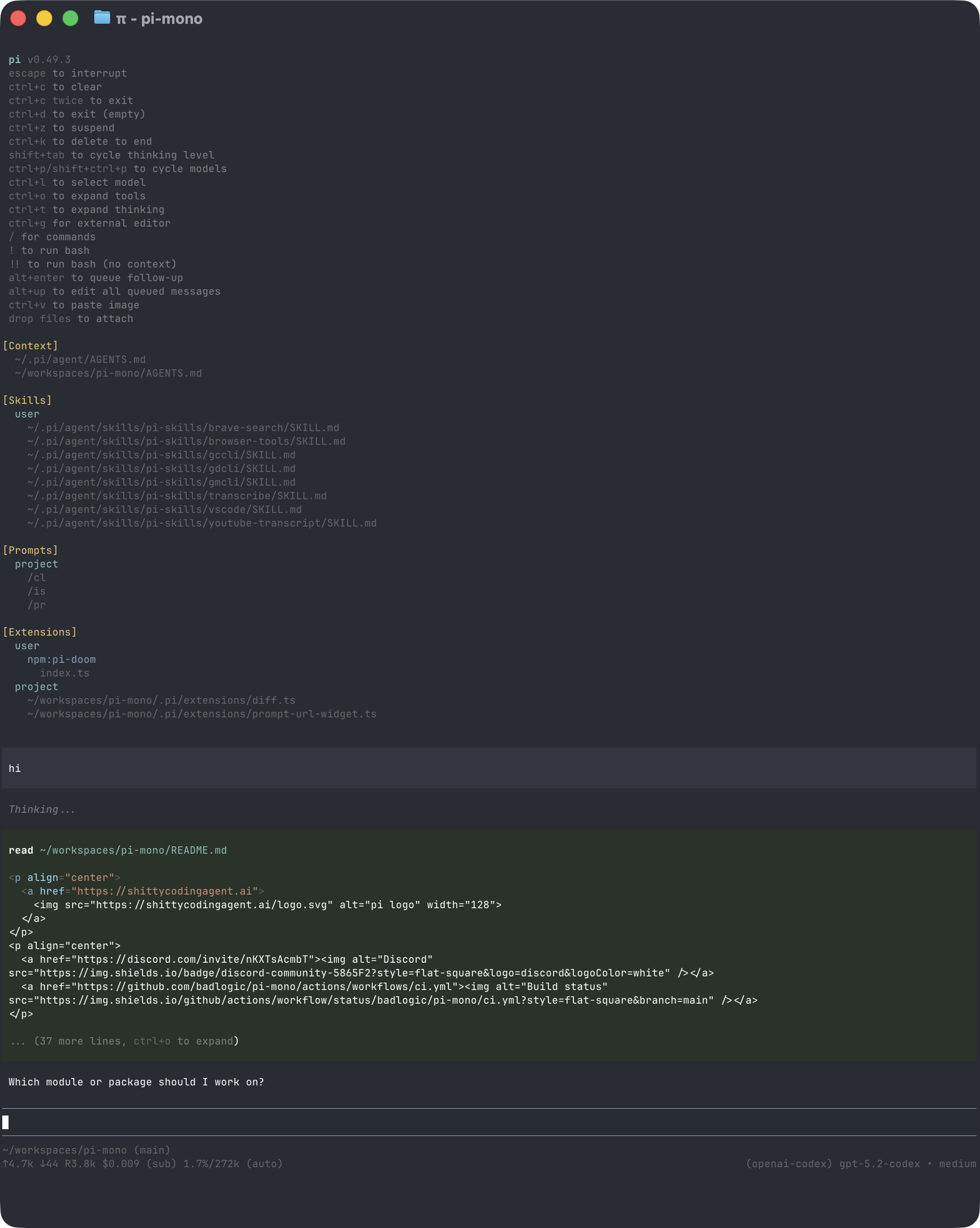
The interface from top to bottom:
- **Startup header** - Shows shortcuts (`/hotkeys` for all), loaded AGENTS.md files, prompt templates, skills, and extensions
- **Messages** - Your messages, assistant responses, tool calls and results, notifications, errors, and extension UI
- **Editor** - Where you type; border color indicates thinking level
- **Footer** - Working directory, session name, total token/cache usage (`↑` input, `↓` output, `R` cache read, `W` cache write, `CH` latest cache hit rate), cost, context usage, current model. Totals include assistant responses, usage reported by tools, and summary generation.
The editor can be temporarily replaced by other UI, like built-in `/settings` or custom UI from extensions (e.g., a Q&A tool that lets the user answer model questions in a structured format). [Extensions](#extensions) can also replace the editor, add widgets above/below it, a status line, custom footer, or overlays.
### Editor
| Feature | How |
|---------|-----|
| File reference | Type `@` to fuzzy-search project files |
| Path completion | Tab to complete paths |
| Multi-line | Shift+Enter (or Ctrl+Enter on Windows Terminal) |
| External editor | Ctrl+G opens `externalEditor`, `$VISUAL`, `$EDITOR`, Notepad on Windows, or `nano` elsewhere |
| Clipboard | Ctrl+V to paste an image or text (Alt+V on Windows), or drag images onto terminal |
| Bash commands | `!command` runs and sends output to LLM, `!!command` runs without sending |
Standard editing keybindings for delete word, undo, etc. See [docs/keybindings.md](docs/keybindings.md).
### Commands
Type `/` in the editor to trigger commands. [Extensions](#extensions) can register custom commands, [skills](#skills) are available as `/skill:name`, and [prompt templates](#prompt-templates) expand via `/templatename`.
| Command | Description |
|---------|-------------|
| `/login`, `/logout` | Manage provider credentials |
| [`/llama`](docs/llama-cpp.md) | Download, load, and unload llama.cpp router models |
| `/model` | Switch models |
| `/scoped-models` | Enable/disable models for Ctrl+P cycling |
| `/settings` | Thinking level, theme, message delivery, transport |
| `/resume` | Pick from previous sessions |
| `/new` | Start a new session |
| `/name ` | Set session display name |
| `/session` | Show session info (file, ID, messages, tokens, cost) |
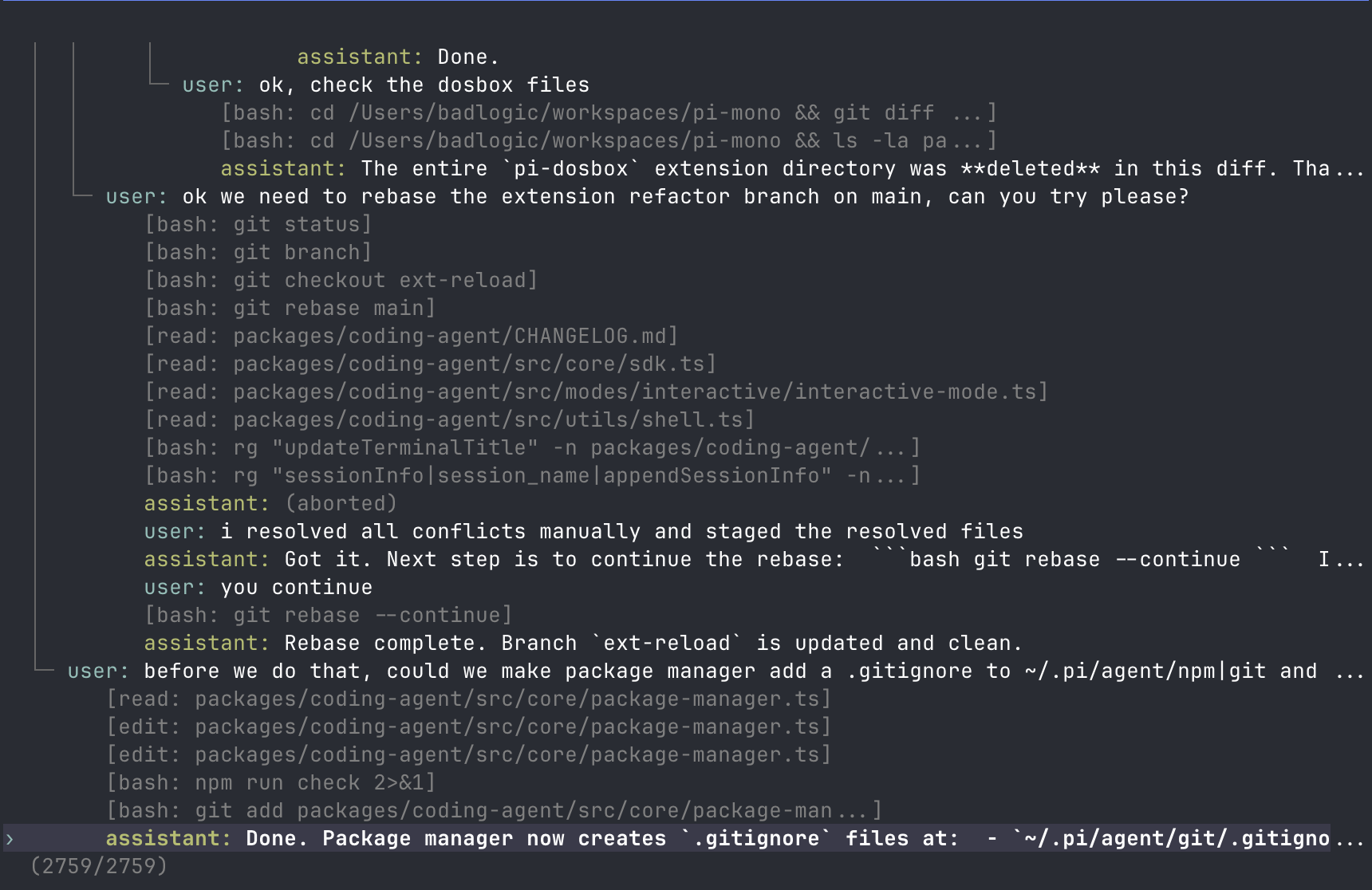
| `/tree` | Jump to any point in the session and continue from there |
| `/trust` | Save project trust decision for future sessions (restart required) |
| `/fork` | Create a new session from a previous user message |
| `/clone` | Duplicate the current active branch into a new session |
| `/compact [prompt]` | Manually compact context, optional custom instructions |
| `/copy` | Copy last assistant message to clipboard |
| `/export [file]` | Export session to HTML or JSONL file |
| `/import ` | Import and resume a session from a JSONL file |
| `/share` | Upload as private GitHub gist with shareable HTML link |
| `/reload` | Reload keybindings, extensions, skills, prompts, themes, and context files |
| `/hotkeys` | Show all keyboard shortcuts |
| `/changelog` | Display version history |
| `/quit` | Quit phi |
### Keyboard Shortcuts
See `/hotkeys` for the full list. Customize via `~/.phi/agent/keybindings.json`. See [docs/keybindings.md](docs/keybindings.md).
**Commonly used:**
| Key | Action |
|-----|--------|
| Ctrl+C | Clear editor |
| Ctrl+C twice | Quit |
| Escape | Cancel/abort |
| Escape twice | Open `/tree` |
| Ctrl+L | Open model selector |
| Ctrl+P / Shift+Ctrl+P | Cycle scoped models forward/backward |
| Shift+Tab | Cycle thinking level |
| Ctrl+O | Collapse/expand tool output |
| Ctrl+T | Collapse/expand thinking blocks |
| Ctrl+X | Copy the last assistant message |
### Message Queue
Submit messages while the agent is working:
- **Enter** queues a *steering* message, delivered after the current assistant turn finishes executing its tool calls
- **Alt+Enter** queues a *follow-up* message, delivered only after the agent finishes all work
- **Escape** aborts and restores queued messages to editor
- **Alt+Up** retrieves queued messages back to editor
On Windows Terminal, `Alt+Enter` is fullscreen by default. Remap it in [docs/terminal-setup.md](docs/terminal-setup.md) so phi can receive the follow-up shortcut.
Configure delivery in [settings](docs/settings.md): `steeringMode` and `followUpMode` can be `"one-at-a-time"` (default, waits for response) or `"all"` (delivers all queued at once). `transport` selects provider transport preference (`"sse"`, `"websocket"`, or `"auto"`) for providers that support multiple transports.
---
## Sessions
Sessions are stored as JSONL files with a tree structure. Each entry has an `id` and `parentId`, enabling in-place branching without creating new files. See [docs/session-format.md](docs/session-format.md) for file format.
### Management
Sessions auto-save to `~/.phi/agent/sessions/` organized by working directory.
```bash
phi -c # Continue most recent session
phi -r # Browse and select from past sessions
phi --no-session # Ephemeral mode (don't save)
phi --name "my task" # Set session display name at startup
phi --session # Use specific session file or ID
phi --fork # Fork specific session file or ID into a new session
```
Use `/session` in interactive mode to see the current session ID before reusing it with `--session ` or `--fork `.
### Branching
**`/tree`** - Navigate the session tree in-place. Select any previous point, continue from there, and switch between branches. All history preserved in a single file.
- Search by typing, fold/unfold and jump between branches with Ctrl+←/Ctrl+→ or Alt+←/Alt+→, page with ←/→
- Filter modes (Ctrl+O): default → no-tools → user-only → labeled-only → all
- Press Ctrl+X to copy the selected message
- Press Shift+L to label entries as bookmarks and Shift+T to toggle label timestamps
**`/fork`** - Create a new session file from a previous user message on the active branch. Opens a selector, copies the active path up to that point, and places the selected prompt in the editor for modification.
**`/clone`** - Duplicate the current active branch into a new session file at the current position. The new session keeps the full active-path history and opens with an empty editor.
**`--fork `** - Fork an existing session file or partial session UUID directly from the CLI. This copies the full source session into a new session file in the current project.
### Compaction
Long sessions can exhaust context windows. Compaction summarizes older messages while keeping recent ones.
**Manual:** `/compact` or `/compact `
**Automatic:** Enabled by default. Triggers on context overflow (recovers and retries) or when approaching the limit (proactive). Configure via `/settings` or `settings.json`.
Compaction is lossy. The full history remains in the JSONL file; use `/tree` to revisit. Customize compaction behavior via [extensions](#extensions). See [docs/compaction.md](docs/compaction.md) for internals.
---
## Settings
Use `/settings` to modify common options, or edit JSON files directly:
| Location | Scope |
|----------|-------|
| `~/.phi/agent/settings.json` | Global (all projects) |
| `.phi/settings.json` | Project (overrides global) |
See [docs/settings.md](docs/settings.md) for all options.
### Project Trust
On interactive startup, phi asks before trusting a project folder that contains project-local settings, resources, or project `.agents/skills` and has no saved decision for the folder or a parent folder in `~/.phi/agent/trust.json`. Trusting a project allows phi to load `.phi/settings.json` and `.phi` resources, install missing project packages, and execute project extensions.
Before the trust decision, phi loads only context files, user/global extensions, and CLI `-e` extensions so they can handle the `project_trust` event. Project-local extensions, project package-managed extensions, and project settings are loaded only after the project is trusted. This split also applies when switching to a session from a different cwd whose trust has not been resolved in the current process.
Non-interactive modes (`-p`, `--mode json`, and `--mode rpc`) do not show a trust prompt. Without an applicable saved trust decision, they use `defaultProjectTrust` from global settings: `ask` (default) and `never` ignore those project resources, while `always` trusts them. Pass `--approve`/`-a` or `--no-approve`/`-na` to override project trust for one run.
If no extension or saved decision applies, `defaultProjectTrust` controls the fallback behavior. Set it to `"ask"`, `"always"`, or `"never"` in `~/.phi/agent/settings.json`, or change it with `/settings`.
`phi config` and package commands use the same project trust flow, except `phi update` never prompts. Pass `--approve` to trust project-local settings for one command or `--no-approve` to ignore them.
Use `/trust` in interactive mode to save a project trust decision for future sessions, including trust for the immediate parent folder. It writes `~/.phi/agent/trust.json` only; the current session is not reloaded, so restart phi for changes to take effect.
### Telemetry and update checks
phi has two separate startup features:
- **Update check:** fetches `https://registry.npmjs.org/@phi-code-admin/phi-code/latest` to check whether a newer phi-code version exists. Disable it with `PI_SKIP_VERSION_CHECK=1`. Disabling update checks only turns off this check.
- **Install/update telemetry:** no version ping. phi-code sends no telemetry pings (the inherited upstream ping to `pi.dev/api/report-install` was removed). The `enableInstallTelemetry` setting is still honored: it controls the optional provider attribution headers sent to OpenRouter, Cloudflare, and direct NVIDIA NIM requests. Opt out by setting `enableInstallTelemetry` to `false` in `settings.json`, or by setting `PHI_TELEMETRY=0` (`PI_TELEMETRY` is accepted too). This does not disable update checks.
Use `--offline` or `PHI_OFFLINE=1` (`PI_OFFLINE` is accepted too) to disable all startup network operations described here, including update checks and package update checks.
---
## Context Files
phi loads `AGENTS.md` (or `CLAUDE.md`) at startup from:
- `~/.phi/agent/AGENTS.md` (global)
- Parent directories (walking up from cwd)
- Current directory
If a directory contains `AGENTS.override.md`, phi loads it instead of `AGENTS.md` or `CLAUDE.md` from that directory. Context files from other directories are still concatenated.
Use for project instructions (`AGENTS.md`/`CLAUDE.md`), conventions, common commands. All matching files are concatenated.
Disable context file loading with `--no-context-files` (or `-nc`).
### System Prompt
Replace the default system prompt with `.phi/SYSTEM.md` (project) or `~/.phi/agent/SYSTEM.md` (global). Append without replacing via `APPEND_SYSTEM.md`.
---
## Customization
### Prompt Templates
Reusable prompts as Markdown files. Type `/name` to expand.
```markdown
Review this code for bugs, security issues, and performance problems.
Focus on: {{focus}}
```
Place in `~/.phi/agent/prompts/`, `.phi/prompts/`, or a [phi package](#phi-packages) to share with others. See [docs/prompt-templates.md](docs/prompt-templates.md).
### Skills
On-demand capability packages following the [Agent Skills standard](https://agentskills.io). Invoke via `/skill:name` or let the agent load them automatically.
```markdown
# My Skill
Use this skill when the user asks about X.
## Steps
1. Do this
2. Then that
```
Place in `~/.phi/agent/skills/`, `~/.agents/skills/`, `.phi/skills/`, or `.agents/skills/` (from `cwd` up through parent directories) or a [phi package](#phi-packages) to share with others. See [docs/skills.md](docs/skills.md).
### Extensions
TypeScript modules that extend phi with custom tools, commands, keyboard shortcuts, event handlers, and UI components.
```typescript
export default function (pi: ExtensionAPI) {
pi.registerTool({ name: "deploy", ... });
pi.registerCommand("stats", { ... });
pi.on("tool_call", async (event, ctx) => { ... });
}
```
The default export can also be `async`. phi waits for async extension factories before startup continues, which is useful for one-time initialization such as fetching remote model lists before calling `pi.registerProvider()`.
**What's possible:**
- Custom tools (or replace built-in tools entirely)
- Sub-agents and plan mode
- Custom compaction and summarization
- Permission gates and path protection
- Custom editors and UI components
- Status lines, headers, footers
- Git checkpointing and auto-commit
- SSH and sandbox execution
- MCP server integration
- Make phi look like Claude Code
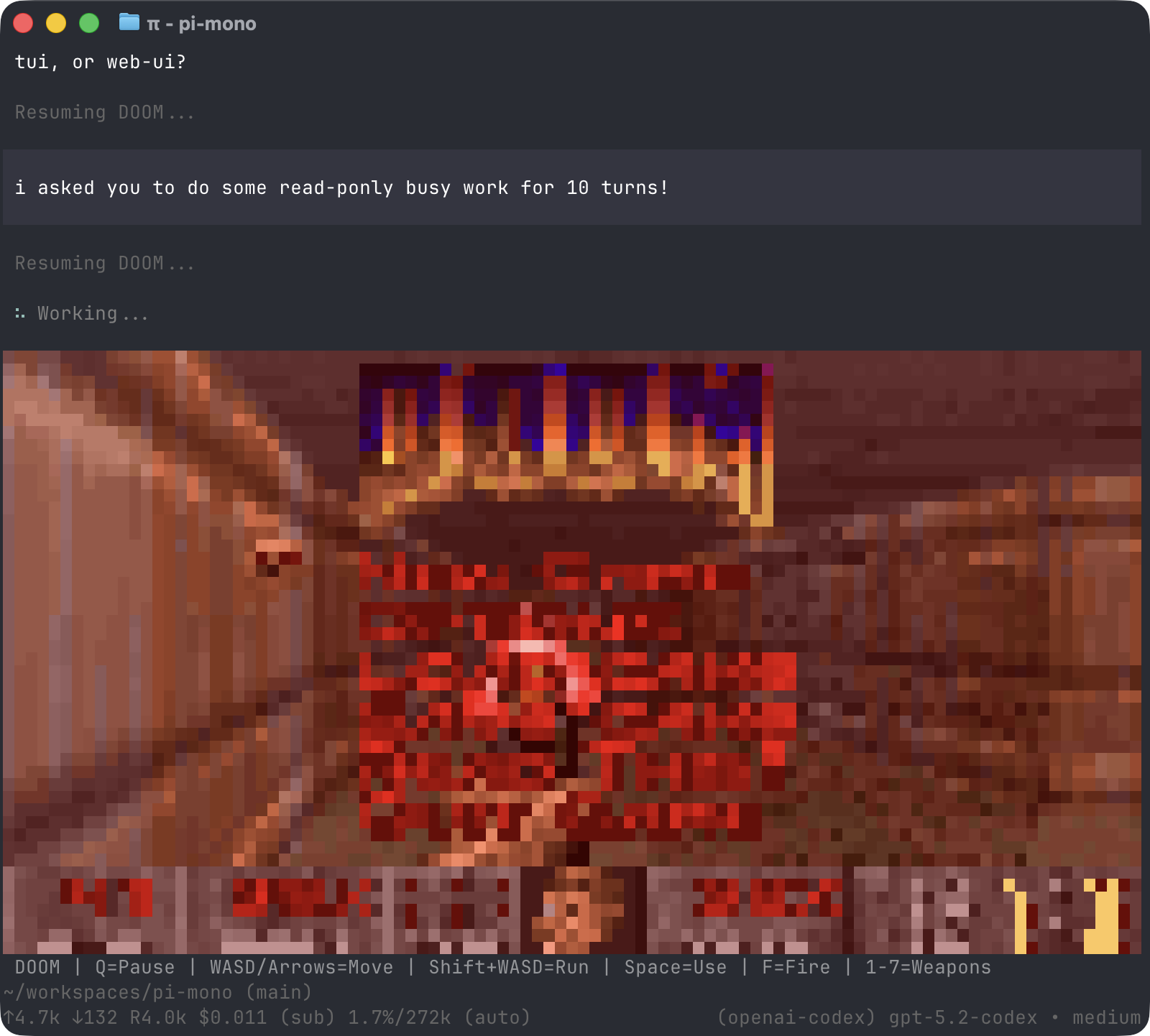
- Games while waiting (yes, Doom runs)
- ...anything you can dream up
Place in `~/.phi/agent/extensions/`, `.phi/extensions/`, or a [phi package](#phi-packages) to share with others. See [docs/extensions.md](docs/extensions.md) and [examples/extensions/](examples/extensions/).
### Themes
Built-in: `dark`, `light`. Themes hot-reload: modify the active theme file and phi immediately applies changes.
Place in `~/.phi/agent/themes/`, `.phi/themes/`, or a [phi package](#phi-packages) to share with others. See [docs/themes.md](docs/themes.md).
### Phi Packages
Bundle and share extensions, skills, prompts, and themes via npm or git. Find packages on [npmjs.com](https://www.npmjs.com/search?q=keywords%3Api-package) or [Discord](https://discord.com/channels/1456806362351669492/1457744485428629628).
> **Security:** phi packages run with full system access. Extensions execute arbitrary code, and skills can instruct the model to perform any action including running executables. Review source code before installing third-party packages.
```bash
phi install npm:@foo/pi-tools
phi install npm:@foo/pi-tools@1.2.3 # pinned version
phi install git:github.com/user/repo
phi install git:github.com/user/repo@v1 # tag or commit
phi install git:git@github.com:user/repo
phi install git:git@github.com:user/repo@v1 # tag or commit
phi install https://github.com/user/repo
phi install https://github.com/user/repo@v1 # tag or commit
phi install ssh://git@github.com/user/repo
phi install ssh://git@github.com/user/repo@v1 # tag or commit
phi remove npm:@foo/pi-tools
phi uninstall npm:@foo/pi-tools # alias for remove
phi list
phi update # update phi only
phi update --all # update phi and packages
phi update --extensions # update packages only
phi update --models # refresh model catalogs only
phi update --self # update phi only
phi update --self --force # reinstall phi even if current
phi update npm:@foo/pi-tools # update one package
phi config # enable/disable extensions, skills, prompts, themes
```
Packages install to `~/.phi/agent/git/` (git) or `~/.phi/agent/npm/` (npm). Use `-l` for project-local installs (`.phi/git/`, `.phi/npm/`). Git `@ref` values are pinned tags or commits; pinned packages are skipped by `phi update --extensions` and `phi update --all`, so use `phi install git:host/user/repo@new-ref` to move an existing package to a new ref. Git packages install dependencies with `npm install --omit=dev` by default, so runtime deps must be listed under `dependencies`; when `npmCommand` is configured, git packages use plain `install` for compatibility with wrappers. If you use a Node version manager and want package installs to reuse a stable npm context, set `npmCommand` in `settings.json`, for example `["mise", "exec", "node@20", "--", "npm"]`.
Create a package by adding a `pi` key to `package.json`:
```json
{
"name": "my-pi-package",
"keywords": ["pi-package"],
"pi": {
"extensions": ["./extensions"],
"skills": ["./skills"],
"prompts": ["./prompts"],
"themes": ["./themes"]
}
}
```
Without a `pi` manifest, phi auto-discovers from conventional directories (`extensions/`, `skills/`, `prompts/`, `themes/`).
See [docs/packages.md](docs/packages.md).
---
## Programmatic Usage
### SDK
```typescript
import { createAgentSession, ModelRuntime, SessionManager } from "@phi-code-admin/phi-code";
const modelRuntime = await ModelRuntime.create();
const { session } = await createAgentSession({
sessionManager: SessionManager.inMemory(),
modelRuntime,
});
await session.prompt("What files are in the current directory?");
```
For advanced multi-session runtime replacement, use `createAgentSessionRuntime()` and `AgentSessionRuntime`.
See [docs/sdk.md](docs/sdk.md) and [examples/sdk/](examples/sdk/).
### RPC Mode
For non-Node.js integrations, use RPC mode over stdin/stdout:
```bash
phi --mode rpc
```
RPC mode uses strict LF-delimited JSONL framing. Clients must split records on `\n` only. Do not use generic line readers like Node `readline`, which also split on Unicode separators inside JSON payloads.
See [docs/rpc.md](docs/rpc.md) for the protocol.
---
## Philosophy
phi keeps upstream Pi's small, aggressively extensible core: features that other tools bake in are built with [extensions](#extensions), [skills](#skills), or installed from third-party [phi packages](#phi-packages).
Where upstream Pi deliberately leaves them out, phi ships the following features as **bundled extensions** (`extensions/phi`), on by default:
- **MCP client**: `/mcp`, `/mcp:import` (Claude Code, Codex, Gemini, Cursor, VS Code configs), `/mcp:prompt`.
- **Sub-agents**: `/agents`, and a parallel read-only exploration with `/plan --fanout`.
- **Plan mode and orchestration**: `/plan`, `/debug`, `/build` (see [Execution-Grounded Modes](#execution-grounded-modes)).
- **Permission rules**: `/permissions`, `~/.phi/agent/permissions.json` and `.phi/permissions.json`. They are a convenience guard, not a sandbox: run phi in a container or VM for isolation.
- **To-dos**: a todo tool.
Set `PHI_DISABLE_BUNDLED_EXTENSIONS=1` for a bare agent closer to upstream Pi. There is still **no background bash**: use tmux for full observability and direct interaction.
Read upstream's [blog post](https://mariozechner.at/posts/2025-11-30-pi-coding-agent/) for the rationale of the minimal core.
---
## CLI Reference
```bash
phi [options] [@files...] [messages...]
```
### Package Commands
```bash
phi install [-l] # Install package, -l for project-local
phi remove [-l] # Remove package
phi uninstall [-l] # Alias for remove
phi update [source|self|phi] # Update phi only, or one package source
phi update --all # Update phi and packages
phi update --extensions # Update packages only
phi update --models # Refresh model catalogs only
phi update --self # Update phi only
phi update --self --force # Reinstall phi even if current
phi update --extension # Update one package
phi list # List installed packages
phi config # Enable/disable package resources
```
`phi config` and project package commands accept `--approve`/`--no-approve` to trust or ignore project-local settings for one command. `phi update` never prompts for project trust.
### Modes
| Flag | Description |
|------|-------------|
| (default) | Interactive mode |
| `-p`, `--print` | Print response and exit |
| `--mode json` | Output all events as JSON lines (see [docs/json.md](docs/json.md)) |
| `--mode rpc` | RPC mode for process integration (see [docs/rpc.md](docs/rpc.md)) |
| `--export [out]` | Export session to HTML |
In print mode, phi also reads piped stdin and merges it into the initial prompt:
```bash
cat README.md | phi -p "Summarize this text"
```
### Model Options
| Option | Description |
|--------|-------------|
| `--provider ` | Provider (anthropic, openai, google, etc.) |
| `--model ` | Model pattern or ID (supports `provider/id` and optional `:`) |
| `--api-key ` | API key (overrides env vars) |
| `--thinking ` | `off`, `minimal`, `low`, `medium`, `high`, `xhigh`, `max` |
| `--models ` | Comma-separated patterns for Ctrl+P cycling |
| `--list-models [search]` | List available models |
### Session Options
| Option | Description |
|--------|-------------|
| `-c`, `--continue` | Continue most recent session |
| `-r`, `--resume` | Browse and select session |
| `--session ` | Use specific session file or partial UUID |
| `--fork ` | Fork specific session file or partial UUID into a new session |
| `--session-dir ` | Custom session storage directory |
| `--no-session` | Ephemeral mode (don't save) |
| `--name `, `-n ` | Set session display name at startup |
### Tool Options
| Option | Description |
|--------|-------------|
| `--tools `, `-t ` | Allowlist specific tool names across built-in, extension, and custom tools |
| `--exclude-tools `, `-xt ` | Disable specific tool names across built-in, extension, and custom tools |
| `--no-builtin-tools`, `-nbt` | Disable built-in tools by default but keep extension/custom tools enabled |
| `--no-tools`, `-nt` | Disable all tools by default |
Available built-in tools: `read`, `bash`, `edit`, `write`, `grep`, `find`, `ls`
### Resource Options
| Option | Description |
|--------|-------------|
| `-e`, `--extension ` | Load extension from path, npm, or git (repeatable) |
| `--no-extensions` | Disable extension discovery |
| `--skill ` | Load skill (repeatable) |
| `--no-skills` | Disable skill discovery |
| `--prompt-template ` | Load prompt template (repeatable) |
| `--no-prompt-templates` | Disable prompt template discovery |
| `--theme ` | Load theme (repeatable) |
| `--no-themes` | Disable theme discovery |
| `--no-context-files`, `-nc` | Disable AGENTS.md and CLAUDE.md context file discovery |
Combine `--no-*` with explicit flags to load exactly what you need, ignoring settings.json (e.g., `--no-extensions -e ./my-ext.ts`).
### Other Options
| Option | Description |
|--------|-------------|
| `--system-prompt ` | Replace default prompt (context files and skills still appended) |
| `--append-system-prompt ` | Append to system prompt |
| `--tui-mode ` | TUI mode: `regular` (default) or `fullscreen` |
| `--use-theme ` | Set the initial interactive theme for this run without changing settings |
| `--verbose` | Force verbose startup |
| `-a`, `--approve` | Trust project-local files for this run |
| `-na`, `--no-approve` | Ignore project-local files for this run |
| `-h`, `--help` | Show help |
| `-v`, `--version` | Show version |
### File Arguments
Prefix files with `@` to include in the message:
```bash
phi @prompt.md "Answer this"
phi -p @screenshot.png "What's in this image?"
phi @code.ts @test.ts "Review these files"
```
### Examples
```bash
# Interactive with initial prompt
phi "List all .ts files in src/"
# Non-interactive
phi -p "Summarize this codebase"
# Non-interactive with piped stdin
cat README.md | phi -p "Summarize this text"
# Named one-shot session
phi --name "release audit" -p "Audit this repository"
# Different model
phi --provider openai --model gpt-4o "Help me refactor"
# Model with provider prefix (no --provider needed)
phi --model openai/gpt-4o "Help me refactor"
# Model with thinking level shorthand
phi --model sonnet:high "Solve this complex problem"
# Limit model cycling
phi --models "claude-*,gpt-4o"
# Read-only mode
phi --tools read,grep,find,ls -p "Review the code"
# Disable one extension or built-in tool while keeping the rest available
phi --exclude-tools ask_question
# High thinking level
phi --thinking high "Solve this complex problem"
```
### Environment Variables
| Variable | Description |
|----------|-------------|
| `AI_AGENT` | Set by the CLI and RPC entry points so generic tooling can attribute child processes to the coding agent |
| `PI_CODING_AGENT` | Set to `true` by the CLI and RPC entry points so child processes can detect that they run inside phi |
| `PHI_CODING_AGENT_DIR` | Override config directory (default: `~/.phi/agent`) |
| `PHI_CODING_AGENT_SESSION_DIR` | Override session storage directory (overridden by `--session-dir`) |
| `PHI_DISABLE_BUNDLED_EXTENSIONS` | Set to `1` to skip the bundled phi extensions (the ones the package copies into `~/.phi/agent/extensions`); other extensions you installed there still load. `PI_DISABLE_BUNDLED_EXTENSIONS` is accepted too |
| `PHI_DISABLE_PROJECT_EXTENSIONS` | Set to `1` to skip every project-scoped extension (`.phi/extensions` and project packages), e.g. when opening an untrusted repo; global and bundled extensions still load. `PI_DISABLE_PROJECT_EXTENSIONS` is accepted too |
| `PHI_MCP_CONFIG` | Path of an extra MCP config file (same format as `mcp.json`) supplied by the program that launches phi. It is merged after the global config and can only add servers; a missing or invalid file is reported on stderr and ignored |
| `PHI_MCP_STARTUP_WAIT_MS` | Without a UI (print or json mode), how long phi waits for the `eager` MCP servers before sending the first prompt. Default `15000`; `0` disables the wait |
| `PHI_CHROME_BRIDGE` | Set to `1` to start the Chrome bridge without a UI (print or json mode), where it is off by default |
| `PHI_MODELS_REFRESH` | Set to `1` to refresh the provider model catalogs at startup without a UI (print or json mode), where it is off by default |
| `PI_PACKAGE_DIR` | Override package directory (useful for Nix/Guix where store paths tokenize poorly) |
| `PI_OFFLINE` | Disable startup network operations, including update checks and package update checks |
| `PI_SKIP_VERSION_CHECK` | Skip the phi-code version update check at startup. This prevents the npm registry latest-version request |
| `PHI_TELEMETRY` (or `PI_TELEMETRY`) | `1`/`true`/`yes` or `0`/`false`/`no`: overrides `enableInstallTelemetry`, which only controls the provider attribution headers (OpenRouter, Cloudflare, NVIDIA NIM). phi-code sends no install/update ping. Does not disable update checks |
| `PI_CACHE_RETENTION` | Set to `long` for extended prompt cache (Anthropic: 1h, OpenAI: 24h) |
| `VISUAL`, `EDITOR` | Fallback external editor for Ctrl+G when `externalEditor` is unset; defaults to Notepad on Windows and `nano` elsewhere |
Commands run by the LLM-callable bash tool also receive current session metadata:
| Variable | Description |
|----------|-------------|
| `PI_SESSION_ID` | Current session ID |
| `PI_SESSION_FILE` | Absolute session JSONL path; unset for ephemeral sessions |
| `PI_PROVIDER` | Currently selected model provider |
| `PI_MODEL` | Currently selected model ID |
| `PI_REASONING_LEVEL` | Current effective reasoning level |
These values are resolved when each command starts. See [Environment Variables](docs/environment-variables.md#bash-tool-session-environment) for semantics, examples, and custom-tool opt-out.
---
## Contributing & Development
See [CONTRIBUTING.md](../../CONTRIBUTING.md) for guidelines and [docs/development.md](docs/development.md) for setup, forking, and debugging.
## License
MIT
## See Also
- [phi-code-ai](https://www.npmjs.com/package/phi-code-ai): Core LLM toolkit
- [phi-code-agent](https://www.npmjs.com/package/phi-code-agent): Agent framework
- [phi-code-tui](https://www.npmjs.com/package/phi-code-tui): Terminal UI components
- [phi-code-telemetry](https://www.npmjs.com/package/phi-code-telemetry): Telemetry contracts and adapters
- [Pi (upstream)](https://github.com/badlogic/pi-mono): the project phi-code is forked from