[English](./README.md)
# Facedetect
Facedetect 实现图像中的人脸检测,提供的接口简单,支持用户传入模型。



 # 使用
```js
import { FaceDetector } from '@paddle-js-models/facedetect';
const faceDetector = new FaceDetector();
await faceDetector.init();
// 使用时必传图像元素(HTMLImageElement),支持指定图片缩小比例(shrink)、置信阈值(threshold)
// 结果为人脸区域信息,包括:左侧 left,上部 top,区域宽 width,区域高 height,置信度 confidence
const res = await faceDetector.detect(
imgEle,
{ shrink: 0.4, threshold: 0.6 }
);
```
# 效果
+ **多个小尺寸人脸**
# 使用
```js
import { FaceDetector } from '@paddle-js-models/facedetect';
const faceDetector = new FaceDetector();
await faceDetector.init();
// 使用时必传图像元素(HTMLImageElement),支持指定图片缩小比例(shrink)、置信阈值(threshold)
// 结果为人脸区域信息,包括:左侧 left,上部 top,区域宽 width,区域高 height,置信度 confidence
const res = await faceDetector.detect(
imgEle,
{ shrink: 0.4, threshold: 0.6 }
);
```
# 效果
+ **多个小尺寸人脸**
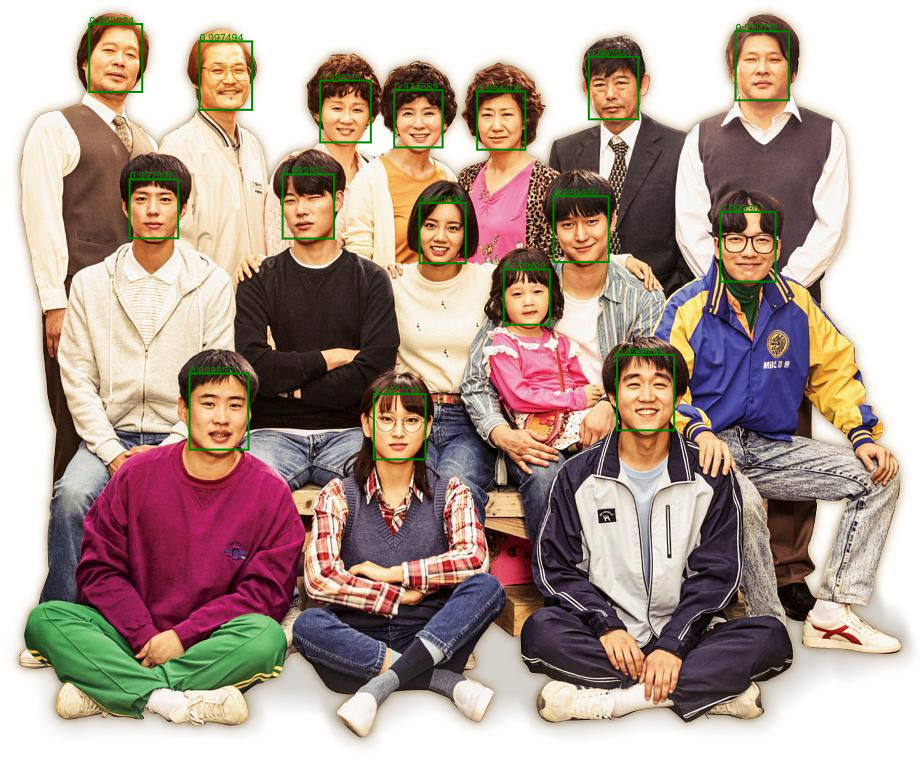 + **单个大尺寸人脸**
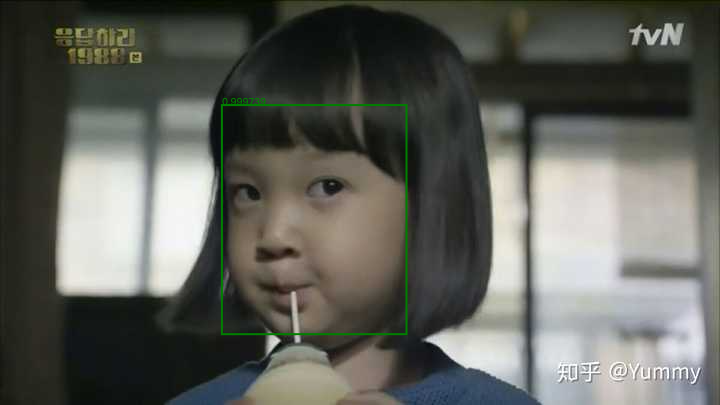 # 数据后处理
此人脸检测模型对小尺寸人脸具有更好的识别效果,图像在预测前会进行缩小,因此需要对预测输出数据进行变换,及为**数据后处理过程**。示意如下:
# 数据后处理
此人脸检测模型对小尺寸人脸具有更好的识别效果,图像在预测前会进行缩小,因此需要对预测输出数据进行变换,及为**数据后处理过程**。示意如下:
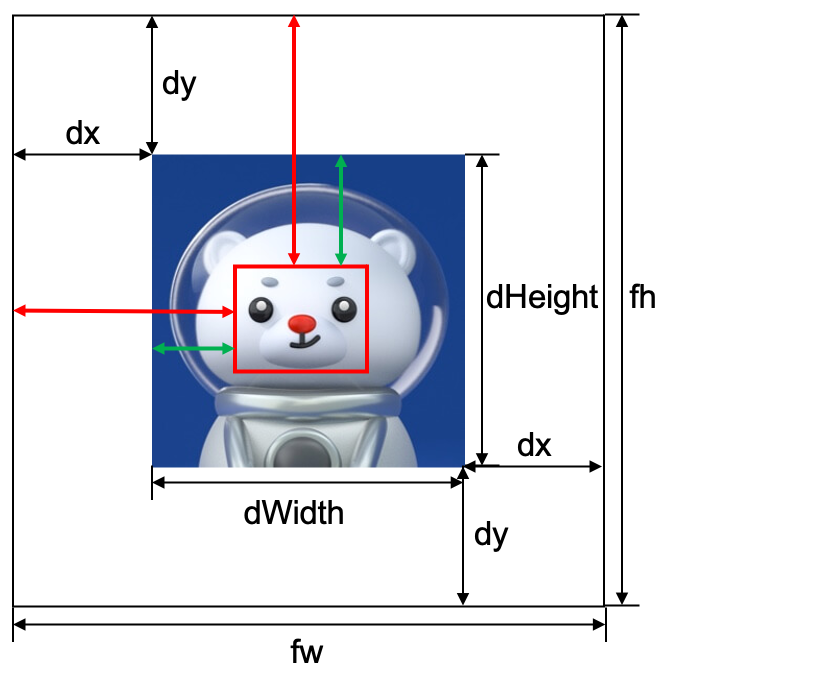 红线标识的是预测输出结果,绿线标识的是经过转换后的结果,二者变换过程所涉及到的 dx dy fw fh均为已知量。
# 参考
[源模型链接](https://github.com/PaddlePaddle/PaddleHub/tree/release/v2.2/modules/image/face_detection/pyramidbox_lite_mobile)
红线标识的是预测输出结果,绿线标识的是经过转换后的结果,二者变换过程所涉及到的 dx dy fw fh均为已知量。
# 参考
[源模型链接](https://github.com/PaddlePaddle/PaddleHub/tree/release/v2.2/modules/image/face_detection/pyramidbox_lite_mobile)