# opl-pi-sht
[](https://github.com/linellazatin/opl-pi-sht)
[](https://github.com/linellazatin/opl-pi-sht)
[](https://www.npmjs.com/package/@openlines/opl-pi-sht)
[](https://www.npmjs.com/package/@openlines/opl-pi-sht)
[](./LICENSE)
**Cut token cost, run the agent safely, and drop your MCP servers (probably).**
A portable collection of various Pi coding agent extensions. Repository directories and config files use `opl-`; established Pi-facing commands and tool names stay compatible.
>
> ### v0.3.7 installer and extension fixes, Pi 1.7 validation
>
> - The [checkout installer](#checkout-installer) no longer copies through extension or forced config symlinks. [Simplebench](extensions/opl-simplebench/README.md#provider-authentication) keeps credentials with their configured provider endpoints.
> - [`opl-browser`](extensions/opl-browser/README.md#configuration) actions honor cancellation and deadlines. [Webaccess](extensions/opl-webaccess/README.md#extension-features) returns results even if cache cleanup fails.
> - [`opl-footer`](extensions/opl-footer/README.md#session-and-performance-statistics) tokens and cost now include billed tool results, compactions, and branch summaries.
> - Validated all 12 extensions on Pi `1.7.0`. Rolling CI now tests `~1.7.0`; the `0.87.0` floor is unchanged in this release. The next update will raise it to Pi `1.0.0`.
>
> #### Pi 1.7.0 terminal resume
>
> Pi 1.7.0 introduced [OSC 7577 terminal resume](https://www.superlogical.com/rex/docs/build/program-resume); Pi 1.6.1 did not have it. On 1.7.0, the reported resume command preserves the agent profile and tool/resource flags but omits `--offline`. If startup must stay offline, resume manually with `pi --offline --session ` and repeat your original profile and restriction flags. `--offline` disables startup network operations; it is not a network sandbox.
>
> ### v0.3.6 simplebench credential resolution and Pi 1.6.1 re-validation
>
> - [`opl-simplebench`](extensions/opl-simplebench/README.md#provider-authentication) resolves stored provider credentials through Pi, so `!command`/`$VAR` keys and OAuth logins arrive as the key Pi would send instead of their reference text; the raw read stays as the no-context fallback.
> - Re-assessed on Pi `1.6.1`: its one breaking change (the removed cache-miss notice setting) is unused here, and the `0.87.0` floor is unchanged.
>
> ### v0.3.5 modes safety and Pi 1.6 validation
>
> - Restricted default Git branch and remote commands to basic listings; unnamed plans avoid overwrites, and unreadable plan entries are skipped.
> - Updated rolling host checks to Pi `~1.6.0`, retaining the `0.87.0` floor.
>
> [CHANGELOG](CHANGELOG.md)
>
> Having issues? [Opl a ticket](https://github.com/linellazatin/opl-pi-sht/issues/new).
>
## Installation
### Pi package
Install a versioned release from npm or GitHub. Both ship identical content; pick one source per machine, because Pi treats the npm and Git entries as separate packages and installing both loads every extension twice.
```bash
pi install npm:@openlines/opl-pi-sht@
pi install git:github.com/linellazatin/opl-pi-sht@
```
> Omitting the version on the npm source tracks the latest published release; Git refs stay pinned, so move them with `pi install ...@v`.
Pi installs the package under `~/.pi/agent/npm/node_modules/@openlines/opl-pi-sht` (npm) or `~/.pi/agent/git/github.com/linellazatin/opl-pi-sht` (Git) and runs root `npm install`, so `opl-webaccess` and `opl-browser` runtime dependencies are available. Pi packages do not install optional extension config files; copy only the configs you need from that checkout's `configs/` to `~/.pi/agent/configs/`.
`opl-browser` also needs Chromium once after package installation:
```bash
cd ~/.pi/agent/npm/node_modules/@openlines/opl-pi-sht # or the git checkout path
npx playwright install chromium
```
#### Selecting extensions
`pi install` has no per-extension flag like `./install.sh --only`. After installing the package, narrow it in `~/.pi/agent/settings.json` using the object form (filters are globs relative to the package root and layer on top of the package manifest):
```json
{
"packages": [
{
"source": "npm:@openlines/opl-pi-sht@0.3.7",
"extensions": ["extensions/opl-init/index.ts", "extensions/opl-todo/index.ts"]
}
]
}
```
`pi config` provides the same control interactively: toggle individual extensions from an installed package without editing globs.
### Checkout installer
```bash
chmod +x install.sh
./install.sh # copy all extensions and configs
./install.sh --link # non-destructive symlinks
./install.sh --only opl-init opl-todo
./install.sh --link --only opl-input # installs the UI + /configurator bundle
PI_CODING_AGENT_DIR=/path/to/.pi/agent ./install.sh --link # PI_AGENT_DIR is a legacy alias
```
Copy mode refreshes extension directories and keeps existing configs, including dangling config links. `--force-configs` replaces regular config files. Copy mode refuses extension-directory symlinks and forced config symlinks before copying; remove the link itself to switch that destination from link to copy mode. A config comes from `configs/.json` when the repo carries one, otherwise from the shipped `configs/.json.sample`, so a fresh clone installs defaults instead of silently installing none. What was installed is recorded in `/extensions/.opl-pi-sht.installed`, and a recorded directory that this release no longer ships is pruned on the next run (`--no-prune` keeps it recorded for later cleanup, and nothing outside the record is ever touched). Failed pruning retains ownership and exits nonzero so the next run can retry; invalid manifest names are ignored. Link mode skips existing destinations without claiming ownership. `--only`/`-o` accepts one or more extension names; selecting `opl-configurator`, `opl-footer`, `opl-input`, or `opl-modes` installs all four: `/configurator` plus the three extensions that share active-mode state. Use `./install.sh --help` for flags. The repository uses standard `.json` only.
## Extensions
| Extension | Summary | Commands, tools, and configuration |
| ------------------------------------------------------------- | ----------------------------------------------------------------------------------------------------------------------------------------------------------------------------------------------------------------------------------------------------------------------------------------------------------------------------------------------------------------------------------------------------------------------------------------------------- | -------------------------------------------------------------------------------------------------------------------------- |
| [`opl-init`](extensions/opl-init/README.md) | Fingerprinted repository-guide generator with out-of-band model refinement. | `/init`; no config. |
| [`opl-simplebench`](extensions/opl-simplebench/README.md) | Auditable provider-aware model benchmark with JSON artifacts and metrics. | `/simplebench`, `simplebench`; supports Ollama, OpenAI-compatible providers, and Bedrock; optional `opl-simplebench.json`. |
| [`opl-webaccess`](extensions/opl-webaccess/README.md) | Search plus readable URL/PDF retrieval with session recovery. | `web_search`, `fetch_content`, `get_search_content`; `opl-webaccess.json`. |
| [`opl-browser`](extensions/opl-browser/README.md) | Chromium automation via Playwright with structured extraction of rendered pages; single dispatcher tool replacing the chrome-devtools MCP. | `browser` (action-based); `opl-browser.json`. |
| [`opl-ctxtrim`](extensions/opl-ctxtrim/README.md) | Description trimmer specifically for known context-mode`ctx_*` tools in Pi outbound requests, across OpenAI, Anthropic, Mistral, Bedrock and Google/Gemini formats. Its allowlist supplies concise replacements for the [context-mode](https://github.com/mksglu/context-mode) bridge's verbose `ctx_*` descriptions and leaves every other tool byte-for-byte alone (~67-74% smaller tool payloads per measured shape, ~4,700-6,300 tokens/request). | No commands/tools; no config. |
| [`opl-guardian`](extensions/opl-guardian/README.md) | Configurable tool and session safety: dangerous-Bash confirmation, protected paths, destructive-session confirmation, and malformed-call filtering. | No commands/tools;`opl-guardian.json`. |
| [`opl-todo`](extensions/opl-todo/README.md) | Branch-aware task tool, overlay, and task list. | `todo`, `/todos`; `opl-todo.json`. |
| [`opl-questionnaire`](extensions/opl-questionnaire/README.md) | Interactive structured-choice tool. | `questionnaire`; no config. |
| [`opl-input`](extensions/opl-input/README.md) | Configurable replacement editor - enhanced[pikit chat-input](https://github.com/adrianapan/pikit) (because pet is life, and configurable). 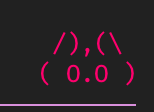 | `/configurator` (Input tab); `opl-input.json`. |
| [`opl-modes`](extensions/opl-modes/README.md) | Mode, plan, tool-safety, lazy-tool-loading, and active-appearance manager - highly-modified, configrable and enhanced mode-switcher. | `/mode`, `/chat`, `/plan`, `/execute`, `plan_complete`, `load_tools`; `opl-modes.json`. |
| [`opl-footer`](extensions/opl-footer/README.md) | Configurable multi-row status footer - highly-specialized, and enhanced[pikit footer](https://github.com/adrianapan/pikit). | `/configurator`; `opl-footer.json`. |
| [`opl-configurator`](extensions/opl-configurator/README.md) | Generic extensible configuration shell with hotkey-selected tabs; each instrumented extension publishes one tab. | `/configurator`; no config. |
## What you'll gain
Choose one, some, or all extensions by the outcomes below.
### Spend less every session
Trim tool descriptions or withhold unused schemas to reduce the prompt prefix Pi caches across turns:
- **`opl-ctxtrim`** shortens descriptions for eleven known context-mode `ctx_*` tools across Pi provider formats, preserving other tools, conversation content and schema rules. Measured schemas shrink ~67-74%; the Responses saving is roughly **4,700-6,300 tokens/request**, estimated from bytes. [Scope and provider formats](extensions/opl-ctxtrim/README.md#scope), [Measurements](extensions/opl-ctxtrim/README.md#token-savings).
- **`opl-modes` lazy tools** withhold heavy schemas such as `subagent`, `browser` and `simplebench` until `load_tools` activates them within the current mode's permissions. One measured setup with lazy tools and its MCP adapter disabled saved **~5,000 cold-cache tokens (17.6K to 12.6K)**. [Lazy loading](extensions/opl-modes/README.md#lazy-tool-loading).
```text
Cold prompt-cache write, measured /init session (opl-modes lazy tools + MCP adapter off)
before ██████████████████████████████████ 17,558 tokens
after █████████████████████████ 12,625 tokens (-28%, ~5K every session)
* token numbers grabbed from my personal setup with ~18 extensions
```
### Run the agent without babysitting it
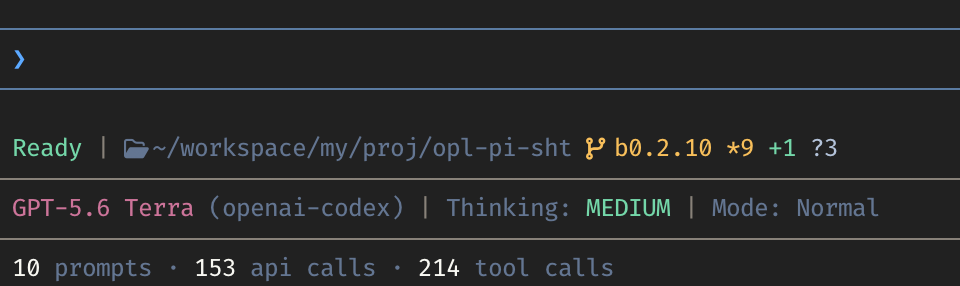
- **`opl-modes`** provides read-only chat/plan toolsets, checks each Bash command segment including quoted substitutions, and heuristically blocks destructive operations (not a shell sandbox). Custom modes support exploration-to-execution workflows; `load_tools` cannot exceed their permissions. Plan copies stay within UTF-8 caps including truncation notices: **24 KB** in prompts and **4 KB** in session entries, with the full file retained. Execute auto-exit requires Pi >=0.87.0. [Mode behavior](extensions/opl-modes/README.md#mode-behavior), [Plan configuration](extensions/opl-modes/README.md#configuration).
- **`opl-guardian`** confirms dangerous Bash commands and destructive session actions, and protects configured file paths through symlink resolution. Without a UI, confirmation-required actions block. Bash path matching avoids harmless text-search matches but remains advisory, not a shell sandbox. Malformed calls are removed before persistence/replay; byte-rotated logs in `/guardian-incidents.jsonl` record argument names, never values. [Guards](extensions/opl-guardian/README.md#what-it-guards), [Forensics](extensions/opl-guardian/README.md#forensic-jsonl).
### Move through work faster
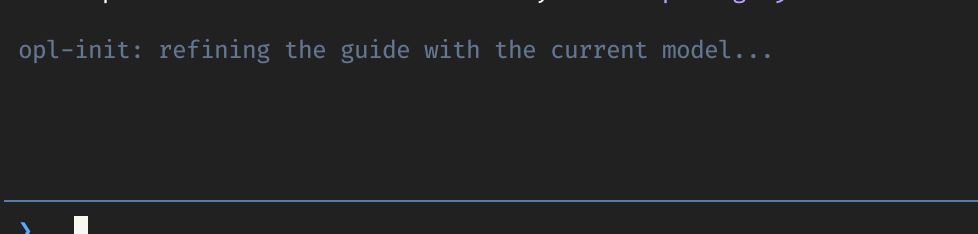
- **`opl-init`** crawls, writes and reloads `AGENTS.md` using one out-of-band refinement call. An unchanged fingerprint skips the model; mid-session requests wait for the agent to settle. No synthetic user messages. Requires Pi >=0.86.0. [Workflow](extensions/opl-init/README.md#extension-features).
- **`opl-browser`** exposes Chromium navigation, snapshots, rendered Markdown, interaction, screenshots, diagnostics and evaluation through one tool, with paged previews for large results. Address-based guards cover navigation, page requests, WebSockets and redirected frames; private/link-local access is blocked by default, loopback is opt-in, metadata is always blocked and service workers are disabled. PNG/JPG screenshots are contained within the session project and reserved against overwrites. Page actions support `index`, preserve selection identity and reject stale targets. [Features](extensions/opl-browser/README.md#extension-features), [Network policy and limits](extensions/opl-browser/README.md#network-policy).
- **`opl-webaccess`** provides search, readable URL/PDF extraction and result recovery. HTTP(S) fetches validate and pin approved addresses at every redirect, block private/link-local hosts by default, make loopback opt-in and always block metadata/unspecified addresses. Compressed responses are decoded within **10 MB** received/decoded caps and a **30 s** deadline across hops. Sessions keep bounded previews; full results live in a **1 h / 32 MB** disk cache. [Retrieval and storage](extensions/opl-webaccess/README.md#extension-features), [Configuration](extensions/opl-webaccess/README.md#configuration).
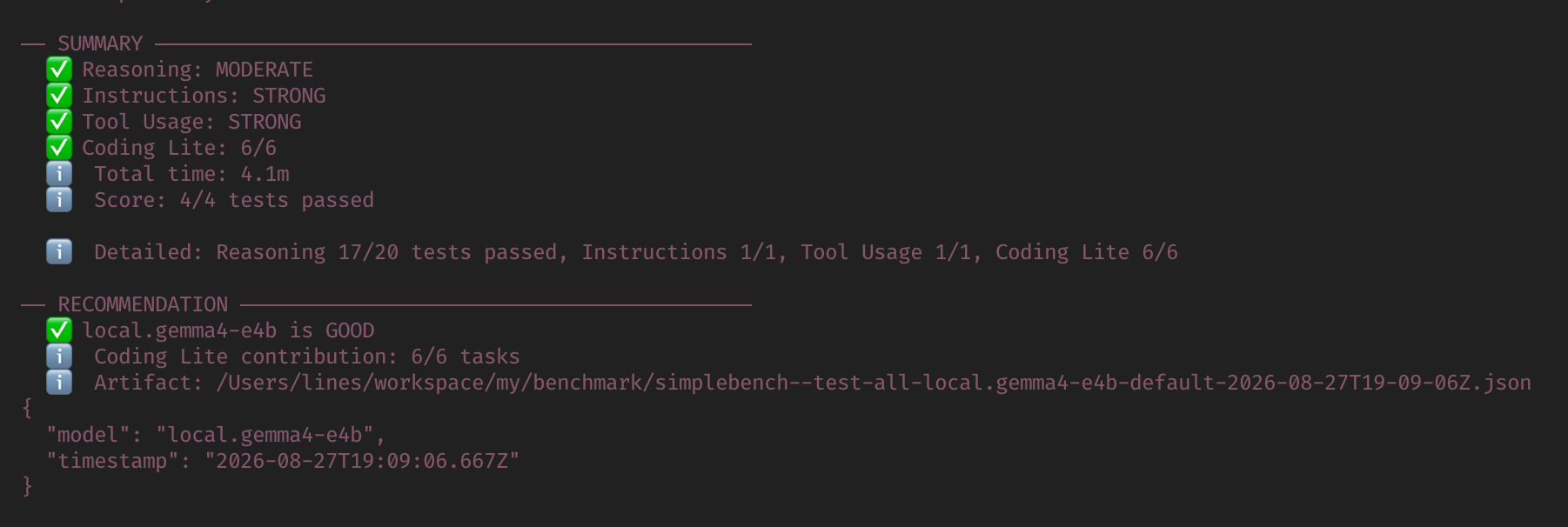
- **`opl-simplebench`** compares models using deterministic answers, instruction-following, tool calls and coding tasks. Model-authored verifier code and its children receive an allowlisted environment without provider credentials, tokens or agent paths; this is not filesystem/network isolation. [Methodology](extensions/opl-simplebench/README.md#benchmark-methodology), [Coding safety](extensions/opl-simplebench/README.md#coding-lite).
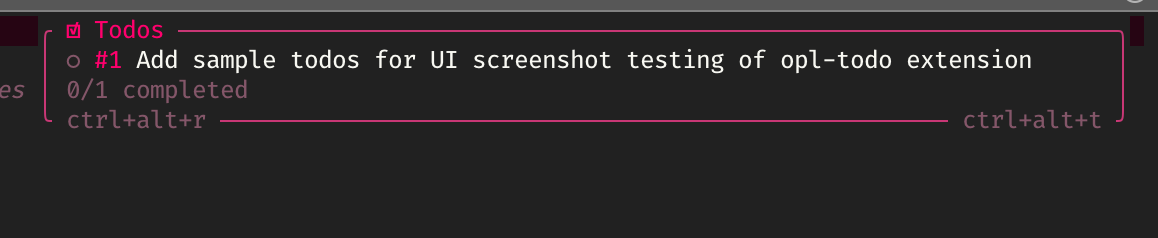
- **`opl-todo`** persists branch-aware tasks, reconstructs them from session history and sizes its overlay to the renderer's terminal. [Features](extensions/opl-todo/README.md#extension-features).
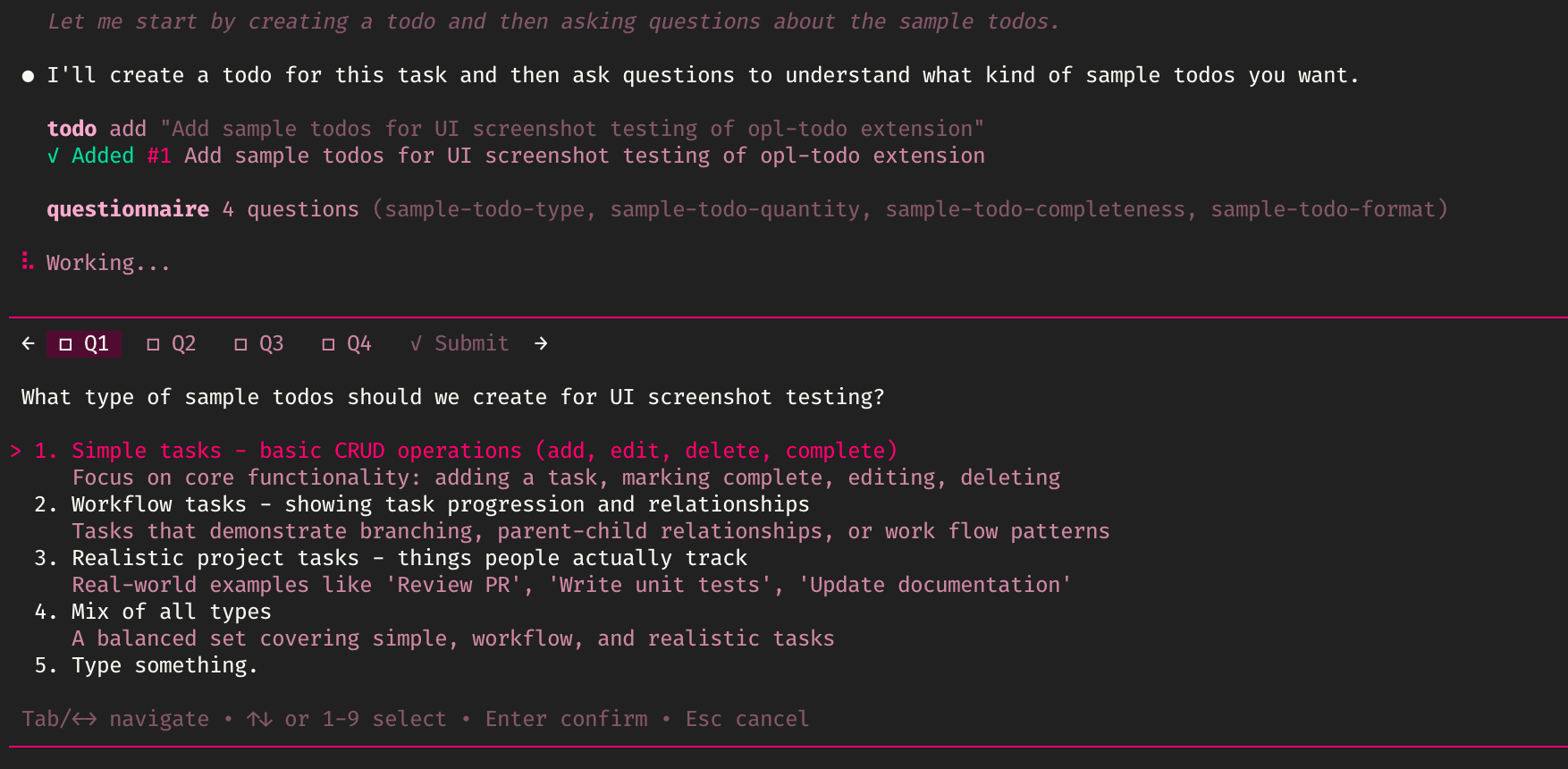
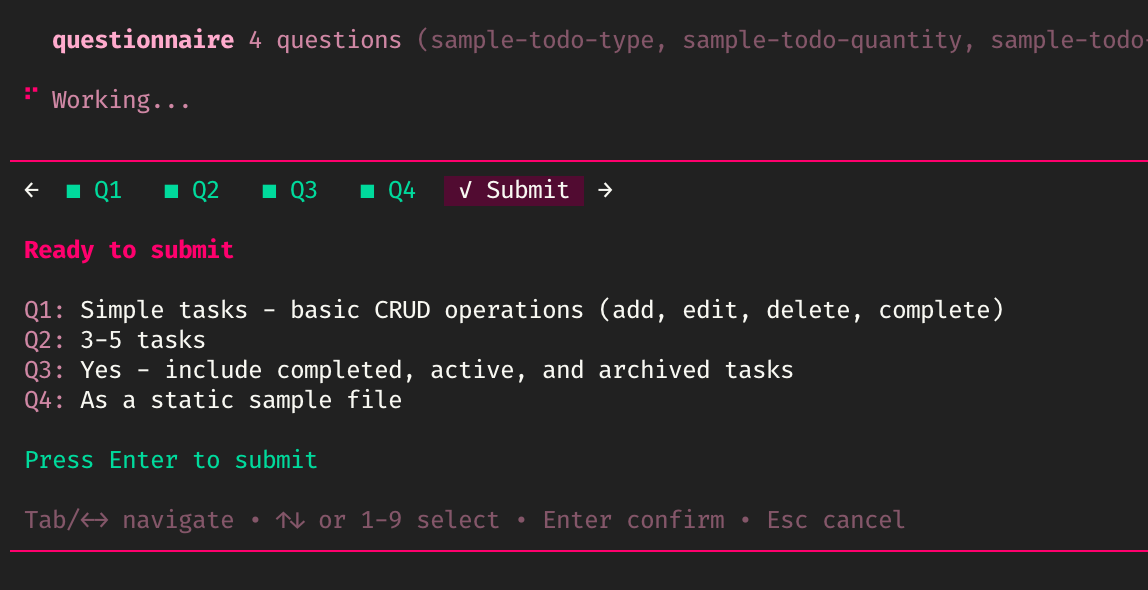
- **`opl-questionnaire`** resolves ambiguous choices through an interactive structured questionnaire. [Features](extensions/opl-questionnaire/README.md#extension-features).
### See what the agent is doing
- **`opl-footer`** shows model, cost, tokens/cache, git state, agent activity and timing, plus optional Codex subscription quota and OpenRouter key usage. Empty rows disappear; failed segments show `[?]` without blanking the footer. Branch switches and compaction refresh cached facts, and canonical context usage replaces estimates. Quotas refresh during runs with a 30 s minimum interval; OpenRouter keys/responses are never logged or persisted. Configure the layout with `/configurator`. [Features](extensions/opl-footer/README.md#features), [Usage segments](extensions/opl-footer/README.md#available-segments).
- **`opl-input`** provides a configurable editor that reflects the active mode. Configure it through `/configurator` (Input tab); changes apply after `/reload`. [Editor features](extensions/opl-input/README.md#extension-features).

### Fewer moving parts
- **`opl-browser`** provides browser automation without a separate chrome-devtools MCP server, reducing server setup and idle schema overhead. [Architecture](extensions/opl-browser/README.md#architecture).
### Pick your footprint
| If you want to... | Install |
| ---------------------------------- | --------------------------------------------------------------------------------------------------- |
| Cut token cost with minimal change | `opl-ctxtrim`, `opl-modes` |
| Run the agent safely on real repos | `opl-modes` (pulls in the `opl-input` + `opl-footer` UI and `/configurator` bundle), `opl-guardian` |
| Research and drive the web | `opl-webaccess`, `opl-browser` |
| Choose models with data | `opl-simplebench` |
| The full, coordinated experience | all twelve |
Selecting `opl-configurator`, `opl-footer`, `opl-input`, or `opl-modes` installs all four. The configurator carries the `/configurator` command, and the other three share active-mode state.
## Token overhead
Installing extensions adds tool schemas (name + description + JSON parameters) to the resting prompt prefix, which Pi writes once per session and then re-reads cheaply from cache on warm turns. Commands and UI-only extensions add little to nothing. The figures below are calibrated against one tool measured directly in a real session (`load_tools` = 139 tokens); treat them as ±15%. Per-row estimates sum a little above the measured whole (~2,020 against ~1,916 of tool-schema tokens), so the collective figures below use the measured value.
### Per extension (resting prompt prefix)
| Extension | Adds to resting prompt | Est. tokens |
| ------------------- | --------------------------------------------------- | ------------ |
| `opl-browser` | `browser` tool schema | ~596 |
| `opl-questionnaire` | `questionnaire` schema + prompt guidelines | ~532 |
| `opl-webaccess` | `web_search`, `fetch_content`, `get_search_content` | ~394 |
| `opl-simplebench` | `simplebench` schema | ~230 |
| `opl-modes` | `plan_complete` + `load_tools` schemas | ~215 |
| `opl-todo` | `todo` schema | ~92 |
| `opl-init` | command only (no tool) | ~0 |
| `opl-configurator` | command only (no tool) | ~0 |
| `opl-input` | UI only | ~0 |
| `opl-footer` | UI only | ~0 |
| `opl-guardian` | none (tool/session safety; no added tool schemas) | ~0 |
| `opl-ctxtrim` | none (payload transformer) | net negative |
Command descriptions add roughly another ~120 tokens collectively, and only if your build surfaces them in the prompt or help block.
### Collective (full install)
- **All tools active (no `lazyTools`):** ~1,958 tool-schema tokens (the ~1,916 counted in a real session, plus the ~42 tokens Phase 6 added to the `browser` schema for page targeting) + ~101 guidelines + ~120 commands = **~2,180 tokens** on every cold prompt-cache write. The per-extension rows above are ±15% estimates of the same set and sum slightly over it.
- **With the recommended `lazyTools` config** (withholds `browser` + `simplebench`, keeps `load_tools`): removing browser (~596) and simplebench (~230) drops the resting overhead to **~1,354 tokens (-38%)**.
```text
Full install, cold prompt prefix impact
all tools resting ████████████████████████ ~2,180 tokens
with lazyTools ███████████████ ~1,354 tokens (-38%)
+ opl-ctxtrim (curated ctx_*) saves 4,700-6,300 tokens/request
```
The fixed cost of a full install is small and paid once per session, then cached. Two extensions pay it back many times over: `opl-ctxtrim` removes 4,700-6,300 tokens **per request** for context-mode users, and `opl-modes` lazy loading keeps the resting number at ~1,354 instead of ~2,180 while also withholding the heavy `subagent` family (~5K tokens) when present. For a full install, the overhead is modest and one-time-per-session; with context-mode or heavy tools in play, the collection is strongly token-positive.
## Configuration
Copy applicable files from [`configs/`](configs/) to `~/.pi/agent/configs/` - or to `$PI_CODING_AGENT_DIR/configs/` if you relocated the agent directory, which is where every extension in this collection looks, per call. npm packages include only shipped `.json.sample` configs, never operator `.json` files from a checkout. For a Pi package installation, the source directory is `~/.pi/agent/npm/node_modules/@openlines/opl-pi-sht/configs/` (npm) or `~/.pi/agent/git/github.com/linellazatin/opl-pi-sht/configs/` (Git):
- `opl-footer.json`, `opl-input.json`, `opl-modes.json`, `opl-todo.json`, `opl-webaccess.json`, `opl-guardian.json`
- `opl-browser` has optional configuration (`opl-browser.json`); all fields default, so it works without any config file.
- `opl-simplebench` has optional `opl-simplebench.json`; copy `configs/opl-simplebench.json.sample` to configure DDGS/SearXNG research and llama metadata endpoints.
- `opl-guardian` has an optional `opl-guardian.json`; copy `configs/opl-guardian.json.sample` and manually migrate any old permission-gate or protected-path settings. It does not load legacy files. Configured `permissionGate.patterns` replace the defaults, so copied live patterns do not automatically inherit later default-rule updates.
- `opl-init`, `opl-questionnaire` and `opl-configurator` have no external configuration.
- Config files must be valid JSON, with no comments or trailing commas beyond deliberate `_comment` keys.
- `opl-modes` owns active-mode appearance. Each mode's `appearance.prefix`, `prefixColor`, and `borderColor` style `opl-input`; `appearance.modeColor` styles `opl-footer`'s unified mode label. Renderers retain hardcoded fallbacks.
- `opl-modes.bashPatterns` is the shared read-only Bash policy now applied to every mode by default; a mode overrides it with its own valid `safePatterns`/`destructivePatterns` array, an empty array explicitly removes that policy, or `unrestrictedBash: true` disables both gates. Malformed per-mode arrays retain the existing policy.
- `opl-modes.lazyTools` withholds heavy tool schemas (e.g. `subagent`, `browser`, `simplebench`) from the resting prefix and enables them on demand via `load_tools`, shrinking the per-session prompt-cache write.
See each extension README for commands, behavior, configuration fields, runtime constraints, and architecture.
## Runtime requirements
All extensions use Pi's normal extension discovery. Pi installs `opl-webaccess` extraction dependencies and Playwright automatically when installed as an npm or Git package. For the checkout installer, install nested runtime dependencies before using those extensions:
```bash
cd extensions/opl-webaccess
npm install
cd ../opl-browser
npm install
npx playwright install chromium
```
A Pi package (npm or Git) still needs the one-time `npx playwright install chromium` command shown above.
`opl-simplebench` writes a full JSON benchmark artifact in the current Pi session directory (`ExtensionContext.cwd`). `--test-all` additionally writes `research.md` and `page.html` beside `result.json` in a result bundle. Without an active session context, artifacts fall back to the harness working directory. `/simplebench --sequence[=]` runs a named templated multi-run protocol (for example a model warm-up curve) defined in the `runSequence.sequences` block, with per-iteration tags, optional llama-server/llamagputop metrics, and a configurable pause between iterations; block-level `llamaMetrics`/`pauseMs` are defaults a profile can override. Copy `configs/opl-simplebench.json.sample` to `~/.pi/agent/configs/opl-simplebench.json` to configure DDGS/SearXNG research, optional llama-server/llamagputop metadata endpoints, and the run sequence. Use `/simplebench --no-artifact` or `simplebench({ no_artifact: true })` when responses must not be written to disk. Provider credentials remain outside tracked configuration; configure them through Pi provider settings, environment variables, or Pi authentication.
## Tests
```bash
npm test
```
- `npm run typecheck`: separate from `npm test`; runs strict `tsc` on extension sources.
- `npm run test:shared`: agent-directory resolution, duplicated host/git guard parity, installer, package metadata, and `globalThis` integration across `opl-modes`, `opl-footer`, `opl-input`, and `opl-configurator`.
- `npm run test:opl-`: `browser`, `configurator`, `footer`, `guardian`, `init`, `input`, `modes`, `questionnaire`, `todo`, `webaccess`, `simplebench`, or `ctxtrim`.
- `npm run test:pi-host`: loads every entrypoint without errors through Pi’s real loader. It shares `tests/support/pi-host.mjs` with the pi-tui marker test and prefers the managed install, falling back to the devDependency (Pi `>=0.87.0`).
Bun reports named helper, functional, and smoke tests with per-test status, timings, and pass/fail totals. Functional tests use deterministic helpers where practical and include local HTTP and PDF extraction fixtures. Smoke tests bundle entrypoints and parse config; they do not test live TUI behavior or provider credentials. Package tests pack the npm tarball to check that it includes the root changelog and excludes live configs; host tests parse versioned notes from that tarball.
Host tests use Pi’s coercing validator on every registered tool and check Bash normalization: arrays rejected, scalars stringified, transcript arguments unchanged. Portable payload tests run on all hosts; these checks require newer versions:
- Pi `>=1.2.0`: custom/user `before_agent_start`, busy-during-start behavior, and mode-prompt persistence after real file-tool execution, using isolated fixtures and synthetic model responses.
- Pi `>=1.4`: real Responses converter declarations through the loaded ctxtrim handler.
- Pi `>=1.5.1`: overlay-registry cleanup that `opl-todo` relies on.
Callable `validate.yml` owns all CI checks: `npm ci`, strict typechecking, the full suite, dependency audits, and the host matrix. CI tests the lockfile (Pi `1.5.2`), the `0.87.0` floor, and rolling `~1.7.0`. Without the lockfile, the rolling job resolves `pi-coding-agent`, `pi-tui`, and `pi-ai`, requires Pi `>=1.7.0`, reports all three versions, and verifies devDependency use instead of a managed install. Scheduled and manual runs pick up `1.7.x` patches; later minors require an update.
On tags, `release.yml` calls validation via `needs: validate`, then checks that `v` matches `package.json`, extracts the changelog, runs `npm publish`, and creates the GitHub release. `validate.yml` has no tag trigger, so validation runs once on the tagged commit. If GitHub release creation fails after publication, verify the npm version and create the GitHub release separately; do not republish.
For agents testing a running Pi session, see the [live-test instructions](tests/support/opl-live-test.md): one extension per phase, safe tool probes, operator-assisted UI checks, and separate reporting for live observations, automated coverage, and unverified behavior.