# React Debugger Extension
[](https://www.npmjs.com/package/@nhonh/react-debugger)
[](https://opensource.org/licenses/MIT)
**Advanced debugging & performance optimization tool for ReactJS applications.**
[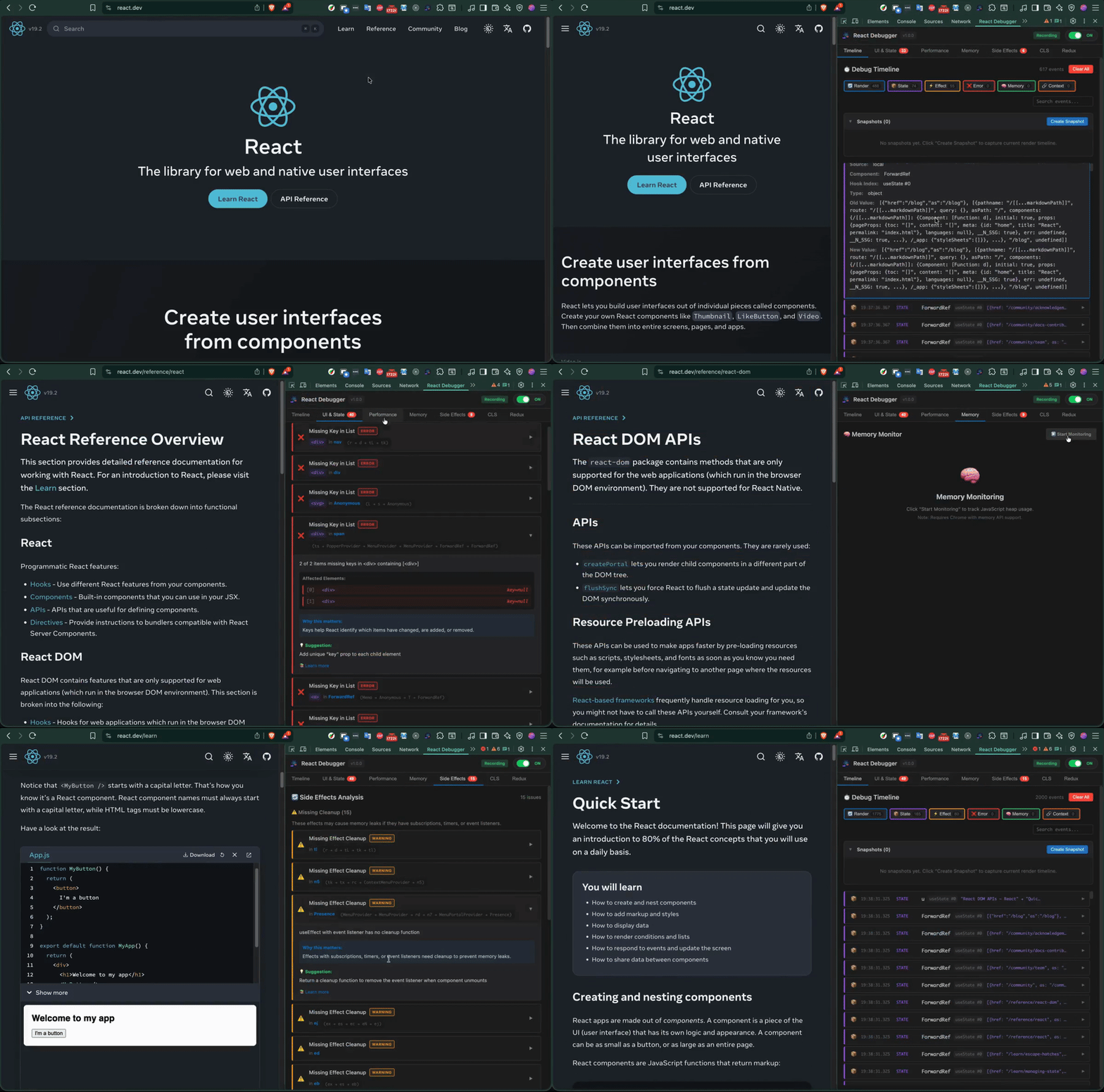](https://raw.githubusercontent.com/hoainho/react-debugger-extension/main/docs/video/react-ext-demo-3x.mp4)
---
## Quick Install
```bash
npx @nhonh/react-debugger
```
Or install to a specific folder:
```bash
npx @nhonh/react-debugger ./my-extension
```
---
## What's Included
| Tab | Purpose | Key Metrics |
|-----|---------|-------------|
| **Timeline** | Visual timeline of all React events | Renders, state changes, effects, errors |
| **UI & State** | Detect React anti-patterns | State mutations, missing/duplicate keys |
| **Performance** | Track component performance | Render count, duration, Core Web Vitals |
| **Memory** | Monitor memory usage | Heap size, growth rate, leak detection |
| **Side Effects** | Analyze useEffect hooks | Missing cleanups, dependency issues |
| **CLS** | Layout stability monitoring | Cumulative Layout Shift score |
| **Redux** | Redux state debugging | State tree, action history |
| **AI Analysis** [NEW] | AI-powered code analysis | Security, performance, crash risk detection |
---
## Installation Guide
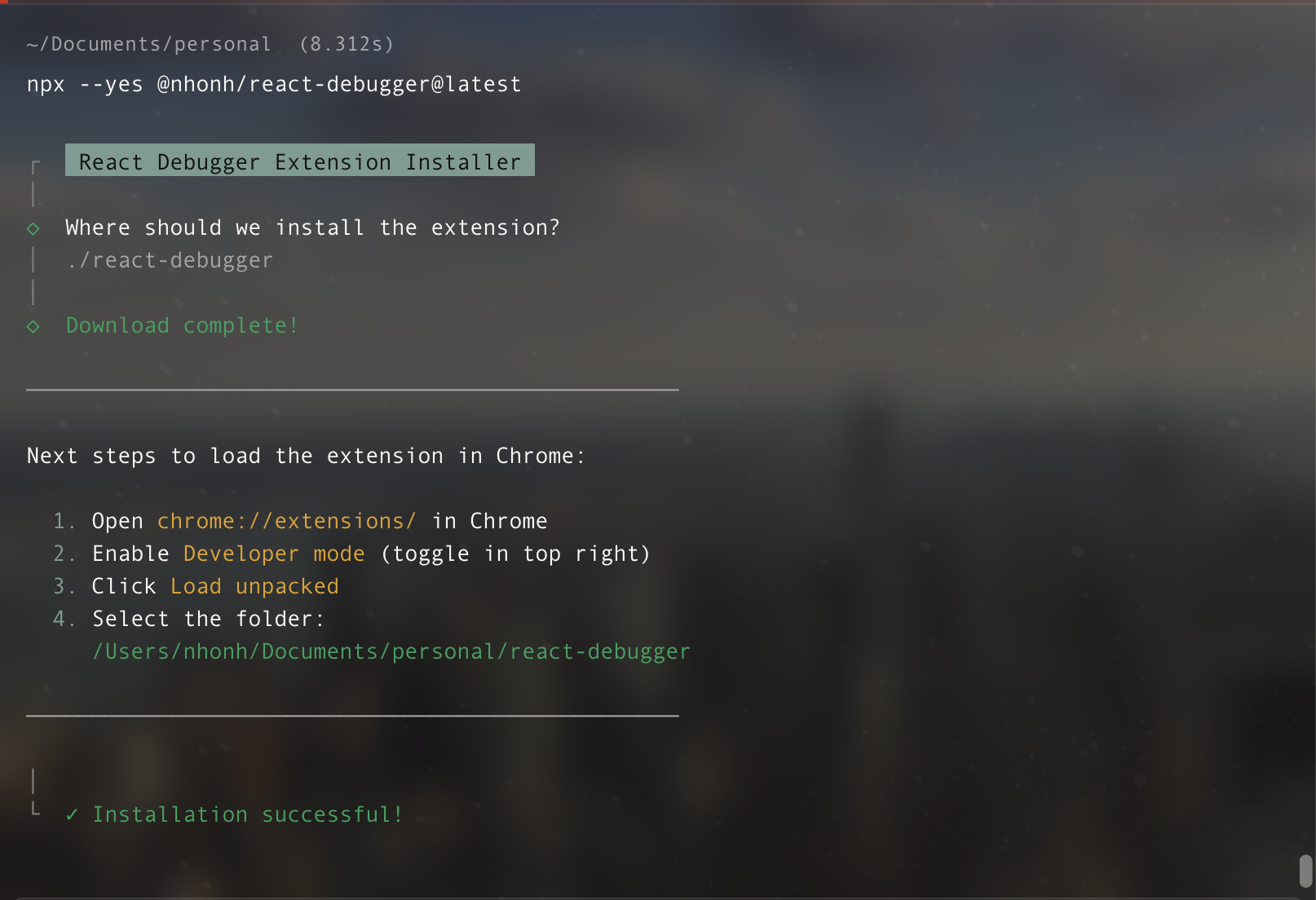
### Step 1: Download the Extension
```bash
npx @nhonh/react-debugger
```
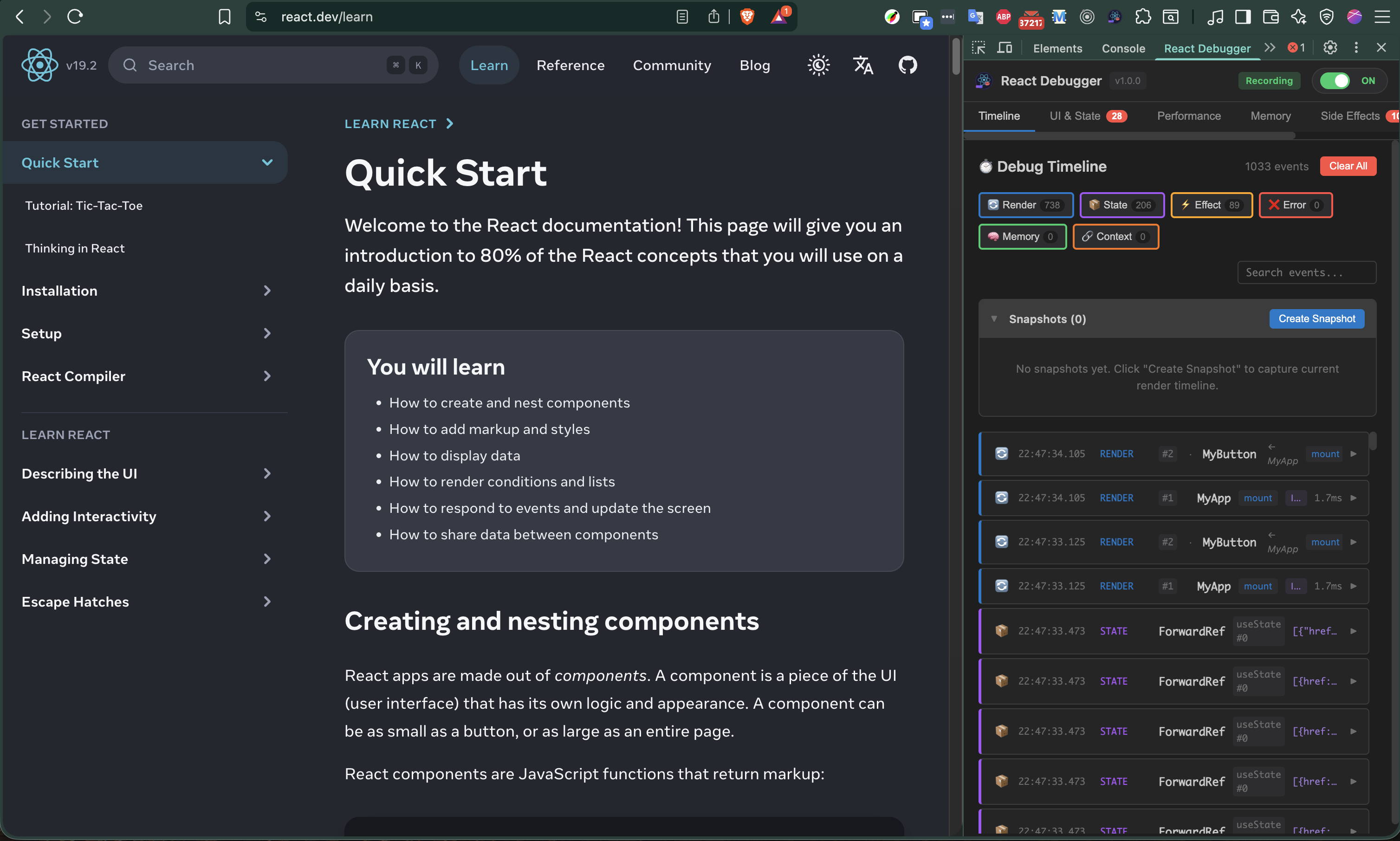
### Step 2: Load in Chrome
1. Open Chrome → Navigate to `chrome://extensions/`
2. Enable **Developer mode** (toggle top-right)
3. Click **"Load unpacked"**
4. Select your installation folder
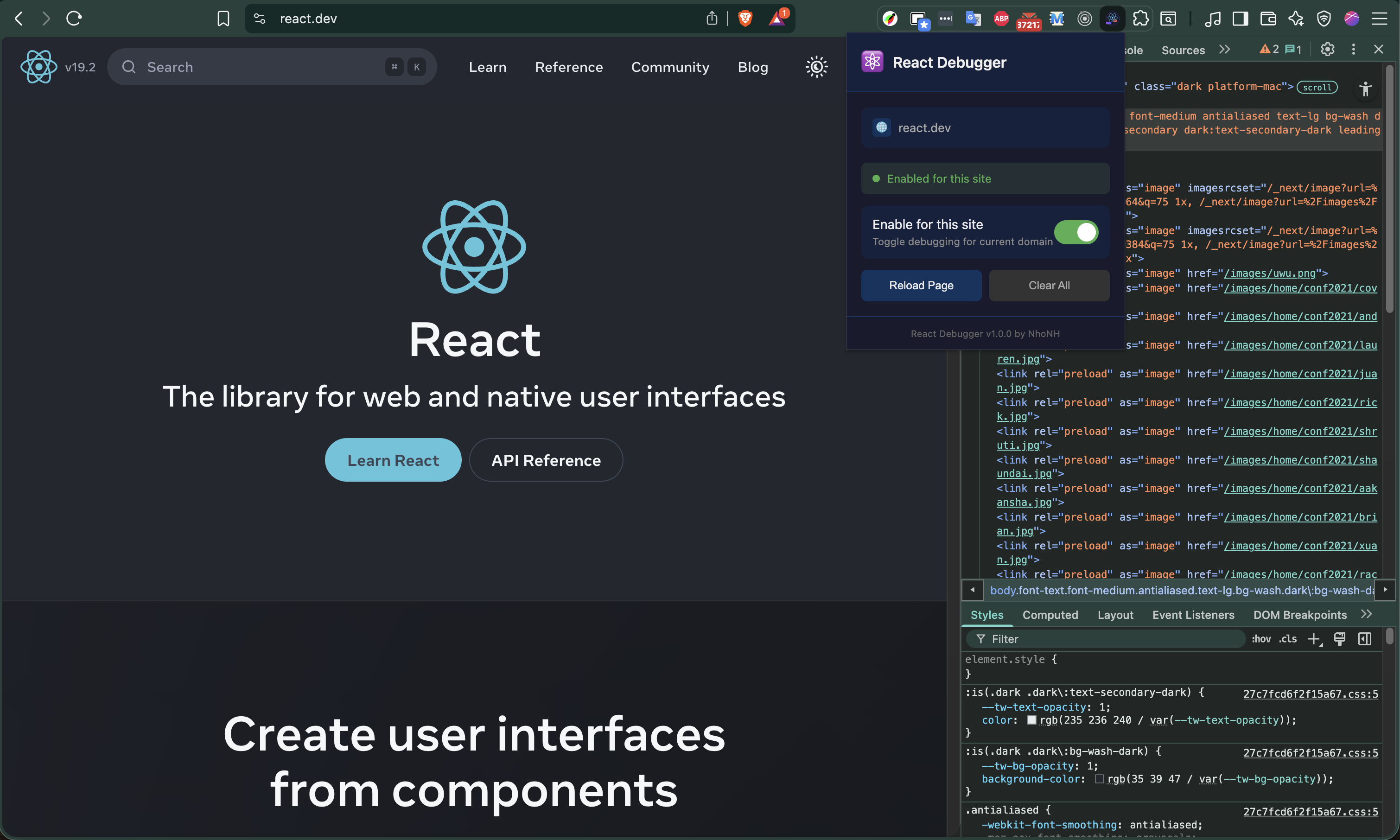
### Step 3: Start Debugging
1. Open any React website
2. Press `F12` to open DevTools
3. Click the **"React Debugger"** tab
---
## Quick Start Guide
### Finding Performance Issues
1. Open the **Performance** tab
2. Look at "Top Re-rendering Components" table
3. Components with high render counts need optimization
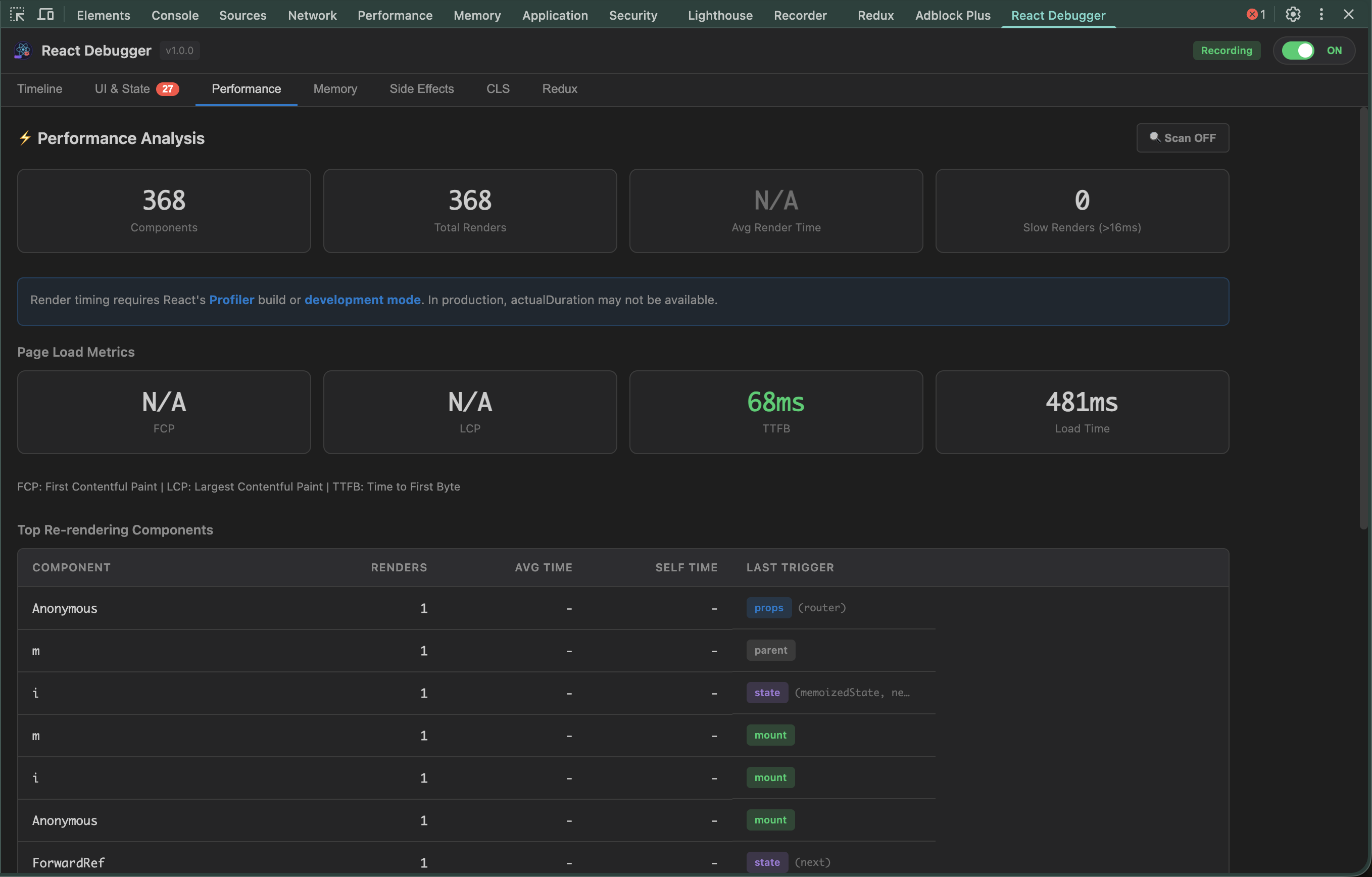
**What the render triggers mean:**
| Trigger | Cause | Solution |
|---------|-------|----------|
| `props` | Parent passed new props | Use `React.memo()` |
| `state` | Component's state changed | Reduce state updates |
| `context` | Context value changed | Split into smaller contexts |
| `parent` | Parent component re-rendered | Memoize this component |
### Finding Code Issues
1. Open the **UI & State** tab
2. Issues are sorted by severity (Error → Warning → Info)
3. Click any issue to see details and fix suggestions
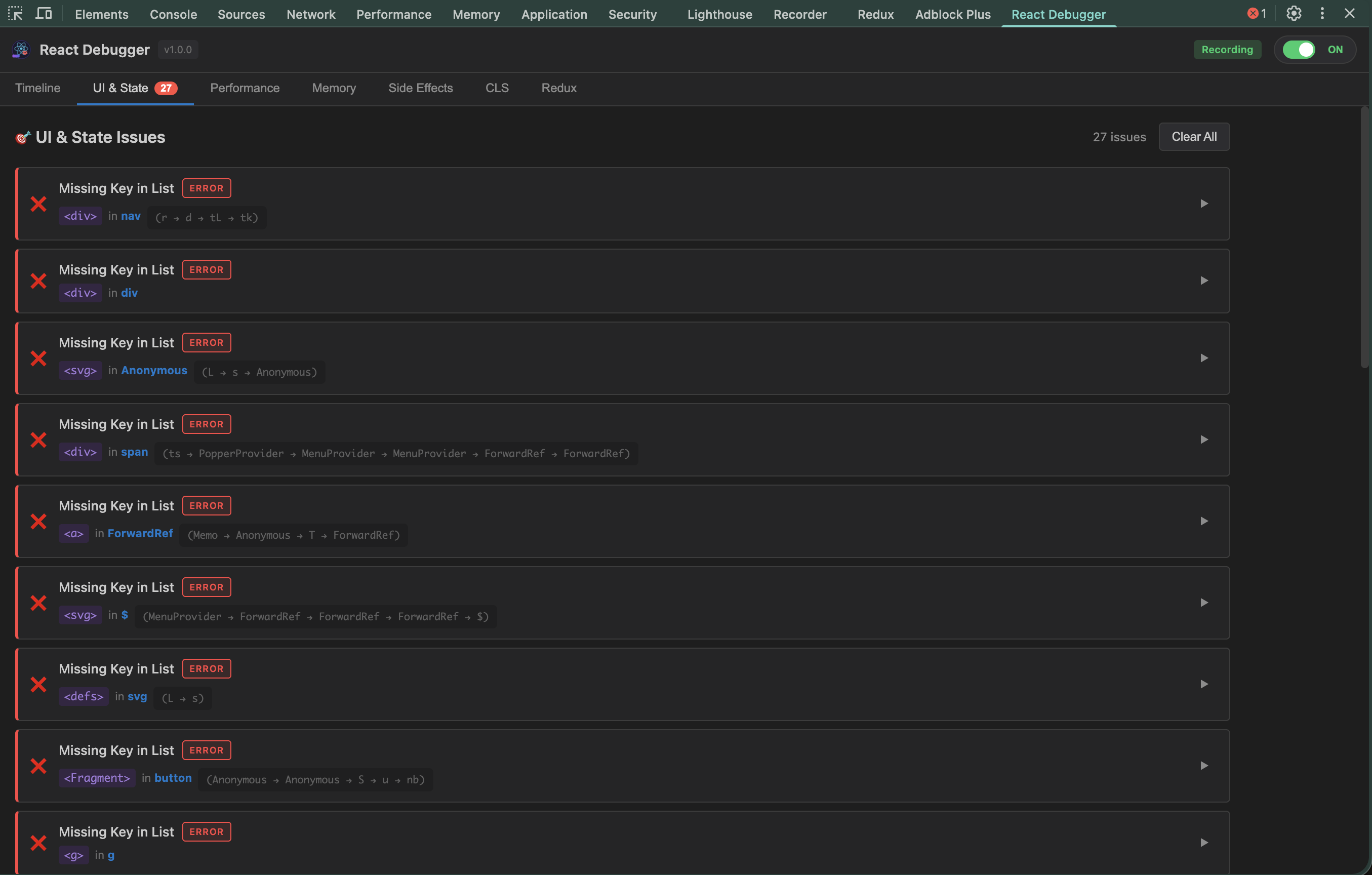
**Common issues detected:**
```jsx
// ❌ DIRECT_STATE_MUTATION
const [items, setItems] = useState([]);
items.push(newItem); // Mutating directly!
setItems(items);
// ✅ Fixed
setItems([...items, newItem]);
```
```jsx
// ❌ INDEX_AS_KEY
{items.map((item, i) => {item})}
// ✅ Fixed
{items.map(item => {item.name})}
```
### Detecting Memory Leaks
1. Open the **Memory** tab
2. Click **"Start Monitoring"**
3. Use your app for a few minutes
4. Check the **Growth Rate** - should be near 0 KB/s
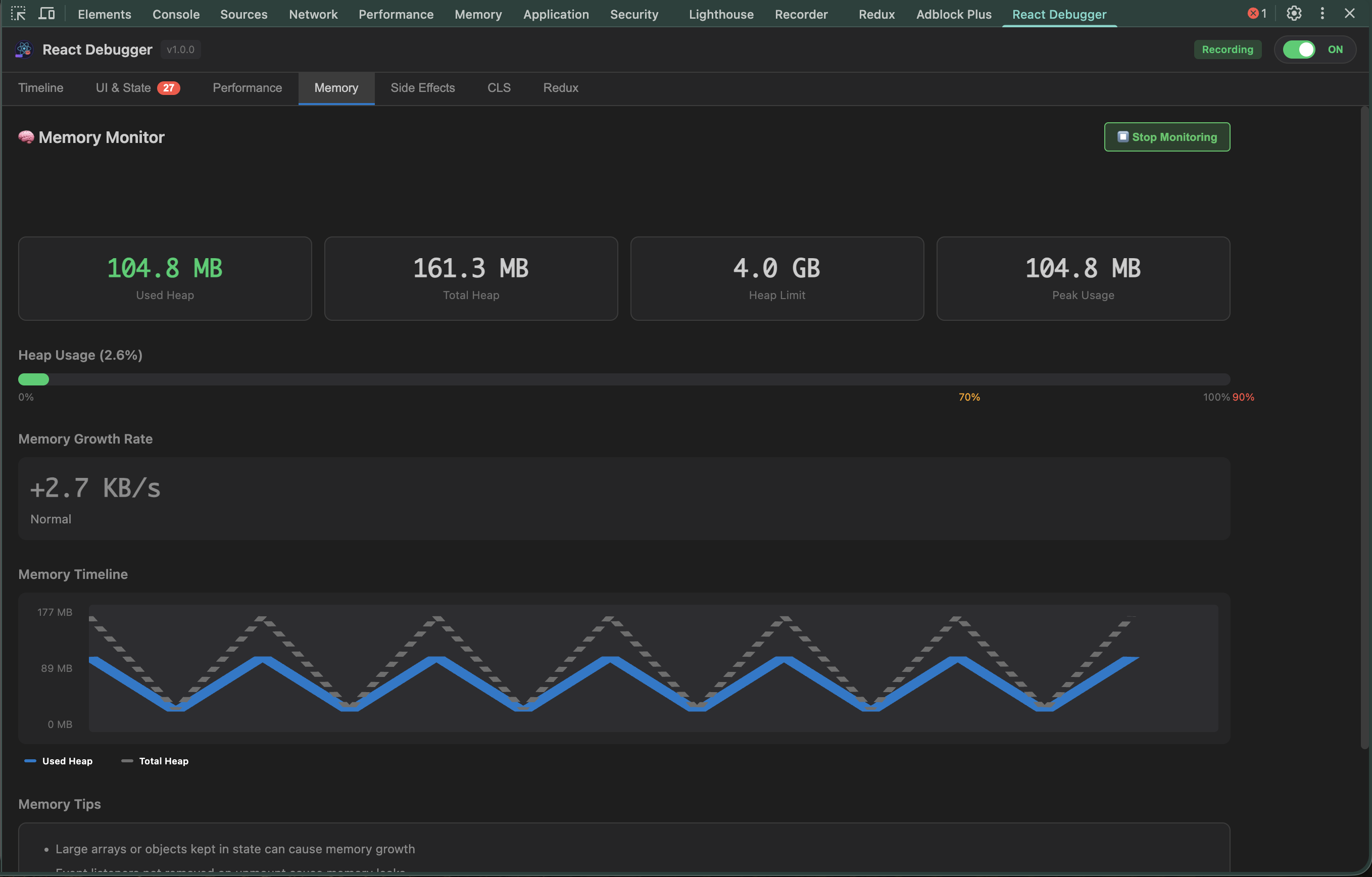
**Memory health indicators:**
| Usage | Status | Action |
|-------|--------|--------|
| < 70% | ✅ Healthy | No action needed |
| 70-90% | ⚠️ Warning | Monitor closely |
| > 90% | 🔴 Critical | Investigate immediately |
### Using Timeline
1. Open the **Timeline** tab
2. Filter by event type (renders, state, effects, errors)
3. Click any event to see related events highlighted
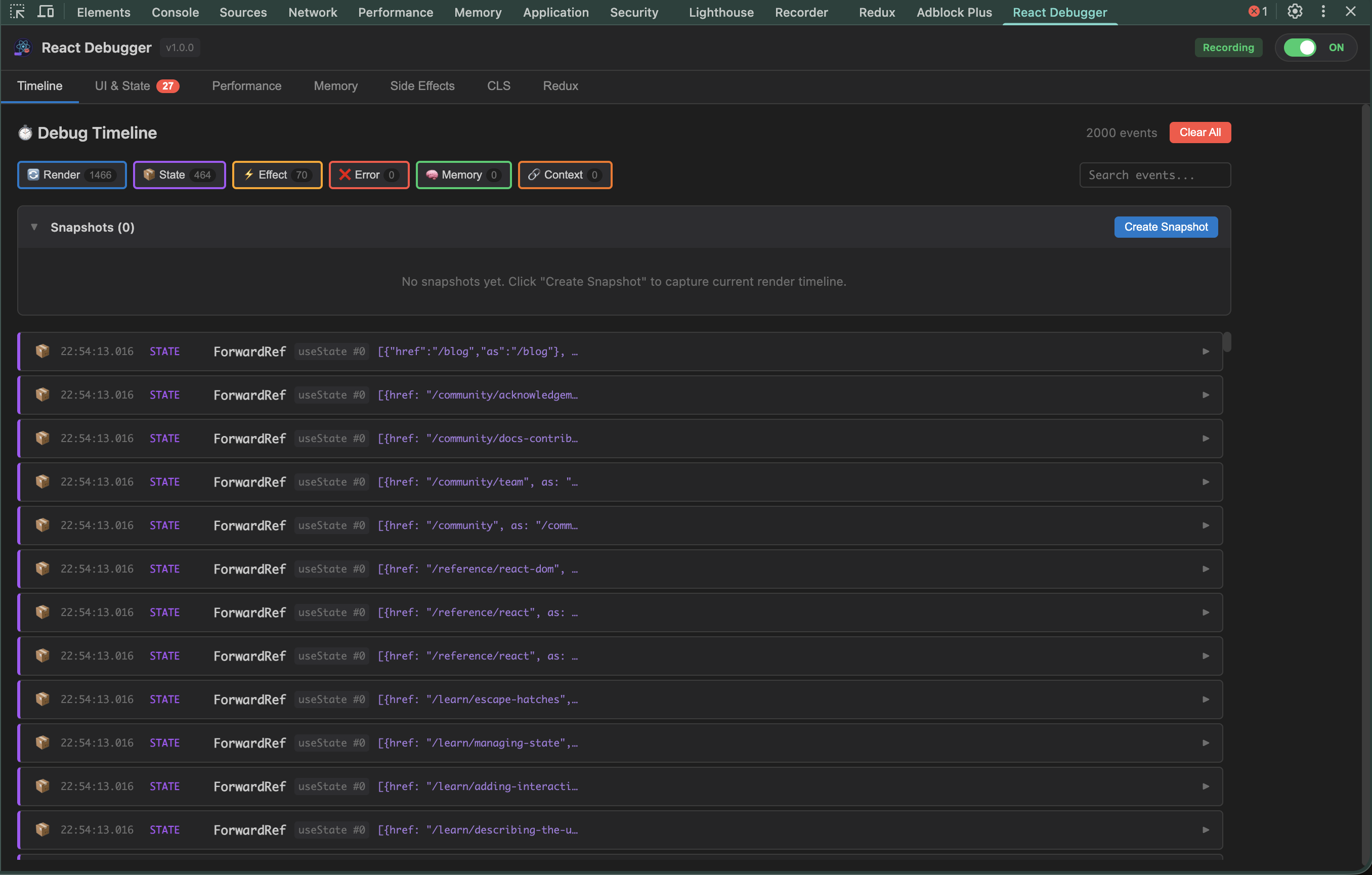
**Event types:**
| Icon | Type | What it captures |
|------|------|------------------|
| RENDER | Render | Component mounts and re-renders |
| STATE | State | useState and Redux state changes |
| EFFECT | Effect | useEffect runs and cleanups |
| ERROR | Error | JavaScript errors and crashes |
| MEMORY | Memory | Memory usage snapshots |
---
### Side Effects Tab
Find issues with `useEffect` hooks that cause bugs and memory leaks.
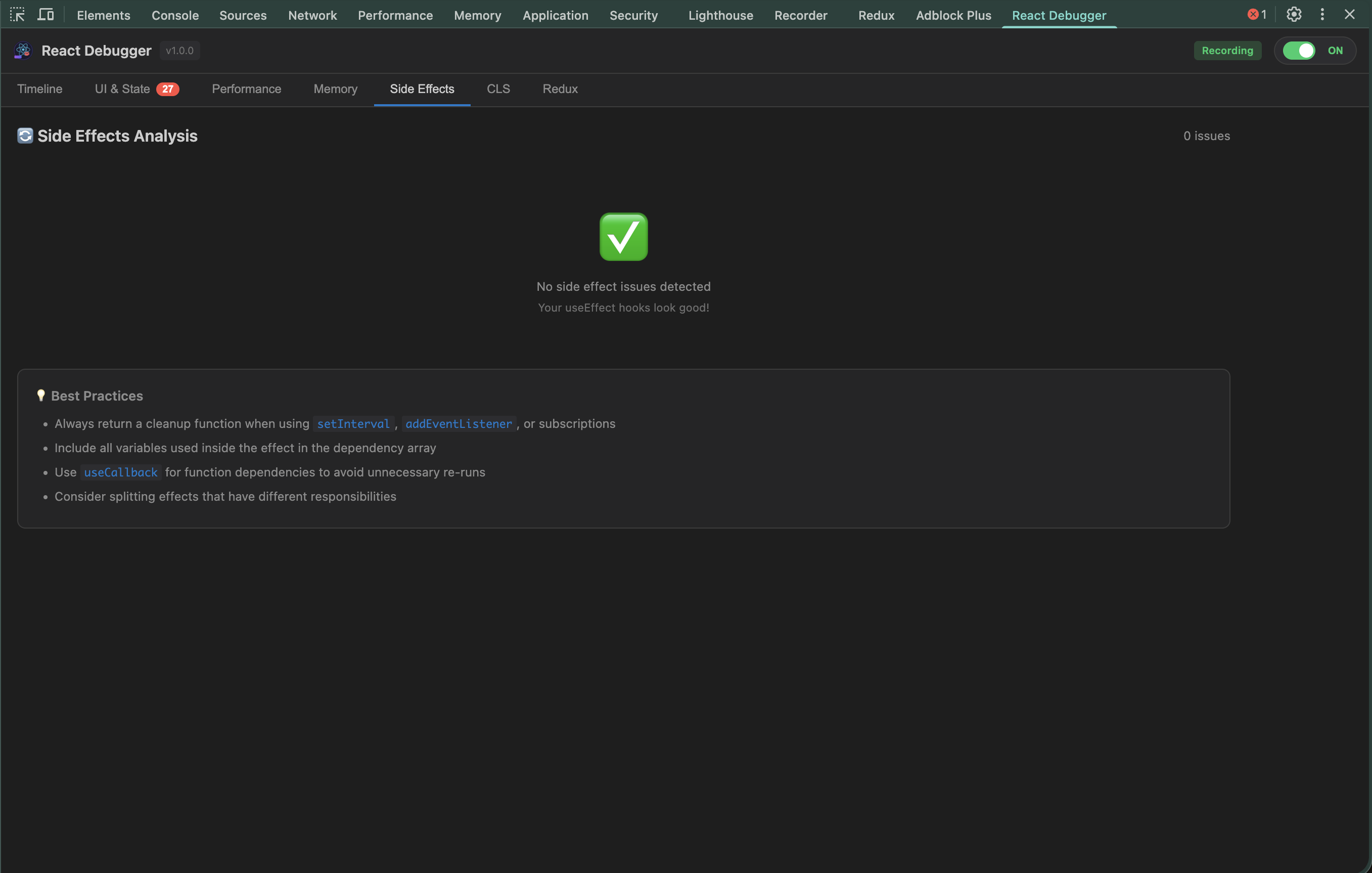
**Issues detected:**
| Issue | Severity | Problem |
|-------|----------|---------|
| **MISSING_CLEANUP** | ⚠️ Warning | Effect doesn't clean up timers/listeners |
| **MISSING_DEP** | ⚠️ Warning | Variable used but not in dependency array |
| **INFINITE_LOOP_RISK** | 🔴 Error | Effect updates state it depends on |
| **STALE_CLOSURE** | ⚠️ Warning | Callback captures outdated values |
**Example fixes:**
```jsx
// ❌ Missing cleanup - causes memory leak
useEffect(() => {
const id = setInterval(() => tick(), 1000);
// Timer keeps running after unmount!
}, []);
// ✅ With cleanup
useEffect(() => {
const id = setInterval(() => tick(), 1000);
return () => clearInterval(id); // Cleanup!
}, []);
```
```jsx
// ❌ Stale closure - always logs initial value
useEffect(() => {
const handler = () => console.log(count);
window.addEventListener('click', handler);
return () => window.removeEventListener('click', handler);
}, []); // Missing count dependency!
// ✅ Fixed - re-subscribe when count changes
useEffect(() => {
const handler = () => console.log(count);
window.addEventListener('click', handler);
return () => window.removeEventListener('click', handler);
}, [count]);
```
---
### CLS Tab (Layout Stability)
Monitor **Cumulative Layout Shift** - elements jumping around causes poor UX.
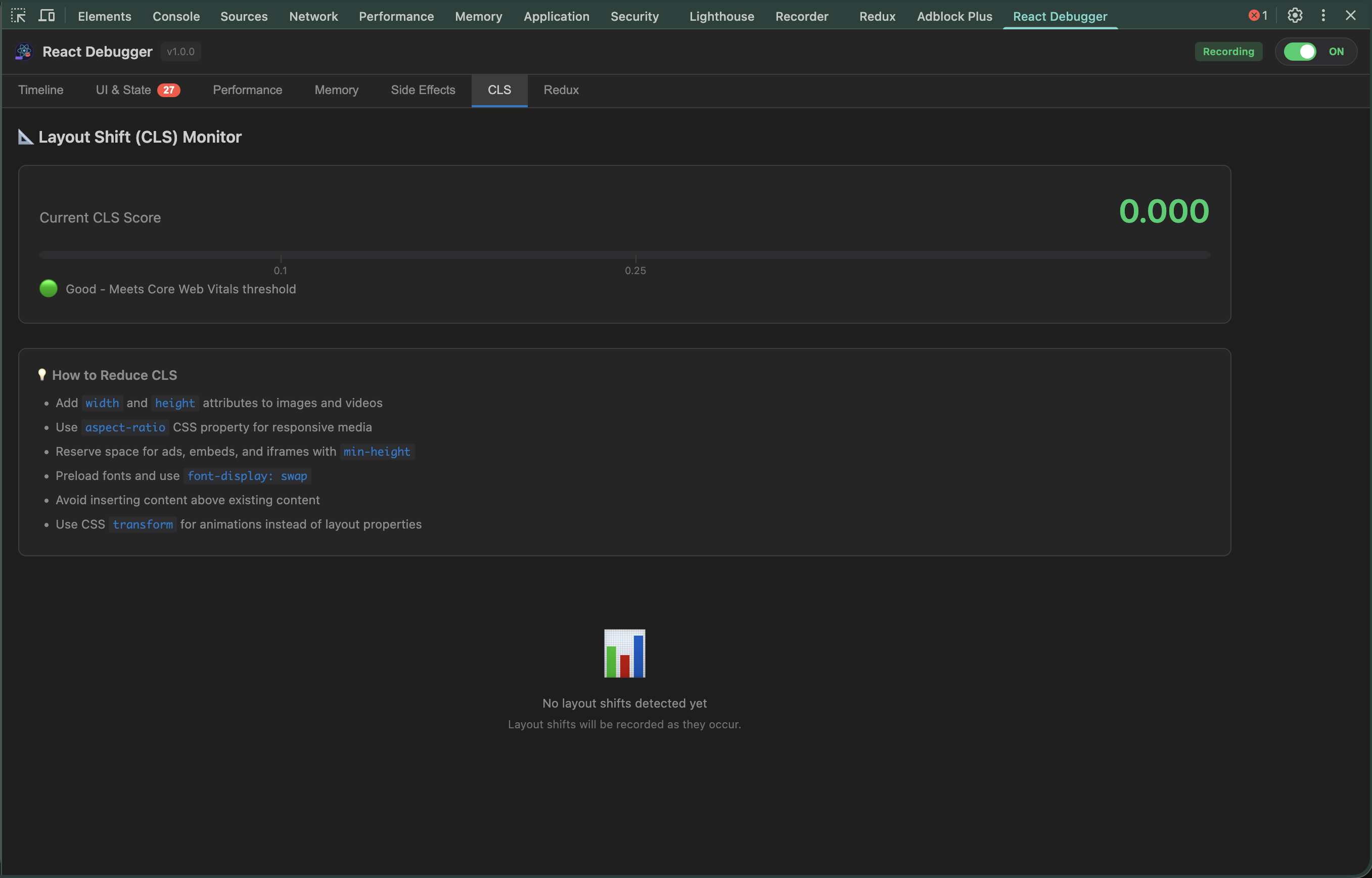
**CLS Score:**
| Score | Rating | User Experience |
|-------|--------|-----------------|
| < 0.1 | ✅ Good | Stable, no jumps |
| 0.1 - 0.25 | ⚠️ Needs Work | Noticeable shifts |
| > 0.25 | 🔴 Poor | Frustrating, elements jump |
**Common causes & fixes:**
```jsx
// ❌ Image without dimensions - causes shift when loaded
 // ✅ With dimensions - space reserved
```
```jsx
// ❌ Dynamic content pushes things down
{loaded && }
// ✅ Reserve space while loading
// ✅ With dimensions - space reserved
```
```jsx
// ❌ Dynamic content pushes things down
{loaded && }
// ✅ Reserve space while loading
{loaded ? : }
```
**Top shift sources table** shows which elements cause the most shifts - fix those first!
---
### AI Analysis Tab [NEW in v2.0.0]
Get AI-powered insights into your React application's code quality.
**Features:**
- Select from multiple AI models (GPT-4o, Claude, Gemini, DeepSeek, etc.)
- Automatic code snapshot analysis
- Categorized results: Security vulnerabilities, Performance bottlenecks, Crash risks
- 3 free analyses per session
- Unlimited analyses with a subscription key
**How to use:**
1. Open the **AI Analysis** tab
2. Select your preferred AI model from the dropdown
3. Click **"Analyze"** to start analysis
4. Review categorized results with severity indicators
**Subscription:**
- 3 free AI analyses are included per session
- To unlock unlimited analyses, enter your subscription key in the Settings panel
- Contact hoainho.work@gmail.com for subscription key inquiries
---
## Common Debugging Scenarios
### "My app feels slow"
```
1. Performance tab → Check "Slowest Components"
2. Look for render times > 16ms
3. Enable "React Scan" to see re-renders visually
4. Fix components with excessive renders
```
### "Memory keeps growing"
```
1. Memory tab → Start Monitoring
2. Navigate around your app
3. If growth rate stays positive → memory leak
4. Side Effects tab → Check for missing cleanups
```
### "Layout jumps when loading"
```
1. CLS tab → See shift score
2. Check "Top Shift Sources" table
3. Add width/height to images
4. Reserve space for dynamic content
```
### "Redux state is wrong"
```
1. Redux tab → Expand state tree
2. Check Action History for unexpected actions
3. Use Action Dispatcher to test
```
---
## Redux DevTools (Powerful Feature!)
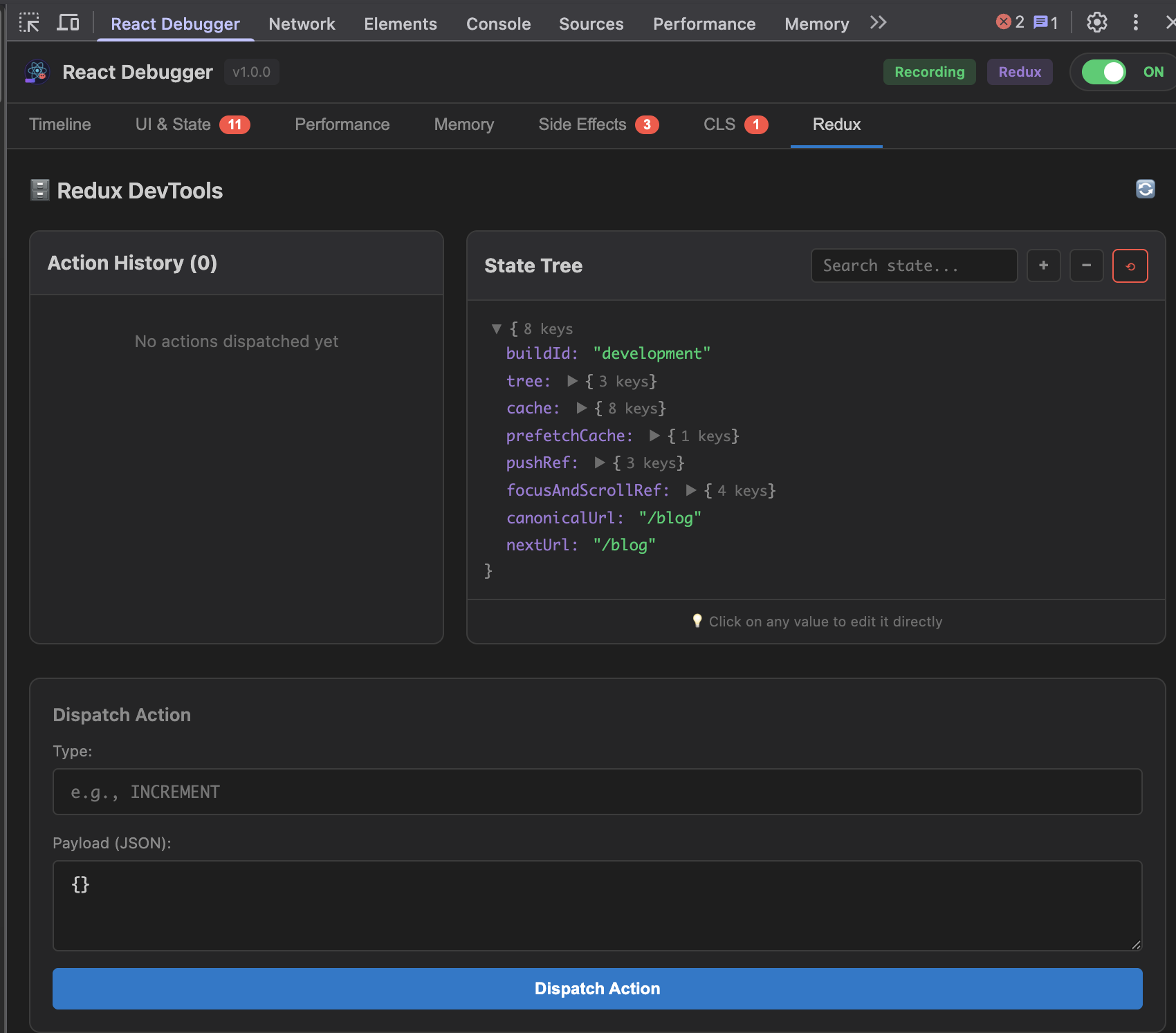
The Redux tab provides a complete debugging experience:
### Live State Editing
**Click any value to edit it directly** - changes apply immediately!
```
State Tree:
▼ user
├─ name: "John" ← Click to edit → "Jane" → Enter ✓
├─ role: "user" ← Click → "admin" → See UI change!
└─ balance: 100 ← Click → 0 → Test empty state
```
### Array Manipulation
Reorder or delete array items with one click:
```
▼ cart.items: Array(3)
├─ [0]: Book [↑] [↓] [×] ← Move up/down or delete
├─ [1]: Pen [↑] [↓] [×]
└─ [2]: Paper [↑] [↓] [×]
```
### Action Dispatcher
Test your reducers without writing code:
```
Type: cart/addItem
Payload: { "productId": 123, "quantity": 2 }
[Dispatch] → Watch state update instantly!
```
### Pro Tips
| Scenario | Action |
|----------|--------|
| Test admin features | Edit `user.role` → "admin" |
| Test empty states | Edit `posts` → `[]` |
| Test error handling | Dispatch `api/error` action |
| Test loading UI | Dispatch `fetch/pending` action |
---
## CLI Options
```bash
npx @nhonh/react-debugger [destination] [options]
Options:
-v, --version Show version number
-h, --help Show help
Examples:
npx @nhonh/react-debugger # Interactive mode
npx @nhonh/react-debugger ./extension # Install to ./extension
```
---
## Full Documentation
- [Getting Started Guide](./docs/GETTING-STARTED.md) - Detailed setup instructions
- [Understanding Each Tab](./docs/TABS-GUIDE.md) - Deep dive into all features
- [Troubleshooting](./docs/TROUBLESHOOTING.md) - Common issues and solutions
---
## Links
- [GitHub Repository](https://github.com/hoainho/react-debugger-extension)
- [Report Issues](https://github.com/hoainho/react-debugger-extension/issues)
- [Changelog](https://github.com/hoainho/react-debugger-extension/releases)
---
## Requirements
- Node.js >= 18.0.0
- Chrome, Brave, Edge, or any Chromium-based browser
- React 16+ application
---
## License
MIT © NhoNH