# Image Generation in Sesi
Sesi provides a native, language-level primitive for image generation and manipulation, including image-to-image tasks like style transfer, upscaling, and editing. This primitive is designed to interoperate seamlessly with Sesi's file system builtins, allowing you to generate and persist images with minimal boilerplate.
## The `image` Primitive
To generate or manipulate an image, use the `image` keyword followed by the model name, an optional configuration block, and a prompt block.
### Syntax
The syntax parallels standard `model` calls:
```
image("model-name") {configKey: "configValue"} {"Prompt text"}
```
### Basic Example
Here is a simple example demonstrating how to generate a single image and save it to disk directly:
```sesi
// 1. Define the generation prompt natively
prompt request {"A simple minimalist company logo for a bakery"}
// 2. Call the image generation primitive
let imageData = image("gemini-3.1-flash-image") {ratio: "1:1", size: "1K"} {request}
// 3. Write the payload to disk
try {
let success = write_image("bakery_logo.png", imageData)
if success {
show "Saved bakery_logo.png successfully."
}
} catch (e) {
show "Failed to generate image:" e
}
```
 ### Advanced Example: Batch Asset Generation Workflow
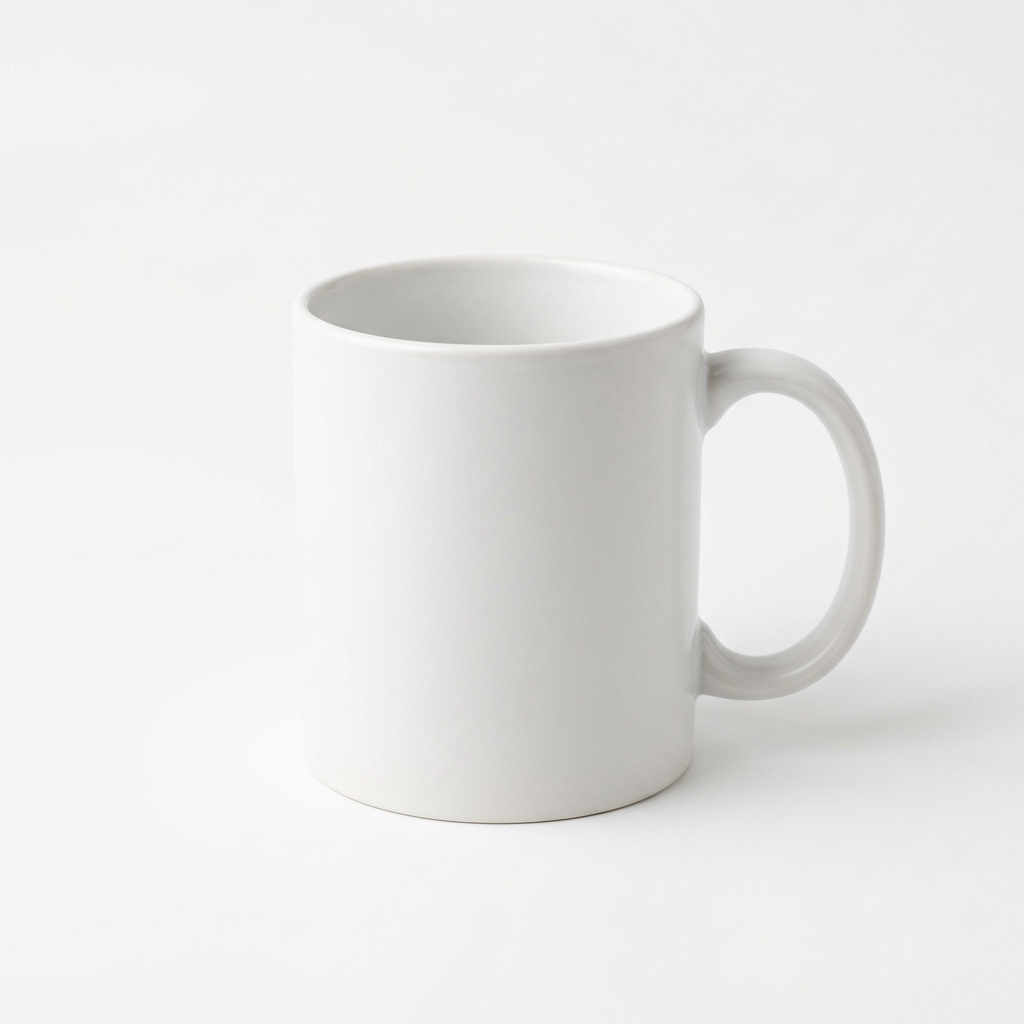
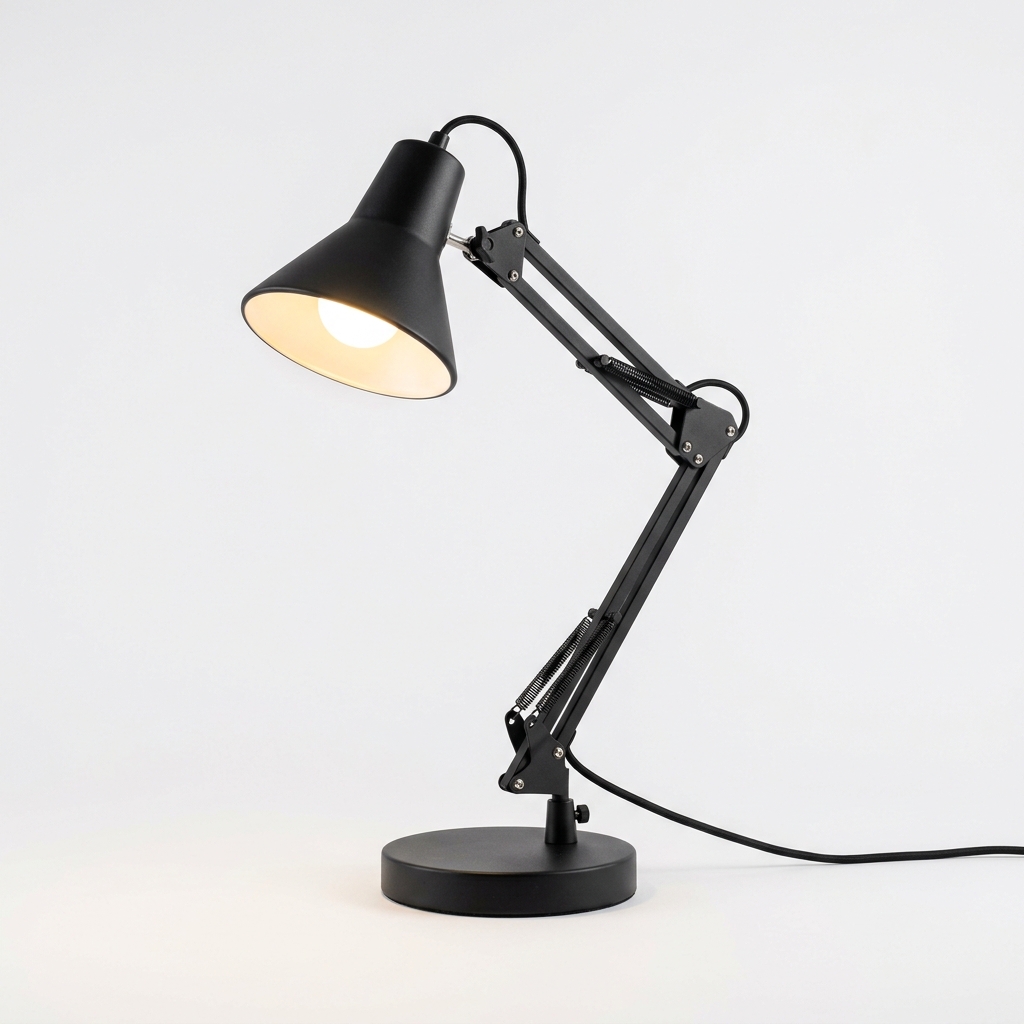
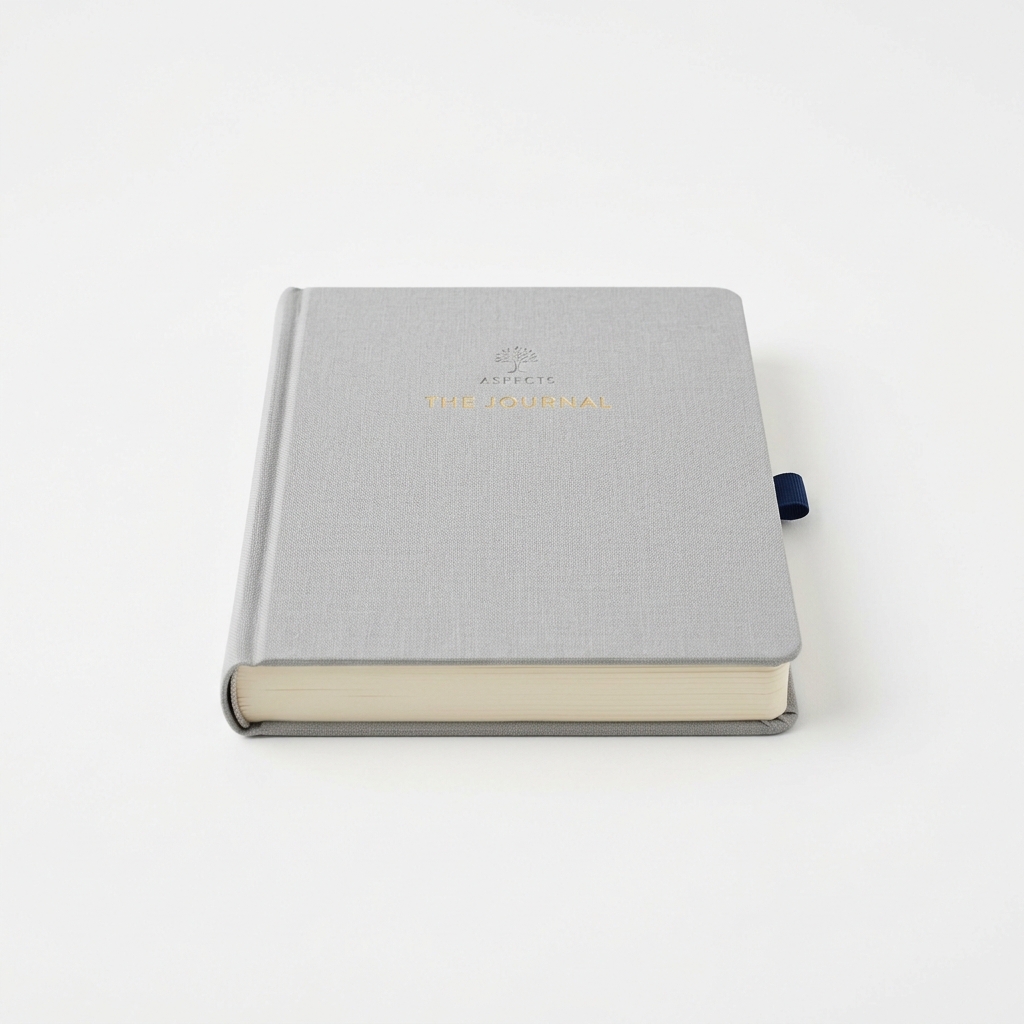
Here is a practical script demonstrating how to iterate over a data set, generate assets, and save them to a specific directory. This is useful for building automated pipelines like generating UI placeholders or product catalog images.
```sesi
// Set up output directory
let outputDir = "assets/products/"
make_dir(outputDir)
let products = ["coffee_mug", "desk_lamp", "notebook"]
// Iterate through the list and generate a file for each
for product in products {
show "Generating asset for:" product
}
// Construct the instruction for the model
prompt request {"A clean studio presentation photograph of a " product " on a solid white background."}
prompt filename { outputDir product ".png" }
try {
let imageData = image("gemini-3.1-flash-image") {ratio: "1:1", size: "1K"} {request}
// Attempt local file write
let success = write_image(filename, imageData)
if success {
show "Saved:" filename
}
} catch (e) {
show "Failed processing" product ":" e
}
show "Asset generation complete."
```
### Advanced Example: Batch Asset Generation Workflow
Here is a practical script demonstrating how to iterate over a data set, generate assets, and save them to a specific directory. This is useful for building automated pipelines like generating UI placeholders or product catalog images.
```sesi
// Set up output directory
let outputDir = "assets/products/"
make_dir(outputDir)
let products = ["coffee_mug", "desk_lamp", "notebook"]
// Iterate through the list and generate a file for each
for product in products {
show "Generating asset for:" product
}
// Construct the instruction for the model
prompt request {"A clean studio presentation photograph of a " product " on a solid white background."}
prompt filename { outputDir product ".png" }
try {
let imageData = image("gemini-3.1-flash-image") {ratio: "1:1", size: "1K"} {request}
// Attempt local file write
let success = write_image(filename, imageData)
if success {
show "Saved:" filename
}
} catch (e) {
show "Failed processing" product ":" e
}
show "Asset generation complete."
```
 ## Configuration Options
When configuring the `image` call (specifically for models like `gemini-3.1-flash-image`), the configuration block maps directly to backend SDK capabilities:
- `ratio`: The aspect ratio of the image (e.g., `"1:1"`, `"16:9"`, `"9:16"`).
- `size`: Dimensional sizing constraints (Must be `"512"`, `"1K"`, `"2K"`, or `"4K"`).
- `temperature`: _Will be deprecated in Gemini 3.x+, use thinkingLevel instead._ — controls variance.
GPT image models are also supported through the same `image()` primitive. When you pass a model such as `gpt-image-2`, Sesi routes the call through OpenAI's image generation API and uses `ratio` to choose an OpenAI-compatible output size.
```sesi
let logo = image("gpt-image-2") {ratio: "1:1"} {"A bold, flat logo for a fictional studio, black on warm white."}
write_image("gpt-generated-logo.png", logo)
```
## Configuration Options
When configuring the `image` call (specifically for models like `gemini-3.1-flash-image`), the configuration block maps directly to backend SDK capabilities:
- `ratio`: The aspect ratio of the image (e.g., `"1:1"`, `"16:9"`, `"9:16"`).
- `size`: Dimensional sizing constraints (Must be `"512"`, `"1K"`, `"2K"`, or `"4K"`).
- `temperature`: _Will be deprecated in Gemini 3.x+, use thinkingLevel instead._ — controls variance.
GPT image models are also supported through the same `image()` primitive. When you pass a model such as `gpt-image-2`, Sesi routes the call through OpenAI's image generation API and uses `ratio` to choose an OpenAI-compatible output size.
```sesi
let logo = image("gpt-image-2") {ratio: "1:1"} {"A bold, flat logo for a fictional studio, black on warm white."}
write_image("gpt-generated-logo.png", logo)
```
 ## File I/O Integration: `write_image`
The `image()` call evaluates to a `string` (specifically, base64-encoded image data). To convert this into a standard image file on disk, use either `write_image(path, base64_content)` or `write_file(path, base64_content, "base64")`.
`write_image` remains the clearest option for image payloads, while `write_file(..., "base64")` is useful for generalized binary writes.
---
## Passing Images as Input (v1.2+)
Both `model()` and `image()` accept local image files as visual input via the `images` config key. The runtime reads each file from disk, base64-encodes it, and attaches it as an inline data part alongside the prompt. This enables vision tasks such as image description, comparison, OCR, style transfer, and reference-guided generation.
### Supported Formats
`.jpg` / `.jpeg`, `.png`, `.gif`, `.webp`, `.bmp`
### Syntax
```
model("model-name") {images: pathExpr} {prompt}
image("model-name") {images: pathExpr} {prompt}
```
`pathExpr` is any Sesi expression that evaluates to a `string` (single file) or an `array` of strings (multiple files).
### Single Image — Describe a File
```sesi
let caption = model("gemini-3-flash-preview") {images: "shots/frame_01.jpg"} {"Describe what is happening in this photograph in one paragraph."}
show caption
```
### Multiple Images — Side-by-Side Comparison
```sesi
let frames = ["take_a.jpg", "take_b.jpg"]
let notes = model("gemini-3-flash-preview") {images: frames} {"These are two alternate takes of the same scene. List the differences in composition and lighting."}
show notes
```
### Dynamic Path from a Variable
```sesi
let src = "scans/print_neg_04.png"
let reading = model("gemini-3-flash-preview") {images: src} {"Read and transcribe all visible text in this image."}
write_file("output/transcription.txt", reading)
show "Transcription saved."
```
### Reference-Guided Image Generation
Pass a reference image to an image-generation model to ground its output.
```sesi
let ref = "references/grille_detail.jpg"
let render = image("gemini-3.1-flash-image") {images: ref, ratio: "16:9"} {"Render a full front elevation in the same visual style as the reference."}
write_image("output/elevation.png", render)
show "Render saved."
```
### Pipeline: Batch Description from a Directory
```sesi
let dir = "frames/"
let files = list_dir(dir)
for f in files {
prompt p {dir f}
let desc = model("gemini-3.5-flash-lite") {images: p} {"Describe this frame in one sentence."}
show f desc
}
```
### Config Reference
When used inside `model()` or `image()` config blocks, `images` is resolved at runtime — it is **not** a static string key passed to the Gemini SDK. All other config keys (`thinkingLevel`, `max_tokens`, `ratio`, `size`, etc.) work alongside it normally.
| Key | Accepted Value | Notes |
| -------- | --------------------------- | ------------------------------------------------------------------- |
| `images` | `string` or `array` | One or more local file paths. Resolved relative to `process.cwd()`. |
> **Note:** Multimodal input requires a vision-capable model (e.g. `gemini-3-flash-preview`, `gemini-3.1-flash-lite`, `gemini-3.5-flash-lite`, `gemini-3.1-pro-preview`, `gemini-3.5-flash`, `gemini-3.6-flash`). Image-generation models that accept reference images are listed in their respective model documentation.
## File I/O Integration: `write_image`
The `image()` call evaluates to a `string` (specifically, base64-encoded image data). To convert this into a standard image file on disk, use either `write_image(path, base64_content)` or `write_file(path, base64_content, "base64")`.
`write_image` remains the clearest option for image payloads, while `write_file(..., "base64")` is useful for generalized binary writes.
---
## Passing Images as Input (v1.2+)
Both `model()` and `image()` accept local image files as visual input via the `images` config key. The runtime reads each file from disk, base64-encodes it, and attaches it as an inline data part alongside the prompt. This enables vision tasks such as image description, comparison, OCR, style transfer, and reference-guided generation.
### Supported Formats
`.jpg` / `.jpeg`, `.png`, `.gif`, `.webp`, `.bmp`
### Syntax
```
model("model-name") {images: pathExpr} {prompt}
image("model-name") {images: pathExpr} {prompt}
```
`pathExpr` is any Sesi expression that evaluates to a `string` (single file) or an `array` of strings (multiple files).
### Single Image — Describe a File
```sesi
let caption = model("gemini-3-flash-preview") {images: "shots/frame_01.jpg"} {"Describe what is happening in this photograph in one paragraph."}
show caption
```
### Multiple Images — Side-by-Side Comparison
```sesi
let frames = ["take_a.jpg", "take_b.jpg"]
let notes = model("gemini-3-flash-preview") {images: frames} {"These are two alternate takes of the same scene. List the differences in composition and lighting."}
show notes
```
### Dynamic Path from a Variable
```sesi
let src = "scans/print_neg_04.png"
let reading = model("gemini-3-flash-preview") {images: src} {"Read and transcribe all visible text in this image."}
write_file("output/transcription.txt", reading)
show "Transcription saved."
```
### Reference-Guided Image Generation
Pass a reference image to an image-generation model to ground its output.
```sesi
let ref = "references/grille_detail.jpg"
let render = image("gemini-3.1-flash-image") {images: ref, ratio: "16:9"} {"Render a full front elevation in the same visual style as the reference."}
write_image("output/elevation.png", render)
show "Render saved."
```
### Pipeline: Batch Description from a Directory
```sesi
let dir = "frames/"
let files = list_dir(dir)
for f in files {
prompt p {dir f}
let desc = model("gemini-3.5-flash-lite") {images: p} {"Describe this frame in one sentence."}
show f desc
}
```
### Config Reference
When used inside `model()` or `image()` config blocks, `images` is resolved at runtime — it is **not** a static string key passed to the Gemini SDK. All other config keys (`thinkingLevel`, `max_tokens`, `ratio`, `size`, etc.) work alongside it normally.
| Key | Accepted Value | Notes |
| -------- | --------------------------- | ------------------------------------------------------------------- |
| `images` | `string` or `array` | One or more local file paths. Resolved relative to `process.cwd()`. |
> **Note:** Multimodal input requires a vision-capable model (e.g. `gemini-3-flash-preview`, `gemini-3.1-flash-lite`, `gemini-3.5-flash-lite`, `gemini-3.1-pro-preview`, `gemini-3.5-flash`, `gemini-3.6-flash`). Image-generation models that accept reference images are listed in their respective model documentation.