# Tobii
[](https://github.com/midzer/tobii/releases)
[](https://github.com/midzer/tobii/blob/master/LICENSE.md)


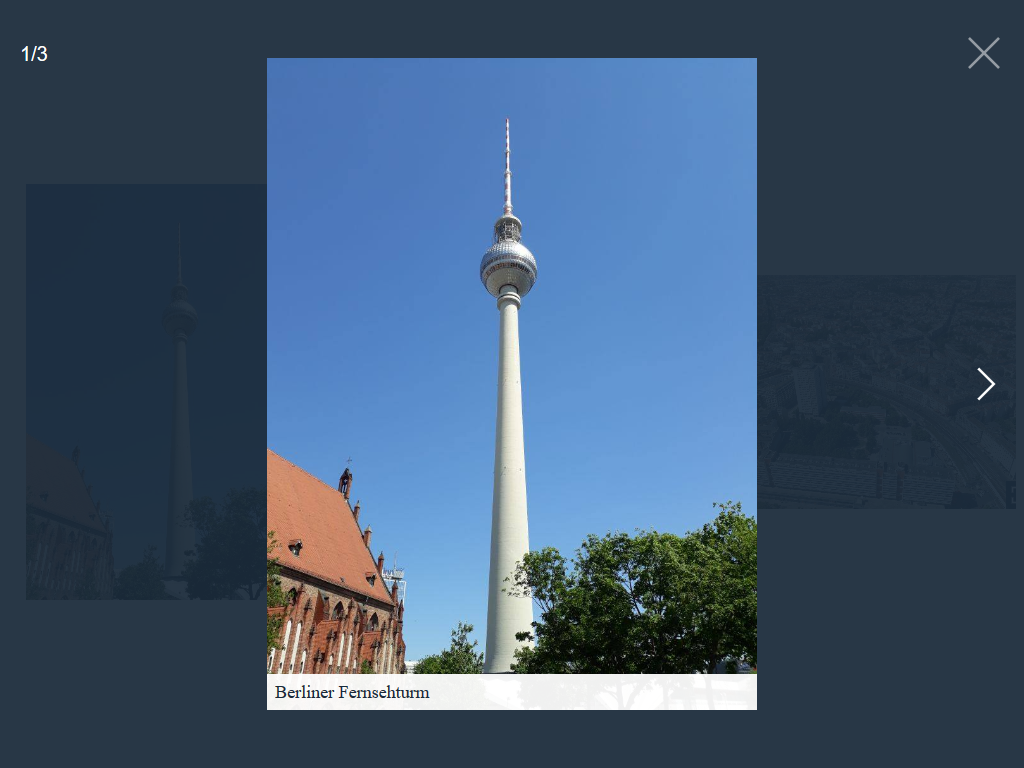
An accessible, open-source lightbox with no dependencies.
[See it in Action](https://midzer.github.io/tobii/demo/)
## Table of contents
- [Features](#features)
- [Get Tobii](#get-tobii)
- [Download](#download)
- [Package managers](#package-managers)
- [Usage](#usage)
- [Media types](#media-types)
- [Image](#image)
- [Inline HTML](#inline-html)
- [Iframe](#iframe)
- [YouTube](#youtube)
- [Grouping](#grouping)
- [Options](#options)
- [API](#api)
- [Events](#events)
- [Browser support](#browser-support)
- [Contributing](#contributing)
- [License](#license)
## Features
- No dependencies
- Supports multiple content types:
- Images
- Inline HTML
- Iframes
- Videos (YouTube, Vimeo)
- Grouping
- Events
- Customizable with settings and CSS
- Accessible:
- ARIA roles
- Keyboard navigation:
- `Prev`/ `Next` Keys: Navigate through slides
- `ESCAPE` Key: Close Tobii
- `TAB` Key: Focus elements within Tobii, not outside
- User preference media features:
- `prefers-reduced-motion` media query
- When Tobii opens, focus is set to the first focusable element in Tobii
- When Tobii closes, focus returns to what was in focus before Tobii opened
- Touch & mouse drag/swipe support:
- Horizontal to navigate through slides
- Vertical up to close Tobii
- Double click, pinch and wheel zoom:
- Hold pointer to pan
- Responsive
## Get Tobii
### Download
CSS: `dist/tobii.min.css`
JavaScript:
* `dist/tobii.min.js`: minified IIFE build
* `dist/tobii.modern.js`: Build specially designed to work in all modern browsers
* `dist/tobii.module.js`: ESM build
* `dist/tobii.umd.js`: UMD build
* `dist/tobii.js`: CommonJS/Node build
### Package managers
Tobii is also available on npm.
`npm install @midzer/tobii --save`
## Usage
You can install Tobii by linking the `.css` and `.js` files to your HTML file. The HTML code may look like this:
```html
Your page title
```
Initialize the script by running:
```js
const tobii = new Tobii()
```
## Media types
### Image
The standard way of using Tobii is a linked thumbnail image with the class name `lightbox` to a larger image:
```html
```
Instead of a thumbnail, you can also refer to a larger image with a text link:
```html
Open image
```
If you use a Markdown parser or CMS and want to make all images in a post
automatically viewable in a lightbox, use the following JavaScript code to add
all images to the same album:
```javascript
document.addEventListener('DOMContentLoaded', () => {
// This assumes your article is wrapped in an element with the class "content-article".
document.querySelectorAll('.content-article img').forEach((articleImg) => {
// Add lightbox elements in blog articles for Tobii.
const lightbox = document.createElement('a');
lightbox.href = articleImg.src;
lightbox.classList.add('lightbox');
lightbox.dataset.group = 'article';
articleImg.parentNode.appendChild(lightbox);
lightbox.appendChild(articleImg);
});
});
```
### Inline-HTML
For inline HTML, create an element with a unique ID:
```html
```
Then create a link with the class name `lightbox` and a `href` attribute that matches the ID of the element:
```html
Open HTML content
```
or a button with the class name `lightbox` and a `data-target` attribute that matches the ID of the element:
```html
```
In both ways, the attribute `data-type` with the value `html` is required.
### Iframe
For an iframe, create a link with the class name `lightbox`:
```html
Open Wikipedia
```
or a button with the class name `lightbox` and a `data-target` attribute:
```html
```
In both ways, the attribute `data-type` with the value `iframe` is required.
#### Optional attributes
- `data-height` set the height and `data-width` the width of the iframe.
### YouTube
For a YouTube video, create a link with the class name `lightbox` and a `data-id` attribute with the YouTube video ID:
```html
Open YouTube video
```
or a button with the class name `lightbox` and a `data-id` attribute with the YouTube video ID:
```html
```
In both ways, the attribute `data-type` with the value `youtube` is required.
#### Optional attributes
- `data-controls` indicates whether the video player controls are displayed: `0` do not display and `1` display controls in the player.
- `data-height` set the height and `data-width` the width of the player. I recommend using an external library for responsive iframes.
## Grouping
If you have a group of related types that you would like to combine into a set, add the `data-group` attribute:
```html
// ...
// ...
```
## Options
You can pass an object with custom options as an argument.
```js
const tobii = new Tobii({
captions: false
})
```
The following options are available:
| Property | Type | Default | Description |
| --- | --- | --- | --- |
| selector | string | ".lightbox" | All elements with this class trigger Tobii. Pass `""` or `false` to init Tobii only (and `add()` later) |
| captions | bool | true | Display captions, if available. |
| captionsSelector | "self", "img" | "img" | Set the element where the caption is. Set it to "self" for the `a` tag itself. |
| captionAttribute | string | "alt" | Get the caption from given attribute. |
| captionText | function | null | Custom callback which returns the caption text for the current element. The first argument of the callback is the element. If set, `captionsSelector` and `captionAttribute` are ignored. |
| captionHTML | bool | false | Allow HTML captions. |
| captionToggle | bool | true | Allows users to hide or show the caption by clicking or tapping on it. |
| captionToggleLabel | string | ["Hide caption", "Show caption"] | Labels for the caption display toggle button. |
| nav | bool, "auto" | "auto" | Display navigation buttons. "auto" hides buttons on touch-enabled devices. |
| navText | string | ["inline svg", "inline svg"] | Text or HTML for the navigation buttons. |
| navLabel | string | ["Previous", "Next"] | ARIA label for screen readers. |
| announcementLabel | string | ["Slide", "of"] | ARIA label for screen readers. |
| close | bool | true | Display close button. |
| closeText | string | "inline svg" | Text or HTML for the close button. |
| closeLabel | string | "Close" | ARIA label for screen readers. |
| dialogTitle | string | "Lightbox" | ARIA label for screen readers. |
| loadingIndicatorLabel | string | "Image loading" | ARIA label for screen readers. |
| counter | bool | true | Display current image index. |
| keyboard | bool | true | Allow keyboard navigation. |
| zoom | bool | false | Display zoom icon. |
| zoomText | string | "inline svg" | Text or HTML for the zoom icon. |
| docClose | bool | true | Click outside to close Tobii. |
| swipeClose | bool | true | Swipe up to close Tobii. |
| draggable | bool | true | Use dragging and touch swiping. |
| threshold | number | 100 | Touch and mouse dragging threshold (in px). |
### Data attributes
You can also use data attributes to customize HTML elements.
```js
Open image.
```
The following options are available:
| Property | Description |
| --- | --- |
| data-type | Sets media type. Possible values: `html`,`iframe`,`youtube`. |
| data-id | Required for YouTube media type. |
| data-target | Can be used to set target for "iframe" and "html" types. |
| data-group | Set custom group |
| data-width | Set container width for iframe or YouTube types. |
| data-height | Set container height for iframe or YouTube types. |
| data-controls | Indicates whether the video player controls are displayed: 0 do not display and 1 display controls in the player. |
| data-allow | Allows to set allow attribute on iframes. |
| data-srcset | Allows to have Responsive image or retina images |
| data-zoom | Allows to enable or disable zoom icon. Values: "true" or "false" |
| data-label | Text to be used as an extra announcement for screen readers when this slide is shown. If present, Tobii’s aria‑live region will say “Slide X of Y. [data‑label]”. If data-label is missing, it will fall back to the alt attribute of the img, if available. |
## API
| Function | Description |
| --- | --- |
| `open(index)` | Open Tobii. Optional `index` (Integer), zero-based index of the slide to open. |
| `select(index)` | Select a slide with `index` (Integer), zero-based index of the slide to select. |
| `previous()` | Select the previous slide. |
| `next()` | Select the next slide. |
| `selectGroup(value)` | Select a group with `value` (string), name of the group to select. |
| `close()` | Close Tobii. |
| `add(element)` | Add `element` (DOM element). |
| `remove(element)` | Remove `element` (DOM element). |
| `isOpen()` | Check if Tobii is open. |
| `slidesIndex()` | Return the current slide index. |
| `slidesCount()` | Return the current number of slides. |
| `currentGroup()` | Return the current group name. |
| `reset()` | Reset Tobii. |
| `destroy()` | Destroy Tobii. |
## Events
Bind events with the `.on()` and `.off()` methods.
```js
const tobii = new Tobii()
const listener = function listener () {
console.log('eventName happened')
}
// bind event listener
tobii.on(eventName, listener)
// unbind event listener
tobii.off(eventName, listener)
```
| eventName | Description |
| --- | --- |
| `open` | Triggered after Tobii has been opened. |
| `close` | Triggered after Tobii has been closed. |
| `previous` | Triggered after the previous slide is selected. |
| `next` | Triggered after the next slide is selected. |
## Browser support
Tobii supports the following browser (all the latest versions):
- Chrome
- Firefox
- Edge
- Safari
## Build instructions
See [Wiki > Build instructions](https://github.com/midzer/tobii/wiki/Build-instructions)
## Contributing
- Open an issue or a pull request to suggest changes or additions
- Spread the word
## License
Tobii is available under the MIT license. See the [LICENSE](https://github.com/midzer/Tobii/blob/master/LICENSE.md) file for more info.


 // ...
 // ...
```
## Options
You can pass an object with custom options as an argument.
```js
const tobii = new Tobii({
captions: false
})
```
The following options are available:
| Property | Type | Default | Description |
| --- | --- | --- | --- |
| selector | string | ".lightbox" | All elements with this class trigger Tobii. Pass `""` or `false` to init Tobii only (and `add()` later) |
| captions | bool | true | Display captions, if available. |
| captionsSelector | "self", "img" | "img" | Set the element where the caption is. Set it to "self" for the `a` tag itself. |
| captionAttribute | string | "alt" | Get the caption from given attribute. |
| captionText | function | null | Custom callback which returns the caption text for the current element. The first argument of the callback is the element. If set, `captionsSelector` and `captionAttribute` are ignored. |
| captionHTML | bool | false | Allow HTML captions. |
| captionToggle | bool | true | Allows users to hide or show the caption by clicking or tapping on it. |
| captionToggleLabel | string | ["Hide caption", "Show caption"] | Labels for the caption display toggle button. |
| nav | bool, "auto" | "auto" | Display navigation buttons. "auto" hides buttons on touch-enabled devices. |
| navText | string | ["inline svg", "inline svg"] | Text or HTML for the navigation buttons. |
| navLabel | string | ["Previous", "Next"] | ARIA label for screen readers. |
| announcementLabel | string | ["Slide", "of"] | ARIA label for screen readers. |
| close | bool | true | Display close button. |
| closeText | string | "inline svg" | Text or HTML for the close button. |
| closeLabel | string | "Close" | ARIA label for screen readers. |
| dialogTitle | string | "Lightbox" | ARIA label for screen readers. |
| loadingIndicatorLabel | string | "Image loading" | ARIA label for screen readers. |
| counter | bool | true | Display current image index. |
| keyboard | bool | true | Allow keyboard navigation. |
| zoom | bool | false | Display zoom icon. |
| zoomText | string | "inline svg" | Text or HTML for the zoom icon. |
| docClose | bool | true | Click outside to close Tobii. |
| swipeClose | bool | true | Swipe up to close Tobii. |
| draggable | bool | true | Use dragging and touch swiping. |
| threshold | number | 100 | Touch and mouse dragging threshold (in px). |
### Data attributes
You can also use data attributes to customize HTML elements.
```js
Open image.
```
The following options are available:
| Property | Description |
| --- | --- |
| data-type | Sets media type. Possible values: `html`,`iframe`,`youtube`. |
| data-id | Required for YouTube media type. |
| data-target | Can be used to set target for "iframe" and "html" types. |
| data-group | Set custom group |
| data-width | Set container width for iframe or YouTube types. |
| data-height | Set container height for iframe or YouTube types. |
| data-controls | Indicates whether the video player controls are displayed: 0 do not display and 1 display controls in the player. |
| data-allow | Allows to set allow attribute on iframes. |
| data-srcset | Allows to have Responsive image or retina images |
| data-zoom | Allows to enable or disable zoom icon. Values: "true" or "false" |
| data-label | Text to be used as an extra announcement for screen readers when this slide is shown. If present, Tobii’s aria‑live region will say “Slide X of Y. [data‑label]”. If data-label is missing, it will fall back to the alt attribute of the img, if available. |
## API
| Function | Description |
| --- | --- |
| `open(index)` | Open Tobii. Optional `index` (Integer), zero-based index of the slide to open. |
| `select(index)` | Select a slide with `index` (Integer), zero-based index of the slide to select. |
| `previous()` | Select the previous slide. |
| `next()` | Select the next slide. |
| `selectGroup(value)` | Select a group with `value` (string), name of the group to select. |
| `close()` | Close Tobii. |
| `add(element)` | Add `element` (DOM element). |
| `remove(element)` | Remove `element` (DOM element). |
| `isOpen()` | Check if Tobii is open. |
| `slidesIndex()` | Return the current slide index. |
| `slidesCount()` | Return the current number of slides. |
| `currentGroup()` | Return the current group name. |
| `reset()` | Reset Tobii. |
| `destroy()` | Destroy Tobii. |
## Events
Bind events with the `.on()` and `.off()` methods.
```js
const tobii = new Tobii()
const listener = function listener () {
console.log('eventName happened')
}
// bind event listener
tobii.on(eventName, listener)
// unbind event listener
tobii.off(eventName, listener)
```
| eventName | Description |
| --- | --- |
| `open` | Triggered after Tobii has been opened. |
| `close` | Triggered after Tobii has been closed. |
| `previous` | Triggered after the previous slide is selected. |
| `next` | Triggered after the next slide is selected. |
## Browser support
Tobii supports the following browser (all the latest versions):
- Chrome
- Firefox
- Edge
- Safari
## Build instructions
See [Wiki > Build instructions](https://github.com/midzer/tobii/wiki/Build-instructions)
## Contributing
- Open an issue or a pull request to suggest changes or additions
- Spread the word
## License
Tobii is available under the MIT license. See the [LICENSE](https://github.com/midzer/Tobii/blob/master/LICENSE.md) file for more info.
// ...
```
## Options
You can pass an object with custom options as an argument.
```js
const tobii = new Tobii({
captions: false
})
```
The following options are available:
| Property | Type | Default | Description |
| --- | --- | --- | --- |
| selector | string | ".lightbox" | All elements with this class trigger Tobii. Pass `""` or `false` to init Tobii only (and `add()` later) |
| captions | bool | true | Display captions, if available. |
| captionsSelector | "self", "img" | "img" | Set the element where the caption is. Set it to "self" for the `a` tag itself. |
| captionAttribute | string | "alt" | Get the caption from given attribute. |
| captionText | function | null | Custom callback which returns the caption text for the current element. The first argument of the callback is the element. If set, `captionsSelector` and `captionAttribute` are ignored. |
| captionHTML | bool | false | Allow HTML captions. |
| captionToggle | bool | true | Allows users to hide or show the caption by clicking or tapping on it. |
| captionToggleLabel | string | ["Hide caption", "Show caption"] | Labels for the caption display toggle button. |
| nav | bool, "auto" | "auto" | Display navigation buttons. "auto" hides buttons on touch-enabled devices. |
| navText | string | ["inline svg", "inline svg"] | Text or HTML for the navigation buttons. |
| navLabel | string | ["Previous", "Next"] | ARIA label for screen readers. |
| announcementLabel | string | ["Slide", "of"] | ARIA label for screen readers. |
| close | bool | true | Display close button. |
| closeText | string | "inline svg" | Text or HTML for the close button. |
| closeLabel | string | "Close" | ARIA label for screen readers. |
| dialogTitle | string | "Lightbox" | ARIA label for screen readers. |
| loadingIndicatorLabel | string | "Image loading" | ARIA label for screen readers. |
| counter | bool | true | Display current image index. |
| keyboard | bool | true | Allow keyboard navigation. |
| zoom | bool | false | Display zoom icon. |
| zoomText | string | "inline svg" | Text or HTML for the zoom icon. |
| docClose | bool | true | Click outside to close Tobii. |
| swipeClose | bool | true | Swipe up to close Tobii. |
| draggable | bool | true | Use dragging and touch swiping. |
| threshold | number | 100 | Touch and mouse dragging threshold (in px). |
### Data attributes
You can also use data attributes to customize HTML elements.
```js
Open image.
```
The following options are available:
| Property | Description |
| --- | --- |
| data-type | Sets media type. Possible values: `html`,`iframe`,`youtube`. |
| data-id | Required for YouTube media type. |
| data-target | Can be used to set target for "iframe" and "html" types. |
| data-group | Set custom group |
| data-width | Set container width for iframe or YouTube types. |
| data-height | Set container height for iframe or YouTube types. |
| data-controls | Indicates whether the video player controls are displayed: 0 do not display and 1 display controls in the player. |
| data-allow | Allows to set allow attribute on iframes. |
| data-srcset | Allows to have Responsive image or retina images |
| data-zoom | Allows to enable or disable zoom icon. Values: "true" or "false" |
| data-label | Text to be used as an extra announcement for screen readers when this slide is shown. If present, Tobii’s aria‑live region will say “Slide X of Y. [data‑label]”. If data-label is missing, it will fall back to the alt attribute of the img, if available. |
## API
| Function | Description |
| --- | --- |
| `open(index)` | Open Tobii. Optional `index` (Integer), zero-based index of the slide to open. |
| `select(index)` | Select a slide with `index` (Integer), zero-based index of the slide to select. |
| `previous()` | Select the previous slide. |
| `next()` | Select the next slide. |
| `selectGroup(value)` | Select a group with `value` (string), name of the group to select. |
| `close()` | Close Tobii. |
| `add(element)` | Add `element` (DOM element). |
| `remove(element)` | Remove `element` (DOM element). |
| `isOpen()` | Check if Tobii is open. |
| `slidesIndex()` | Return the current slide index. |
| `slidesCount()` | Return the current number of slides. |
| `currentGroup()` | Return the current group name. |
| `reset()` | Reset Tobii. |
| `destroy()` | Destroy Tobii. |
## Events
Bind events with the `.on()` and `.off()` methods.
```js
const tobii = new Tobii()
const listener = function listener () {
console.log('eventName happened')
}
// bind event listener
tobii.on(eventName, listener)
// unbind event listener
tobii.off(eventName, listener)
```
| eventName | Description |
| --- | --- |
| `open` | Triggered after Tobii has been opened. |
| `close` | Triggered after Tobii has been closed. |
| `previous` | Triggered after the previous slide is selected. |
| `next` | Triggered after the next slide is selected. |
## Browser support
Tobii supports the following browser (all the latest versions):
- Chrome
- Firefox
- Edge
- Safari
## Build instructions
See [Wiki > Build instructions](https://github.com/midzer/tobii/wiki/Build-instructions)
## Contributing
- Open an issue or a pull request to suggest changes or additions
- Spread the word
## License
Tobii is available under the MIT license. See the [LICENSE](https://github.com/midzer/Tobii/blob/master/LICENSE.md) file for more info.