# Lodestone
[](https://www.npmjs.com/package/@mattzh72/lodestone)
[](https://github.com/mattzh72/lodestone/releases)
[](https://github.com/mattzh72/lodestone/actions/workflows/ci.yml)
[](https://github.com/mattzh72/lodestone/actions/workflows/codeql.yml)
[](LICENSE)
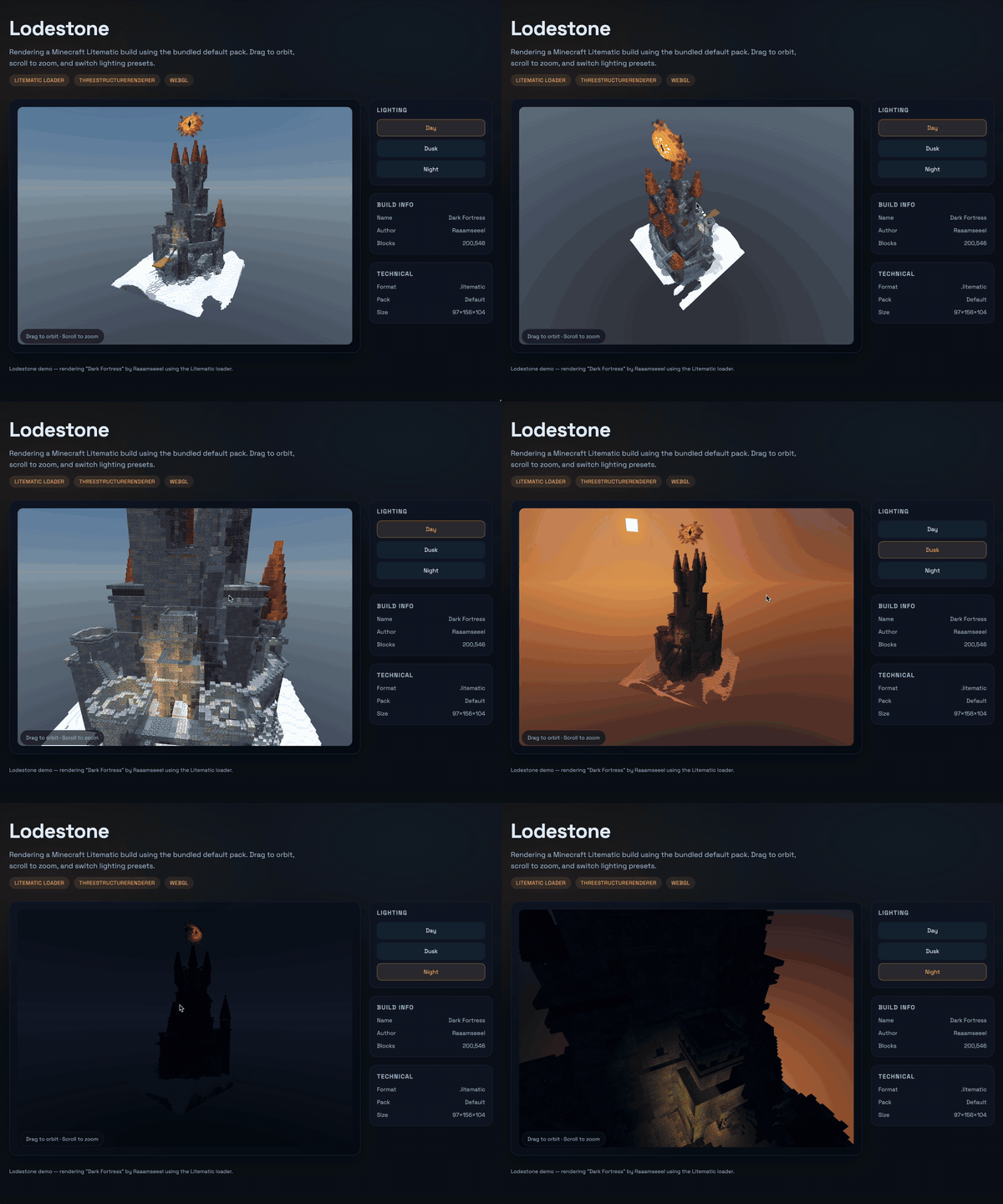
A TypeScript library for rendering Minecraft structures in the browser or headless environments.
## Why Lodestone?
Build interactive Minecraft structure viewers, schematic editors, world previews, or any web-based Minecraft visualization tool. Lodestone handles the complexity of parsing Minecraft's block models, assembling meshes, and rendering them efficiently with Three.js—so you can focus on your application.
## Features
- **Litematic file support** — Load and render `.litematic` schematic files (Litematica mod format)
- **Flexible rendering** — `ThreeStructureRenderer` provides full-featured Three.js rendering
- **Resource pack system** — Works with the built-in default pack or your own custom resource packs
- **Advanced rendering** — Chunked meshing with occlusion culling, transparency sorting, and emissive block support
- **Universal runtime** — Runs in browsers and headless environments with WebGL
- **Full type safety** — Written in TypeScript with complete type definitions
- **Code Agent Friendly** - See [MinecraftLM](https://github.com/mattzh72/minecraftlm)
## Installation
```bash
npm install @mattzh72/lodestone
```
Three.js is a peer dependency. Most package managers (npm v7+) install it automatically:
```bash
npm install three
```
## Quick Start
```ts
import { Structure, ThreeStructureRenderer, loadDefaultPackResources } from '@mattzh72/lodestone'
import { mat4 } from 'gl-matrix'
const { resources } = await loadDefaultPackResources()
const structure = new Structure([4, 3, 4])
structure.addBlock([0, 0, 3], 'minecraft:stone')
structure.addBlock([0, 1, 3], 'minecraft:cactus', { age: '1' })
const renderer = new ThreeStructureRenderer(canvas, structure, resources)
renderer.setViewport(0, 0, canvas.width, canvas.height)
const view = mat4.create()
mat4.translate(view, view, [0, 0, -5])
renderer.drawStructure(view)
```
For a complete example with item rendering and controls, see `demo/main.ts`.
## Usage
### Loading Litematic Files
Lodestone can load `.litematic` files (the schematic format used by Litematica mod):
```ts
import { LitematicLoader, ThreeStructureRenderer, loadDefaultPackResources } from '@mattzh72/lodestone'
// Load litematic file
const response = await fetch('path/to/build.litematic')
const buffer = await response.arrayBuffer()
const structure = LitematicLoader.load(new Uint8Array(buffer))
// Get metadata
const metadata = LitematicLoader.getMetadata(new Uint8Array(buffer))
console.log(metadata.name, metadata.author, metadata.totalBlocks)
// Render it
const { resources } = await loadDefaultPackResources()
const renderer = new ThreeStructureRenderer(canvas, structure, resources)
```
The loader handles gzip-compressed NBT parsing, variable-width bit-packed block state arrays, block palettes and properties, and multiple regions (loads first region by default).
### CDN Usage (UMD)
Load Three.js first, then Lodestone. The UMD bundle exposes `window.Lodestone`.
**Pinned version** (recommended for reproducible builds):
```html
```
**Latest version** (convenient but may change):
```html
```
### Custom Resource Packs
To use your own resource pack instead of the built-in default, provide a `Resources` object with:
- Block definitions (`blockstates/*.json`)
- Block models (`models/*.json`)
- Texture atlas (`ImageData`) and UV lookup
- Block flags (opaque, transparent, emissive)
See the `demo/` folder for a concrete implementation example.
## Development
Run the local demo:
```bash
npm install
npm run demo
```
## Contributing
Issues and pull requests are welcome! Visit the [issue tracker](https://github.com/mattzh72/lodestone/issues) to report bugs or suggest features.
## License
MIT. Lodestone includes upstream MIT-licensed code from [Misode](https://github.com/misode/deepslate).
## Acknowledgments
Special thanks to [deepslate](https://github.com/misode/deepslate)—Lodestone is an optimized, Three.js-native version of their work.