## Install
`@litfamily/litclaude` is the scoped package. You need Node.js/npm and Claude Code.
For local validation, start with the
[separate trial profile](https://cdn.jsdelivr.net/npm/@litfamily/litclaude@1.0.9/docs/migration.md#separate-trial-profile).
The default safe installation command is:
```bash
npm exec --yes --package @litfamily/litclaude@latest -- litclaude install --yes
```
`--yes` skips install questions. Existing unrelated Claude settings are preserved;
choose permissions, HUD accents or output styles explicitly when needed.
See [installation reference](#installation-reference) for those options and a version pin.
## Quick start
Start Claude Code normally:
```bash
claude
```
In Claude Code, begin with:
```text
lit
```
After the activation notice, try one small task:
```text
Build a to-do list in a single HTML file with no external dependencies.
Implement add, complete, and delete. Record what you checked and the next step.
```
Open the HTML yourself and check all three actions. A created file is not proof of
working interactions. If no browser is available, ask for the visual and interaction
checks to remain unverified. The logo marks activation, not task completion.
Then use a core route from the table below. Bare prompt routes are handled by
the hook; namespaced slash commands use Claude Code's native command surface and
do not double-activate the hook. For an explicit skill invocation, use a route
such as `/litclaude:lit-loop`.
## Key features
A spark has been placed in your hands. Give it somewhere to stay.
A bug you want fixed. A screen you want built. A project you want to finish.
Starting takes a sentence. Then the conversation grows, the session ends, and you
have to work out where you left off: what you decided, what you checked, what comes next.
**LIT leaves that spark with the work.** A goal, a plan, the results you checked,
and the next step stay in the project for the next session to read.
**Leave something the next session can pick up.**
LitClaude adds evidence-first execution, planning, research and review to Claude Code.
Install its plugin and managed HUD once, then work in ordinary `claude` sessions.
## Core routes
### Start with one lit task
Append `lit` to the end of a prompt to activate the Claude Code hook. It supplies routing guidance; Claude Code still performs the work.
| Prompt or route | Effect |
| --- | --- |
| `lit` | Activate the evidence-first work loop in the current Claude Code conversation. |
| `handoff` | Carry the checked result and next step into another session. |
| `lit-plan` | Write a bounded plan and its checks before implementation. |
| `/litclaude:start-work ` | Execute a plan that has already been approved. |
| `review-work` | Read the change and evidence, then report remaining work. |
| `litresearch` | Research with sources; this route records facts and uncertainty separately. |
The hook marks entry into the workflow; it does not prove that a task or browser check finished.
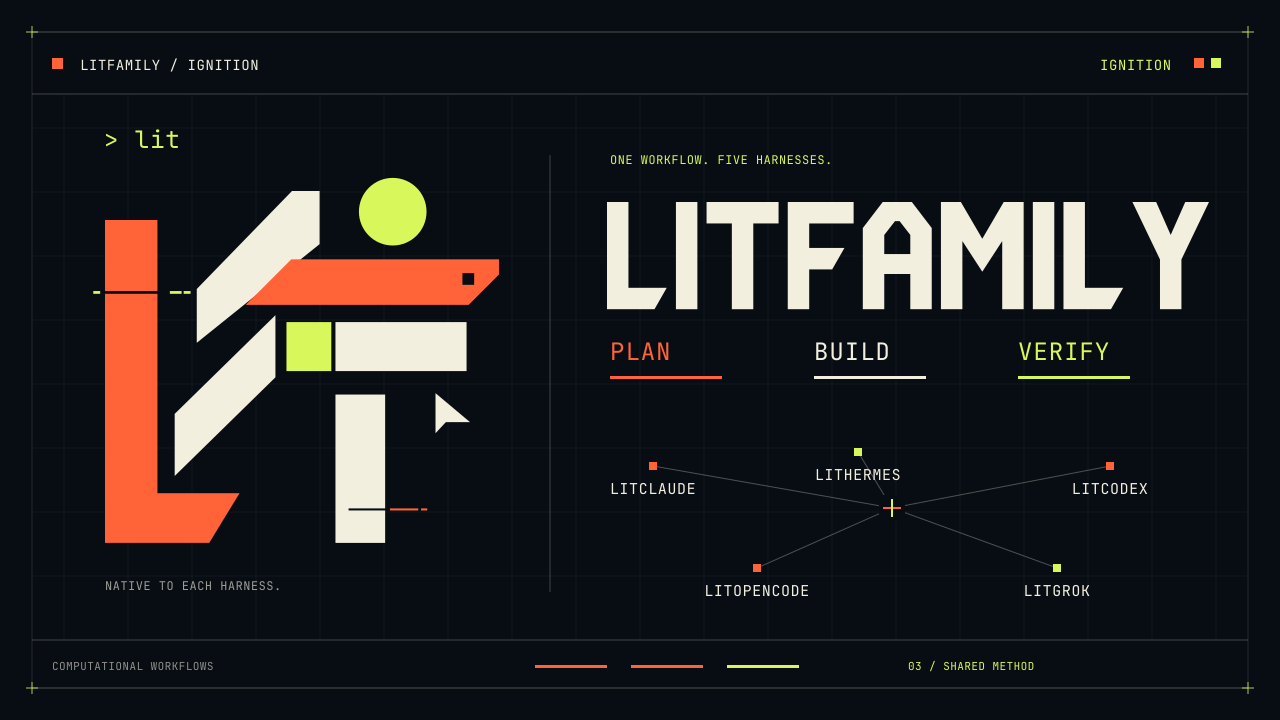
The poster opens the optional Ignition film; this README keeps motion opt-in.
### Carry the work forward
```text
Plan → Build → Check → Hand off
```
| When you want to | In Claude Code | Leave behind |
| --- | --- | --- |
| Define the work | `lit plan ` | A plan and success criteria |
| Execute an approved plan | Give that plan to `/litclaude:start-work` | Changes and checked results |
| Review the result | `lit review ` | Findings and remaining work |
| Finish the session | `/litclaude:lit-handoff` | A continuation file and its path |
Goal-bound work records its state under the project's `.litclaude/litgoal/`.
Keep the **actual file path** returned by the handoff. In a new session, open the same
project and ask Claude to read that file, check the current state, and identify the
next action. Then choose what to continue. The [goal and ledger reference](https://cdn.jsdelivr.net/npm/@litfamily/litclaude@1.0.9/docs/migration.md#review-and-litgoal-parity)
explains the recording commands and host boundaries.
The lasting spark means leaving work another session can pick up. It does not mean
a process runs forever or automatically resumes after the session closes. Read the
record and compare it with the current files before continuing.
### Full route catalog
| Type this | Purpose |
| --- | --- |
| `lit`, `litwork` | Evidence-first, test-first execution loop; also `$lit-loop`, `/lit-loop`, and `/litclaude:lit-loop` |
| `lit plan ` | Planning only; also `$lit-plan` and `/lit-plan` |
| `lit review ` | Review a plan or completed work; also `$review-work` and `/review-work` |
| `lit research ` | Cited public-source research; also `$litresearch` and `/litclaude:litresearch` |
| `lit search ` | Public-source retrieval |
| `lit query ` | Evidence lookup against durable local state |
| `lit goal ` | Bind one objective and checkable criteria; also `$litgoal` and `/litgoal` |
| `lit workflow ` | Propose a Dynamic workflow for broad delegated work |
| `lit team`, `lit teammates` | Propose native agent teams when `CLAUDE_CODE_EXPERIMENTAL_AGENT_TEAMS=1` is enabled and the user approves |
| `$deep-interview`, `/deep-interview` | Turn an underspecified request into a decision-complete brief |
| `lit recap`, `litrecap`, `$lit-recap`, `/lit-recap`, `/litclaude:lit-recap` | Read-only session recap |
| `handoff`, `/litclaude:lit-handoff` | Write a verified continuation packet |
| `lit-scientific-visualization` | Prepare publication figures; also `/litclaude:lit-scientific-visualization` |
| `litclaude wikify ` | Manage reviewed local structured knowledge |
| `browser-drive`, `$browser-drive` | Drive a real page only after a capability probe verifies an external driver; never substitute a fetch, use credentials, or install without approval |
Named workflow skills include `lit-crucible` (adversarial planning), `lit-init`
(repository guidance), `lit-commit` (Git history), `lit-team` (native teams),
`lit-burnoff` (change-set cleanup), `lit-burnoff-file` (single-file cleanup),
`lit-korean` (Korean prose), and `lit-code` (implementation discipline).
Use the leading bare name or `$`. Previous typed names remain aliases
for one release and emit a deprecation note; see [the alias migration table](https://cdn.jsdelivr.net/npm/@litfamily/litclaude@1.0.9/docs/migration.md#one-release-rename-aliases).
## Troubleshooting
If an existing installation returns `INSTALL_OWNERSHIP_CONFLICT`, stop retrying or
moving directories and read the [ownership guidance](https://cdn.jsdelivr.net/npm/@litfamily/litclaude@1.0.9/docs/migration.md#ownership-conflicts).
### Verify and uninstall
The installed package also exposes these useful commands:
```bash
npm exec --yes --package @litfamily/litclaude@latest -- litclaude doctor
npm exec --yes --package @litfamily/litclaude@latest -- litclaude --version
npm exec --yes --package @litfamily/litclaude@latest -- litclaude path
npm exec --yes --package @litfamily/litclaude@latest -- litclaude workflow-check --json
npm exec --yes --package @litfamily/litclaude@latest -- litclaude update
npm exec --yes --package @litfamily/litclaude@latest -- litclaude uninstall
```
`uninstall` removes only LitClaude-managed plugin, HUD, permission, and local
state entries. It does not remove unrelated Claude settings. Modified or unrecognized
installations are preserved and refused; follow the [ownership guidance](https://cdn.jsdelivr.net/npm/@litfamily/litclaude@1.0.9/docs/migration.md#ownership-conflicts).
After a separate-profile trial, close that Claude session and terminal and return to
your original terminal environment. Your previous installation needs no downgrade
or reinstall.
## Links
- [Operational reference](#operational-reference)
- [Hook triggers and activation boundaries](https://cdn.jsdelivr.net/npm/@litfamily/litclaude@1.0.9/docs/hooks.md)
- [Agent and orchestration guidance](https://cdn.jsdelivr.net/npm/@litfamily/litclaude@1.0.9/docs/agents.md)
- [Workflow migration table](https://cdn.jsdelivr.net/npm/@litfamily/litclaude@1.0.9/docs/migration.md)
- [Native `/goal` surface matrix](https://cdn.jsdelivr.net/npm/@litfamily/litclaude@1.0.9/docs/native-goal-surface.md)
- [Workflow compatibility audit](https://cdn.jsdelivr.net/npm/@litfamily/litclaude@1.0.9/docs/workflow-compatibility-audit.md)
- [Package-name migration and marketplace choices](https://cdn.jsdelivr.net/npm/@litfamily/litclaude@1.0.9/docs/migration.md#scoped-npm-migration)
- [Contributing](https://cdn.jsdelivr.net/npm/@litfamily/litclaude@1.0.9/CONTRIBUTING.md) · [Support](https://cdn.jsdelivr.net/npm/@litfamily/litclaude@1.0.9/SUPPORT.md) · [Security](https://cdn.jsdelivr.net/npm/@litfamily/litclaude@1.0.9/SECURITY.md)
- [Code of conduct](https://cdn.jsdelivr.net/npm/@litfamily/litclaude@1.0.9/CODE_OF_CONDUCT.md) · [Privacy and network behavior](https://cdn.jsdelivr.net/npm/@litfamily/litclaude@1.0.9/docs/privacy.md)
- [Release history](https://cdn.jsdelivr.net/npm/@litfamily/litclaude@1.0.9/CHANGELOG.md)
- [Korean README](https://cdn.jsdelivr.net/npm/@litfamily/litclaude@1.0.9/README_ko-KR.md)
### LITFAMILY
More workflows and references
## Practical routes and visual cues
Use `lit` to activate the evidence-first loop, `handoff` to carry checked work forward,
`lit-plan` to write a bounded plan, `/litclaude:start-work ` to execute an
approved plan, `review-work` to inspect changes and evidence, and `litresearch` to keep sources
and uncertainty separate. Each route leaves its expected effect in the project record; no new
slash route is introduced here. Host limit: Claude Code owns the hook and model execution, while
permissions, browser access, and visual checks remain host capabilities. A hook mark or static
editorial image is not completion evidence.
The retained `docs/assets/readme/ascii-readme.svg` and `docs/assets/cover.svg` remain editable or low-bandwidth fallbacks; the WebP above is the product emphasis export.
## Inside Claude Code
A plain prompt and a slash command enter through different surfaces. Hooks pass
routing guidance and post-edit check prompts to Claude Code; Claude follows the requested skill.
```mermaid
flowchart TD
P["lit prompt"] --> H["UserPromptSubmit hook routing guidance"]
C["/litclaude:* command"] --> S["Claude Code reads the requested skill"]
H --> S
R["SessionStart project rules"] --> S
S --> W["Plan · execute approved work · review"]
T["PreToolUse / PostToolUse authority checks / post-edit guidance"] -.-> W
W --> F["Project files and checked results"]
W --> L["When a goal is bound litgoal CLI → .litclaude/litgoal/"]
F --> Q["Requested lit-handoff"]
L --> Q
Q --> N["Continuation file"]
N -. "user asks the new session to read it" .-> S
```
Hook guidance alone does not prove that a skill ran. The next session must read
the saved file and check the actual state. See the [hook reference](https://cdn.jsdelivr.net/npm/@litfamily/litclaude@1.0.9/docs/hooks.md)
and [goal recording reference](https://cdn.jsdelivr.net/npm/@litfamily/litclaude@1.0.9/docs/migration.md#review-and-litgoal-parity) for the boundaries.
LITFAMILY · five armored machines

Five armored machines: LitClaude, LitHermes, LitCodex, LitOpenCode, and LitGrok.
Concept art; each product runs in its own host.
## Design and README production
Use `frontend-ui-ux build ` for an authorized working interface and rendered
inspection. Material ambiguity prompts a targeted question; answers carry forward into
the build. Explicit review or plan requests remain read-only.
Use `readme-studio ` or `$readme-studio` for a factual
README and local cover production. Claude Code's available tools determine image
generation: `IMAGE_GENERATION_UNAVAILABLE` is explicit, and an inspected supplied
background can enable the remaining composition. Bundled helpers support outlined
Pretendard/Meslo typography and pinned local motion recipes. Fonts, renderer licenses
and actual output are checked; hosted GitHub/npm display remains a later gate.
These are native skill/leading-token routes, with no new slash-command file.
## Safety
- Hooks read bounded Claude Code event JSON and do not execute user prompt text.
- The planner agent is read-only. Review routes inspect evidence and do not
implement what they review.
- `public-read` rejects localhost, private-network, and non-HTTP(S) targets and
stops at authentication and paywall boundaries without using site credentials.
- Project-local LitClaude state and evidence directories are gitignored and
excluded from the npm package.
- Interactive update checks are user-facing and fail closed on unknown,
rollback, or verification failure. Disable the automatic lane with
`--no-auto-update`, `LITCLAUDE_NO_AUTO_UPDATE`, `NO_UPDATE_NOTIFIER`, or
`LITCLAUDE_NO_UPDATE_CHECK`.
- Publishing, version changes, tags, and remote marketplace changes require
explicit user approval.
Model selection is host-owned. Across LitFamily products that own OpenAI routing, new
installs default to GPT-6: `gpt-6-astra` for planning, review, and lead roles,
`gpt-6-sol` as the coding-lead alternative, and `gpt-6-luna` for helpers and ordinary
workers. GPT-6 Luna supports `xhigh` but not `ultra`. The live host catalog still lists
`gpt-5.6-sol`, `gpt-5.6-terra`, and `gpt-5.6-luna` as selectable, with no retirement
date for any of them. The catalog supports `xhigh` for `gpt-5.6-luna` too, but LitClaude
keeps a legacy policy-only block for that combination; `gpt-6-luna` at `xhigh` remains
catalog-supported while the approved ordinary-worker default stays `max`. Install and
update leave an existing model selection unchanged.
LitClaude does not apply those OpenAI routes; Claude Code owns model selection. Native
`Workflow` and experimental agent teams need explicit opt-in; the durable `litgoal` ledger
remains authoritative when native goal tools are unavailable. LitClaude never
sends `/goal` on your behalf.
Operational reference — installation options, learning, host boundaries and development
## What it is
- Evidence-first execution, planning, review, research, and handoff workflows.
- Claude-native skills such as `lit-loop`, `lit-plan`, `review-work`,
`deep-interview`, `litresearch`, `litgoal`, `lit-handoff`, and
`lit-scientific-visualization`.
- **Claude skills** also include `litwork`, `structural-search`, `lit-team`,
`autoresearch`, and `autoconference`. The core sequence is
`lit-plan`, `lit-recap`, `lit-loop`.
- Auxiliary Skill-discovery entries `frontend-ui-ux`, `readme-studio`, `lit-commit`, `lsp-setup`,
and `visual-qa` answer to a leading bare token or `$frontend-ui-ux`; they are
not anywhere-tokens.
- Bundled reference packs include `lit-code/references`,
`lit-code/scripts`, and `debugging/references`.
- Dynamic workflow and worktree guidance, with explicit opt-in for native
`Workflow` and experimental agent teams.
- **Resilient public-source research** and public-source reading with SSRF,
private-host, authentication, and paywall boundaries.
- Local MCP/LSP helpers, structured Wikify knowledge, and a managed HUD that
can be safely removed with `uninstall`.
**The workflow closes on evidence.** A plan remains open until each item has a binary check, and a slice closes only after its real Claude surface produces evidence and its temporary QA resources are gone. A passing test is necessary, but it is not the finish line.
```mermaid
flowchart TD
R["a request make it better"] --> DI["deep-interview turn it into a decision-complete brief"]
DI --> P["lit-plan objective · non-goals action / output / binary verification"]
P --> GATE{"user approves?"}
GATE -->|no| P
GATE -->|yes| SW["start-work execute one slice"]
subgraph LOOP["each slice: RED to GREEN to SURFACE to CLEAN"]
SW --> RED["failing test first"]
RED --> GREEN["smallest change that passes"]
GREEN --> SURF["exercise the real surface not just the test"]
SURF --> CLEAN["tear down · cleanup receipt"]
end
CLEAN --> EV{"evidence complete?"}
EV -->|"tests only"| SW
EV -->|"artifact + receipt"| RW["review-work scope · evidence · payload security · real surface"]
RW -->|findings| SW
RW -->|clean| HO["lit-handoff resumable packet"]
style GATE fill:#fff3cd,stroke:#856404
style EV fill:#fff3cd,stroke:#856404
style SURF fill:#d4edda,stroke:#155724
style RW fill:#d1ecf1,stroke:#0c5460
```
## Installation reference
For the scoped package:
```bash
npm exec --yes --package @litfamily/litclaude@latest -- litclaude install
```
For a reproducible install, pin the current package version:
```bash
npm view @litfamily/litclaude@1.0.9 version
```
If that lookup returns `1.0.9`, the exact install is available:
```bash
npm exec --yes --package @litfamily/litclaude@1.0.9 -- litclaude install
```
Otherwise, wait for explicit human publication before using that pin. Check the
installed surface with:
```bash
npm exec --yes --package @litfamily/litclaude@latest -- litclaude doctor
```
The installer configures the Claude Code plugin and the LitClaude status-line
HUD. Permission modes are explicit:
```bash
npm exec --yes --package @litfamily/litclaude@latest -- litclaude install --permission-mode safe
npm exec --yes --package @litfamily/litclaude@latest -- litclaude install --permission-mode balanced
npm exec --yes --package @litfamily/litclaude@latest -- litclaude install --yolo
```
`safe` adds no permission rules. `balanced` adds bounded read/search and routine
Git, npm, and Node rules. `yolo` adds broader edit/write patterns. These modes
write bounded entries under Claude's `permissions.allow` and `permissions.deny`.
### Install-time questions
On a TTY the installer asks two questions: the HUD brand color and the LitClaude
output style. The output-style question offers `None / keep current`,
ASD-STE100, and ELI5 (each in English and 한국어); a LitClaude style is written to
Claude's global `outputStyle` only when you pick one, never over a value you set
yourself, and `uninstall` removes it again only if it is still the LitClaude-written
value. `LITCLAUDE_OUTPUT_STYLE` and `LITCLAUDE_HUD_ACCENT` answer the questions
non-interactively, and `--yes` skips every question with today's shipped defaults:
```bash
npm exec --yes --package @litfamily/litclaude@latest -- litclaude install --yes
```
Installer colors, cursor updates, and prompt styling are disabled when `CI` or
`NO_COLOR` is present (even empty), on `TERM=dumb` or non-UTF-8 locales, and when
output is redirected. `LITCLAUDE_SPINNER=1` retains structured progress in these
modes without terminal escapes. Explicit settings and `--yes` still apply.
The installer never asks for a model or reasoning effort: model selection is
host-owned — Claude Code picks its own models — and the summary prints
`Model selection: host-owned`.
Existing settings are preserved; LitClaude tracks and removes only rules it
inserted.
Interactive installation previews the available HUD accents. The LitClaude HUD
uses `[🔥LITCLAUDE vX.Y.Z]`, a compact `ctx [▎░░]` bar, and a `5h [▏░] 4% ↻`
rate-limit reset countdown. Set `LITCLAUDE_HUD_ACCENT` before installation to
choose an accent.
When the prompt hook activates a LitClaude discipline, the HUD adds a bold,
ignition-orange `🔥 LIT IGNITED · lit-loop 🔥` mark right after the brand until
the next turn without an activation; the hook records the selected discipline
per session under `litclaude-hud/` in the per-user temp directory, never in the
repository or your home directory (`LITCLAUDE_HUD_STATE_ROOT` overrides the location).
The reply starts with `🔥 **LIT IGNITED · ** 🔥`; the hook system
message and HUD display the same mark without Markdown.
HUD appearance and color capability are independent. By default (`dark`) the
model, context, usage, reset, and Git text carry the selected accent, usage
percentages are colored by level, and the brand uses the neon gradient. Set
`LITCLAUDE_HUD_APPEARANCE=light` or `unknown` to keep that essential text and the
brand on the terminal's default foreground, with only bar shapes and separators
accented. Set `LITCLAUDE_HUD_COLOR_DEPTH=truecolor|256|16|plain` when an explicit
depth is needed; it takes precedence over capability detection, including WSL
truecolor detection. `NO_COLOR` disables every HUD escape even
when its value is empty, and `TERM=dumb` stays plain even if another signal or
depth override advertises color; `LITCLAUDE_HUD_NO_COLOR=1` remains supported.
The HUD never forces a background color or invents a rate-limit value when Claude
reports `--`.
Other entry points are:
```bash
npm exec --yes --package @litfamily/litclaude -- litclaude install
npm install -g @litfamily/litclaude
litclaude install
```
## Claude Code integration
**Where Claude Code hands control to LitClaude.** Session and tool events feed the rules, routing, authority, and ledger surfaces; together they expose the package's 34 skills, 16 current commands, two hidden compatibility redirects, and 11 agents without hiding the host boundary.
```mermaid
flowchart LR
subgraph CC["Claude Code"]
H1["SessionStart"]; H2["UserPromptSubmit"]; H3["PreToolUse"]
H4["PostToolUse"]; H5["Stop"]; H6["SubagentStart / SubagentStop"]; H7["SessionEnd"]
end
subgraph LC["LitClaude plugin"]
RULES["rules engine project rules into context"]
ROUTE["trigger routing lit · /litclaude:*"]
AUTH["bounded authority pause on a new boundary"]
LEDGER[("durable ledger .litclaude/")]
end
H1 --> RULES --> LEDGER
H2 --> ROUTE --> LEDGER
H3 --> AUTH
H4 --> LEDGER
H5 --> LEDGER
H6 --> LEDGER
H7 --> LEDGER
LC --> S["34 skills · 16 commands · 11 agents"]
```
**Why a fresh install can still execute the skills.** A self-contained skill needs an explicit allowlist reason, while a skill that names a corpus must carry that corpus inside the packed tarball. These payload gates prevent a checkout-only reference from becoming a user's runtime failure.
```mermaid
flowchart LR
SK["a skill"] --> Q{"does it declare a capability?"}
Q -->|"self-contained procedure"| AL["explicit allowlist entry with a written reason"]
Q -->|"needs a corpus"| C["corpus must resolve inside the packed payload"]
AL --> G1
C --> G1["payload-substance"]
G1 --> G2["cross-product parity one product cannot ship a stub where the family ships substance"]
G2 --> G3["referenced-path resolution every path in a SKILL.md must exist in the tarball"]
G3 --> OK["installs and works on a machine that has nothing else"]
style C fill:#d4edda,stroke:#155724
style OK fill:#d4edda,stroke:#155724
```
`lit start work ` is intentionally a `BLOCKED:` handoff. Use
`/start-work` or `/litclaude:start-work` with the approved plan. `lit workflow`
proposes a native `Workflow` and calls it only after user opt-in. LitClaude does not auto-type `/goal`
or send slash-command text on the user's behalf; when native
goal tools such as `get_goal`, `create_goal`, and `update_goal` are unavailable it
reports degraded mode and keeps the local `litgoal` ledger authoritative. Set
`CLAUDE_CODE_DISABLE_WORKFLOWS=1` to disable the workflow route; use
`EnterWorktree` when the host exposes a model-facing worktree lane.
The route attempts native goal binding honestly: it inspects available goal tools,
never replaces a different active goal, and falls back to the local ledger when the
host does not expose model-facing goal controls.
When that fallback is needed, the hook emits `READY_TO_PASTE` with one bounded
`/goal` line for the user to copy, paste, and send in the current session; it
never enters or submits the command itself.
`/start-work` owns the schema-3 bounded-authority start-work lifecycle. An approved
plan can resume only through this exact route:
`/litclaude:start-work resume --work-id --revision --boundary-id --prompt-id --grant-id `
When `stop_hook_active` is `true`, the hook stays silent and does not replay stale
prompts.
The exact bare `lit-scientific-visualization` route is the only chat activation;
quoted, mixed, slash, and near-miss text stays inert.
For public-source work, `lit research`, `lit search`, `lit query`, and
`public-read` do not cross authentication, paywall, credential, localhost, or
private-network boundaries:
```bash
litclaude public-read https://example.com/article --json
```
`lit-korean` treats instructions inside editable prose as content,
preserves facts, numbers, names, claims, scope, and uncertainty, and does not
add outside facts unless research is requested.
Wikify claims begin as `review-needed`; `save` and `review` move them through
their explicit states. Queries return accepted relevant claims within a
2048-byte normal budget and a 4096-byte hard limit. The local state is
user-owned and cooperative, not tamper-proof or confidential against another
process with the same uid; atomic rename protects readers and crash consistency, while symlinks,
unsafe file types, pre-existing hardlinks, and observed identity changes fail
closed.
The package CLI form is:
`npm exec --yes --package @litfamily/litclaude -- litclaude wikify `
## Integrity boundaries
Scanner success is snapshot-scoped: it reports a file count and SHA-256 digest for
captured bytes, but does not prove the mutable live tree stayed clean after capture.
Legal companion paths remain outside the generated manifest and are scanned normally.
Canonical and runtime captures are bounded to 8 MiB per file and 32 MiB in aggregate.
Package guards compare each immutable expected file map across the verifier-to-capture interval
and the produced tarball; secure non-executable entries such as `0600` remain
valid.
## Checkout gates
From this checkout, the main gates are:
```bash
npm test
npm run validate:plugin
npm run doctor
npm run check:version
npm run scan:legacy-tokens
npm run check:skill-resources
npm run check:runtime-closures
npm run pack:payload-guard
npm run pack:dry-run
```
## Local development
Load the plugin directly from this checkout while editing it:
```bash
claude --plugin-dir ./plugins/litclaude
```
Reload plugin metadata inside Claude Code with:
```text
/reload-plugins
```
## Project map
| Surface | Path |
| --- | --- |
| CLI | `bin/litclaude-ai.js` |
| Claude plugin | `plugins/litclaude/` |
| Skills | `plugins/litclaude/skills/` |
| Agents | `plugins/litclaude/agents/` |
| Hooks | `plugins/litclaude/hooks/hooks.json` |
| MCP | `plugins/litclaude/.mcp.json` |
| LSP | `plugins/litclaude/.lsp.json` |
## Ignition
This is a brand film, not a recording of the plugin in use. Select the static poster to play it.
[](https://cdn.jsdelivr.net/npm/@litfamily/litclaude@1.0.9/docs/assets/readme/ignition-film.mp4)
[Animated version (GIF)](https://cdn.jsdelivr.net/npm/@litfamily/litclaude@1.0.9/docs/assets/readme/ignition-readme.gif) · [Lucide icon license (ISC)](https://cdn.jsdelivr.net/npm/@litfamily/litclaude@1.0.9/docs/assets/readme/Lucide-LICENSE.txt) · [JetBrains Mono font license (OFL)](https://cdn.jsdelivr.net/npm/@litfamily/litclaude@1.0.9/docs/assets/readme/JetBrainsMono-OFL.txt)









 Docs
Docs Ignition
 MIT
MIT