
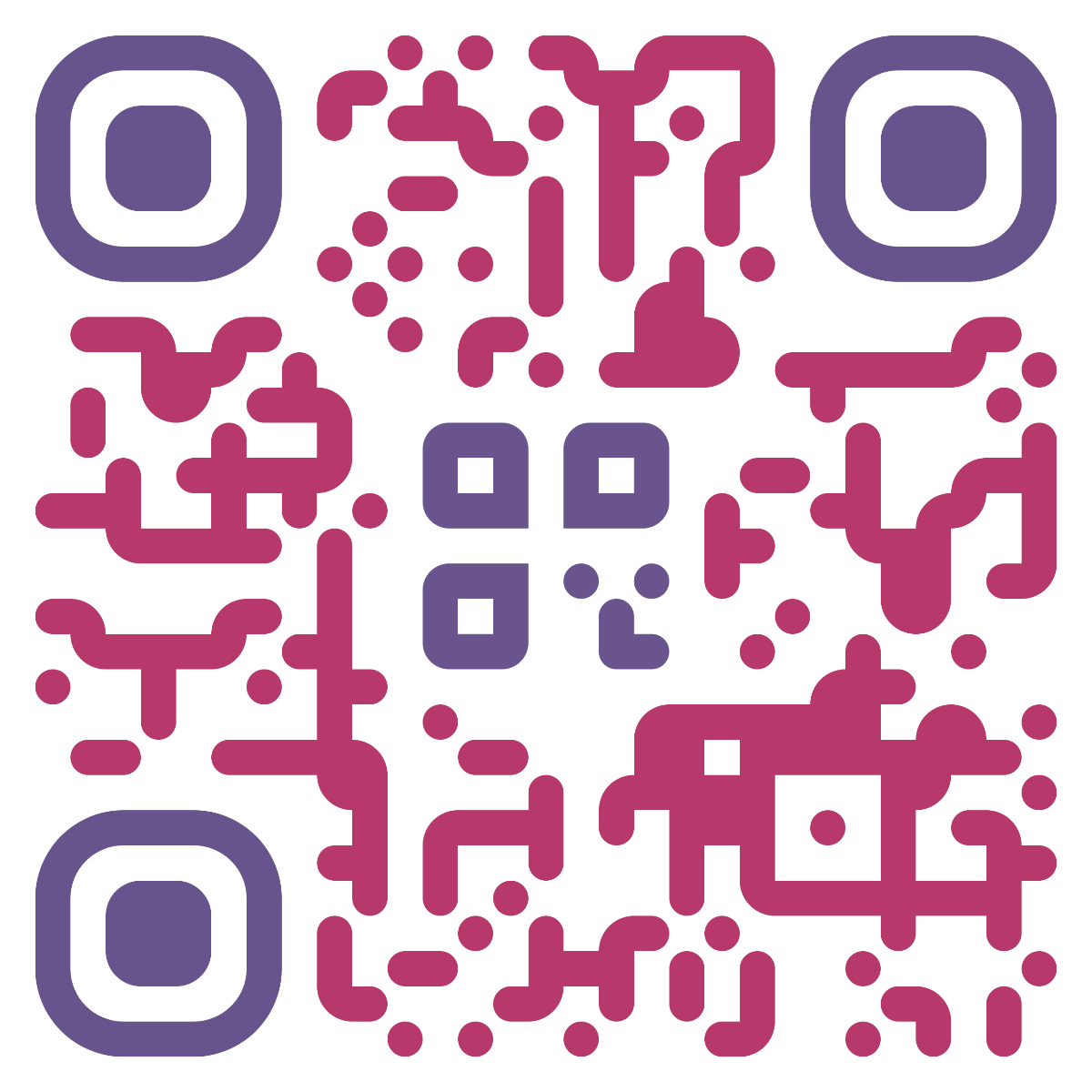

 Version `5.0.0` of the library introduces plugin support to replace the now-deprecated `QRCodeStyling.extension`, with the ability to customize the shape of dots and corners. Existing extensions can still be applied as `plugins: [{ postProcess: extensionFn }]`.
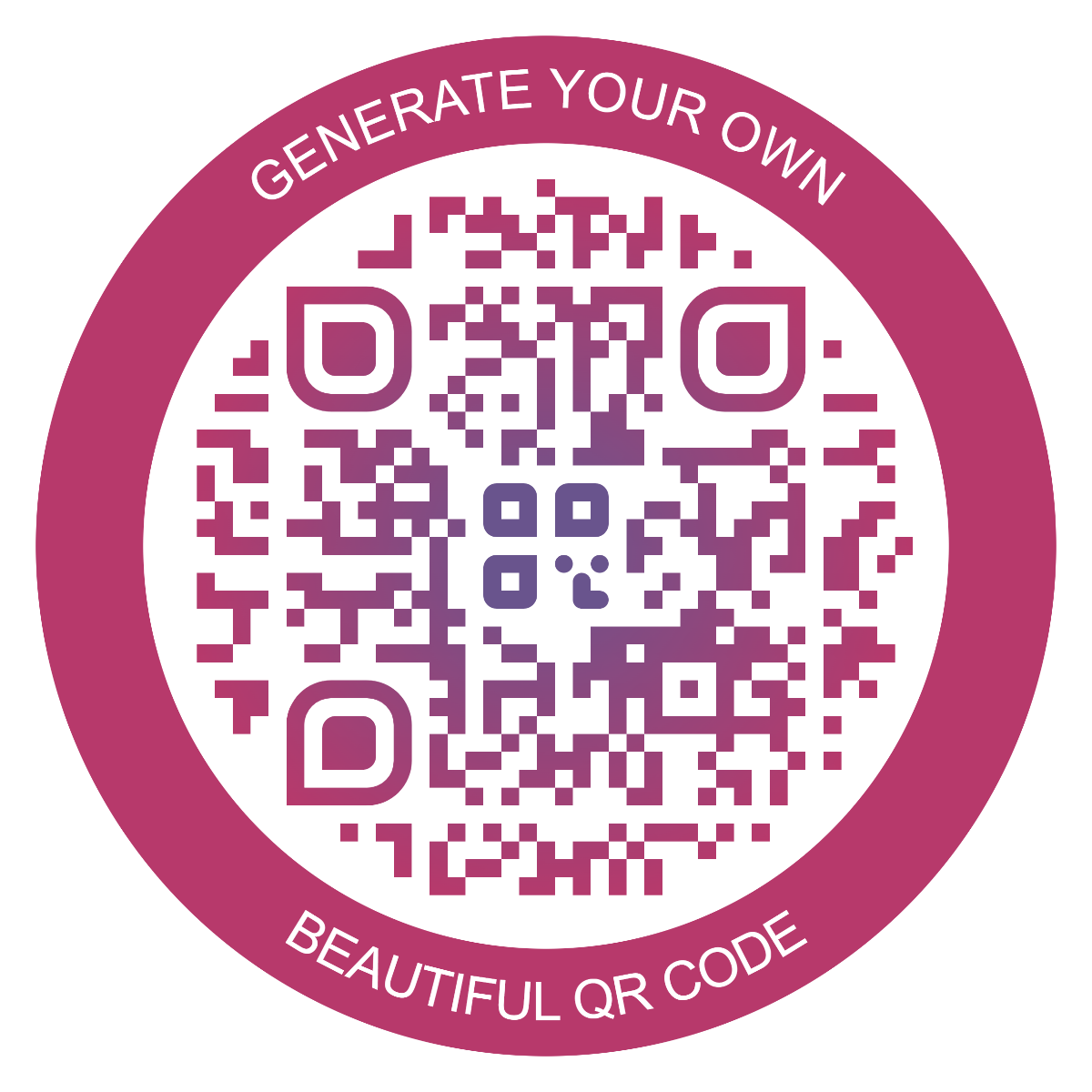
While the old API only supports a single extension, it is now possible to apply multiple plugins or even multiple instances of a single plugin. For example, to create a QR code with a complex border:
```ts
import BorderPlugin from '@liquid-js/qr-code-styling/border-plugin'
import FontFacesPlugin from '@liquid-js/qr-code-styling/font-faces-plugin'
const qrCode = new QRCodeStyling({
plugins: [
new BorderPlugin({
round: 1,
size: 2,
color: '#20c9dc'
}),
new BorderPlugin({
round: 1,
size: 60,
color: '#4267b2',
text: {
font: 'sans-serif',
color: '#e9ebee',
size: 30,
top: {
content: 'Scan the'.toUpperCase()
},
bottom: {
content: 'QR code'.toUpperCase()
}
}
}),
/**
* Embed fonts used with BorderPlugin
*
* Not needed when using standard or local fonts, but recommended for portability and consistency; use
* subsetting if possible to reduce the generated file size.
*/
new FontFacesPlugin([{
font: 'sans-serif',
src: `url(data:font/otf;base64,d09GMgABAA...)`
}])
]
// ...other options
})
```
#### Plugin development
A simple plugin example to customize QR code dots:
```ts
import { svgPath, DrawArgs } from '@liquid-js/qr-code-styling/plugin-utils'
const qrCode = new QRCodeStyling({
plugins: [
{
drawDot: (args: DrawArgs): SVGElement | undefined => {
const { size, x, y, document } = args
const element = document.createElementNS('http://www.w3.org/2000/svg', 'path')
// Insert your own SVG path definition, or implement neighbour-aware logic through args.getNeighbor()
element.setAttribute(
'd',
svgPath`M ${x} ${y + (size - size) / 2}
v ${size}
h ${size / 2}
a ${size / 2} ${size / 2} 0 0 0 0 ${-size}
z`
)
return element
}
},
]
// ...other options
})
```
See [Border plugin](https://github.com/Liquid-JS/qr-code-styling/blob/master/src/plugins/border.ts) and [figures](https://github.com/Liquid-JS/qr-code-styling/tree/master/src/figures) for further reference.
### Node
> ⚠️ **Note**: make sure to install peer dependencies when running on Node (not needed for browser environments)
>
> npm install @liquid-js/qrcode-generator @xmldom/xmldom file-type sharp
```js
import { QRCodeStyling } from '@liquid-js/qr-code-styling'
import { writeFile } from 'fs/promises'
import PDFDocument from 'pdfkit'
import SVGtoPDF from 'svg-to-pdfkit'
const qrCode = new QRCodeStyling({
data: 'https://www.facebook.com/',
image: 'https://upload.wikimedia.org/wikipedia/commons/5/51/Facebook_f_logo_%282019%29.svg',
dotsOptions: {
color: '#4267b2',
type: 'rounded',
size: 10
},
backgroundOptions: {
color: '#e9ebee',
margin: 1
},
imageOptions: {
crossOrigin: 'anonymous',
margin: 1,
imageSize: 0.5
}
})
const svgCode = await qrCode.serialize()
const { width, height } = qrCode.size
const buffers = []
const doc = new PDFDocument({ size: [width, height] })
doc.on('data', (v) => buffers.push(v))
const buffer = await new Promise((resolve) => {
doc.on('end', () => {
resolve(Buffer.concat(buffers))
})
SVGtoPDF(doc, svgCode, 0, 0, {
width,
height,
assumePt: true
})
doc.end()
})
await writeFile('qr.pdf', buffer)
```
### Kanji support
For Kanji mode to work, import `stringToBytesFuncs` from `@liquid-js/qr-code-styling/kanji` and inclue it with config.
```js
import { stringToBytesFuncs } from '@liquid-js/qr-code-styling/kanji'
const qrCode = new QRCodeStyling({
data: '漢字',
qrOptions: {
mode: Mode.kanji
},
stringToBytesFuncs
// ...other options
})
```
## License
[MIT License](https://github.com/Liquid-JS/qr-code-styling/blob/master/LICENSE)
Version `5.0.0` of the library introduces plugin support to replace the now-deprecated `QRCodeStyling.extension`, with the ability to customize the shape of dots and corners. Existing extensions can still be applied as `plugins: [{ postProcess: extensionFn }]`.
While the old API only supports a single extension, it is now possible to apply multiple plugins or even multiple instances of a single plugin. For example, to create a QR code with a complex border:
```ts
import BorderPlugin from '@liquid-js/qr-code-styling/border-plugin'
import FontFacesPlugin from '@liquid-js/qr-code-styling/font-faces-plugin'
const qrCode = new QRCodeStyling({
plugins: [
new BorderPlugin({
round: 1,
size: 2,
color: '#20c9dc'
}),
new BorderPlugin({
round: 1,
size: 60,
color: '#4267b2',
text: {
font: 'sans-serif',
color: '#e9ebee',
size: 30,
top: {
content: 'Scan the'.toUpperCase()
},
bottom: {
content: 'QR code'.toUpperCase()
}
}
}),
/**
* Embed fonts used with BorderPlugin
*
* Not needed when using standard or local fonts, but recommended for portability and consistency; use
* subsetting if possible to reduce the generated file size.
*/
new FontFacesPlugin([{
font: 'sans-serif',
src: `url(data:font/otf;base64,d09GMgABAA...)`
}])
]
// ...other options
})
```
#### Plugin development
A simple plugin example to customize QR code dots:
```ts
import { svgPath, DrawArgs } from '@liquid-js/qr-code-styling/plugin-utils'
const qrCode = new QRCodeStyling({
plugins: [
{
drawDot: (args: DrawArgs): SVGElement | undefined => {
const { size, x, y, document } = args
const element = document.createElementNS('http://www.w3.org/2000/svg', 'path')
// Insert your own SVG path definition, or implement neighbour-aware logic through args.getNeighbor()
element.setAttribute(
'd',
svgPath`M ${x} ${y + (size - size) / 2}
v ${size}
h ${size / 2}
a ${size / 2} ${size / 2} 0 0 0 0 ${-size}
z`
)
return element
}
},
]
// ...other options
})
```
See [Border plugin](https://github.com/Liquid-JS/qr-code-styling/blob/master/src/plugins/border.ts) and [figures](https://github.com/Liquid-JS/qr-code-styling/tree/master/src/figures) for further reference.
### Node
> ⚠️ **Note**: make sure to install peer dependencies when running on Node (not needed for browser environments)
>
> npm install @liquid-js/qrcode-generator @xmldom/xmldom file-type sharp
```js
import { QRCodeStyling } from '@liquid-js/qr-code-styling'
import { writeFile } from 'fs/promises'
import PDFDocument from 'pdfkit'
import SVGtoPDF from 'svg-to-pdfkit'
const qrCode = new QRCodeStyling({
data: 'https://www.facebook.com/',
image: 'https://upload.wikimedia.org/wikipedia/commons/5/51/Facebook_f_logo_%282019%29.svg',
dotsOptions: {
color: '#4267b2',
type: 'rounded',
size: 10
},
backgroundOptions: {
color: '#e9ebee',
margin: 1
},
imageOptions: {
crossOrigin: 'anonymous',
margin: 1,
imageSize: 0.5
}
})
const svgCode = await qrCode.serialize()
const { width, height } = qrCode.size
const buffers = []
const doc = new PDFDocument({ size: [width, height] })
doc.on('data', (v) => buffers.push(v))
const buffer = await new Promise((resolve) => {
doc.on('end', () => {
resolve(Buffer.concat(buffers))
})
SVGtoPDF(doc, svgCode, 0, 0, {
width,
height,
assumePt: true
})
doc.end()
})
await writeFile('qr.pdf', buffer)
```
### Kanji support
For Kanji mode to work, import `stringToBytesFuncs` from `@liquid-js/qr-code-styling/kanji` and inclue it with config.
```js
import { stringToBytesFuncs } from '@liquid-js/qr-code-styling/kanji'
const qrCode = new QRCodeStyling({
data: '漢字',
qrOptions: {
mode: Mode.kanji
},
stringToBytesFuncs
// ...other options
})
```
## License
[MIT License](https://github.com/Liquid-JS/qr-code-styling/blob/master/LICENSE)