# LightningChart® JS - World's Fastest JavaScript Charts
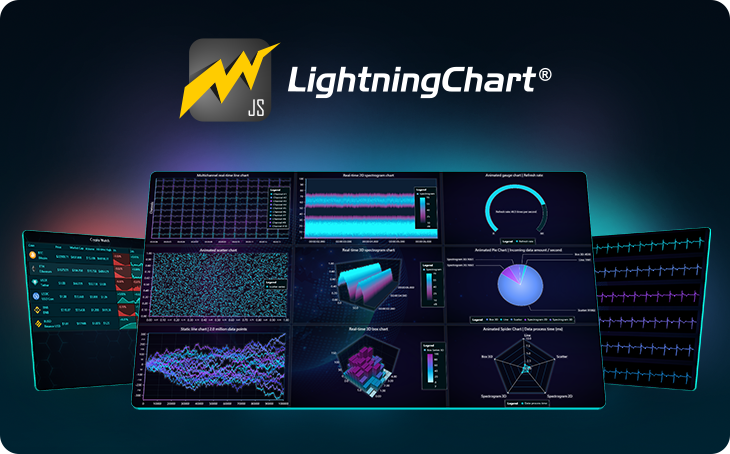
LightningChart JS is a WebGL based, _lightning-fast_ real-time data visualization charting library with a focus on exceptional performance. Performance testing results prove it’s able to visualize streaming data rates no other library for JS can, both in 2D and 3D. _The fastest rendering real JavaScript charting library._
LightningChartJS was republished under different NPM organization in 2024. Legacy package can be found [here](
https://www.npmjs.com/package/@arction/lcjs)
## Interactive examples, with code editing on-the-fly
Whether you are first learning about LightningChart, investigating if it suits your needs or starting with your own application development [**our interactive examples application**](https://lightningchart.com/lightningchart-js-interactive-examples/) is the place to start from.
Click [here](https://lightningchart.com/lightningchart-js-interactive-examples/) to browse almost all LightningChart JS features, interact with the charts, test the performance and see how the code looks.
More [interactive examples](https://lightningchart.com/lightningchart-js-interactive-examples/)
## Useful links
- [Documentation and resources](http://lightningchart.com/js-charts/docs/)
- [Product page](https://lightningchart.com/js-charts/)
- [Comparison to other JavaScript charts](https://lightningchart.com/js-charts/performance/)
- [API documentation](https://lightningchart.com/js-charts/api-documentation/)
- [Free 30 day trial](https://lightningchart.com/js-charts/#license-key)
- [About performance](https://lightningchart.com/js-charts/performance/)
- [Full feature list](https://lightningchart.com/js-charts/docs/features/)
- [Supported UI frameworks](https://lightningchart.com/js-charts/docs/frameworks/)
- [Technical requirements](https://lightningchart.com/js-charts/docs/technical-info/)
- [Stack Overflow](https://stackoverflow.com/questions/tagged/lightningchart)
- [Terms of use](https://lightningchart.com/eula/lightningchart-js-commercial-license/)
**Performance comparison**:
We have made multiple comparisons of LightningChart® JS against other popular JavaScript charting libraries.
[Check all of the comparisons and find out how we got the results here](https://lightningchart.com/js-charts/performance/)
**Some performance results**, with a typical desktop PC:
- **Static line series**: 10 million data points in 290 ms. Up to several billion samples.
- **Scrolling line series**: 400 channels simultaneously with 1 000 Hz data stream rate per channel and 1 minute time window, adding up to a grand total of 24 million data points visible at every frame and updated at 60 FPS
- **Heat maps**: 30000x30000 heat map can be loaded in less than 5 seconds
- **Scatter series**: load massive raw data sets up to 500 million samples (and more depending on hardware)
**Key features**:
- GPU acceleration and WebGL rendering
- Intuitive touch screen interactivity with zooming, panning, moving data cursors etc.
- Dashboard control, capable of rendering 100+ charts.
- Supports server side rendering (use with our [@lightningchart/lcjs-headless package](https://www.npmjs.com/package/@lightningchart/lcjs-headless))
- Chart types: 3D, XY, Heatmaps, Polar, Radar, Spider, Pie, Donut, Funnel, Bar, Stacked Bar, Grouped Bar, Gauge, Pyramid and Treemap charts
- Linear and Logarithmic Axis for XY Charts
- Data Grid for displaying data in form of real-time tables with icons, text, numbers, coloring and miniature charts
- Extremely customizable, flexible and adaptable to different user interface and design requirements
## Installation
**For latest instructions, please refer to [Developer Documentation](https://lightningchart.com/js-charts/docs/installation/).**
### 1. Install from NPM and use a bundler
Install the library package from [NPM](https://www.npmjs.com/package/@lightningchart/lcjs).
`npm install --save @lightningchart/lcjs`
This package can be used with any bundler that supports CommonJS. Some examples of bundlers that work are [WebPack](https://webpack.js.org/), [Parcel](https://parceljs.org/) and [Rollup](https://rollupjs.org/guide/en).
Check our [getting started video](https://lightningchart.com/js-charts/faq/) on LightningChart JS to see this in action.
Any of our [Examples](https://lightningchart.com/lightningchart-js-interactive-examples/) can be used as a seed project. All examples on that page have been made to standalone repositories which can be found on our GitHub. [Standalone Example Repositories](https://github.com/Lightning-Chart?utf8=%E2%9C%93&q=lcjs-example&type=&language=)
### 2. Use IIFE bundle directly on a webpage
The library is distributed with a browser ready IIFE bundle. This bundle can be used directly in browsers with [script tag](https://developer.mozilla.org/en-US/docs/Learn/HTML/Howto/Use_JavaScript_within_a_webpage). You can see an example implementation of this method in our [Developer Documentation](https://lightningchart.com/js-charts/docs/frameworks/aaa-vanilla/)
All of our [examples](https://lightningchart.com/lightningchart-js-interactive-examples/) can be used in the html page. To use them,
first find an example you want to use from [interactive examples](https://lightningchart.com/lightningchart-js-interactive-examples/).
Click `Edit this example`. On the bottom of the page click on the button that reads `CJS`. That will switch our code to be IIFE compatible.
After that, the code can be copied to the html page. See our [LightningChart JS html usage example](https://github.com/Lightning-Chart/lcjs-html-example) for more detailed information.
## Licensing
LightningChart JS requires a license key to be used.
Get one [here](https://lightningchart.com/js-charts/).
```ts
// Using a license key
const lc = lightningChart({ license: 'my-license-key' })
const chart = lc.ChartXY()
```
**For latest instructions, please refer to [Developer Documentation](https://lightningchart.com/js-charts/docs/licenses/).**
Terms of use can be found [here](https://lightningchart.com/eula/lightningchart-js-commercial-license/).
For more materials, instructions, guides and troubleshooting, please refer to the more conclusive [Developer Documentation](https://lightningchart.com/js-charts/docs/).