Archived full README reference from 2026-05-05. The current public README is at [../../README.md](../../README.md).
[English](../../README.md) · [العربية](../../i18n/README.ar.md) · [Español](../../i18n/README.es.md) · [Français](../../i18n/README.fr.md) · [日本語](../../i18n/README.ja.md) · [한국어](../../i18n/README.ko.md) · [Tiếng Việt](../../i18n/README.vi.md) · [中文 (简体)](../../i18n/README.zh-Hans.md) · [中文(繁體)](../../i18n/README.zh-Hant.md) · [Deutsch](../../i18n/README.de.md) · [Русский](../../i18n/README.ru.md)

# AgInTiFlow







AgInTiFlow is AgInTi's web-first agent platform for controlled website automation, persistent conversations, resumable runs, guarded local commands, and optional coding-agent wrappers.
It is designed for workflows where an AI agent should act, but every tool, log, and session state should remain inspectable.
## Product Snapshot
| Area | Direction |
| --- | --- |
| Core loop | Plan -> use tools -> log events -> finish or resume |
| Browser control | Playwright, lazy browser startup, domain allowlists |
| Model layer | Smart routing over DeepSeek fast/pro presets with manual OpenAI-compatible fallback |
| Local tools | Guarded workspace file tools, Codex-style patching, optional shell commands, tmux session control, Docker sandbox support, and advisory agent wrappers |
| Memory | Session state, persisted web settings, chat continuation |
| Operator UX | Multilingual web UI with provider selection, run output, and conversation history |
## Quick Start
Install the published CLI:
```bash
npm install -g @lazyingart/agintiflow
cd /path/to/your-project
aginti init
aginti doctor
aginti --list-routes
aginti --list-profiles
aginti --sandbox-status
```
When AgInTiFlow is installed globally from npm, normal `aginti`, `aginti chat`, `aginti resume`, and `aginti web` startup revalidates npm for a newer `@lazyingart/agintiflow` release before the session starts. If a newer version is found in an interactive terminal, AgInTiFlow shows an Up/Down selector with `Update now`, `Skip this time`, and `Skip this version`; updating runs `npm install -g @lazyingart/agintiflow@latest` and restarts the CLI once. Source checkouts, non-TTY automation, and utility commands skip this behavior. If you skip or disable auto-update, AgInTiFlow runs as normal using your current version. Force a check with `aginti update`, skip one run with `--no-auto-update`, disable it with `AGINTIFLOW_NO_AUTO_UPDATE=1`, or throttle startup checks with `AGINTIFLOW_AUTO_UPDATE_STARTUP_INTERVAL_MS`.
On first interactive use, if no main model key is detected, `aginti` opens an auth wizard. Use Up/Down to choose DeepSeek, OpenAI, Qwen, or Venice, paste the key, and press Enter to save it to the project-local ignored file `.aginti/.env` with `0600` permissions. The wizard points to DeepSeek keys at `https://platform.deepseek.com/api_keys`, OpenAI keys at `https://platform.openai.com/api-keys`, and Venice at `https://venice.ai`. It then offers the optional auxiliary image key; press Esc to skip. You can rerun it even when keys already exist:
```bash
aginti auth
aginti auth openai
aginti auth venice
# inside chat, use /login or /auth for the same wizard
# or non-interactively:
printf '%s' "$DEEPSEEK_API_KEY" | aginti keys set deepseek --stdin
printf '%s' "$QWEN_API_KEY" | aginti keys set qwen --stdin
printf '%s' "$VENICE_API_KEY" | aginti keys set venice --stdin
# optional image-generation auxiliary skill:
aginti login grsai
# inside chat, use /auxiliary grsai
```
Start an interactive Codex-style CLI chat from any project folder:
```bash
aginti
# or explicitly:
aginti chat
# choose a UI language, or omit it to follow your system locale:
aginti --language ja
aginti --language zh-Hans
```
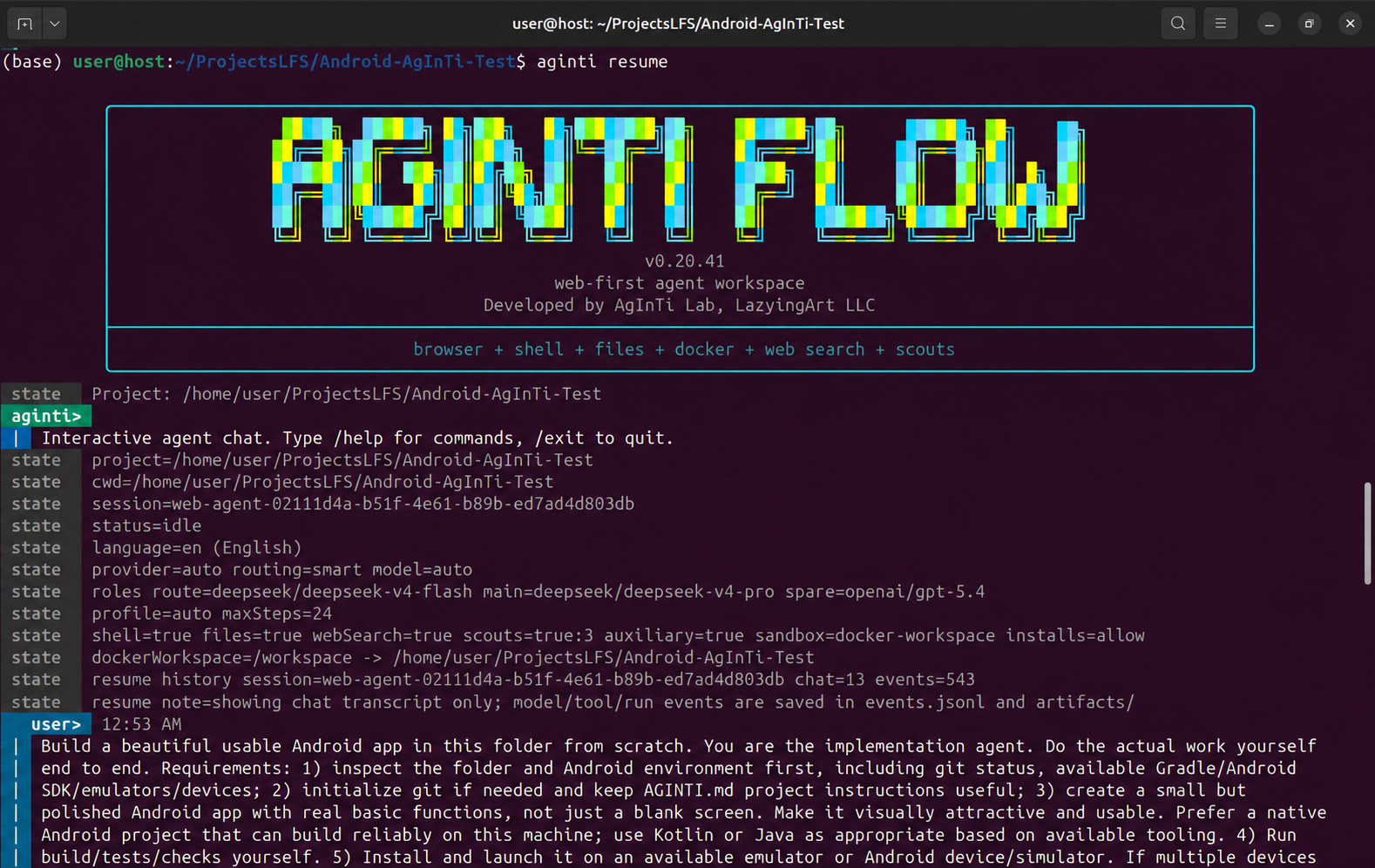
Inside chat, type normal requests such as `write a small Python CLI app with tests`. The default is Docker workspace mode with approved package installs, so coding, plotting, and LaTeX tasks can set up project-local tools without touching the host. Use `/help` for commands, `/login` or `/auth` to paste a provider key, `/instructions` to inspect `AGINTI.md`, `/latex on` for PDF work, `/docker off` only when you intentionally want host mode, `/sessions` to list project runs, and `/resume latest` or `/resume ` to continue work. Type `/` then Tab for command completion. `Ctrl+J` inserts a new line in the colored input panel, Enter sends, arrow keys move through wrapped multiline input, and `Ctrl+A`/`Ctrl+E` jump to the current line start/end. During an active run, Enter sends the draft as an ASAP pipe message (`→`) and Tab queues it for after the run (`↳`); ASAP messages are consumed before after-finish queued prompts, Alt+Up edits the last piped message, and Shift+Left edits the last after-finish queued message. Idle Esc is ignored so it does not disturb the input panel; during a run, Esc waits when `→` messages are pending and otherwise stops the run cleanly. Ctrl+C always stops and prints the resume command. The input panel always shows the current `cwd` footer and a single live status row, so long goals and tool updates are compacted instead of flooding the transcript. Assistant responses start on a fresh line after the `aginti>` header with a colored response gutter and render common Markdown, including headings, inline code, bold text, lists, quotes, code fences, tables, and red/green patch diff lines. Resuming a session prints the full saved chat history with wrapped messages before the prompt.
CLI and app language can follow the system locale or be set with `--language`, `--lang`, `-L`, or the interactive `/language` command. Supported codes are `en`, `ja`, `zh-Hans`, `zh-Hant`, `ko`, `fr`, `es`, `ar`, `vi`, `de`, and `ru`; longer names plus old `jp` and `cn-*` aliases still work. See [docs/cli-i18n.md](../../docs/cli-i18n.md).
`aginti init` creates `AGINTI.md` at the project root. This is the editable project-instruction file for both CLI and web runs, similar to `AGENTS.md` or project memory in other agents. Keep durable preferences, commands, and constraints there, but never secrets. You can edit it manually or ask in chat, for example: `update AGINTI.md to remember that this project uses pytest and npm run check`.
For code edits, AgInTiFlow routes patch/refactor/database-style tasks to DeepSeek v4 pro by default and exposes `apply_patch` as a deterministic workspace tool. It supports exact replacements, Codex-style patch envelopes, and unified diffs, with preflight checks, path guardrails, hashes, and compact per-file diffs. See [docs/patch-tools.md](../../docs/patch-tools.md).
Model choice is role-based: `/route` defaults to DeepSeek V4 Flash, `/model` or `/main` defaults to DeepSeek V4 Pro, `/spare` defaults to OpenAI GPT-5.4 medium, `/wrapper` defaults to Codex GPT-5.5 medium when enabled, and `/auxiliary` defaults to GRS AI/Nano Banana for image tools. See [docs/model-selection.md](../../docs/model-selection.md) and run `aginti models`.
AAPS large-workflow support is available through the optional adapter. Use `aginti aaps status`, `aginti aaps init`, `aginti aaps validate`, or `/aaps` in chat to manage project-local `.aaps` workflows without making AAPS a hard dependency of AgInTiFlow. This lets AAPS describe the top-down pipeline while AgInTiFlow remains the interactive agent/tool backend. See [docs/aaps.md](../../docs/aaps.md).
For larger repositories, use `--profile large-codebase` or choose **Large codebase engineering** in the web UI. The web default stays **Auto**, and Auto now escalates codebase/system/debugging prompts to the same engineering loop when needed. Complex work routes to DeepSeek v4 pro, starts with `inspect_project`, then uses search/read/patch/check loops inspired by Codex, Copilot SDK, Claude Code, Gemini CLI, Qwen, and Claw Code. See [docs/large-codebase-engineering.md](../../docs/large-codebase-engineering.md).
AgInTiFlow can also spend cheap DeepSeek calls on parallel scout notes before the main executor starts a complicated task. It first writes a bounded project map to `.aginti/codebase-map.json`, then runs scouts for architecture, implementation, review, research, context mapping, tests, git workflow, integration, symbol tracing, and dependency risks. A coordinator Swarm Board is injected for the main agent and saved as `artifacts/scout-blackboard.json` in the session. The executor still does the real file/shell/browser work itself. Disable with `--no-parallel-scouts` or set `--scout-count 1..10`.
For complicated tasks that need stricter quality control, enable Student-Committee-Supervisor mode with `/scs`, `--scs`, or `--scs auto`. SCS uses the main model for a typed gate: committee drafts the next phase, student approves/monitors/rejects weak evidence, and supervisor executes with the normal guarded tools. It disables duplicate scout advice by default, logs typed `scs.*` events, caps retries to avoid deadlock, and stays off unless you opt in or choose auto mode. See [docs/student-committee-supervisor.md](../../docs/student-committee-supervisor.md).
The next productive-agent roadmap is tracked in [docs/productive-agent-roadmap.md](../../docs/productive-agent-roadmap.md): durable codebase maps, stronger scout blackboards, long-run checkpoints, LSP/symbol tools, test triage, and release automation. Runtime choices, Docker persistence, host full-access tradeoffs, tmux sessions, and rolling-plan autonomy are documented in [docs/runtime-modes-and-autonomy.md](../../docs/runtime-modes-and-autonomy.md). The supervised self-development protocol is in [docs/self-development-supervision.md](../../docs/self-development-supervision.md).
For current docs, install errors, package/toolchain setup, and source discovery, the agent has a guarded `web_search` tool. It returns compact search results without browser search-engine loops and respects configured domain allowlists. Disable with `--no-web-search`.
For raster image work, AgInTiFlow has optional `image_generation` and `venice_image_generation` skills backed by the `generate_image` tool and local `GRSAI` or `VENICE_API_KEY` credentials. The skill tells the model when image generation is appropriate; the tool saves manifests/images under `artifacts/images` and sends the result to the canvas. See [docs/auxiliary-image-generation.md](../../docs/auxiliary-image-generation.md) and [references/venice-model-reference.md](../venice-model-reference.md).
For long-running shell work, AgInTiFlow exposes host-side tmux tools when the shell tool is enabled: `tmux_list_sessions`, `tmux_capture_pane`, `tmux_send_keys`, and `tmux_start_session`. Use normal prompts such as `start this test server in tmux and monitor it` or `check my tmux session`. The agent captures panes before interacting, redacts outputs, blocks secret-like sends, and avoids sending sudo passwords or destructive commands. Tmux is intentionally host-side: Docker `run_command` containers are short-lived, so tmux servers started there cannot persist.
AgInTiFlow now ships a Markdown skill library in `skills//SKILL.md`. Skills are prompt playbooks, while tools are deterministic actions such as `apply_patch`, `run_command`, `web_search`, `generate_image`, and `send_to_canvas`. Built-in skills cover code, websites/apps, LaTeX manuscripts, books, Word documents, image generation, GitHub, system maintenance, Android, R/Stan, Python, C/C++, shell, AAPS, and novel writing. See [docs/skills-and-tools.md](../../docs/skills-and-tools.md).
```bash
aginti skills
aginti skills website
aginti --list-skills latex
# in chat:
/skills github commit
```
Launch the local web UI from an installed package:
```bash
aginti web --port 3210
# then open http://127.0.0.1:3210
```
`aginti web` uses the folder it is launched from as the project root and default working directory. CLI and web runs share project-local pointers in `.aginti-sessions/`, while canonical session history and artifacts live under `~/.agintiflow/sessions//`.
Run the installed CLI without a live provider key by using the local mock route:
```bash
aginti --provider mock --routing manual --allow-file-tools "Create notes/hello.md with a smoke-test note"
```
Useful project commands:
```bash
aginti keys status
printf '%s' "$DEEPSEEK_API_KEY" | aginti keys set deepseek --stdin
aginti capabilities
aginti doctor --capabilities
aginti update
aginti sessions list
aginti sessions show
aginti sessions rename "friendly title"
aginti --remove-empty-sessions
aginti --remove-sessions
aginti storage migrate
aginti resume
aginti resume --all-sessions
aginti resume latest
aginti resume "continue with a short follow-up"
aginti queue "extra instruction for the running agent"
aginti aaps status
aginti aaps init "Project Workflow"
aginti aaps validate
aginti chat
# then in chat: /review [focus]
# then in chat: /scs auto
# then in chat: /aaps validate
aginti --profile code "write a small Python CLI app with tests"
aginti --scs auto "fix this complicated project and verify it"
aginti --latex "draw a figure, write a short LaTeX report, and compile the PDF"
aginti "set up this project and run the tests"
```
Bare `aginti resume` lists sessions for the current cwd by default. Use `--all-sessions` to browse the global session index; in the interactive selector, type a number to resume, `q` to quit, `/text` to filter the visible list, or `/` to clear the filter.
Session cleanup is cwd-scoped by default. `aginti --remove-empty-sessions` shows only empty sessions and preselects them; `aginti --remove-sessions` shows all cwd sessions with nothing preselected. The cleanup selector uses Space to select or activate the focused button, Up/Down to move, Tab to switch to Delete/Cancel, and a second Delete/Cancel confirmation before deleting the project pointer and central `~/.agintiflow/sessions/` data.
In interactive chat, `/review [focus]` starts a bounded repository review. It begins from git status/diff and project instructions, reads manifests/entry points/tests/changed files first, avoids generated or binary folders, limits discovery passes, and reports findings before any summary.
In interactive chat, `/scs` toggles SCS on or off for the session, `/scs auto` activates it only for complex/risky work, `/scs on` forces it on, `/scs off` restores the normal fast pipeline, and `/scs status` explains the current mode.
Run from a source checkout:
```bash
cd /home/lachlan/ProjectsLFS/Agent/AgInTiFlow
npm install
npx playwright install chromium
npm run web
```
Open `http://127.0.0.1:3210`.
Run a CLI task:
```bash
AGENT_PROVIDER=deepseek npm start -- "List this folder and summarize what each project is for"
```
Use the dedicated CLI entrypoint:
```bash
npx aginti-cli --routing smart --allow-shell "List this folder"
npx aginti-cli --list-routes
npx aginti-cli --list-wrappers
npx aginti-cli --sandbox-status --sandbox-mode docker-readonly --cwd /home/lachlan/ProjectsLFS/Agent/AgInTiFlow
npx aginti-cli --sandbox-preflight --sandbox-mode docker-workspace --cwd /home/lachlan/ProjectsLFS/Agent/AgInTiFlow
```
Start from a URL:
```bash
npm start -- --start-url https://news.ycombinator.com "Summarize this page"
```
Resume a run:
```bash
npm start -- --resume your-session-id
```
The package exposes both `aginti` and `aginti-cli`; they run the same CLI entrypoint.
## Capability Checks
Use the capability report to verify a project folder before running real agent work:
```bash
aginti capabilities
aginti capabilities --json
aginti doctor --capabilities
```
The report checks the project root, command cwd, shared `.aginti-sessions/` project index, global `~/.agintiflow/sessions/` store, provider-key presence, DeepSeek routes, guarded file and shell tools, OS/platform hints, Docker status, wrappers, task profiles, TeX, Node/npm, Python, R, conda, and maintenance command policy. It never prints API key or token values.
Live DeepSeek verification is opt-in because it spends provider credits:
```bash
AGINTIFLOW_REAL_DEEPSEEK=1 \
AGINTIFLOW_REAL_WORKSPACE=/home/lachlan/ProjectsLFS/aginti-test \
AGINTIFLOW_REAL_WEB_BASE_URL=http://127.0.0.1:3220 \
npm run real:deepseek
```
The live suite asks DeepSeek v4 flash/pro to create and improve a Node app, generate LaTeX/PDF artifacts when TeX exists, create a website-test sample, write Docker-safe maintenance plans, create an AAPS sample, and verify CLI/web session sharing. See [docs/real-deepseek-capabilities.md](../../docs/real-deepseek-capabilities.md).
## Web UI
The web app includes:
- Routing dropdown for smart, fast, complex, and manual model selection.
- Project folder indicator showing project root, command cwd, session folder, and session database.
- First-run provider setup panel with mock fallback and project-local DeepSeek/OpenAI key save.
- Task profile dropdown for code, writing, design docs, Python, shell, Node, AAPS, LaTeX, and system maintenance workflows.
- Provider dropdown for DeepSeek, OpenAI, and local mock mode when manual routing is needed.
- Language dropdown with 11 persisted UI locales.
- Editable model field, with DeepSeek v4 flash as the fast default and DeepSeek v4 pro as the complex route.
- Goal, start URL, allowed domains, working directory, and max-step controls.
- Sandbox mode, Docker image/status, package-install approval state, safe setup warnings, and recent sandbox logs.
- Wrapper capability panel with an opt-in wrapper toggle and a preferred-wrapper selector defaulting to Codex.
- Workspace Files panel showing file tools, recent file changes, blocked write attempts, hashes, and compact diffs.
- Canvas & Artifacts modal with agent-selected renders, screenshot/file explorer, text/image preview, notifications, unread badge, select-to-read, and manual mark-seen.
- Toggleable shell tool, agent wrappers, headless browser, password typing, and destructive actions.
- Persistent conversation panel above compact runtime logs, so follow-up messages stay close to the top.
- Conversation manager modal for auto-renaming, manual renaming, and deleting saved chat history.
`Start URL` is only a suggestion. The browser opens only when the model chooses a browser tool.
## Website
In the source repository, the marketing website lives in `website/`, is published at `https://flow.lazying.art`, and is separate from the app UI in `public/`.
```bash
python3 -m http.server 4310 --directory website
node scripts/capture-website-screenshots.js
```
The screenshot script captures the live app at `http://127.0.0.1:3210/` by default and writes carousel assets to `website/assets/screenshots/`.
GitHub Pages deploys the `website/` directory through `.github/workflows/pages.yml`; `website/CNAME` sets the custom domain to `flow.lazying.art`.
## Safety Model
AgInTiFlow is intentionally conservative:
- Password typing is blocked unless explicitly enabled.
- Destructive browser actions are blocked unless explicitly enabled.
- Shell commands are disabled unless the shell tool is enabled.
- Workspace file tools stay inside `commandCwd` and block `.env`, secret-like paths, `.git`, node_modules writes, absolute escapes, binary files, and huge files.
- File writes record before/after SHA-256 hashes and compact redacted diffs.
- Guarded shell mode is policy-based: normal inspection/tests are available, Docker workspace mode can run broader setup/network commands when package installs are approved, and host privileged/destructive work requires explicit trust.
- Docker read-only mode mounts the workspace read-only and disables container network access.
- Docker workspace-write mode is the CLI/web default so plot, PDF, and test outputs can be written inside the mounted workspace.
- Docker workspace-write mode with package policy `allow` is the default for normal agent work. It permits practical setup commands such as `npm`, `pip`, `conda`, `curl`, `wget`, and `chmod` inside Docker while keeping host sudo/global installs blocked.
- Host mode falls back to `prompt`, so npm/pip/conda/venv setup and privileged/destructive commands require explicit trust.
- NPM publishing, npm token commands, API-key reads, and credential files stay blocked. Broader shell commands require either Docker workspace mode with package policy `allow`, or explicit host trust.
- NPM tokens and API keys are redacted from tool logs and API responses.
- Every tool request and result is written to structured logs.
## Configuration
```bash
AGENT_PROVIDER=deepseek
LLM_MODEL=deepseek-chat
OPENAI_API_KEY=...
DEEPSEEK_API_KEY=...
MAX_STEPS=15
HEADLESS=true
ALLOWED_DOMAINS=news.ycombinator.com,github.com
ALLOW_SHELL_TOOL=true
ALLOW_FILE_TOOLS=true
SANDBOX_MODE=docker-workspace
PACKAGE_INSTALL_POLICY=prompt
USE_DOCKER_SANDBOX=true
DOCKER_SANDBOX_IMAGE=agintiflow-sandbox:latest
COMMAND_CWD=/home/lachlan/ProjectsLFS/Agent
AGINTI_TASK_PROFILE=auto
```
Defaults:
| Route | Provider | Default model | Override |
| --- | --- | --- | --- |
| `smart` | DeepSeek | Fast for normal tasks, pro for complex tasks | `AGENT_ROUTING_MODE=smart` |
| `fast` | DeepSeek | `deepseek-v4-flash` | `DEEPSEEK_FAST_MODEL` |
| `complex` | DeepSeek | `deepseek-v4-pro` | `DEEPSEEK_PRO_MODEL` |
| `manual` | DeepSeek/OpenAI/Qwen/Venice | user supplied | `AGENT_PROVIDER`, `LLM_MODEL` |
Provider credentials:
| Provider | API key | Base URL |
| --- | --- | --- |
| OpenAI | `OPENAI_API_KEY` | `https://api.openai.com/v1` |
| DeepSeek | `DEEPSEEK_API_KEY` | `https://api.deepseek.com/v1` |
| Qwen | `QWEN_API_KEY` | `QWEN_BASE_URL` or DashScope compatible mode |
| Venice | `VENICE_API_KEY` | `VENICE_API_BASE` or `https://api.venice.ai/api/v1` |
Project-local credentials can be stored without committing secrets:
```bash
aginti init
printf '%s' "$DEEPSEEK_API_KEY" | aginti keys set deepseek --stdin
```
This writes `.aginti/.env` with `0600` permissions and adds safe `.gitignore` entries. APIs and logs expose only key presence, never raw values.
## Agent Wrappers
AgInTiFlow can expose external coding agents as advisory tools when `ALLOW_WRAPPER_TOOLS=true` or the web UI toggle is enabled. Wrappers are not a replacement for the core runner; they are used for second opinions, codebase analysis, or planning when they are installed and authenticated. The preferred wrapper defaults to Codex and can be changed with `PREFERRED_WRAPPER=codex`, `aginti --allow-wrappers --wrapper codex`, or the web UI dropdown.
Current wrappers:
| Wrapper | Command | Safety mode |
| --- | --- | --- |
| Codex | `codex exec` | read-only sandbox, primary `gpt-5.5` medium, spare `gpt-5.4-mini` high |
| Claude Code | `claude --print` | plan permission mode |
| Gemini CLI | `gemini` | advisory prompt |
| GitHub Copilot CLI | `gh copilot` | advisory prompt |
| Qwen Code | `qwen` | plan approval mode |
Wrapper prompts are capped and filtered for destructive intent unless destructive actions are explicitly enabled.
## npm Release Safety
AgInTiFlow is published as `@lazyingart/agintiflow`.
Preferred release path:
1. Bump `package.json` version.
2. Run `npm test` and `npm pack --dry-run`.
3. Create a GitHub Release or run `.github/workflows/npm-publish.yml` manually.
4. Let npm Trusted Publishing use GitHub Actions OIDC and `npm publish --access public --provenance`.
Trusted Publishing setup on npm:
```bash
npm install -g npm@^11.5.1
npm trust github @lazyingart/agintiflow --repo lazyingart/AgInTiFlow --file npm-publish.yml
```
The npm trust command may require the package to exist first and may require an OTP in the browser/account flow. Do not commit `.npmrc`, `.env`, npm tokens, OTPs, or npm debug logs.
Local token fallback is only for bootstrapping when Trusted Publishing cannot be used:
```bash
cp .env.example .env
# Put NPM_TOKEN or NODE_AUTH_TOKEN in .env locally only.
set -a && source .env && set +a
npm publish --access public
```
Never publish with `npm publish` from inside an agent run. The runtime command policy blocks npm publish and npm token commands by design.
## Platform And Docker Bootstrap
AgInTiFlow is designed for Linux, macOS, Windows through WSL2, and best-effort native Windows use. The most portable shell/toolchain path is `docker-workspace`; native Windows host shell commands should be treated as best effort unless you run inside WSL2.
Platform notes:
| Platform | Recommended setup |
| --- | --- |
| Ubuntu/Debian | Node.js 22+, optional `scripts/install-docker-ubuntu.sh`, Docker workspace mode for broad toolchains. |
| Red Hat/Fedora/Rocky/Alma | Node.js 22+, Docker/Podman-compatible Docker CLI from `dnf`/vendor docs; do not use the Ubuntu Docker script. |
| macOS | Node.js 22+ from Homebrew/nvm/fnm, Docker Desktop or Colima, optional MacTeX/BasicTeX for host LaTeX. |
| Windows | Prefer WSL2 with Docker Desktop WSL integration. Native Windows host mode is best effort; Docker/WSL is recommended for Bash, LaTeX, Python/R/Stan, and package-manager workflows. |
LaTeX support first checks the active environment for `latexmk` or `pdflatex`. If your host already has MacTeX, BasicTeX, TeX Live, or MiKTeX on `PATH`, host-mode LaTeX tasks can compile directly without downloading TeX again. Docker-mode LaTeX uses the companion image; the setup script preflights an existing image and skips rebuilds when the Docker toolchain already has `latexmk` and `pdflatex`.
Ubuntu helper:
```bash
./scripts/install-docker-ubuntu.sh
```
If running as `root` and configuring Docker for a regular user:
```bash
DOCKER_TARGET_USER=lachlan ./scripts/install-docker-ubuntu.sh
```
Open a new login shell, or run `newgrp docker`, before testing non-root Docker access.
Build or verify the companion agent toolchain sandbox:
```bash
./scripts/setup-agent-toolchain-docker.sh
npm run smoke:toolchain-docker
```
The setup script checks whether `agintiflow-sandbox:latest` already exists and runs a Docker preflight before rebuilding. If Node, npm, Python, NumPy, Matplotlib, `latexmk`, and `pdflatex` are already ready inside the image, it exits without redownloading TeX Live. Set `AGINTIFLOW_FORCE_TOOLCHAIN_REBUILD=true` only when you intentionally want a fresh image. The script also creates persistent companion folders under `~/.agintiflow/docker/`: `home/` maps to `/aginti-home`, `cache/` maps to `/aginti-cache`, and `env/` maps to `/aginti-env`. Python/conda-style toolchains should live under `/aginti-env` so they survive across agent runs. OS package changes from `apt-get` are container-ephemeral unless you rebuild the image.
## Sandbox Modes
| Mode | Workspace mount | Network | Intended use |
| --- | --- | --- | --- |
| `host` | local process | host network | direct project work; privileged/destructive commands require explicit trust |
| `docker-readonly` | read-only `/workspace` | none | safe coding inspection and tests that do not write files |
| `docker-workspace` | writable `/workspace` | none by default, enabled for approved package/setup/network commands | web UI default for environment setup, plotting, LaTeX/PDF, dependency installs, and broad toolchain work inside the mounted project |
Package policy values:
| Policy | Behavior |
| --- | --- |
| `block` | Always block npm/pip/conda/venv setup. |
| `prompt` | Return a clear approval-required error; the UI can switch to approved. |
| `allow` | Permit package/setup commands. Docker workspace mode also allows broader shell/network commands while keeping secrets and npm publishing blocked. |
Toolchain commands such as `python3 plot.py`, `latexmk -pdf paper.tex`, and `pdflatex -interaction=nonstopmode -halt-on-error paper.tex` are allowlisted only when the shell tool is enabled. In Docker mode the project folder is mounted as `/workspace`; any file written to `/workspace/report.pdf` appears on the host as `/report.pdf`. CLI runs print both the host workspace and the Docker mapping before execution. File and canvas tools accept both normal relative paths and Docker virtual paths like `/workspace/report.pdf`, while other absolute host paths remain blocked.
The web chat mirrors the CLI session store while keeping browser-native controls. Launch `aginti web` from the same project folder and it reads the same `.aginti-sessions/` pointers and `~/.agintiflow/sessions/` history as `aginti` and `aginti resume`. In the web UI, Enter sends and Shift+Enter adds a newline. `Pipe to run` writes an ASAP message (`→`) to `~/.agintiflow/sessions//inbox.jsonl` so an active CLI or web agent can consume it at the next safe boundary. `Queue after finish` stores a browser-local next prompt (`↳`) and starts it after the current web run finishes; queued items have Edit and Remove buttons. Esc or Stop stops active web runs. Generated local sites should use the built-in `preview_workspace` or `open_workspace_file` tools; AgInTiFlow avoids transient localhost servers inside Docker because those containers stop between commands and their ports are not host-published.
Safe preflight endpoints:
```bash
curl http://127.0.0.1:3210/api/sandbox/status
curl -X POST http://127.0.0.1:3210/api/sandbox/preflight \
-H 'Content-Type: application/json' \
-d '{"sandboxMode":"docker-workspace","buildImage":true}'
curl http://127.0.0.1:3210/api/workspace/changes
curl "http://127.0.0.1:3210/api/sessions//artifacts"
curl "http://127.0.0.1:3210/api/sessions//inbox"
```
These endpoints report Docker/image/workspace readiness, recent sandbox logs, file-change provenance, and renderable artifact metadata without returning API keys or npm tokens. Artifact content is loaded on demand through guarded session/workspace reads.
Credential-free API smoke test:
```bash
npm run smoke:web-api
```
The smoke script starts the web server on a random localhost port, checks `/api/config`, `/api/sandbox/status`, `/api/sandbox/preflight`, runs mock agent tasks, verifies persisted chat history, and exercises the canvas/artifacts selection API.
## Runtime Artifacts
Each run stores canonical state under `~/.agintiflow/sessions//`. The project folder keeps `.aginti-sessions//session.json` as a lightweight pointer plus `.aginti-sessions/web-state.sqlite` for web UI preferences and friendly session titles. Legacy `.sessions/` folders are read and copied by `aginti storage migrate`.
| File | Purpose |
| --- | --- |
| `state.json` | Resumable model and tool state |
| `plan.md` | Execution plan |
| `events.jsonl` | Structured event log |
| `storage-state.json` | Browser session persistence |
| `artifacts/step-XXX.png` | Screenshots |
| `artifacts/step-XXX.snapshot.json` | DOM snapshots |
The web UI derives the Canvas & Artifacts tunnel from `canvas.item`, `canvas.selected`, snapshot, file-change, and final-answer events. Models can call `send_to_canvas` to highlight a text block, diff, image, or workspace file; otherwise the user can manually select any derived artifact in the explorer.
## Project Structure
```text
AgInTiFlow/
├── public/ # Web UI
├── src/ # Agent runtime, tools, guardrails, storage
├── docker/ # Shell sandbox image
├── scripts/ # Docker bootstrap helper
├── bin/ # aginti/aginti-cli entrypoint
├── logos/ # Brand assets and crop notes
├── references/ # Design philosophy and research notes
├── tools/ # Reusable project documentation helpers
├── website/ # Static marketing site and screenshot carousel
├── run.js # CLI entrypoint
└── web.js # Express web server
```
## Development
```bash
npm run check
npm run smoke:web-api
npm run smoke:coding-tools
npm test
```
`npm run check` validates JavaScript syntax for the CLI, web server, and runtime modules. The smoke scripts use the local mock provider, so they do not require DeepSeek or OpenAI credentials.
## Prompt Tools
This repo includes small prompt helpers for repeatable documentation and i18n work:
```bash
node tools/readme_prompt_tool.js agintiflow
node tools/readme_prompt_tool.js aginti-landing
node tools/webapp_i18n_prompt_tool.js
```
The README helper captures the documentation style used here: concise overview, full language links, product signals, quick start, safety notes, and localized README targets. The webapp i18n helper captures the full UI translation key contract for future language backfills.