# IJavascript
IJavascript is an [`npm` package](https://www.npmjs.com/) that implements a
Javascript kernel for the [Jupyter notebook](http://jupyter.org/) (formerly
known as [IPython notebook](http://ipython.org/notebook.html)). A Jupyter
notebook combines the creation of rich-text documents (including equations,
graphs and videos) with the execution of code in a number of programming
languages.
The execution of code is carried out by means of a kernel that implements the
[IPython/Jupyter messaging
protocol](http://ipython.org/ipython-doc/stable/development/messaging.html).
There are kernels available for [Python](http://ipython.org/notebook.html),
[Julia](https://github.com/JuliaLang/IJulia.jl),
[Ruby](https://github.com/minad/iruby),
[Haskell](https://github.com/gibiansky/IHaskell) and [many
other languages](https://github.com/ipython/ipython/wiki/IPython-kernels-for-other-languages).
## Main Features
- Run Javascript code within a `node.js` session
- [Hello, World!](http://n-riesco.github.io/ijavascript/doc/hello.ipynb.html)
- [Graphical
output](http://n-riesco.github.io/ijavascript/doc/graphics.ipynb.html) for
`HTML`, `SVG`, `PNG`, ...
- [Asynchronous
output](http://n-riesco.github.io/ijavascript/doc/async.ipynb.html)
- [Autocompletion](http://n-riesco.github.io/ijavascript/doc/complete.md.html):
press `TAB` to complete keywords and object properties
- [Object
inspection](http://n-riesco.github.io/ijavascript/doc/inspect.md.html): press
`Shift-TAB` to inspect an object and show its content or, if available, its
documentation
## Installation
The instructions to install IJavascript are platform-dependent. For example, in
Ubuntu 14.04, IJavascript and its prerequisites can be installed simply by
running:
```sh
sudo apt-get install nodejs-legacy npm ipython ipython-notebook libzmq3-dev
sudo npm install -g ijavascript
```
For other platforms, please, refer to the [installation
notes](http://n-riesco.github.io/ijavascript/doc/install.md.html).
## Usage
To start an IPython notebook session with the IJavascript kernel, run:
```sh
ijs
```
This command should open the IPython notebook dashboard in your default web
browser:
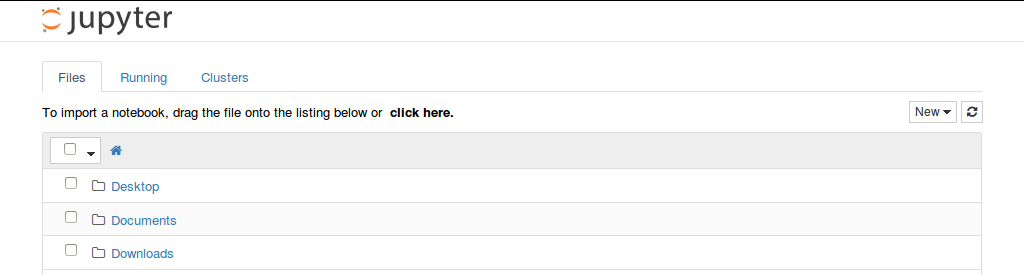
Here's a sample notebook that makes use of the IJavascript kernel:
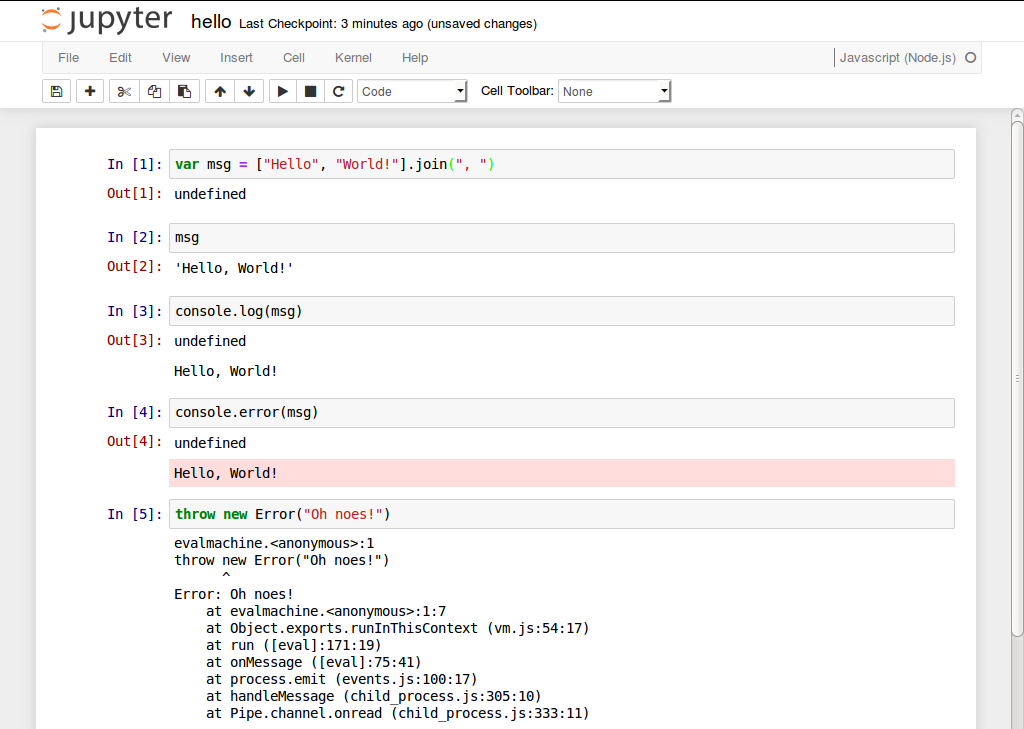
Please, refer to the [usage
notes](http://n-riesco.github.io/ijavascript/doc/usage.md.html) for further
details.
# Contributions
First of all, thank you for taking the time to contribute. Please, read
[CONTRIBUTING](http://n-riesco.github.io/ijavascript/contributing.html) and use
the [issue tracker](https://github.com/n-riesco/ijavascript/issues) for any
contributions: support requests, bug reports, enhancement requests, pull
requests, submission of tutorials...
# TO DO
- Split kernel into Jupyter and Javascript frameworks to help reuse code in the
[CoffeeScript](https://github.com/n-riesco/jp-coffeescript) and
[Babel](https://github.com/n-riesco/jp-babel) kernels.
- Use Mocha test framework
- Complete the implementation of IPython's messaging protocol v4.1
- Complete the implementation of IPython's messaging protocol v5.0
See TODO list in package [NEL](https://github.com/n-riesco/nel) for additional
items.