doublecount: ${this.doubleCount}
`; } } ``` > Note that it's not required to add `doubleCount` to LitElements static `properties` getter. It's still fine to do however if, for example, you want to access the value during LitElements lifecycle callbacks, like `updated`. The `LitAtom` mixin will subscribe to any changes for the `doubleCount` Selector, and rerender your component. You can access the value of the `doubleCount` Selector in your component like so: `this.doubleCount` (👈 the `key` value of the Selector). ## Nested Selectors Selectors can also depend on other Selectors: ```js import { LitElement, html } from 'lit-element'; import { LitAtom, atom, selector } from '@klaxon/atom'; const [count, setCount] = atom({ key: 'count', default: 1 }); const doubleCount = selector({ key: 'doubleCount', get: ({getAtom}) => { const originalCount = getAtom(count); return originalCount * 2; } }); const doubleCountPlusTen = selector({ key: 'doubleCountPlusTen', get: async ({getSelector}) => { const double = await getSelector(doubleCount); return double + 10; } }); setCount(3); class MyElement extends LitAtom(LitElement) { static selectors = [doubleCountPlusTen]; render() { return html`doublecountPlusTen: ${this.doubleCountPlusTen}
`; } } ``` > Note that `getSelector` is async. The order of execution here is: - The Atoms store is updated to `3` - `doubleCount` executes its `get` function and returns `6` - `doubleCountPlusTen` executes its `get` function and returns `16` 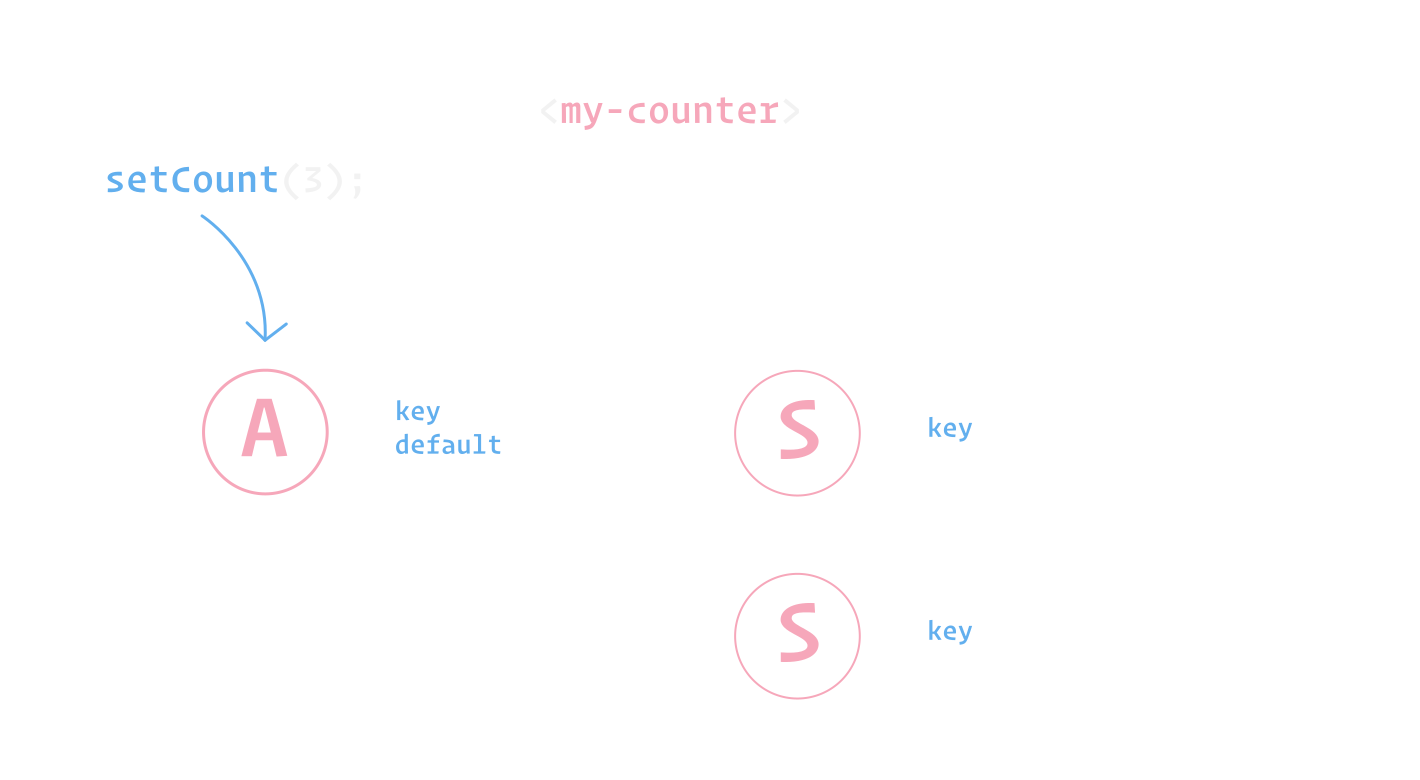 You can read more about Atom's update scheduling [here](../faq/#update-timing).