# Storybook Addon Actions
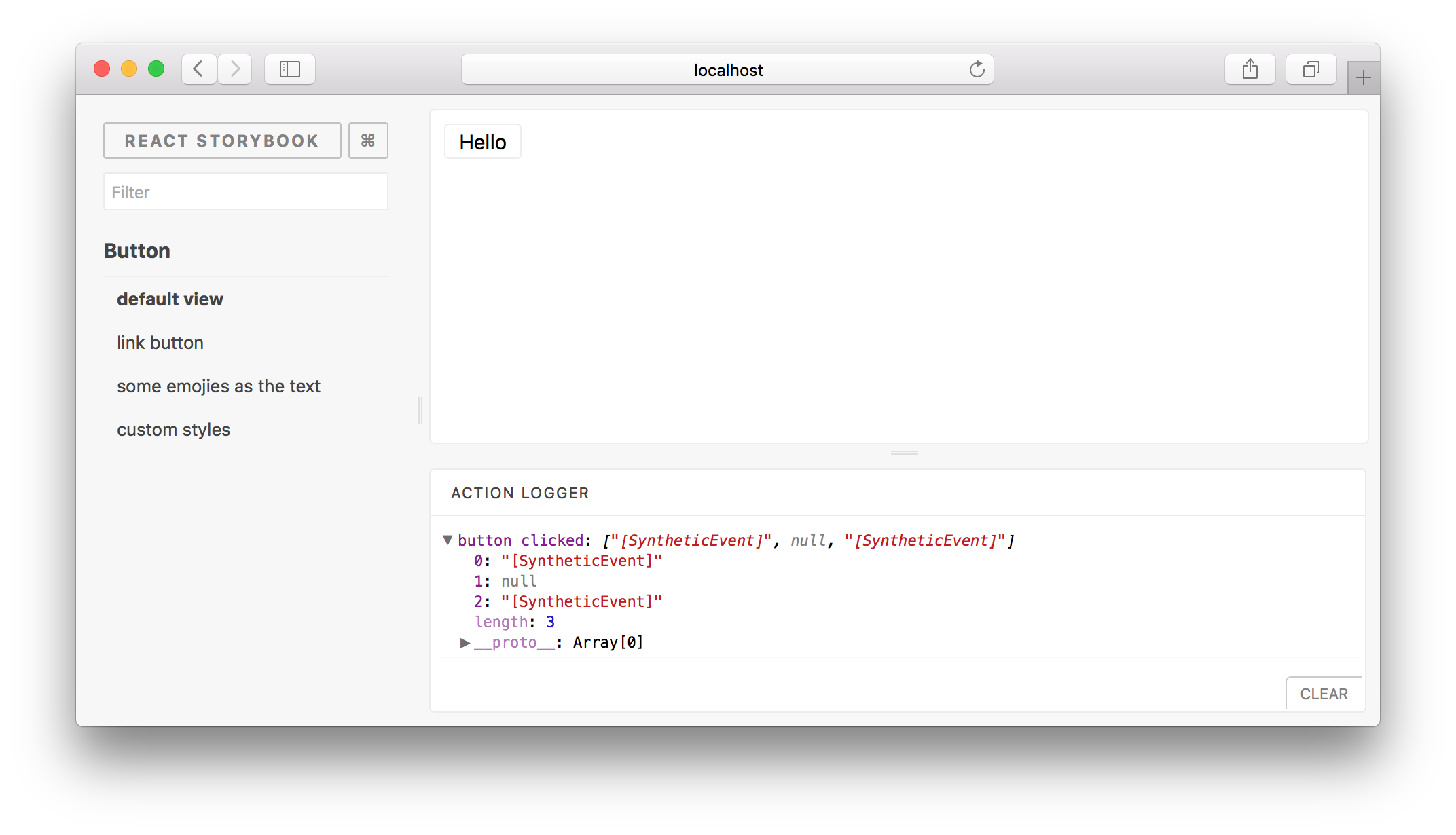
The Action Logger addon can be used to display data received by event handlers. This addon works with both [React Storybook](https://github.com/kadirahq/react-storybook) and [React Native Storybook](https://github.com/kadirahq/react-native-storybook) (included by default).
## Getting Started
You can use this addon without installing it manually.
Import the `action` function and use it to create actions handlers. When creating action handlers, provide a name to make it easier to identify.
```js
import { storiesOf, action } from '@kadira/storybook'
// or import { action } from '@kadira/storybook-addon-actions'
storiesOf('Button', module)
.add('default view', () => (
))
```
## Action Decorators
If you wish to process action data before sending them over to the logger, you can do it with action decorators.
`decorateAction` takes an array of decorator functions. Each decorator function is passed an array of arguments, and should return a new arguments array to use. `decorateAction` returns a function that can be used like `action` but will log the modified arguments instead of the original arguments.
```js
import { action, decorateAction } from '@kadira/storybook-addon-actions'
const firstArgAction = decorateAction([
args => args.slice(0, 1)
]);
storiesOf('Button', module)
.add('default view', () => (
))
```