# `@jasikpark/astro-svg-loader`
[](https://app.fossa.com/projects/git%2Bgithub.com%2Fjasikpark%2Fastro-svg-loader?ref=badge_shield)
This package allows you to import SVGs as Astro components, using
[@natemoo-re](https://github.com/natemoo-re)'s `ultrahtml` and vite's support
for
[raw imports](https://vitejs.dev/guide/assets.html#importing-asset-as-string) to
do the trick.
Taking inspiration from
that holds that icons should always be inlined.
Usage:
Peer deps are `astro`
```
npm add -D @jasikpark/astro-svg-loader
```
```
yarn add -D @jasikpark/astro-svg-loader
```
```
pnpm add -D @jasikpark/astro-svg-loader
```
then in an Astro component:
```astro
---
import Svg from "@jasikpark/astro-svg-loader";
---
```
Be sure to use a raw import: `?raw`, or you'll import the URL rather than the
SVG source.
[](https://stackblitz.com/github/jasikpark/astro-svg-loader/)
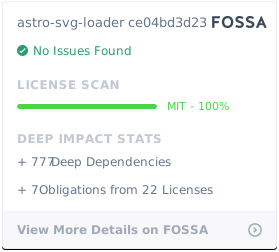
## License
[](https://app.fossa.com/projects/git%2Bgithub.com%2Fjasikpark%2Fastro-svg-loader?ref=badge_large)
## Inspiration
- [astro-icon](https://github.com/natemoo-re/astro-icon)
- [svgr](https://react-svgr.com/)