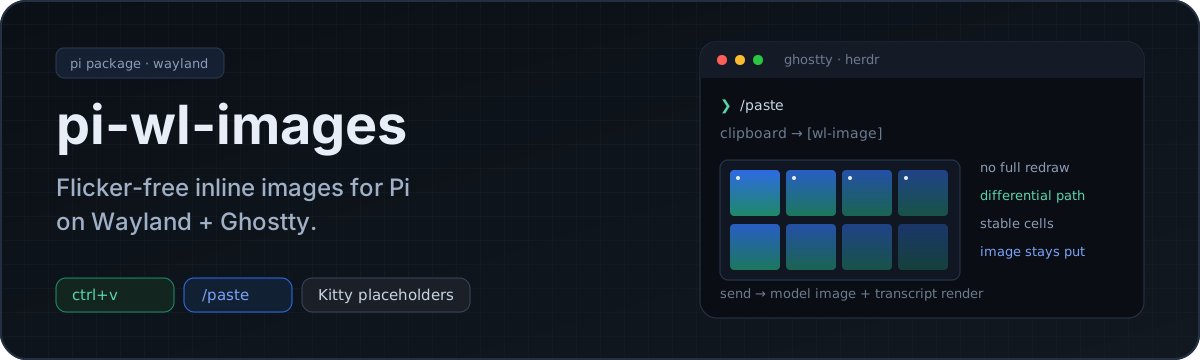



Paste an image into Pi without the full-screen flicker.
Strict Wayland + Ghostty (+ Herdr). Kitty Unicode placeholders only.
---
## Why this exists
Pi's built-in image paste reserves rows and forces a full redraw. That is the flicker.
This package puts images on the **ordinary differential-redraw path** with Kitty Unicode placeholders, so the image stays put while the rest of the TUI updates.

No X11 fallback. No WSL/PowerShell path. No macOS `pngpaste`. No Sixel converter. No native clipboard addon.
## Install
```bash
pi install npm:@itc-steve/pi-wl-images
```
Local checkout:
```bash
pi install /path/to/pi-wl-images
```
### Required: free up `ctrl+v`
Pi binds `ctrl+v` to built-in `app.clipboard.pasteImage`. Leave it bound and **both handlers fire** — clean render *and* the full-screen redraw. Looks like the bug never got fixed.
Unbind it in `~/.pi/agent/keybindings.json`:
```json
{
"app.clipboard.pasteImage": []
}
```
Empty array = no keys. Create the file if missing.
Prefer keeping pi's paste on `ctrl+v`? Skip the unbind and use `/paste` only. Do not run both on the same key.
## First use
| Action | Result |
|---|---|
| `ctrl+v` | attach Wayland clipboard image (after unbind above) |
| `/paste` | same, explicit — works with or without unbind |
| `/image ` | attach image file |
Attaching inserts a `[wl-image]` marker in the draft. Send the message → marker becomes a real image for the model, plus an inline transcript render.
**Delete the marker to cancel.** Markers are counted, not just stripped — remove one and that image is dropped, not silently sent.
## Requirements
- Wayland session
- `wl-clipboard` (`wl-paste`)
- Kitty-graphics terminal with Unicode placeholder support (Ghostty qualifies)
Verify the terminal:
```bash
python3 -c '
import os,termios,tty,select
fd=os.open("/dev/tty",os.O_RDWR); old=termios.tcgetattr(fd); tty.setraw(fd)
os.write(fd,b"\x1b_Gi=99,s=1,v=1,a=q,t=d,f=24;AAAA\x1b\\\\")
print(os.read(fd,64) if select.select([fd],[],[],1)[0] else b"no reply")
termios.tcsetattr(fd,termios.TCSADRAIN,old)'
```
`\x1b_Gi=99;OK\x1b\\` means good.
## How it works
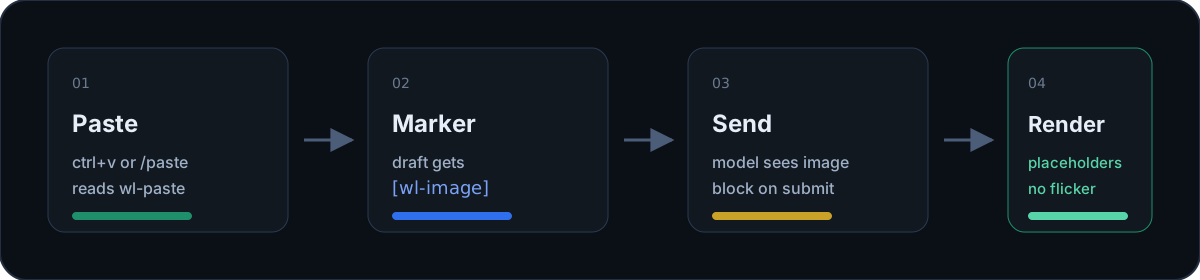
1. **Paste** — `wl-paste` only; bytes + dimensions stashed.
2. **Marker** — `[wl-image]` lands in the editor draft.
3. **Submit** — marker swapped for a real image content block for the model.
4. **Render** — Kitty virtual placement + Unicode placeholder cells via pi-tui `Component.render()`, not reserved rows.
Herdr is optional. Outside a Herdr pane the extension uses the terminal cell-size report and never touches the socket.
```
src/
diacritics.ts Unicode 6.0.0 row/column table (297 entries)
placeholder.ts virtual placement + placeholder cell rows
image-component.ts transmit out-of-band; cells via render()
cell-size.ts Herdr-aware cell geometry
herdr-socket.ts minimal herdr socket client
clipboard.ts wl-paste only
dimensions.ts PNG/JPEG/GIF/WebP header parsing
index.ts commands, shortcut, transform, entry renderer
```
## Limits
| Limit | Value |
|---|---|
| Max image grid | 297×297 cells (diacritic table size) |
| Payload cap | 10MB |
| Animated GIFs | first frame only |
| Terminal resize | retransmits (`c`/`r` fixed at transmit time) |
## Test
```bash
npm test # 25 tests, no framework
npm run typecheck
```
Live flicker check:
```bash
node --experimental-strip-types test/render-demo.ts
```
Draws a red block, redraws the line beneath it 20 times. Block must not blink.
## License
[MIT](./LICENSE) © [itc-steve](https://github.com/itc-steve)