vrcode (Vue QR Code)





A Vue component to generate QR Code and download.
 ## Table of contents
- [Getting started](#getting-started)
- [Props](#props)
- [Milestone](#milestone)
- [Versioning](#versioning)
- [License](#license)
## Getting started
### Install
```shell
npm i @ispa.io/vrcode // npm
yarn add @ispa.io/vrcode // yarn
```
### Usage
```js
import Vue from 'vue';
import vrcode from '@ispa.io/vrcode'
Vue.component('vrcode', vrcode);
```
### Example
```html
```
## Props
### value
- Type: `String` or `Object`
- Default: `undefined`
The value of the QR code. `Object` type used for some helpers tool below.
### download
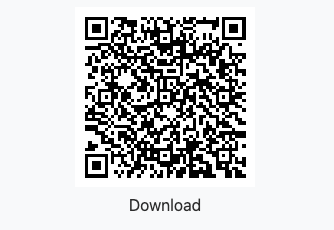
Passing `download` props, to show download button, it support:
- Type: `Object`
- `text` - button inner text
- `visible` - setting download button visible or not
- `style` - setting download button style
- `class` - setting download button class name
- `type` - image type, such as image/png; use mime type for exactly force download
- `filename` - file name to download
You can only download the qrcode to image by using type: `canvas`
### type
- Type: `String`
- Default: `'canvas'`
You can use `canvas` or `svg`. But SVG not support to download now.
### transparent
- Type: `Boolean`
- Default: `false`
Transparent background for canvas and download png image. If `transparent` is setted, `background` option will not work.
**Notes: If after you run `npm update` but the QR Code not generate transparent background, please run `npm clean-install` and run build again.**
### logo
- Type: `String`
- Default: `null`
Your Brand Logo URL.
### opacity
- Type: `Number`
- Default: `100`
Opacity of Logo, by default 100 ~ `opacity: 1`. We will division this number to 100 and set opacity to it.
### options
- Type: `Object`
- Values:
- `level`
- Type: `String`
- Default: `'L'`
Possible levels are shown below:
| Level | Error resistance |
|------------------|:----------------:|
| **L** (Low) | **~7%** |
| **M** (Medium) | **~15%** |
| **Q** (Quartile) | **~25%** |
| **H** (High) | **~30%** |
- `padding`
- Type: `Number`
- Default: `10`
**This is padding border of image (Because users is difficult to scan with dark mode/dark background, so we need a white padding/border)**
- `background`
- Type: `String`
- Default: `'#fff'`
- `foreground`
- Type: `String`
- Default: `'#000'`
- `className`
- Type: `String`
- Default: `''`
### Helpers
#### What are helpers?
Helpers are an easy way to create QrCodes that cause a reader to perform a certain action when scanned.
#### Email
This helper generates an e-mail qrcode that is able to fill in the e-mail address, subject, and body.
```html
```
#### Call a number
This helper generates a QrCode that can be scanned and then dials a number.
```html
```
#### SMS (Text Messages)
This helper makes SMS messages that can be prefilled with the send to address and body of the message.
```html
```
#### Geo
This helper generates a latitude and longitude that a phone can read and opens the location in Google Maps or similar app.
```html
```
#### Wifi
This helpers makes scannable QrCodes that can connect a phone to a WiFI network.
```html
```
- `encrypt`: `WPA`, `WEP` or can be `null`
- `hidden`: `true` or `false`
#### Coin Wallet Address
This helper generates a scannable bitcoin (and other coins) to send payments.
```html
```
- `coin`: default is `bitcoin`, you can change it by your own coin code (`ethereum`, `bitcoincash`, `dash`...)
- `coin`, `address`, `amount` has required
- `message` has not required.
#### Event
This helper generates a scannable event tag to add into calendar events.
```html
```
- `allDay`: if set `true` => start and end has format: `20200702`
- `start` and `end`: timezone is UTC
#### meCard AND vCard
This helpers makes scannable QrCodes that add to contact list. You can use `mecard` or `vcard`. Notes that `mecard` has not `title` value.
```html
```
## Milestone
- [x] Transparent background (Finished at 2020-08-08)
- [x] PNG transparent background download (Finished at 2020-08-08)
- [x] With centered logo (Finished at 2020-08-28)
## Versioning
Maintained under the [Semantic Versioning guidelines](https://semver.org/).
## License
[MIT](https://opensource.org/licenses/MIT) © [Malayvuong](https://malayvuong.com/)
## Invite me a cup of coffee
If you like this project and want to contribute us, then you can send us a cup of coffee by this ways below:
| PAYPAL.ME | MOMO App (Vietnam) |
|:--------------------:|:------------------:|
|
## Table of contents
- [Getting started](#getting-started)
- [Props](#props)
- [Milestone](#milestone)
- [Versioning](#versioning)
- [License](#license)
## Getting started
### Install
```shell
npm i @ispa.io/vrcode // npm
yarn add @ispa.io/vrcode // yarn
```
### Usage
```js
import Vue from 'vue';
import vrcode from '@ispa.io/vrcode'
Vue.component('vrcode', vrcode);
```
### Example
```html
```
## Props
### value
- Type: `String` or `Object`
- Default: `undefined`
The value of the QR code. `Object` type used for some helpers tool below.
### download
Passing `download` props, to show download button, it support:
- Type: `Object`
- `text` - button inner text
- `visible` - setting download button visible or not
- `style` - setting download button style
- `class` - setting download button class name
- `type` - image type, such as image/png; use mime type for exactly force download
- `filename` - file name to download
You can only download the qrcode to image by using type: `canvas`
### type
- Type: `String`
- Default: `'canvas'`
You can use `canvas` or `svg`. But SVG not support to download now.
### transparent
- Type: `Boolean`
- Default: `false`
Transparent background for canvas and download png image. If `transparent` is setted, `background` option will not work.
**Notes: If after you run `npm update` but the QR Code not generate transparent background, please run `npm clean-install` and run build again.**
### logo
- Type: `String`
- Default: `null`
Your Brand Logo URL.
### opacity
- Type: `Number`
- Default: `100`
Opacity of Logo, by default 100 ~ `opacity: 1`. We will division this number to 100 and set opacity to it.
### options
- Type: `Object`
- Values:
- `level`
- Type: `String`
- Default: `'L'`
Possible levels are shown below:
| Level | Error resistance |
|------------------|:----------------:|
| **L** (Low) | **~7%** |
| **M** (Medium) | **~15%** |
| **Q** (Quartile) | **~25%** |
| **H** (High) | **~30%** |
- `padding`
- Type: `Number`
- Default: `10`
**This is padding border of image (Because users is difficult to scan with dark mode/dark background, so we need a white padding/border)**
- `background`
- Type: `String`
- Default: `'#fff'`
- `foreground`
- Type: `String`
- Default: `'#000'`
- `className`
- Type: `String`
- Default: `''`
### Helpers
#### What are helpers?
Helpers are an easy way to create QrCodes that cause a reader to perform a certain action when scanned.
#### Email
This helper generates an e-mail qrcode that is able to fill in the e-mail address, subject, and body.
```html
```
#### Call a number
This helper generates a QrCode that can be scanned and then dials a number.
```html
```
#### SMS (Text Messages)
This helper makes SMS messages that can be prefilled with the send to address and body of the message.
```html
```
#### Geo
This helper generates a latitude and longitude that a phone can read and opens the location in Google Maps or similar app.
```html
```
#### Wifi
This helpers makes scannable QrCodes that can connect a phone to a WiFI network.
```html
```
- `encrypt`: `WPA`, `WEP` or can be `null`
- `hidden`: `true` or `false`
#### Coin Wallet Address
This helper generates a scannable bitcoin (and other coins) to send payments.
```html
```
- `coin`: default is `bitcoin`, you can change it by your own coin code (`ethereum`, `bitcoincash`, `dash`...)
- `coin`, `address`, `amount` has required
- `message` has not required.
#### Event
This helper generates a scannable event tag to add into calendar events.
```html
```
- `allDay`: if set `true` => start and end has format: `20200702`
- `start` and `end`: timezone is UTC
#### meCard AND vCard
This helpers makes scannable QrCodes that add to contact list. You can use `mecard` or `vcard`. Notes that `mecard` has not `title` value.
```html
```
## Milestone
- [x] Transparent background (Finished at 2020-08-08)
- [x] PNG transparent background download (Finished at 2020-08-08)
- [x] With centered logo (Finished at 2020-08-28)
## Versioning
Maintained under the [Semantic Versioning guidelines](https://semver.org/).
## License
[MIT](https://opensource.org/licenses/MIT) © [Malayvuong](https://malayvuong.com/)
## Invite me a cup of coffee
If you like this project and want to contribute us, then you can send us a cup of coffee by this ways below:
| PAYPAL.ME | MOMO App (Vietnam) |
|:--------------------:|:------------------:|
|  |
|  |
[⬆ back to top](#table-of-contents)
|
[⬆ back to top](#table-of-contents)