शुरू करें ·
दस्तावेज़ीकरण ·
Discord



# InsForge
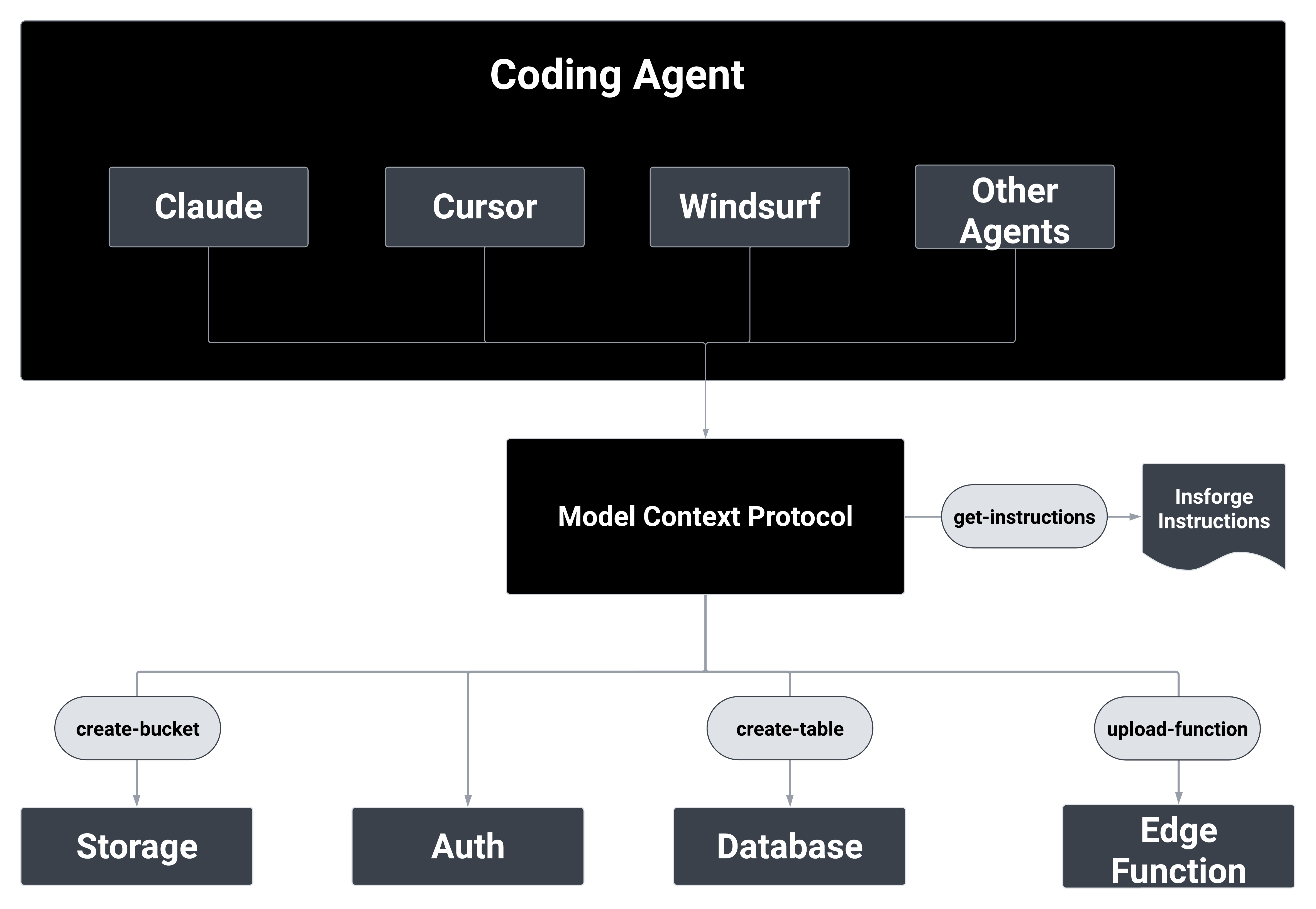
**InsForge एजेंट-नेटिव Supabase का विकल्प है।** हम Supabase की सुविधाओं को AI-नेटिव तरीके से बना रहे हैं, जिससे AI एजेंटों को स्वायत्त रूप से फुल-स्टैक एप्लिकेशन बनाने और प्रबंधित करने में मदद मिलती है।
## मुख्य विशेषताएँ और उपयोग के मामले
### मुख्य विशेषताएँ:
- **प्रमाणीकरण** - पूर्ण उपयोगकर्ता प्रबंधन प्रणाली
- **डेटाबेस** - लचीला डेटा भंडारण और पुनर्प्राप्ति
- **स्टोरेज** - फ़ाइल प्रबंधन और संगठन
- **सर्वरलेस फ़ंक्शंस** - स्केलेबल कंप्यूट पावर
- **साइट परिनियोजन** *(जल्द आ रहा है)* - आसान एप्लिकेशन परिनियोजन
### उपयोग के मामले: प्राकृतिक भाषा का उपयोग करके फुल-स्टैक एप्लिकेशन बनाना
- **AI एजेंटों को InsForge से कनेक्ट करें** - Claude, GPT, या अन्य AI एजेंटों को अपने बैकएंड को प्रबंधित करने में सक्षम करें
- **Lovable या Bolt-शैली के वाइब कोडिंग प्रोजेक्ट में बैकएंड जोड़ें** - AI-जनित फ्रंटएंड के लिए तत्काल बैकएंड
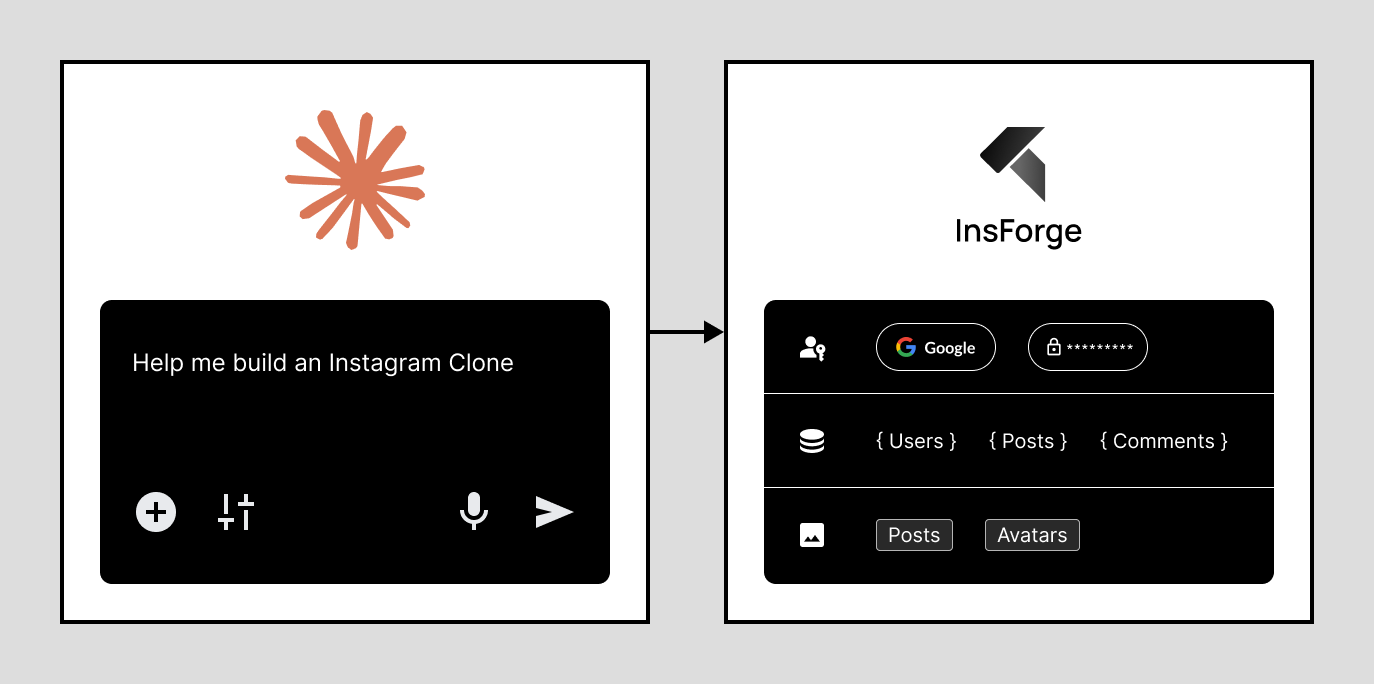
## प्रॉम्प्ट उदाहरण:
|
## क्विकस्टार्ट TLDR;
### 1. InsForge इंस्टॉल करें और चलाएं
**Docker का उपयोग करें (अनुशंसित)**
आवश्यकताएँ: [Docker](https://www.docker.com/) + [Node.js](https://nodejs.org/)
```bash
# Docker के साथ चलाएं
git clone https://github.com/insforge/insforge.git
cd insforge
cp .env.example .env
docker compose up
```
### 2. एक AI एजेंट कनेक्ट करें
InsForge डैशबोर्ड (डिफ़ॉल्ट: http://localhost:7131) पर जाएं, लॉग इन करें, और "कनेक्ट" गाइड का पालन करें, और अपना MCP सेट करें।
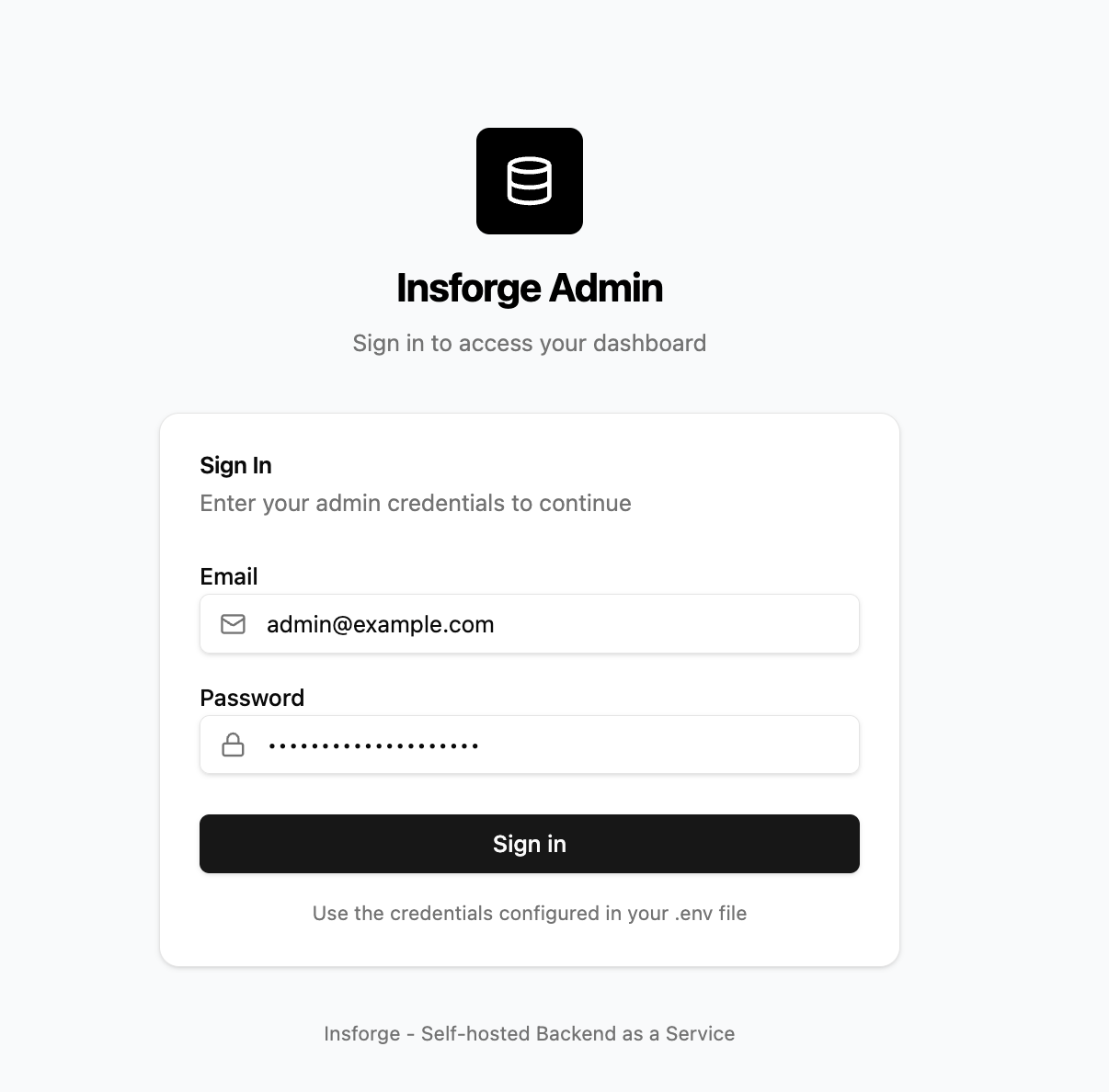
InsForge में साइन इन करें
|
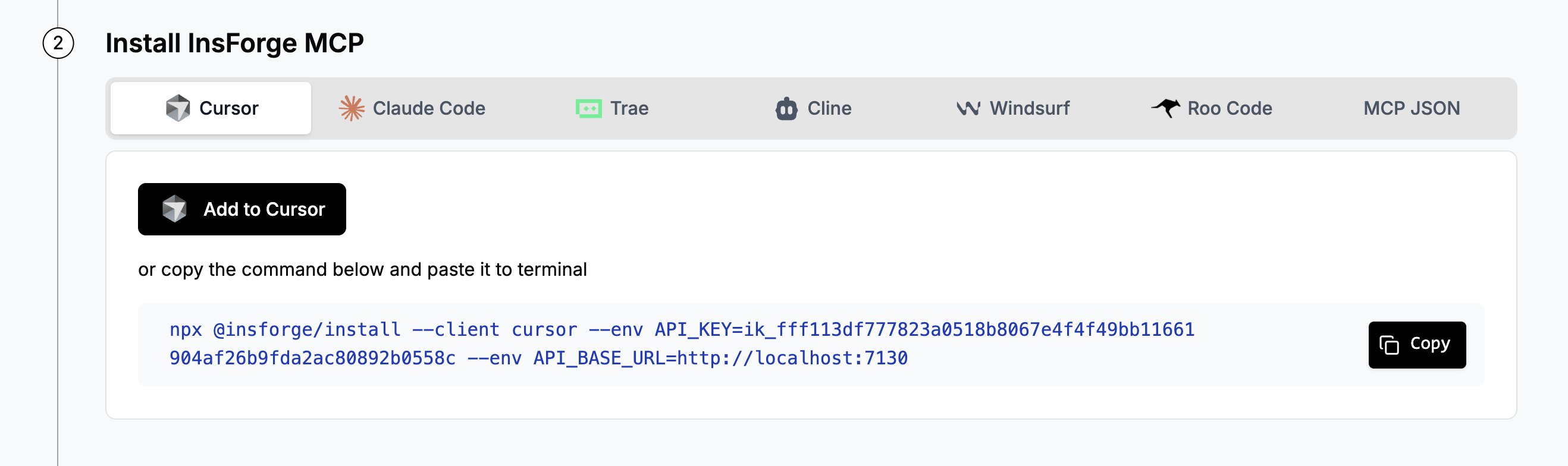
MCP कनेक्शन कॉन्फ़िगर करें
|
### 3. कनेक्शन का परीक्षण करें
अपने एजेंट में, भेजें:
```
InsForge मेरा बैकएंड प्लेटफ़ॉर्म है, मेरी वर्तमान बैकएंड संरचना क्या है?
```
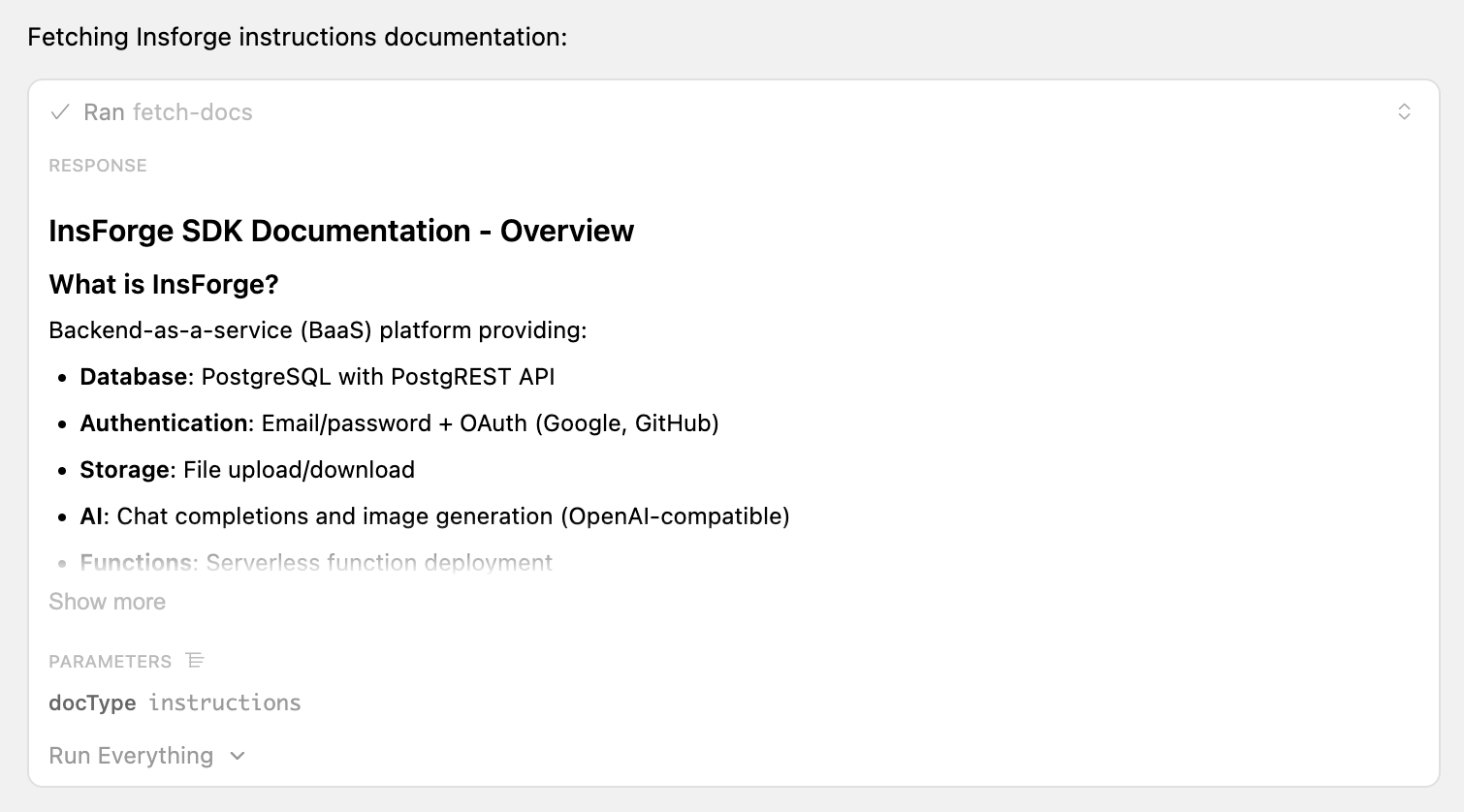 insforge MCP टूल को कॉल करने पर सफल प्रतिक्रिया का नमूना
### 4. InsForge का उपयोग शुरू करें
एक नई डायरेक्टरी में अपना प्रोजेक्ट बनाना शुरू करें! अपना अगला टूडू ऐप, इंस्टाग्राम क्लोन, या ऑनलाइन प्लेटफ़ॉर्म सेकंडों में बनाएं!
**नमूना प्रोजेक्ट प्रॉम्प्ट:**
- "उपयोगकर्ता प्रमाणीकरण के साथ एक टूडू ऐप बनाएं"
- "छवि अपलोड के साथ एक इंस्टाग्राम बनाएं"
## आर्किटेक्चर
## योगदान
**योगदान**: यदि आप योगदान करने में रुचि रखते हैं, तो आप हमारी गाइड यहाँ देख सकते हैं [CONTRIBUTING.md](CONTRIBUTING.md)। हम पुल अनुरोधों की वास्तव में सराहना करते हैं, सभी प्रकार की मदद की सराहना की जाती है!
**समर्थन**: यदि आपको किसी भी मदद या समर्थन की आवश्यकता है, तो हम अपने [Discord चैनल](https://discord.gg/MPxwj5xVvW) पर उत्तरदायी हैं, और हमें [info@insforge.dev](mailto:info@insforge.dev) पर ईमेल करने में भी संकोच न करें!
## दस्तावेज़ीकरण और समर्थन
### दस्तावेज़ीकरण
- **[आधिकारिक दस्तावेज़](https://docs.insforge.dev/introduction)** - व्यापक गाइड और API संदर्भ
### समुदाय
- **[Discord](https://discord.gg/D3Vf8zD2ZS)** - हमारे जीवंत समुदाय में शामिल हों
- **[Twitter](https://x.com/InsForge_dev)** - अपडेट और युक्तियों के लिए फॉलो करें
### संपर्क
- **ईमेल**: info@insforge.dev
## लाइसेंस
यह प्रोजेक्ट Apache License 2.0 के तहत लाइसेंस प्राप्त है - विवरण के लिए [LICENSE](LICENSE) फ़ाइल देखें।
---
[](https://www.star-history.com/#InsForge/insforge&Date)