
# AngularEditor
[](https://badge.fury.io/js/%40kolkov%2Fangular-editor)
[](https://stackblitz.com/edit/angular-editor-wysiwyg)
[](https://travis-ci.com/kolkov/angular-editor)
[](https://www.npmjs.com/package/@hayafer/angular-editor)
[](https://www.jsdelivr.com/package/npm/@hayafer/angular-editor)
[](https://coveralls.io/github/kolkov/angular-editor?branch=master)
[](https://david-dm.org/kolkov/angular-editor)
[](https://david-dm.org/kolkov/angular-editor?type=dev)
[](https://codecov.io/gh/kolkov/angular-editor)
[](https://paypal.me/AndreyKolkov)
A simple native WYSIWYG/Rich Text editor for Angular 6-12+
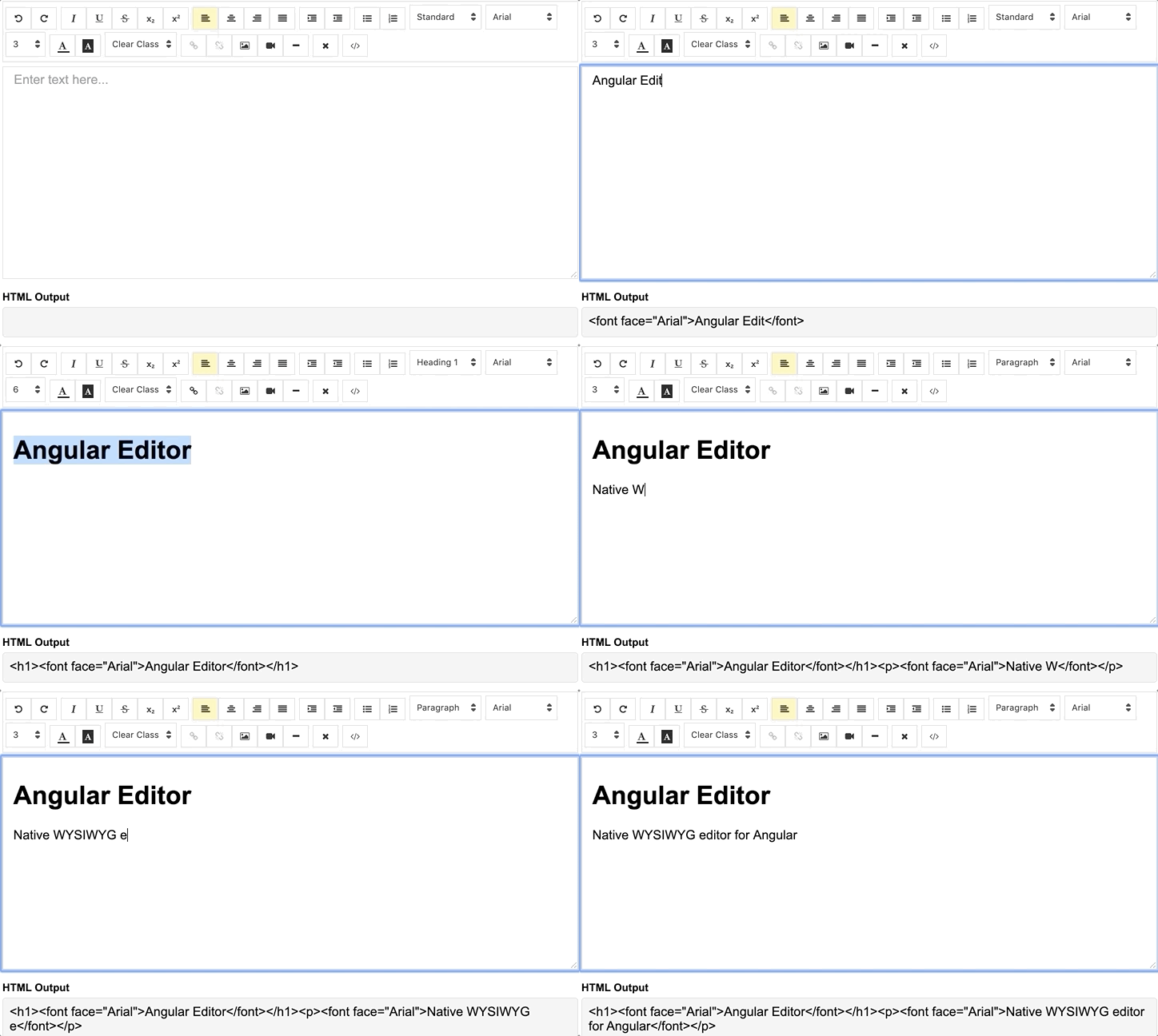
## Demo
[demo](https://angular-editor-wysiwyg.stackblitz.io/) | [See the code in StackBlitz](https://stackblitz.com/edit/angular-editor-wysiwyg).
## Getting Started
### Installation
Install via [npm][npm] package manager
```bash
npm install @hayafer/angular-editor --save
```
### Versions
1.0.0 and above - for Angular v8.x.x and above
0.18.4 and above - for Angular v7.x.x
0.15.x - for Angular v6.x.x
### Usage
Import `angular-editor` module
```js
import { HttpClientModule} from '@angular/common/http';
import { AngularEditorModule } from '@hayafer/angular-editor';
@NgModule({
imports: [ HttpClientModule, AngularEditorModule ]
})
```
Then in HTML
```html
```
or for usage with reactive forms
```html
```
if you using more than one editor on same page set `id` property
```html
```
where
```js
import { AngularEditorConfig } from '@hayafer/angular-editor';
editorConfig: AngularEditorConfig = {
editable: true,
spellcheck: true,
height: 'auto',
minHeight: '0',
maxHeight: 'auto',
width: 'auto',
minWidth: '0',
translate: 'yes',
enableToolbar: true,
showToolbar: true,
placeholder: 'Enter text here...',
defaultParagraphSeparator: '',
defaultFontName: '',
defaultFontSize: '',
fonts: [
{class: 'arial', name: 'Arial'},
{class: 'times-new-roman', name: 'Times New Roman'},
{class: 'calibri', name: 'Calibri'},
{class: 'comic-sans-ms', name: 'Comic Sans MS'}
],
customClasses: [
{
name: 'quote',
class: 'quote',
},
{
name: 'redText',
class: 'redText'
},
{
name: 'titleText',
class: 'titleText',
tag: 'h1',
},
],
uploadUrl: 'v1/image',
upload: (file: File) => { ... }
uploadWithCredentials: false,
sanitize: true,
toolbarPosition: 'top',
toolbarHiddenButtons: [
['bold', 'italic'],
['fontSize']
]
};
```
For `ngModel` to work, you must import `FormsModule` from `@angular/forms`, or for `formControlName`, you must import `ReactiveFormsModule` from `@angular/forms`
## API
### Inputs
| Input | Type | Default | Required | Description |
| ------------- | ------------- | ------------- | ------------- | ------------- |
| id | `string` | `-` | no | Id property when multiple editor used on same page |
| [config] | `AngularEditorConfig` | `default config` | no | config for the editor |
| placeholder | `string` | `-` | no | Set custom placeholder for input area |
| tabIndex | `number` | `-` | no | Set Set tabindex on angular-editor |
### Outputs
| Output | Description |
| ------------- | ------------- |
| (html) | Output html |
| (viewMode) | Fired when switched visual and html source mode |
| (blur) | Fired when editor blur |
| (focus) | Fired when editor focus |
### Methods
Name | Description |
| ------------- | ------------- |
| focus | Focuses the editor element |
### Other
Name | Type | Description |
| ------------- | ------------- | ------------- |
| AngularEditorConfig | configuration | Configuration for the AngularEditor component.|
### Configuration
| Input | Type | Default | Required | Description |
| ------------- | ------------- | ------------- | ------------- | ------------- |
| editable | `bolean` | `true` | no | Set editing enabled or not |
| spellcheck | `bolean` | `true` | no | Set spellchecking enabled or not |
| translate | `string` | `yes` | no | Set translating enabled or not |
| sanitize | `bolean` | `true` | no | Set DOM sanitizing enabled or not |
| height | `string` | `auto` | no | Set height of the editor |
| minHeight | `string` | `0` | no | Set minimum height of the editor |
| maxHeight | `string` | `auto` | no | Set maximum height of the editor |
| width | `string` | `auto` | no | Set width of the editor |
| minWidth | `string` | `0` | no | Set minimum width of the editor |
| enableToolbar | `bolean` | `true` | no | Set toolbar enabled or not |
| showToolbar | `bolean` | `true` | no | Set toolbar visible or not |
| toolbarPosition | `string` | `top` | no | Set toolbar position top or bottom |
| placeholder | `string` | `-` | no | Set placeholder text |
| defaultParagraphSeparator | `string` | `-` | no | Set default paragraph separator such as `p` |
| defaultFontName | `string` | `-` | no | Set default font such as `Comic Sans MS` |
| defaultFontSize | `string` | `-` | no | Set default font size such as `1` - `7` |
| uploadUrl | `string` | `-` | no | Set image upload endpoint `https://api.exapple.com/v1/image/upload` and return response with imageUrl key. {"imageUrl" : } |
| upload | `function` | `-` | no | Set image upload function |
| uploadWithCredentials | `bolean` | `false` | no | Set passing or not credentials in the image upload call |
| fonts | `Font[]` | `-` | no | Set array of available fonts `[{name, class},...]` |
| customClasses | `CustomClass[]` | `-` | no | Set array of available fonts `[{name, class, tag},...]` |
| outline | `bolean` | `true` | no | Set outline of the editor if in focus |
| toolbarHiddenButtons | `string[][]` | `-` | no | Set of the array of button names or elements to hide |
```js
toolbarHiddenButtons: [
[
'undo',
'redo',
'bold',
'italic',
'underline',
'strikeThrough',
'subscript',
'superscript',
'justifyLeft',
'justifyCenter',
'justifyRight',
'justifyFull',
'indent',
'outdent',
'insertUnorderedList',
'insertOrderedList',
'heading',
'fontName'
],
[
'fontSize',
'textColor',
'backgroundColor',
'customClasses',
'link',
'unlink',
'insertImage',
'insertVideo',
'insertHorizontalRule',
'removeFormat',
'toggleEditorMode'
]
]
```
## What's included
Within the download you'll find the following directories and files. You'll see something like this:
```
angular-editor/
└── projects/
├── angular-editor/
└── angular-editor-app/
```
`angular-editor/` - library
`angular-editor-app/` - demo application
## Documentation
The documentation for the AngularEditor is hosted at our website [AngularEditor](https://angular-editor.kolkov.ru/)
## Contributing
Please read through our [contributing guidelines](https://github.com/kolkov/angular-editor/blob/master/CONTRIBUTING.md). Included are directions for opening issues, coding standards, and notes on development.
Editor preferences are available in the [editor config](https://github.com/kolkov/angular-editor/blob/master/.editorconfig) for easy use in common text editors. Read more and download plugins at .
## Versioning
For a transparency into our release cycle and in striving to maintain backward compatibility, AngularEditor is maintained under [the Semantic Versioning guidelines](http://semver.org/).
See [the Releases section of our project](https://github.com/kolkov/angular-editor/releases) for changelogs for each release version.
## Creators
**Andrey Kolkov**
*
## Donate
If you like my work and I save your time you can buy me a :beer: or :pizza: [](https://paypal.me/AndreyKolkov)
[npm]: https://www.npmjs.com/package/@hayafer/angular-editor
[demo]: https://angular-editor-wysiwyg.stackblitz.io/
[example]: https://stackblitz.com/edit/angular-editor-wysiwyg