# Ẏagr  Yagr is a high-performance HTML5 canvas chart renderer based on [uPlot](https://github.com/leeoniya/uPlot). It provides high-level features for uPlot charts.
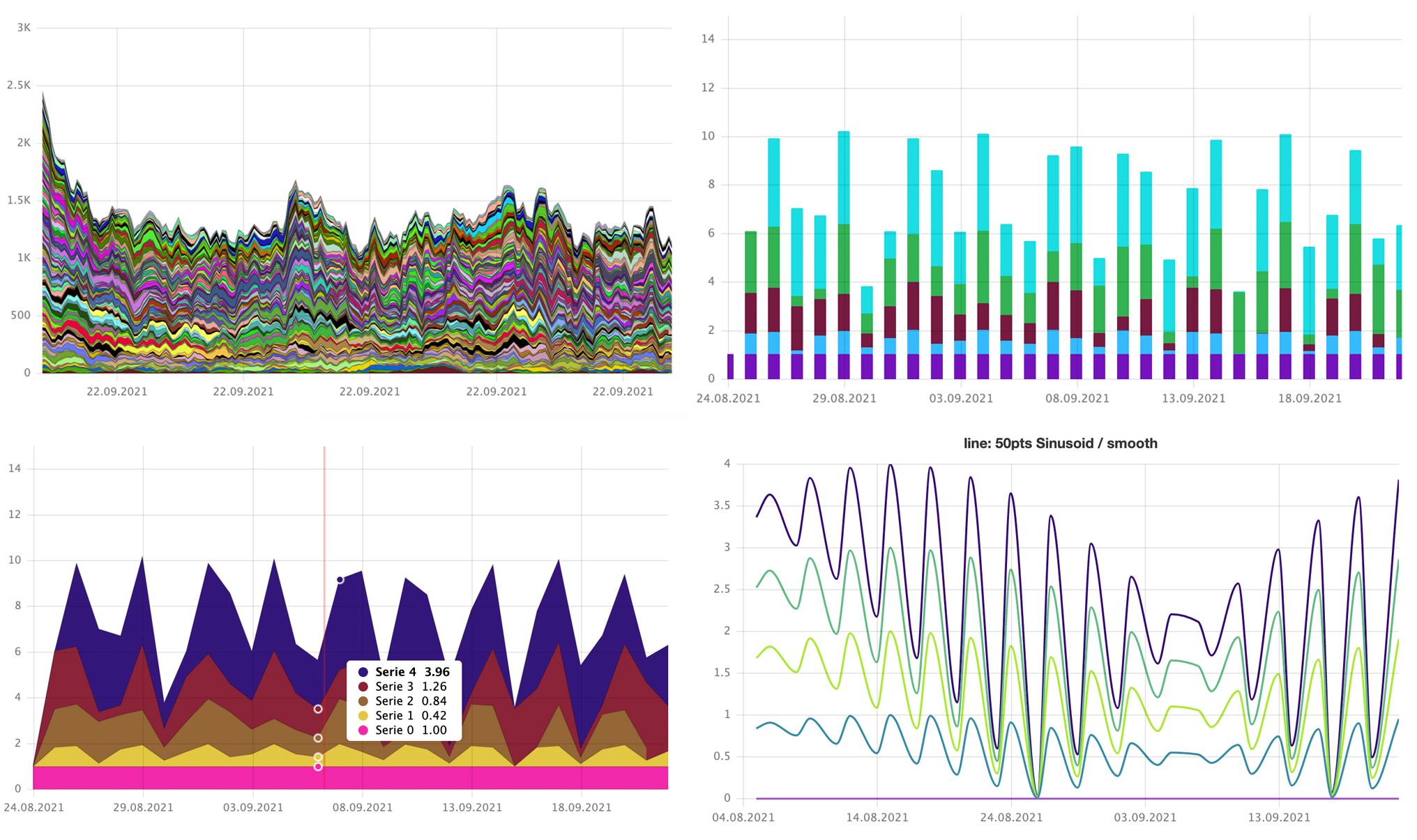 ## Features
- [Lines, areas, columns, and dots as visualization types. Configurable per series](https://yagr.tech/en/api/visualization)
- [Configurable Legend Tooltip](https://yagr.tech/en/plugins/tooltip)
- [Axes with extra options for decimal-level precision](https://yagr.tech/en/api/axes)
- [Scales with configurable range functions and transformations](https://yagr.tech/en/api/scales)
- [Plot lines and bands. Configurable draw layer](https://yagr.tech/en/plugins/plot-lines)
- [Responsive charts](https://yagr.tech/en/api/settings#adaptivity) (requires [ResizeObserver](https://developer.mozilla.org/en-US/docs/Web/API/ResizeObserver))
- [High-level support of stacked areas/columns](https://yagr.tech/en/api/scales#stacking)
- [Configurable markers](./docs/api/markers.md)
- [Light/Dark theme](https://yagr.tech/en/api/settings#theme)
- [Data normalization](https://yagr.tech/en/api/scales#normalization)
- [Configurable crosshairs, cursor markers and snapping](https://yagr.tech/en/api/cursor)
- Typescript
- [Localization](https://yagr.tech/en/api/settings#localization)
- [CSS Variables in color names](https://yagr.tech/en/api/css)
- [Paginated inline legend](https://yagr.tech/en/plugins/legend)
- [Error handling and extended hooks](https://yagr.tech/en/api/lifecycle)
- [Data alignment and interpolation for missing data](https://yagr.tech/en/api/data-processing)
- [Realtime updates](https://yagr.tech/en/api/dynamic-updates)
## [Documentation](https://yagr.tech)
## Quick Start
```
npm i @gravity-ui/yagr
```
### NPM Module
```typescript
import Yagr from '@gravity-ui/yagr';
new Yagr(document.body, {
timeline: [1, 2, 3, 4, 5],
series: [
{
data: [1, 2, 3, 4, 5],
color: 'red',
},
{
data: [2, 3, 1, 4, 5],
color: 'green',
},
],
});
```
### Script Tag
```html
```
### Examples
Need something specific? Yagr presents some useful examples in the [demo/examples](./demo/examples/) folder. How to start them with current version:
1. Clone the repository.
2. Install dependencies `npm i`.
3. Run `npm run build`.
4. Run `npx http-server .`.
5. Open examples in browser according to the http-server output.
## Features
- [Lines, areas, columns, and dots as visualization types. Configurable per series](https://yagr.tech/en/api/visualization)
- [Configurable Legend Tooltip](https://yagr.tech/en/plugins/tooltip)
- [Axes with extra options for decimal-level precision](https://yagr.tech/en/api/axes)
- [Scales with configurable range functions and transformations](https://yagr.tech/en/api/scales)
- [Plot lines and bands. Configurable draw layer](https://yagr.tech/en/plugins/plot-lines)
- [Responsive charts](https://yagr.tech/en/api/settings#adaptivity) (requires [ResizeObserver](https://developer.mozilla.org/en-US/docs/Web/API/ResizeObserver))
- [High-level support of stacked areas/columns](https://yagr.tech/en/api/scales#stacking)
- [Configurable markers](./docs/api/markers.md)
- [Light/Dark theme](https://yagr.tech/en/api/settings#theme)
- [Data normalization](https://yagr.tech/en/api/scales#normalization)
- [Configurable crosshairs, cursor markers and snapping](https://yagr.tech/en/api/cursor)
- Typescript
- [Localization](https://yagr.tech/en/api/settings#localization)
- [CSS Variables in color names](https://yagr.tech/en/api/css)
- [Paginated inline legend](https://yagr.tech/en/plugins/legend)
- [Error handling and extended hooks](https://yagr.tech/en/api/lifecycle)
- [Data alignment and interpolation for missing data](https://yagr.tech/en/api/data-processing)
- [Realtime updates](https://yagr.tech/en/api/dynamic-updates)
## [Documentation](https://yagr.tech)
## Quick Start
```
npm i @gravity-ui/yagr
```
### NPM Module
```typescript
import Yagr from '@gravity-ui/yagr';
new Yagr(document.body, {
timeline: [1, 2, 3, 4, 5],
series: [
{
data: [1, 2, 3, 4, 5],
color: 'red',
},
{
data: [2, 3, 1, 4, 5],
color: 'green',
},
],
});
```
### Script Tag
```html
```
### Examples
Need something specific? Yagr presents some useful examples in the [demo/examples](./demo/examples/) folder. How to start them with current version:
1. Clone the repository.
2. Install dependencies `npm i`.
3. Run `npm run build`.
4. Run `npx http-server .`.
5. Open examples in browser according to the http-server output.