<h1 align="center">
  <img src="https://raw.githubusercontent.com/glideapps/glide-data-grid/master/icon.png" width="224px"/><br/>
  <b>Glide Data Grid Cells</b>
</h1>
<p align="center">Additional cells and features for Glide Data Grid</p>

[![Version](https://img.shields.io/npm/v/@glideapps/glide-data-grid-cells?color=blue&label=latest&style=for-the-badge)](https://github.com/glideapps/glide-data-grid/releases)
[![React 16+](https://img.shields.io/badge/React-16+-00ADD8?style=for-the-badge&logo=react)](https://reactjs.org)

[![npm bundle size](https://img.shields.io/bundlephobia/minzip/@glideapps/glide-data-grid-cells?color=success&label=bundle&style=for-the-badge)](https://bundlephobia.com/package/@glideapps/glide-data-grid-cells)
[![License](https://img.shields.io/github/license/glideapps/glide-data-grid?color=red&style=for-the-badge)](https://github.com/glideapps/glide-data-grid/blob/main/LICENSE)

[![Made By Glide](https://img.shields.io/badge/❤_Made_by-Glide-11CCE5?style=for-the-badge&logo=none)](https://www.glideapps.com/jobs)

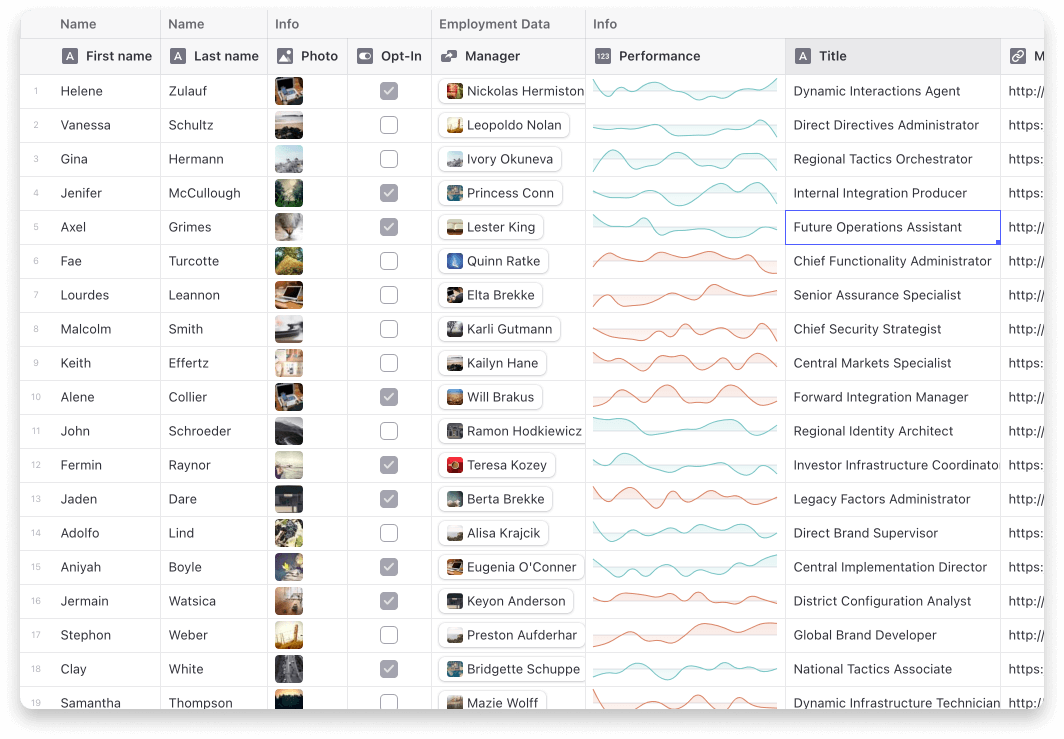
![Data Grid](https://raw.githubusercontent.com/glideapps/glide-data-grid/master/data-grid.jpg)

Current cells

-   Star (Rating) Cell
-   Sparklines
-   Article
-   Dropdown
-   Range
-   User profile
-   Tags

# Usage

Step 1: Add the extra cells to your grid.

```tsx
import { useExtraCells } from "@glideapps/glide-data-grid-cells";

const Grid = () => {
    const { customRenderers } = useExtraCells();
    return <DataEditor customRenderers={customRenderers} {...rest} />;
};
```

Step 2: Use the cells in your `getCellContent` callback

```ts
import type { StarCell } from "@glideapps/glide-data-grid-cells";

const getCellContent = React.useCallback(() => {
    const starCell: StarCell = {
        kind: GridCellKind.Custom,
        allowOverlay: true,
        copyData: "4 out of 5",
        data: {
            kind: "star-cell",
            label: "Test",
            rating: 4,
        },
    };

    return starCell;
}, []);
```

## Note on ArticleCell

The ArticleCell uses `@toast-ui/editor` to provide its editor. To make sure it works correctly your project will need to import the css file it depends on.

```
import "@toast-ui/editor/dist/toastui-editor.css";
```