# Angular Geocoder Autocomplete
[](https://geoapify.github.io/angular-geocoder-autocomplete/)
The **Angular Geocoder Autocomplete** component integrates the core [@geoapify/geocoder-autocomplete](https://www.npmjs.com/package/@geoapify/geocoder-autocomplete) library into Angular.
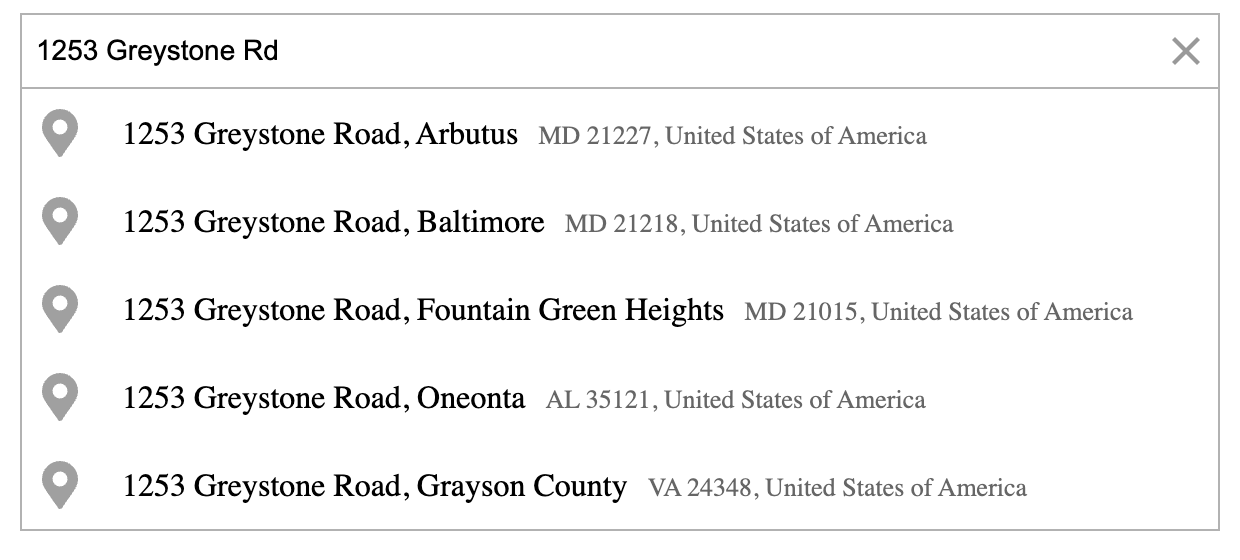
It provides an easy-to-use Angular wrapper for the [Geoapify Geocoding Autocomplete API](https://www.geoapify.com/address-autocomplete/), allowing developers to add advanced, localized, and flexible address search functionality to their applications.
## Table of Contents
- [Features](#features)
- [Quick Start](#quick-start)
- [Compatibility](#compatibility)
- [Documentation](#documentation)
- [Examples](#examples)
- [Learn More](#learn-more)
- [Contributions and Support](#contributions-and-support)
## Features
* Simple Angular integration with a ready-to-use component.
* Fast, responsive incremental search with built-in debounce.
* Localized suggestions with support for multiple languages and country filters.
* Flexible configuration: biasing, filtering, and bounding boxes.
* Customizable design: easily style or theme your component.
* Accessible with keyboard navigation and ARIA support.
* Rich results including coordinates, structured address, and metadata.
* Compatible with Angular 15–20.
## Quick Start
You’ll need a **Geoapify API key** to use the component.
1. Register for a free account at [myprojects.geoapify.com](https://myprojects.geoapify.com/).
2. Create a project to obtain your API key.
3. You can start for free — Geoapify offers a generous [Freemium plan](https://www.geoapify.com/pricing/).
### 1. Install
```bash
npm install @geoapify/geocoder-autocomplete @geoapify/angular-geocoder-autocomplete
# or
yarn add @geoapify/geocoder-autocomplete @geoapify/angular-geocoder-autocomplete
```
Get a Geoapify API key: [https://myprojects.geoapify.com](https://myprojects.geoapify.com)
### 2. Import the module
```typescript
// app.module.ts
import { BrowserModule } from '@angular/platform-browser';
import { NgModule } from '@angular/core';
import { AppComponent } from './app.component';
import { GeoapifyGeocoderAutocompleteModule } from '@geoapify/angular-geocoder-autocomplete';
@NgModule({
declarations: [AppComponent],
imports: [
BrowserModule,
GeoapifyGeocoderAutocompleteModule.withConfig('YOUR_GEOAPIFY_API_KEY')
],
bootstrap: [AppComponent]
})
export class AppModule {}
```
Tip: Store your API key in `environment.ts` and reference it as `environment.geoapifyKey` for better maintainability.
### 3. Add styles
Option A: angular.json
```json
"styles": [
"node_modules/@geoapify/geocoder-autocomplete/styles/round-borders.css",
"src/styles.scss"
],
...
```
Option B: global stylesheet (e.g., styles.scss)
```scss
@import "~@geoapify/geocoder-autocomplete/styles/minimal.css";
```
Themes: minimal, round-borders, minimal-dark, round-borders-dark.
### 4. Use the component
Basic:
```html
```
With events and common options:
```html
```
```typescript
onPlaceSelected(feature: any) {
console.log('Selected:', feature?.properties?.formatted);
}
onSuggestionsChange(list: any[]) {
console.log('Suggestions:', list);
}
```
## Compatibility
| @geoapify/angular-geocoder-autocomplete | Angular Version |
| --------------------------------------- | --------------- |
| 1.0.x – 1.3.x | 9.x–14.x |
| 2.0.0 – 2.0.2 | 15.x–18.x |
| 2.0.3 - 2.2.x | 19.x–20.x |
| 3.0.1+ | 21.x |
> If you prefer to use the library directly without Angular bindings, check the **[Standalone Usage](https://geoapify.github.io/angular-geocoder-autocomplete/standalone-usage/)** section.
## Documentation
Full documentation — including configuration options, detailed examples, and migration instructions — is available online at:
[](https://geoapify.github.io/angular-geocoder-autocomplete/)
On the documentation site you’ll find:
* A guided **Quick Start** to get the component running in minutes.
* A complete **API Reference** coverage of all `@Input()` and `@Output()` properties.
* A dedicated **Examples** section with real-world scenarios (filters, biasing, category search, hooks).
* A **Migration Guide** for versions 1.x → 2.x (and beyond).
* Guides for **Standalone Usage** of the underlying `@geoapify/geocoder-autocomplete` library.
The component includes many options for configuration and customization. Below are the **most commonly used properties** that cover typical address autocomplete use cases:
| Property | Direction | Description |
| --------------------- | --------- | --------------------------------------------------------------------------------- |
| `placeholder` | Input | Sets the placeholder text for the input field. |
| `type` | Input | Defines the type of location to search for — e.g. `city`, `street`, or `amenity`. |
| `lang` | Input | Sets the language of suggestions and results. |
| `limit` | Input | Limits the number of suggestions displayed. |
| `debounceDelay` | Input | Adds a short delay before sending requests, improving performance. |
| `filterByCountryCode` | Input | Restricts search results to selected countries. |
| `biasByProximity` | Input | Prioritizes results near a specific location (latitude/longitude). |
| `addDetails` | Input | Returns detailed information such as boundaries and place metadata. |
| `skipIcons` | Input | Hides icons in the suggestion list for a minimal look. |
| `placeSelect` | Output | Triggered when a user selects an address from suggestions. |
| `suggestionsChange` | Output | Emits updated suggestions while typing. |
| `userInput` | Output | Fires on each user input change. |
## Examples
### 1. Basic Address Search
```html
```
```typescript
onPlaceSelected(place: any) {
console.log('Selected place:', place?.properties?.formatted);
}
```
**Used properties:**
`placeholder`, `placeSelect`
### 2. Restrict Results to Specific Country
```html
```
Restricts suggestions to a list of countries using ISO country codes.
**Used properties:**
`filterByCountryCode`, `placeSelect`
### 3. Limit Search to Area (Berlin Example)
```html
```
This configuration restricts search results to the Berlin area.
**Used properties:**
`filterByRect`, `placeSelect`
### 4. Bias Results by User Location
```typescript
ngOnInit() {
navigator.geolocation.getCurrentPosition(pos => {
this.biasByProximity = { lon: pos.coords.longitude, lat: pos.coords.latitude };
});
}
```
```html
```
Prioritizes nearby results without strictly limiting the search area.
**Used properties:**
`biasByProximity`, `placeSelect`
### 5. Using Hooks for Custom Input and Suggestions
```html
```
```typescript
preprocessInput(value: string): string {
return `${value}, Berlin`;
}
filterSuggestions(suggestions: any[]): any[] {
return suggestions.filter(s => s.properties.result_type === 'street');
}
```
**Used properties:**
`preprocessingHook`, `suggestionsFilter`
### 6. Add Details for Selected Place
```html
```
Adds boundary or geometry data (where available) to the selected feature.
**Used properties:**
`addDetails`, `placeSelect`
### 7. Enable Category (POI) Search
```html
```
Displays nearby Points of Interest (POIs) below the input field, filtered by category.
**Used properties:**
`addCategorySearch`, `showPlacesByCategoryList`, `placesByCategoryFilter`, `placeByCategorySelect`
### 8. Show Loading Indicator While Searching
```html
```
**Used properties:**
`requestStart`, `requestEnd`
### 9. Clear Selection
```html
```
```typescript
onClear() {
console.log('Selection cleared');
}
```
**Used properties:**
`clear`
### 10. Combine Filters and Bias
```html
```
Combines multiple parameters — country restriction, local bias, and detailed output — for refined search results.
**Used properties:**
`filterByCountryCode`, `biasByProximity`, `addDetails`, `placeSelect`
## Learn More
* [Geoapify Geocoding API Docs](https://apidocs.geoapify.com/docs/geocoding)
* [Place Details API Docs](https://apidocs.geoapify.com/docs/place-details)
* [Geoapify API Playground](https://apidocs.geoapify.com/playground/geocoding)
* [Geoapify Address Autocomplete Overview](https://www.geoapify.com/address-autocomplete/)
* [@geoapify/geocoder-autocomplete on npm](https://www.npmjs.com/package/@geoapify/geocoder-autocomplete) — includes more live demos and examples.
## Contributions and Support
We welcome feedback, bug reports, and feature suggestions to improve the library.
### Contributing
If you’d like to contribute:
1. Fork the repository on GitHub.
2. Create a feature branch (`git checkout -b feature/your-feature-name`).
3. Make your changes and ensure the code follows Angular and TypeScript best practices.
4. Submit a pull request with a clear description of your changes.
Before contributing, please review the existing issues and documentation to avoid duplicates.
### Reporting Issues
If you encounter a bug or unexpected behavior, please [open an issue](https://github.com/geoapify/angular-geocoder-autocomplete/issues) on GitHub.
When submitting an issue, include:
* A short description of the problem
* Steps to reproduce
* Expected vs. actual results
* Angular and package versions
### Getting Support
* Visit the **[Geoapify Developer Portal](https://apidocs.geoapify.com/)** for API documentation.
* Check the **[official documentation site](https://geoapify.github.io/angular-geocoder-autocomplete/)** for guides and examples.
* For general questions, contact the Geoapify support team via [info@geoapify.com](mailto:info@geoapify.com).