# React-Yaml
Yaml input field with validation and syntax highlighting as React Component
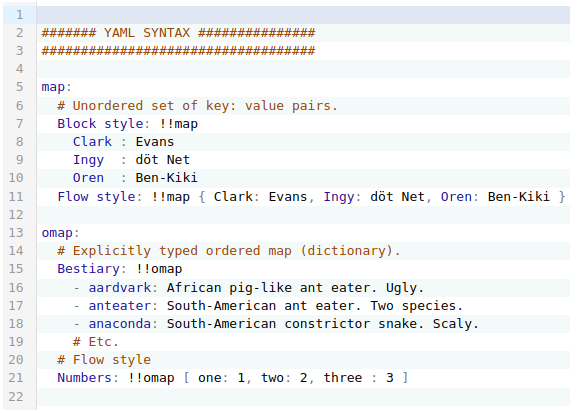
[Demo](https://headless-cms-yaml-input.vercel.app/)
## Install
```
npm i --save @focus-reactive/react-yaml
yarn add @focus-reactive/react-yaml
```
## Usage
You can pass JS object as initial value:
```jsx
import YamlEditor from '@focus-reactive/react-yaml';
const obj = { foo: 'bar' };
const handleChange = ({ json, text }) => {
console.log(json);
// { foo: 'bar' }
};
return ;
```
Or you can pass a text with YAML syntax
```jsx
import YamlEditor from '@focus-reactive/react-yaml';
const text = `
foo: bar
`;
const handleChange = ({ json, text }) => {
console.log(text);
// "foo: bar"
};
return ;
```
## Features
- themable (use Codemirror themes)
- syntax and errors highlight
- support working with text in YAML format or regular JS objects
- controlled and uncontrolled mode
## API
You can pass the following props to the YamlEditor
**json** - JS object that will be outputted in Editor in YAML syntax
**text** - Text in YAML syntax. Note: if you pass both `json` and `text` props - the `json` will be used.
**Note:** By default the Editor will work in _uncontrolled_ mode. Means that changes in `json` or `text` props wouldn't cause code update. You can control this behavior with `merge` prop, that accept a function with which you can define how to update text in the Editor.
**theme** - Codemirror Theme to style editor. e.g.
```js
import { oneDark } from '@codemirror/theme-one-dark';
```
**onChange** - a callback triggered on **VALID** YAML code changes in the Editor. It will be launched with the following parameters:
```js
onChange({ json, text });
```
where: `text` is a last valid text editing in Editor, `json` is JS equivalent.
**onSelect** - a callback triggered on text selection. It will be launched with the following parameters:
```js
onSelect({ selected, from, to });
```
where: `selected` - is a selected text, `from` and `to` - selection positions
**onSetCursor** - a callback triggered when user moves or set cursor on any word in the Editor. It will be launched with the following parameters:
```js
onSetCursor({ word, from, to });
```
where: `word` - is a word separated by whitespaces, `from` and `to` - word start and end positions
**onError** - a callback triggered on any **INVALID** code changes in the Editor. It will be launched with the following parameters:
```js
onError(errorObject | null);
```
where `errorObject` is Codemirror error object representing YAML syntax error. Note that after a user fixed syntax error in the Editor, the function will be launched with `null`.
**merge** (optional) - a function launched on `json` or `text` props changes. It can compare the new and the current values and return the result that will appear in the Editor. It will be launched with the following parameters:
```js
merge({ json, text, currentText });
```
where `json` - the new json prop, `text` the new text prop, and `currentText` is the current text.
It should return an object with one of the keys: `json` or `text` which should contain new text of js value.
By default it returns `currentText`
#### Actions - allow to manipulate Editor in imperative form
All actions are available by a `ref` prop **after** the Editor is maintained:
```js
const EditorWithActions = () => {
const actions = React.useRef(null);
React.useEffect(() => {
// Here we have access to imperative actions
actions.current.replaceValue({ json: { foo: 'updatedValue' } });
}, []);
return (
);
};
```
Currently available the following actions:
**replaceValue** - replace entire Editor content with a new value (json or text)
```js
replaceValue({ json, text });
```
## Credits
2021
[](https://focusreactive.com)