## FireCMS Data enhancement plugin
This plugin allows you to enhance data in your [FireCMS](https://firecms.co)
project, using ChatGPT.
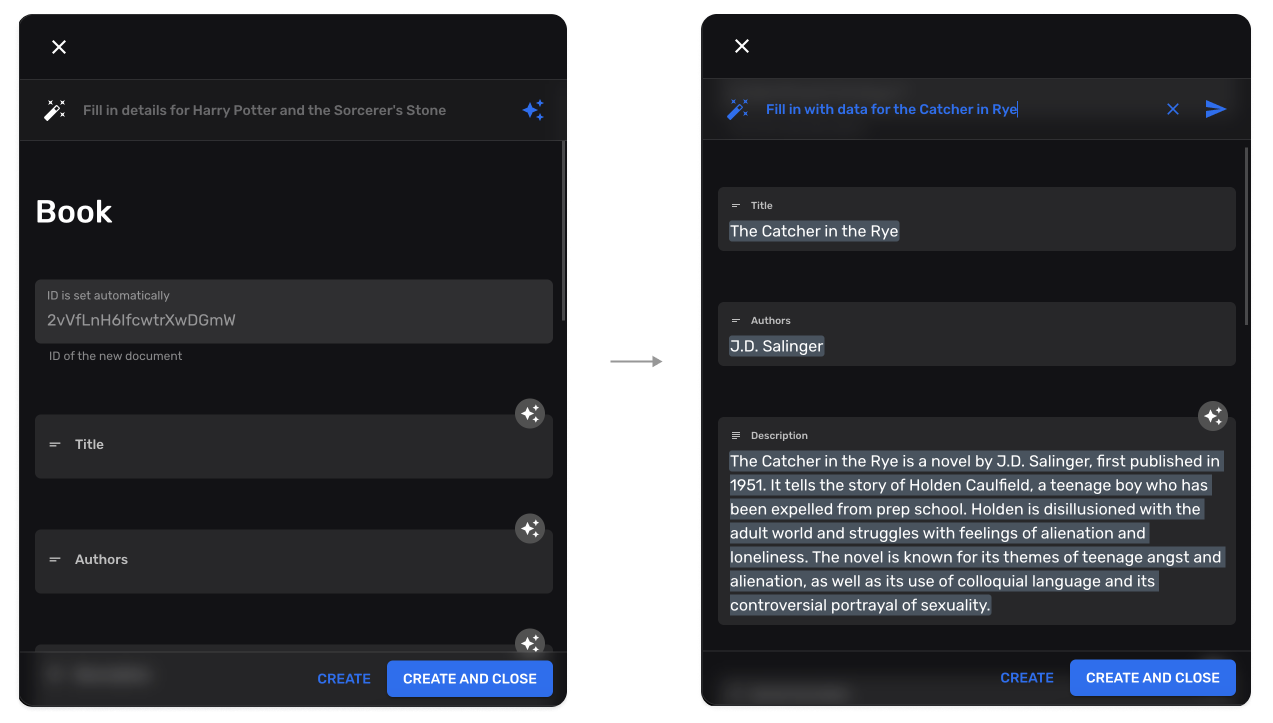
The ChatGPT plugin allows you to use the OpenAI API to generate content using
the latest GPT models. This plugin is able to understand the structure of your
data and generate content that fits your schema.
In order to be able to use this plugin you need to have a valid subscription.
You can get a subscription in
the [FireCMS dashboard](https://app.firecms.co/subscriptions).
You need to specify the Firebase project id you would like to use the plugin
with,
in the website. And that's it!
No need to add any subscription key or anything like that.
```tsx
import React from "react";
import { FireCMS } from "@firecms/core";
import "typeface-rubik";
import "@fontsource/jetbrains-mono";
import { useDataEnhancementPlugin } from "@firecms/data_enhancement";
// TODO: Replace with your Firebase config
const firebaseConfig = {
apiKey: "",
authDomain: "",
projectId: "",
storageBucket: "",
messagingSenderId: "",
appId: ""
};
export default function App() {
const dataEnhancementPlugin = useDataEnhancementPlugin({
// Optional callback for defining which collections should be enhanced
getConfigForPath: ({ path }) => {
if (path === "books")
return true;
return false;
}
});
const plugins = [dataEnhancementPlugin];
const navigationController = useBuildNavigationController({
// ... rest of your config
plugins
});
return ;
}
```
## How does it work?
This plugin uses the OpenAI API to generate content using the latest GPT models.
This plugin is able to understand the structure of your data and generate
content that fits your schema.
Some tips in order to get the best results:
- Make sure you select the **right data** type for your fields.
- The **field names** are used to generate the content and are usually enough to
generate good results. If you want to get even better results, you can
**add a description** to your fields. This will help the plugin understand the
context of your data and generate better results.
- The **collection name** is important as well.
- You can establish **relations between fields** and the plugin will pick it up.
e.g. if you have a field called `author` and another field called `book`, the
plugin will understand that the author is related to the book and will
generate content accordingly. You can use this for making **summaries, reviews,
translations, SEO content**, etc.