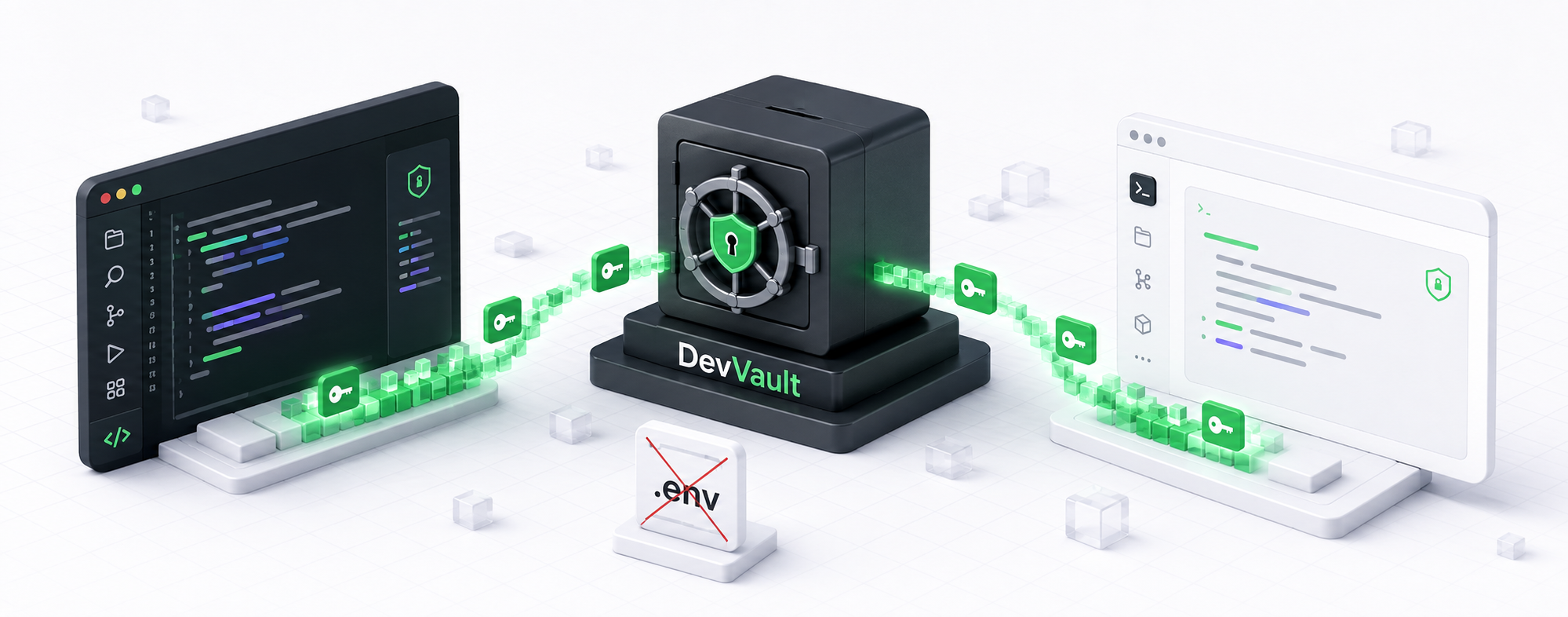
DevVault your developer vault local
DevVault: Zero `.env` files, protected secrets, and hassle-free development.
---






---
DevVault is a command-line developer experience layer for HashiCorp Vault. It lets local applications consume secrets at runtime without committing `.env` files, passwords or tokens to the project repository.
DevVault is a CLI, not an application framework or a replacement for HashiCorp Vault. Vault remains the source of truth for secrets, while DevVault prepares the local environment, resolves project environments and injects mapped secrets into a child process.
## Why DevVault
- local Vault bootstrap through `devvault start`;
- automatic local initialization and unseal for the owned development Vault;
- project and environment isolation;
- runtime secret injection without creating `.env` files;
- OS keyring sessions for developer authentication;
- safe status and diagnostic commands;
- explicit protection for sensitive environments.
## Requirements
- Node.js 20 or newer;
- Docker Engine or Docker Desktop with Docker Compose;
- Linux or WSL2 for the validated MVP scope;
- an available OS keyring for developer sessions;
- network access to npm during installation.
Native Windows, live remote Vault and Docker Desktop-specific behavior require additional validation in this MVP.
## Platform support
| Platform | Status |
|---|---|
| Linux | ✅ Supported and tested |
| WSL2 | ⚠️ Tested with limitations |
| macOS | ⚪ Unverified |
| Native Windows | ❌ Unsupported |
| PowerShell → WSL | ⚠️ Tested with limitations |
## Installation
```bash
npm install -g @fean-developer/devvault-cli
devvault --version
devvault --help
```
## First project
From the root of an application project:
```bash
cd ~/my-project
devvault init-project --environment development
devvault environment set development
devvault start
```
`devvault start` prepares the owned local Vault automatically. The developer does not need to create, copy or enter a root token or unseal key.
During startup, the CLI displays progress for the local environment, Vault and secret storage. Failures show the reason and suggest `devvault doctor`.
Store application secrets through hidden prompts:
```bash
devvault secret set database.username
devvault secret set database.password
```
Run the application with configured secrets:
```bash
devvault run -- npm start
```
No `.env` file is created.
## Environments
### Environment Context
The active environment is the environment DevVault uses by default for project
secret operations. Select it persistently from the project root:
```bash
devvault environment set development
```
This writes local context metadata to `.devvault/context.json`:
```json
{
"environment": "development"
}
```
The context file contains only the selected environment. It is not a secret
store; secrets remain in Vault.
Subsequent `secret get`, `secret list`, `secret set`, `secret delete`, and
`run` commands use the active environment unless given a command-scoped
override.
```text
devvault environment set
|
v
persistent context
|
v
subsequent commands
--environment
|
v
current command only
|
v
context remains unchanged
```
Use `--environment ` to target another configured environment for one
invocation. It does not change the active context.
```bash
# Select development as the active environment.
devvault environment set development
# Uses development.
devvault secret get database.url
# Uses staging only for this command.
devvault secret get database.url --environment staging
# The active environment is still development.
devvault status
```
DevVault does not silently assume `development`. When no environment is
selected, commands requiring project configuration report `No environment
selected.` and, when configured environments exist, list them and direct you
to `devvault environment set `. Use `devvault environment set ` to
intentionally change the persistent active environment.
```bash
devvault init-project --environment development
devvault init-project --environment production
devvault environment set development
devvault environment current
devvault environment list
```
Use another environment for one command without changing the active context:
```bash
devvault secret list --environment production
devvault run --environment production -- npm start
```
## Supported applications
DevVault can run any local command that reads configuration from environment variables. It is not limited to Node.js.
| Application type | Example |
| --- | --- |
| Node.js / JavaScript / TypeScript | `devvault run -- npm start` |
| Python | `devvault run -- python app.py` |
| Go | `devvault run -- ./my-service` |
| Java / Spring Boot | `devvault run -- java -jar app.jar` |
| .NET | `devvault run -- dotnet run` |
| Ruby / Rails | `devvault run -- bundle exec rails server` |
| PHP / Laravel | `devvault run -- php artisan serve` |
| Shell scripts | `devvault run -- ./deploy-local.sh` |
| Database and migration CLIs | `devvault run -- npx prisma migrate dev` |
| Docker compose | `devvault run -- docker compose up -d` |
The application must already know which environment variable names to read. Configure mappings in the environment YAML:
```yaml
runtime:
mappings:
DATABASE_URL: database.url
DATABASE_PASSWORD: database.password
```
- Configure docker compose
> Never do that, this is insecure
```yaml
backend:
build:
context: ./backend
dockerfile: Dockerfile
target: production
container_name: myContainerName
restart: unless-stopped
env_file:
- ./backend/.env.docker # don't do that
environment:
...
```
> Use this
```yaml
backend:
build:
context: ./backend
dockerfile: Dockerfile
target: production
container_name: myContainerName
restart: unless-stopped
environment:
DATABASE_URL: ${DATABASE_URL} # Your secret database.url
DATABASE_PASSWORD: ${DATABASE_PASSWORD} # Your secret database.password
```
## Common commands
```bash
devvault start
devvault status
devvault doctor
devvault secret set
devvault secret get
devvault secret list
devvault secret delete --yes
devvault run -- [args...]
devvault logout
```
Create an additional local developer identity:
```bash
devvault user create --username
devvault logout
devvault login --username
```
## Documentation
- [Guia completo em português](https://github.com/fean-developer/devvault/blob/main/apps/cli/docs/GUIA-USO-PT-BR.md)
- [Release notes](https://github.com/fean-developer/devvault/blob/main/apps/cli/RELEASE-NOTES.md)
## Security and MVP limitations
Secrets stay in Vault and are resolved only when a process starts. Do not put tokens, passwords or secret values in project files, command arguments, logs or Git.
This is a pre-1.0 MVP. A compromised workstation, Docker daemon or local user may access local secrets. Read the release notes before use.
## Uninstall
```bash
npm uninstall -g @fean-developer/devvault-cli
```