<div align="center">

<img src="https://raw.githubusercontent.com/Entelligentsia/forge-cli/main/.github/hero.png" alt="forge-cli — engineering software" width="100%"/>

<br>

[![website](https://img.shields.io/badge/4ge.sh-ff8c42?style=flat-square&labelColor=2a1d2f&color=ff8c42)](https://4ge.sh)
[![npm](https://img.shields.io/npm/v/@entelligentsia/forgecli?style=flat-square&color=000&label=npm)](https://www.npmjs.com/package/@entelligentsia/forgecli)
[![node](https://img.shields.io/badge/node-%E2%89%A520-000?style=flat-square)](#)
[![license](https://img.shields.io/badge/license-MIT-000?style=flat-square)](#)
[![forge plugin](https://img.shields.io/badge/forge--plugin-v1.0.10-000?style=flat-square&labelColor=fafafa)](https://github.com/Entelligentsia/forge)
[![pi runtime](https://img.shields.io/badge/runtime-pi--coding--agent-000?style=flat-square)](https://www.npmjs.com/package/@earendil-works/pi-coding-agent)

</div>

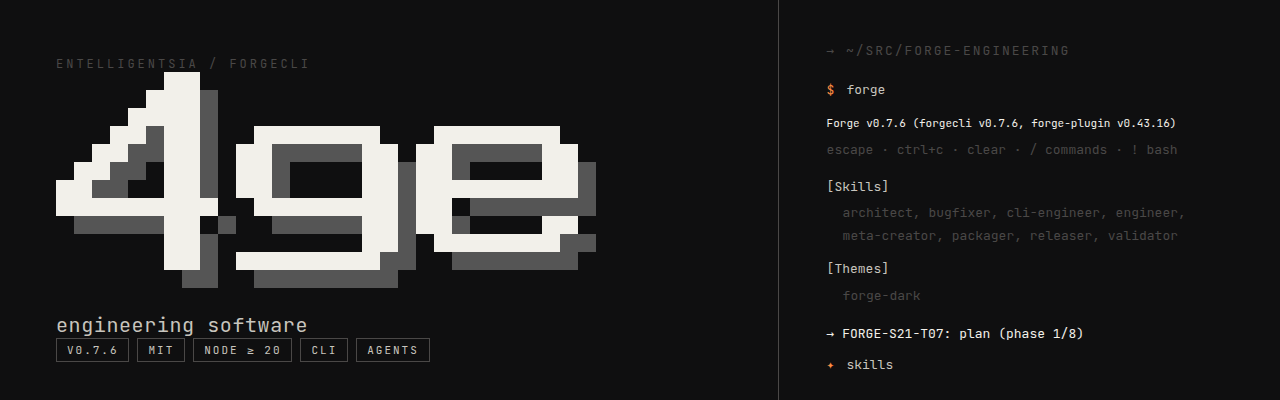
> **engineering software** — a coding harness for agents.
> Three aliases: `forge` · `forgecli` · `4ge`.

forge-cli generates a project-specific engineering knowledge base, sprint workflows, agent personas, and an SDLC pipeline — then drives them from your terminal on the [pi-coding-agent] runtime. Model-agnostic. No editor lock-in.

> **Two ways to run Forge.** Drive it headless in your terminal on the pi runtime (this README), **or** scaffold Forge into a Claude Code project with `4ge init claude .` and run the `/forge:*` slash commands inside Claude Code — remove it with `4ge uninstall claude`. The `4ge init` path is the supported way to add Forge to Claude Code and **replaces the deprecated marketplace plugin install** ([why](https://github.com/Entelligentsia/forge#distribution)).

## Why

- **Structured SDLC, in any terminal.** Plan → implement → review → validate → commit chains, gated by your own personas and audience rules.
- **Project memory that compounds.** Every sprint sharpens the knowledge base; the next one starts smarter.
- **Skills that stay relevant.** Forge ships a SkillOS-style curation loop (FORGE-S24). Five friction subkinds — `skill_unused`, `skill_failed`, `skill_missing`, `skill_stale`, `skill_redundant` — surface what the model actually reached for, what worked, and what didn't. Phase 2 enhancement classifies proposals as `insert_skill` / `update_skill` / `delete_skill`, scores them through an LLM-judge rubric, gates oversize edits behind a compression check, and drains a per-task curator queue into one batched review at sprint close. The result: your skill library tracks your codebase as it evolves, instead of calcifying.
- **Bring your own model.** Anthropic, OpenAI, ollama, openrouter — anything pi resolves.

## Install

```sh
curl -fsSL https://4ge.sh | sh
```

Or via npm directly:

```sh
npm install -g @entelligentsia/forgecli
```

Node 20 or higher. The curl installer checks prerequisites, runs the npm install, and verifies `forge` is on your PATH.

## Quick start

```sh
cd your-project
forge                    # launch (forge, forgecli, and 4ge are the same binary)
> /forge:init            # generates KB, personas, workflows, commands
> /forge:new-sprint      # start your first sprint
> /forge:plan-sprint     # break requirements into tasks
> /forge:run-sprint S01  # execute — plan → review → implement → approve → commit
> /forge:retro S01       # close the sprint and feed learnings back
```

## Try it on the playground

Don't want to point forge-cli at your real codebase first? Clone the testbench and run a full SDLC cycle on a sample project in ~15 min:

```sh
git clone https://github.com/Entelligentsia/forge-testbench
cd forge-testbench/hello   # smallest project — Python · Click · 21 lines
forge
> /forge:init
```

Three more stacks live in the testbench — TypeScript ([cartographer]), Go ([emberglow]), Python+NumPy ([spectral]). Walkthrough on the [testbench README](https://github.com/Entelligentsia/forge-testbench).

## What `/forge:init` does

```
①  collect    5 parallel discovery scans         → .forge/config.json
②  discover   KB docs + project-context          → .forge/project-context.json
③  generate   personas, workflows, commands       → .forge/{personas,workflows,…}
④  register   manifest + cache + store entries   → .forge/store/, .forge/cache/
```

Idempotent and resumable. Re-running picks up at the last checkpoint via `.forge/init-progress.json`.

## Commands

```
SETUP    /forge:init          Bootstrap Forge SDLC into the project
         /forge:rebuild       Refresh generated workflows, KB, or tools
         /forge:update        Check for + apply forge-cli updates
         /forge:add-pipeline  Add or customize a pipeline interactively
         /forge:remove        Tear down the Forge install

RUN      /forge:run-task      Execute one task pipeline end-to-end
         /forge:run-sprint    Orchestrate every task in a sprint
         /forge:fix-bug       Triage + fix flow
         /forge:new-sprint    Elicit sprint requirements
         /forge:plan-sprint   Decompose a sprint into tasks
         /forge:add-task      Add a task to an existing sprint mid-flight
         /forge:retro         Produce a sprint retrospective document

CHAIN    /forge:plan          plan
         /forge:implement     implement
         /forge:review-plan   review the plan
         /forge:review-code   review the code
         /forge:approve       architect approval
         /forge:validate      8-gate validator
         /forge:commit        commit

ASK      /forge:health        KB freshness + store integrity
         /forge:status        Sprint + task status
         /forge:ask <q>       Ask the Tomoshibi concierge
         /forge:config        Set up AI models for your workflow
         /forge:search        Query the JSON store by NLP or flags
         /forge:repair        Diagnose + repair corrupted store records
         /forge:check-agent   Verify an agent has loaded the KB
         /forge:report-bug    File a Forge bug as a GitHub issue
```

→ [Full reference](docs/cli-reference.md) · [Non-interactive mode](docs/non-interactive.md) · [Hook safety net](docs/hook-safety-net.md) · [Custom tools](docs/custom-tools.md) · [Publishing](docs/publishing.md)

## Model setup

Forge routes each step of your pipeline — plan, review, implement, validate, approve, writeback, commit — to a **specific AI model** via a persona. Out of the box, every step inherits whatever model pi is currently running. The `/forge:config` screen lets you assign models in about 30 seconds.

### The three-knob setup

Forge groups its nine personas into three workload tiers:

| Tier | Personas | What this model does |
|------|----------|---------------------|
| **Heavy** | 🗻 architect · 🌿 supervisor | Review, sign-off, gates |
| **Standard** | 🌱 engineer · 🐛 bug-fixer · 🍵 qa-engineer · 📋 product-manager | Planning, implementation, validation |
| **Light** | 🍃 collator · 📚 librarian · 🌊 orchestrator | Writeback, indexing, task flow |

Pick one model per tier and you're done — all nine personas are configured.

### Step by step

**1. Open the config screen**

```
/forge:config
```

You'll see three tier rows — Heavy, Standard, Light — each showing "not set":

```
forge config
────────────────────────────────────────────────────────────
Active right now
────────────────
Heavy        not set — falls back to pi current (ollama:qwen2.5:0.5b)
Standard     not set — falls back to pi current (ollama:qwen2.5:0.5b)
Light        not set — falls back to pi current (ollama:qwen2.5:0.5b)
Scope        ▸ project ( ~/src/hello )    global

Choose models for your AI workflow
──────────────────────────────────
▸ Heavy      (review, sign-off)             not set
  Standard   (planning, implementation)     not set
  Light      (writeback, indexing)          not set

  Show what runs at each step
  Advanced — per-persona / per-step overrides

  enter pick model   tab toggle scope   q quit
```

**2. Pick a model for each tier**

Press `enter` on Heavy (or press `1`), pick a provider, then a model:

```
forge config › Heavy › pick provider
────────────────────────────────────
This will run for: 🗻 architect, 🌿 supervisor

▸ anthropic   ✓ authenticated   12 models
  ollama      ✓ authenticated   24 models
  openai      ✓ authenticated   18 models

  ↑↓ select   enter advance   esc back
```

```
forge config › Heavy › pick model    (provider: anthropic)
──────────────────────────────────────────────────────────
This will run for: 🗻 architect, 🌿 supervisor

▸ claude-opus-4-5-20250514
  claude-sonnet-4-20250514
  claude-haiku-4-20250514

  ↑↓ select   enter save   esc back
```

Pressing `enter` on a model commits it immediately — both personas in that tier are now configured. Repeat for Standard and Light.

**3. Done**

After all three tiers are set, the landing screen shows your assignments:

```
Active right now
────────────────
Heavy        anthropic:claude-opus-4-5-20250514         (project)
Standard     anthropic:claude-sonnet-4-20250514           (project)
Light        ollama:qwen2.5:0.5b                         (project)
Scope        project    ▸ global

Choose models for your AI workflow
──────────────────────────────────
▸ Heavy      (review, sign-off)             anthropic:claude-opus-4-5-20250514
  Standard   (planning, implementation)     anthropic:claude-sonnet-4-20250514
  Light      (writeback, indexing)          ollama:qwen2.5:0.5b

  Show what runs at each step
  Advanced — per-persona / per-step overrides
```

No separate save step — each tier pick writes through instantly.

### Scope: project vs global

Press `tab` to toggle scope before picking a tier:

- **project** — writes to `.pi/forge-cli/config.json` in the current project. Different projects can use different models.
- **global** — writes to `~/.pi/agent/forge-cli/config.json`. Applies to every project that doesn't have a project-level override.

### Verify your setup

Select **"Show what runs at each step"** (or press `s`) to see which model runs each pipeline step:

```
forge config › current setup
────────────────────────────
Step           Persona          Model                     Source
─────          ─────────        ──────                    ──────
plan           🌱 engineer       anthropic:claude-sonnet…   Standard tier (project)
review-plan    🌿 supervisor     anthropic:claude-opus-…   Heavy tier (project)
implement      🌱 engineer       anthropic:claude-sonnet…   Standard tier (project)
review-code    🌿 supervisor     anthropic:claude-opus-…   Heavy tier (project)
validate       🍵 qa-engineer    anthropic:claude-sonnet…   Standard tier (project)
approve        🗻 architect      anthropic:claude-opus-…   Heavy tier (project)
writeback      🍃 collator       ollama:qwen2.5:0.5b       Light tier (project)
commit         🌱 engineer       anthropic:claude-sonnet…   Standard tier (project)

How models get picked
─────────────────────
Each step's persona looks for an override at four levels (most specific wins):
 1. A model set just for this step             (Step override)
 2. A model set just for this persona          (Per-persona override)
 3. The tier baseline you set above            (Heavy / Standard / Light)
 4. Whatever model pi is currently running on  (falls back automatically)
```

### Advanced overrides

Select **"Advanced"** (or press `a`) for fine-grained control:

- **Override one persona's model** — change the model for a single persona without affecting the rest of its tier.
- **Override one step's model** — change the model for a single pipeline step (e.g. always use a specific model for the commit step).
- **Edit raw persona-models entries** — direct editor for the full persona list.

Most users never need these — the three tier knobs cover the 80% path.

### Non-interactive model setup

Use the CLI directly (no TUI required):

```sh
# Print the resolved routing table
forge config show --resolved

# Per-phase dispatch trace (no LLM call)
forge config dispatch

# Validate all resolved models are authenticated
forge config show --strict-models
```

## Where forge-cli stores data

Since v0.10.0, forge-cli keeps all user-level state under a single
pi-aligned tree:

```
~/.pi/forge-cli/
  config.json           Global model-routing config (L1)
  cache/                Probe + dismissal caches
    update-banner.json    24h npm + GitHub release probe cache
    whats-new-seen.json   Last-seen pi/forge-plugin/forge-cli versions
    seen.json             Foundry-collision (PATH shadow) dismissals
    drift-seen.json       Bundled-forge version-drift prompt cache
  state/                Reserved for future state markers
  .migrated-from-legacy Idempotency marker for the one-shot migration
```

Project-scoped config still lives at `<project>/.pi/forge-cli/config.json`
(L2/L3/L4). The plugin's project KB at `<project>/.forge/` is owned by
the Forge plugin — forge-cli does not write there.

**Upgrading from v0.9.x:** the migrator runs automatically on the first
launch of v0.10.0, moves `~/.pi/agent/forge-cli/config.json` and
`~/.cache/forgecli/*.json` into the new layout, and writes the
`.migrated-from-legacy` marker so subsequent runs are O(1).

**Rolling back** (revert to v0.9.x): copy the global config back into
the legacy location after downgrading:

```sh
cp ~/.pi/forge-cli/config.json ~/.pi/agent/forge-cli/config.json
```

**Overrides:** set `FORGE_CLI_HOME=/custom/path` to relocate the user
root for tests or CI. Themes (`~/.pi/agent/themes/`) and agents
(`~/.pi/agent/agents/`) stay in pi's namespace because pi loads them
before forge-cli's extension hook runs.

## Where to go next

- **[docs/](docs/)** — CLI flags, non-interactive mode, hook dispatcher, custom tools, publishing
- **[CHANGELOG.md](CHANGELOG.md)** — release history
- **[Playground](https://github.com/Entelligentsia/forge-testbench)** — try on four sample projects

## Roadmap

**Latest: Shipped (1.1.6)** — see [CHANGELOG.md](CHANGELOG.md) for the full history.

| Next | Status |
|------|--------|
| `/forge:export` — portable workflow skills for Claude Code + Codex | Planned |
| Skills-first architecture (workflows as auto-discovered skills) | Design |
| E2E test harness with recorded LLM replay | Planned |

| Shipped | Version |
|---------|---------|
| Artifact-resolution parity (issue #111) + transcript preservation; bundles forge plugin v1.0.10 | 1.0.10 |
| v1.0 DevX overhaul — command renames, pipeline guards, init phase decomposition, version drift detection | 1.0.0 |
| Full `/forge:*` command surface + 4 hooks + migration runner | 0.11.0 |
| Per-persona model routing + tiered config TUI | 0.9.0 |

→ Full history: [CHANGELOG.md](CHANGELOG.md)

## Links

- Website — [4ge.sh](https://4ge.sh)
- npm — [`@entelligentsia/forgecli`](https://www.npmjs.com/package/@entelligentsia/forgecli)
- GitHub — [Entelligentsia/forge-cli](https://github.com/Entelligentsia/forge-cli)
- Plugin source — [Entelligentsia/forge](https://github.com/Entelligentsia/forge)
- Pi runtime — [@earendil-works/pi-coding-agent](https://www.npmjs.com/package/@earendil-works/pi-coding-agent)
- Playground — [Entelligentsia/forge-testbench](https://github.com/Entelligentsia/forge-testbench)

## License

MIT © Entelligentsia

[pi-coding-agent]: https://www.npmjs.com/package/@earendil-works/pi-coding-agent
[cartographer]: https://github.com/Entelligentsia/forge-testbench/tree/main/cartographer
[emberglow]: https://github.com/Entelligentsia/forge-testbench/tree/main/emberglow
[spectral]: https://github.com/Entelligentsia/forge-testbench/tree/main/spectral

<!--
  Release ledger — full history lives in CHANGELOG.md.
  This comment satisfies the README↔CHANGELOG verifier (every version since
  0.1.0 must textually appear in README) while keeping the visible README slim.
  Remove this block once the verifier is updated to follow CHANGELOG.md links.

  Shipped: 0.2.0 · 0.2.1 · 0.3.0 · 0.4.0 ·
  0.5.0 · 0.5.1 · 0.5.2 · 0.5.3 · 0.5.4 · 0.5.5 · 0.5.6 · 0.5.7 ·
  0.6.1 · 0.6.2 · 0.6.3 · 0.6.4 · 0.6.5 · 0.6.6 ·
  0.7.0 · 0.7.1 · 0.7.2 · 0.7.3 · 0.7.4 · 0.7.5 · 0.7.6 · 0.7.7 ·
  0.7.8 · 0.7.9 · 0.7.10 · 0.7.11 ·
  0.8.0 · 0.8.1 · 0.8.2 · 0.8.3 · 0.8.4 ·
  0.9.0 · 0.9.1 · 0.9.2 · 0.9.3 · 0.9.4 ·
  0.10.0 · 0.10.1 · 0.10.2 · 0.10.3 ·
  0.11.0 · 0.11.1 · 0.11.2 · 0.11.3 · 0.11.4 · 0.11.5 · 0.11.6 ·
  0.12.0 · 0.12.1 ·
  0.13.0 · 0.13.1 · 0.13.2 · 0.13.3 · 0.13.4 ·
  0.14.0 · 0.15.0 · 0.15.1 · 0.17.1 · 0.18.0 ·
  0.20.0 · 0.20.1 · 0.20.2 · 0.20.3 · 0.21.0 ·
  1.0.0 · 1.0.3 · 1.0.11 · 1.0.14 · 1.0.15 · 1.0.16 · 1.0.17 ·
  1.0.18 · 1.0.19 · 1.0.20
  1.0.21 · 1.0.22 · 1.0.23 · 1.0.24 · 1.0.25 · 1.0.26 · 1.0.27 · 1.0.28 · 1.0.29 · 1.0.30 ·
  1.0.31 · 1.0.32 · 1.0.33 · 1.0.34 · 1.0.35 · 1.0.36 · 1.0.42 · 1.0.43 · 1.0.44 · 1.1.0 · 1.1.1 ·
  1.1.2 · 1.1.3 · 1.1.4 · 1.1.5 · 1.1.6
-->

