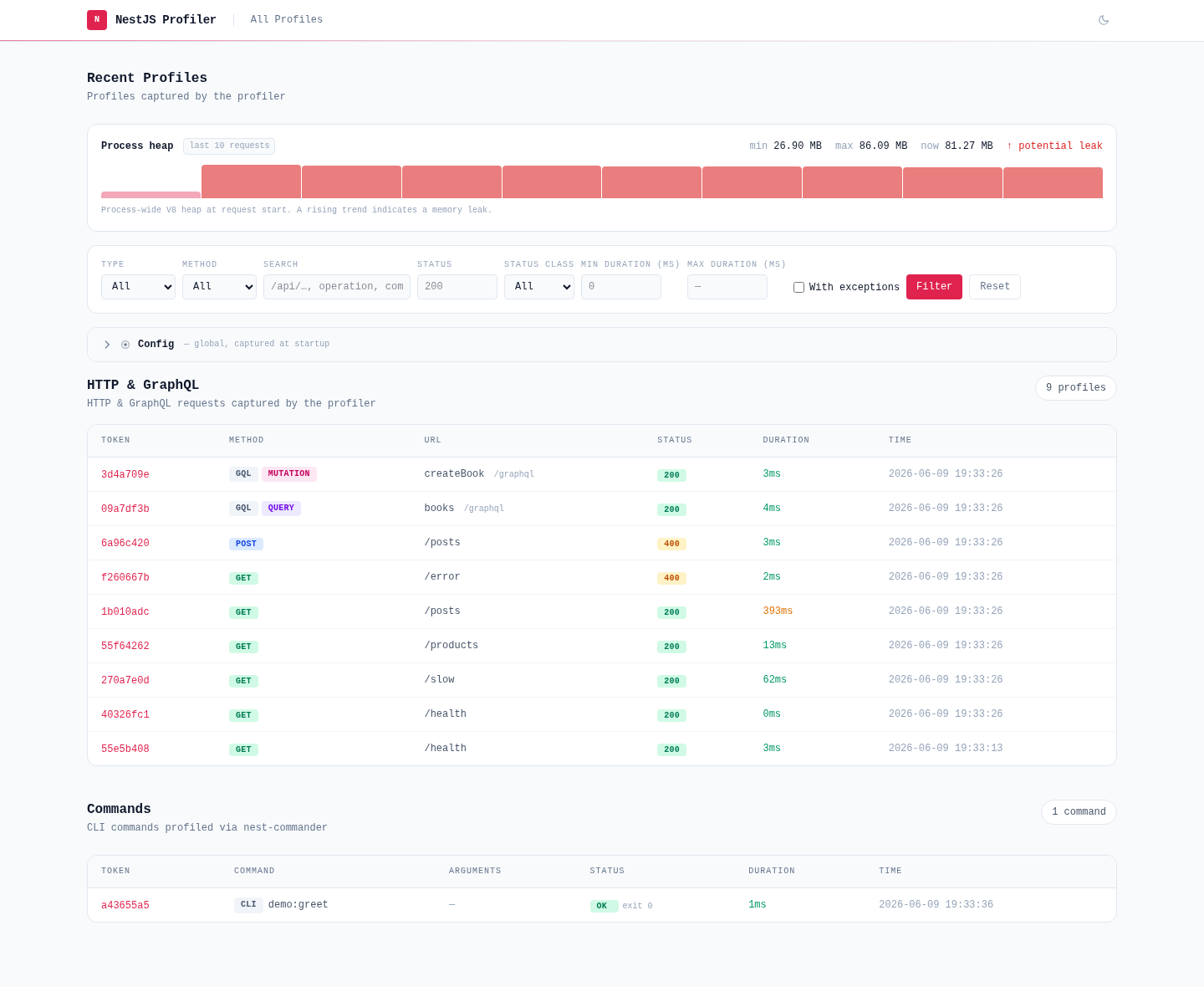
`@eleven-labs/nest-profiler` provides execution profiling for NestJS applications. Each profiled execution receives a unique token, and the collected data (request, response, timing, CPU and memory, logs, exceptions, custom collectors) can be inspected at `/_profiler/{token}`. A **Runtime** view adds what the process itself is doing — memory, CPU, event-loop lag and garbage collection, sampled on an interval.
## Installation
```bash
pnpm add -D @eleven-labs/nest-profiler nestjs-cls
```
`nestjs-cls` is a required peer dependency used for per-execution context propagation. Both are **dev dependencies**: the profiler is a development tool, loaded from a dev-only entrypoint, so production never installs it.
> Keep them as regular dependencies only if your production code calls the profiler (a service injecting `TracerService`, the `@Span()` decorator…) — then gate it with [`ConditionalModule`](https://nest-profiler.eleven-labs.com/docs/packages/nest-profiler/configuration#when-production-code-calls-the-profiler-conditionalmodule) so it can be switched off in production.
## Quick start
Bundle the profiler in its own module, and compose it with your application in a dev-only root module:
```ts title="profiling/profiling.module.ts"
import { Module } from '@nestjs/common';
import { ProfilerModule } from '@eleven-labs/nest-profiler';
@Module({ imports: [ProfilerModule.forRoot({ isGlobal: true, maxProfiles: 100 })] })
export class ProfilingModule {}
```
```ts title="app.dev.module.ts"
@Module({ imports: [AppModule, ProfilingModule] })
export class AppDevModule {}
```
A `main-dev.ts` boots `AppDevModule` with the profiler's logger, while `main.ts` keeps booting `AppModule` untouched:
```ts title="main-dev.ts"
import { ConsoleLogger } from '@nestjs/common';
import { NestFactory } from '@nestjs/core';
import { createProfilerLogger } from '@eleven-labs/nest-profiler';
import { AppDevModule } from './app.dev.module';
async function bootstrap() {
const app = await NestFactory.create(AppDevModule, { bufferLogs: true });
app.useLogger(createProfilerLogger(new ConsoleLogger('App')));
await app.listen(3000);
}
void bootstrap();
```
Run it with `nest start --watch --entryFile main-dev`, make a few requests, and open `http://localhost:3000/_profiler`. Every non-profiler response also carries an `X-Debug-Token-Link` header pointing straight to its profile. [Enabling and disabling the profiler](https://nest-profiler.eleven-labs.com/docs/packages/nest-profiler/configuration#enabling-and-disabling-the-profiler) covers the shared bootstrap, the build configuration that keeps these files out of production, and the runtime gate for apps whose production code calls the profiler.
## Documentation
Each capability has its own focused guide:
| Guide | What it covers |
| ---------------------------------------------------------------------------------------------------------------------- | -------------------------------------------------------------------------------------------------------- |
| [Configuration](https://nest-profiler.eleven-labs.com/docs/packages/nest-profiler/configuration) | `forRoot` / `forRootAsync`, the full options reference, CPU and memory, securing the UI |
| [Log capture](https://nest-profiler.eleven-labs.com/docs/packages/nest-profiler/logs) | Wrapping any logger so every entry lands in the profile, supported argument conventions |
| [Browsing profiles](https://nest-profiler.eleven-labs.com/docs/packages/nest-profiler/browsing-profiles) | UI endpoints, debug headers, list filters (built-in and custom), exporting a profile |
| [Trace & custom collectors](https://nest-profiler.eleven-labs.com/docs/packages/nest-profiler/collectors) | `span()` timing, writing a collector with `@ProfilerCollector()`, custom EJS panels |
| [Performance tags](https://nest-profiler.eleven-labs.com/docs/packages/nest-profiler/performance-tags) | The rule engine behind `slow`, `n-plus-one`, `chatty`, `large-payload` and `zero-rows`, and custom rules |
| [What counts as an error](https://nest-profiler.eleven-labs.com/docs/packages/nest-profiler/error-classification) | Defining failure per entrypoint kind and per collector, and what the `error` tag and Errors filter keep |
| [Extending the UI with JavaScript](https://nest-profiler.eleven-labs.com/docs/packages/nest-profiler/extending-the-ui) | CSP-friendly compiled bundles, the `window.NestProfiler` runtime, registering your own client script |
| [Custom protocol adapters](https://nest-profiler.eleven-labs.com/docs/packages/nest-profiler/context-adapters) | Profiling gRPC, Kafka, WebSockets… via `IContextAdapter` |
| [Storage backends](https://nest-profiler.eleven-labs.com/docs/packages/nest-profiler/storage) | In-memory (default), file system, the SQLite adapter, custom `IProfilerStorageAdapter` |
| [Performance impact & testing](https://nest-profiler.eleven-labs.com/docs/packages/nest-profiler/performance) | Deferred persistence, why it is free, `flush()` in automated tests |
The [Getting started](https://nest-profiler.eleven-labs.com/docs/getting-started) guide covers the full setup including the optional collector packages (TypeORM, MikroORM, Mongoose, Axios, cache, auth, config, validator, GraphQL, commander), and the [Profiler UI](https://nest-profiler.eleven-labs.com/docs/profiler-ui) page gives a visual tour of every panel.
## Public API
```ts
import {
ProfilerModule,
ProfilerNoopModule,
TracerService,
TraceSpanDelegate,
Span,
createProfilerInstrument,
ProfilerStorageService,
CollectorRegistry,
ProfilerCollector,
HTTP_ICON,
ClientAssetRegistry,
PROFILER_STORAGE_ADAPTER,
MemoryStorageAdapter,
FileStorageAdapter,
createProfilerLogger,
parseLogArgs,
DEFAULT_LOG_METHODS,
} from '@eleven-labs/nest-profiler';
import type {
ProfilerModuleOptions,
ProfilerModuleAsyncOptions,
IProfilerCollector,
IProfilerStorageAdapter,
CollectorPanelInfo,
GlobalPanelDescriptor,
Profile,
LogEntry,
ExceptionEntry,
TraceSpan,
SecurityContext,
LogMethodMap,
LogArgsParser,
ParsedLogCall,
ProfilerLoggerOptions,
} from '@eleven-labs/nest-profiler';
```
The full generated reference lives at [API reference — nest-profiler](https://nest-profiler.eleven-labs.com/docs/api-reference/nest-profiler).
---
Part of the [nest-profiler](https://github.com/eleven-labs/nest-profiler) toolkit · Powered & maintained by [Eleven Labs](https://eleven-labs.com)






