# DHTMLX Spreadsheet — JavaScript Spreadsheet Component (GPL Edition)
[](https://dhtmlx.com/)
[](https://www.npmjs.com/package/@dhtmlx/spreadsheet)
[](https://www.gnu.org/licenses/old-licenses/gpl-2.0.html)

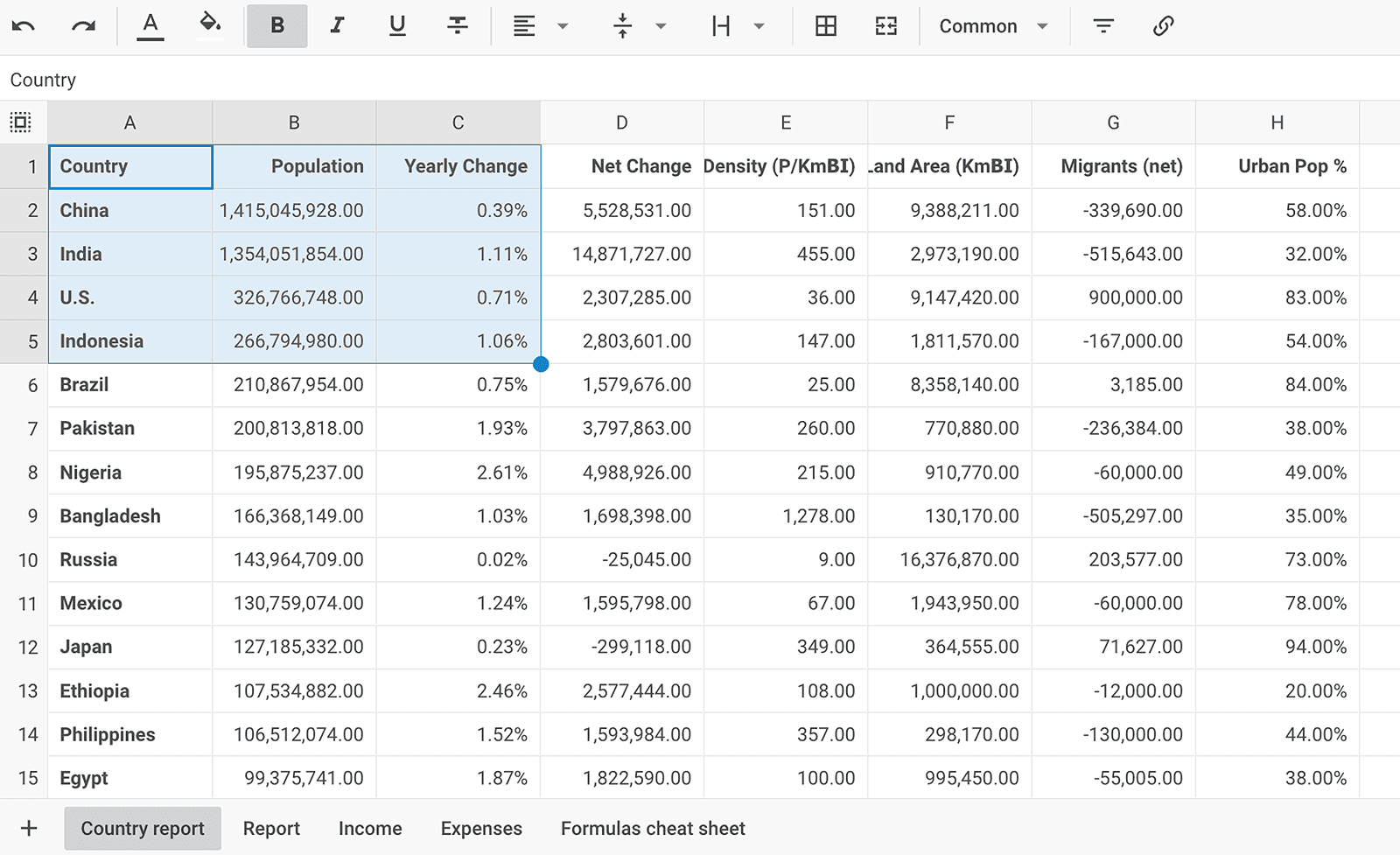
`@dhtmlx/spreadsheet` is a JavaScript spreadsheet component with Excel-like editing, multi-sheet support, 400+ built-in formulas, cell formatting, data filtering, block selection, undo/redo, Excel import/export, and a fully configurable toolbar and menu.
It is a standalone widget that works with plain JavaScript and integrates with React, Angular, Vue, and Svelte.
It is ideal for prototyping data entry and reporting interfaces, embedding spreadsheet functionality in open-source applications, and evaluating DHTMLX Spreadsheet's core features under the GPL v2 license.
---
## License
**This edition of DHTMLX Spreadsheet** is licensed under the GNU General Public License v2.0 (GPL v2).
You can redistribute this package and/or modify it under the terms of the GPL v2.
GPL v2 requires that any project using this package also be open source under a GPL-compatible license.
**You may NOT use this package in closed-source, proprietary, or commercial applications** without a separate commercial license. For commercial use, please obtain a commercial license of DHTMLX Spreadsheet.
This package is distributed in the hope that it will be useful, but WITHOUT ANY WARRANTY; without even the implied warranty of MERCHANTABILITY or FITNESS FOR A PARTICULAR PURPOSE. See the GPL v2 for more details.
### Using DHTMLX Spreadsheet in a commercial or closed-source project?
You need a commercial license. DHTMLX offers Individual, Commercial, Enterprise, and Ultimate license tiers.
* [Compare licenses and pricing](https://dhtmlx.com/docs/products/licenses.shtml)
* [Download a free 30-day trial of DHTMLX Spreadsheet](https://dhtmlx.com/docs/products/dhtmlxSpreadsheet/download.shtml)
* [Download 30-day trial versions of all DHTMLX components](https://dhtmlx.com/docs/download/)
* Contact us regarding licensing: [info@dhtmlx.com](mailto:info@dhtmlx.com)
Copyright © 2026 XB Software Ltd.
---
## What is DHTMLX Spreadsheet
**DHTMLX Spreadsheet** is a JavaScript component for embedding Excel-like spreadsheet functionality into web applications. It provides a configurable toolbar, optional menu and context menu, formula editing line, and a data grid with cell-level formatting. Users can work across multiple sheets with cross-sheet referencing, apply 400+ built-in formulas compatible with Excel and Google Sheets, format cells with number types (number, percent, currency, date, time), lock individual cells, filter and search data, merge and split cells, and import or export data in Excel and CSV formats. Developers control the spreadsheet programmatically via a clean JavaScript API for reading, writing, and styling cell data.
**DHTMLX Spreadsheet is a standalone component.** It is not part of the DHTMLX Suite library, is distributed and licensed separately, and does not require Suite as a dependency. It can be combined with Suite widgets such as DHTMLX Grid for extended data analysis workflows.
Use this GPL edition when you want to prototype spreadsheet-based data entry, embed tabular editing in an open-source project, or evaluate DHTMLX Spreadsheet's core features before obtaining a commercial license.
---
## Quick Start
Install the package, import the styles, and initialize the spreadsheet in a container element.
### Install
```bash
npm install @dhtmlx/spreadsheet
```
### Include in your project
```js
import { Spreadsheet } from "@dhtmlx/spreadsheet";
import "@dhtmlx/spreadsheet/spreadsheet.css";
```
Or with script tags pointing to local codebase files:
```html
```
The CSS import is required for default Spreadsheet styling and layout.
### Initialize
```js
import { Spreadsheet } from "@dhtmlx/spreadsheet";
import "@dhtmlx/spreadsheet/spreadsheet.css";
const spreadsheet = new Spreadsheet("spreadsheet_container", {
menu: true, // show the top menu (hidden by default)
toolbarBlocks: [
"undo", "colors", "decoration", "align",
"cell", "format", "lock", "clear", "rows",
"columns", "file", "actions"
]
});
spreadsheet.parse([
{ cell: "a1", value: "Country" },
{ cell: "b1", value: "Product" },
{ cell: "c1", value: "Price" },
{ cell: "a2", value: "Ecuador" },
{ cell: "b2", value: "Banana" },
{ cell: "c2", value: 6.68 }
]);
```
Add a container element to your HTML:
```html
```
[See a live demo](https://snippet.dhtmlx.com/wux2b35b?tag=spreadsheet&mode=wide)
---
## Basic Usage — DHTMLX Spreadsheet
### Getting and setting cell values
```js
import { Spreadsheet } from "@dhtmlx/spreadsheet";
import "@dhtmlx/spreadsheet/spreadsheet.css";
const spreadsheet = new Spreadsheet("spreadsheet_container", {});
// Load initial data
spreadsheet.parse([
{ cell: "a1", value: "Revenue" },
{ cell: "b1", value: "Expenses" },
{ cell: "c1", value: "Profit" },
{ cell: "a2", value: 48000 },
{ cell: "b2", value: 31000 },
{ cell: "c2", value: "=A2-B2" } // formula
]);
// Get the value of a cell
const profit = spreadsheet.getValue("c2"); // returns 17000
// Set a cell value programmatically
spreadsheet.setValue("a3", 52000);
// Set cell style
spreadsheet.setStyle("c2", { color: "#2e7d32", "font-weight": "bold" });
```
### Working with multiple sheets
```js
// Add a new sheet
spreadsheet.sheets.add("q2");
// Set the active sheet
spreadsheet.sheets.setActive("q2");
// Use cross-sheet referencing in a formula
spreadsheet.setValue("a1", "=Sheet1!A2 + Sheet1!B2");
```
---
## DHTMLX Spreadsheet Features
DHTMLX Spreadsheet includes the following features in the GPL edition.
| Feature | Details |
| --- | --- |
| Multi-sheet support | Add, rename, remove, and reorder sheets; navigate via sheet tabs |
| Cross-sheet referencing | Reference cells from other sheets in formulas (e.g. `=Sheet2!A1`) |
| 400+ built-in formulas | Math, string, financial, date, and logical functions compatible with Excel and Google Sheets |
| Custom formulas | Define your own formula functions via the Spreadsheet API |
| Number formats | Common, Number, Percent, Currency, Date, Time, Text; define custom formats via the `formats` config |
| Cell formatting | Font family, font size, bold, italic, underline, strikethrough, text and background color |
| Cell alignment | Horizontal (left, center, right) and vertical (top, middle, bottom) alignment; text wrap |
| Merge and split cells | Merge a block of cells into one; split merged cells back |
| Cell locking | Lock individual cells or ranges to prevent editing |
| Cell validation | Define validation rules for cell input |
| Block selection | Select and operate on rectangular ranges of cells |
| Search and filter | Search for cell values; filter rows by condition or value via toolbar or Data menu |
| Auto column width | Fit column width to the longest cell content via UI or `fitColumn()` API method |
| Undo/Redo | Full undo/redo history for all editing operations |
| Hyperlinks in cells | Insert clickable links into cell content |
| Configurable toolbar | Select and order toolbar blocks via `toolbarBlocks`; add custom controls |
| Menu and context menu | Optional top menu and right-click context menu; both fully configurable |
| Editing line | Formula/value editing bar above the grid; can be hidden via config |
| Read-only mode | Enable read-only for the entire spreadsheet or restrict specific cells |
| Excel import | Import `.xlsx` files via a WebAssembly-based worker (configurable via `importModulePath`) |
| Excel export | Export to `.xlsx` via a WebAssembly-based worker (configurable via `exportModulePath`) |
| CSV export | Export spreadsheet data to CSV format |
| Localization | Translate the UI to any language via the `locale` configuration option |
| CSS variable theming | Customize colors, fonts, and borders via CSS variables |
| Event system | Rich API events including `afterValueChange`, `afterStyleChange`, `beforeSheetChange`, and more |
This table highlights key features. For the complete and up-to-date feature list, see the [DHTMLX Spreadsheet documentation](https://docs.dhtmlx.com/spreadsheet/).
---
## Framework Integration
DHTMLX Spreadsheet works with popular front-end frameworks including React, Angular, Vue, and Svelte. These integration guides apply to both the GPL edition and the commercial editions of DHTMLX Spreadsheet.
* [React integration guide](https://docs.dhtmlx.com/spreadsheet/react/)
* [Angular integration guide](https://docs.dhtmlx.com/spreadsheet/angular_integration/)
* [Vue.js integration guide](https://docs.dhtmlx.com/spreadsheet/vuejs_integration/)
* [Svelte integration guide](https://docs.dhtmlx.com/spreadsheet/svelte_integration/)
---
## Documentation and Resources
* [Product page](https://dhtmlx.com/docs/products/dhtmlxSpreadsheet/) – overview, screenshots, and key features.
* [Documentation](https://docs.dhtmlx.com/spreadsheet/) – getting started, guides, and configuration options.
* [API reference](https://docs.dhtmlx.com/spreadsheet/api/api_overview/) – full JavaScript API.
* [Live demos and samples](https://snippet.dhtmlx.com/wux2b35b?tag=spreadsheet&mode=wide) – interactive examples of DHTMLX Spreadsheet features.
* [Support forum](https://forum.dhtmlx.com/c/spreadsheet) – community Q&A and discussions for DHTMLX Spreadsheet.