# HTML2Deck
[](https://www.npmjs.com/package/@deckflow/html2deck)
[](https://www.npmjs.com/package/@deckflow/html2deck)
[](./LICENSE)
**Languages:** **English** · [简体中文](./README.zh-CN.md) · [繁體中文](./README.zh-TW.md) · [Français](./README.fr.md) · [Deutsch](./README.de.md) · [Español](./README.es.md) · [日本語](./README.ja.md) · [한국어](./README.ko.md)
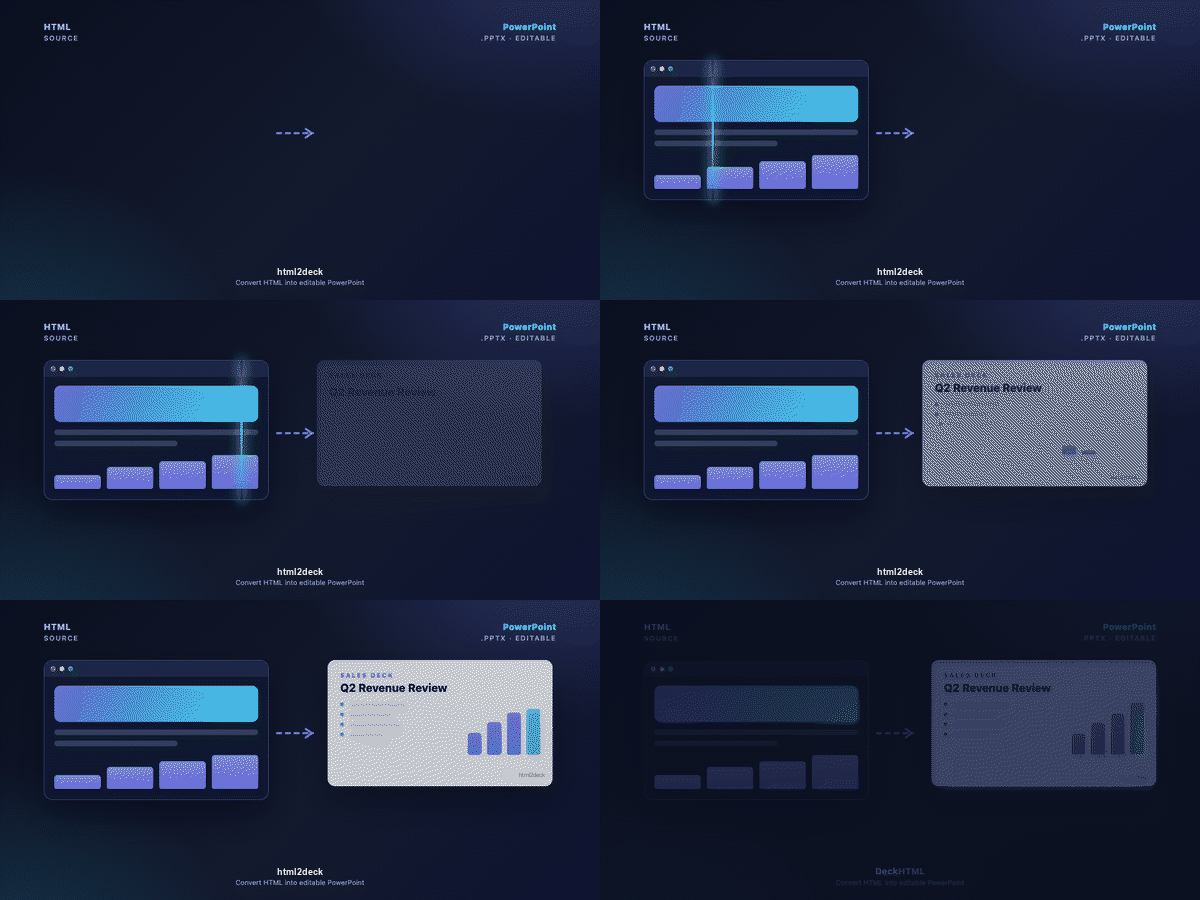
Turn HTML into presentation-ready PPTX or PNG — from files, stdin, or URLs, directly from your terminal.
Build once in HTML, then use the same source across decks, visual assets, and automated presentation workflows.
## Product modes
| Mode | How | Advanced features (font embed / native charts / SVG rebuild) |
| --- | --- | --- |
| **auto** (default) | Valid local `.lic` → same as `license`; otherwise `free` | Follows resolved mode |
| **free** | `--mode free` | Degraded locally (FA fonts only, SVG as image, charts as raster). Tips suggest `--mode cloud` for advanced features. |
| **license** | `--mode license` (requires valid `.lic`) | Full local engine (same capabilities as former html2pptx). |
| **cloud** | `--mode cloud` | Server-side enhancements via `--embed-fonts`, `--rebuild-svg`, `--rebuild-chart`. |
```bash
# Free local (default when no valid .lic)
html2deck deck.html -o deck.pptx --mode free
# Premium via Cloud
html2deck deck.html -o deck.pptx --mode cloud --embed-fonts --rebuild-svg --rebuild-chart
# Licensed local
html2deck deck.html -o deck.pptx --mode license -f
# or: html2deck deck.html -o deck.pptx --mode license --license ~/.deckflow/html2deck.lic -f
```
## Built for real workflows
HTML2Deck fits workflows where content already lives in HTML or can be generated
by code:
- **Agent-generated presentations** — let coding agents author HTML and produce
deliverable PPTX or PNG outputs.
- **Recurring reports** — turn dashboards, metrics, and templated pages into
presentation assets from CI or scheduled jobs.
- **Web-to-deck reuse** — convert hosted pages or ordered HTML files without
rebuilding every slide manually.
- **Local and cloud execution** — run locally with no API key, or use cloud mode
for hosted workflows and cloud-only enhancements.
## Quick Start
Run without installing:
```bash
npx -y @deckflow/html2deck@latest index.html -o deck.pptx
```
## Installation
```bash
npm install -g @deckflow/html2deck
html2deck --version
```
## Convert HTML
Convert a single HTML file (output defaults to the same path and base name):
```bash
html2deck index.html
# → index.pptx
```
Specify an output path:
```bash
html2deck index.html -o deck.pptx
```
Pipe HTML from stdin:
```bash
cat index.html | html2deck - -o deck.pptx
```
Convert multiple HTML files in order:
```bash
html2deck page1.html page2.html page3.html -o deck.pptx
```
Convert a hosted page:
```bash
html2deck https://example.com/deck.html -o deck.pptx
```
## Output Formats
Output format is inferred from the `-o` extension:
| Format | Description |
| --- | --- |
| `pptx` | PowerPoint deck output (default) |
| `png` | PNG frame output |
```bash
html2deck index.html -o frames.png
```
## Execution Modes
| Mode | Description |
| --- | --- |
| `auto` | Default. Valid local `.lic` → `license`; otherwise `free` |
| `free` | Force Free local (degraded advanced features; tips suggest `--mode cloud`) |
| `license` | Require a valid commercial `.lic` and run full local engine |
| `cloud` | Always run in the cloud (guest rate-limited; sign in for full access) |
```bash
html2deck index.html --mode free
html2deck index.html --mode license -o deck.pptx
html2deck index.html --mode cloud -o deck.pptx
```
### Cloud / License Enhancements
These flags require `--mode cloud` or `--mode license` (Free rejects them with guidance):
| Flag | Description |
| --- | --- |
| `--embed-fonts` | Embed fonts into the output |
| `--rebuild-svg` | Rebuild SVG as editable shapes |
| `--rebuild-chart` | Rebuild JS charts as native PPT charts |
```bash
html2deck index.html \
-o deck.pptx \
--mode cloud \
--embed-fonts
```
## Authentication & Config
Local conversion works without an API key. Cloud mode can start as a rate-limited guest; sign in or configure an API key when prompted or when you need authenticated access.
```bash
html2deck auth login
html2deck auth status
html2deck config set api-key
```
For CI, Docker, or agent environments, set the environment variable (takes precedence over stored credentials):
```bash
export HTML2DECK_API_KEY=your-api-key
```
Persistent settings:
| Command | Description | Default |
| --- | --- | --- |
| `html2deck config set api-key ` | API key for cloud requests | — |
| `html2deck config set size ` | PPTX dimensions | `1920x1080` |
| `html2deck config set webhook ` | Default callback URL | — |
| `html2deck config set retention-hours ` | Cloud file retention (hours) | `3` |
Credentials are stored locally at `~/.deckflow/credentials`.
## CLI Reference
### Conversion Flags
| Flag | Description | Default |
| --- | --- | --- |
| `-h, --help` | Show help | — |
| `--version` | Show version | — |
| `-o, --output ` | Output path | Same base name as input |
| `-v, --verbose` | Detailed logs to stderr | `false` |
| `--quiet` | Only errors and final result | `false` |
| `--json` | Machine-readable JSON on stdout | `false` |
| `--report` | Generate a conversion report | Off |
| `--mode ` | `auto`, `free`, `license`, or `cloud` | `auto` |
| `--width ` | Playwright viewport width (height scales at 16:9) | `1920` |
| `--platform ` | `win`, `mac`, `ios`, `android`, or `linux` | Detected |
| `--embed-fonts` | Embed fonts (cloud opt-in; license local defaults on) | cloud: `false`; license: `true` |
| `--executable-path ` | Chromium binary for local conversion (else `HTML2DECK_CHROMIUM_EXECUTABLE_PATH` env, then Playwright's bundle) | — |
| `--exclude ` | CSS selector matching runtime/navigation elements to exclude | — |
| `--identity-attribute ` | Attribute carrying a stable element identity (default: `data-element-id`) | `data-element-id` |
| `--force` | Overwrite an existing output file (default: refuse) | `false` |
`--quiet` and `--verbose` cannot be used together. Output format is inferred from the `-o` extension (`pptx` or `png`).
### JSON Output
```bash
html2deck index.html -o deck.pptx --json
```
```json
{
"ok": true,
"input": ["index.html"],
"output": "deck.pptx",
"format": "pptx",
"mode": "free"
}
```
## Programmatic API
Use the package as a library in Node.js. The library returns a `Buffer` (or PNG image buffers) — it never writes to disk on its own. Write the output yourself, or use the CLI for file output.
```javascript
import { convertHtmlToPptx } from '@deckflow/html2deck';
const result = await convertHtmlToPptx({
input: 'index.html',
});
// result.data: Buffer containing the PPTX file
// result.slideCount: number of slides
// result.usedFonts: resolved font names
// result.stats: element/font/simplified statistics
import { writeFileSync } from 'node:fs';
writeFileSync('deck.pptx', result.data);
```
## Documentation
Start with the [quick start](./docs/quickstart.md), then learn the [core concepts](./docs/concepts.md). Detailed CLI documentation is available in the [`docs/cli/`](./docs/cli/) directory.
### Agent Skill (Cursor / coding agents)
Install [`skill/html2deck/`](./skill/html2deck/) so agents can convert HTML → PPTX without rediscovering CLI flags and slide conventions. See [skill/README.md](./skill/README.md).
## License
Proprietary. See [LICENSE](./LICENSE) for details.