[](https://www.npmjs.com/package/react-native-menu)
# react-native-menu
A menu component for Android and iOS that provides a dropdown similar to Android's
[Spinner](http://developer.android.com/reference/android/widget/Spinner.html), but does not
retain a persistent selection.
The API is very flexible so you are free to extend the styling and behaviour.
## Installation
```
$ npm install react-native-menu --save
```
## Demo
| iOS | Android |
| --- | ------- |
| 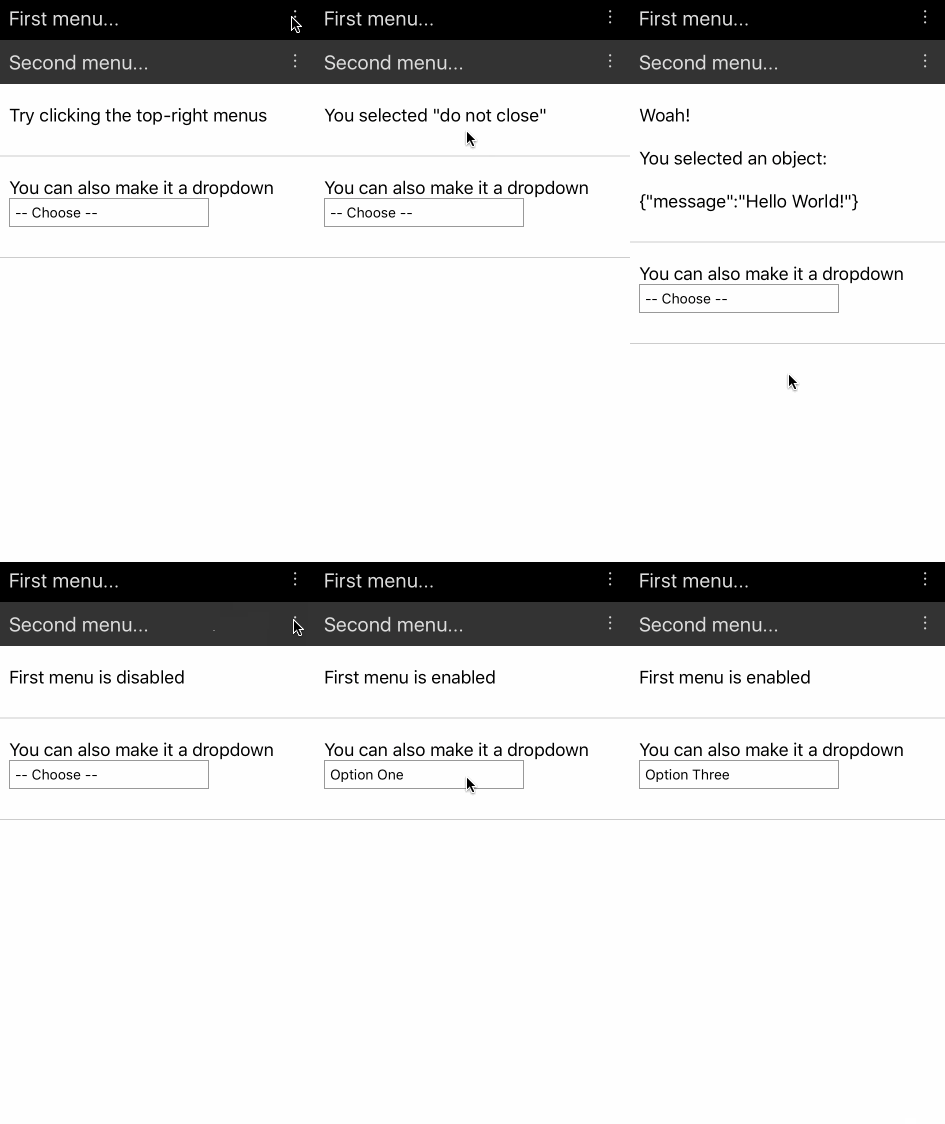 | 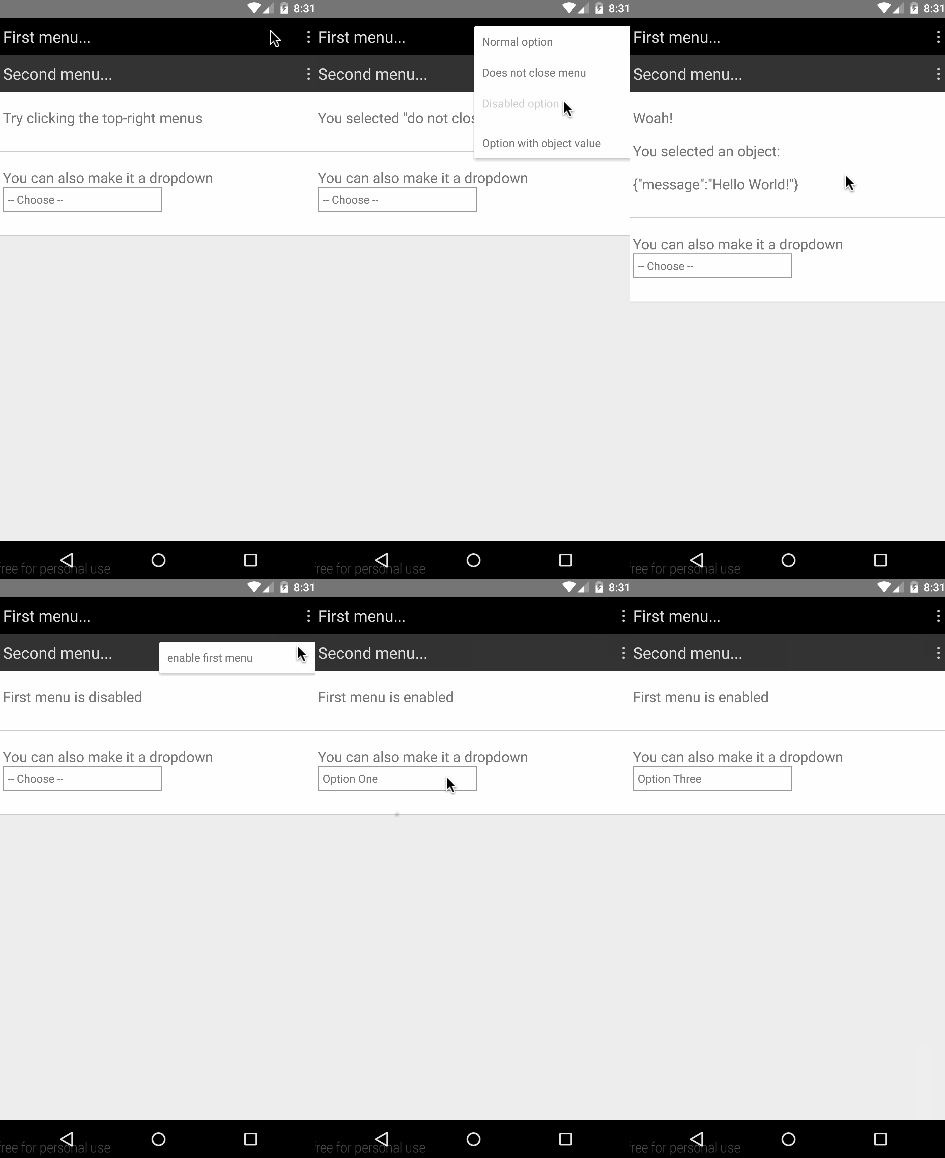 |
## Basic Usage
```js
import React, { View, Text, AppRegistry } from 'react-native';
import Menu, { MenuContext, MenuOptions, MenuOption, MenuTrigger } from 'react-native-menu';
const App = () => (
// You need to place a MenuContext somewhere in your application, usually at the root.
// Menus will open within the context, and only one menu can open at a time per context.
Hello!
);
const TopNavigation = () => (
My App
);
AppRegistry.registerComponent('Example', () => App);
```
**Important:** In order for the `` to work, you need to mount `` as an ancestor to ``. This allows
the menu to open on top of all other components mounted under `` -- basically, the menu will be moved
to be the last child of the context.
You must also have a `` and a `` as direct children under ``. The `MenuTrigger` component
opens the menu when pressed. The `MenuOptions` component can take *any* children, but you need at least one `MenuOption`
child in order for the menu to actually do anything.
The `MenuOption` component can take *any* children.
Please refer to the full working example [here](./Example/Example.js).
## API
### MenuContext
Methods:
- isMenuOpen() -- Returns `true` if menu is open
- openMenu() -- Opens the menu
- closeMenu() -- Closes the menu
- toggleMenu() -- Toggle the menu between open and close
Props:
*None*
### Menu
Methods:
- getName() -- Returns the menu name (e.g. useful to get auto generated name)
Props:
- `onSelect` -- This function is called with the value the `MenuOption` that has been selected by the user
### MenuTrigger
Props:
- `disabled` -- If true, then this trigger is not pressable
- `style` -- Overrides default style properties (user-defined style will take priority)
### MenuOptions
Props:
- `optionsContainerStyle` -- Provides custom styling for options container
- `renderOptionsContainer` -- A function that renders takes in the `MenuOptions` element and renders a container element
that contains the options. Default function wraps options with a `ScrollView`.
For example, if you want to change the options width to `300`, you can use ``.
To further customize the rendered content you can do something like
` {options}}>`.
### MenuOption
Props:
- `disabled` -- If true, then this option is not selectable
- `style` -- Overrides default style properties (user-defined style will take priority)
## Latest Changes
### 0.20.1
- Changed menu elevation as per [material design spec](https://material.google.com/what-is-material/elevation-shadows.html) (thanks [@heydabop](https://github.com/heydabop)!)
### 0.20.0
- Fixes compatibility with React Native 0.27.2 (thanks [@Froelund](https://github.com/Froelund))
### 0.19.0
- Fixes a performance issue where registering menu options on already
rendered and opened menu causes infinite render loop (Closes #5, #9).
### 0.18.15
- Fixes issue where multiple unnamed `Menu` components under one `MenuContext
causes bad positioning.
### 0.18.14
- Lazily calculate menu position on open -- fixes stale calculation issues.
## Roadmap
### Features
- Allow positioning of menu to be customized (currently only anchors to top-right of `Menu`).
- Detect if the menu will be rendered off-screen, and adjust positioning accordingly.
## Testing
Install dev modules:
```
npm install
```
### Run unit tests
```
npm run test:unit
```
### Run integration tests
Make sure you have a connected android device. You find list devices using `adb devices`.
```
npm run test:integration
```
## Contributing
Contributions are welcome! Just open an issues with any ideas or pull-requests.
I will take a look when I have time. :)