<p align="center"><img width="100" src="https://raw.githubusercontent.com/cheng-kang/ktl/master/docs/img/ktl.png" alt="ktl logo"></p>

<h2 align="center">ktl</h2>

<p align="center">GUI for <code>kubectl</code>.</p>

<p align="center">
  <a href="https://www.npmjs.com/package/@chengkang/ktl"><img src="https://img.shields.io/npm/v/@chengkang/ktl.svg" alt="Version"></a>
  <a href="https://www.npmjs.com/package/@chengkang/ktl"><img src="https://img.shields.io/npm/l/@chengkang/ktl.svg" alt="License"></a>
</p>

> `ktl` is pronounced `kənˈtrōl`, the same as `control`.
<p align="center">
  <img width="240" src="https://raw.githubusercontent.com/cheng-kang/ktl/master/docs/img/profile.png" alt="profile"/>
  <img width="240" src="https://raw.githubusercontent.com/cheng-kang/ktl/master/docs/img/pods.png" alt="pods"/>
</p>

### Features

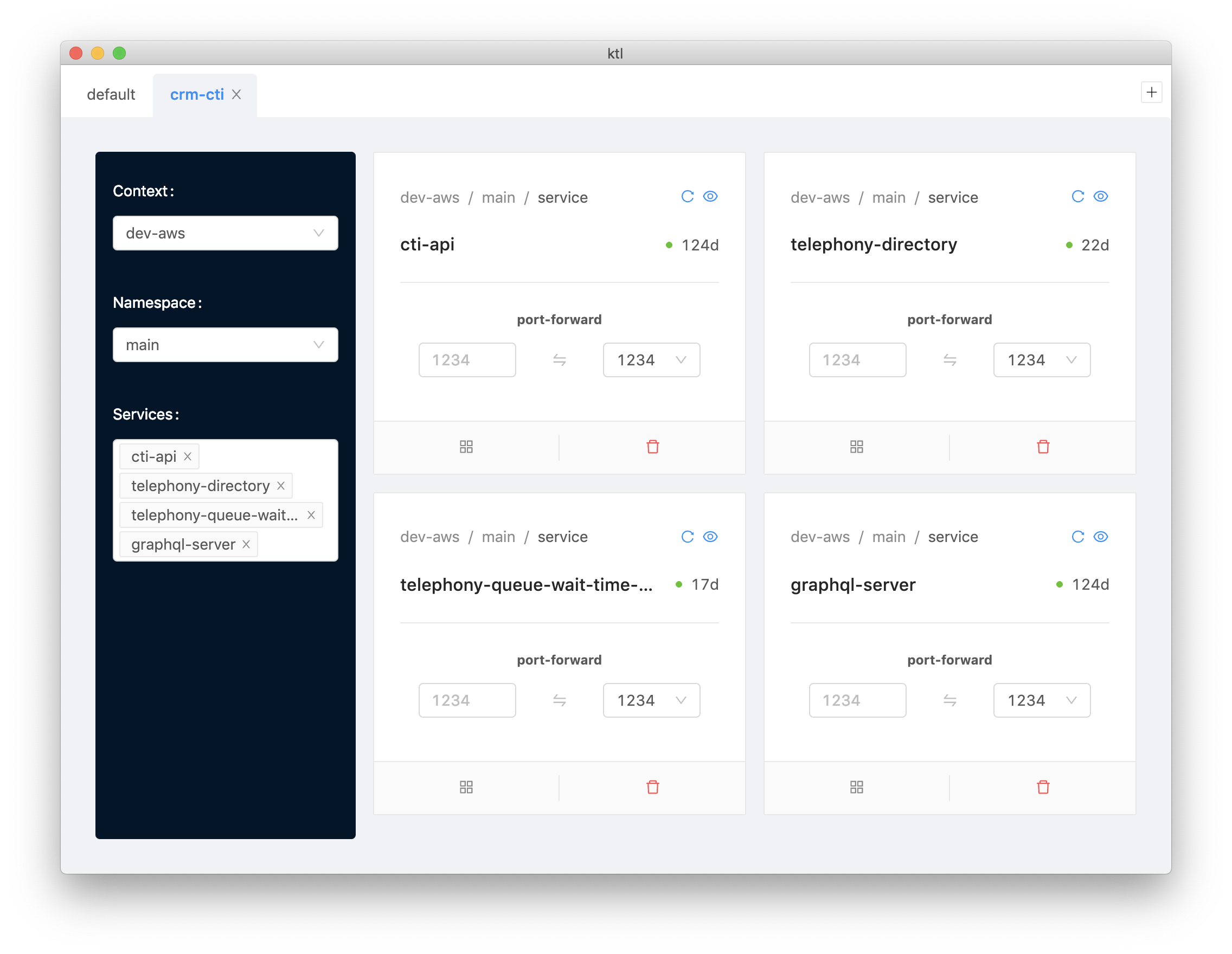
- port forward services
- watch pods
- delete pod

### Usage

- Use the `+` button to create a new tab. 

- Each tab is a `Profile` with a side panel for service selection and a list of selected services.

- You can select multiple services from different contexts and namespaces.

- In the side panel, click labels to reload content, e.g. click `Contexts:` to reload contexts.

- In the side panel, when both context and namespace are selected, a `View pods` button will be shown. Click to view and watch all pods in the context and namespace.

- Click tab title to edit.

- Everything is persisted.