## Search JS
 [](https://badge.fury.io/js/@bilions%2Fsearch-js) [](https://opensource.org/licenses/ISC)
Instance search UI component for any Javascript framework.
Compatible with
- React
- Vue
- Angular
### Contents
- [Installation](#installation)
- [Via cdn](#install-via-cdn)
- [Via npm](#install-via-npm)
- [Usage](#usage)
- [Javascript](#javascript)
- [Typescript](#typescript)
- [Usage with API](#usage-with-api-call)
- [Options](#available-options)
- [Functions](#available-functions)
- [Theme](#theme)
- [Custom Theme](#custom-theme-color)
### Installation
#### Install via cdn
```html
```
#### Install via npm
`npm install @bilions/search-js`
#### Usage
###### Javascript
```js
import SearchJS from '@bilions/search-js'
const data = [
{
title: 'Validation',
description: 'Create validation easily using validator',
route: '/validation',
},
{
title: 'Request',
description: 'Http request',
route: '/request',
},
]
const searchJs = SearchJS({
data,
theme: '#FF2E1F',
width: '600px',
positionTop: '85px',
search: {
placeholder: 'Search docs',
},
onSelected: (i) => {
console.log(i)
},
onSearch: (keyword) => {
console.log(keyword)
},
})
searchJs.open()
```
###### Typescript
```js
import SearchJS, { SearchJSConfig, SearchJSItem } from '@bilions/search-js'
const config: SearchJSConfig = {
data: [
{
title: 'Validation',
description: 'Create validation easily using validator',
route: '/validation',
},
{
title: 'Request',
description: 'Http request',
route: '/request',
},
],
theme: '#FF2E1F',
width: '600px',
positionTop: '85px',
search: {
placeholder: 'Search docs',
},
onSelected: (value: SearchJSItem) => {
console.log(value)
},
onSearch: (keyword) => {
console.log(keyword)
},
}
const searchJs = SearchJS(config)
searchJs.open()
```
#### Usage with API call
```js
async function getFromApi(keyword = '') {
let res = await fetch('https://dummyjson.com/products/search?q=' + keyword)
let json = await res.json()
return json.products
}
const searchJs = SearchJS({
theme: '#FF2E1F',
width: '600px',
darkMode: false,
positionTop: '50px',
data: [],
search: {
placeholder: 'Search products',
},
onSelected: (route) => {
console.log(route)
},
onSearch: (keyword) => {
return getFromApi(keyword)
},
})
```
#### Available Options
| **Name** | **Required** | **Description** |
| -------------------- | :----------: | ------------------------------------------------------------------- |
| `data` | YES | data to search |
| `data.title` | YES | data title |
| `data.description` | NO | data description |
| `element` | NO | element to append search-js |
| `theme` | NO | color code or theme name (`#FF2E1F`, `github-light`, `github-dark`) |
| `darkMode` | NO | default `false`. set `true` for dark mode |
| `width` | NO | modal width default (400px) |
| `search` | | |
| `search.icon` | NO | svg icon string for search input |
| `search.placeholder` | NO | placeholder text for search input (default `Search`) |
| `positionTop` | NO | default `85px` |
| `onSelected` | YES | callback function that will trigger after item selected |
| `onSearch` | NO | this function will trigger when user type something |
#### Available functions
- `open()` function will trigger to open search menu
- `close()` function will trigger to close search menu
- Alternatively press `cmd + k` or `ctrl + k` to open search menu and `ESC` to close menu
#### Theme
#### Available ready made theme
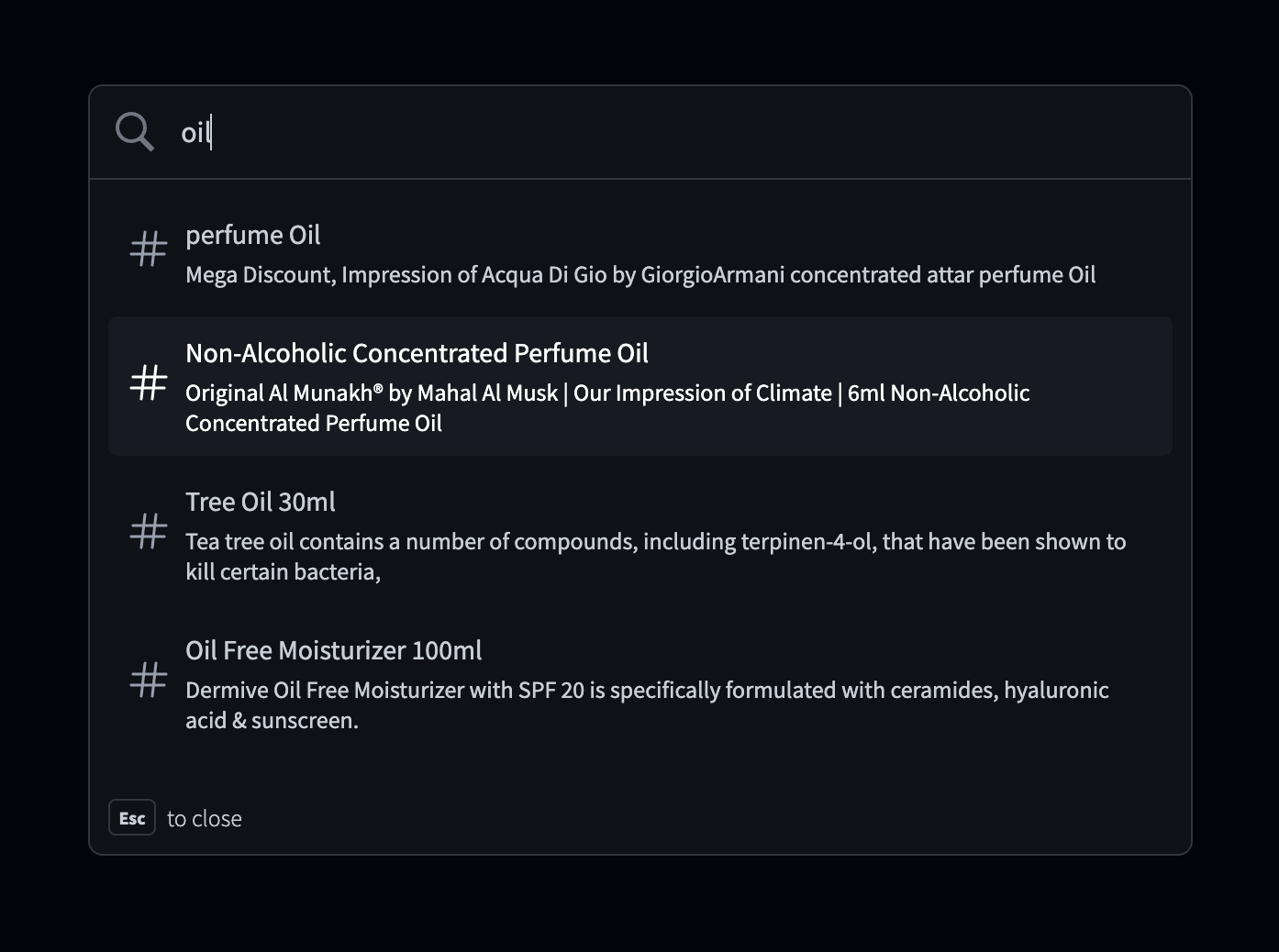
- `github-dark`
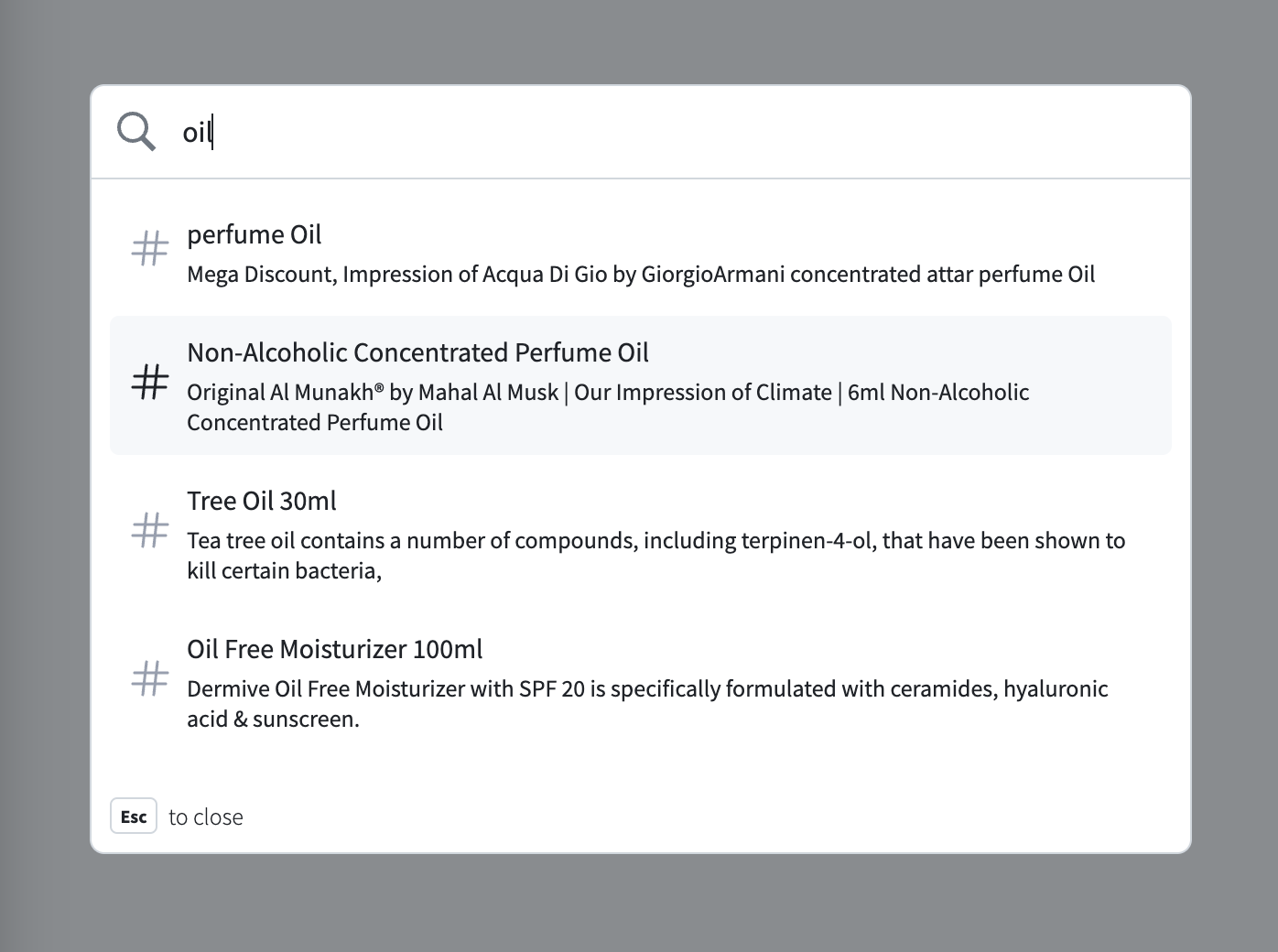
- `github-light`
##### Github Dark (github-dark)
 ##### Github Light (github-light)
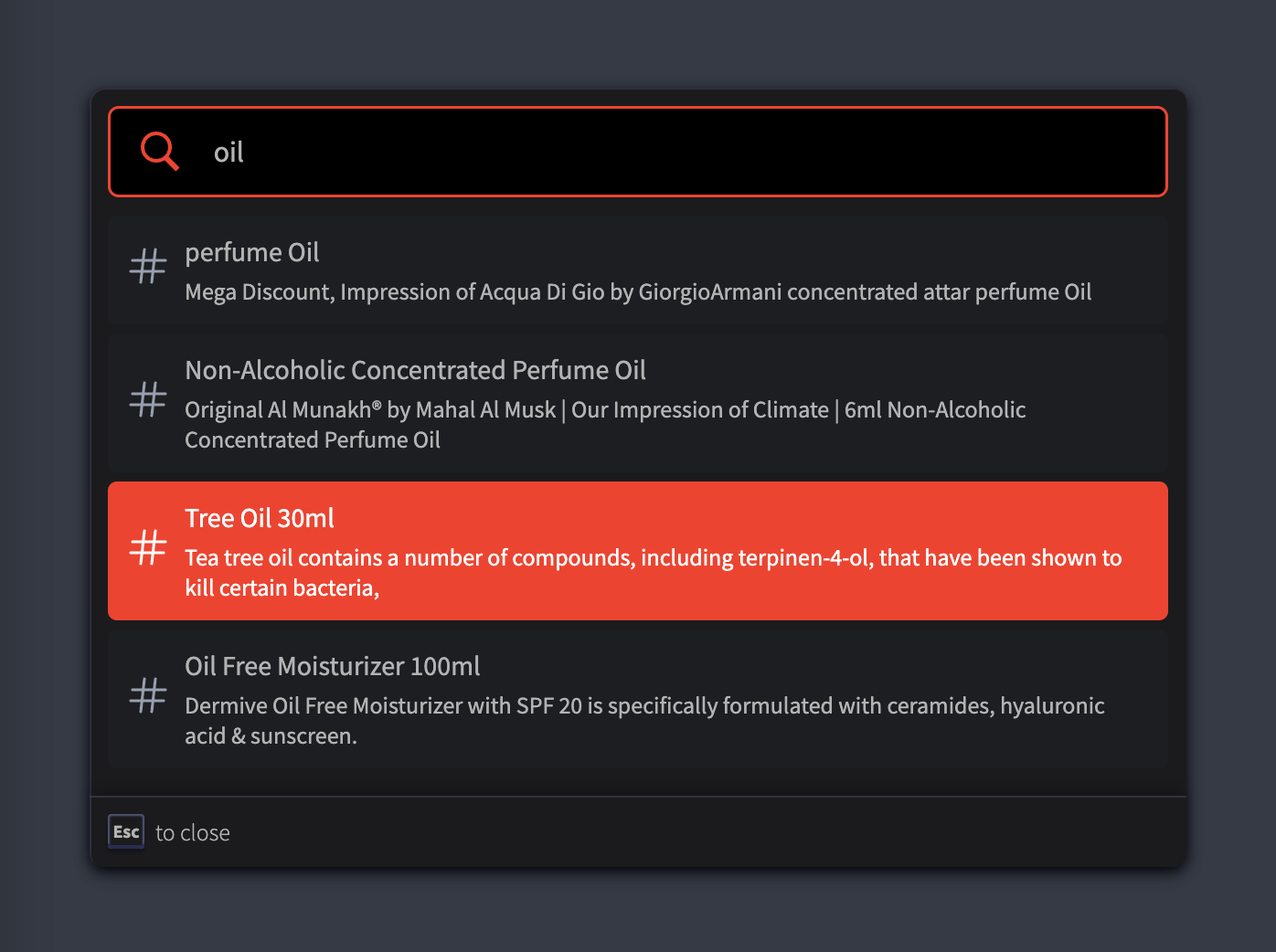
 ##### Light Theme with color code
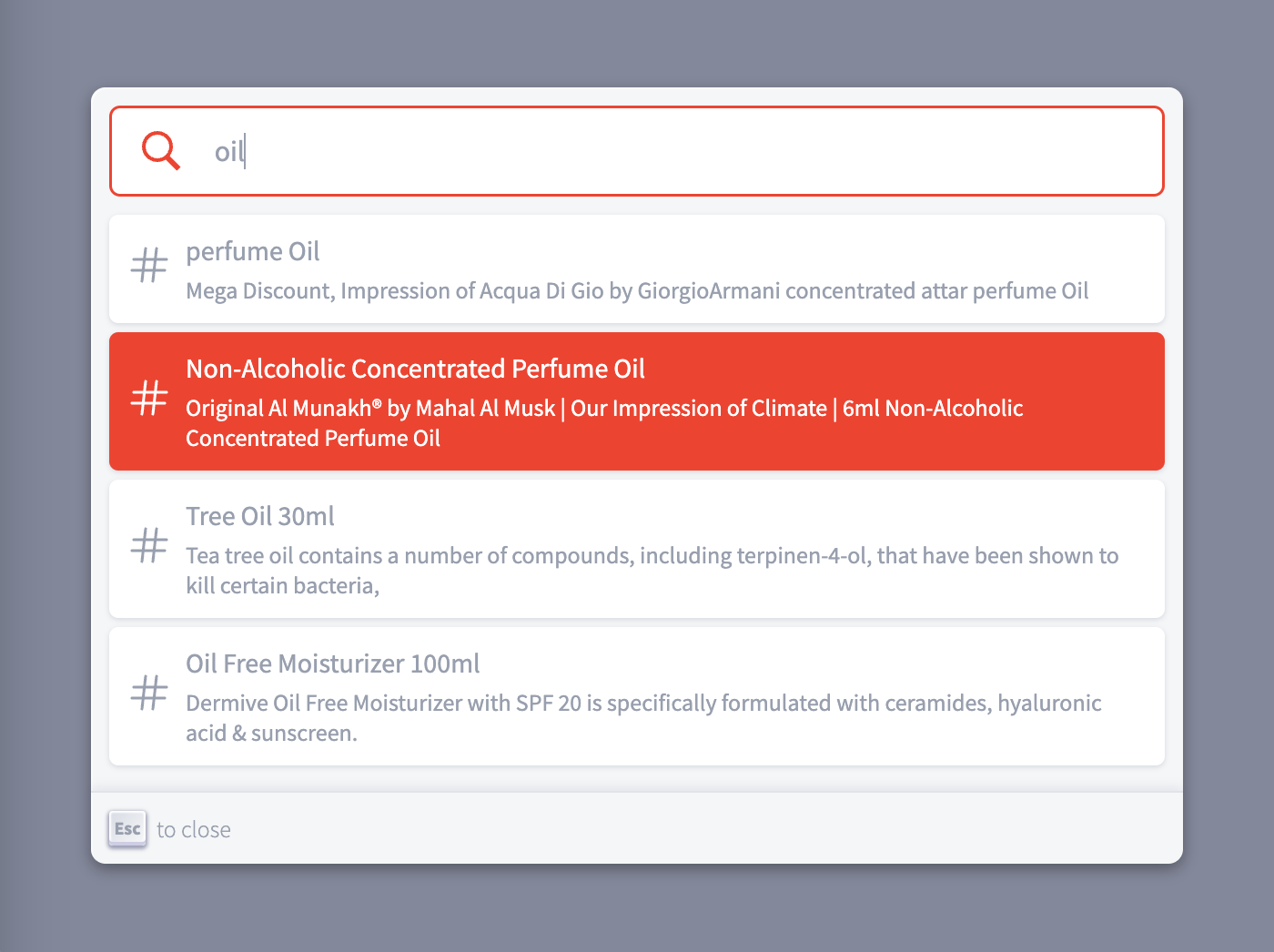
 ##### Dark Theme with color code
 #### Custom theme color
Override below css variables for custom theme color.
###### Default Light mode
```css
root {
--search-js-backdrop-bg: rgba(101, 108, 133, 0.8);
--search-js-modal-bg: #f5f6f7;
--search-js-modal-box-shadow: inset 1px 1px 0 0 hsla(0, 0%, 100%, 0.5), 0 3px 8px 0 #555a64;
--search-js-modal-footer-box-shadow: 0 -1px 0 0 #e0e3e8, 0 -3px 6px 0 rgba(69, 98, 155, 0.12);
--search-js-keyboard-button-box-shadow: inset 0 -2px 0 0 #cdcde6, inset 0 0 1px 1px #fff,
0 1px 2px 1px rgba(30, 35, 90, 0.4);
--search-js-keyboard-button-bg: linear-gradient(-225deg, #d5dbe4, #f8f8f8);
--search-js-search-input-bg: white;
--search-js-item-bg: white;
--search-js-text-color: #969faf;
--search-js-input-placeholder-color: #969faf;
--search-js-item-box-shadow: 0 1px 3px 0 #d4d9e1;
}
```
###### Default Dark mode
```css
root {
--search-js-backdrop-bg: rgba(47, 55, 69, 0.7);
--search-js-modal-bg: #1b1b1d;
--search-js-modal-box-shadow: inset 1px 1px 0 0 #2c2e40, 0 3px 8px 0 #000309;
--search-js-modal-footer-box-shadow: inset 0 1px 0 0 rgba(73, 76, 106, 0.5), 0 -4px 8px 0 rgba(0, 0, 0, 0.2);
--search-js-keyboard-button-box-shadow: inset 0 -2px 0 0 #282d55, inset 0 0 1px 1px #51577d,
0 2px 2px 0 rgba(3, 4, 9, 0.3);
--search-js-keyboard-button-bg: linear-gradient(-26.5deg, transparent 0%, transparent 100%);
--search-js-search-input-bg: black;
--search-js-item-bg: #1c1e21;
--search-js-text-color: #b3b3b3;
--search-js-input-placeholder-color: #aeaeae;
--search-js-item-box-shadow: none;
}
```
Inspired by algolia
#### Custom theme color
Override below css variables for custom theme color.
###### Default Light mode
```css
root {
--search-js-backdrop-bg: rgba(101, 108, 133, 0.8);
--search-js-modal-bg: #f5f6f7;
--search-js-modal-box-shadow: inset 1px 1px 0 0 hsla(0, 0%, 100%, 0.5), 0 3px 8px 0 #555a64;
--search-js-modal-footer-box-shadow: 0 -1px 0 0 #e0e3e8, 0 -3px 6px 0 rgba(69, 98, 155, 0.12);
--search-js-keyboard-button-box-shadow: inset 0 -2px 0 0 #cdcde6, inset 0 0 1px 1px #fff,
0 1px 2px 1px rgba(30, 35, 90, 0.4);
--search-js-keyboard-button-bg: linear-gradient(-225deg, #d5dbe4, #f8f8f8);
--search-js-search-input-bg: white;
--search-js-item-bg: white;
--search-js-text-color: #969faf;
--search-js-input-placeholder-color: #969faf;
--search-js-item-box-shadow: 0 1px 3px 0 #d4d9e1;
}
```
###### Default Dark mode
```css
root {
--search-js-backdrop-bg: rgba(47, 55, 69, 0.7);
--search-js-modal-bg: #1b1b1d;
--search-js-modal-box-shadow: inset 1px 1px 0 0 #2c2e40, 0 3px 8px 0 #000309;
--search-js-modal-footer-box-shadow: inset 0 1px 0 0 rgba(73, 76, 106, 0.5), 0 -4px 8px 0 rgba(0, 0, 0, 0.2);
--search-js-keyboard-button-box-shadow: inset 0 -2px 0 0 #282d55, inset 0 0 1px 1px #51577d,
0 2px 2px 0 rgba(3, 4, 9, 0.3);
--search-js-keyboard-button-bg: linear-gradient(-26.5deg, transparent 0%, transparent 100%);
--search-js-search-input-bg: black;
--search-js-item-bg: #1c1e21;
--search-js-text-color: #b3b3b3;
--search-js-input-placeholder-color: #aeaeae;
--search-js-item-box-shadow: none;
}
```
Inspired by algolia