<p align="center">
  <img src="https://github.com/BenaventeX24/Slider/assets/81106944/3a45e50b-dee3-4181-9eaa-4a55ff52fe9b" />
</p>

# Slider

A React package for creating a ready to use and fully customizable slider for your items.

#### It uses emotion/css for styling so it'll be installed as part of the package.

![React badge](https://badges.aleen42.com/src/react.svg) [![install size](https://packagephobia.com/badge?p=@benavente/slider)](https://packagephobia.com/result?p=@benavente/slider)

### Installation

```sh
npm install @benavente/slider
```

```sh
yarn add @benavente/slider
```

### Usage

```sh
import Slider from "@benavente/slider"

 <Slider
      innerContainerStyles={css`
        & div {
          display: inline-block;
          width: 210px;
          height: 210px;
          border: 1px solid black;
          text-align: center;
          line-height: 200px;
        }
      `}
    >
      <div> Put your items here! </div>
      <div> Each </div>
      <div> separate </div>
      <div> element </div>
      <div> </> </div>
      <div> will </div>
      <div> be </div>
      <div> interpeted </div>
      <div> as a </div>
      <div> separate </div>
      <div> scrollable </div>
      <div> item </div>
    </Slider>
```

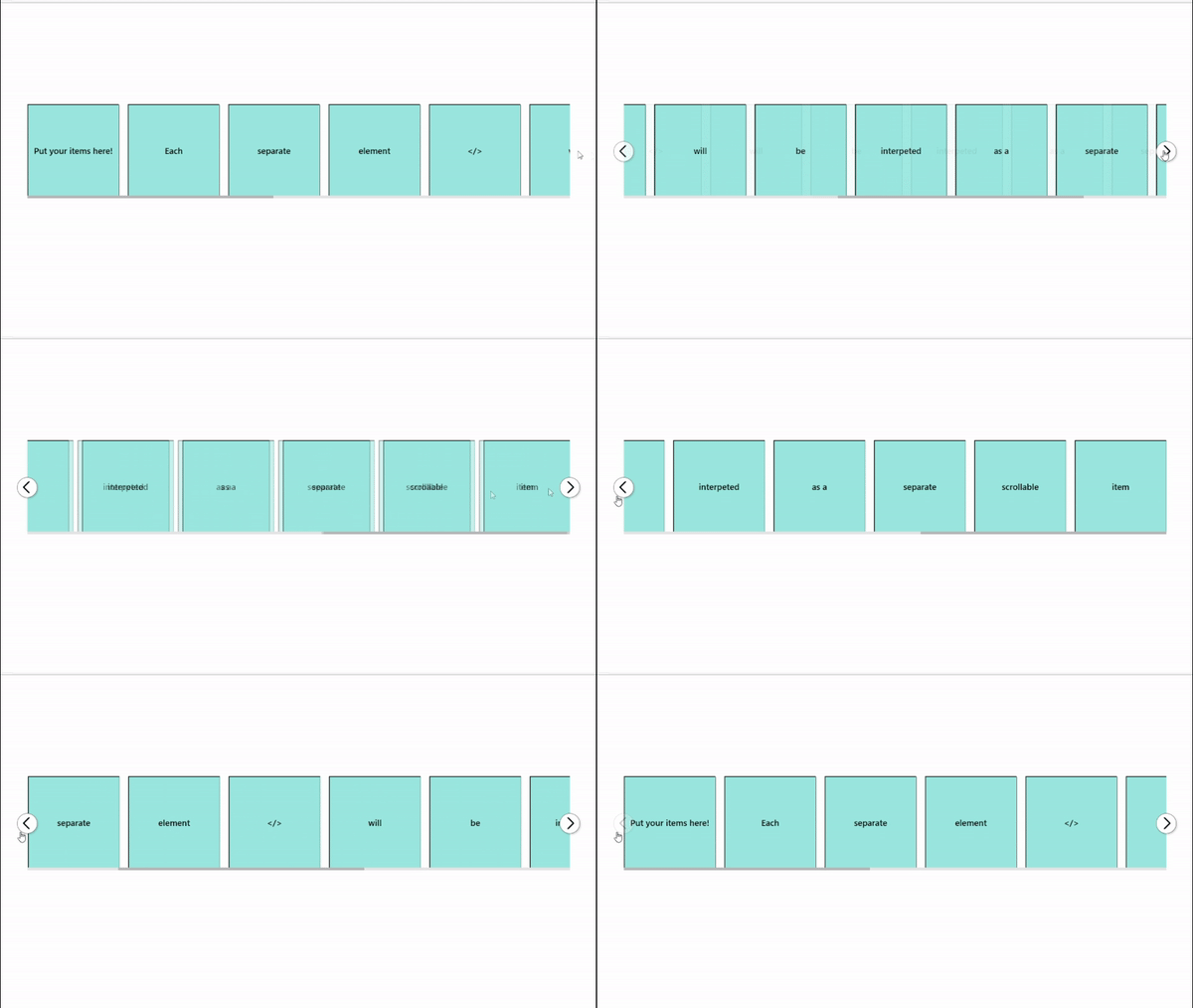
Result:

![ezgif com-video-to-gif (1)](https://github.com/BenaventeX24/Slider/assets/81106944/126f4992-eea3-4650-afab-3ececa2354dd)

### Props

| Prop                 | Description                                                                                                              | Usage Example                                                                     |
| -------------------- | ------------------------------------------------------------------------------------------------------------------------ | --------------------------------------------------------------------------------- |
| id                   | Adds an id to the most outer div of the slider                                                                           | `<Slider id="my-id">{items}<Slider/>`                                             |
| threshold            | Default: 0.5; Between 0 and 1 indicating the percentage that should be visible to be counted as visible in the slider.   | `<Slider threshold={0.85}>{items}<Slider/>`                                       |
| spacing              | Adds a margin between the elements                                                                                       | `<Slider spacing="10vw">{items}<Slider/>`                                         |
| buttonLeft           | A custom button element to display instead of the default buttons                                                        | `<Slider buttonLeft={<MyButton />}">{items}<Slider/>`                             |
| buttonRight          | A custom button element to display instead of the default buttons                                                        | `<Slider buttonRight={<MyButton />}">{items}<Slider/>`                            |
| time                 | (in ms) Time of the slide animation                                                                                      | `<Slider time={250}>{items}<Slider/>`                                             |
| width                | Sets the width of the slider without considering buttons                                                                 | `<Slider width="1200px">{items}<Slider/>`                                         |
| outerContainerStyles | Styles for the outer container of the slider                                                                             | `` <Slider outerContainerStyles={css` backgroundColor: red;`}>{items}<Slider/> `` |
| innerContainerStyles | Styles for the inner container of the slider (items container)                                                           | `` <Slider innerContainerStyles={css` backgroundColor: red;`}>{items}<Slider/> `` |
| buttonLeftStyles     | Styles for the left button                                                                                               | `` <Slider buttonLeftStyles={css` width: 100px;`}>{items}<Slider/> ``             |
| buttonRightStyles    | Styles for the left button                                                                                               | `` <Slider buttonRightStyles={css` width: 100px;`}>{items}<Slider/> ``            |
| disableScrollbar     | True -> scrollbar won't show up and Slider will only be usable via buttons. Default: false                               | `<Slider disableScrollbar={true}>{items}<Slider/>`                                |
| showButtons          | True -> Buttons will be visible. Default: true                                                                           | `<Slider showButtons={false}>{items}<Slider/>`                                    |
| disappearingButtons  | By default, buttons only show up when hovering over slider. By setting this to false, buttons will be statically visible | `<Slider disappearingButtons={false}>{items}<Slider/>`                            |

### License: MIT