# @axa-fr/oidc-client
[](https://github.com/AxaGuilDEv/react-oidc/actions/workflows/npm-publish.yml)
[](https://www.npmjs.com/package/@axa-fr/oidc-client)
**@axa-fr/oidc-client** the lightest and securest library to manage authentication with OpenID Connect (OIDC) and OAuth2 protocol. It is compatible with all OIDC providers.
**@axa-fr/oidc-client** is a pure javascript library. It works with any JavaScript framework or library.
We provide a wrapper **@axa-fr/react-oidc** for **React** (compatible next.js) and we expect soon to provide one for **Vue**, **Angular** and **Svelte**.
- Try the react demo at https://black-rock-0dc6b0d03.1.azurestaticapps.net/ (most advanced)
- Try the pure javascript demo at https://icy-glacier-004ab4303.2.azurestaticapps.net/
- [About](#about)
- [Getting Started](#getting-started)
- [Run The Demo](#run-the-demo)
- [How It Works](#how-it-works)
- [Hash route](#Hash-route)
- [Service Worker Support](#service-worker-support)
## About
@axa-fr/oidc-client is:
- **Secure** :
- With Demonstrating Proof of Possession (DPoP), your access_token and refresh_token are not usable outside your browser context (big protection)
- With the use of Service Worker, your tokens (refresh_token and/or access_token) are not accessible to the JavaScript client code (if you follow good practices from [`FAQ`](https://github.com/AxaFrance/oidc-client/blob/main/FAQ.md) section)
- OIDC using client side Code Credential Grant with pkce only
- **Lightweight** : Unpacked Size on npm is **274 kB**
- **Simple**
- refresh_token and access_token are auto refreshed in background
- with the use of the Service Worker, you do not need to inject the access_token in every fetch, you have only to configure OidcTrustedDomains.js file
- **Multiple Authentication** :
- You can authenticate many times to the same provider with different scope (for example you can acquire a new 'payment' scope for a payment)
- You can authenticate to multiple different providers inside the same SPA (single page application) website
- **Flexible** :
- Work with Service Worker (more secure) and without for older browser (less secure).
- You can disable Service Worker if you want (but less secure) and just use SessionStorage or LocalStorage mode.

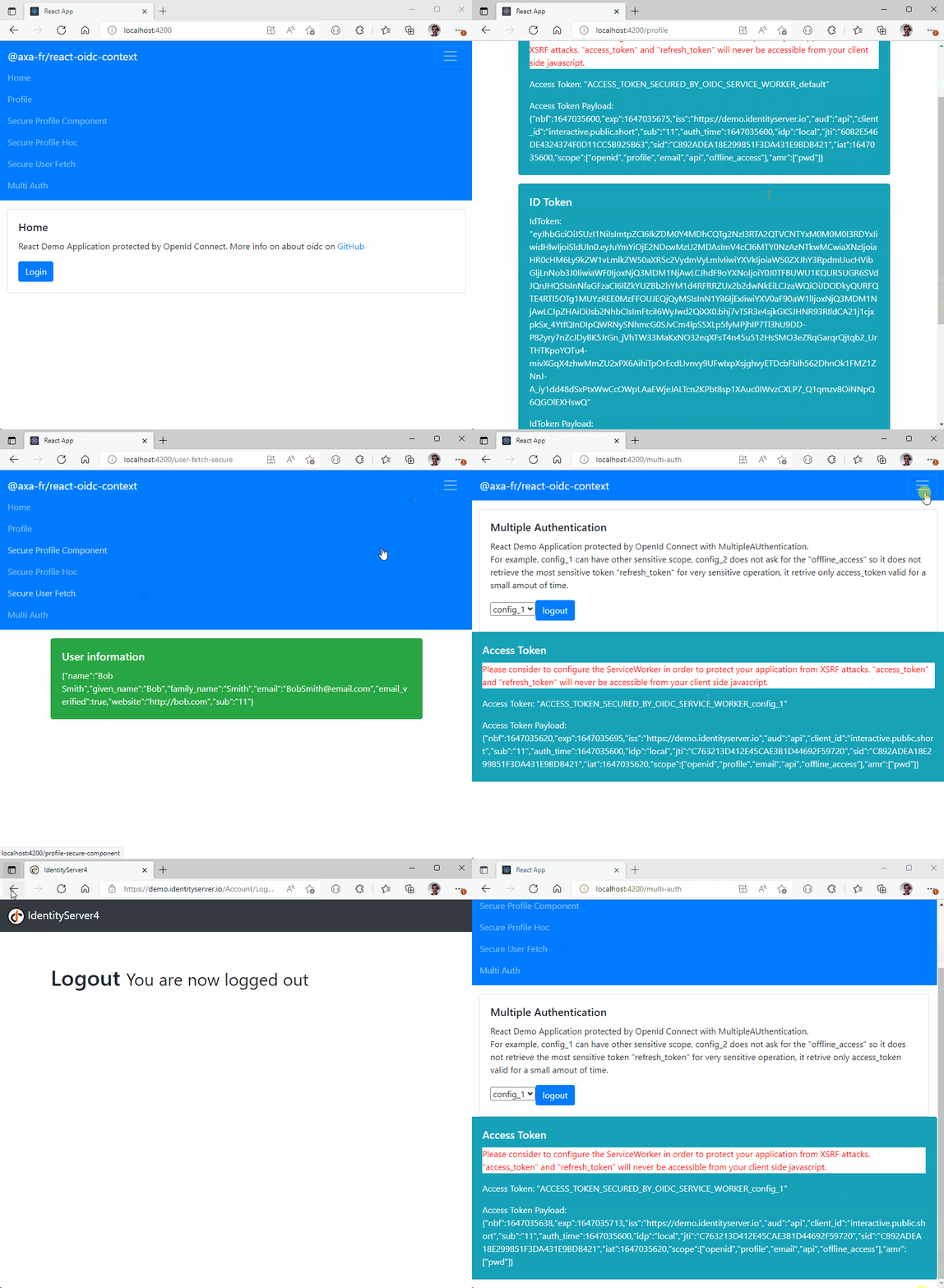
The service worker catch **access_token** and **refresh_token** that will never be accessible to the client.
### Getting Started
```sh
npm install @axa-fr/oidc-client --save
# To install or update OidcServiceWorker.js file, you can run
node ./node_modules/@axa-fr/oidc-client/bin/copy-service-worker-files.mjs public
# If you have a "public" folder, the 2 files will be created :
# ./public/OidcServiceWorker.js <-- will be updated at each "npm install"
# ./public/OidcTrustedDomains.js <-- won't be updated if already exist
```
WARNING : If you use Service Worker mode, the OidcServiceWorker.js file should always be up to date with the version of the library. You may setup a postinstall script in your package.json file to update it at each npm install. For example :
```sh
"scripts": {
...
"postinstall": "node ./node_modules/@axa-fr/oidc-client/bin/copy-service-worker-files.mjs public"
},
```
If you need a very secure mode where refresh_token and access_token will be hide behind a service worker that will proxify requests.
The only file you should edit is "OidcTrustedDomains.js".
```javascript
// OidcTrustedDomains.js
// Add bellow trusted domains, access tokens will automatically injected to be send to
// trusted domain can also be a path like https://www.myapi.com/users,
// then all subroute like https://www.myapi.com/useers/1 will be authorized to send access_token to.
// Domains used by OIDC server must be also declared here
const trustedDomains = {
default: {
oidcDomains: ['https://demo.duendesoftware.com'],
accessTokenDomains: ['https://www.myapi.com/users'],
},
};
// Service worker will continue to give access token to the JavaScript client
// Ideal to hide refresh token from client JavaScript, but to retrieve access_token for some
// scenarios which require it. For example, to send it via websocket connection.
trustedDomains.config_show_access_token = {
oidcDomains: ['https://demo.duendesoftware.com'],
accessTokenDomains: ['https://www.myapi.com/users'],
showAccessToken: false,
// convertAllRequestsToCorsExceptNavigate: false, // default value is false
// setAccessTokenToNavigateRequests: true, // default value is true
// bypassAllNonOidcRequests: false, // default value is false; when true, requests outside OIDC and accessTokenDomains are handled by the browser
};
// DPoP (Demonstrating Proof of Possession) will be activated for the following domains
trustedDomains.config_with_dpop = {
domains: ['https://demo.duendesoftware.com'],
demonstratingProofOfPossession: true,
demonstratingProofOfPossessionOnlyWhenDpopHeaderPresent: true, // default value is false, inject DPOP token only when DPOP header is present
// Optional, more details bellow
/*demonstratingProofOfPossessionConfiguration: {
importKeyAlgorithm: {
name: 'ECDSA',
namedCurve: 'P-256',
hash: {name: 'ES256'}
},
signAlgorithm: {name: 'ECDSA', hash: {name: 'SHA-256'}},
generateKeyAlgorithm: {
name: 'ECDSA',
namedCurve: 'P-256'
},
digestAlgorithm: { name: 'SHA-256' },
jwtHeaderAlgorithm : 'ES256'
}*/
};
// Setting allowMultiTabLogin to true will enable storing login-specific parameters (state, nonce, code verifier)
// separately for each tab. This will prevent errors when logins are initiated from multiple tabs.
// IMPORTANT: When allowMultiTabLogin is true, you MUST use the OIDC fetch provided by
// oidcClient.fetchWithTokens(fetch) for API requests. The service worker embeds a tab-specific
// token placeholder in the Authorization header, which it then replaces with the real access token.
// Using a plain fetch or axios without the OIDC fetch wrapper will result in requests being sent
// without an Authorization header (401 errors), because the service worker cannot determine which
// tab's token to inject without the placeholder.
// Example with axios: configure it to use the OIDC fetch as its adapter or use the OIDC fetch directly.
trustedDomains.config_multi_tab_login = {
domains: ['https://demo.duendesoftware.com'],
allowMultiTabLogin: true,
};
```
The code of the demo :
```js
import { OidcClient } from '@axa-fr/oidc-client';
export const configuration = {
client_id: 'interactive.public.short',
redirect_uri: window.location.origin + '/#/authentication/callback',
silent_redirect_uri: window.location.origin + '/#/authentication/silent-callback',
scope: 'openid profile email api offline_access',
authority: 'https://demo.duendesoftware.com',
service_worker_relative_url: '/OidcServiceWorker.js', // just comment that line to disable service worker mode
service_worker_only: false,
demonstrating_proof_of_possession: false,
};
const href = window.location.href;
const oidcClient = OidcClient.getOrCreate()(configuration);
// Use the fetch bellow to inject access_token and DPOP tokens automatically
const oidcFetch = oidcClient.fetchWithTokens(fetch);
// You can inject you own fetch (default Fetch Interface) function and location object (respecting IOidcLocation interface)
// import {OidcLocation} from '@axa-fr/oidc-client'
// const oidcClient = OidcClient.getOrCreate(() => fetch, new OidcLocation())(configuration);
console.log(href);
oidcClient.tryKeepExistingSessionAsync().then(() => {
if (href.includes(configuration.redirect_uri)) {
oidcClient.loginCallbackAsync().then(() => {
window.location.href = '/';
});
document.body.innerHTML = `
@axa-fr/oidc-client demo
Loading
`;
return;
}
let tokens = oidcClient.tokens;
if (tokens) {
// @ts-ignore
window.logout = () => oidcClient.logoutAsync();
document.body.innerHTML = `
`;
}
});
```
## Configuration
```javascript
const configuration = {
client_id: String.isRequired, // oidc client id
redirect_uri: String.isRequired, // oidc redirect url
silent_redirect_uri: String, // Optional activate silent-signin that use cookies between OIDC server and client javascript to restore sessions
silent_login_uri: String, // Optional, route that triggers the signin
silent_login_timeout: Number, // Optional, default is 12000 milliseconds
scope: String.isRequired, // oidc scope (you need to set "offline_access")
authority: String.isRequired,
storage: Storage, // Default sessionStorage, you can set localStorage, but it is not secure
login_state_storage: Storage, // Optional. Storage used only for authorization flow state (state, code_verifier, nonce, login params). Defaults to the value of `storage`. Set to sessionStorage when using storage: localStorage to prevent race conditions when multiple tabs start the login flow simultaneously.
authority_configuration: {
// Optional for providers that do not implement OIDC server auto-discovery via a .wellknown URL
authorization_endpoint: String,
token_endpoint: String,
userinfo_endpoint: String,
end_session_endpoint: String,
revocation_endpoint: String,
check_session_iframe: String,
issuer: String,
},
refresh_time_before_tokens_expiration_in_second: Number, // default is 120 seconds
service_worker_relative_url: String,
service_worker_keep_alive_path: String, // default is "/"
service_worker_only: Boolean, // default false, if true, the user will not be able to login if the service worker is not available on its browser
service_worker_activate: () => boolean, // you can take the control of the service worker default activation which use user agent string, if return false, the service worker mode will not be used
service_worker_register: (url: string) => Promise, // Optional, you can take the control of the service worker registration
extras: StringMap | undefined, // ex: {'prompt': 'consent', 'access_type': 'offline'} list of key/value that is sent to the OIDC server (more info: https://github.com/openid/AppAuth-JS)
token_request_extras: StringMap | undefined, // ex: {'prompt': 'consent', 'access_type': 'offline'} list of key/value that is sent to the OIDC server during token request (more info: https://github.com/openid/AppAuth-JS)
authority_time_cache_wellknowurl_in_second: 60 * 60, // Time to cache in seconds of the openid well-known URL, default is 1 hour
authority_timeout_wellknowurl_in_millisecond: 10000, // Timeout in milliseconds of the openid well-known URL, default is 10 seconds, then an error is thrown
monitor_session: Boolean, // Add OpenID monitor session, default is false (more information https://openid.net/specs/openid-connect-session-1_0.html), if you need to set it to true consider https://infi.nl/nieuws/spa-necromancy/
token_renew_mode: String, // Optional, update tokens based on the selected token(s) lifetime: "access_token_or_id_token_invalid" (default), "access_token_invalid", "id_token_invalid"
token_automatic_renew_mode: TokenAutomaticRenewMode.AutomaticOnlyWhenFetchExecuted, // Optional, default is TokenAutomaticRenewMode.AutomaticBeforeTokensExpiration
// TokenAutomaticRenewMode.AutomaticBeforeTokensExpiration: renew tokens automatically before they expire
// TokenAutomaticRenewMode.AutomaticOnlyWhenFetchExecuted: renew tokens automatically only when fetch is executed
// It requires you to use fetch given by oidcClient.fetchWithTokens(fetch) or to use oidcClient.getValidTokenAsync()
logout_tokens_to_invalidate: Array, // Optional tokens to invalidate during logout, default: ['access_token', 'refresh_token']
location: ILOidcLocation, // Optional, default is window.location, you can inject your own location object respecting the ILOidcLocation interface
demonstrating_proof_of_possession: Boolean, // Optional, default is false, if true, the the Demonstrating Proof of Possession will be activated //https://www.rfc-editor.org/rfc/rfc9449.html#name-protected-resource-access
demonstrating_proof_of_possession_configuration: DemonstratingProofOfPossessionConfiguration // Optional, more details bellow
};
interface DemonstratingProofOfPossessionConfiguration {
generateKeyAlgorithm: RsaHashedKeyGenParams | EcKeyGenParams,
digestAlgorithm: AlgorithmIdentifier,
importKeyAlgorithm: AlgorithmIdentifier | RsaHashedImportParams | EcKeyImportParams | HmacImportParams | AesKeyAlgorithm,
signAlgorithm: AlgorithmIdentifier | RsaPssParams | EcdsaParams,
jwtHeaderAlgorithm: string
};
// default value of demonstrating_proof_of_possession_configuration
const defaultDemonstratingProofOfPossessionConfiguration: DemonstratingProofOfPossessionConfiguration ={
importKeyAlgorithm: {
name: 'ECDSA',
namedCurve: 'P-256',
hash: {name: 'ES256'}
},
signAlgorithm: {name: 'ECDSA', hash: {name: 'SHA-256'}},
generateKeyAlgorithm: {
name: 'ECDSA',
namedCurve: 'P-256'
},
digestAlgorithm: { name: 'SHA-256' },
jwtHeaderAlgorithm : 'ES256'
};
```
## API
```javascript
/**
* OidcClient is a class that acts as a wrapper around the `Oidc` object. It provides methods to handle event subscriptions, logins, logouts, token renewals, user information, etc.
*/
export class OidcClient {
/**
* Creates an instance of OidcClient using a provided `Oidc` object.
* @param oidc The instance of the underlying Oidc object to use.
*/
constructor(oidc: Oidc);
/**
* Subscribes a function to events emitted by the underlying Oidc object.
* @param func The function to be called when an event is emitted.
* @returns A string that identifies the subscription and can be used to unsubscribe later.
*/
subscribeEvents(func: EventSubscriber): string;
/**
* Removes a subscription to a specified event.
* @param id The identifier of the subscription to remove, obtained during the initial subscription.
*/
removeEventSubscription(id: string): void;
/**
* Publishes an event with the specified name and associated data.
* @param eventName The name of the event to publish.
* @param data The data associated with the event.
*/
publishEvent(eventName: string, data: any): void;
/**
* Creates a new instance of OidcClient using a fetch retrieval function `getFetch`, with a given OIDC configuration and an optional name.
* @param getFetch The function to retrieve the `Fetch` object.
* @param configuration The OIDC configuration to use for creating the OidcClient instance.
* @param name The optional name for the created OidcClient instance.
* @returns A new instance of OidcClient with the specified configuration.
*/
static getOrCreate(getFetch: () => Fetch)(configuration: OidcConfiguration, name?: string): OidcClient;
/**
* Retrieves an existing OidcClient instance with the specified name.
* Since issue #1679, this returns `null` when no instance has been
* initialized for the given name (instead of throwing). Use
* `OidcClient.getOrThrow` to preserve the previous fail-fast behaviour.
* @param name The name of the OidcClient instance to retrieve.
* @returns The existing OidcClient instance, or null if none exists.
*/
static get(name?: string): OidcClient | null;
/**
* Same as `OidcClient.get` but throws an explicit error when no instance
* has been initialized for the given name. Useful when you want to fail
* fast on misconfiguration.
* @param name The name of the OidcClient instance to retrieve.
* @returns The existing OidcClient instance.
*/
static getOrThrow(name?: string): OidcClient;
/**
* The names of the events supported by the Oidc class.
*/
static eventNames: Oidc.eventNames;
/**
* Attempts to keep the existing user session by calling the function of the underlying Oidc object.
* @returns A promise resolved with `true` if the user session was kept, otherwise `false`.
*/
tryKeepExistingSessionAsync(): Promise;
/**
* Starts the OIDC login process with specified options.
* @param callbackPath The callback path for authentication.
* @param extras Additional parameters to send to the OIDC server during the login request.
* @param isSilentSignin Indicates if the login is silent.
* @param scope The OIDC scope for the login request.
* @param silentLoginOnly Indicates if only silent login is allowed.
* @returns A promise resolved with the login information, or rejected with an error.
*/
loginAsync(callbackPath?: string, extras?: StringMap, isSilentSignin?: boolean, scope?: string, silentLoginOnly?: boolean): Promise;
/**
* Starts the OIDC logout process with specified options.
* @param callbackPathOrUrl The callback path or URL to use after logout.
* @param extras Additional parameters to send to the OIDC server during the logout request.
* {"no_reload:oidc":"true"} to avoid the page reload after logout.
* you can add extras like {"client_secret:revoke_refresh_token":"secret"} to revoke the refresh token with extra client secret. Any key ending with ":revoke_refresh_token" will be used to revoke the refresh token.
* you can add extras like {"client_secret:revoke_access_token":"secret"} to revoke the access token with extra client secret. Any key ending with ":revoke_access_token" will be used to revoke the access token.
* @returns A promise resolved when the logout is completed.
*/
logoutAsync(callbackPathOrUrl?: string | null | undefined, extras?: StringMap): Promise;
/**
* Performs the silent login process and retrieves user information.
* @returns A promise resolved when the silent login process is completed.
*/
silentLoginCallbackAsync(): Promise;
/**
* Renews the user's OIDC tokens.
* @param extras Additional parameters to send to the OIDC server during the token renewal request.
* @returns A promise resolved when the token renewal is completed.
*/
renewTokensAsync(extras?: StringMap): Promise;
/**
* Performs the callback process after a successful login and automatically renews tokens.
* @returns A promise resolved with the callback information, or rejected with an error.
*/
loginCallbackAsync(): Promise;
/**
* Retrieves the current OIDC tokens for the user.
*/
get tokens(): Tokens;
/**
* Retrieves the current OIDC configuration used by the OidcClient instance.
*/
get configuration(): OidcConfiguration;
/**
* Retrieves the valid OIDC token for the user.
* @param waitMs The maximum wait time in milliseconds to obtain a valid token.
* @param numberWait The number of attempts to obtain a valid token.
* @returns A promise resolved with the valid token, or rejected with an error.
*/
async getValidTokenAsync(waitMs = 200, numberWait = 50): Promise;
/**
* Retrieves a new fetch function that inject bearer tokens (also DPOP tokens).
* @param fetch The current fetch function to use
* @param demonstrating_proof_of_possession Indicates whether the demonstration of proof of possession should be used.
* @returns Fetch A new fectch function that inject bearer tokens (also DPOP tokens).
*/
fetchWithTokens(fetch: Fetch, demonstrating_proof_of_possession=false): Fetch;
/**
* Retrieves OIDC user information.
* @param noCache Indicates whether user information should be retrieved bypassing the cache.
* @param demonstrating_proof_of_possession Indicates whether the demonstration of proof of possession should be used.
* @returns A promise resolved with the user information, or rejected with an error.
*/
async userInfoAsync(noCache = false, demonstrating_proof_of_possession=false): Promise;
/**
* Generate Demonstration of proof of possession.
* @param accessToken The access token to use.
* @param url The url to use.
* @param method The method to use.
* @param extras Additional parameters to send to the OIDC server during the demonstration of proof of possession request.
* @returns A promise resolved with the proof of possession.
*/
async generateDemonstrationOfProofOfPossessionAsync(accessToken:string, url:string, method:string, extras:StringMap= {}): Promise;
}
```
## Run The Demo
```sh
git clone https://github.com/AxaFrance/oidc-client.git
cd oidc-client
# oidc client demo
cd /examples/oidc-client-demo
pnpm install
pnpm start
# then navigate to http://localhost:5174
```
## Handling missing or corrupted login state
When the OIDC state or nonce is missing from storage at callback time (for
example because the user is in a private browsing tab, cleared storage
manually, or because the browser evicted the entry between the authorize
redirect and the callback), the library now throws a typed
`OidcStateError` instead of letting a generic `TypeError` escape.
```ts
import { isOidcStateError, OidcStateError, OidcStateErrorCode } from '@axa-fr/oidc-client';
try {
await oidcClient.loginCallbackAsync();
} catch (error) {
if (isOidcStateError(error)) {
switch (error.code) {
case OidcStateErrorCode.STATE_MISSING:
// The stored state was not found at callback time.
break;
case OidcStateErrorCode.STATE_MISMATCH:
// The state returned by the server does not match the stored one.
break;
case OidcStateErrorCode.NONCE_MISSING:
// The stored nonce was not found at callback time.
break;
}
}
}
```
`OidcStateError` is an `Error` subclass, exposes a stable `code` field, and
is also re-exported from `@axa-fr/react-oidc`. For silent renewal, a missing
nonce no longer throws a `TypeError` — it is reported through the existing
`SESSION_LOST` status so consumers can recover via the normal re-login flow.
## Service worker protocol
The `postMessage` protocol used between `OidcClient` and the service worker
is publicly documented and versioned. Typed message constants, payload
helpers and storage key conventions are exported from
`@axa-fr/oidc-client` (and from
`@axa-fr/oidc-client-service-worker/protocol`):
```ts
import {
OidcClient,
PROTOCOL_VERSION,
ServiceWorkerMessageType,
buildSecuredTokenPlaceholder,
TOKEN_PLACEHOLDERS,
} from '@axa-fr/oidc-client';
const oidcClient = OidcClient.get();
const { state } = await oidcClient.signalServiceWorker<{ state: string }>({
type: ServiceWorkerMessageType.GET_STATE,
configurationName: 'default',
data: null,
});
```
See [`PROTOCOL.md`](../oidc-client-service-worker/PROTOCOL.md) in the
service-worker package for the full specification, including stability
guarantees and per-message payload shapes.
## How It Works
This component is a pure vanilla JS OIDC client library agnostic to any framework.
It is a real alternative to existing oidc-client libraries.
More information about OIDC
- [French : Augmentez la sécurité et la simplicité de votre Système d’Information OpenID Connect](https://medium.com/just-tech-it-now/augmentez-la-s%C3%A9curit%C3%A9-et-la-simplicit%C3%A9-de-votre-syst%C3%A8me-dinformation-avec-oauth-2-0-cf0732d71284)
- [English : Increase the security and simplicity of your information system with openid connect](https://medium.com/just-tech-it-now/increase-the-security-and-simplicity-of-your-information-system-with-openid-connect-fa8c26b99d6d)
- [English: youtube OIDC](https://www.youtube.com/watch?v=frIJfavZkUE&list=PL8EMdIH6Mzxy2kHtsVOEWqNz-OaM_D_fB&index=1)
- [French: youtube OIDC](https://www.youtube.com/watch?v=H-mLMGzQ_y0&list=PL8EMdIH6Mzxy2kHtsVOEWqNz-OaM_D_fB&index=2)
## Hash route
`@axa-fr/oidc-client` work also with hash route.
```javascript
export const configurationIdentityServerWithHash = {
client_id: 'interactive.public.short',
redirect_uri: window.location.origin + '#authentication-callback',
silent_redirect_uri: window.location.origin + '#authentication-silent-callback',
scope: 'openid profile email api offline_access',
authority: 'https://demo.duendesoftware.com',
refresh_time_before_tokens_expiration_in_second: 70,
service_worker_relative_url: '/OidcServiceWorker.js',
service_worker_only: false,
};
```