<h1 align="center">
  <img src="https://raw.githubusercontent.com/ax-design/reveal-highlight/master/docs/logo.png" alt="Reveal Hightlight">
</h1>

<p align="center">
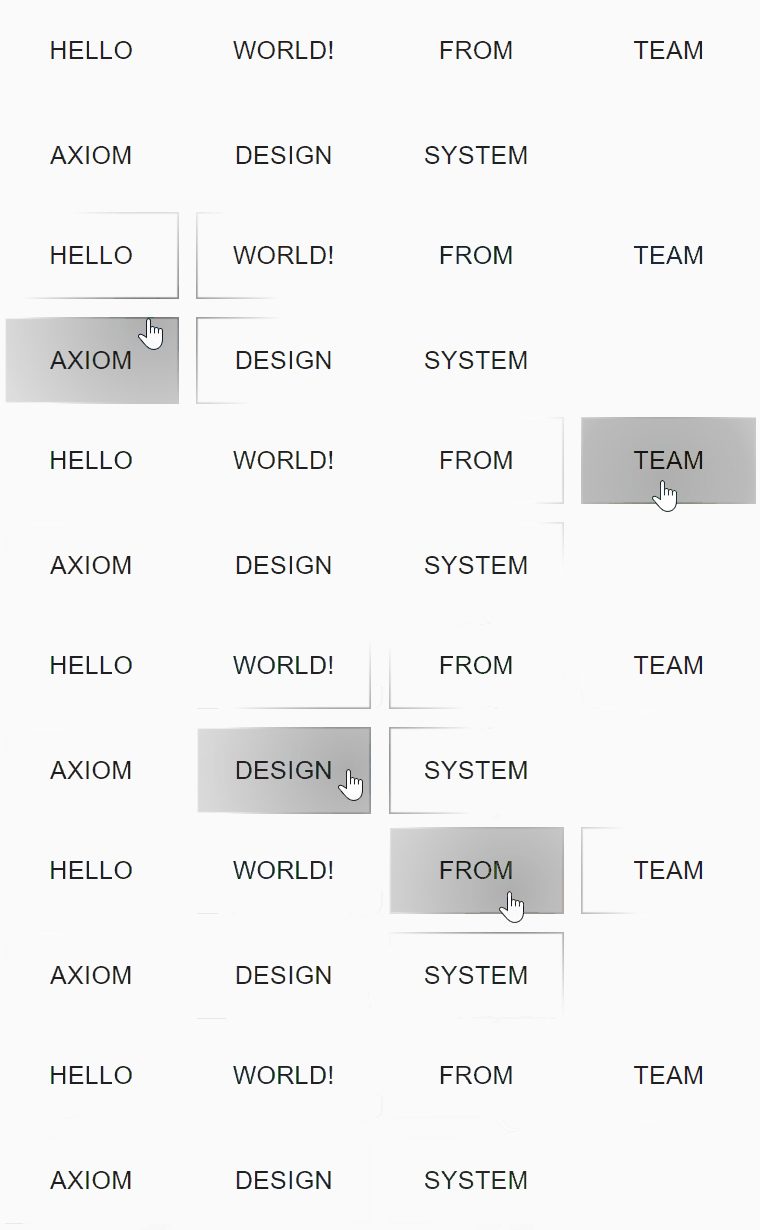
  React component that implements Reveal Highlight of Axiom Design System.
</p>

<p align="center">
  <a href="https://www.npmjs.com/package/@ax-design/reveal-highlight"><img src="https://img.shields.io/npm/v/@ax-design/reveal-highlight.svg" alt="npm version"></a>
  <a href="https://travis-ci.com/ax-design/reveal-highlight"><img src="https://travis-ci.com/ax-design/reveal-highlight.svg?branch=master" alt="CI status"></a>
  <a href="https://deepscan.io/dashboard#view=project&tid=4412&pid=6185&bid=50120"><img src="https://deepscan.io/api/teams/4412/projects/6185/branches/50120/badge/grade.svg" alt="DeepScan grade"></a>
  <a href="https://t.me/axiom_chat"><img src="https://img.shields.io/badge/chat-on%20Telegram-%230088cc.svg" alt="Telegram chat group" /></a>
  <img src="https://img.shields.io/badge/license-MIT-green.svg" alt="MIT Licence" />

</p>

<p align="center">
  <img src="https://raw.githubusercontent.com/ax-design/reveal-highlight/master/docs/screen-record.gif" alt="Screenshot">
</p>

## Installation

```bash
// with npm
npm install @ax-design/reveal-highlight

// with yarn
yarn add @ax-design/reveal-highlight
```

and import it:

```javascript
//CommonJS
require('@ax-design/reveal-highlight').register();

//ESModule
import { register } from '@ax-design/reveal-highlight';
register({
  compat: true,
  borderDetectionMode: 'experimentalAutoFit',
});
```

## Usage

To add a reveal effect on your web application, you need to wrap a `ax-reveal` component with `ax-reveal-provider` and `ax-reveal-bound`.

`ax-reveal-provider` will manage the global reveal style, and cache the rendered highlight bitmap for better performance (WIP).

`ax-reveal-bound` will manage the rendering behavior of `ax-reveal` components, while your mouse enters the boundary, the highlight components will get started to rendering, while your mouse leaves the boundary component, all highlight effect will disappear.

Here's an example:

```html
<ax-reveal-provider>
  <h1>Welcome to project Axiom!</h1>
  <ax-reveal-bound>
    <ax-reveal>
      <button class="ax-reveal-button">Button 1</button>
    </ax-reveal>
    <ax-reveal>
      <button class="ax-reveal-button">Button 2</button>
    </ax-reveal>
  </ax-reveal-bound>
<ax-reveal-provider>
```

## Style Controlling

* Checkout this living example for detailed usage:
https://ax-design.github.io/playground/?path=/story/components-fundamental-elements-reveal-highlight--basic

* And here're the source code:
https://github.com/ax-design/ax-design.github.io/blob/master/stories/templates/RevealHighlight.ts