# react-native-voice-to-text
Speech-to-text for React Native using the platform's built-in speech recognition — `SFSpeechRecognizer` on iOS, `SpeechRecognizer` on Android. No API keys, no third-party service.
## Contents
- [Demo](#demo)
- [Key Features](#key-features)
- [Platform & Architecture Support](#platform--architecture-support)
- [Installation](#installation)
- [Setup & Configuration](#setup--configuration)
- [Quick start](#quick-start)
- [API](#api)
- [Continuous mode](#continuous-mode-push-to-talk)
- [Platform notes](#platform-notes)
- [Development guide](./DEVELOPMENT.md) — run the example app and work on the library
## Demo
### Android
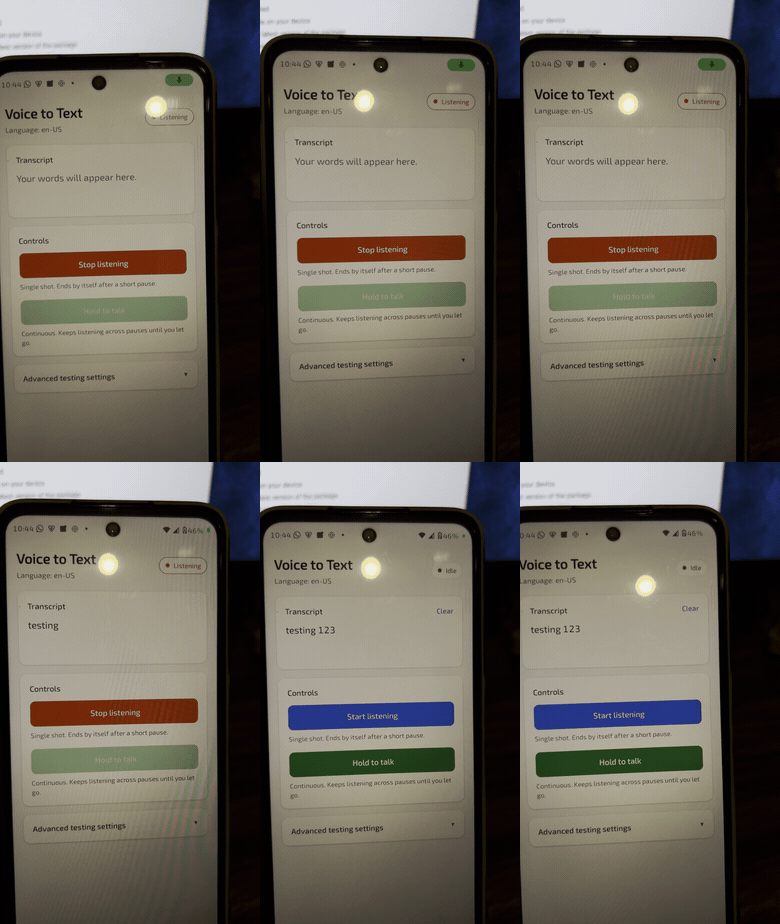 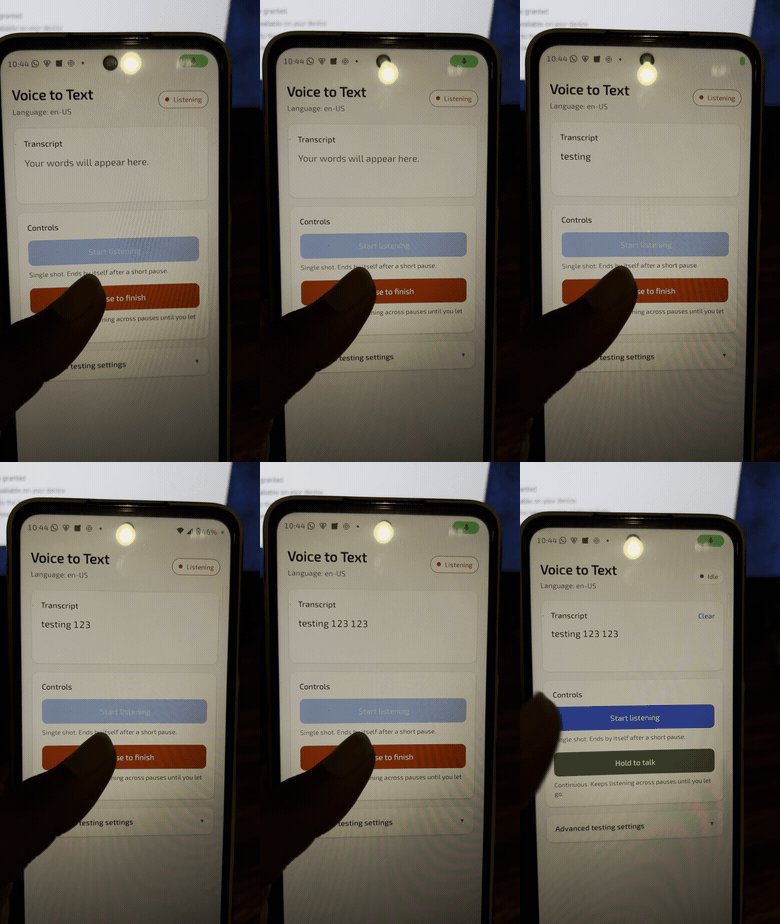
### iOS
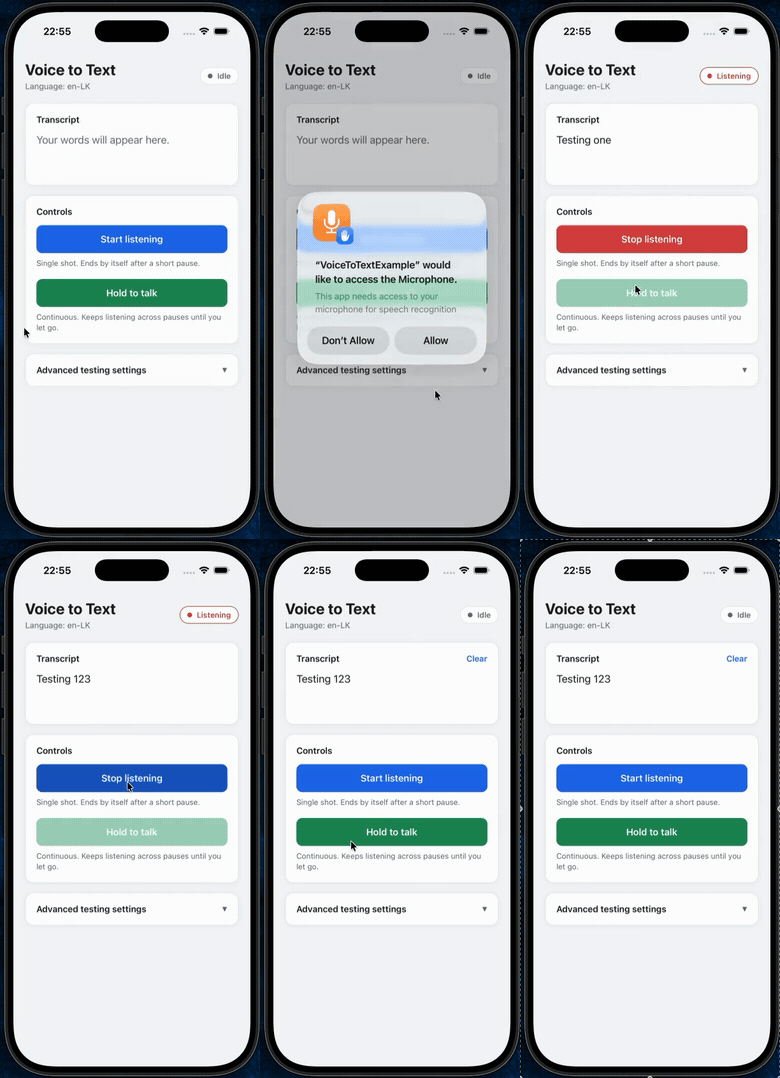 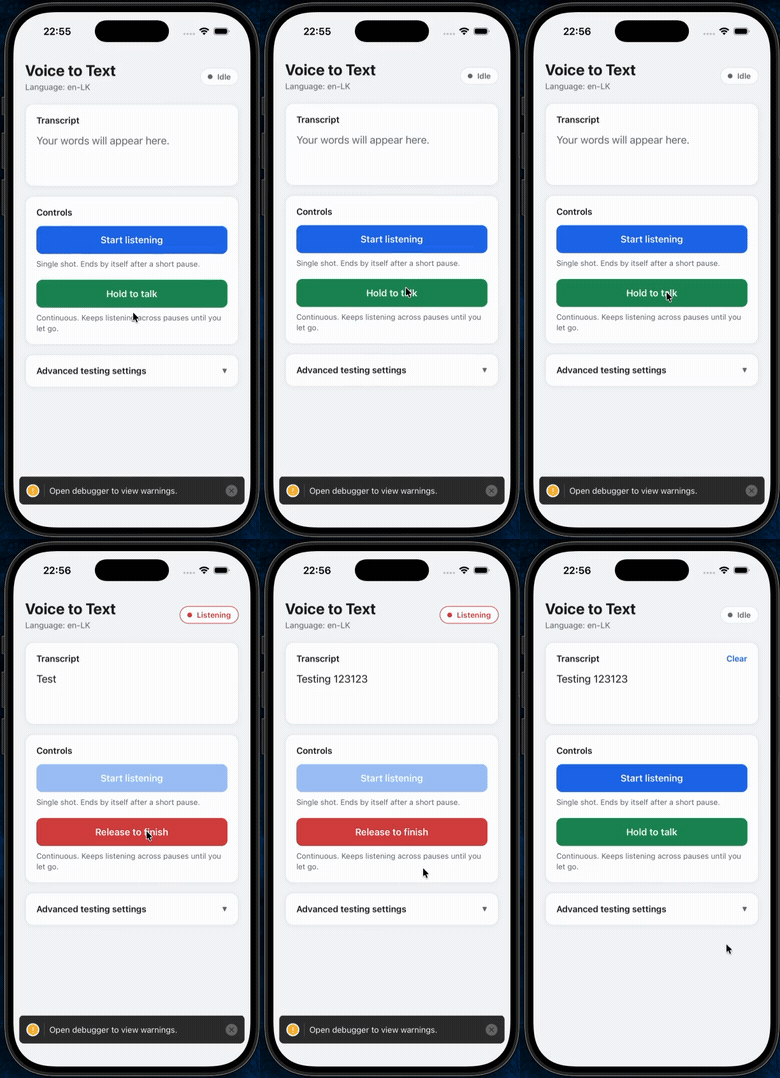
## Key Features
- **Built-in platform recognition** — `SFSpeechRecognizer` on iOS, `SpeechRecognizer` on Android. No API keys, no third-party service, nothing to configure. The OS decides whether recognition runs on the device or on Apple's / Google's servers; see [Offline use](#offline-use).
- **Real-time partial results** while the user is still speaking.
- **Continuous mode** for push-to-talk and dictation, so a session survives normal pauses instead of ending after about a second of silence.
- **Volume and raw audio buffer events**, for a level meter or your own audio processing.
- **Automatic error recovery** — a dropped connection to the Android recognition service is retried automatically, and a session that errors out mid-way still delivers whatever text was already recognised instead of discarding it.
- **Confidence scoring** per transcription, with per-segment scores also available on iOS.
- **Runtime language switching** — read and set the recognition language without restarting the app.
- **Event-driven API** (`addEventListener`) with payload types inferred per event.
- **Full TypeScript types.**
## Platform & Architecture Support
| | iOS | Android |
|---|---|---|
| Speech engine | `SFSpeechRecognizer` | `SpeechRecognizer` |
| OS version | Follows your React Native version's own minimum iOS target — this library sets no extra floor | API 24+ (Android 7.0+) |
| React Native architecture | Old (bridge) and New (TurboModules/Fabric), auto-detected — no config needed | Old (bridge) and New (TurboModules), auto-detected — no config needed |
| CPU / ABI | Compiled from source on every build — no precompiled framework to fall out of sync | `armeabi-v7a`, `arm64-v8a`, `x86`, `x86_64` — no bundled native binaries, so there's no ABI mismatch risk and full compatibility with 16 KB memory page sizes |
## Installation
```sh
npm install @appcitor/react-native-voice-to-text
```
or
```sh
yarn add @appcitor/react-native-voice-to-text
```
The same package works for both a bare React Native app and an Expo app — see [Setup & Configuration](#setup--configuration) for what each one needs afterwards.
## Setup & Configuration
### Expo Projects
This library ships no Expo config plugin, so declare the permissions directly in `app.json` (or `app.config.js`):
```json
{
"expo": {
"ios": {
"infoPlist": {
"NSMicrophoneUsageDescription": "This app needs access to your microphone for speech recognition",
"NSSpeechRecognitionUsageDescription": "This app needs access to speech recognition to convert your voice to text"
}
},
"android": {
"permissions": ["RECORD_AUDIO"]
}
}
}
```
This library contains native code, so it needs a [development build](https://docs.expo.dev/develop/development-builds/introduction/) — it will not run inside **Expo Go**. After configuring the permissions above, generate the native projects and run the dev client:
```sh
npx expo prebuild
npx expo run:ios # or: npx expo run:android
```
The Android runtime permission request below is still required — it's the same call regardless of Expo or bare React Native.
### Bare React Native Projects
**iOS:** Add these two keys to `Info.plist`. Both prompts appear the first time `startListening()` is called, not at app launch.
```xml
NSMicrophoneUsageDescriptionThis app needs access to your microphone for speech recognitionNSSpeechRecognitionUsageDescriptionThis app needs access to speech recognition to convert your voice to text
```
**Android:** Declare the permission in `AndroidManifest.xml`:
```xml
```
...and request it at runtime, since `startListening()` will reject with `PERMISSION_DENIED` if you don't:
```js
import { PermissionsAndroid, Platform } from 'react-native';
async function requestMicrophonePermission() {
if (Platform.OS !== 'android') return true;
const granted = await PermissionsAndroid.request(
PermissionsAndroid.PERMISSIONS.RECORD_AUDIO
);
return granted === PermissionsAndroid.RESULTS.GRANTED;
}
```
## Quick start
```tsx
import { useEffect, useState } from 'react';
import { View, Button, Text } from 'react-native';
import VoiceToText, { VoiceToTextEvents } from '@appcitor/react-native-voice-to-text';
export default function SpeechExample() {
const [text, setText] = useState('');
const [isListening, setIsListening] = useState(false);
useEffect(() => {
const subscriptions = [
VoiceToText.addEventListener(VoiceToTextEvents.START, () => setIsListening(true)),
VoiceToText.addEventListener(VoiceToTextEvents.END, () => setIsListening(false)),
VoiceToText.addEventListener(VoiceToTextEvents.RESULTS, (event) => setText(event.value)),
];
return () => {
VoiceToText.destroy();
subscriptions.forEach((s) => s.remove());
};
}, []);
const toggle = () =>
isListening ? VoiceToText.stopListening() : VoiceToText.startListening();
return (
{text || 'Say something...'}
);
}
```
A fuller example, including the hold-to-talk button below, lives in [`example/`](example).
## API
### Methods
| Method | Description | Returns |
|---|---|---|
| `startListening(options?)` | Starts a session. `{ continuous: true }` keeps it alive across pauses — see [Continuous mode](#continuous-mode-push-to-talk). Rejects with `ALREADY_LISTENING`, `PERMISSION_DENIED`, `NOT_AVAILABLE` or `AUDIO_ERROR`. | `Promise` |
| `stopListening()` | Stops capturing audio. The session's final `RESULTS` (if any) and `END` still follow. | `Promise` |
| `destroy()` | Cancels the session and releases native resources. Safe to call any time; `startListening()` works again afterwards. | `Promise` |
| `getRecognitionLanguage()` | Language tag the next session will use. | `Promise` |
| `setRecognitionLanguage(tag)` | Sets the language (e.g. `'en-US'`) for the next `startListening()`. A running session keeps its language. | `Promise` |
| `isRecognitionAvailable()` | Whether the device can recognise speech at all. | `Promise` |
| `getSupportedLanguages()` | Language tags the device reports as recognisable (iOS: queried from the system; Android: a static list — see [platform notes](#android)). | `Promise` |
| `addEventListener(name, handler)` | Subscribes to a `VoiceToTextEvents` value. | `EmitterSubscription` |
| `removeAllListeners(name)` | Removes every listener for that event. | `void` |
### Events
Subscribe with `VoiceToText.addEventListener(VoiceToTextEvents.X, handler)`. The payload type for each is inferred automatically.
| Event | Fires when | Payload |
|---|---|---|
| `START` | A session starts capturing audio. | — |
| `BEGIN` | The user starts speaking. | — |
| `END` | The session finishes — exactly once per `START`, after the final `RESULTS` or `ERROR`. | — |
| `RESULTS` | Final transcription is ready. | `{ value, isFinal: true, results }` |
| `PARTIAL_RESULTS` | A partial transcription arrives while speaking. | `{ value, isFinal: false, results }` |
| `ERROR` | Something went wrong. | `{ code, message }` |
| `VOLUME_CHANGED` | The input level changes. Android: dB from the recognizer. iOS: linear RMS, `0`–`1`. | `{ value }` |
| `AUDIO_BUFFER` | A raw audio buffer is available. Android: recognizer bytes. iOS: 32-bit float PCM, first channel. | `{ buffer }` (base64) |
`VOLUME_CHANGED` and `AUDIO_BUFFER` only start flowing once something is subscribed, and stop once every listener is removed — they carry a real cost, so don't listen for them unless you use them.
`results.transcriptions` is `Array<{ text, confidence, segments? }>`. `confidence` is `0`–`1`; on Android it's only set on final results, on iOS it's the average of the segment confidences (also included).
## Continuous mode (push-to-talk)
By default a session ends as soon as the recognizer decides you're done talking — on Android, after roughly a second of silence. Pass `continuous: true` to keep it running until you call `stopListening()`:
```tsx
VoiceToText.startListening({ continuous: true })}
onPressOut={() => VoiceToText.stopListening()}
>
Hold to talk
```
What's different in continuous mode:
- The library silently restarts the recognizer each time it ends a segment on its own. You still get exactly one `START` and one `END` for the whole session.
- Every `PARTIAL_RESULTS` and `RESULTS` carries the text of the **whole session so far**, not just the current segment.
- The final `RESULTS` (`isFinal: true`) arrives once, after `stopListening()`.
- If a session fails partway through, you get an `ERROR`, then whatever text was already recognised is delivered as the final `RESULTS`, then `END` — you don't lose what was already said.
## Platform notes
### Offline use
The library makes no network calls itself, but the system recognizer it hands audio to may. Neither platform is forced into on-device mode today (`requiresOnDeviceRecognition` on iOS and `createOnDeviceSpeechRecognizer` on Android are not used), so whether recognition works without a connection depends on the device:
- **iOS**: devices with on-device support (iOS 13+, roughly iPhone XS and newer) and a downloaded language work offline; Apple falls back to on-device automatically. Older devices or languages without an on-device model fail with an `ERROR` event.
- **Android**: devices with the offline speech pack installed for the chosen language (Pixel, recent Samsung) usually work offline. Others fail with `ERROR_NETWORK` or `ERROR_NETWORK_TIMEOUT`. `SpeechRecognizer.isRecognitionAvailable()` can return true even when no offline recognizer exists, so this only surfaces when you start listening.
If you need on-device recognition guaranteed, for example for a privacy claim, don't rely on this library for it yet.
### Android
- `ERROR_NO_MATCH` (7) and `ERROR_SPEECH_TIMEOUT` (6) mean "nothing to recognise", not a failure — treat them as an empty result. If they arrive after partial results already came in, the library delivers that text as `RESULTS` instead of raising an error.
- `stopListening()` before any speech was detected cancels immediately. Otherwise it waits up to 5s for a final result before giving up and using the last partial.
- A dropped connection to the recognition service (`ERROR_SERVER_DISCONNECTED`, `ERROR_CLIENT`, `ERROR_RECOGNIZER_BUSY`) is retried automatically, up to 3 times, whenever doing so won't lose anything already said. You only see an `ERROR` once retries are exhausted — call `startListening()` again if you do.
- `getSupportedLanguages()` returns a fixed list of common tags, not a device query — Android has no reliable API for this. Setting a language outside that list still works if the device supports it.
### iOS
- Uses the `PlayAndRecord` audio session category while listening, and deactivates it again on `END`, so the host app's own audio keeps working.
- Calling `startListening()` while a previous session is still finishing cancels that session first (you get its `END`, then the new `START`). Wait for `END` if you need its final transcription.
## License
MIT