# Getting Started with Apimatic API
## Introduction
This API gives you programmatic access to APIMatic's Code Generation, Docs Generation and Transformation Engine
## Building
### Requirements
The SDK relies on **Node.js** and **npm** (to resolve dependencies). It also requires **Typescript version >=4.1**. You can download and install Node.js and [npm](https://www.npmjs.com/) from [the official Node.js website](https://nodejs.org/en/download/).
> **NOTE:** npm is installed by default when Node.js is installed.
### Verify Successful Installation
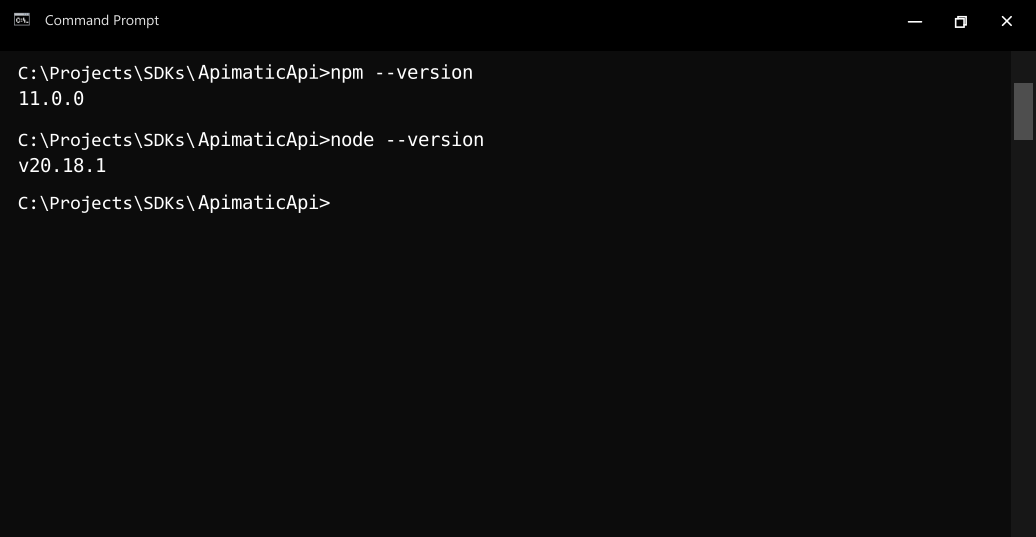
Run the following commands in the command prompt or shell of your choice to check if Node.js and npm are successfully installed:
* Node.js: `node --version`
* npm: `npm --version`
### Install Dependencies
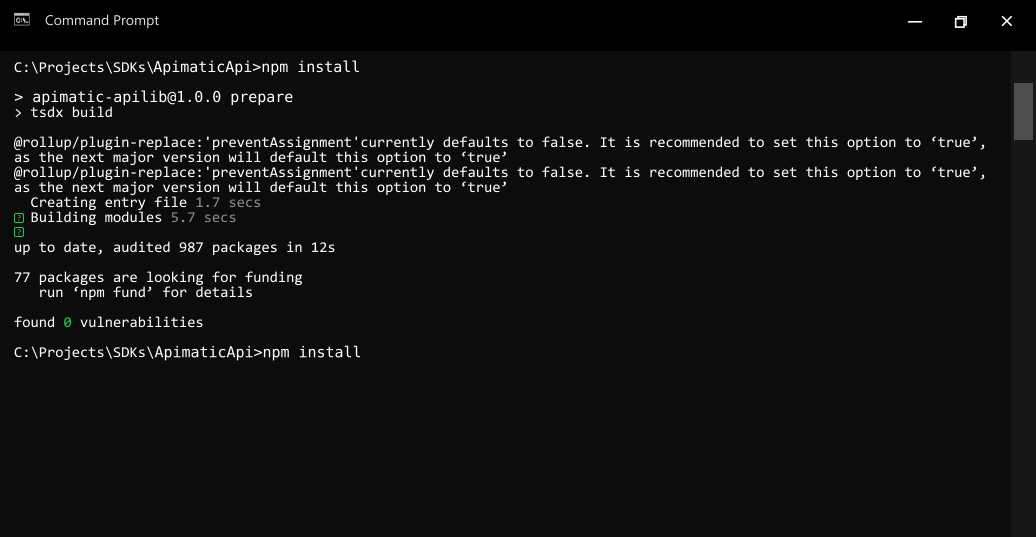
- To resolve all dependencies, go to the **SDK root directory** and run the following command with npm:
```bash
npm install
```
- This will install all dependencies in the **node_modules** folder.
## Installation
The following section explains how to use the generated library in a new project.
### 1. Initialize the Node Project
- Open an IDE/text editor for JavaScript like Visual Studio Code. The basic workflow presented here is also applicable if you prefer using a different editor or IDE.
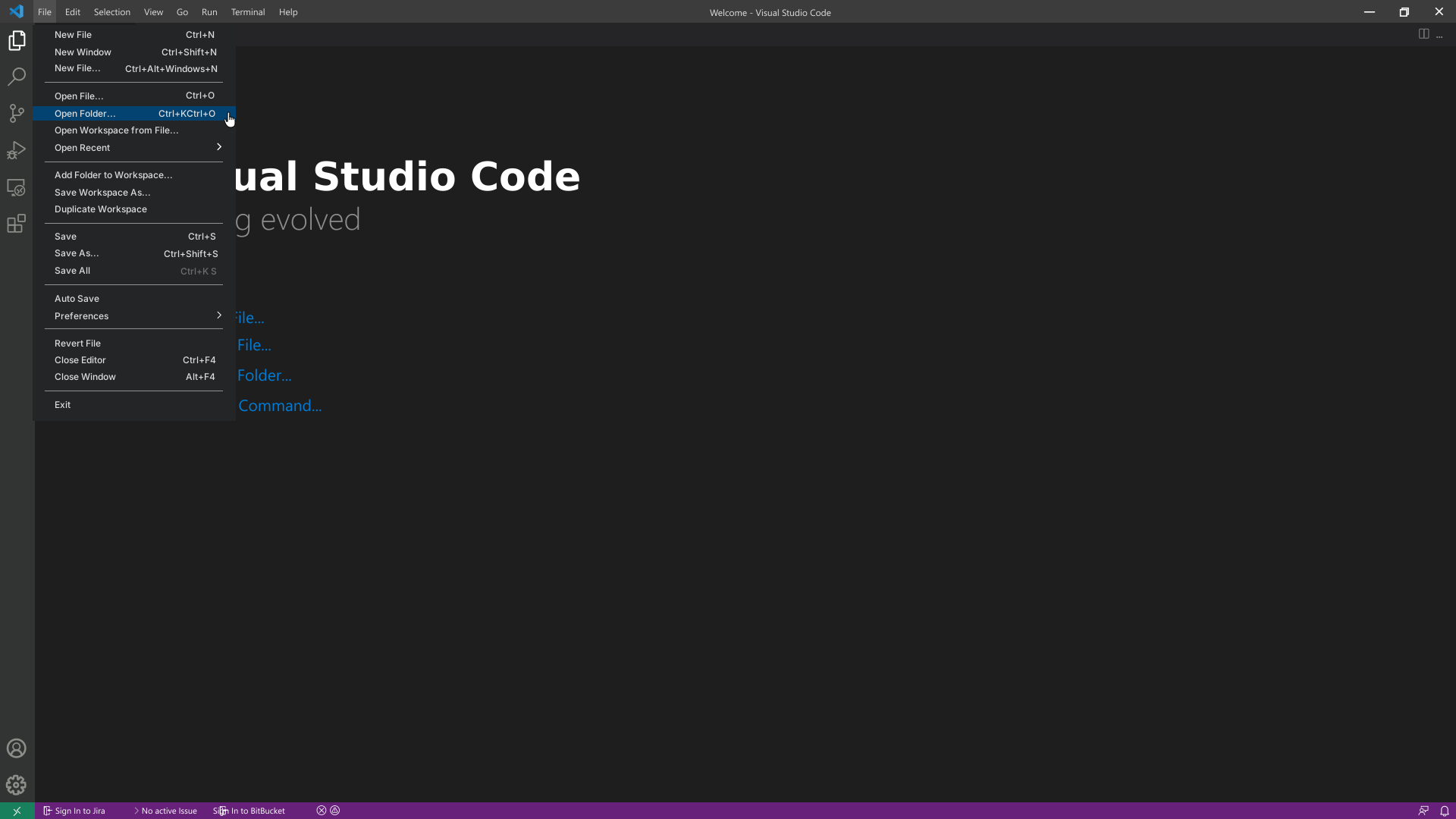
- Click on **File** and select **Open Folder**. Select an empty folder of your project, the folder will become visible in the sidebar on the left.
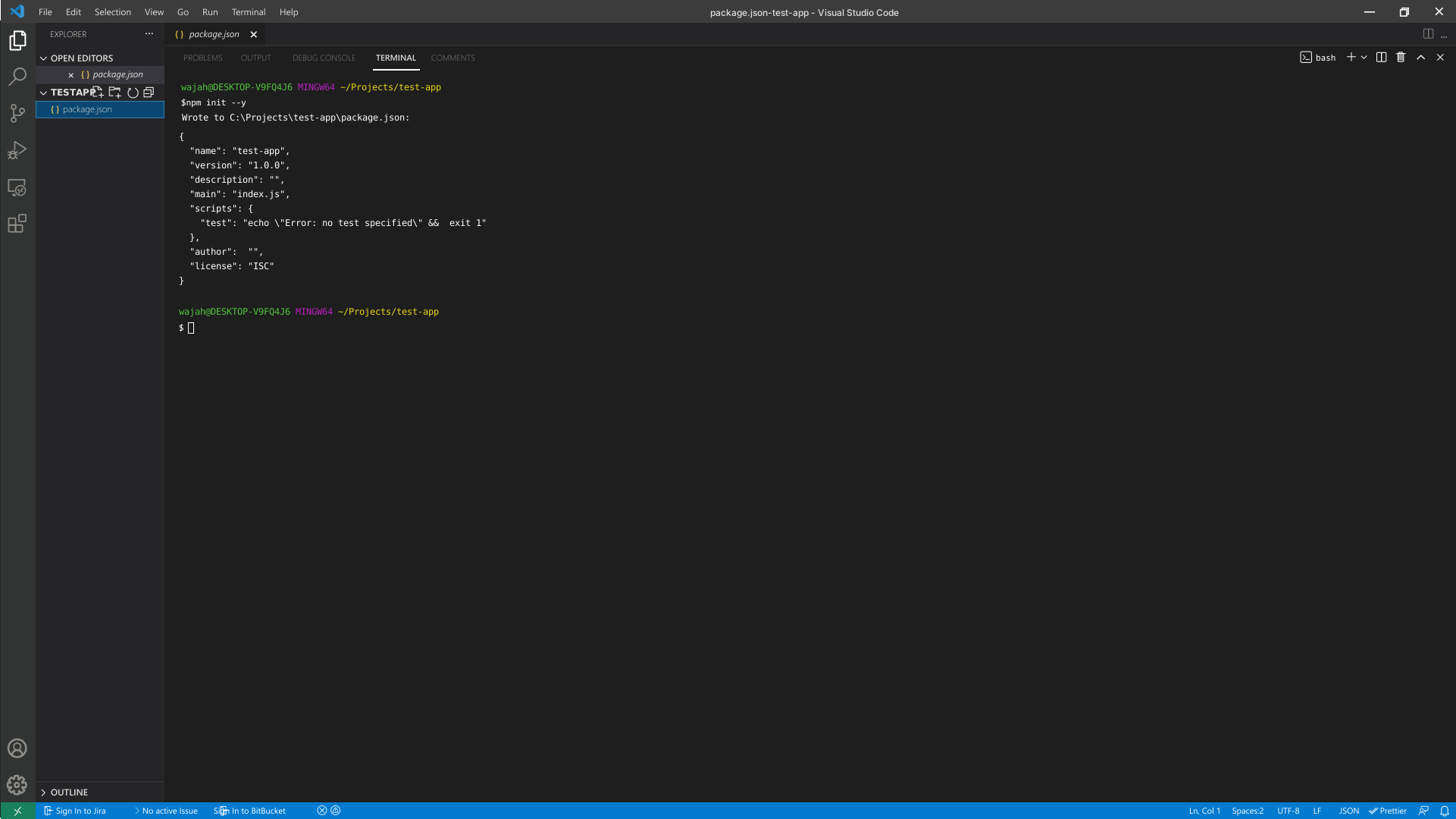
- To initialize the Node project, click on **Terminal** and select **New Terminal**. Execute the following command in the terminal:
```bash
npm init --y
```
### 2. Add Dependencies to the Client Library
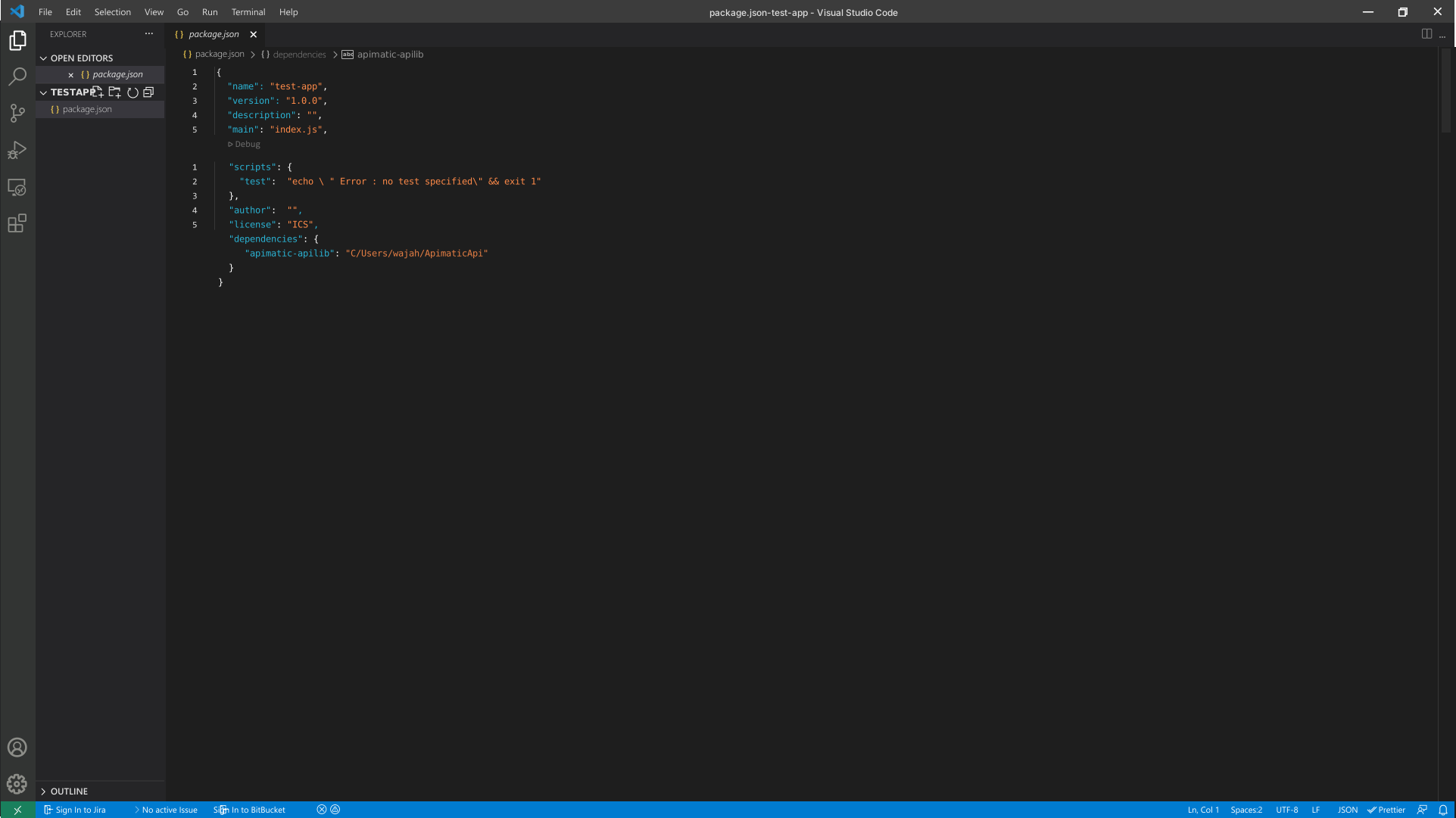
- The created project manages its dependencies using its `package.json` file. In order to add a dependency on the *Apimatic APILib* client library, double click on the `package.json` file in the bar on the left and add the dependency to the package in it.
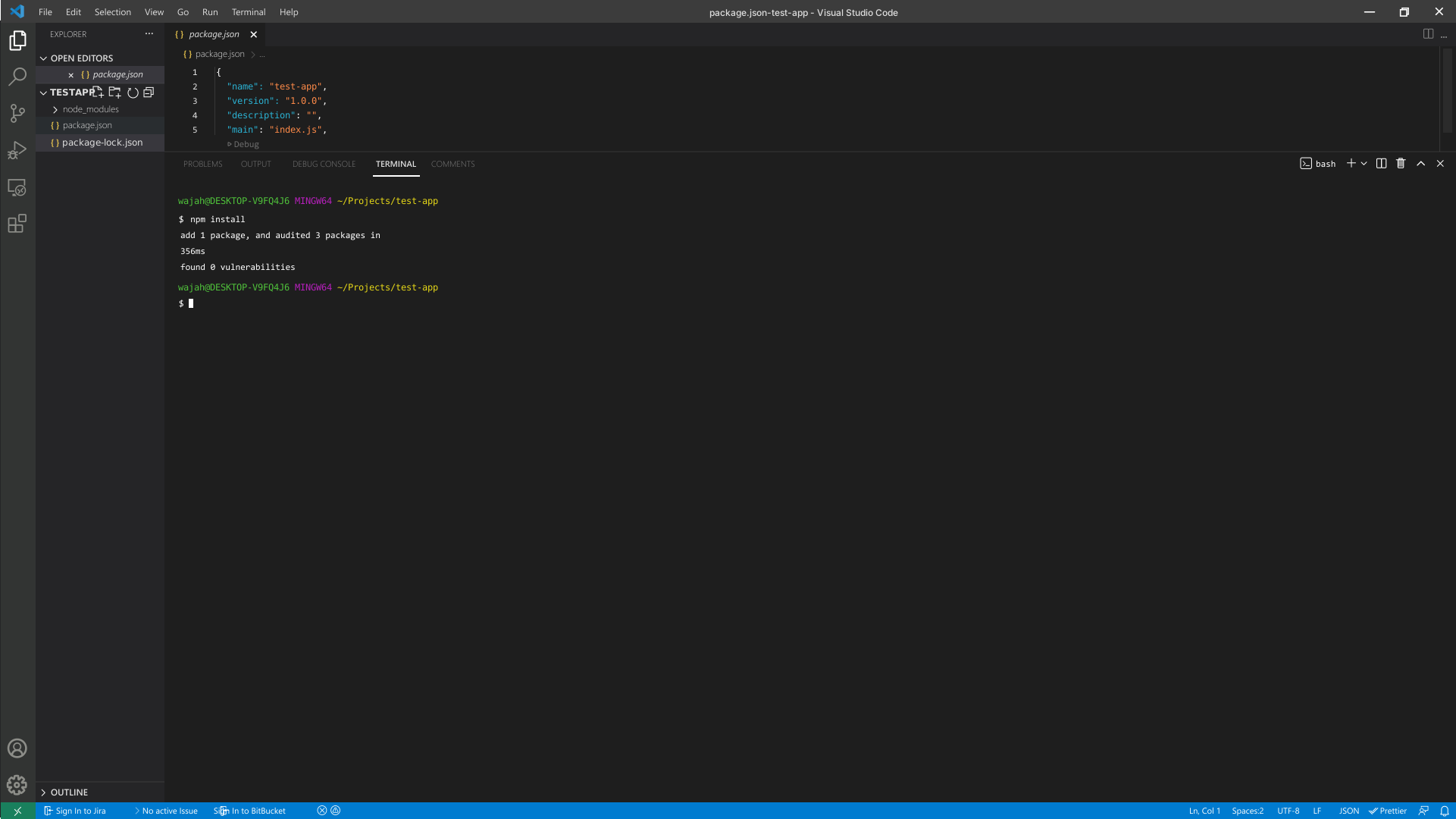
- To install the package in the project, run the following command in the terminal:
```bash
npm install
```
## Initialize the API Client
**_Note:_** Documentation for the client can be found [here.](doc/client.md)
The following parameters are configurable for the API Client:
| Parameter | Type | Description |
| --- | --- | --- |
| userAgent | `string` | |
| customUrl | `string` | The testing domain for the API
*Default*: `'https://localhost:44301/api'` |
| environment | [`Environment`](README.md#environments) | The API environment.
**Default: `Environment.Production`** |
| timeout | `number` | Timeout for API calls.
*Default*: `30000` |
| httpClientOptions | [`Partial`](doc/http-client-options.md) | Stable configurable http client options. |
| unstableHttpClientOptions | `any` | Unstable configurable http client options. |
| logging | [`PartialLoggingOptions`](doc/partial-logging-options.md) | Logging Configuration to enable logging |
| customHeaderAuthenticationCredentials | [`CustomHeaderAuthenticationCredentials`](doc/auth/custom-header-signature.md) | The credential object for customHeaderAuthentication |
The API client can be initialized as follows:
### Code-Based Client Initialization
```ts
import { Client, Environment, LogLevel } from 'apimatic-apilib';
const client = new Client({
customHeaderAuthenticationCredentials: {
'Authorization': 'Authorization'
},
userAgent: 'user-agent',
timeout: 30000,
environment: Environment.Production,
logging: {
logLevel: LogLevel.Info,
logRequest: {
logBody: true
},
logResponse: {
logHeaders: true
}
},
customUrl: 'https://localhost:44301/api',
});
```
### Configuration-Based Client Initialization
```ts
import * as path from 'path';
import * as fs from 'fs';
import { Client } from 'apimatic-apilib';
// Provide absolute path for the configuration file
const absolutePath = path.resolve('./config.json');
// Read the configuration file content
const fileContent = fs.readFileSync(absolutePath, 'utf-8');
// Initialize client from JSON configuration content
const client = Client.fromJsonConfig(fileContent);
```
See the [Configuration-Based Client Initialization](doc/configuration-based-client-initialization.md) section for details.
### Environment-Based Client Initialization
```ts
import * as dotenv from 'dotenv';
import * as path from 'path';
import * as fs from 'fs';
import { Client } from 'apimatic-apilib';
// Optional - Provide absolute path for the .env file
const absolutePath = path.resolve('./.env');
if (fs.existsSync(absolutePath)) {
// Load environment variables from .env file
dotenv.config({ path: absolutePath, override: true });
}
// Initialize client using environment variables
const client = Client.fromEnvironment(process.env);
```
See the [Environment-Based Client Initialization](doc/environment-based-client-initialization.md) section for details.
## Environments
The SDK can be configured to use a different environment for making API calls. Available environments are:
### Fields
| Name | Description |
| --- | --- |
| Production | **Default** |
| Testing | - |
## Authorization
This API uses the following authentication schemes.
* [`Authorization (Custom Header Signature)`](doc/auth/custom-header-signature.md)
## List of APIs
* [APIs Management](doc/controllers/apis-management.md)
* [Code Generation-Imported APIs](doc/controllers/code-generation-imported-apis.md)
* [Code Generation-External APIs](doc/controllers/code-generation-external-apis.md)
* [Docs Portal Management](doc/controllers/docs-portal-management.md)
* [Docs Portal Generation-Async](doc/controllers/docs-portal-generation-async.md)
* [API Validation-Imported APIs](doc/controllers/api-validation-imported-apis.md)
* [API Validation-External APIs](doc/controllers/api-validation-external-apis.md)
* [API Validation V2-External APIs](doc/controllers/api-validation-v2-external-apis.md)
* [Table of Contents](doc/controllers/table-of-contents.md)
* [SDK Source Tree Generation-Async](doc/controllers/sdk-source-tree-generation-async.md)
* [SDK Generation-Async](doc/controllers/sdk-generation-async.md)
* [V2 SDK Generation](doc/controllers/v2-sdk-generation.md)
* [Transformation](doc/controllers/transformation.md)
## SDK Infrastructure
### Configuration
* [HttpClientOptions](doc/http-client-options.md)
* [RetryConfiguration](doc/retry-configuration.md)
* [ProxySettings](doc/proxy-settings.md)
* [Configuration-Based Client Initialization](doc/configuration-based-client-initialization.md)
* [Environment-Based Client Initialization](doc/environment-based-client-initialization.md)
* [PartialLoggingOptions](doc/partial-logging-options.md)
* [PartialRequestLoggingOptions](doc/partial-request-logging-options.md)
* [PartialResponseLoggingOptions](doc/partial-response-logging-options.md)
* [LoggerInterface](doc/logger-interface.md)
### HTTP
* [HttpRequest](doc/http-request.md)
### Utilities
* [ApiResponse](doc/api-response.md)
* [ApiError](doc/api-error.md)