**INFO**
This is a fork of [react-live](https://github.com/FormidableLabs/react-live) with the following changes:
- Added Typescript support
- Ability to pass `transformOptions` to Sucrase
- Ability to pass `Context` prop to use in `LiveProvider`
Above changes are released with name `@aliemir/react-live` on npm with version `4.0.0`.
React Live
A flexible playground for live editing React code
**React Live** brings you the ability to render React components with editable source code and live preview.
The library is structured modularly and lets you style and compose its components freely.
## Usage
Install it with `npm install react-live` or `yarn add react-live` and try out this piece of JSX:
```js
import {
LiveProvider,
LiveEditor,
LiveError,
LivePreview
} from 'react-live'
```
## Demo
[https://react-live.netlify.com/](https://react-live.netlify.com/)
## FAQ
### How does it work?
It takes your code and transpiles it with [Sucrase](https://github.com/alangpierce/sucrase), while the code is displayed using [`use-editable`](https://github.com/FormidableLabs/use-editable) and the code is highlighted using [`prism-react-renderer`](https://github.com/FormidableLabs/prism-react-renderer).
The transpiled code is then rendered in the preview component (`LivePreview`), which does a fake mount if the code
is a React component.
Prior to `v3.0.0`, earlier versions of the library used different internals. We recommend using the latest version you can.
|Version|Supported React version|Editor |Transpiler
|-------|-----------------------|--------------------------|----------
|v3.x.x |v17.x.x |`use-editable` |`Sucrase`
|v2.x.x |v16.x.x |`react-simple-code-editor`|`Bublé`
Please see also the related Formidable libraries:-
- [https://github.com/FormidableLabs/prism-react-renderer](https://github.com/FormidableLabs/prism-react-renderer)
- [https://github.com/FormidableLabs/use-editable](https://github.com/FormidableLabs/use-editable)
### What code can I use?
The code can be one of the following things:
- React elements, e.g. `Hello World!`
- React pure functional components, e.g. `() => Hello World!`
- React functional components with Hooks
- React component classes
If you enable the `noInline` prop on your `LiveProvider`, you’ll be able to write imperative code,
and render one of the above things by calling `render`.
### How does the scope work?
The `scope` prop on the `LiveProvider` accepts additional globals. By default it injects `React` only, which
means that the user can use it in their code like this:
```js
// ↓↓↓↓↓
class Example extends React.Component {
render() {
return Hello World!
}
}
```
But you can of course pass more things to the scope. They will be available as variables in the code. Here's an example using [styled components](https://github.com/styled-components/styled-components):
```js
import styled from 'styled-components';
const headerProps = { text: 'I\'m styled!' };
const scope = {styled, headerProps};
const code = `
const Header = styled.div\`
color: palevioletred;
font-size: 18px;
\`
render({headerProps.text})
`
```
Here's an example using a custom component ``. This component lives in a different directory. It gets passed into the scope wrapped in an Object. Note that since we are not using `render()` in the code snippet we let `noInline` stay equal to the default of `false`:
```js
import { MyButton } from './components/MyButton';
const scope = { MyButton };
const code = `
`
```
### Using Hooks
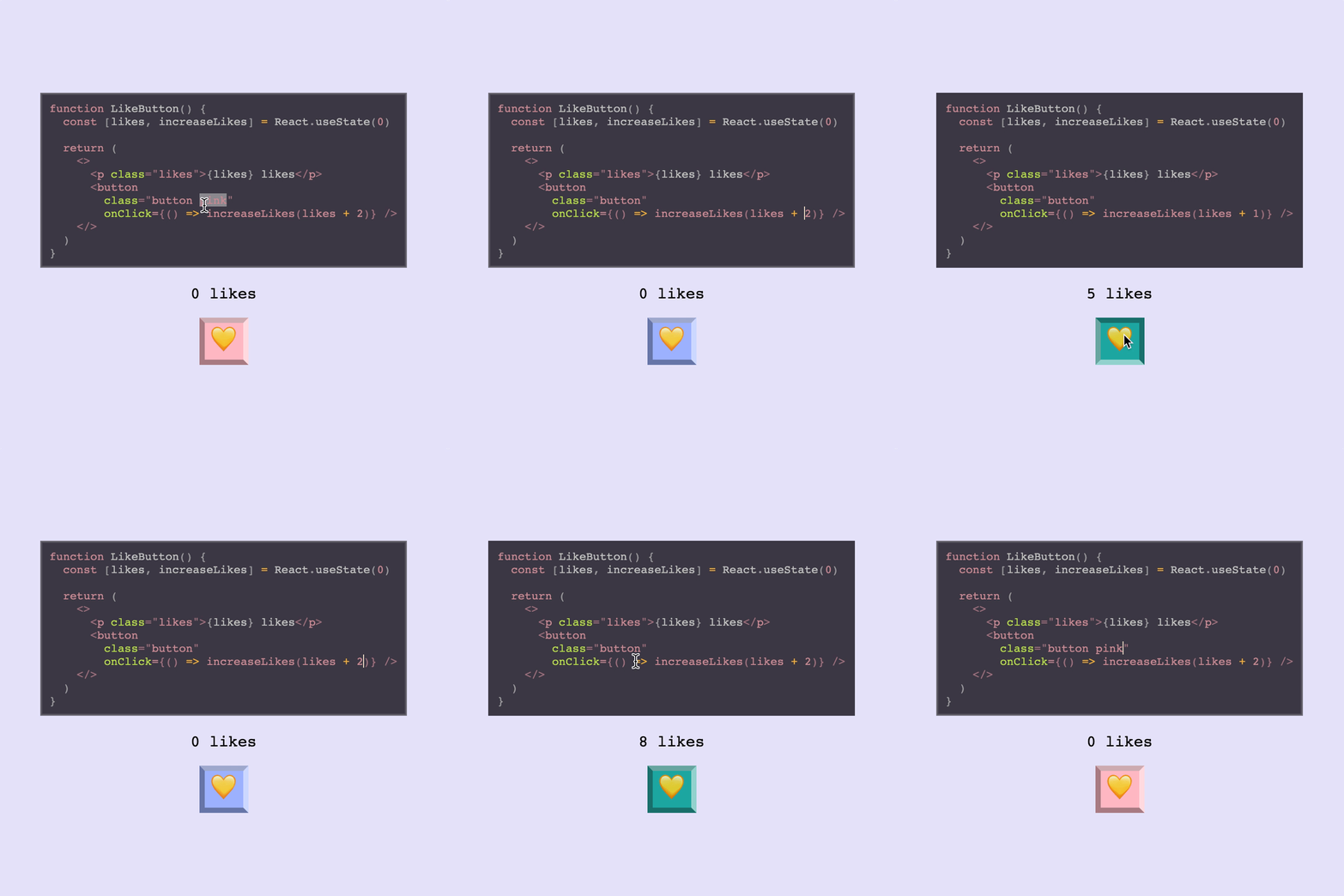
React Live supports using Hooks, but you may need to be mindful of the scope. As mentioned above, only React is injected into scope by default.
This means that while you may be used to destructuring `useState` when importing React, to use hooks provided by React in React Live you will either need to stick to using `React.useState` or alternately you can set the scope up so that `useState` is provided separately.
```js
() => {
const [likes, increaseLikes] = React.useState(0);
return (
<>
{`${likes} likes`}
);
}
```
### What bundle size can I expect?
Our reported bundle size badges don't give you the full picture of
the kind of sizes you will get in a production app. The minified
bundles we publish _exclude_ some dependencies that we depend
on.
In an actual app when you use `react-live` you will also be bundling
Sucrase for transpilation.
## API
### <LiveProvider />
This component provides the `context` for all the other ones. It also transpiles the user’s code!
It supports these props, while passing any others through to the `children`:
|Name|PropType|Description|
|---|---|---|
|code|PropTypes.string|The code that should be rendered, apart from the user’s edits
|scope|PropTypes.object|Accepts custom globals that the `code` can use
|noInline|PropTypes.bool|Doesn’t evaluate and mount the inline code (Default: `false`). Note: when using `noInline` whatever code you write must be a single expression (function, class component or some `jsx`) that can be returned immediately. If you'd like to render multiple components, use `noInline={true}`
|transformCode|PropTypes.func|Accepts and returns the code to be transpiled, affording an opportunity to first transform it
|language|PropTypes.string|What language you're writing for correct syntax highlighting. (Default: `jsx`)
|disabled|PropTypes.bool|Disable editing on the `` (Default: `false`)
|theme|PropTypes.object|A `prism-react-renderer` theme object. See more [here](https://github.com/FormidableLabs/prism-react-renderer#theming)
All subsequent components must be rendered inside a provider, since they communicate
using one.
The `noInline` option kicks the Provider into a different mode, where you can write imperative-style
code and nothing gets evaluated and mounted automatically. Your example will need to call `render`
with valid JSX elements.
### <LiveEditor />
This component renders the editor that displays the code. It is a wrapper around [`react-simple-code-editor`](https://github.com/satya164/react-simple-code-editor) and the code highlighted using [`prism-react-renderer`](https://github.com/FormidableLabs/prism-react-renderer).
|Name|PropType|Description|
|---|---|---|
|style|PropTypes.object|Allows overriding default styles on the `LiveEditor` component.
### <LiveError />
This component renders any error that occur while executing the code, or transpiling it.
It passes through any props to a `pre`.
> Note: Right now when the component unmounts, when there’s no error to be shown.
### <LivePreview />
This component renders the actual component that the code generates inside an error boundary.
|Name|PropType|Description|
|---|---|---|
|Component|PropTypes.node|Element that wraps the generated code. (Default: `div`)
### withLive
The `withLive` method creates a higher-order component, that injects the live-editing props provided
by `LiveProvider` into a component.
Using this HOC allows you to add new components to react-live, or replace the default ones, with a new
desired behavior.
The component wrapped with `withLive` gets injected the following props:
|Name|PropType|Description|
|---|---|---|
|code|PropTypes.string|Reflects the code that is passed in as the `code` prop
|error|PropTypes.string|An error that the code has thrown when it was previewed
|onError|PropTypes.func|A callback that, when called, changes the error to what's passed as the first argument
|onChange|PropTypes.func|A callback that accepts new code and transpiles it
|element|React.Element|The result of the transpiled code that is previewed
> Note: The code prop doesn't reflect the up-to-date code, but the `code` prop, that is passed to the `LiveProvider`.
## FAQ
> **I want to use experimental feature x but Sucrase doesn't support it! Can I use babel instead?**
`react-live` doesn't currently support configuring the transpiler and it ships with Sucrase. The current workaround for using some experimental features `Sucrase` doesn't support would be to use the `transformCode` prop on `LiveProvider` to transform your code with `babel` alongside `Sucrase`.
## Comparison to [component-playground](https://github.com/FormidableLabs/component-playground)
There are multiple options when it comes to live, editable React component environments. Formidable actually has **two** first class projects to help you out: [`component-playground`](https://github.com/FormidableLabs/component-playground) and [`react-live`](https://github.com/FormidableLabs/react-live). Let's briefly look at the libraries, use cases, and factors that might help in deciding which is right for you.
Here's a high-level decision tree:
- If you want **fast and easy** setup and integration, then `component-playground` may be the ticket!
- If you want **a smaller bundle**, **SSR**, and **more flexibility**, then `react-live` is for you!
Here are the various factors at play:
- **Build**: `component-playground` uses `babel-standalone`, `react-live` uses `Sucrase`.
- **Bundle size**: `component-playground` has a larger bundle, but uses a more familiar editor setup. `react-live` is smaller, but more customized editor around `prism`.
- **Ease vs. flexibility**: `react-live` is more modular/customizable, while `component-playground` is easier/faster to set up.
- **Extra features**: `component-playground` supports raw evaluation and pretty-printed output out-of-the-box, while `react-live` does not.
- **Error handling**: `component-playground` might have more predictable error handling than `react-live` in some cases (due to `react-dom`).
## Maintenance Status
**Active:** Formidable is actively working on this project, and we expect to continue for work for the foreseeable future. Bug reports, feature requests and pull requests are welcome.