create-stack
Pick a framework and the pieces your app needs. create-stack starts from a base
app, keeps your selections, and removes the rest.
Supports Next.js App Router and TanStack Start.




Website and interactive stack builder
---
Choose a framework, then select a database, tRPC, auth, mailer, and optional capabilities.
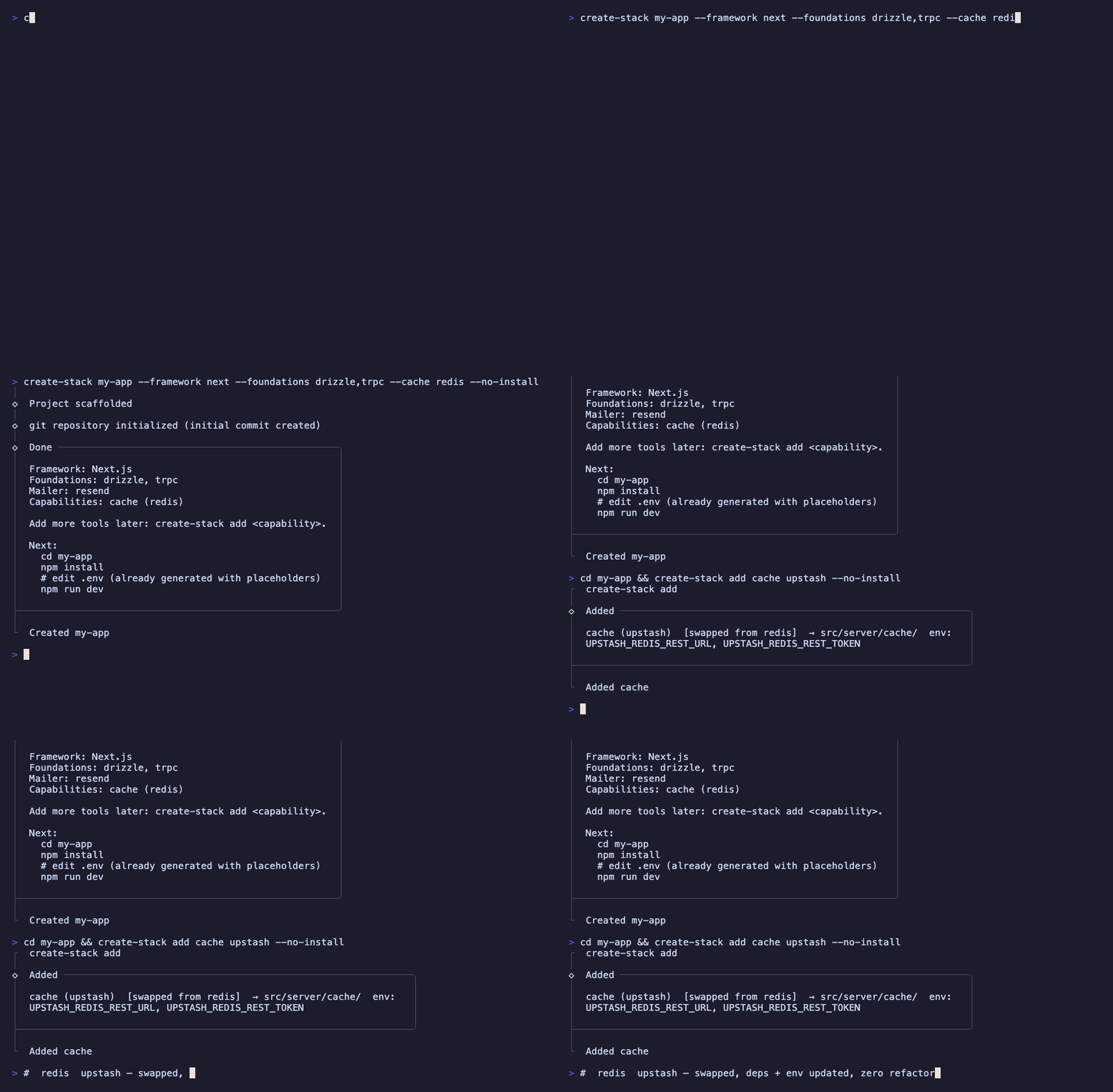
create-stack forks a base app, removes the pieces you did not select, writes the project
identity and `.env`, installs dependencies, and runs typecheck and Biome. With Git enabled,
it creates the initial commit after those checks pass.
The supported frameworks are **Next.js App Router** and **TanStack Start**.
> **Open source (MIT).** The source and issue tracker are on
> [github.com/alfredmouelle/create-stack](https://github.com/alfredmouelle/create-stack).
## Quick start
```bash
pnpm dlx @alfredmouelle/create-stack@latest my-app
# or the create-* convention (npm / yarn create also work):
pnpm create @alfredmouelle/stack@latest my-app
```
With no flags, the CLI opens an **interactive wizard**. Any selection flag switches to
**non-interactive** mode for CI and scripts.
Requires **Node ≥ 24.19.0**, a package manager (**pnpm** / npm / yarn / bun), and **git** on
`PATH`. The CLI detects the package manager used to run it and uses the same one in the
generated project.
## Commands
```
create-stack [project] [flags] # scaffold a new project
create-stack add [kind] [provider] # add one capability or component
create-stack add --with kind[=provider] [...] # add a validated batch
```
`project` names the target directory and becomes the default package name. It must not exist,
or it must be empty. ` --help` prints the command's flags, and `--version` prints
the installed version.
## Scaffold flags
| Flag | Values | Default | Notes |
| --- | --- | --- | --- |
| `--framework` | `tanstack` \| `next` | `tanstack` | Base app to use. |
| `--monorepo` | `turbo` \| `nx` | standalone | Put the app in `apps/web` inside a Turborepo or Nx monorepo. Bare `--monorepo` selects turbo; omit it for a standalone app. |
| `--pm` | `pnpm` \| `npm` \| `yarn` \| `bun` | auto-detected | Package manager for the generated project. |
| `--alias` | prefix, e.g. `@` \| `#` | `~` | Import alias. Rewrites imports matching `/*` to `src/*`. |
| `--database` | `drizzle` \| `prisma` \| `convex` \| `none` | `drizzle` | Data layer. `prisma` selects Prisma 7. `convex` provides a realtime database and API, so use Clerk or no auth. `none` omits the database. |
| `--auth` | `better-auth` \| `clerk` \| `none` | `better-auth` | Auth provider. `clerk` is hosted (needs no db/mailer); `none` = no auth. |
| `--minimal` | - | - | Start with a frontend-only project and omit data, auth, tRPC, mail, and capabilities. |
| `--trpc` / `--no-trpc` | - | recommended | Explicitly include or exclude the tRPC API axis. |
| `--no-db` | - | - | Explicitly exclude the data axis. |
| `--no-auth` | - | - | Explicitly exclude authentication. |
| `--no-mail` | - | - | Explicitly exclude transactional email. |
| `--mailer` | `resend` \| `brevo` \| `ses` \| `none` | `resend` | Mailer provider. |
| `--storage` | `s3` \| `r2` \| `gcs` \| `local` | `r2` | Object storage (omit to skip). |
| `--cache` | `redis` \| `upstash` \| `memory` | `upstash` | Key/value cache (omit to skip). |
| `--jobs` | `inngest` | `inngest` | Background jobs (omit to skip; bare selects Inngest). |
| `--logger` | `pino` \| `console` | `pino` | Structured logging (omit to skip). |
| `--analytics` | `posthog` \| `plausible` \| `noop` | `posthog` | Product analytics (omit to skip). |
| `--errors`, `--error-tracking` | `sentry` | `sentry` | Error reporting (omit to skip; bare selects Sentry). |
| `--no-install` | - | install on | Skip dependency installation and verification. |
| `--no-git` | - | Git on | Do not initialize Git. |
| `--yes`, `-y` | - | - | Run non-interactively with the defaults. |
Capability flags are optional. Pass a bare flag to select its default or only provider. Leave
the flag out to skip it. Any stack or capability flag switches creation to non-interactive mode.
When flags omit stack choices, the CLI applies these rules:
- `--no-db` selects Clerk, keeps tRPC, and omits mail.
- If Better Auth stays selected, the CLI adds Drizzle when the database is omitted and Resend
when the mailer is omitted.
- Explicit `--no-db` and `--no-mail` conflict with Better Auth.
- tRPC does not depend on the database or auth. Convex cannot be used with tRPC or Better Auth.
- If Convex's related choices are omitted, the CLI uses Clerk, no tRPC, and no mail.
```bash
# accept all defaults without prompts
pnpm dlx @alfredmouelle/create-stack my-app --yes
# Convex with Clerk auth
pnpm dlx @alfredmouelle/create-stack my-app --database convex --auth clerk
# Next.js with tRPC, no data or auth, without installing dependencies
pnpm dlx @alfredmouelle/create-stack api --framework next --minimal --trpc --no-install
# Nx monorepo with the common capabilities
pnpm dlx @alfredmouelle/create-stack my-app --monorepo nx --storage --cache --jobs --errors
```
## Generated project
Depending on your selections, the generated project can include:
- Next.js App Router or TanStack Start with SSR and routing.
- A standalone app, or an app in `apps/web` inside a Turborepo or Nx monorepo with workspace task caching and Git hooks.
- Drizzle or Prisma 7 with Postgres, a driver adapter, schema, seed, keyset pagination, and a `start-database.sh` script that runs a local Postgres container through Docker or Podman. The generated `.env` already points to that database. Convex provides a realtime database and API. The database is optional.
- tRPC v11 with SSR/RSC integration and a health router.
- better-auth with email and password, verification, Google OAuth, and auth pages. Clerk provides hosted auth, middleware, sign-in and sign-up pages. Auth is optional.
- Resend, Brevo, or SES behind one mailer interface with React Email templates.
- Tailwind v4, shadcn, Geist, a theme toggle, strict Biome, typed `env.ts`, a Dockerfile, Git hooks, GitHub Actions CI, and generated `.gitignore` and `.env`.
The CLI removes files, dependencies, env keys, and wiring for choices you leave out. It then
runs typecheck and Biome in the generated project.
## Capabilities
The CLI copies integrations into `src/server//` and adds their dependencies and env
keys to `package.json` and `env.ts`. There are two forms.
**Port-based capabilities.** `port.ts` holds the interface and `adapters/.ts` holds the
chosen provider. A generated composition root reads typed env and constructs the adapter when
the app needs it, so you can install the code before setting provider keys.
| Capability | Adapters |
| --- | --- |
| `storage` | s3, r2, gcs, local |
| `cache` | redis, upstash, memory |
| `logger` | pino, console |
| `analytics` | posthog, plausible, noop |
| `mailer` | resend, brevo, ses |
**Single-provider modules.** These use the listed provider directly:
| Capability | Provider | What lands |
| --- | --- | --- |
| `jobs` | Inngest | the client, an example typed event + function, and the serve route for your framework |
| `error-tracking` | Sentry | shared `init` options plus the framework wiring (`onRequestError` / global-error for Next, the Vite plugin, instrumentation files and middlewares for TanStack Start) |
| `email-ui` | n/a | React Email primitives and theme |
| `http` | n/a | typed fetch helpers |
Run `create-stack add` later to add capabilities or components. Re-adding a port with a
different adapter **swaps** it. Use `--keep-files` to keep both adapters. Re-adding a module
copies it again. Repeat `--with` to validate and apply capabilities and components together.
The CLI checks every entry before it changes project files.
```bash
create-stack add # grouped interactive picker
create-stack add storage r2 # one capability + provider
create-stack add cache upstash # swap Redis for Upstash
create-stack add jobs # provider omitted
create-stack add --with storage=r2 --with jobs # capability batch
create-stack add --with jobs --with component=confirm # mixed batch
```
## Components
These UI components are separate from the base app. `create-stack add` installs their local
shadcn registry items, so the target application's `components.json` controls aliases, styles,
icons, and official primitives. Existing Create Stack files stay untouched unless you pass
`--force`; customized shadcn primitives remain untouched. The callable dialogs use
[react-call](https://react-call.desko.dev). The CLI mounts their `` in the app shell,
either TanStack `__root` or the Next.js root layout, so `.call()` works after installation.
| Component | Create Stack files | Official shadcn primitives | Direct packages |
| --- | --- | --- | --- |
| `date-picker` | `ui/date-picker`, `ui/date-range-picker`, `lib/date` | calendar, popover, button | react-day-picker, date-fns, lucide-react |
| `data-table` | `data-table`, `infinite-data-table`, `sortable-header`, `use-data-table` | table, skeleton, button | @tanstack/react-table@^8.21.3, lucide-react |
| `confirm` | `ui/confirm`, waits for a yes/no result | alert-dialog | react-call |
| `alert` | `ui/alert`, waits for confirmation | alert-dialog | react-call |
| `prompt` | `ui/prompt`, waits for text input | dialog | react-call |
| `choice` | `ui/choice`, waits for a selection | dialog | react-call |
| `confirm-passphrase` | `ui/confirm-passphrase`, checks an exact phrase | dialog | react-call |
| `confirm-otp` | `ui/confirm-otp`, checks an OTP code | dialog, input-otp | react-call |
```bash
create-stack add # grouped capabilities + components picker
create-stack add component date-picker # one component
create-stack add --with component=confirm \
--with component=prompt # several components
```
Await the callable dialogs from anywhere. Their `` is already mounted:
```tsx
const ok = await Confirm.call({ title: 'Delete project?', variant: 'destructive' })
if (ok) deleteProject()
await Alert.call({ title: 'Saved', description: 'Your changes are live.' })
const name = await Prompt.call({ title: 'Rename', label: 'Name', defaultValue: 'my-app' }) // string | null
const dest = await Choice.call({
title: 'Move to',
options: [{ label: 'Inbox', value: 'inbox' }, { label: 'Archive', value: 'archive' }],
}) // string | null
const confirmed = await ConfirmPassphrase.call({ title: 'Delete repo?', phrase: repo.name })
// Returning false keeps the dialog open with an error.
const verified = await ConfirmOtp.call({ title: 'Enter code', verify: (code) => api.checkOtp(code) })
```
## After creating a project
```bash
cd my-app
pnpm install # only if you passed --no-install
# edit .env # placeholders are already present
pnpm dev
```
When the target is not inside an existing repository, the CLI initializes a new Git repository. It creates the first
commit only after installation and verification pass. If Git `user.name` or `user.email` is not
set, it skips that commit. `--no-install` leaves the project uncommitted because its checks did
not run. `--no-git` disables Git initialization. The published package includes everything it
needs, so `pnpm dlx` is enough.
## Credits
Inspired by [create-t3-app](https://create.t3.gg) and the work of [Theo Browne](https://github.com/t3dotgg). Not affiliated with or endorsed by the T3 project.
## Author
**Alfred MOUELLE**, full-stack developer
[](https://alfredmouelle.com)
[](https://comeup.com/@alfredmouelle)
[](https://www.linkedin.com/in/alfredmouelle)
[](https://x.com/alfredmouelle)
[](mailto:alfredmouelle@gmail.com)