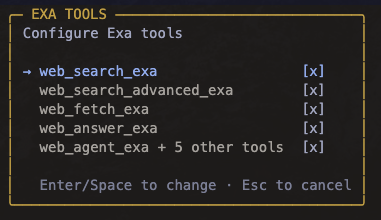
Configure Exa tools from the settings overlay.
---
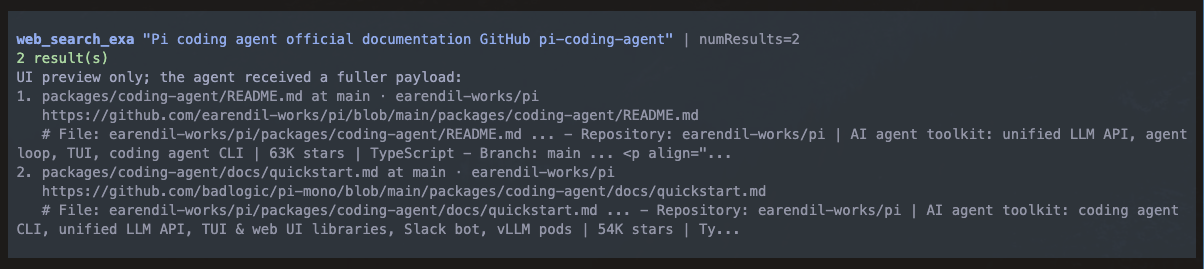
Readable web search previews keep the UI clean while full tool output remains available to the agent.
[Exa](https://exa.ai)-powered web search, content retrieval, answers, and agentic search tools for [pi](https://pi.dev). This package has parity with the official Exa MCP server's current search and content-retrieval tools, then adds two Pi-specific capabilities: Exa's Answer API and the newly announced Exa Agent API for long-running research workflows. It also ships a bundled `exa-search` skill that guides the agent on when to search, when to fetch, when to use Answer, and when to escalate to Exa Agent without flooding context. ## Prerequisites You need an [Exa API key](https://dashboard.exa.ai/api-keys). ## Install ```bash pi install npm:@alasano/pi-exa ``` ## Authentication Set `EXA_API_KEY` in the environment before starting pi, or run: ```sh /exa-auth set ``` The command stores credentials under the pi agent directory for this package only. ## Settings Run `/exa-settings` to open the tool settings overlay. Search, advanced search, fetch, and answer can be toggled individually. Agent lifecycle tools are toggled as one group so create/get/list/cancel/delete/events stay consistent. Disabled tools are removed from the agent's active tool list immediately for the next turn. ## Skill The package includes the `exa-search` skill. It guides the agent to: - start with lightweight search for source discovery - use advanced search only when filters or content controls matter - fetch selected URLs instead of dumping broad page text - use Answer for concise sourced answers - use the newly announced Exa Agent API for deeper multi-hop or long-running async research workflows - retrieve the full stored Agent result after compact background completion notices ## Workflow Use the tools as a pipeline: 1. `web_search_exa` for normal source discovery. 2. `web_search_advanced_exa` when domains, dates, categories, freshness, summaries, highlights, subpages, or extracted text matter. 3. `web_fetch_exa` for selected URLs that need full markdown content. 4. `web_answer_exa` when a direct answer with sources is enough. 5. `web_agent_exa` when the task is bigger than search: long-running research, multi-hop source gathering, or structured output across many sources. Foreground Agent runs return the full Agent result to the agent. Background Agent runs return promptly, show a persistent status panel, and send a compact completion notice that tells the agent to call `web_agent_get_exa` before using detailed findings. ## Tools (10) ### Search, Content, And Answers | Tool | Description | | ------------------------- | -------------------------------------------------------------------------------------------------------------------------------------------------------- | | `web_search_exa` | Search the web with compact, highlight-first results for normal source discovery. | | `web_search_advanced_exa` | Search with filters and content controls: domains, dates, categories, freshness, summaries, highlights, subpages, text extraction, and response context. | | `web_fetch_exa` | Retrieve clean markdown/text content from selected known URLs. Defaults to bounded content so fetches stay focused. | | `web_answer_exa` | Ask Exa's Answer API for a direct sourced answer when a result list would be too much. | ### Exa Agent `web_agent_exa` is the main Agent tool. Use it for high-value async workflows that need more than search/fetch/answer: long-running research, structured JSON output, or multi-hop source gathering. | Tool | Role | | ---------------------- | -------------------------------------------------------------------------------------------------------------- | | `web_agent_exa` | Create an Agent run. Supports foreground wait mode and background tracking. | | `web_agent_get_exa` | Retrieve the full stored Agent result, including text, structured output, citation grounding, usage, and cost. | | `web_agent_list_exa` | List recent Agent runs to find IDs or inspect statuses. | | `web_agent_cancel_exa` | Cancel a queued or running Agent run. | | `web_agent_delete_exa` | Delete a stored Agent run when explicitly requested. | | `web_agent_events_exa` | Inspect stored lifecycle events or replay the event stream for debugging/progress history. | ## Agent Modes | Mode | Behavior | | --------------------------------- | ------------------------------------------------------------------------------------------------------------------------------------------------------- | | `mode: "wait", monitor: "stream"` | Foreground run with server-sent lifecycle events. Best default when the user needs the result in the current turn. | | `mode: "wait", monitor: "poll"` | Foreground run using `GET /agent/runs/{id}` polling. Useful if streaming is undesirable. | | `mode: "background"` | Returns the run ID immediately, tracks the run in a pi widget, and sends a compact follow-up when it finishes. `monitor` is ignored in background mode. | ## Output And Context Discipline - Search defaults to compact highlights rather than full page text. - Advanced search returns extracted text by default; use `textMaxCharacters` for broad queries. - Fetch is for selected known URLs, not broad discovery. - Agent foreground/get results return full structured output and citation grounding to the agent. - Background completion notices stay compact and instruct the agent to retrieve the full result before answering in detail. - Ctrl+O in the UI exposes expanded previews/raw API diagnostics without changing what the agent receives.