# AIGNE Observability
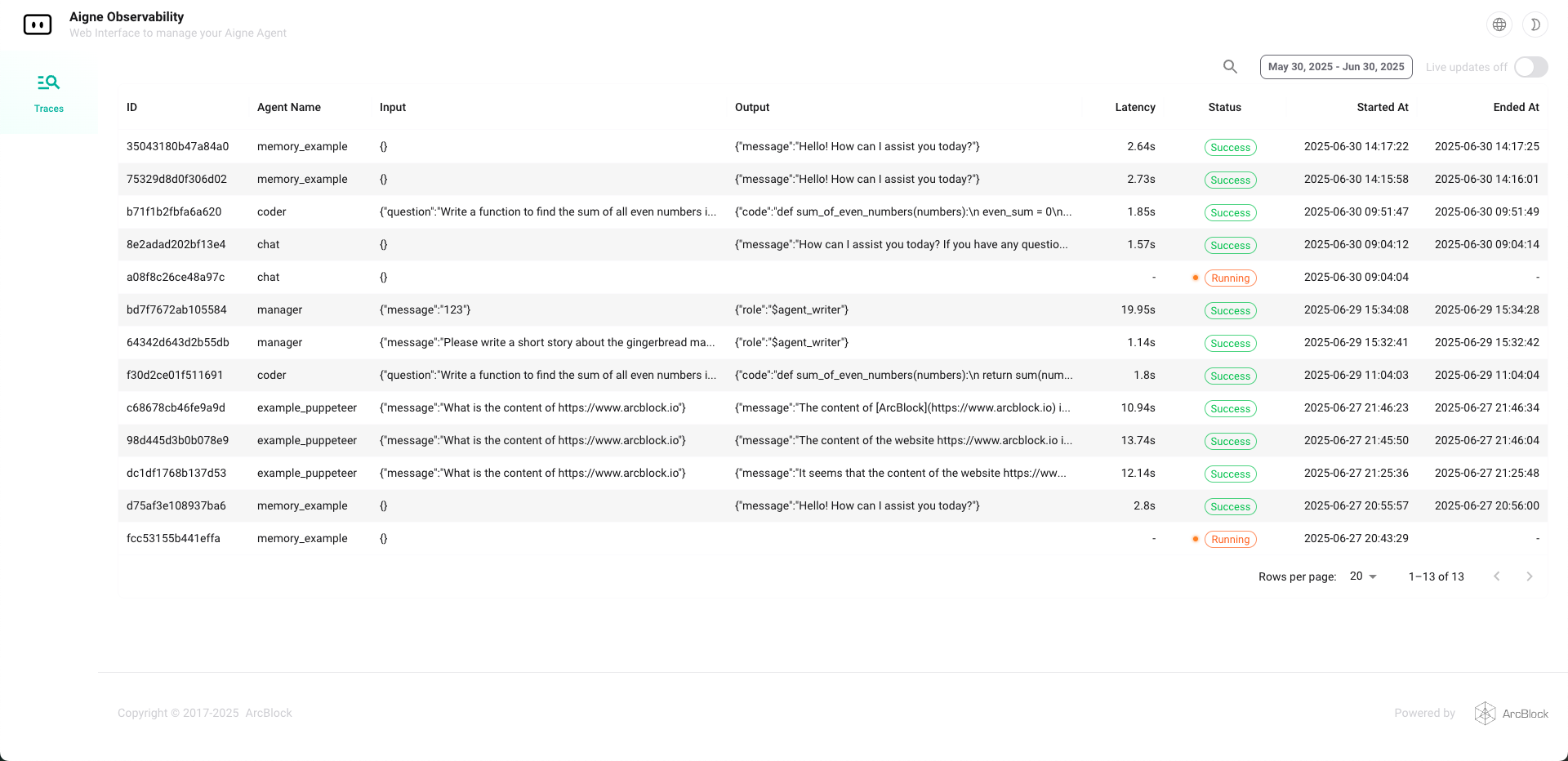
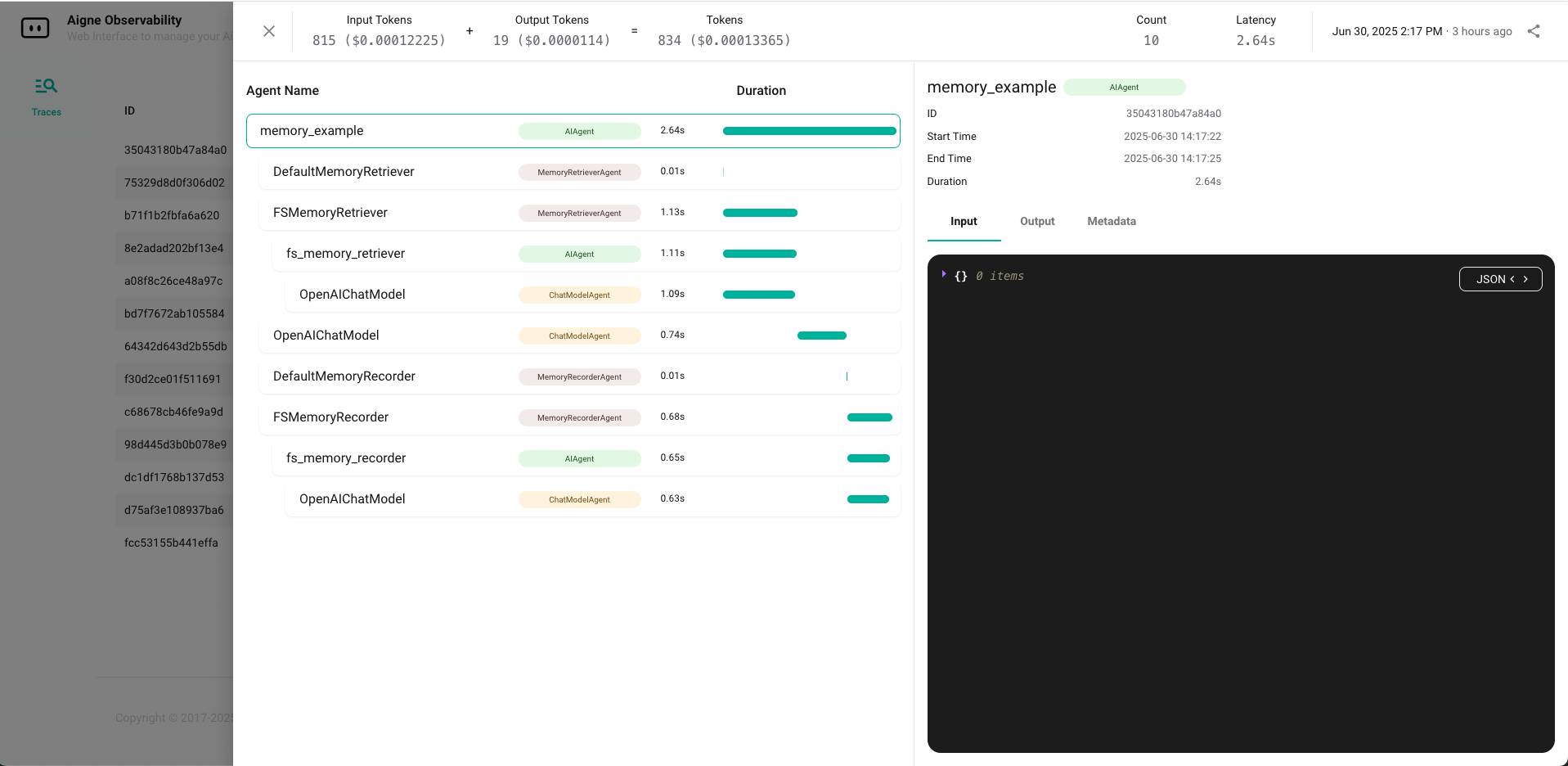
A visual tool for monitoring Agent data flow, built on OpenTelemetry. Supports collection of both Trace and Log data. Can be used as a standalone service or integrated into the AIGNE runtime (AIGNE has this module integrated by default).
---
## ✨ Features
- 📊 Real-time visualization of trace data and call chains
- 🔍 Accurately pinpoint AIGNE internal workflows
- ☁️ Supports both local [AIGNE CLI](https://www.npmjs.com/package/@aigne/cli) and [Blocklet](https://store.blocklet.dev/blocklets/z2qa2GCqPJkufzqF98D8o7PWHrRRSHpYkNhEh) deployment
---
## 🧩 API Usage
AIGNE Observability can be integrated into your Node.js application programmatically, exposing two server start methods:
### 1. Blocklet/Server Mode
For Blocklet deployment or running as a standalone service.
```js
import { startObservabilityBlockletServer } from "@aigne/observability-api/server";
startObservabilityBlockletServer({
port: Number(process.env.BLOCKLET_PORT) || 3000,
dbUrl: path.join("file:", process.env.BLOCKLET_DATA_DIR || "", "observer.db"),
});
```
### 2. CLI Mode
It is suitable for local development, debugging or scenarios launched through CLI.
```js
import { startObservabilityCLIServer } from "@aigne/observability-api/cli";
startObservabilityCLIServer({
port: 7890,
dbUrl: "file:observer.db",
});
```
- Blocklet/Server mode is recommended for production and platform integration, supporting richer configuration and authentication.
- CLI/Local mode is lightweight and ideal for developer local experience and debugging.
For detailed parameters and advanced usage, please refer to the source code or TypeScript type definitions.

