# Roles
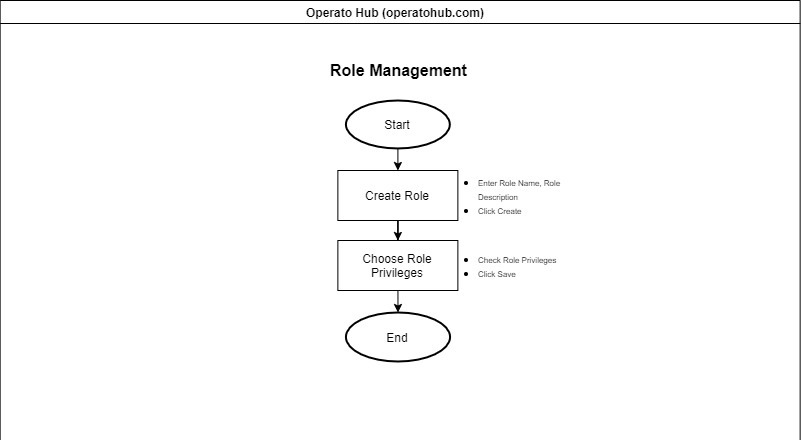
Operato has roles for users’ access rights. Each role confers a different set of privileges for a given user of Operato. For example, users who have **Admin** rights can restrict other users’ access rights so that they cannot view or modify internal information.
### Properties
- **Roles**: job (title) or role name
- **Privileges**: privileges to access the system
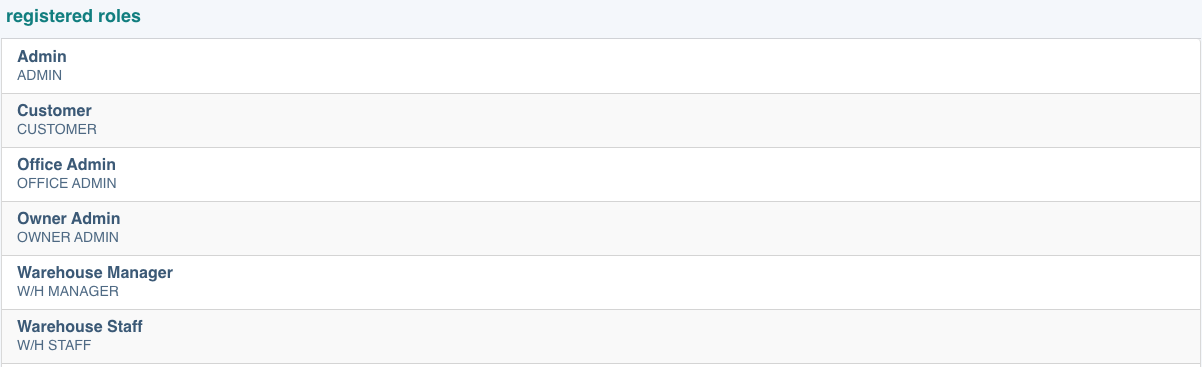
### Role List
You can search the roles registered by domain.
### Type of Roles
1. Main role
- It has privilege to access Operato.
| ROLES | PRIVILEGE |
| :---------------- | :---------------------------------------------------------------------------------------------------------------------------------------------------------- |
| Admin | Can invite users to Operato Hub, have full privilege in WMS |
| Customer | Can create Goods Arrival Notice (GAN) and Release Order (RO), and view reports |
| Office admin | Can receive or approve the request of Goods Arrival Notice (GAN), Release Order (RO), activate worksheets and generate reports in Operato WMS for customers |
| Warehouse manager | Execute unloading, putaway, returning, picking, batch picking and loading |
| Warehouse staff | Execute unloading, putaway, returning, picking, batch picking and loading |
---
2. Shared role
- It is used to assign menus in the Operato WMS.
## Create Role
**Admins** can add any role they want.
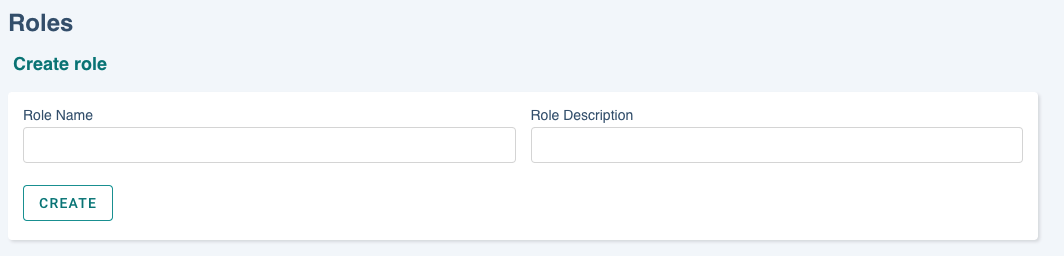
1. Enter the name and description according to the form format.
2. Click 
## Update Role
Click on a role name to edit the role's name, description and privileges.
### Role Privilages
Below the role name, a list of access rights for functions is displayed. After checking the desired authority, click 
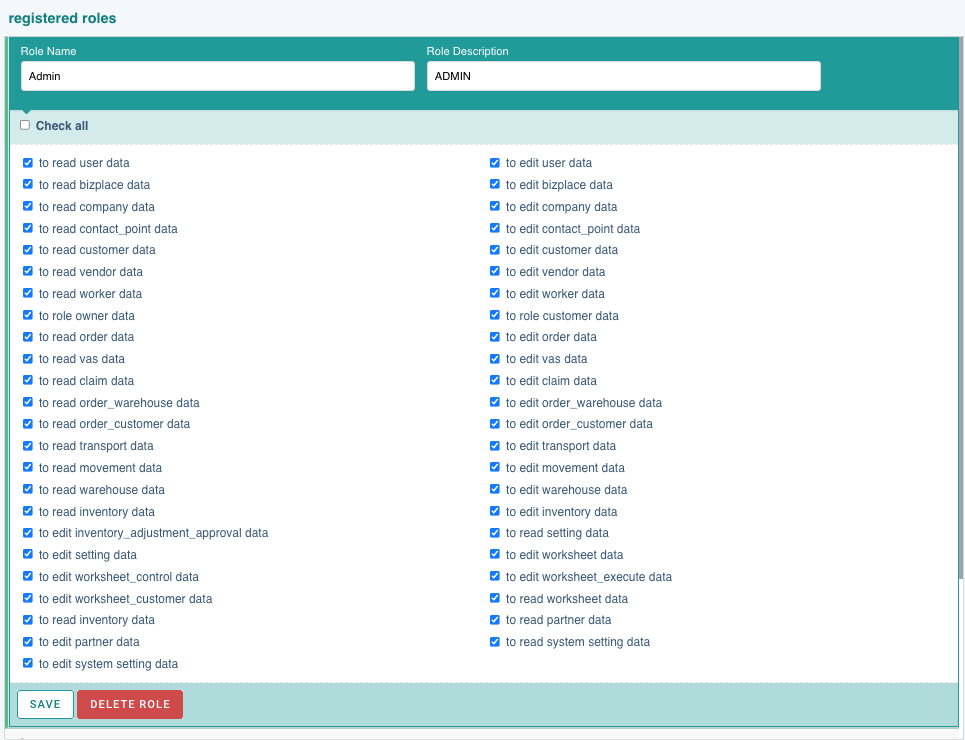
You can grant roles to users in a bizplace through the **User Management** menu which is accessible through the **Users** tab in the sidebar.
## Delete Role
You can delete unused roles. Please note that if a partner is using a role, it cannot be deleted.