
# Thunder Client



[](https://discord.gg/yw6UsfwrkH)
Thunder Client is a lightweight REST API client for [VS Code](https://marketplace.visualstudio.com/items?itemName=rangav.vscode-thunder-client) and [JetBrains](https://plugins.jetbrains.com/plugin/31431-thunder-client), designed with a focus on **simplicity, clean design, and local storage**. You can report any bugs or feature requests here.
- Featured on Product Hunt - [Product Hunt](https://www.producthunt.com/posts/thunder-client)
- Featured in the "20 Fan Favorite Extensions" for [VS Code](https://www.youtube.com/watch?v=mI5My0cBTv4)
- Website - [www.thunderclient.com](https://www.thunderclient.com)
- Extension - [VS Code Marketplace](https://marketplace.visualstudio.com/items?itemName=rangav.vscode-thunder-client)
- Documentation - [https://docs.thunderclient.com](https://docs.thunderclient.com/)
#### Story behind Thunder Client
- Read Launch Blog Post on [Medium](https://rangav.medium.com/thunder-client-alternative-to-postman-68ee0c9486d6)
#### Milestones
- The extension was **launched** on March 31st, 2021
- **500K** downloads on Dec 20th, 2021
- **1 Million** downloads on July 13th, 2022
- [View All Milestones](https://www.thunderclient.com/about)
#### Innovations
- First to introduce GUI based **API Client for VS Code**.
- First to introduce **100% local storage** API Client.
- First to introduce **Scriptless Testing**.
- First to introduce an **advanced CLI** that runs Requests, Collections and cURL commands.
- More to come...
#### Follow Us for Updates
[](https://twitter.com/thunder_client)
[](https://www.linkedin.com/company/thunderclient/)
## How to Use
- Install the extension, click the Thunder Client icon on the Action Bar.
- From the sidebar click `New Request` button to test API
- Video: [youtube.com/watch?v=NKZ0ahNbmak](https://youtu.be/NKZ0ahNbmak?t=3)
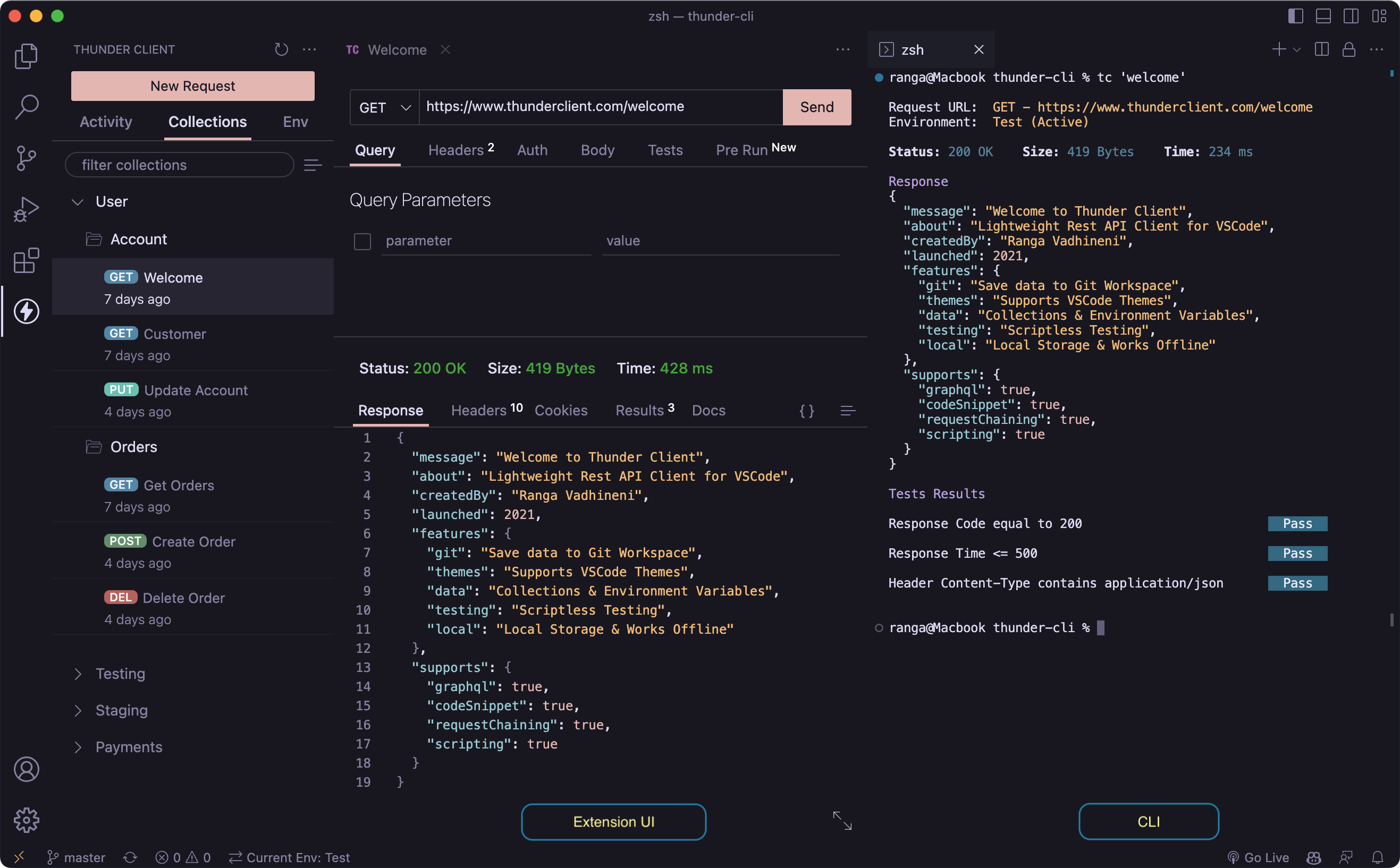 ## Main Features
- **Lightweight** and easy to use REST API Client.
- Supports **Collections and Environment variables**.
- **Scriptless Testing:** Easily test API responses with a GUI-based interface.
- **Local Storage:** The extension saves all data locally on the user's device.
- **Git Sync:** Save requests data in your Git repository for team collaboration.
- **Advanced CLI:** Run requests, collections and cURL commands from the terminal.
## Documentation (NEW)
- We're excited to launch our new documentation site - https://docs.thunderclient.com
## Main Features
- **Lightweight** and easy to use REST API Client.
- Supports **Collections and Environment variables**.
- **Scriptless Testing:** Easily test API responses with a GUI-based interface.
- **Local Storage:** The extension saves all data locally on the user's device.
- **Git Sync:** Save requests data in your Git repository for team collaboration.
- **Advanced CLI:** Run requests, collections and cURL commands from the terminal.
## Documentation (NEW)
- We're excited to launch our new documentation site - https://docs.thunderclient.com